
If you’ve played Aion 2 for a while, you already know how much time disappears just trying to locate the right resource area or reach a world boss before it’s gone. The in-game map helps, but many players still deal with slow loading, missing markers, or freezing when switching regions.
This guide explains how the Aion 2 Interactive Map works, why it sometimes doesn’t load properly, and practical ways to improve map responsiveness.

- ✅Less ping and crashes.
- ✅ Higher FPS and better PC performance.
- ✅ Support for 2000+ games.
- ✅ Stable connection and region switching.
Part 1. Why the Aion 2 Map Matters
Part 2. Which Players Need the Interactive Map the Most
Part 3. Best Aion 2 Interactive Map—LagoFast Tool
Part 4. FAQs About the Aion 2 Interactive Map
Part 1. Why the Aion 2 Map Matters
Aion 2 is fast-paced and exploration-driven, which means progression depends on movement—not staying in one place. Players rely on the map because:
- resources are spread across multiple regions
- elite mobs and bosses roam instead of spawning in fixed spots
- events and dungeons rotate by time and area
- high-value locations are contested and time-sensitive
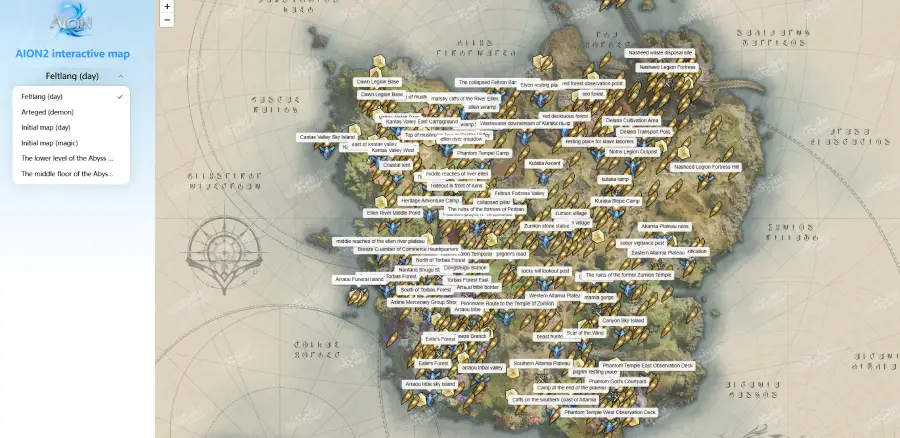
Although the game provides an in-game map and external interactive versions with features like region markers, resource locations, custom notes, and cloud sync, many players still experience:
- slow or incomplete tile loading
- delayed or missing markers
- freezing when switching regions
- late world-boss refresh updates
Because of these limitations—and since navigation directly affects progression—many players turn to external tools to speed up map loading and ensure accurate marker updates.
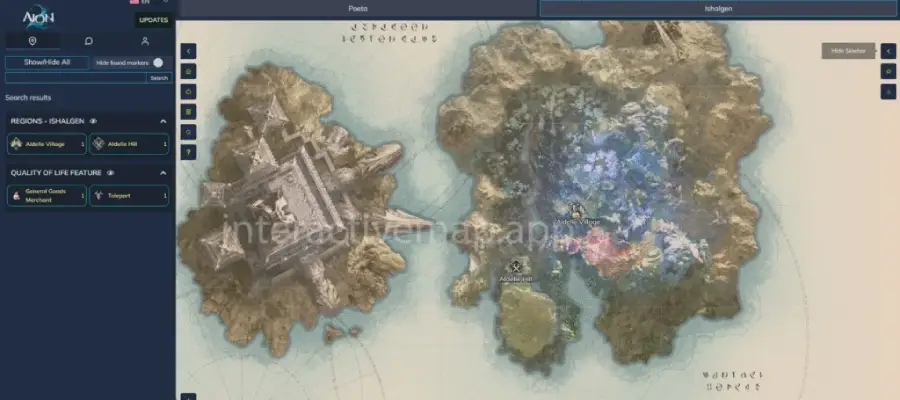
Part 2. Which Players Need the Interactive Map the Most
The upgraded interactive map is especially useful if you are:
- playing outside KR/TW, and map tiles load slowly
- switching zones frequently and experience freezing or delay
- farming rare resources and need accurate spawn points
- joining world-boss hunts where arriving late = no rewards
- a new player still unlocking regions and routes
In Aion 2, navigation is progression—if you don’t reach locations fast enough, someone else will.
Part 3. Best Aion 2 Interactive Map—LagoFast Tool
LagoFast integrates a dedicated Interactive Map tool, specifically designed to enhance the in-game experience for Aion 2 players. By stabilizing network routes, it delivers faster map loading, accurate marker display, and smooth navigation—without requiring any graphics or FPS adjustments.
Key Advantages
- Faster Loading—smart routing reduces map loading time, even when accessing from other regions
- Instant Translation—built-in overlay instantly translates English map text, quest markers, or loot descriptions into your language
- Low-Latency Browsing—map tiles and overlays load through optimized network routes, avoiding connection drops
- Seamless In-Game Overlay—check the map directly on-screen without Alt-tabbing.
- Data Sync—save marked locations and restore them across devices
- Cross-Platform Support—the Interactive Map tool works on both PC and mobile for a consistent experience
By using LagoFast’s Interactive Map tool, players can explore, farm, and track events efficiently, with reliable marker updates and smooth performance. The webpage also supports automatic Google translation for multiple languages, with English as the fallback.
How to Get the Best Interactive Map for Aion 2:
Step 1: Click the "Free Trial" button below to download and install the LagoFast client on your PC.
Step 2: Launch LagoFast, search for "Aion 2" in the client, and select the game.

Step 3. Click the Interactive Map tool at the bottom right corner.
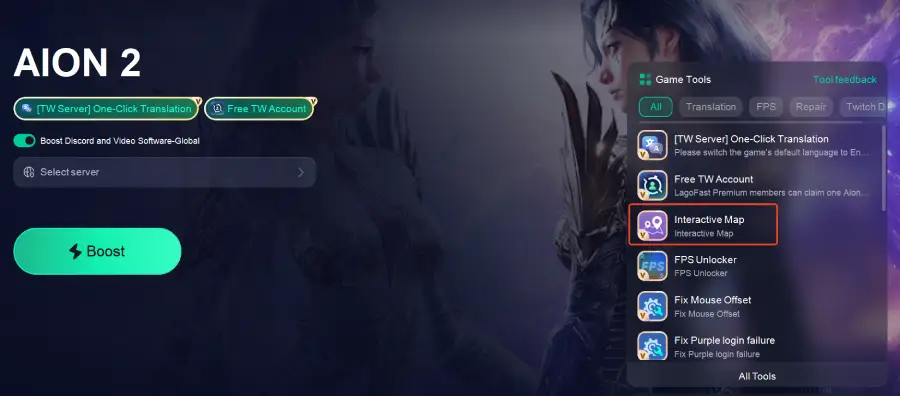
Step 4: Click the One-Click Translation Tool on the right.
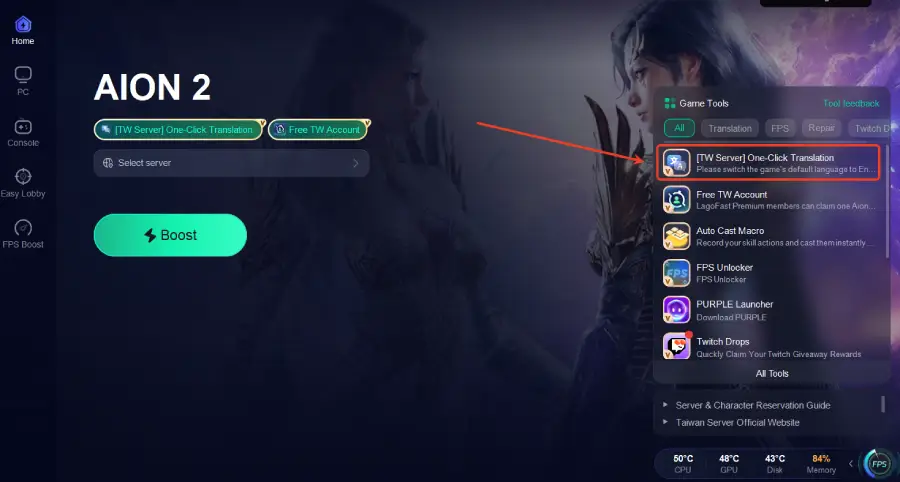
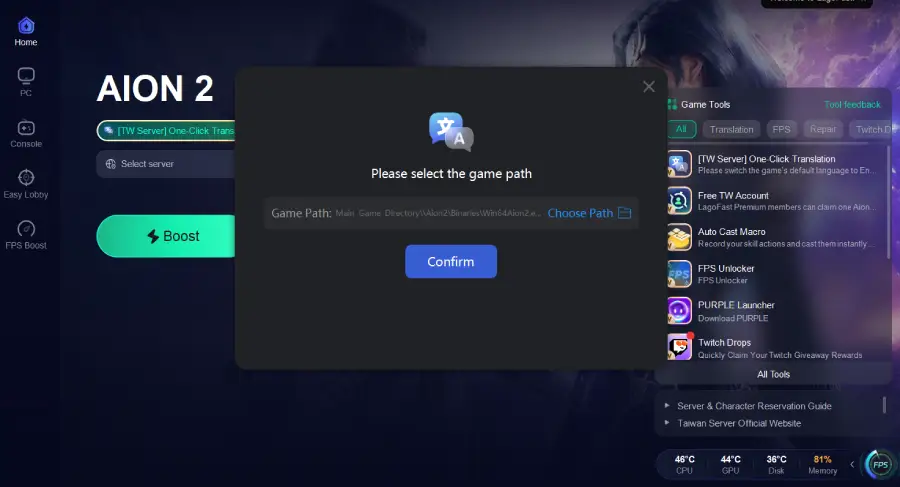
Step 5: Choose your target language and set up the hotkeys to instantly unlock more in-game languages.
Step 6: Choose the best server.
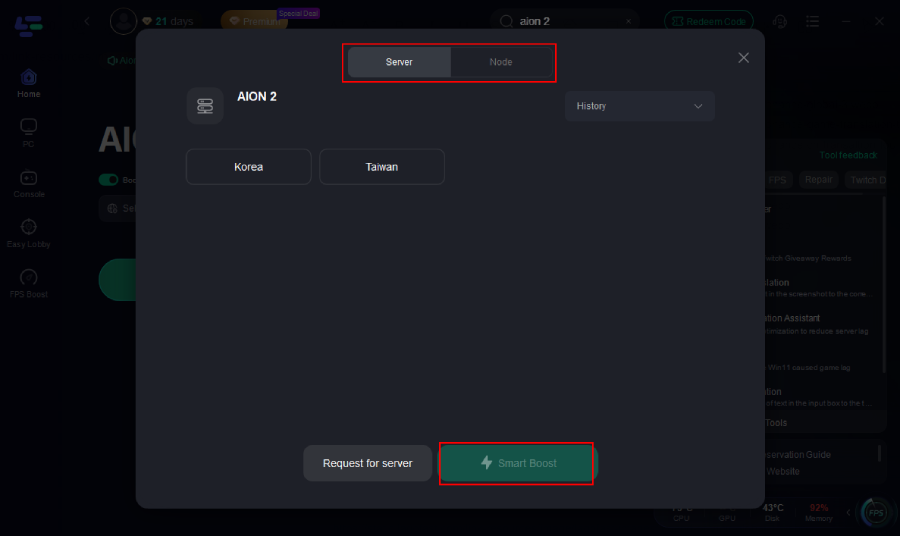
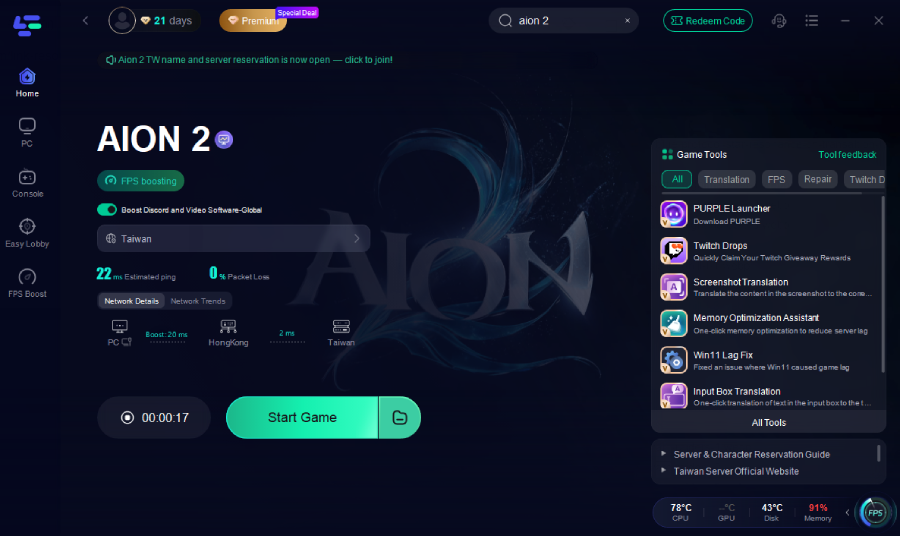
Step 7: Activate Smart Boost and you will see the ping rate and packet loss rate.
Additionally, the LagoFast Aion 2 Interactive Tool is also available on mobile, supporting English, Thai, Russian, Portuguese, French, German, Spanish, and Turkish.
How to Get the Best Interactive Map for Aion 2 on Mobile:
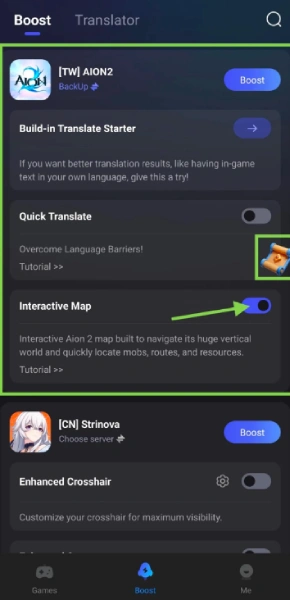
Go to LagoFast Mobile official website and download LagoFast.

Go to Boost and select AlON2.
Find AlON2 Interactive Map under the game
Tap the switch to enable it. If it's your first time, grant a floating window permissions when prompted.
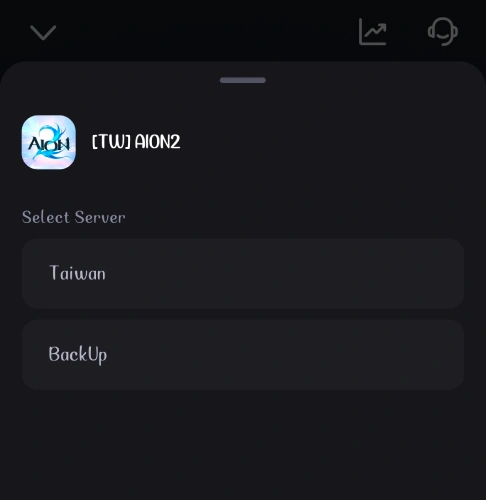
Select the best server and node to boost AION 2.
Click Start Game and launch AION2 normally.
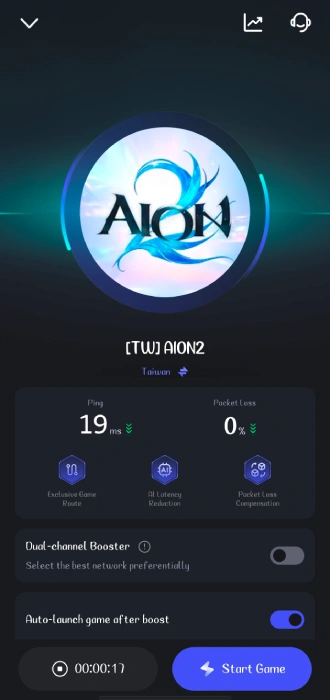
A small floating icon will appear on your game screen.
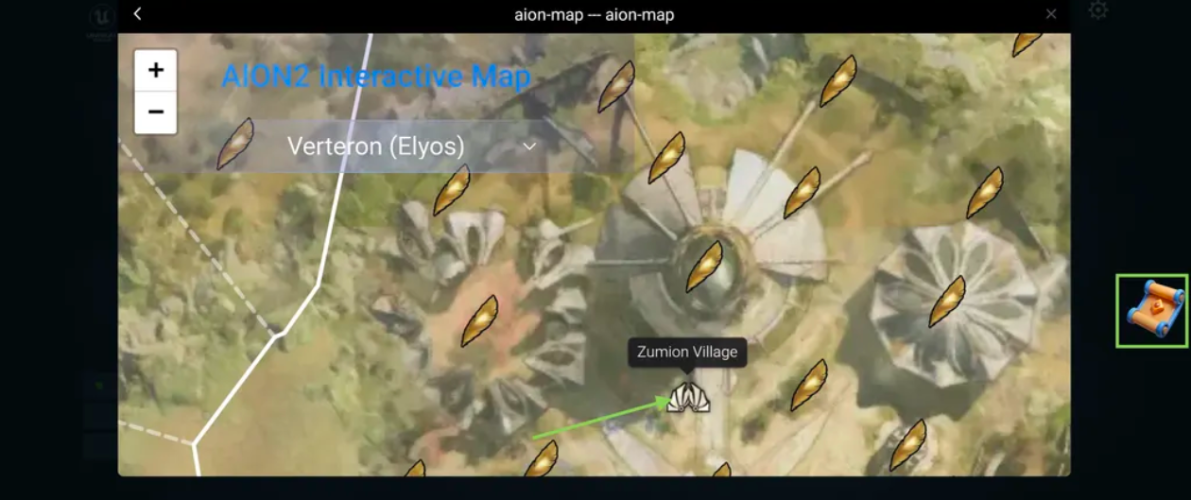
Tap the floating icon to open the interactive map overlay.
You can browse routes, loot spots, farming paths, and resource locations in real time without leaving the game.
Tap any item on the map to view its exact location.
Adjust or close the map window.
Drag the floating window anywhere on your screen for better visibility.
Tap the “X” in the top corner to close the map at any time.
With the AION2 Interactive Map, you can explore faster, farm smarter, and never lose your way again. Enjoy smoother gameplay with LagoFast!
Part 4. FAQs About the Aion 2 Interactive Map
1. Why does my map load slowly?
Slow loading is usually caused by unstable network routes to the game server, particularly for players outside the KR/TW regions. It’s not necessarily a problem with your device.
2. Why are some markers missing or delayed?
Delayed or missing markers often result from data sync issues rather than in-game bugs. Using a tool like LagoFast can help ensure markers appear correctly and promptly.
3. Do I need to change game settings to fix map issues?
No. There’s no need to adjust graphics or FPS. Stabilizing your network connection with a dedicated tool is usually enough.
4. Can I track my own progress on the map?
Yes. The interactive map allows you to mark locations, create custom notes, and even sync your data across devices.
Conclusion
The Aion 2 Interactive Map is essential for efficient navigation, resource tracking, and timely world boss encounters. While the in-game map works, slow loading, missing markers, and freezes can disrupt gameplay.
Using LagoFast stabilizes network routes, speeds up map loading, ensures markers appear correctly, and adds features like instant translation, low-latency browsing, and in-game overlay. Combined with the map’s built-in tools, players can explore, farm, and complete events efficiently.
Boost Your Game with LagoFast for Epic Speed
Play harder, faster. LagoFast game booster eliminates stutter and lags on PC, mobile, or Mac—win every match!
Quickly Reduce Game Lag and Ping!
Boost FPS for Smoother Gameplay!