

If you’re a fan of high‑fantasy MMORPGs, you’ll want to get ready for Aion 2. Whether you’re looking for the best way to execute the Aion 2 download, grabbing early access for the Taiwanese server, or simply want to know what platforms and regions are supported, this guide has you covered. We’ll also touch on how to get started via the Purple launcher, how NCSoft and its Taiwanese branch NC Taiwan fit into it, and a couple of third‑party tools that can help optimize your experience. Let’s dive in.

- ✅Less ping and crashes.
- ✅ Higher FPS and better PC performance.
- ✅ Support for 2000+ games.
- ✅ Stable connection and region switching.
Part 1: Aion 2 Release Date, Platforms and Servers
Part 2: How to Download Aion 2 on PC and Mobile
Part 3: How to Create a Taiwan Aion 2 Account
Part 4: How to Create a Korean Aion 2 Account
Part 5: Enhance Your Aion 2 Gaming Experience with LagoFast
Part 1: Aion 2 Release Date, Platforms and Servers
The official launch for Aion 2 in Korea and Taiwan is November 19, 2025. Pre‑registration kicked off earlier, and name‑reservation opened from October 16, 2025.
Aion 2 Platforms:
- PC: The game will be downloadable via the Purple launcher.
- Mobile (iOS/Android): Aion 2 supports both mobile platforms in the Korea/Taiwan launch.
Aion 2 Server regions:
Korea + Taiwan first. Global release is planned for 2026.
Why this matters: If you’re outside Korea or Taiwan and are eager to jump in early, you’ll want to prepare for region‑specific access, possibly higher latency, and special registration rules.
Part 2: How to Download Aion 2 on PC and Mobile
Here’s how to handle the Aion 2 download step‑by‑step, both on PC and on mobile devices.
For PC players
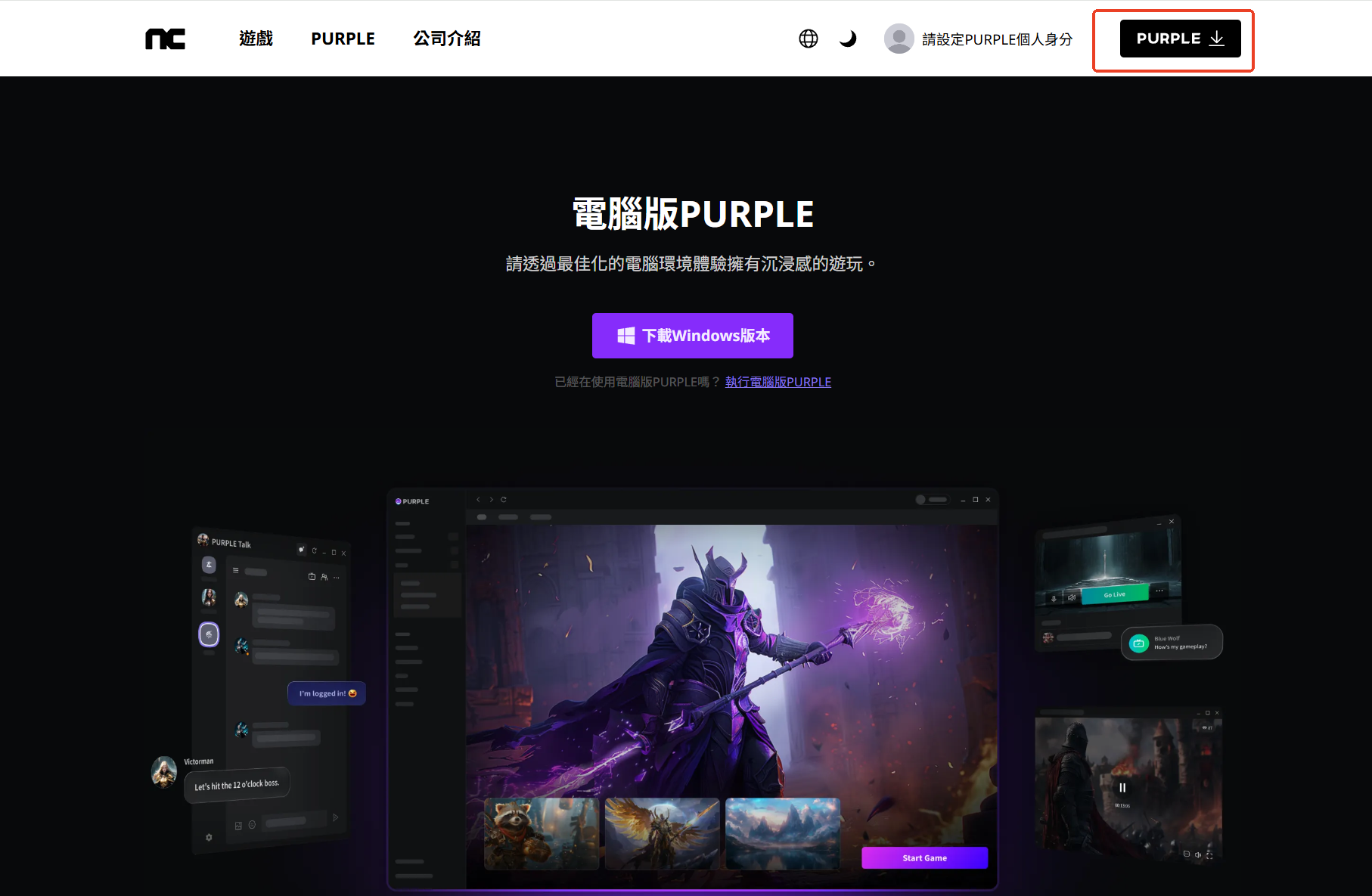
Step 1. Visit the Purple official website and click the download button. You’ll download the Purple launcher.
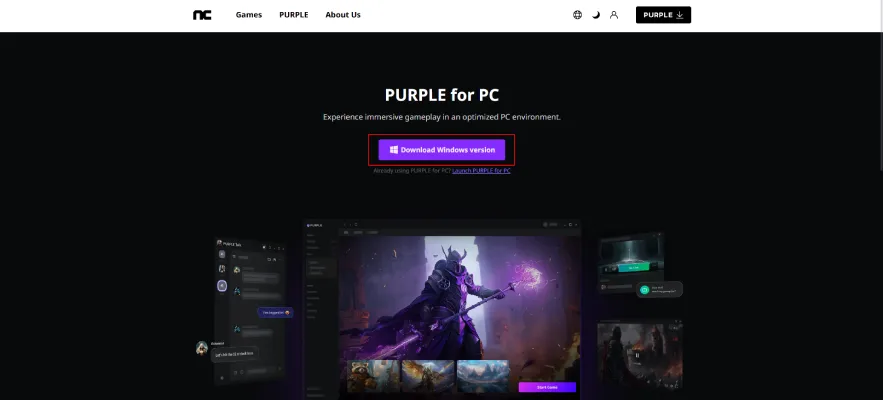
Tip: Because the official Aion 2 download might be slow or blocked depending on your network (VPN, regional restrictions), consider using the tool LagoFast Game Booster to get the Purple installer more quickly. Some guides mention that LagoFast offers a one‑click download of the Purple client without waiting for the official site to load.
1: Download Lagofast – Click the “Free Trial” button and install the client.
2: Open and Search—Launch Lagofast and type “AION 2” in the search bar.
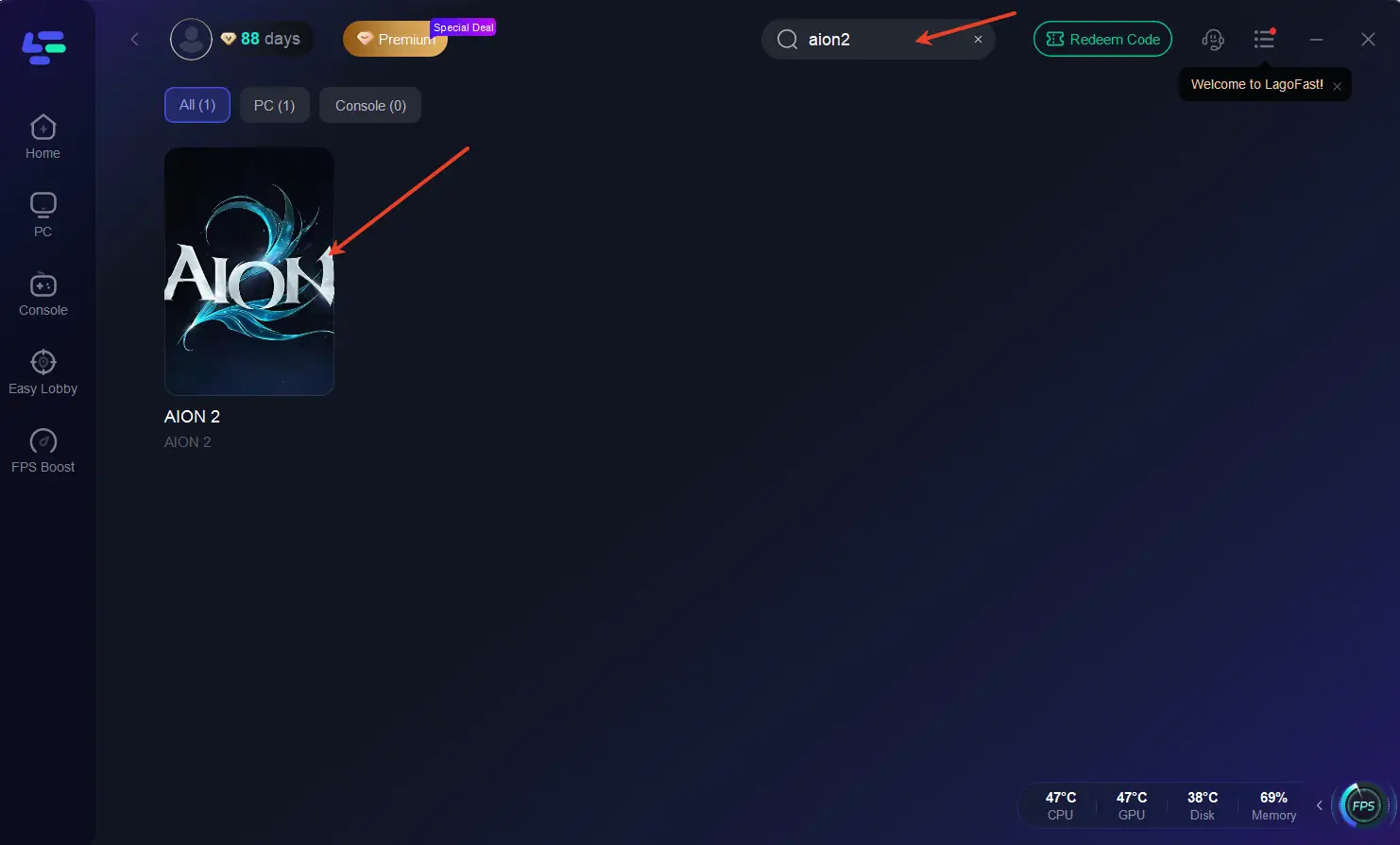
3. Click the PURPLE Launcher tool on the right.
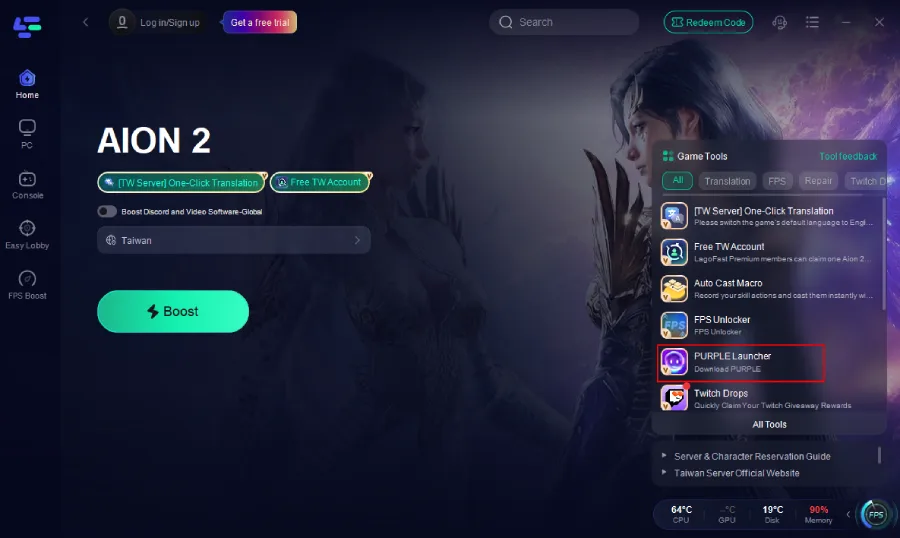
Step 2. Log in with your registered account. Don’t have an account yet? No worries—we’ll show you how to register and create a Korean or Taiwan Aion 2 account below.
Step 3. Within Purple, navigate to the “Store” section, find Aion 2, and click to download/preload the game client.
For Mobile players
iOS (iPhone/iPad):
- Go to Settings → Tap your Apple ID → Media & Purchases → View Account → Country/Region → Change to Korea (한국) or Taiwan (台灣).
- Agree to terms, fill in a valid local address (you’ll need a Korea/Taiwan address), and add a payment method (if possible select “None” to avoid charges).
- Restart your device, open the App Store, search for Aion 2, and download. Note: You may need to create a region‑specific Apple ID.
Android (Google Play):
- In Google Play Store, tap your profile icon → Settings → General → Account and device preferences.
- Under “Country and profiles”, switch to Korea (대한민국) or Taiwan (台灣).
- Add a local payment method if required (or skip if possible), clear the Play Store cache (Settings → Apps → Google Play Store → Storage → Clear Cache), then restart and search for Aion 2 to download.
Following these steps will help you complete the Aion 2 download on your preferred platform, assuming you have access to the Korea/Taiwan region servers.
Part 3: How to Create a Taiwan Aion 2 Account
Standard Method
For the Taiwan server of Aion 2 you do not need a phone number or regional ID. Here’s how:
Step 1 – Sign Up on NCSOFT Taiwan
Visit the NCSOFT Taiwan site, create an account using your email, and select Taiwan as your region.
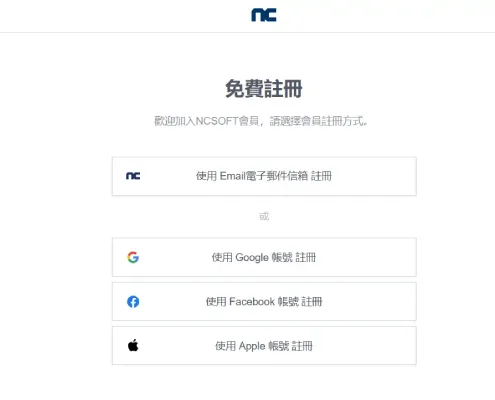
Step 2 – Install PURPLE and Log In
Download the PURPLE launcher, log in, and it should sync with your browser automatically.
Step 3 – Pre-register for AION 2
Once logged in, find AION 2 in the store and click Pre-register. This gives you early download access and exclusive in-game items.
Note: Pre-registration for the Korean server requires a Korean phone number. If you’re outside of Korea, we recommend completing pre-registration on the Taiwan server instead.
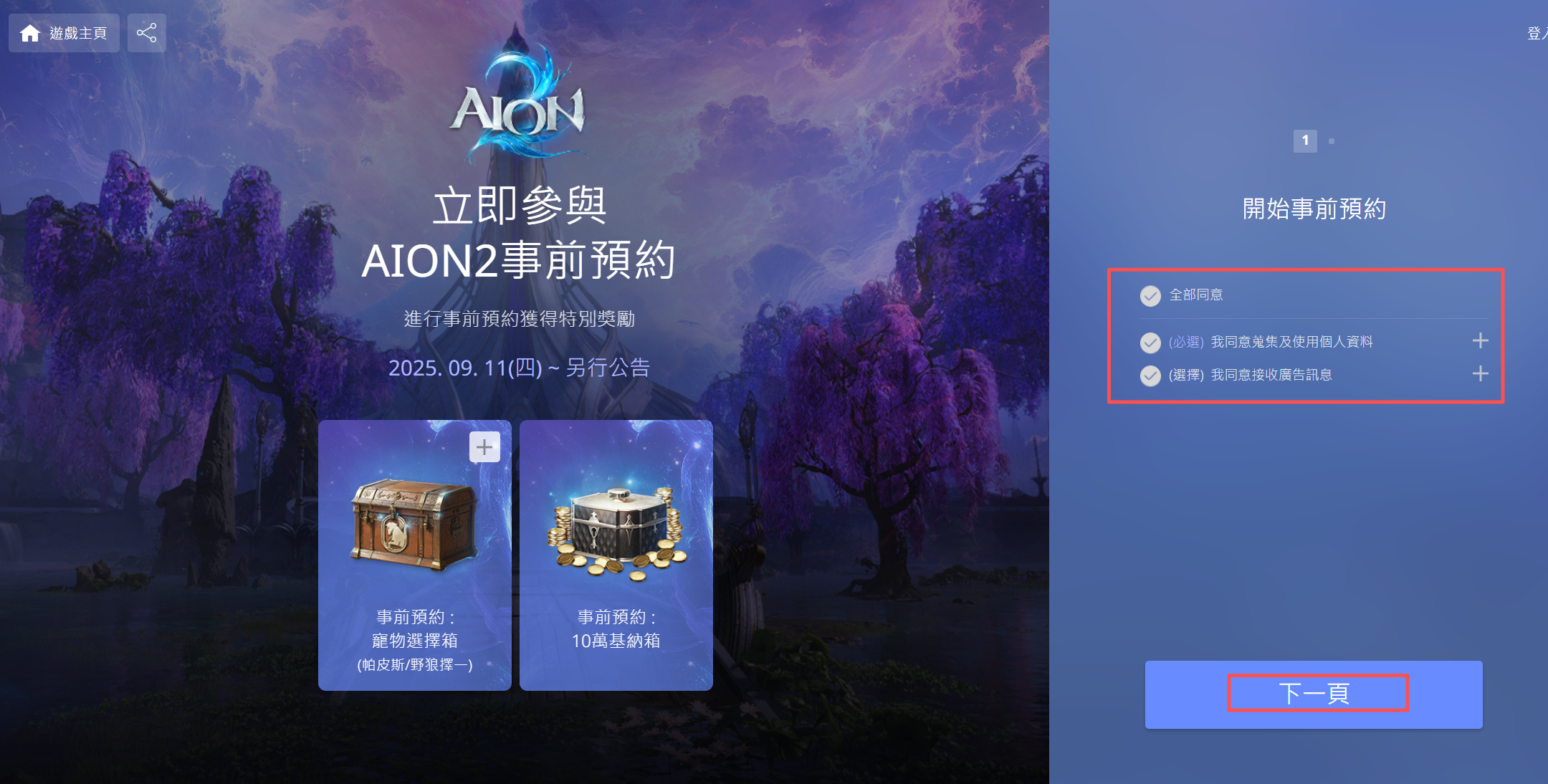
Here’s how to complete your Taiwan pre-registration:
Open the Pre-Registration page.
Use NCSoft’s official Aion2 site.
Check the box to agree to the terms and conditions.
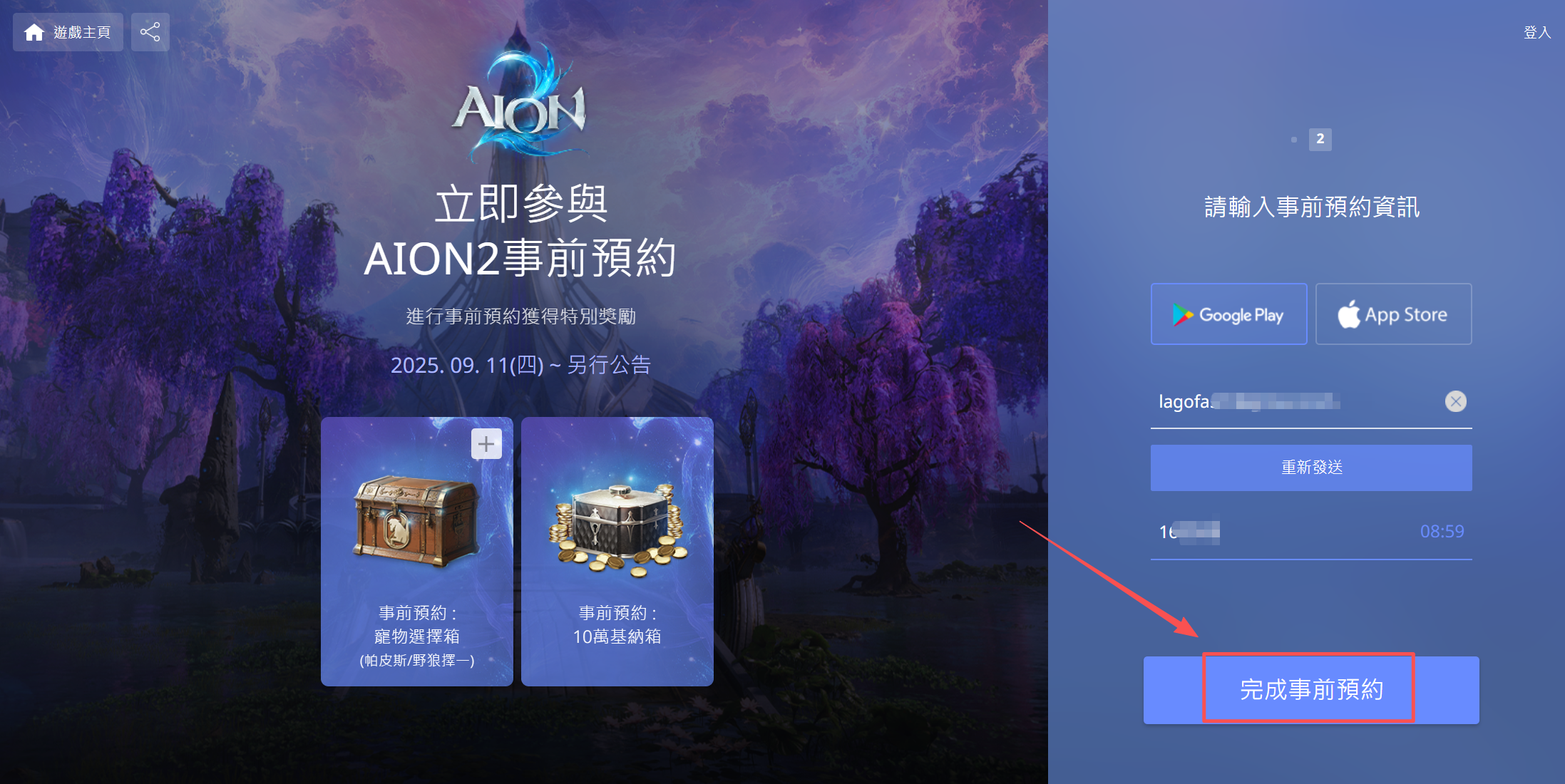
Enter your email address and complete the verification code process.
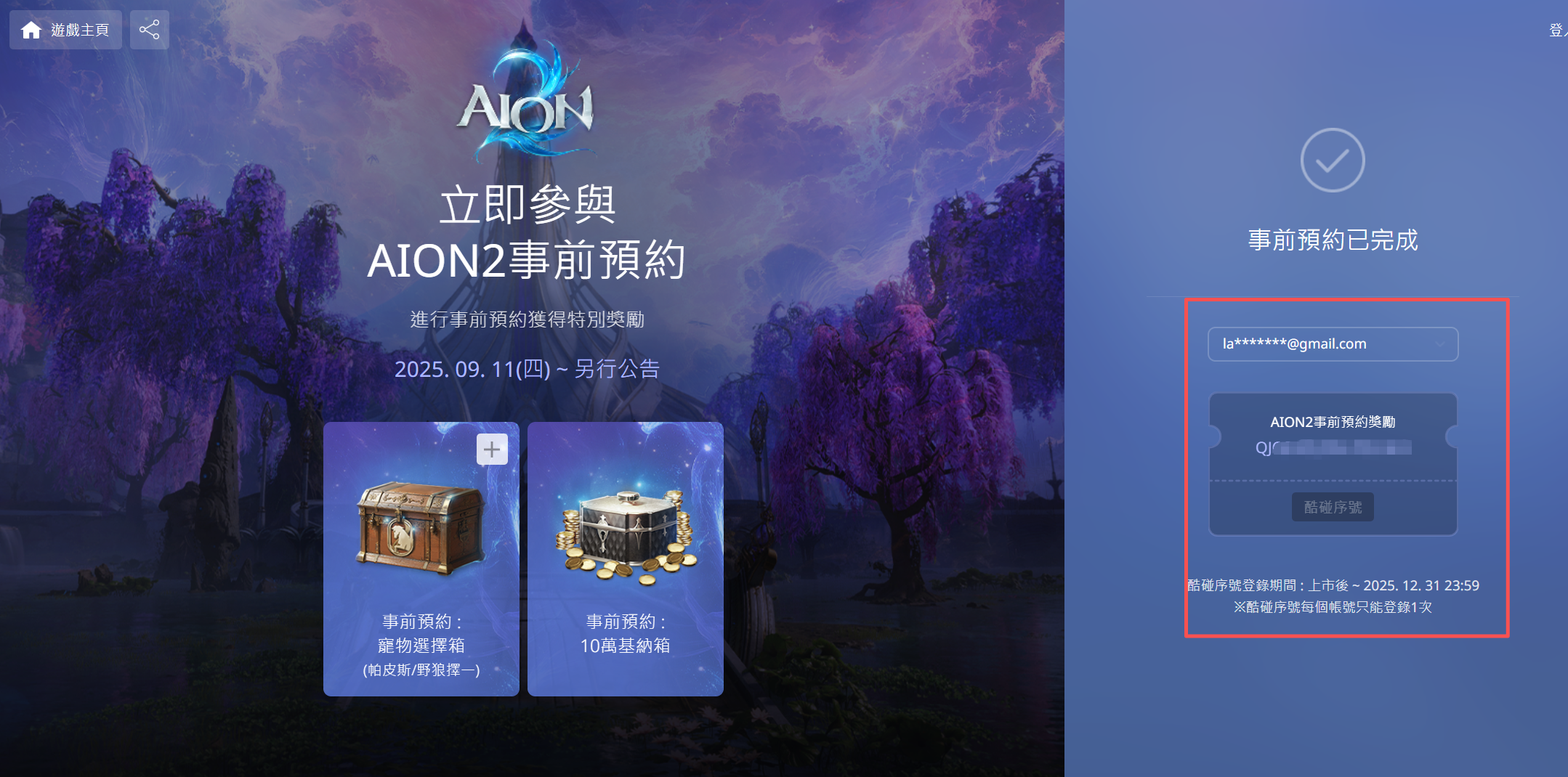
Done! Your pre-registration is now complete.
Shortcut Method - LagoFast's Free Account Giveaway
Because even the Taiwan registration can be slightly cumbersome, some players use LagoFast’s built‑in tool to obtain a pre‑configured Taiwan Aion 2 account without full registration.
Here’s how to claim your free Aion 2 TW account:
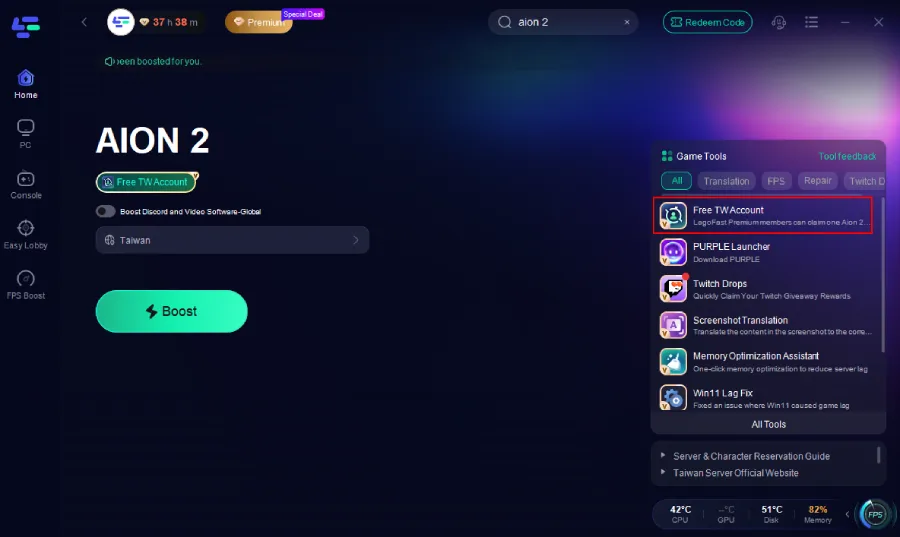
Step 1: On the right side, select the Free TW Account Tool.
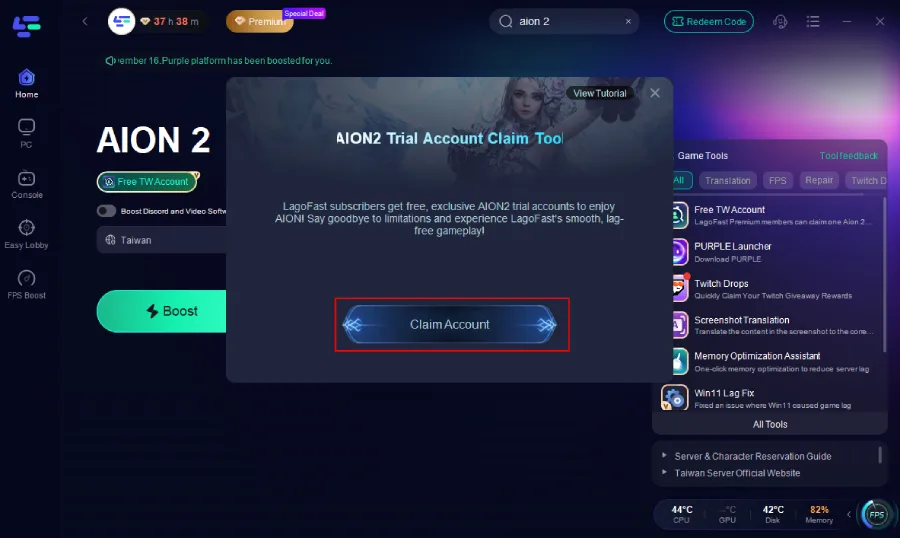
Step 2: Inside the tool, click Claim Account.
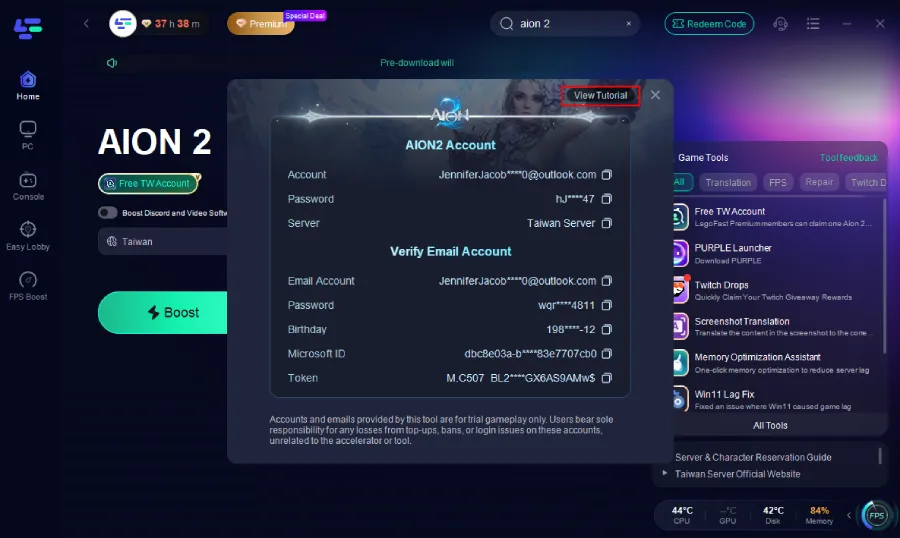
Step 3: An account will be automatically generated and assigned to you. Simply copy the email and password, then log in directly through Purple. A detailed tutorial is also available via the button at the top right of the tool interface if you need step-by-step guidance.
Important Note: This account is provided as a temporary experience account for accessing the game. We cannot guarantee long-term support, stability, or after-sales service for these accounts. Please be cautious with any in-game purchases or top-ups made while using an experience account.
Part 4: How to Create a Korean Aion 2 Account
Creating an account for the Korean server involves more steps because of stricter verification:
Step 1 – Get a Korean Phone Number
To verify your account, you’ll need a Korean mobile number. If you don’t live in Korea, you can use third-party mobile verification services that provide temporary Korean numbers for account setup.
Step 2 – Register on the PURPLE Website
- Go to the NCSOFT PURPLE Korea website.
- Translate the page to English (right-click → “Translate to English”).
- Use your email address to sign up, and select Korea as your region.
- Complete the phone verification process to activate your account.
Step 3 – Install and Log Into PURPLE
Download the PURPLE launcher, install it, and log in with your newly verified account.
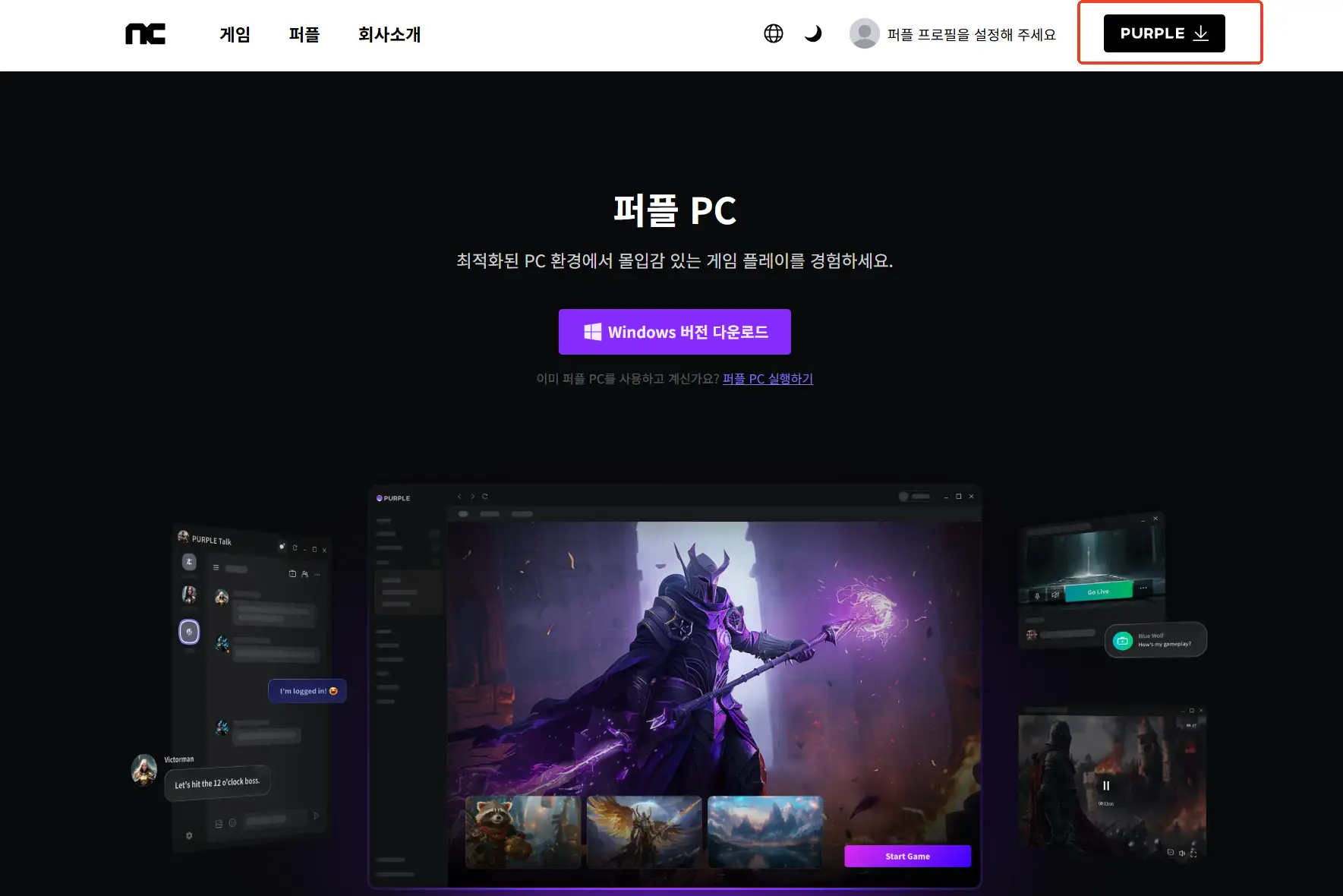
Step 4 – Pre-register for AION 2
Search for AION 2 in the launcher and click Pre-register to secure early access rewards and download privileges.
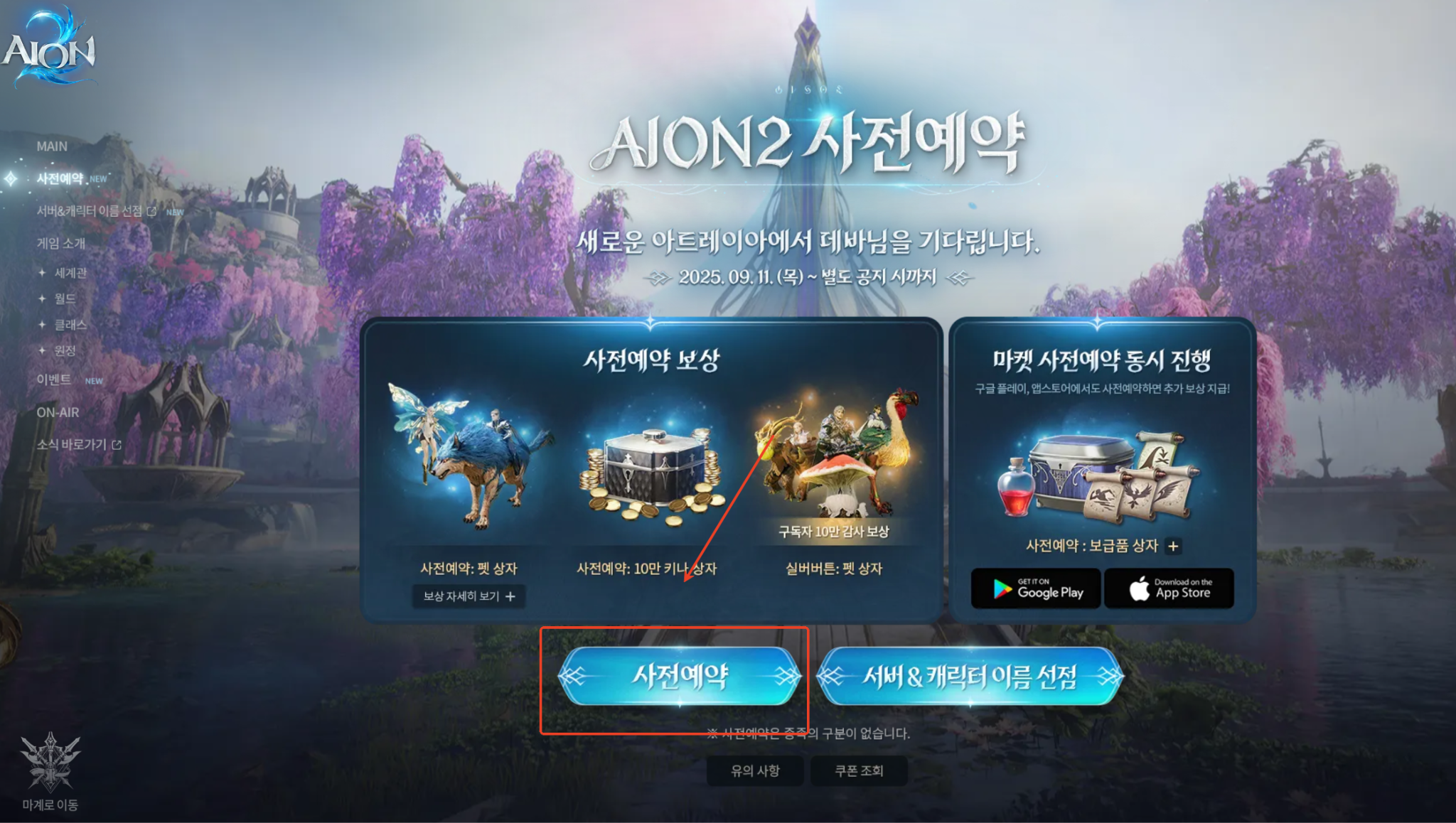
If you’re willing to jump through the extra hoops then playing on the Korea server may offer lower latency for Korean players or different regional events, but for most overseas players the Taiwan server is simpler.
Part 5: Enhance Your Aion 2 Gaming Experience with LagoFast
Apart from being useful for account access and download shortcuts, LagoFast helps improve your connection and performance when playing Aion 2. Because the Korea/Taiwan servers are hosted in Asia, players from other regions can face higher ping or unstable connections:
- It offers optimized routing to reduce latency and packet loss.
- It features an FPS/booster mechanism to improve frame rate and system responsiveness.
How to Use Lagofast for AION 2
Step 1: Download Lagofast – Click the “Free Trial” button and install the client.
Step 2: Open and Search—Launch Lagofast and type “AION 2” in the search bar.
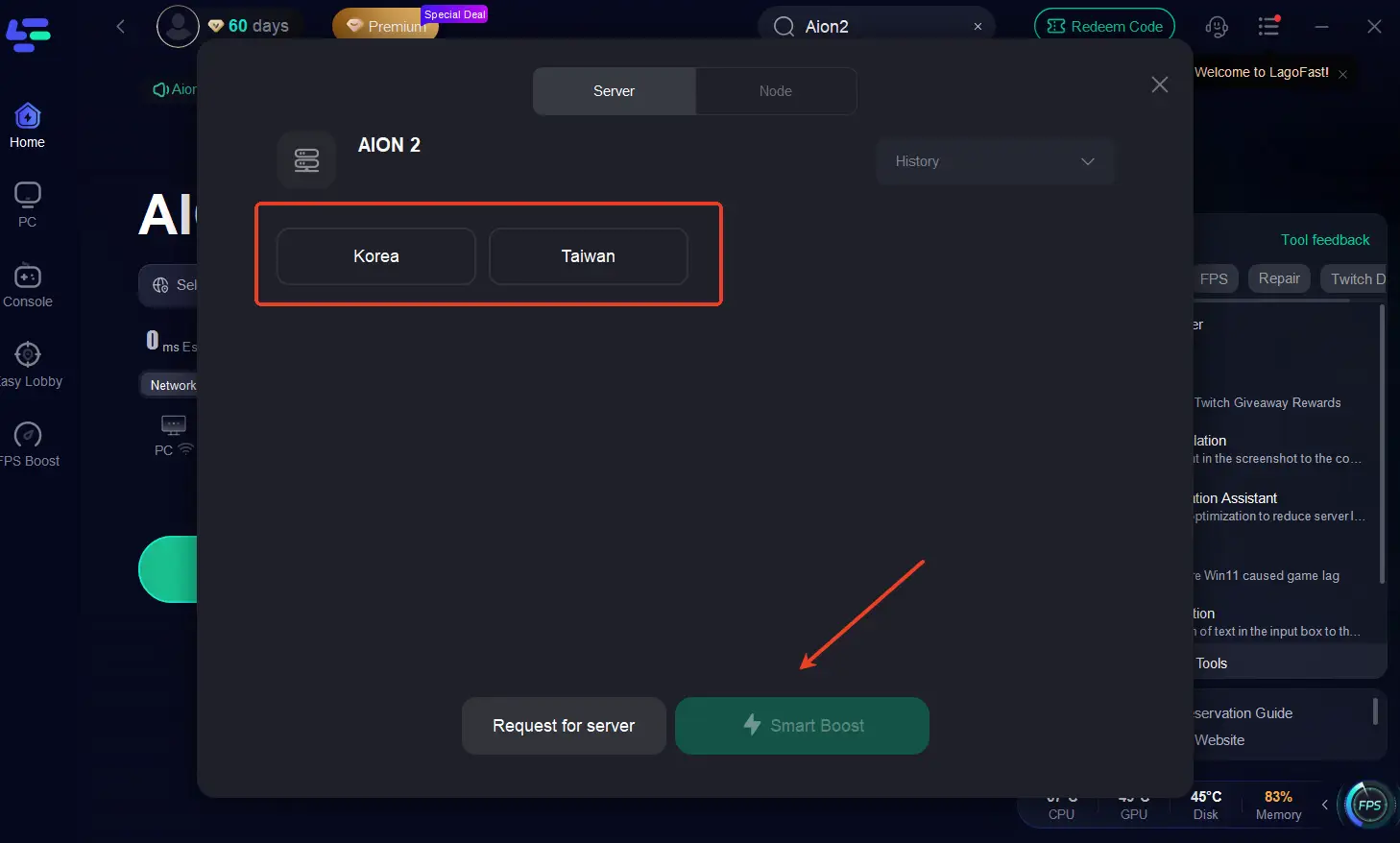
Step 3: Select the Right Region—Choose the Korean (KR) or Taiwan (TW) server based on your account.
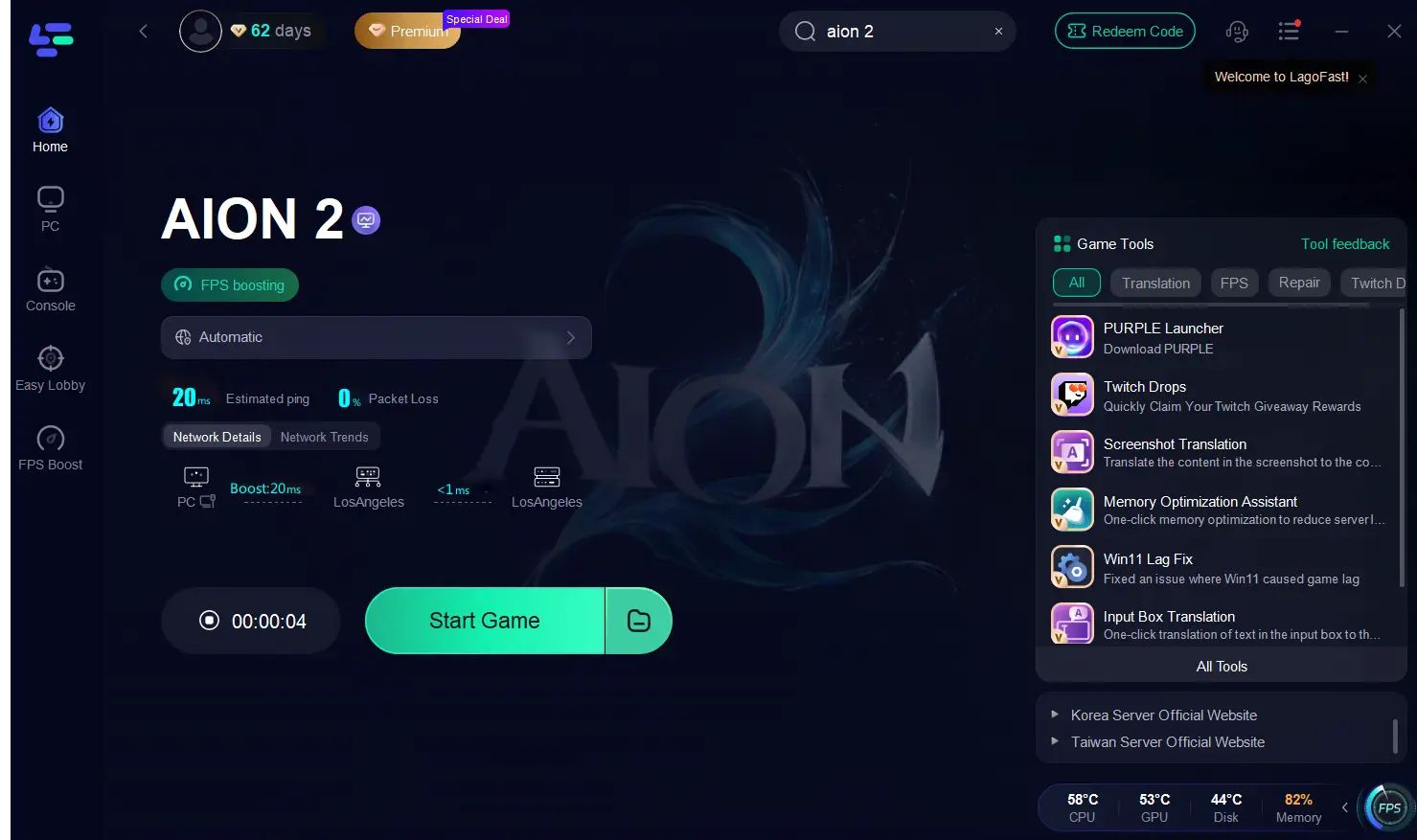
Step 4: Enable Smart Boost—Hit Start Game and let Lagofast automatically optimize your connection in real time.
If you want a smoother experience when doing your Aion 2 download and playing cross‑region, using a tool like LagoFast is a worthwhile consideration — though obviously be aware of its terms and verify it’s safe and legitimate.
Conclusion
In summary:
- The Aion 2 download for Korea and Taiwan opens on November 19 2025 in those regions (global still slated for 2026).
- For PC you’ll use the Purple launcher; for mobile you’ll switch your store region to Korea or Taiwan.
- Creating a Taiwan account is the simplest route outside Korea, and LagoFast offers shortcuts if you’re comfortable with them.
- If you’re targeting the Korean server, prepare for phone verification and regional constraints.
- To get the best gameplay experience from day one, consider using a network optimization tool like LagoFast to reduce lag and improve stability.
Whether you’re a returning veteran of the original Aion or new to the world of Atreia, setting up ahead of launch will give you a head‑start. Enjoy the journey and fly high in Aion 2!

Boost Your Game with LagoFast for Epic Speed
Play harder, faster. LagoFast game booster eliminates stutter and lags on PC, mobile, or Mac—win every match!
Quickly Reduce Game Lag and Ping!
Boost FPS for Smoother Gameplay!