What is Lago Space?
Lago Space is a virtual space created within your phone by Lagofast Mobile Booster. It helps you solve various issues such as:
- Game installation failures
- Games needing special permissions
- Games incompatible with certain phone models
Installing the required plugins inside Lago Space allows you to bypass these obstacles and enjoy a smoother mobile gaming experience.
How to Use Lago Space
On the Boost tab of the booster, tap the Lago Space tab at the top:
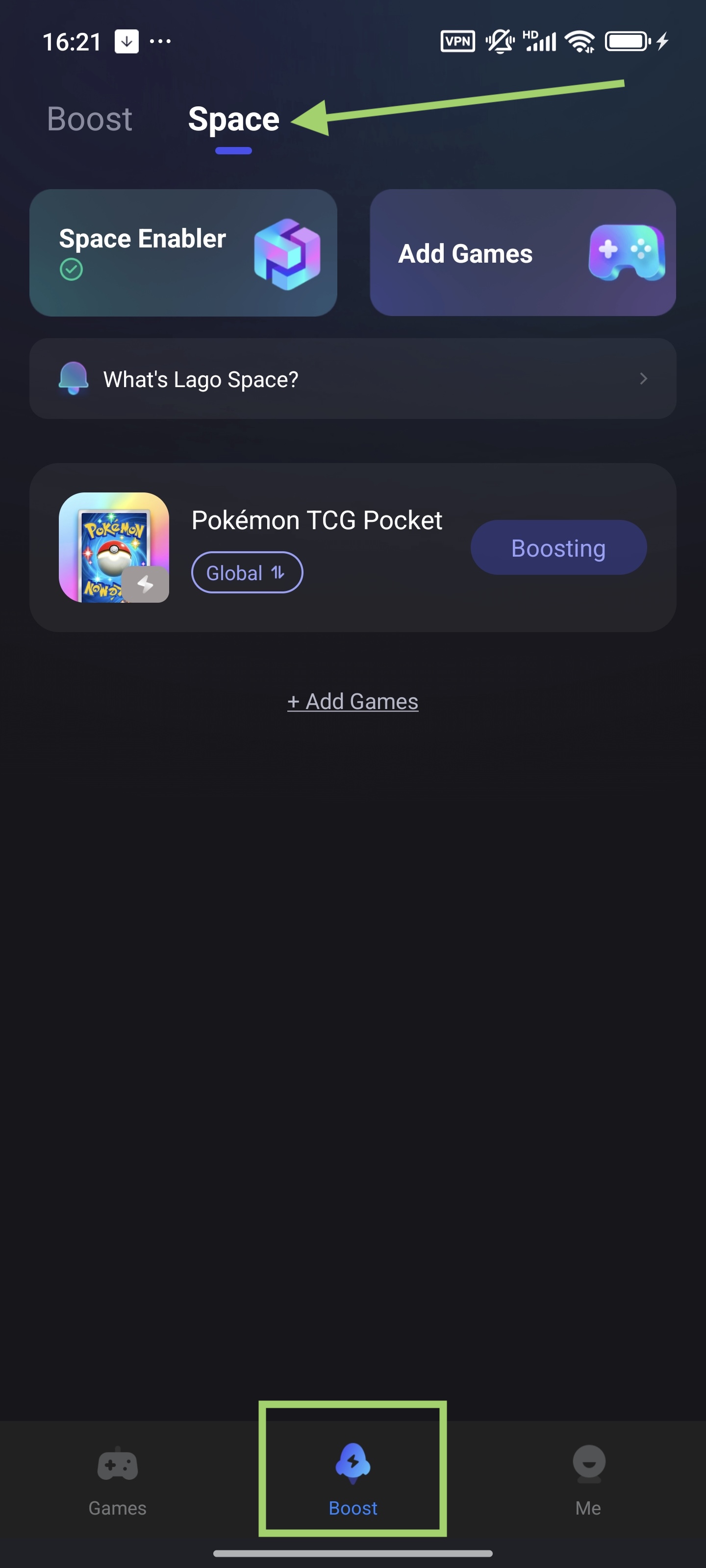
1. Initialize Lago Space
- When using it for the first time, you’ll be prompted to initialize the space to install necessary plugins:
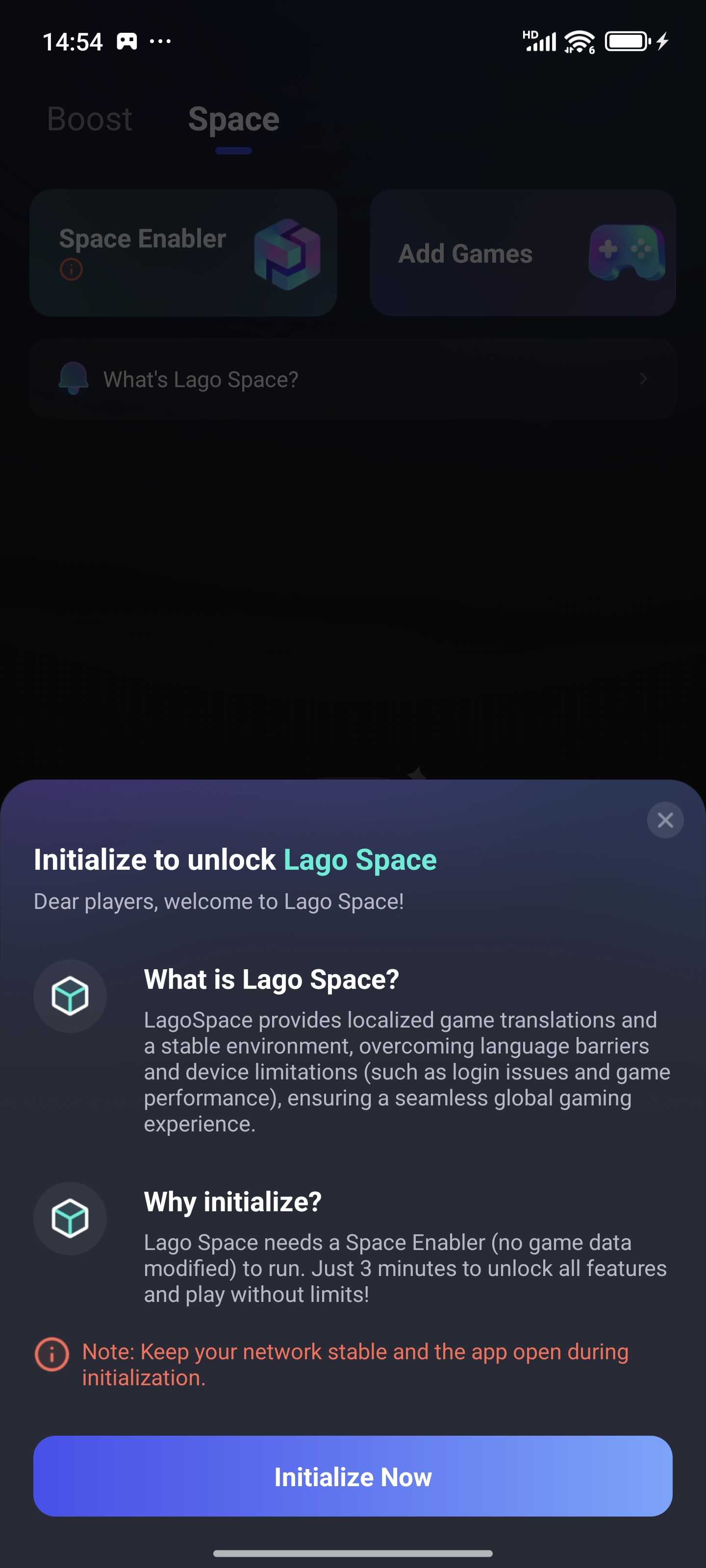
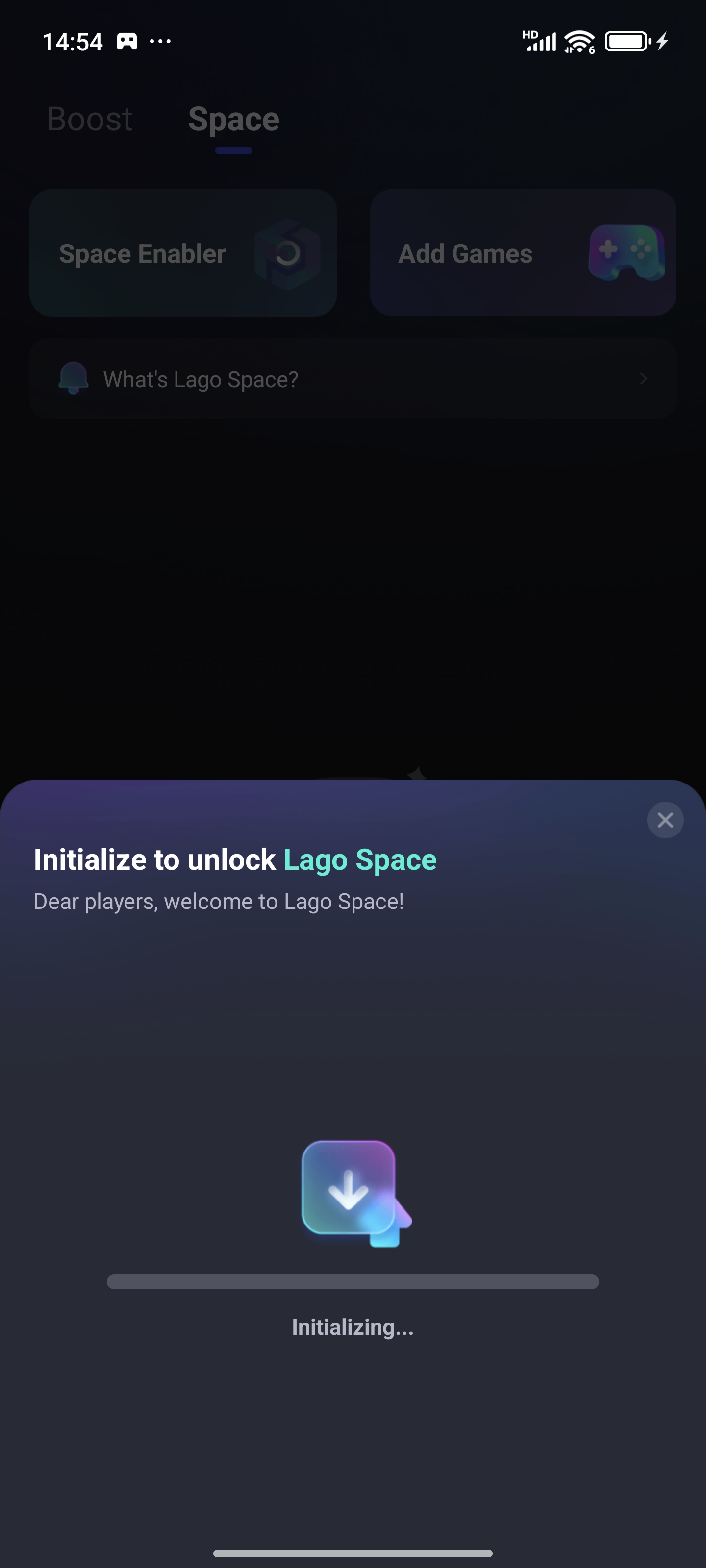
- Tap "Initialize", then wait a few minutes while the plugin downloads. It might take some time:
- The Space Enabler mark will turn green when you complete the initialization.
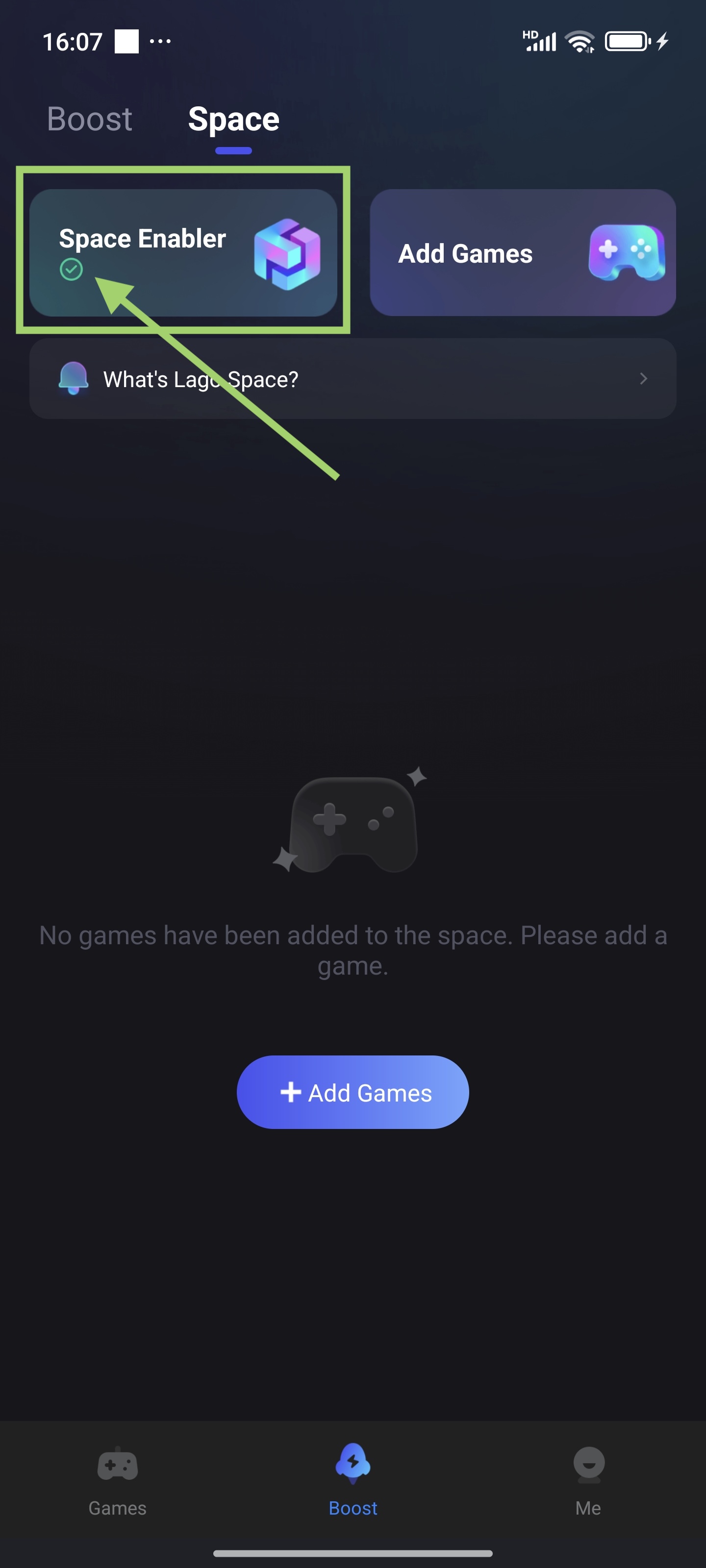
2. Adding Games in Lago Space
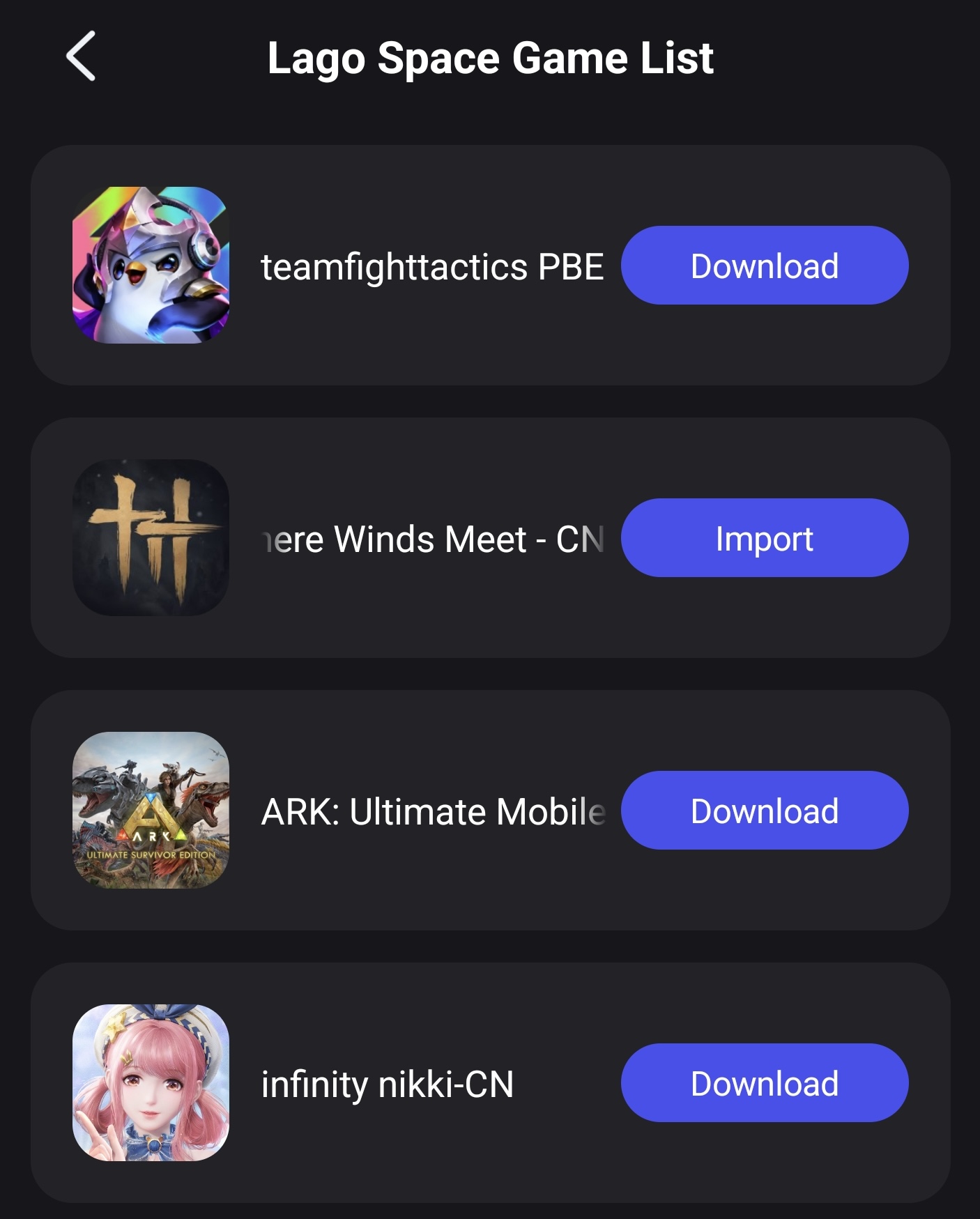
You can now add games to Lago Space. Currently, a selection of popular titles is already supported. If your favorite game isn’t listed yet, feel free to provide feedback via the app or contact customer support—we’ll do our best to add support quickly!
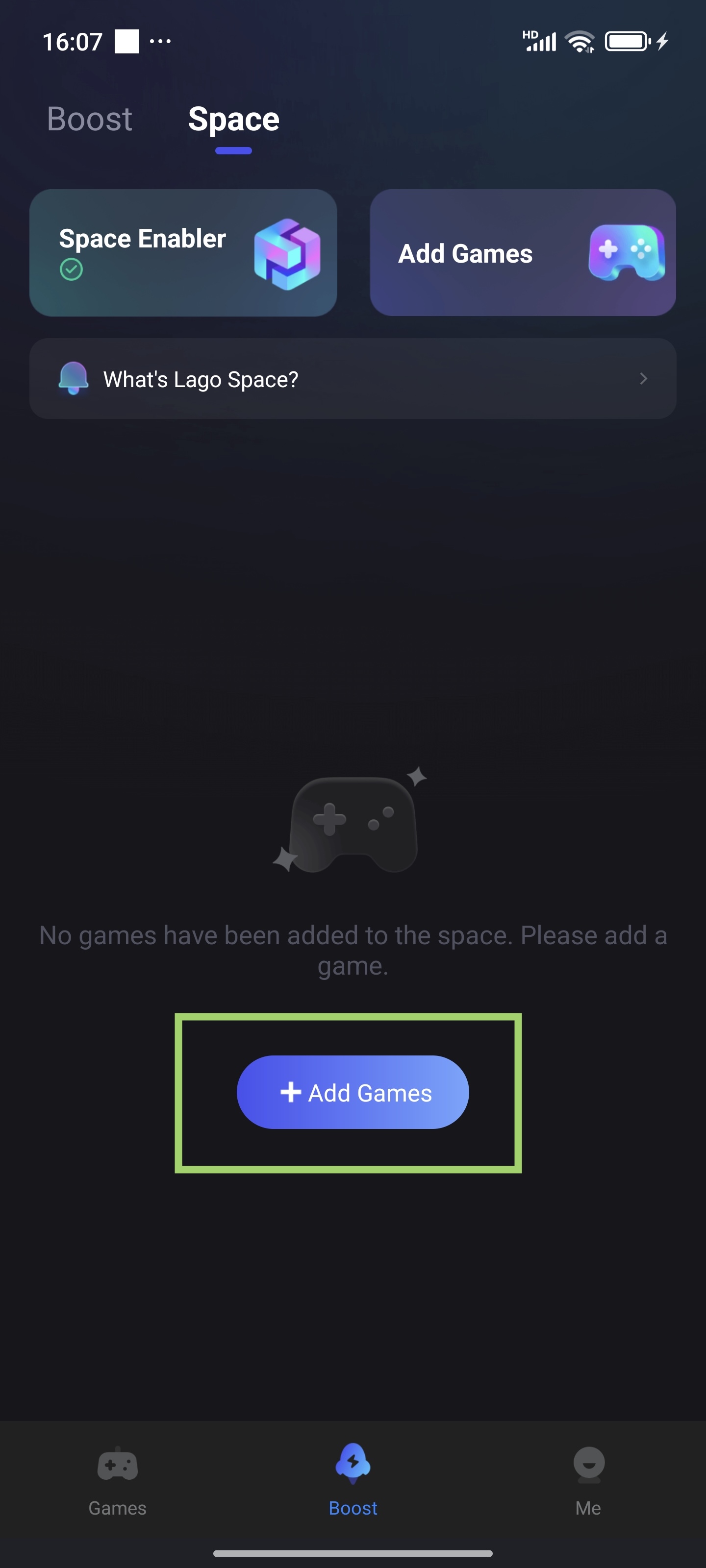
You have two options:
- Import: If a game is already installed on your phone, tap Import to bring it into Lago Space.
- Download: If the game isn’t installed yet, you can download and install it directly from here.
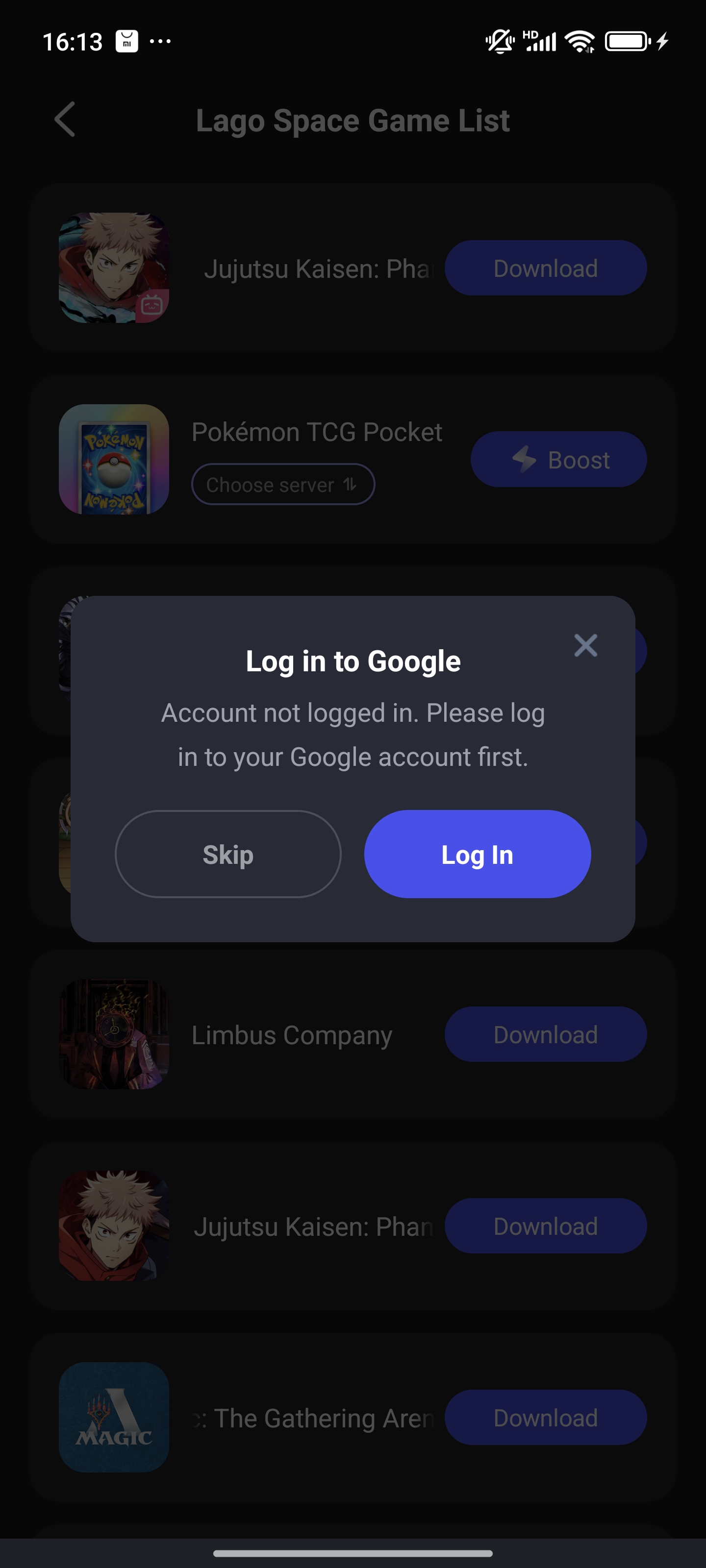
3. Log in to Your Google Account in Lago Space
Please note, for the first time you boost a game in Lago Space, you need to log in with your Google account
Notes for Using Lago Space
1. Storage Space: Installing or importing games in Lago Space will use your device's storage. Be cautious when using third-party cleaning apps, as they may delete Lago Space data or games.
2. Game Instances: Games imported into Lago Space will run separately from the versions installed directly on your phone. Make sure to manage and switch accounts carefully.

