AION 2 Phone Number Binding Guide
01/21/2026
LagoFast Premium members can use the Phone Verification Tool for free to complete mobile authentication required on the Aion 2 TW website. Follow the steps below to finish the process smoothly.
Step 1: Visit the Aion 2 TW Official Website
Click here to go to the official website.
Step 2: Log In to Your NCSoft TW Account
Use your NCSoft TW account to sign in.
Step 3: Go to My Page → Phone Verification
After logging in, navigate to My Page and select Mobile Verification.
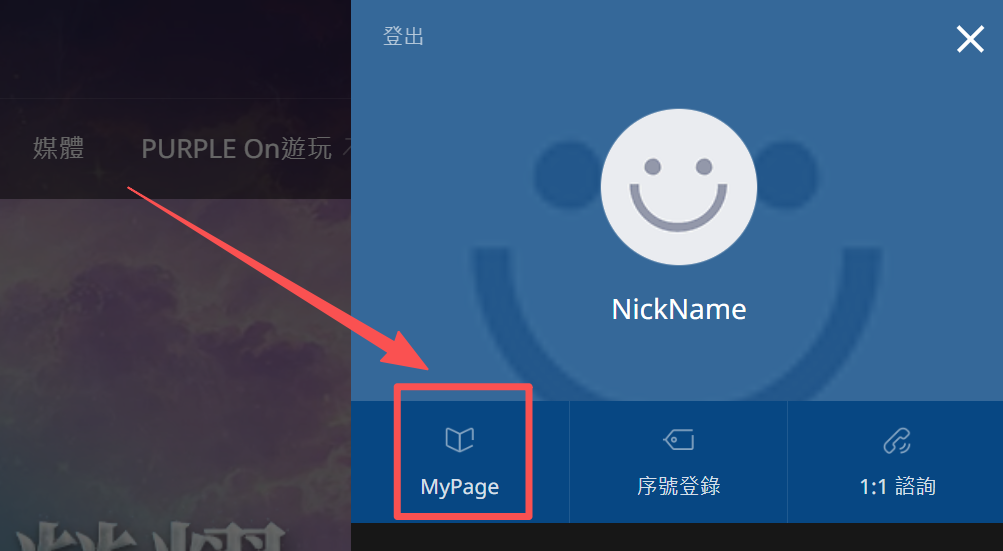
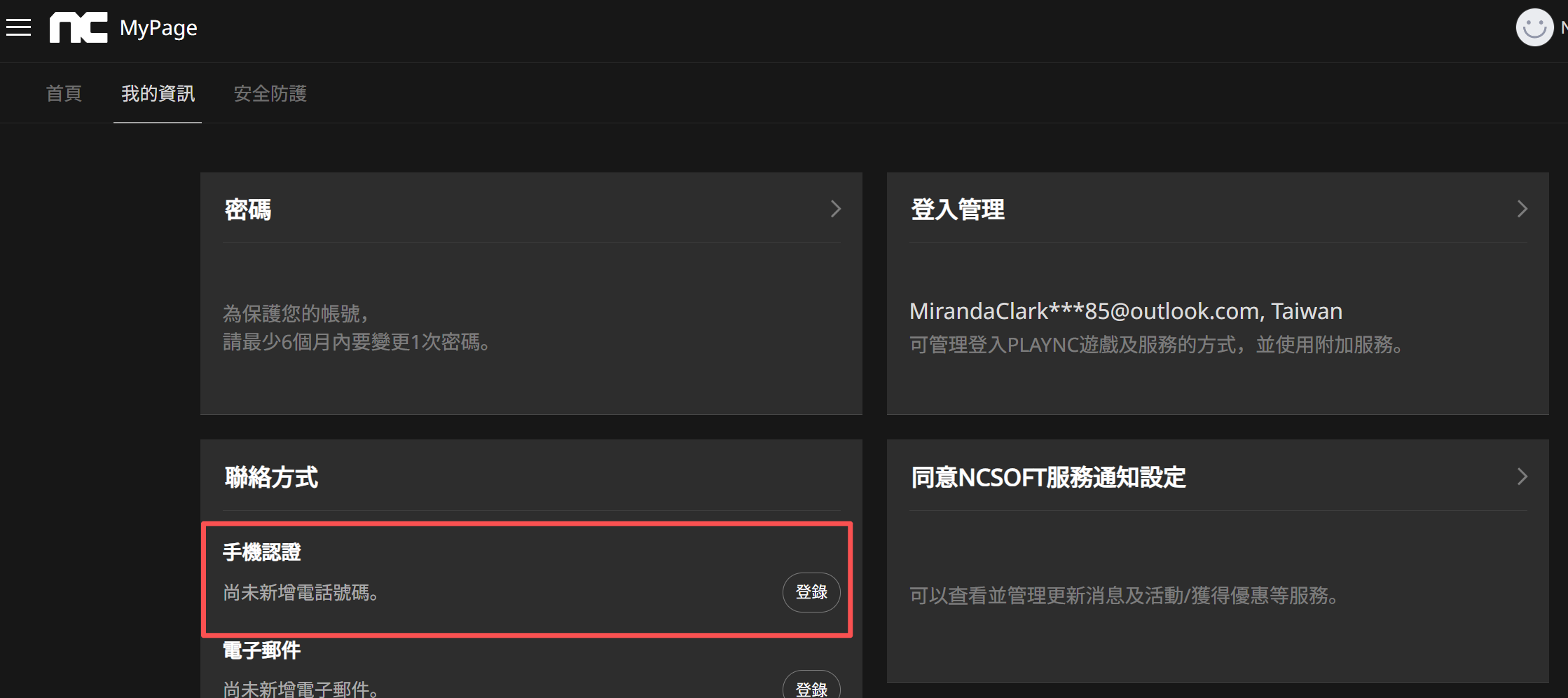
Step 4: Start the Phone Verification Process
1) Get a Phone Number from LagoFast
Open LagoFast and enter the Phone Verification Tool.

Click Get Number to receive a temporary phone number.
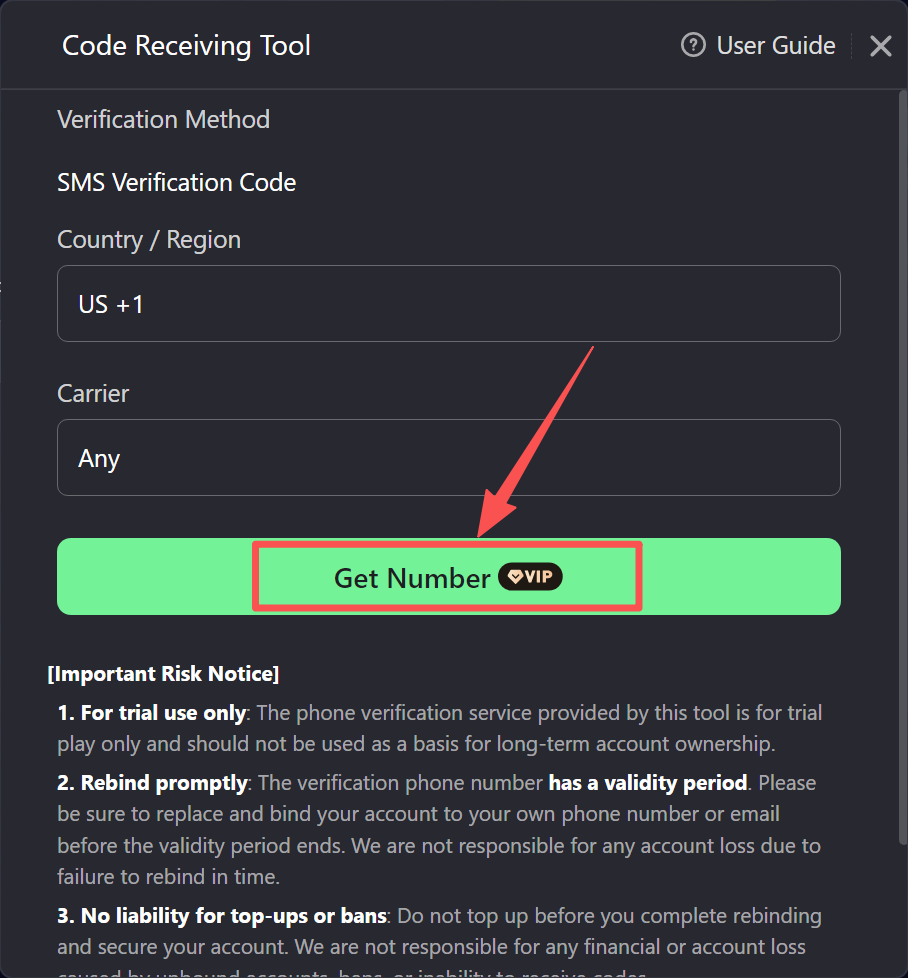
2) Enter This Number on the NCSoft Website
Copy the number you received.
Paste it into the phone number field on the NCSoft TW phone verification page.
3) Request and Enter the Verification Code
Click Send Verification Code on the NCSoft website.
Return to the LagoFast tool to check the received SMS code.
Enter this verification code on the NCSoft page to complete the authentication.
Was this helpful?

Yes

No
Can't find the answer you're looking for?
Contact usWe use cookies to make interactions with our websites andservices easy and meaningful. For more information aboutthe cookies we use or to find out how you can disable cookies, click here.