With the launch of Season 6, Delta Force Mobile has introduced a new feature that enables players to select different servers within the game. How to set the servers and match the servers with the LagoFast server? Check out the instructions!
How to Set It Up Correctly
Step 1. Choose Server in LagoFast
- Open the LagoFast Booster app.
- Find Delta Force Global in Boost Tab
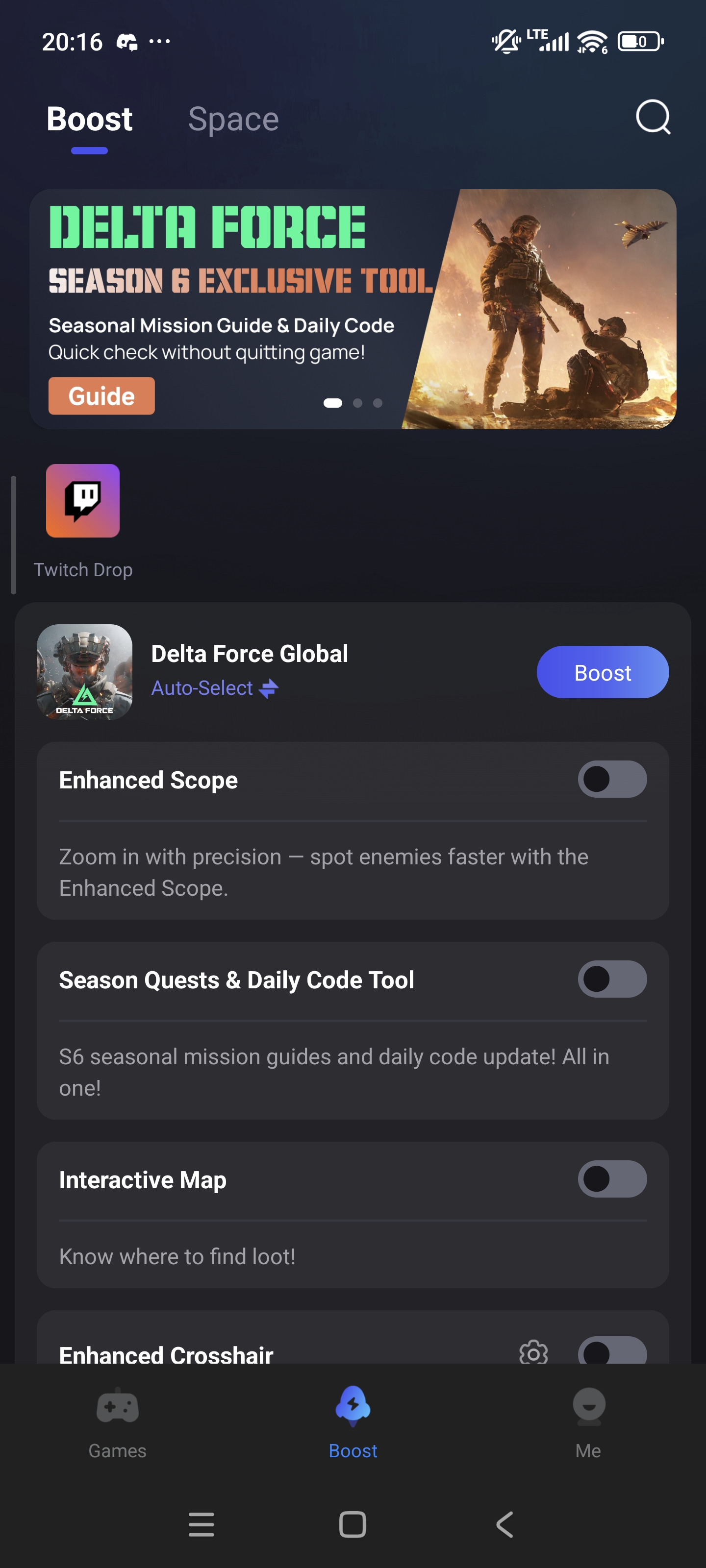
- Pick the server you want to play on (e.g., North America, Europe, Southeast Asia).
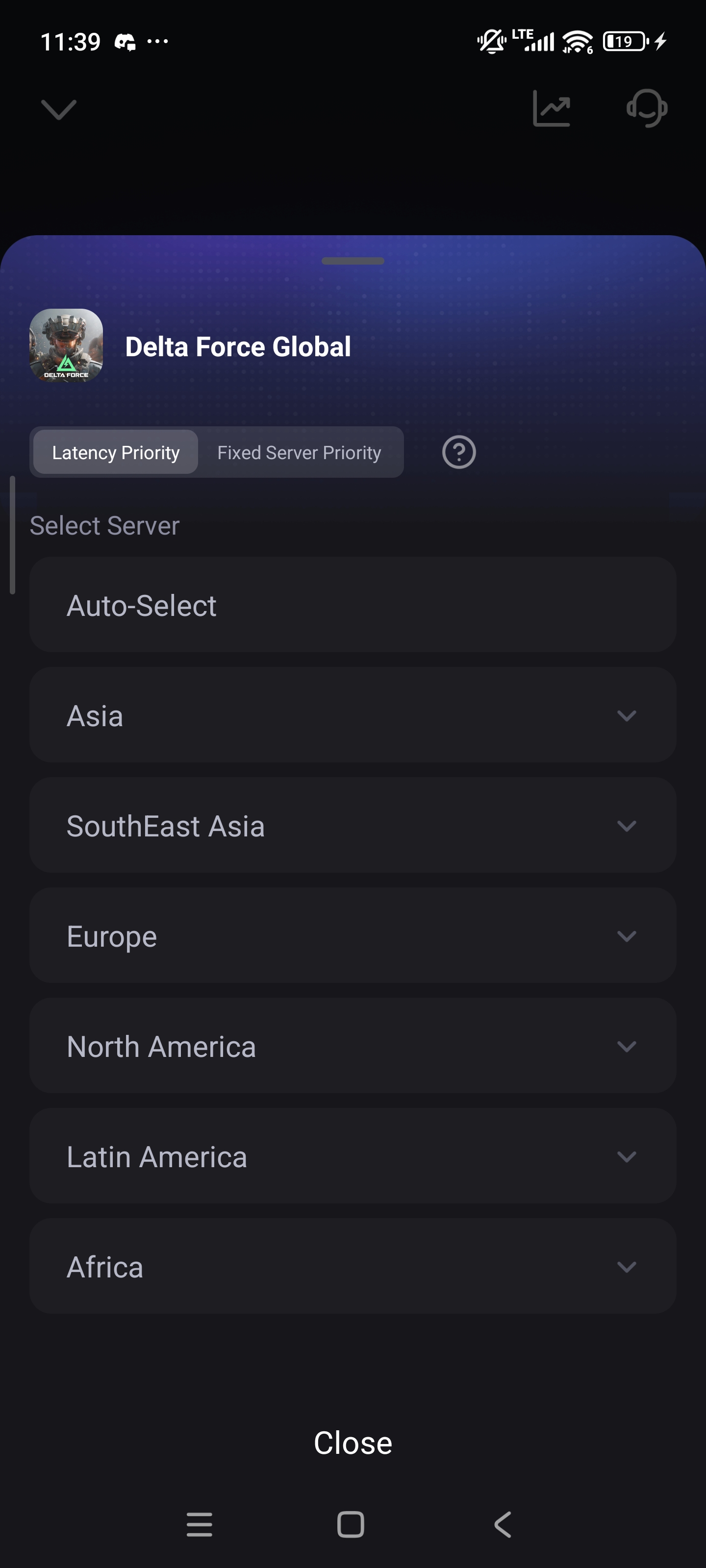
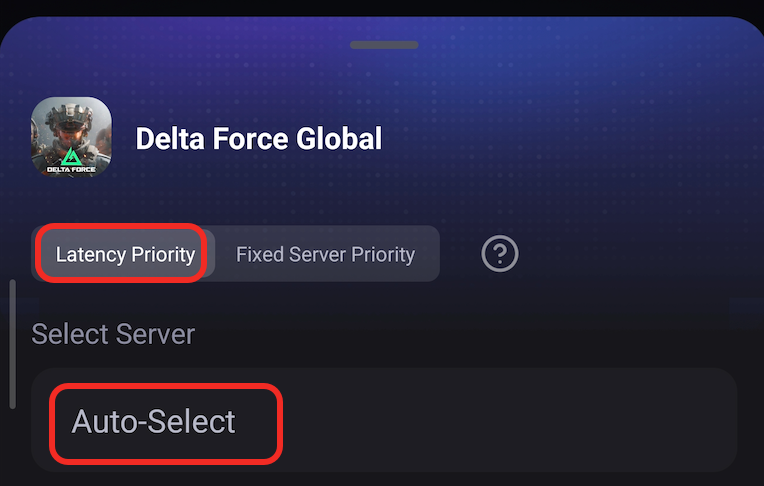
- Please note that if you want the lowest ping in the game, please select "latency priority" mode and select the auto server to boost the game. Then select the server in-game with the lowest ping.
Step 2. Match Server in Game Settings
- Launch Delta Force Mobile through LagoFast.
- Go to Settings > Mode > find Server Selection menu.
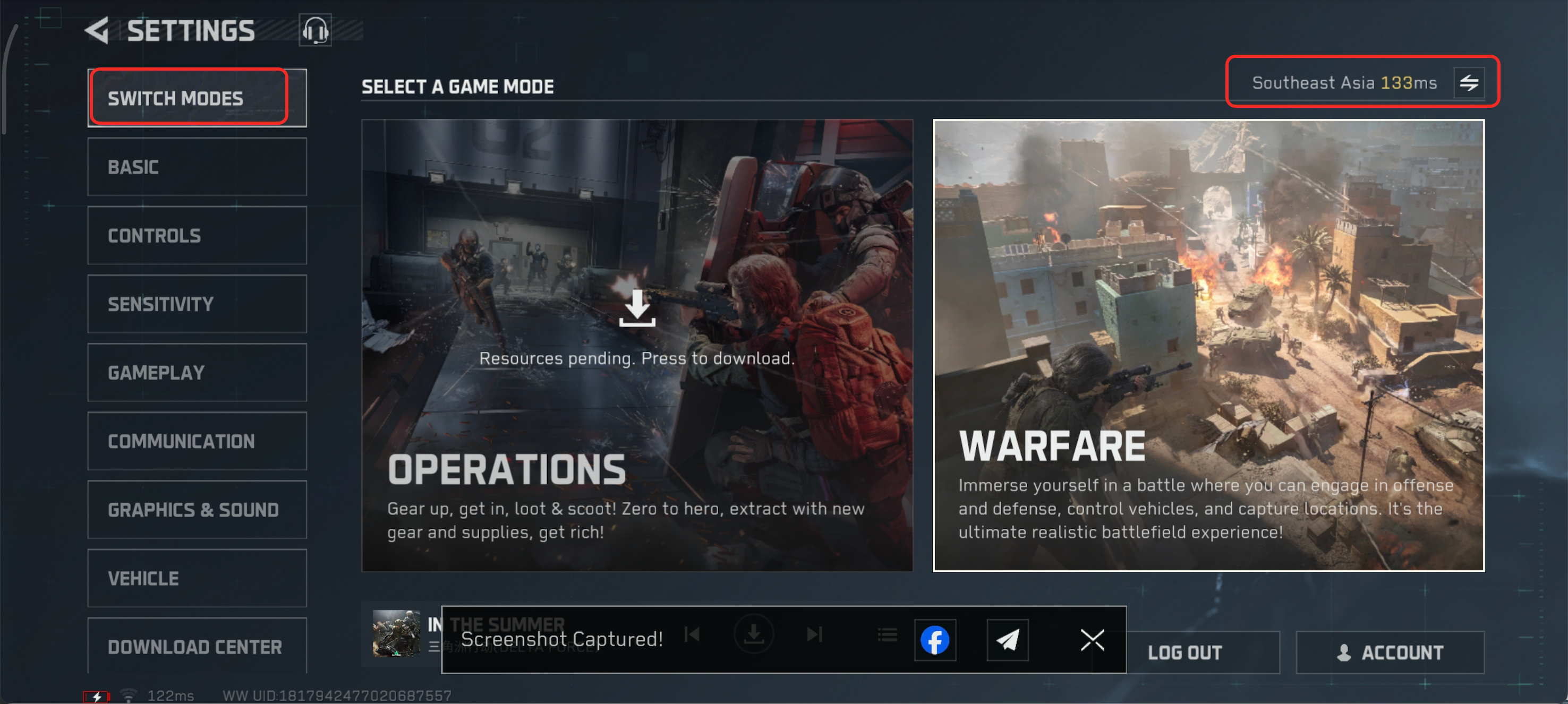
- Select the same server as you picked in LagoFast.
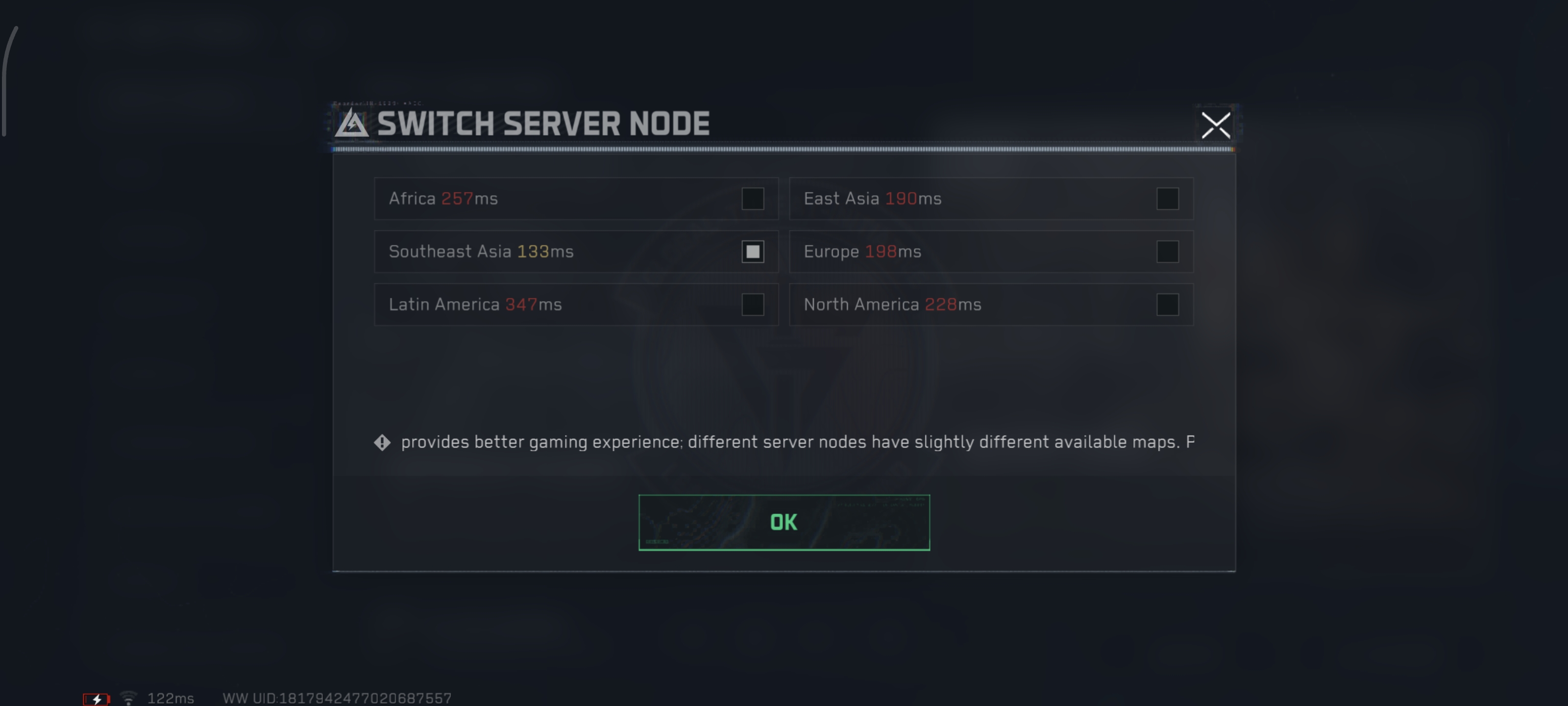
Then you can start the game with the lowest ping!

