The Delta Force S6 season has officially arrived, bringing new missions. To help you stay on top without missing a beat, LagoFast has introduced a handy Season Quests & Daily Code Tool. This tool allows you to check mission guides and daily codes directly inside your game through a floating window — no need to quit the game or switch apps.
Please note that the game tool feature is only for Android users for now!
Step 1: Enable the Tool in LagoFast
1. Open the LagoFast app on your Android device.
2. Navigate to Boost > Delta Force game.
3. Find the Season Quests & Daily Code Tool option below the game.
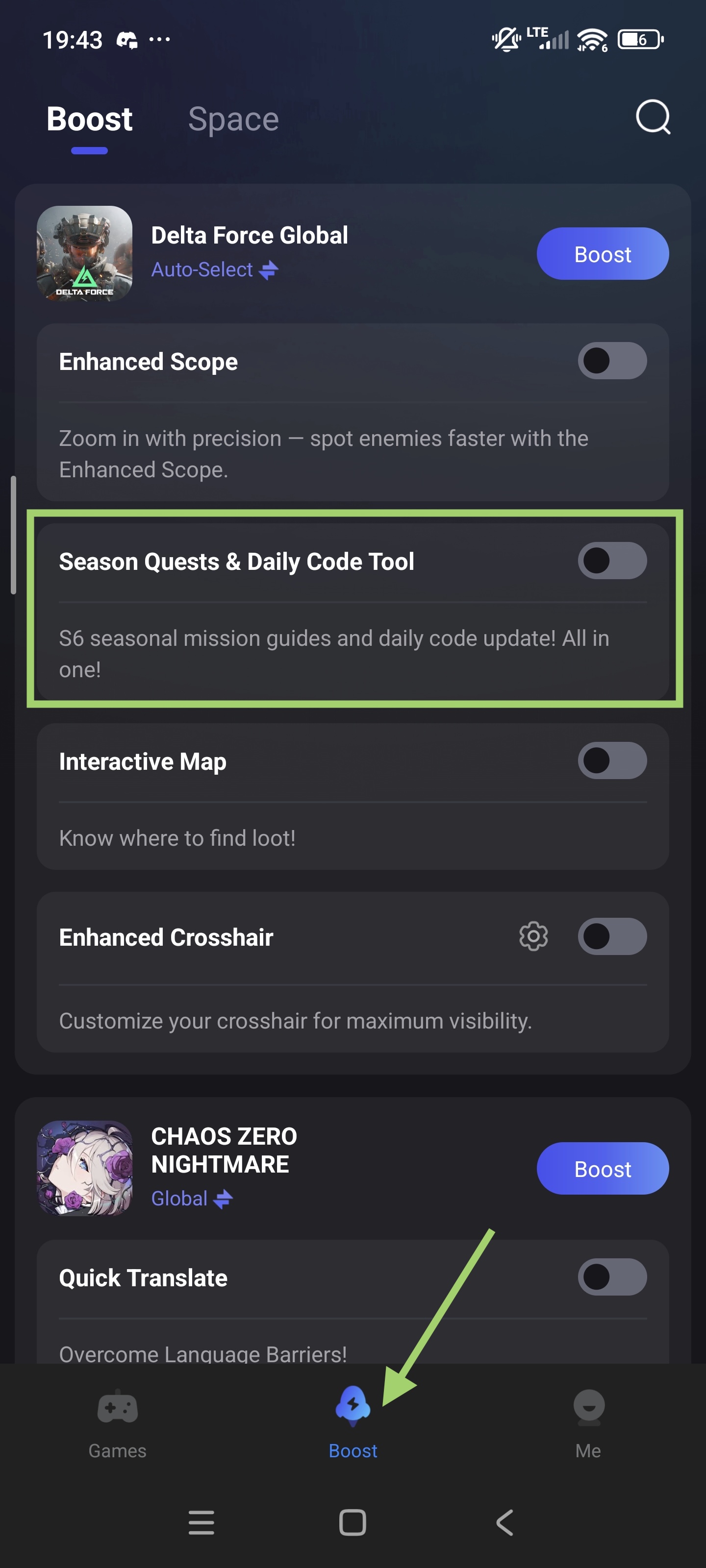
4. Tap the switch to enable it. Once activated, a floating window will appear when you launch Delta Force.
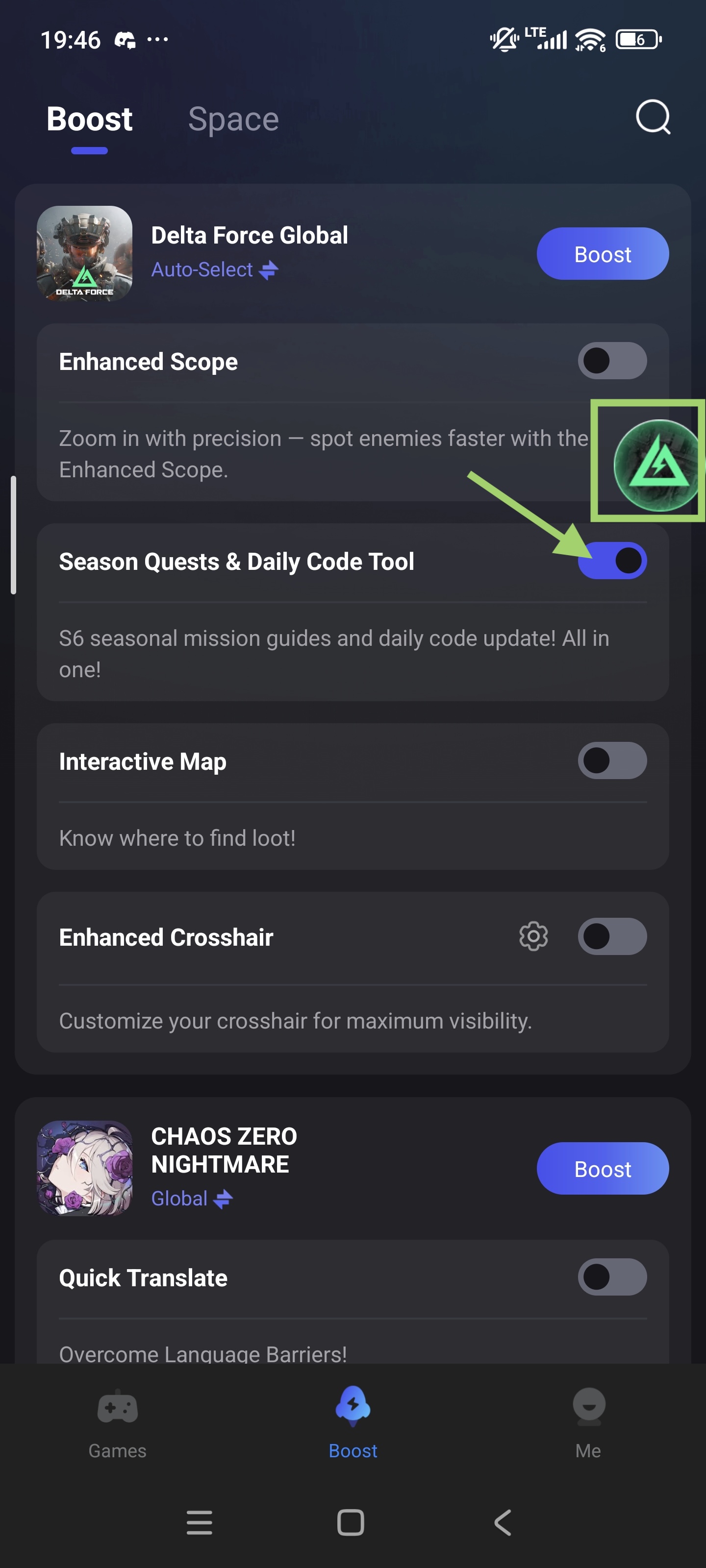
Step 2: View Mission Guides & Daily Codes In-Game
1. Launch Delta Force on your device.
2. The floating window will appear on top of your game screen.
3. From here, you can:
- Check S6 seasonal mission guides to understand what tasks you need to complete quickly.
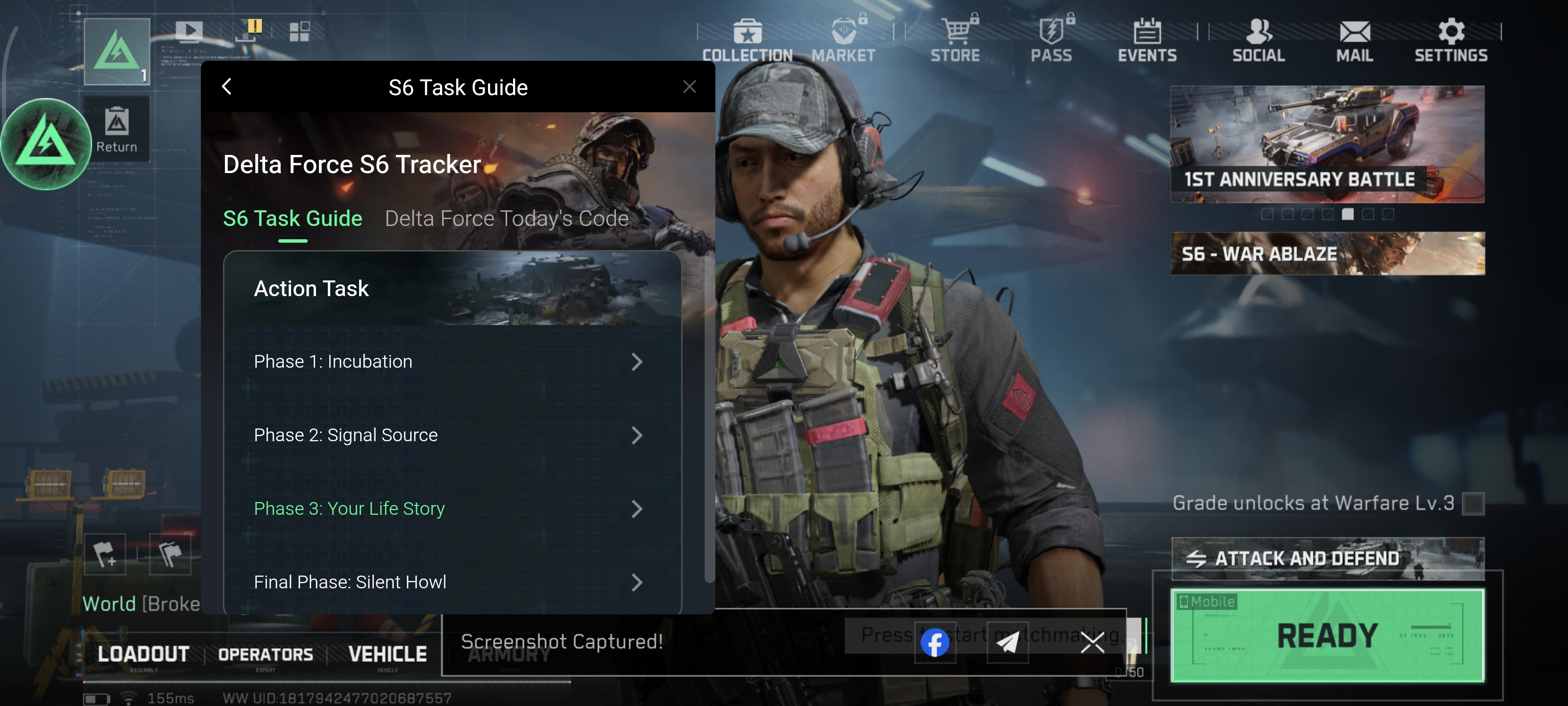
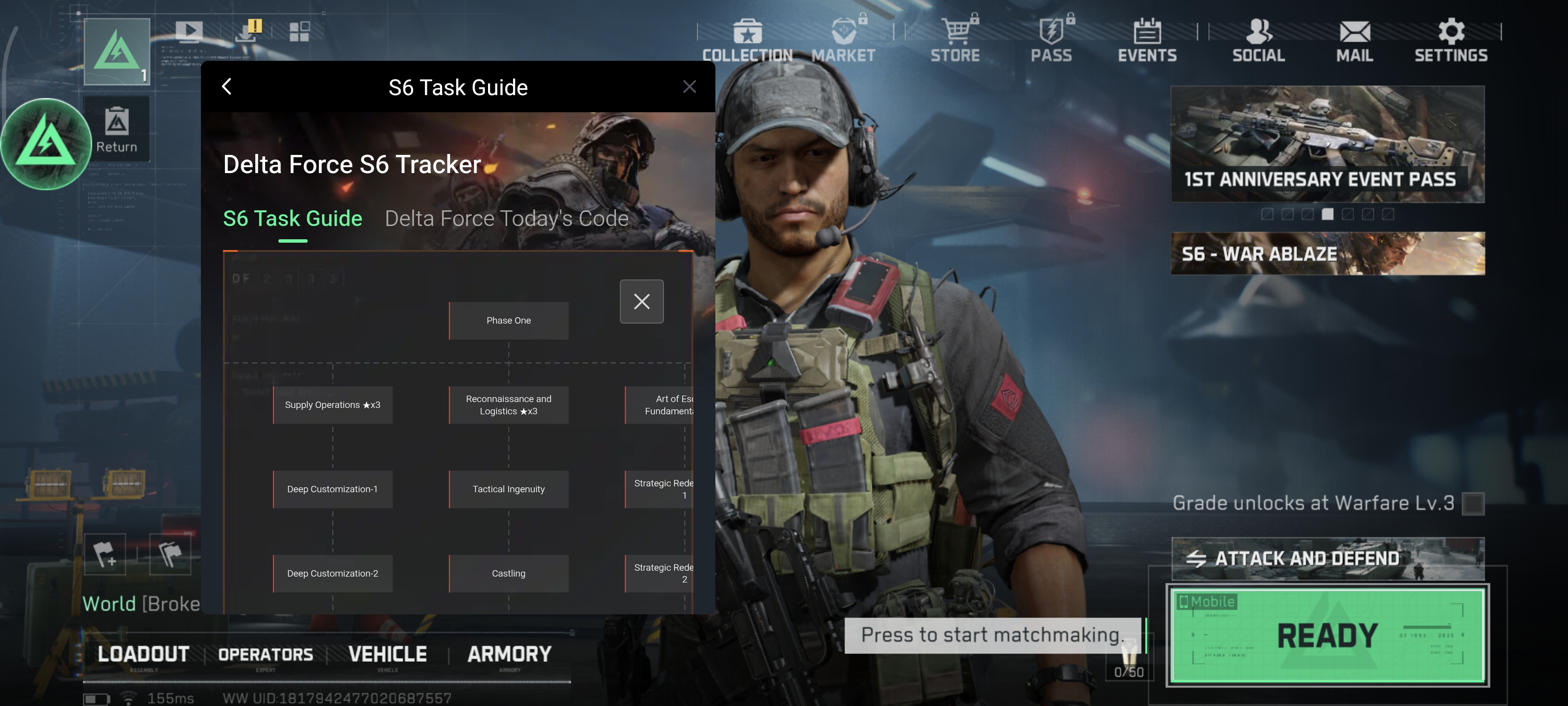
- View today's room codes, updated in real time so that you can enter the correct code directly in the game.
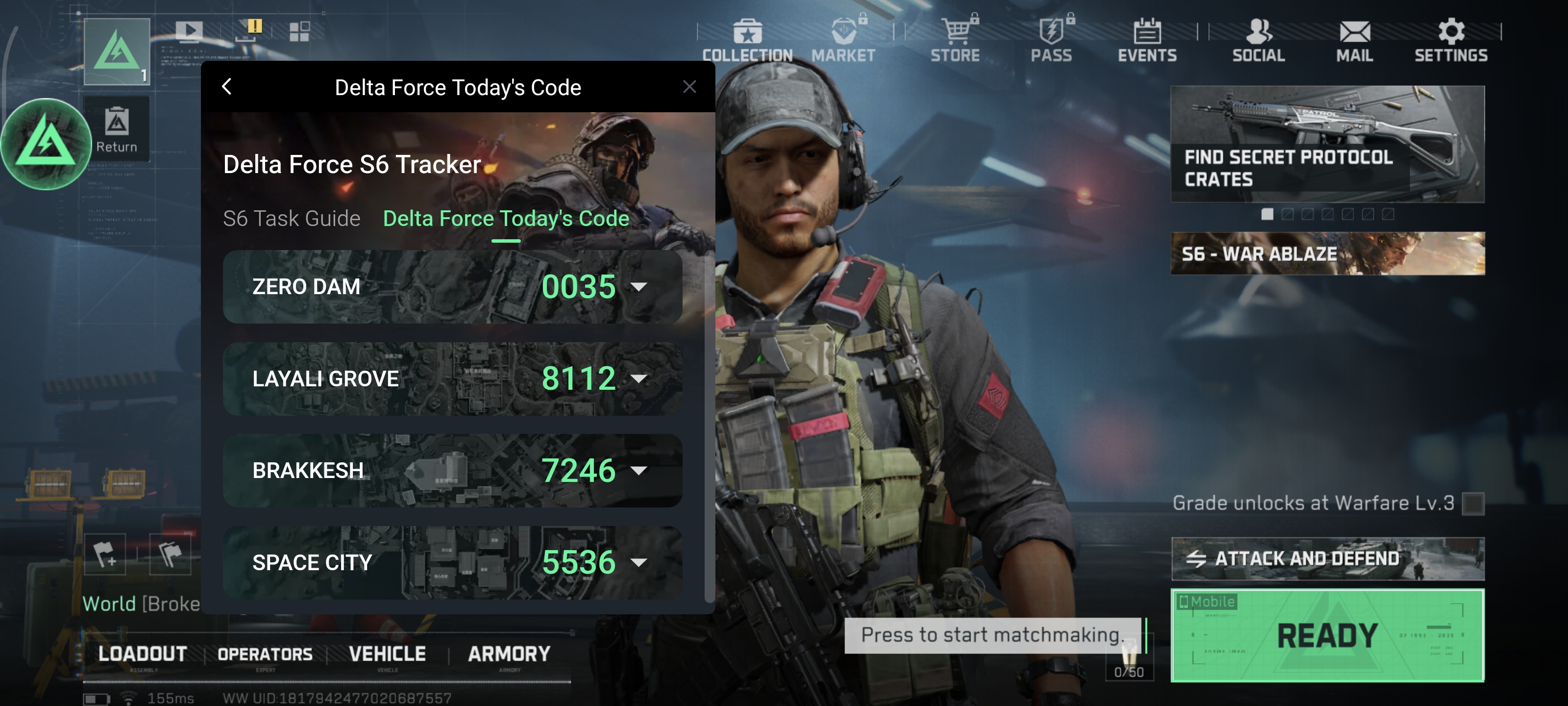
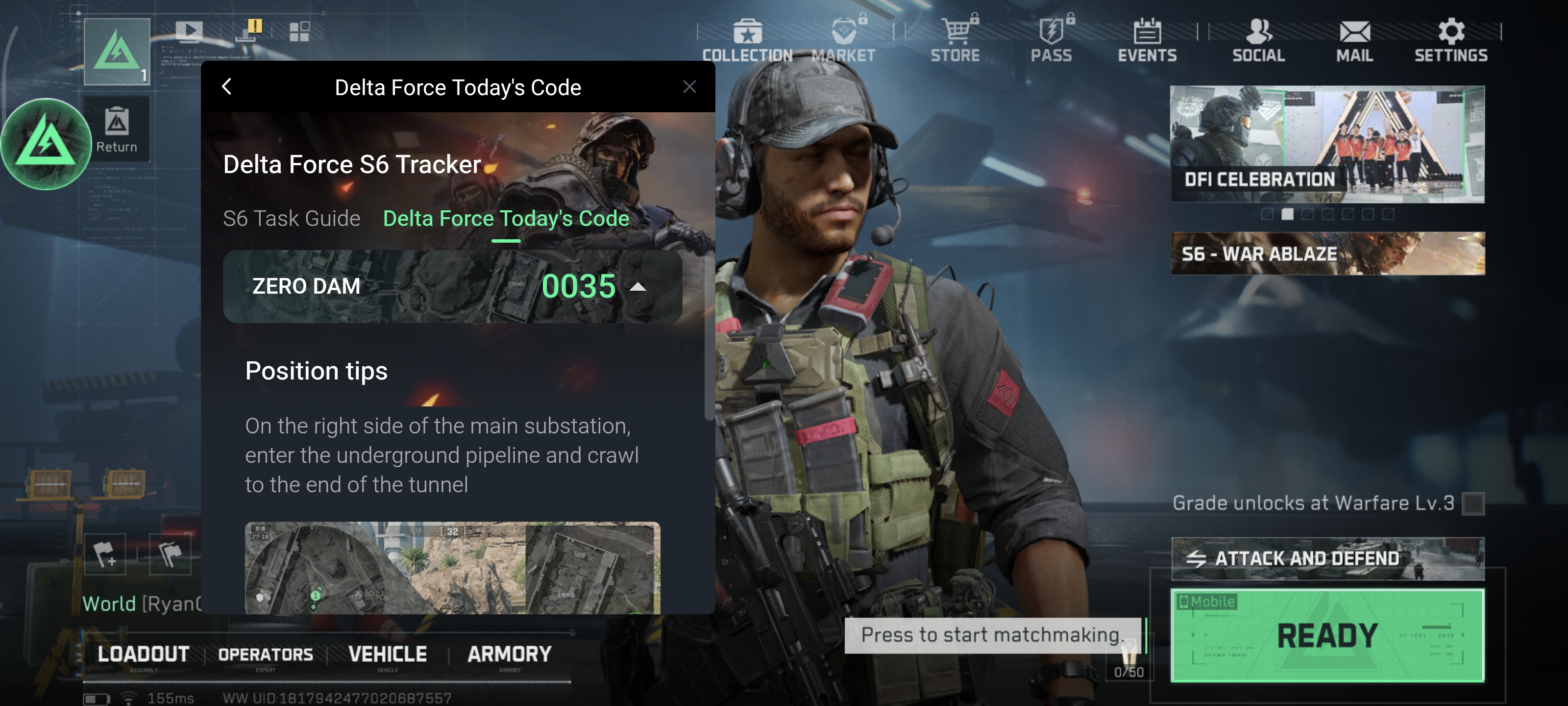
Step 3: Adjust the Floating Window
1. You can drag the floating window anywhere on your screen for better visibility.
2. Tap the "x" button on the top right corner of the window to close the tool.
With this tool, you’ll always have the mission guide and daily codes right at your fingertips, making it easier to complete challenges and stay ahead in the S6 season.

