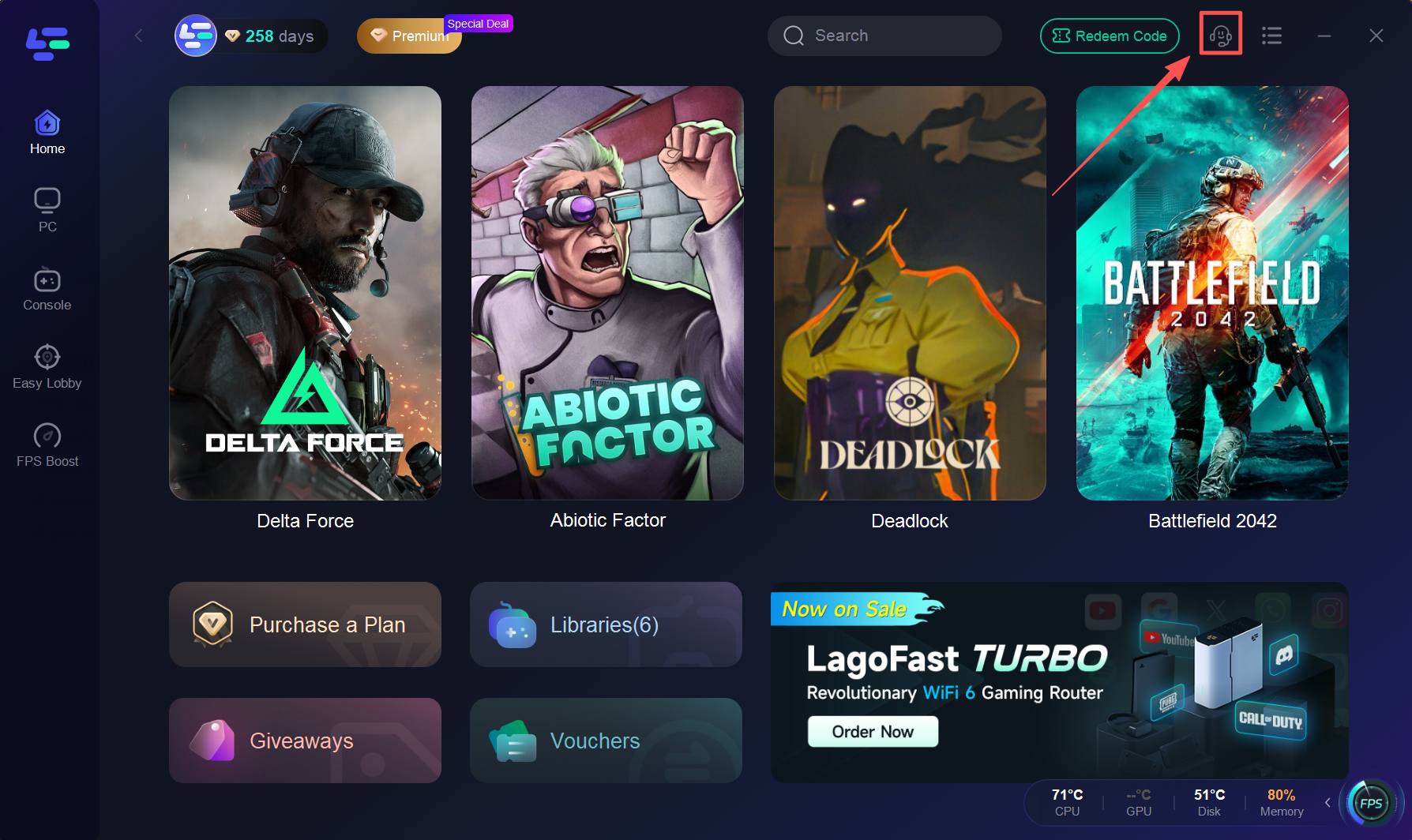
1. Pick the target server in LagoFast
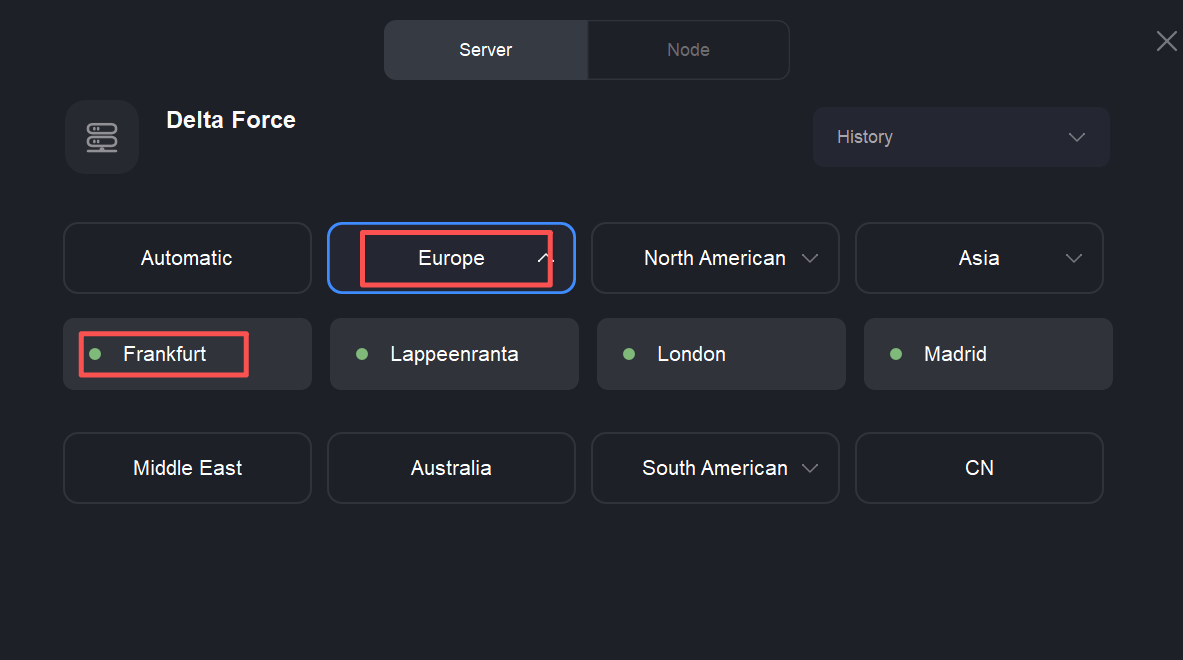
Open LagoFast and select the server you want to match into.
Example: If you’re in the US and want to match on Europe — Frankfurt, choose Europe — Frankfurt in LagoFast.
2. Important: Boost, then restart the game launcher
After selecting the desired server, click Boost to apply the route.
Crucial: Close and restart your game launcher (Steam/other) after Boost is active.
If you launch the game without restarting the launcher, the launcher may reuse the previous match region and you’ll still be routed to the old server, causing high ping.
3. If you're matched to the wrong region, requeue 5–10 times
Delta Force’s matchmaking doesn’t force a region choice every try. If the in-game region doesn’t match the LagoFast selection, leave the matchmaking and requeue. Repeat this 5–10 times — usually the match server will align after a few attempts.
4. Still seeing problems? Contact support
If the issue remains after trying the steps above, contact LagoFast support and include the following:
The server you selected in LagoFast (e.g., Europe — Frankfurt)
Time(s) when the bad match happened (with timezone)
A screenshot of the in-game server/location shown after match (if available)
Any error messages or symptoms (high ping, disconnects, "unable to connect," etc.)