Mouse input latency and inconsistency can seriously hamper aiming precision in FPS titles like Valorant, even when in‑game mouse acceleration is disabled. Windows processes mouse input through registry settings, which can introduce delays or unwanted smoothing. LagoFast’s AimMaster tool leverages registry tweaks to minimize system intervention, giving you a more direct “point‑and‑shoot” feel. AimMaster offers three specialized modes—Tracking, Accuracy, and Scope—so you can fine‑tune your mouse behavior for long‑range tracking, general combat, or ADS scenarios.
Getting Started
1. Download and Install
Make sure you're a LagoFast member, then open the LagoFast client and navigate to the AimMaster section under Tools.
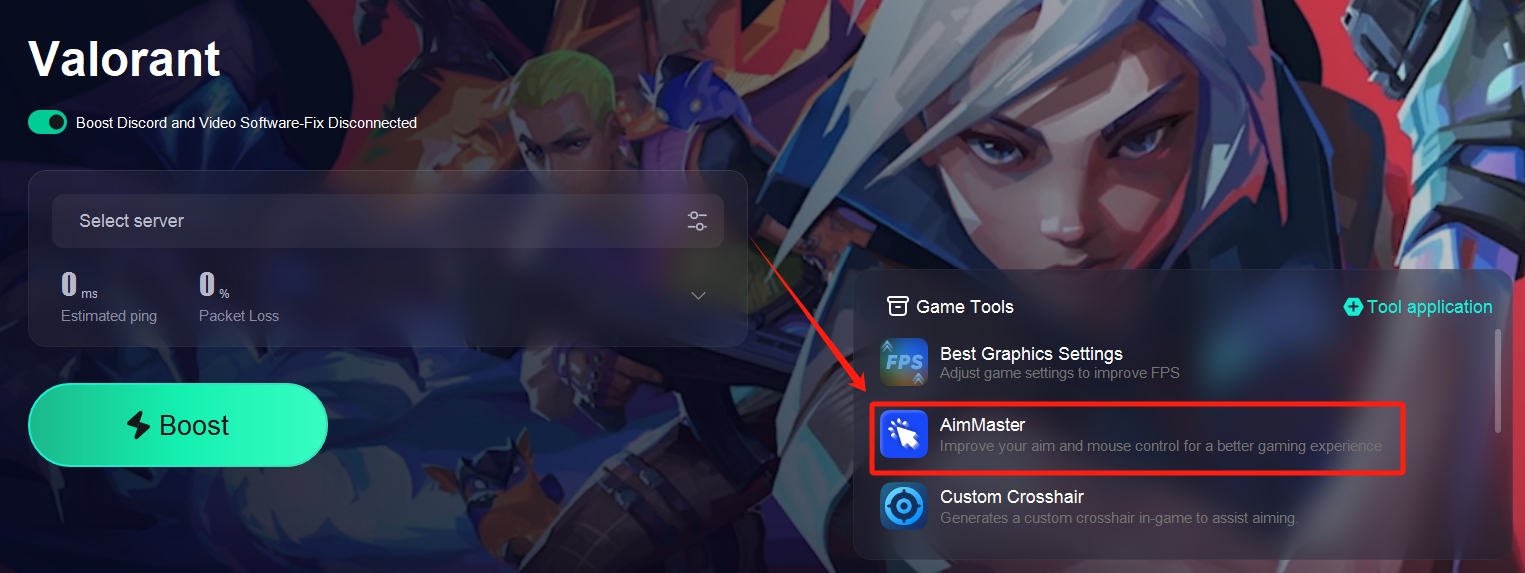
2. Launch the Tool
Once installed, click Launch AimMaster in LagoFast. A small control panel will appear.
Choosing Your Mode
AimMaster provides three distinct modes tailored to different engagement types:
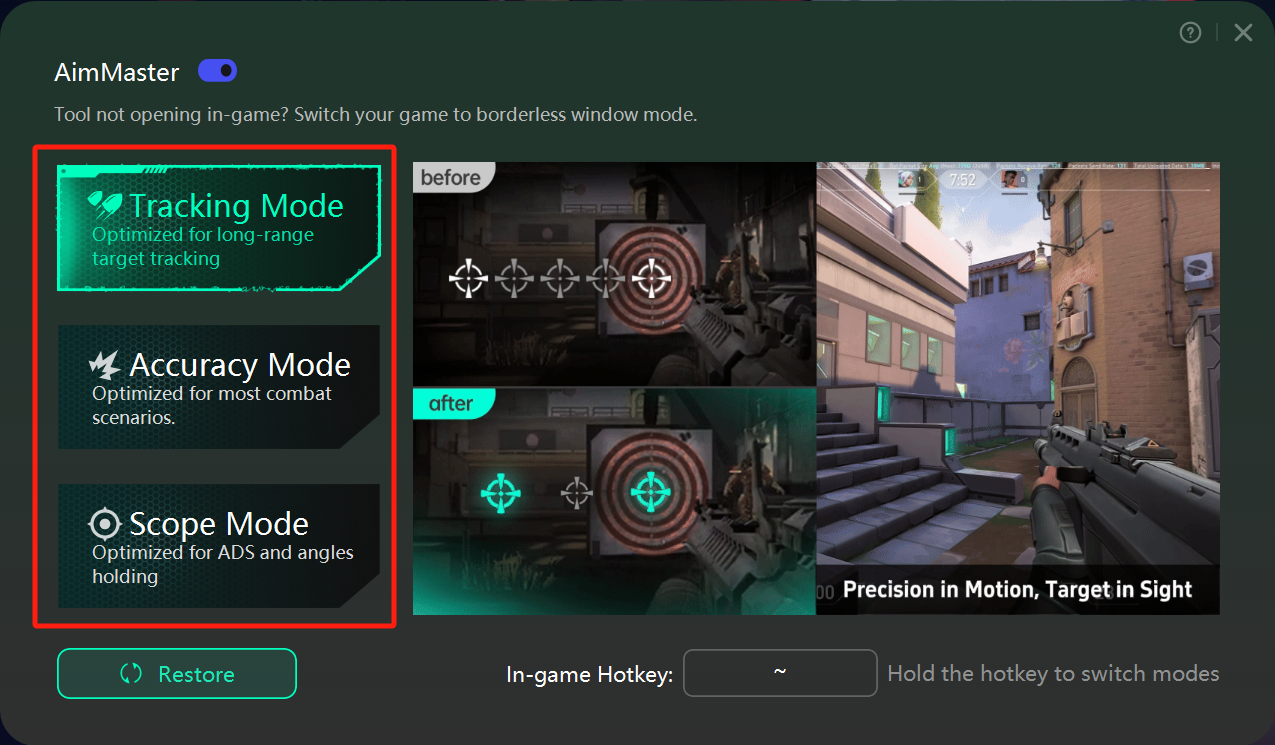
1. Tracking Mode
Optimized for long‑range target tracking
2. Accuracy Mode
Ideal for standard combat encounters and medium‑range duels
3. Scope Mode
Designed for ADS (Aim Down Sights) and holding tight angles
Safety and Compliance
No Injection or Macros: AimMaster only modifies Windows registry keys; it does not inject code, use macros, or hook into game processes.
Cheat‑Free Guarantee: Because it doesn’t interact with the game client, AimMaster carries zero risk of cheat detection or account bans.

