Custom HUD
Autor:FracticalityLast updated:11/12/2023 22:56:5463.5K10KB

Pre-dependencies

Mod Introduction
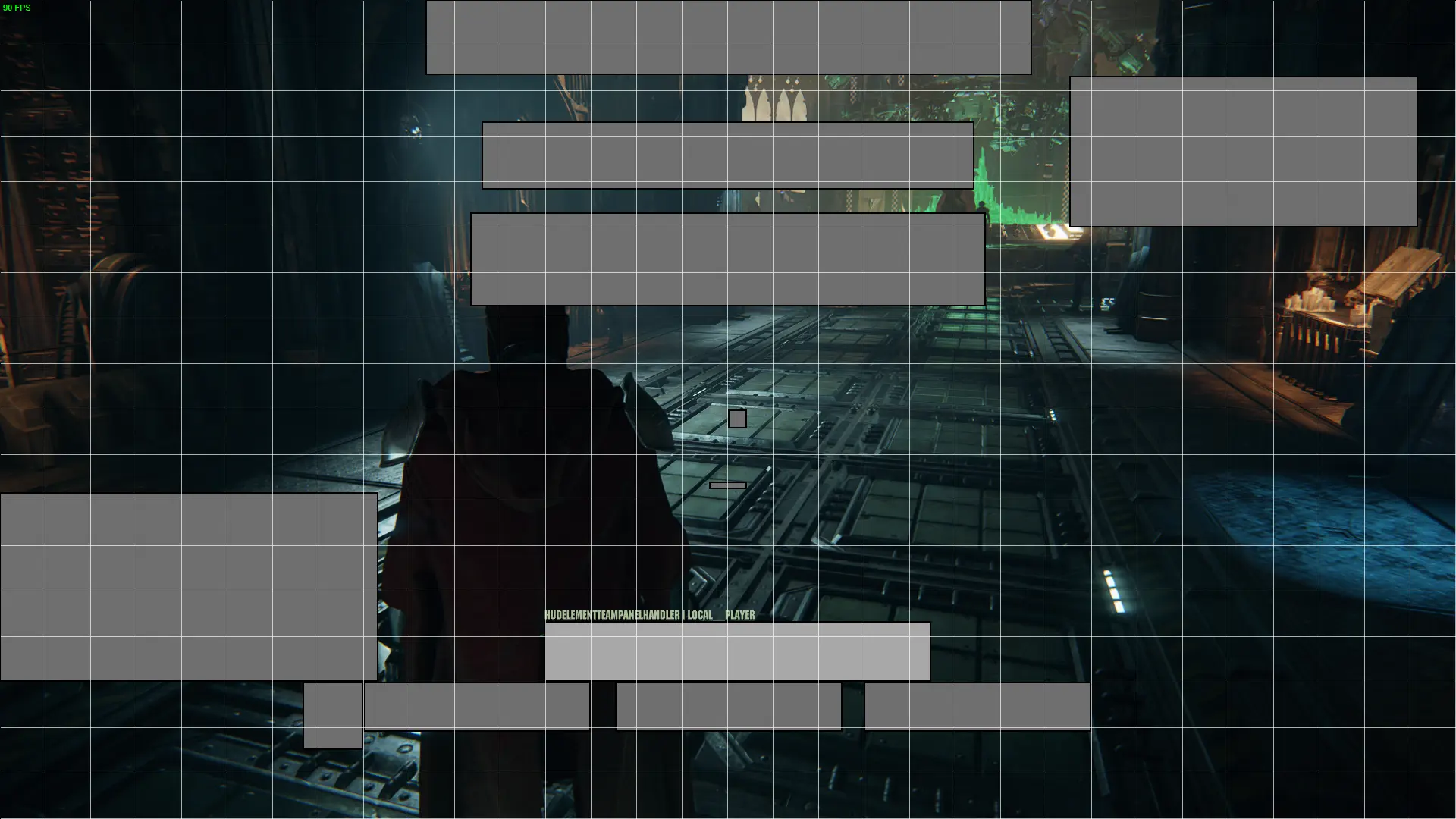
Allows the user to move various HUD elements, with optional grid and snapping.
Press , or bind a new key in the Mod Options menu, to get started. Press F3 again to save your changes.
Right-click to hide an anchor's element.
to select an anchor.
to select/deselect additional anchors.
Hold Shift and Left-click to drag selected anchors.
Hold Ctrl while dragging to temporarily enable/disable snapping
Hold everything while dragging to snap the center of the anchor rather than an edge.
Use the Mod Options menu to reset the HUD to defaults. Note that some elements require a reload (by starting/exiting a mission, the hub, the psykhanium or changing operatives).
The following chat commands are made available, and are analogous to the Mod Options menu:
Reset HUD
Toggle Grid (with Optional Cell Configuration)
Toggle Line Snapping
Press F2 (rebindable) to toggle hiding all HUD elements (excludes ConstantElements, such as chat and subtitles)
Note: It may be necessary to reset the HUD when changing HUD scale or resolution to avoid issues with chat and subtitle anchors.
Right-click to hide an anchor's element.
to select an anchor.
to select/deselect additional anchors.
Hold Shift and Left-click to drag selected anchors.
Hold Ctrl while dragging to temporarily enable/disable snapping
Hold everything while dragging to snap the center of the anchor rather than an edge.
Use the Mod Options menu to reset the HUD to defaults. Note that some elements require a reload (by starting/exiting a mission, the hub, the psykhanium or changing operatives).
The following chat commands are made available, and are analogous to the Mod Options menu:
Reset HUD
/reset_hud
Toggle Grid (with Optional Cell Configuration)
/grid <cols> <rows>
Toggle Line Snapping
/snap_to_grid
Press F2 (rebindable) to toggle hiding all HUD elements (excludes ConstantElements, such as chat and subtitles)
Note: It may be necessary to reset the HUD when changing HUD scale or resolution to avoid issues with chat and subtitle anchors.
This tool is provided by the third party [bufftool]

Download Mods For Free
Install LagoFast, start Warhammer 40,000: Darktide and play with the mods you love.
We use cookies to make interactions with our websites andservices easy and meaningful. For more information aboutthe cookies we use or to find out how you can disable cookies, click here.