DLSS 2 Mod
Autor:PotatoOfDoom1337Last updated:01/05/2023 22:40:4010.0K16.6MB

Mod Introduction
This mod replaces FSR 2.0 with DLSS in Tiny Tina's Wonderlands
NOTE: THIS MOD DOESN'T WORK ON NON-RTX GPUS
How to use:
* Make sure your game is running in DirectX 12 mode.
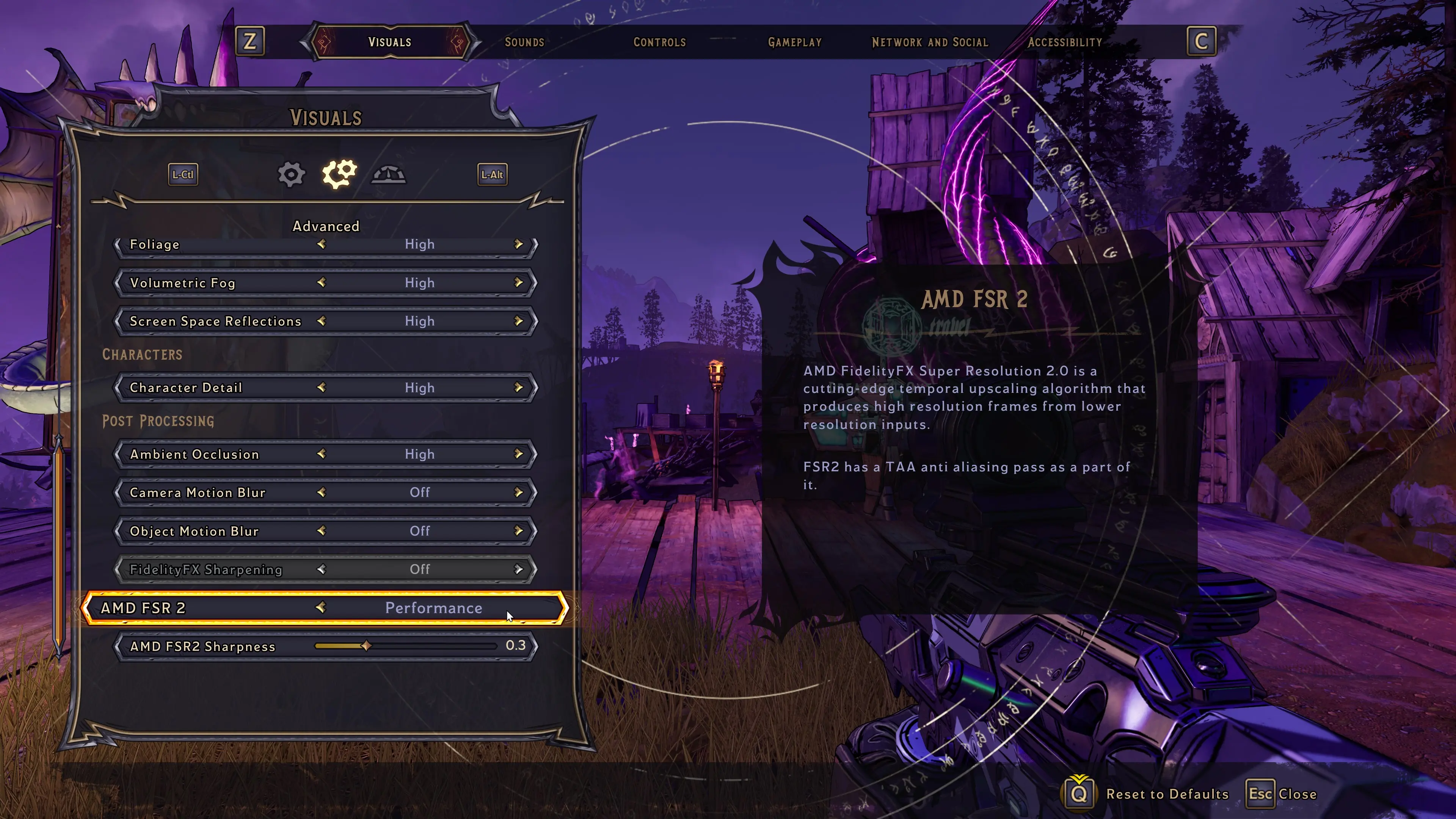
* Set the in-game FSR 2.0 preset to your preferred DLSS setting. (All DLSS presets correspond 1:1 to the FSR 2.0 presets)
* Play Tiny Tina's Wonderlands with DLSS
Installation:
* Extract the Archive so all DLL files (ffx_fsr2_api_x64.dll, FSR2DLSS_Loader.asi, nvngx_dlss.dll and d3d9.dll) are in the same folder as the Wonderlands.exe file.
Uninstallation:
* Remove all added DLL files
Why?
* Because I can!
* DLSS might look better on your GPU.
* DLSS might use less power than FSR on your Laptop.
Known issues:
* None
Thanks:
Nvidia for DLSS
AMD for FSR 2.0
ThirteenAG for theUltimate ASI Loader
etra0 forsapeaob
This mod is compatible with the latest version of the game (as of 01.05.2023)
My Patreon
My Discord Server
How to use:
* Make sure your game is running in DirectX 12 mode.
* Set the in-game FSR 2.0 preset to your preferred DLSS setting. (All DLSS presets correspond 1:1 to the FSR 2.0 presets)
* Play Tiny Tina's Wonderlands with DLSS
Installation:
* Extract the Archive so all DLL files (ffx_fsr2_api_x64.dll, FSR2DLSS_Loader.asi, nvngx_dlss.dll and d3d9.dll) are in the same folder as the Wonderlands.exe file.
Uninstallation:
* Remove all added DLL files
Why?
* Because I can!
* DLSS might look better on your GPU.
* DLSS might use less power than FSR on your Laptop.
Known issues:
* None
Thanks:
Nvidia for DLSS
AMD for FSR 2.0
ThirteenAG for theUltimate ASI Loader
etra0 forsapeaob
This mod is compatible with the latest version of the game (as of 01.05.2023)
My Patreon
My Discord Server
This tool is provided by the third party [bufftool]

Download Mods For Free
Install LagoFast, start Tiny Tina's Wonderlands and play with the mods you love.
We use cookies to make interactions with our websites andservices easy and meaningful. For more information aboutthe cookies we use or to find out how you can disable cookies, click here.