WhiteLights
Autor:randyknappLast updated:14/12/2019 07:36:18139.7K22KB



Mod Introduction
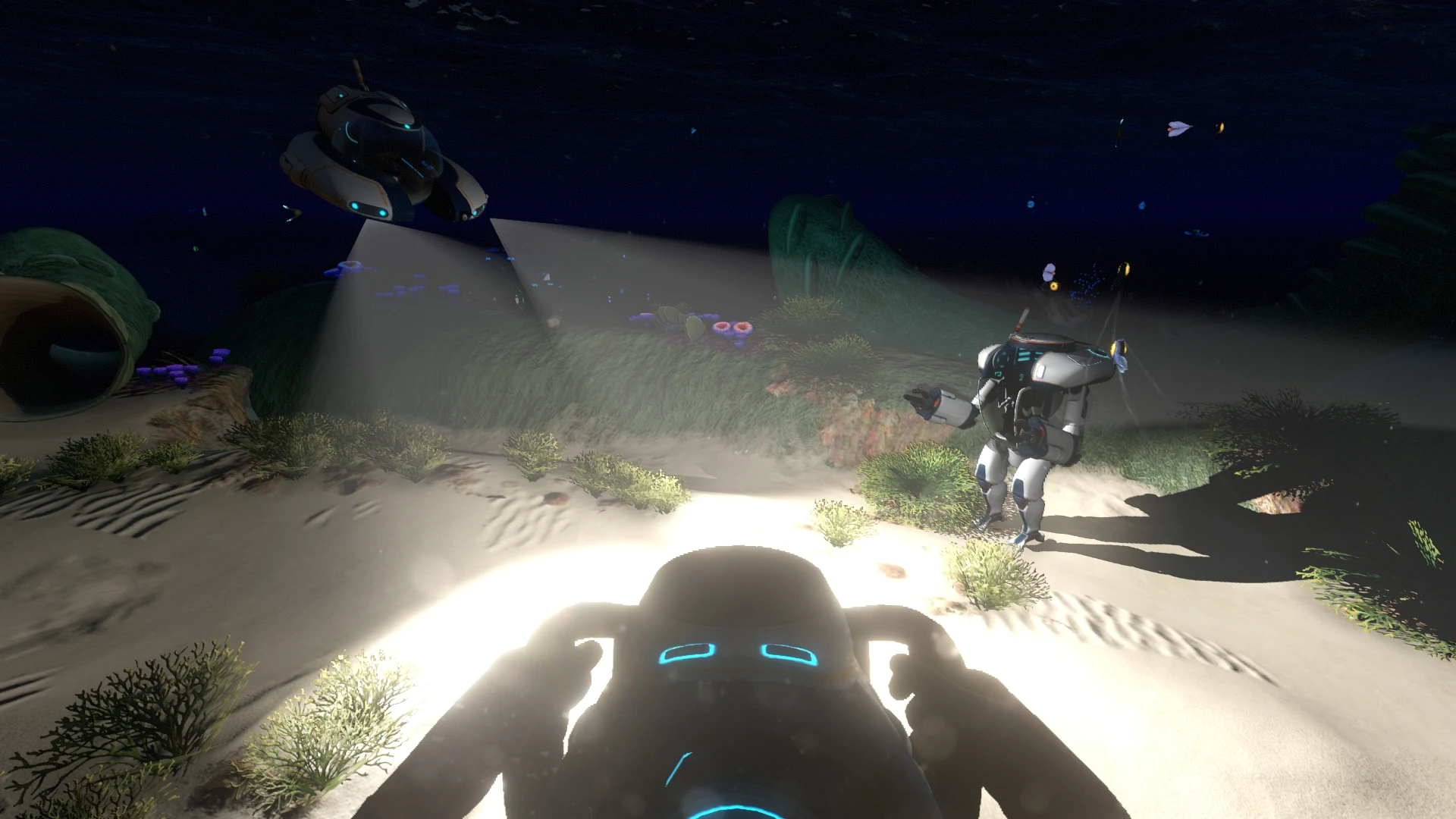
Change the color of the lights on the Seaglide, SeaMoth, and PrawnSuit!
WhiteLights for Seaglide and Vehicles
by Border Button
built for QMods Mod System
*** Added Mac Version ***
Changes the color of the lights on the Seaglide, SeaMoth, and PrawnSuit to white (by default). You can change the colors of the lights to whatever you want using the config file.
How To Set Your Own Colors:
Default Colors:
There's a version of the config.json file available for download that has the default colors set.
Changelog:
1.0.1
- Fixed a bug where docked Seamoth's would not get their lights' color changed
1.0.2
- Updated mod for Big Little update
1.0.3
- Fixed for 2019 Update
Instructions:
1. Download and install QMods
2. Extract WhiteLights.zip directly into to your Subnautica/QMods directory
3. Run the game

by Border Button
built for QMods Mod System
*** Added Mac Version ***
Changes the color of the lights on the Seaglide, SeaMoth, and PrawnSuit to white (by default). You can change the colors of the lights to whatever you want using the config file.
How To Set Your Own Colors:
- Open config.json in the QMods/WhiteLights/Assets/ folder
- Edit the color entries to what you want
- Save the file, the colors will automatically get loaded into the game
Default Colors:
There's a version of the config.json file available for download that has the default colors set.
Changelog:
1.0.1
- Fixed a bug where docked Seamoth's would not get their lights' color changed
1.0.2
- Updated mod for Big Little update
1.0.3
- Fixed for 2019 Update
Instructions:
1. Download and install QMods
2. Extract WhiteLights.zip directly into to your Subnautica/QMods directory
3. Run the game
This tool is provided by the third party [bufftool]

Download Mods For Free
Install LagoFast, start Subnautica and play with the mods you love.
We use cookies to make interactions with our websites andservices easy and meaningful. For more information aboutthe cookies we use or to find out how you can disable cookies, click here.