Map
Autor:newman55Last updated:24/08/2025 20:03:401.1M6.1MB





Pre-dependencies
Mod Introduction
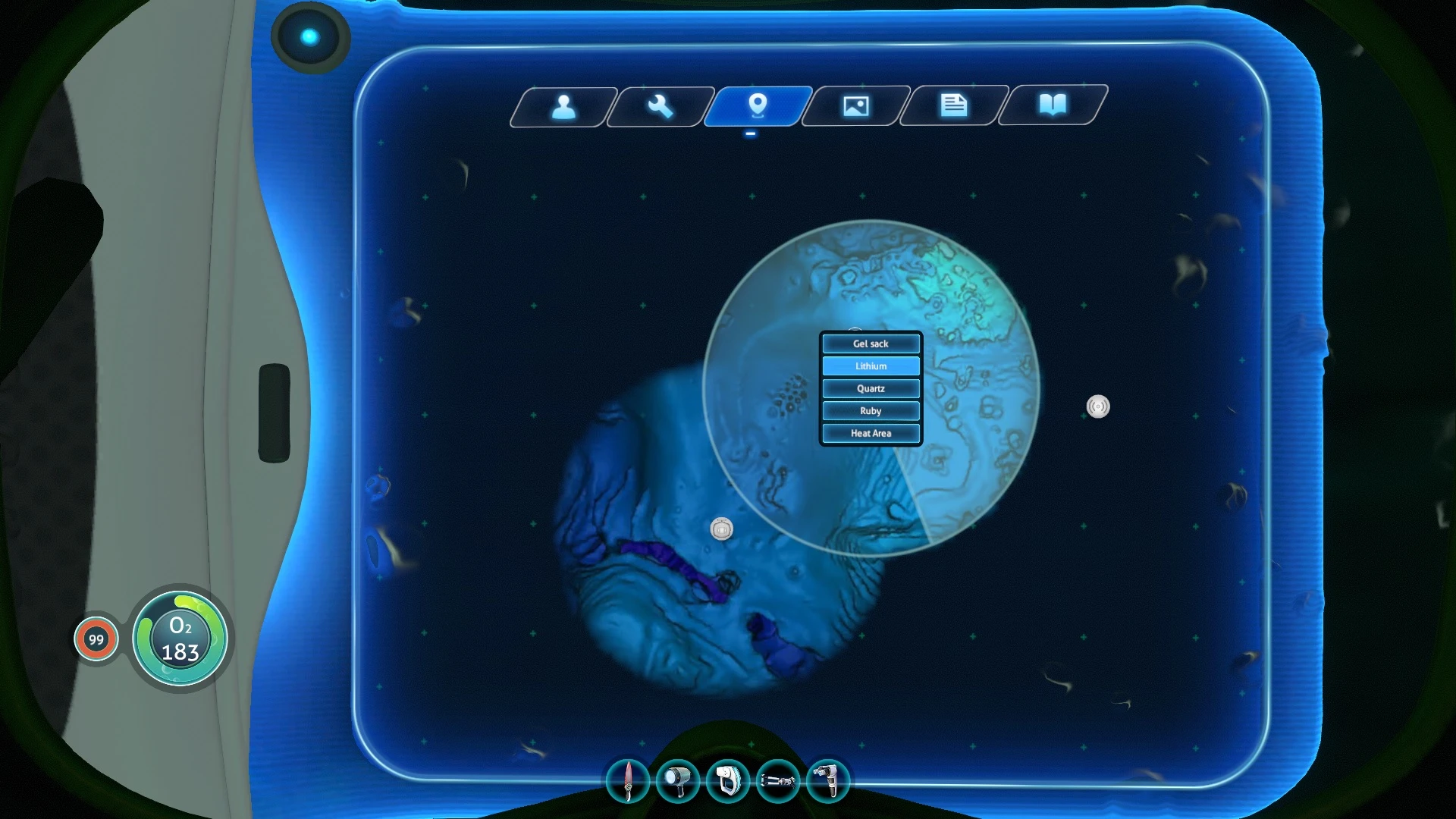
Mod adds a map to the PDA on "Beacon Manager" tab.
Requires 82304 build
Features
- Map is hidden by fog.
- Map opens with the M key. Ping Manager opens with the N key.
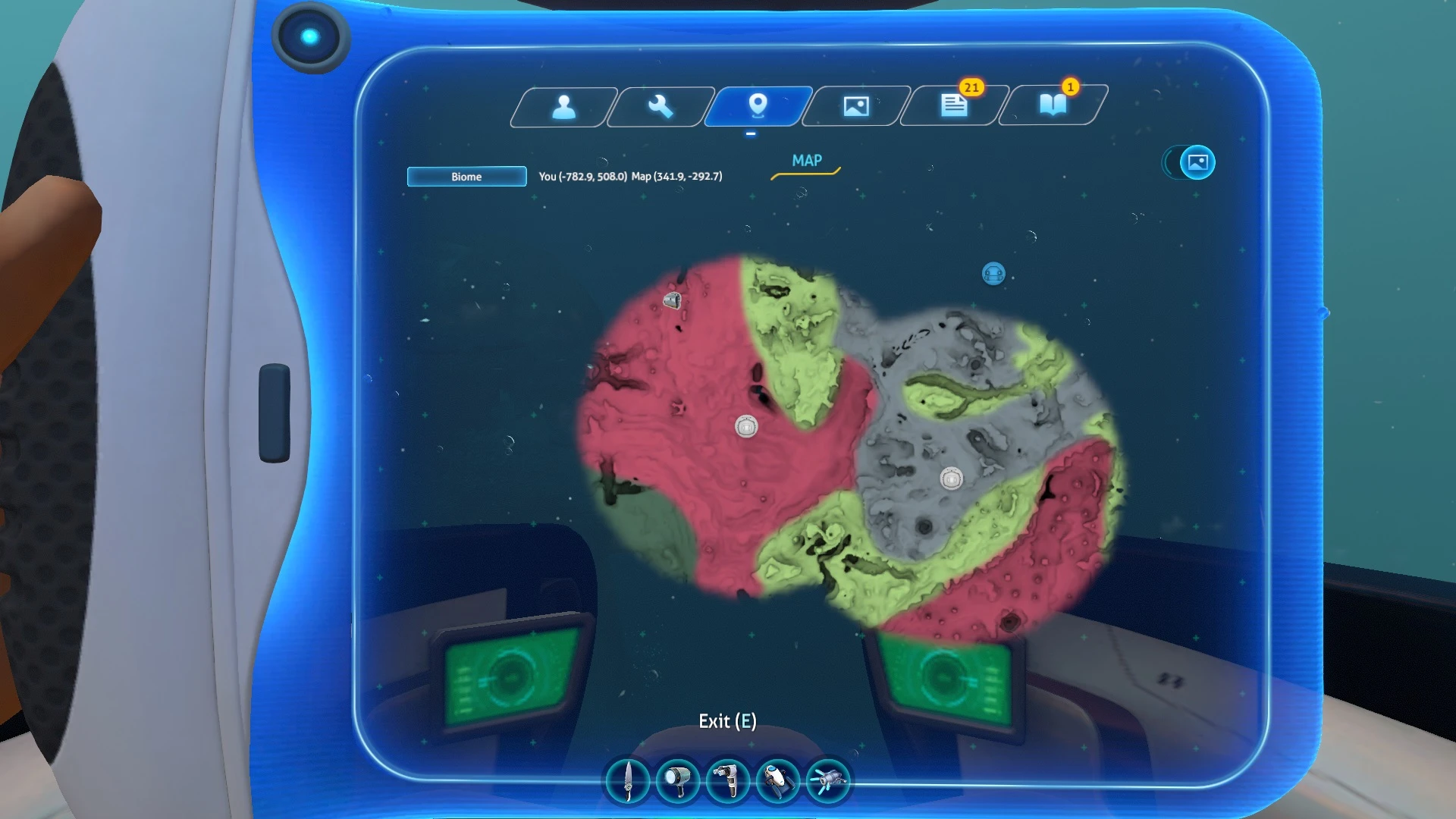
- Displays signals, player's position, player's direction and coordinates.
- The signals are controlled by left (show/hide) and right (change color) mouse button.
- Remote maproom scanning with middle mouse button (operates at a limited distance).
- Tracked icons (wreck, heat area, alien vent).
- Several types and levels of maps (topographic, biomes, Jellyshroom, Lost River, Inactive Lava Zone, Active Lava Zone).
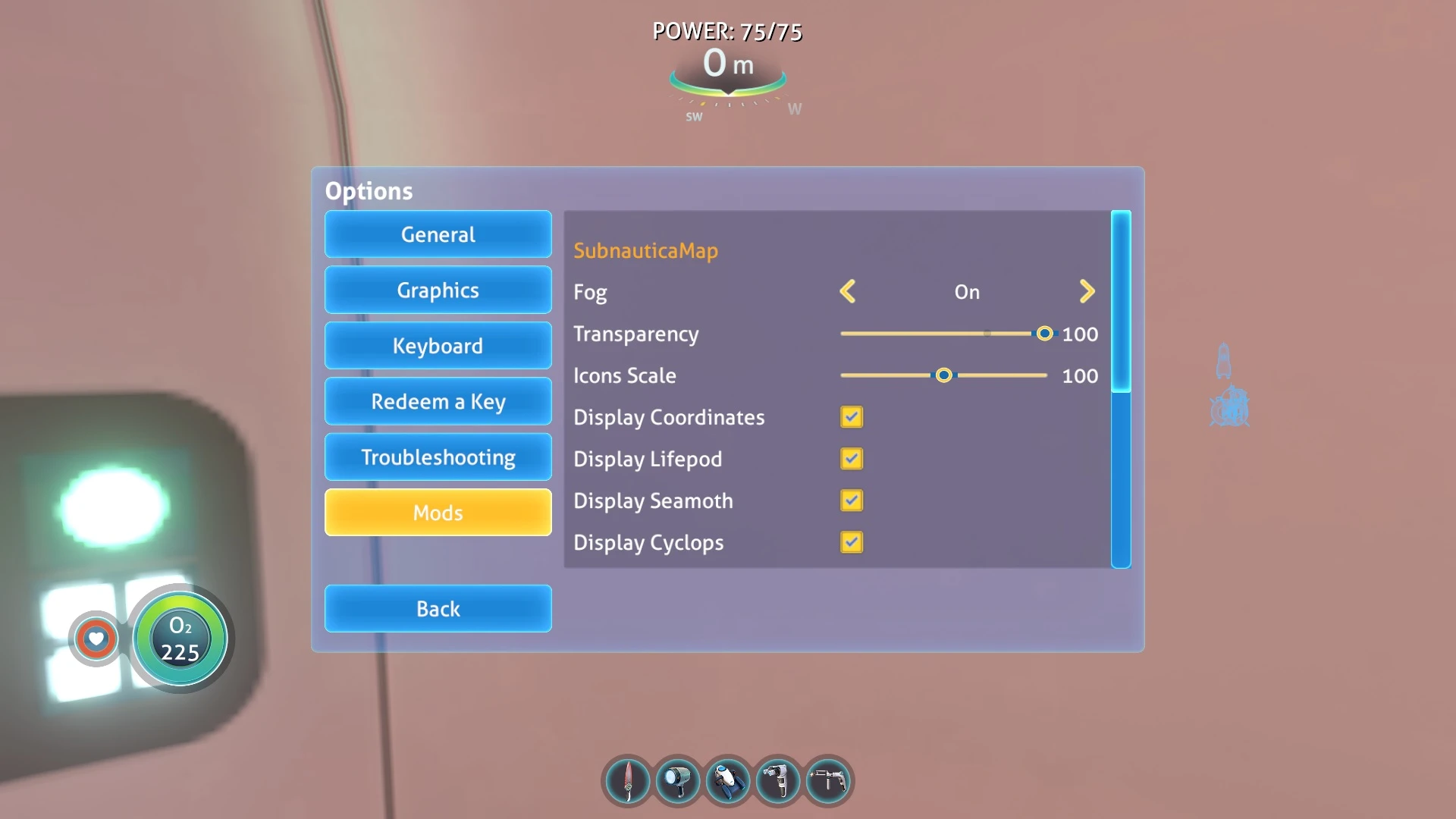
- Options locate in game menu and can be opened only through the active game.
- Support xbox 360 gamepad (partial).
- Use CTRL + LBM on the map to create a note.
For full functioning, you will need to equip the compass and scanner room hud chip.
Requirements
- Game Update 82304
Installation BepInEx
BepInEx
2. Extract the archive to folder \Subnautica\BepInEx\plugins\. Should be \Steam\steamapps\common\Subnautica\BepInEx\plugins\SubnauticaMap\
Installation QMod (legacy)
1. Install QModManager.
2. Unpack the archive (v1.5.4) to folder \Subnautica\QMods\. Should be \Steam\steamapps\common\Subnautica\QMods\SubnauticaMap\
Not compatible
Autosave mode
Experimental updates
Compatible
Nitrox (only for yourself)
BelowZero
Youtube
For the bug report.
If you want to report a bug, you can attach your log file "c:\Users\%USERNAME%\AppData\LocalLow\Unknown Worlds\Subnautica\Player.log" or maybe your screenshot. So I can figure out how to fix it faster.
To upload text files, you can use pastebin.com
Features
- Map is hidden by fog.
- Map opens with the M key. Ping Manager opens with the N key.
- Displays signals, player's position, player's direction and coordinates.
- The signals are controlled by left (show/hide) and right (change color) mouse button.
- Remote maproom scanning with middle mouse button (operates at a limited distance).
- Tracked icons (wreck, heat area, alien vent).
- Several types and levels of maps (topographic, biomes, Jellyshroom, Lost River, Inactive Lava Zone, Active Lava Zone).
- Options locate in game menu and can be opened only through the active game.
- Support xbox 360 gamepad (partial).
- Use CTRL + LBM on the map to create a note.
For full functioning, you will need to equip the compass and scanner room hud chip.
Requirements
- Game Update 82304
Installation BepInEx
BepInEx
2. Extract the archive to folder \Subnautica\BepInEx\plugins\. Should be \Steam\steamapps\common\Subnautica\BepInEx\plugins\SubnauticaMap\
Installation QMod (legacy)
1. Install QModManager.
2. Unpack the archive (v1.5.4) to folder \Subnautica\QMods\. Should be \Steam\steamapps\common\Subnautica\QMods\SubnauticaMap\
Not compatible
Autosave mode
Experimental updates
Compatible
Nitrox (only for yourself)
BelowZero
Youtube
For the bug report.
If you want to report a bug, you can attach your log file "c:\Users\%USERNAME%\AppData\LocalLow\Unknown Worlds\Subnautica\Player.log" or maybe your screenshot. So I can figure out how to fix it faster.
To upload text files, you can use pastebin.com
This tool is provided by the third party [bufftool]

Download Mods For Free
Install LagoFast, start Subnautica and play with the mods you love.
We use cookies to make interactions with our websites andservices easy and meaningful. For more information aboutthe cookies we use or to find out how you can disable cookies, click here.