Decorations Mod
Autor:OSubMarinLast updated:18/06/2025 19:08:27256.0K5.3MB


Pre-dependencies

Mod Introduction
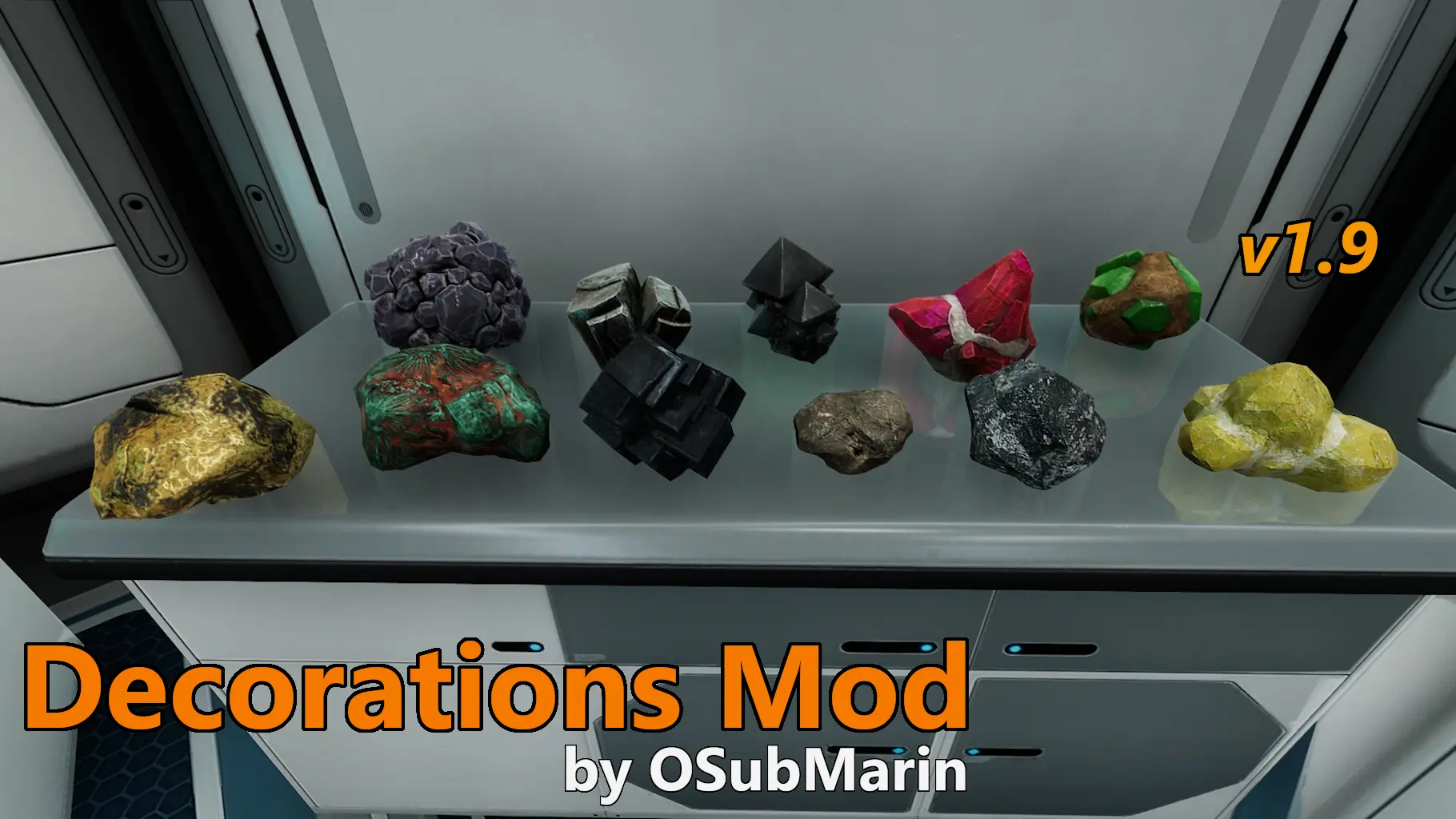
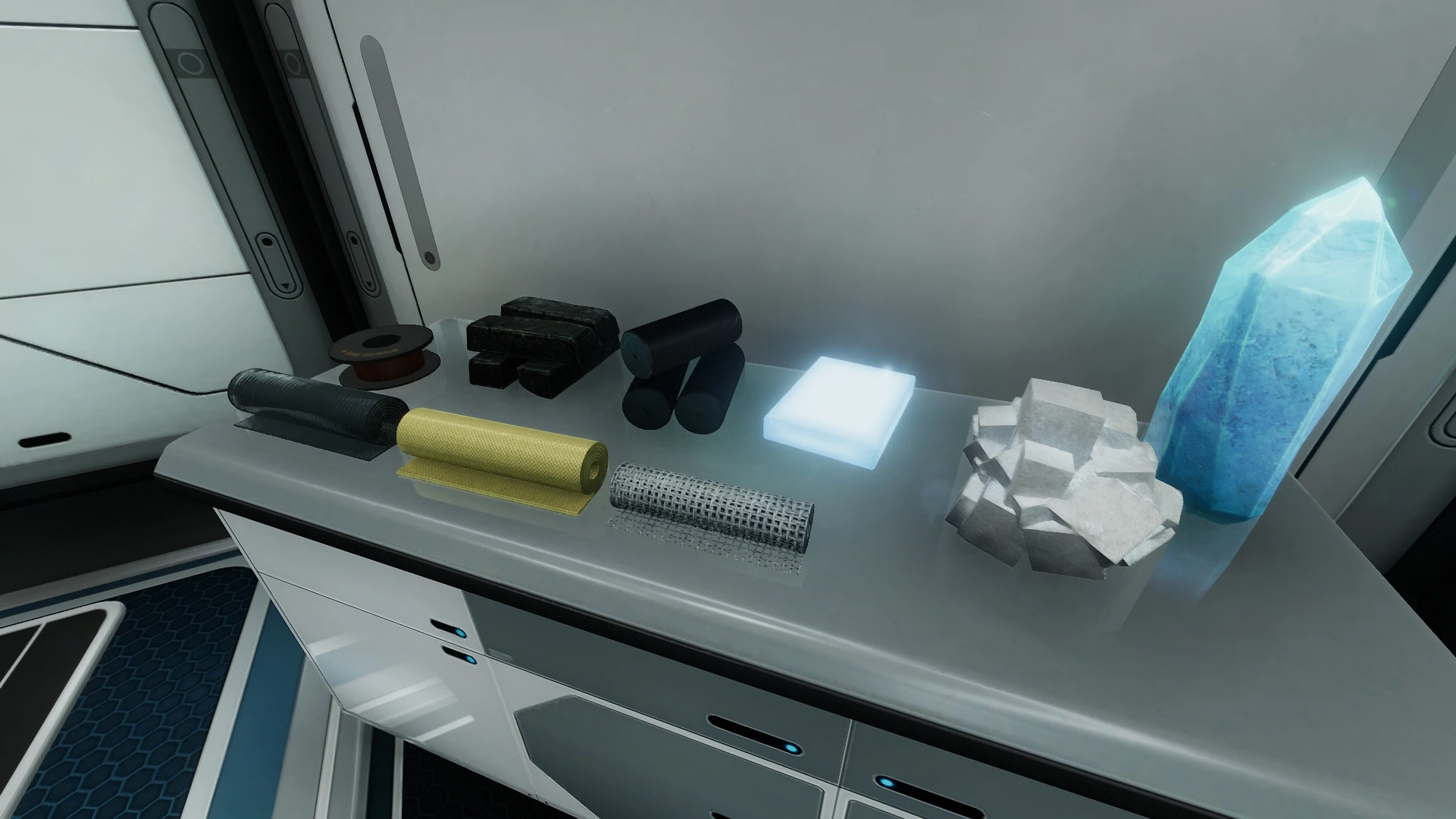
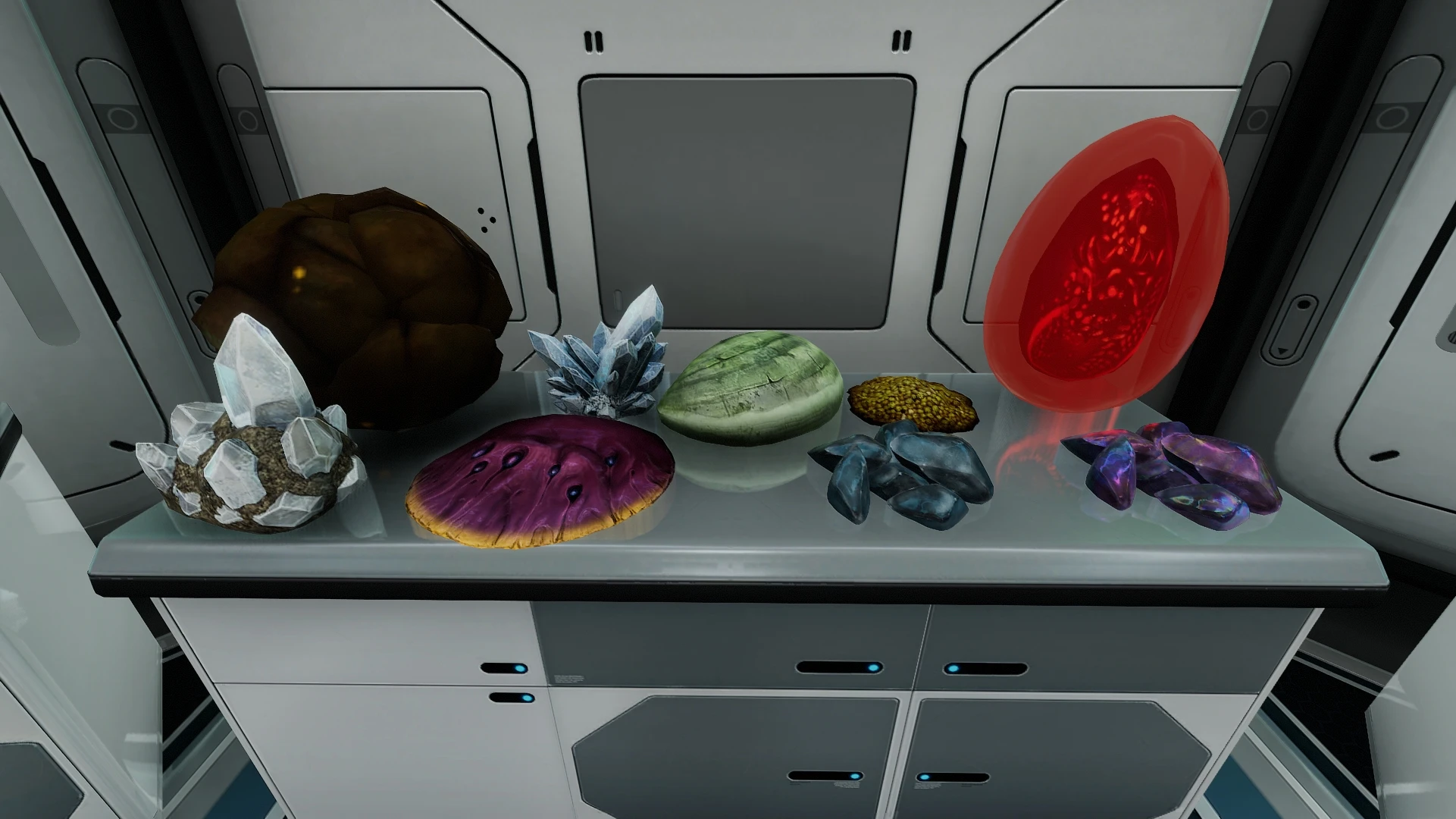
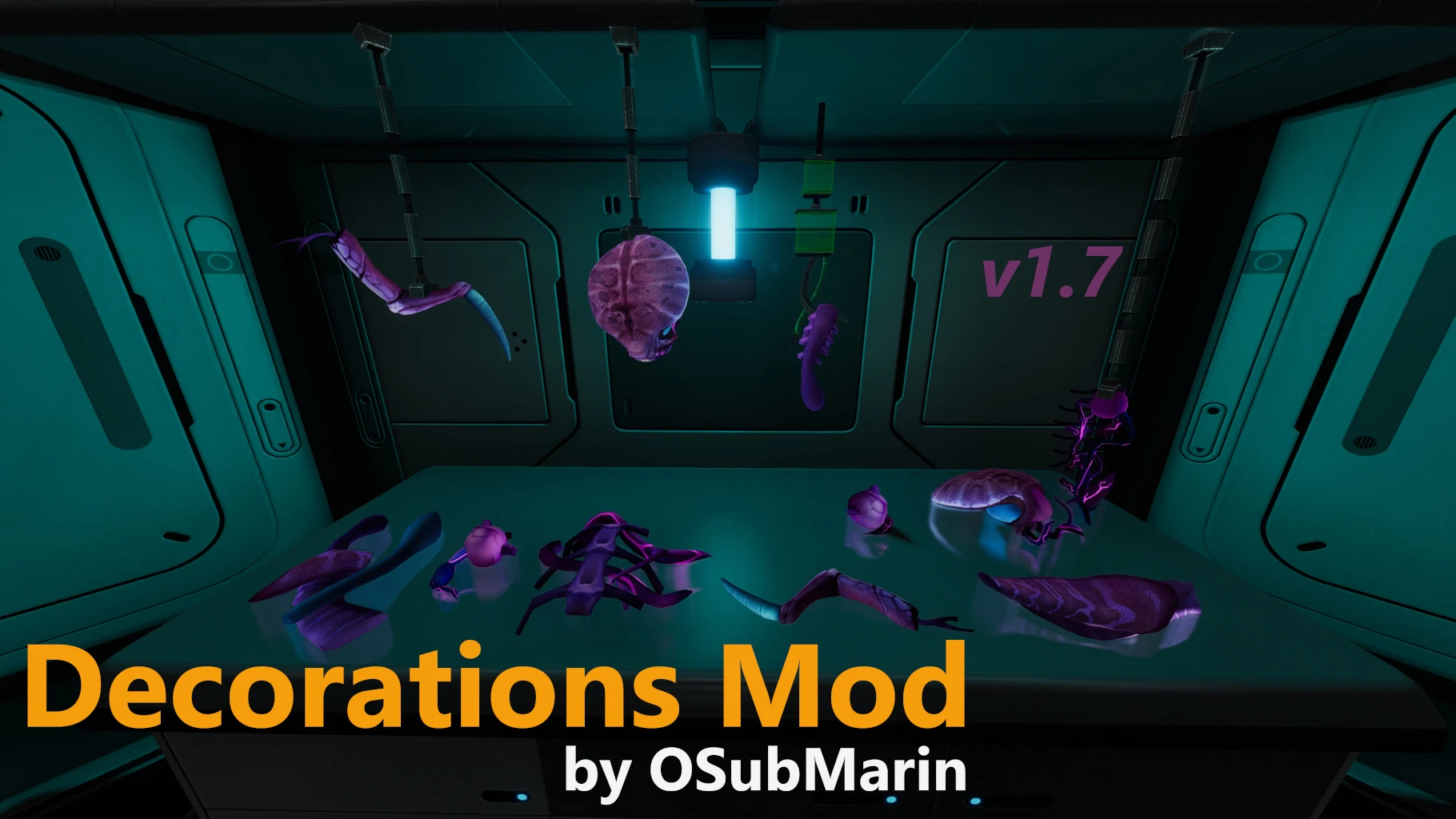
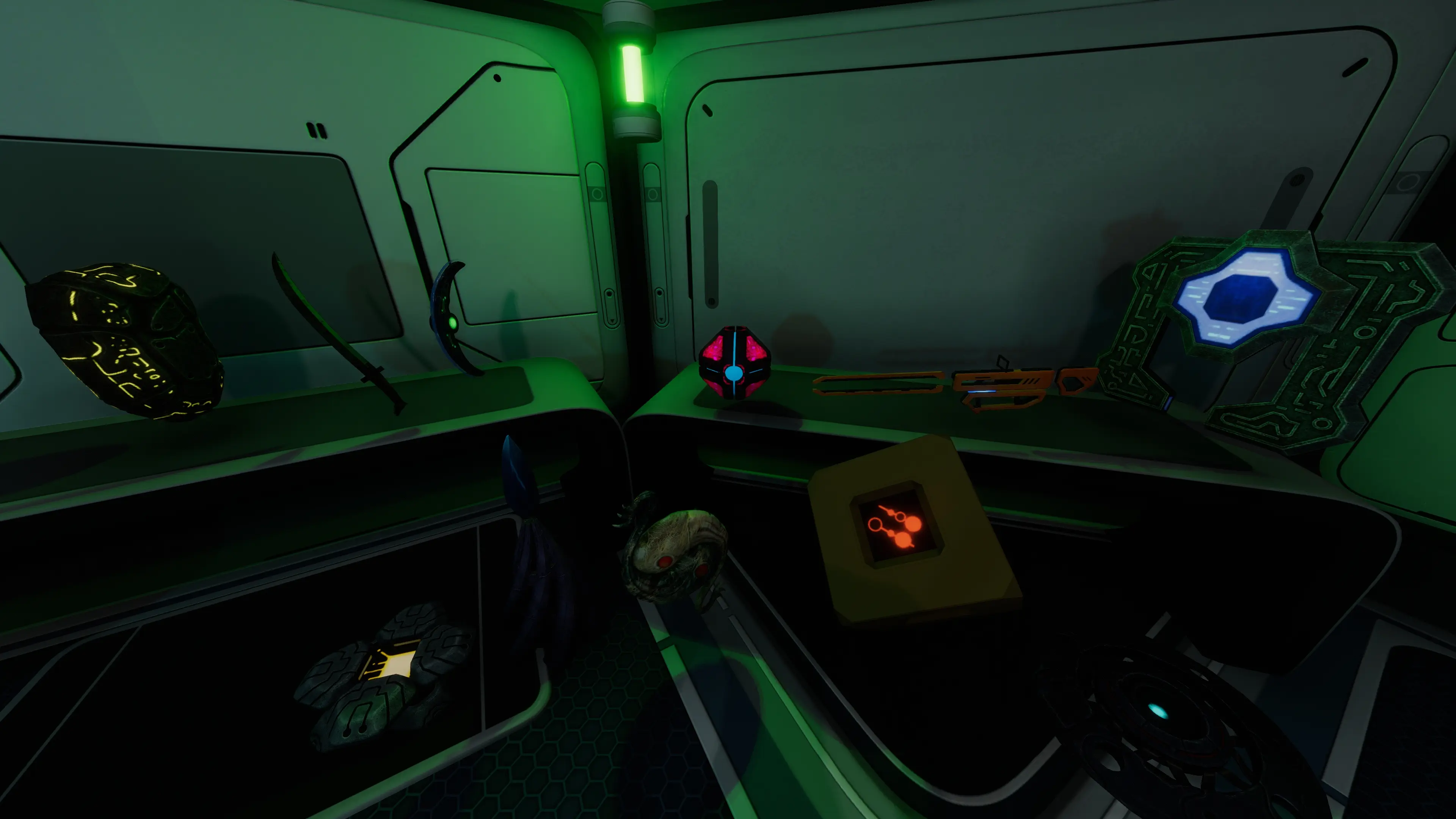
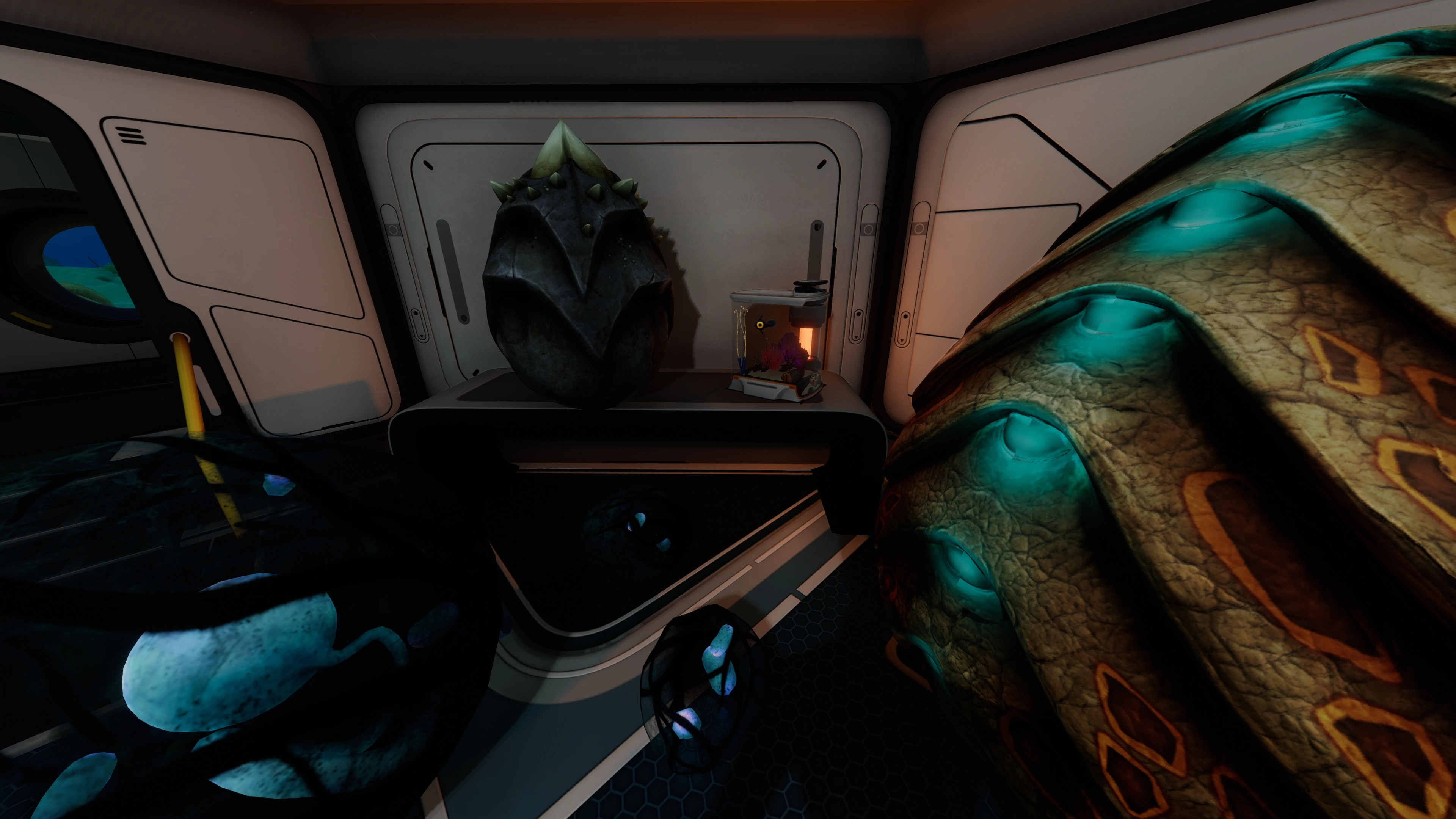
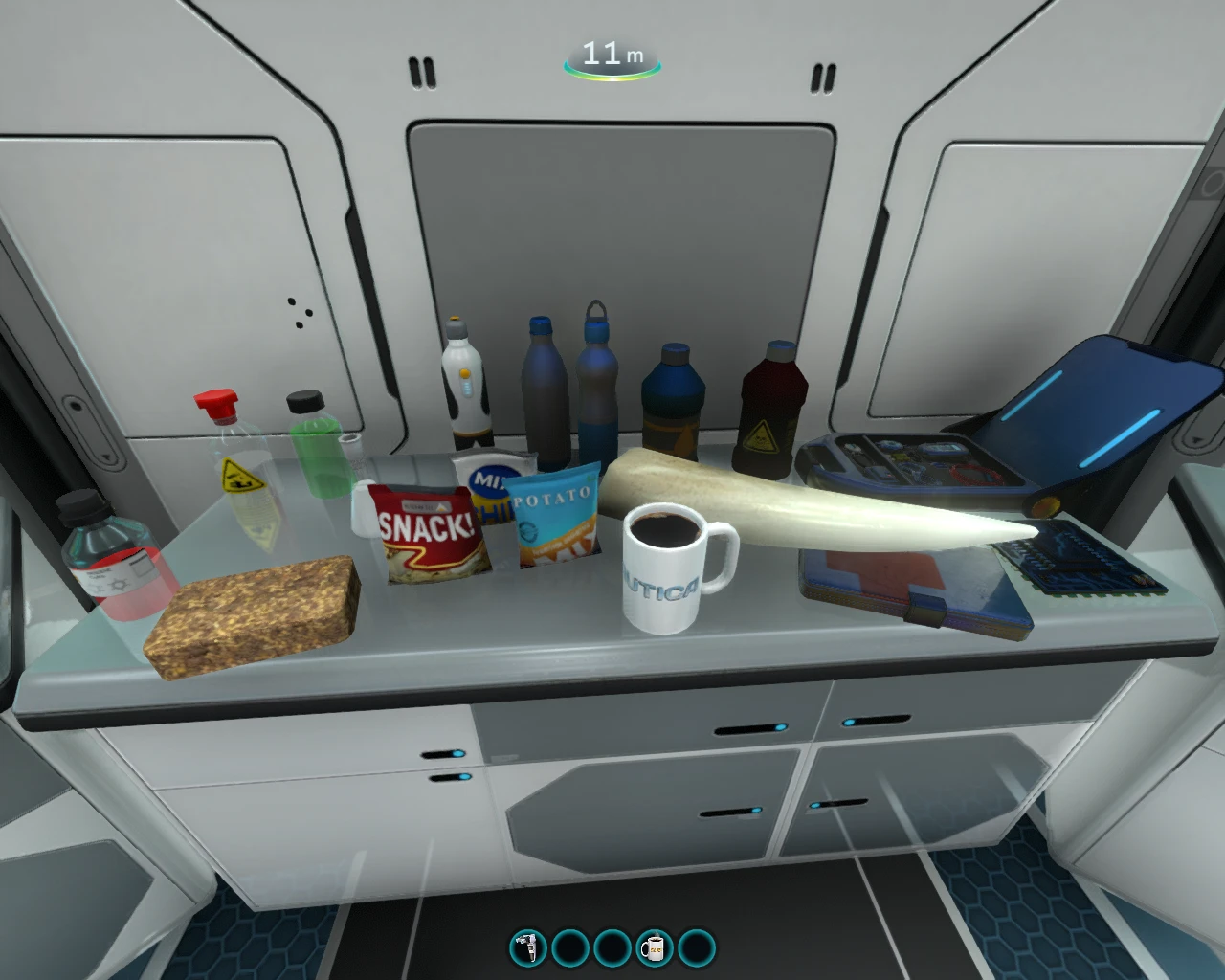
Adds a fabricator allowing you to craft 118 new items. Adds another fabricator to craft 56 new seeds. 36 new buildables will be added to your habitat builder menu. Also you will be able to place and build items where you want.
Installation instructions for Nautilus (regular version of Subnautica):
1) Install BepInEx: https://www.nexusmods.com/subnautica/mods/1108
2) Install Nautilus: https://www.nexusmods.com/subnautica/mods/1262
3) Download latest version of this mod and extract the archive (you will obtain a folder called ).
4) Move the Decorationmod
Installation instructions for SML Helper (regular version of Subnautica):
1) Install BepInEx: https://www.nexusmods.com/subnautica/mods/1108
2) Install SML Helper: https://www.nexusmods.com/subnautica/mods/113
3) Download latest version of this mod and extract the archive (you will obtain a folder called ).
4) Move the Decorationmod folder inside "[...]/Subnautica/BepInEx/plugins" folder.
Installation instructions for SML Helper (legacy version of Subnautica):
1) Install QMods: https://www.nexusmods.com/subnautica/mods/201
2) Install of SML Helper (not the latest version!): https://www.nexusmods.com/subnautica/mods/113
3) Download legacy version of this mod (version 1.9.1) and extract the archive (you will obtain a folder called Decorationmod).
4) Move the Decorationmod folder inside "[...]/Subnautica/QMods" folder.
Configuration instructions:
To edit the configuration, double click on the shortcut.
For regular version of Subnautica it is located inside folder "[...]/Subnautica/BepInEx/plugins/DecorationsMod".
For legacy version of Subnautica it is located inside folder "[...]/Subnautica/QMods/DecorationsMod".
If the Configurator does not work for you you can edit the Config text file manually with a text editor.
Update instructions:
Same as the installation instructions, just start at step 3.
At step 4 it will ask if you want to replace files, say Yes.
Description:
This mod will add a fabricator allowing you to craft following items (118 new items):
Some additional information:
You can change range, brightness and color of the lamp (customizable light) by clicking it and holding various keys. It can be built indoor or outdoor.
You can change the size and orientation of the customizable picture frame, and you can set its content image from the screenshot folder like any other regular picture frame.
You can switch customizable picture frames to poster, random or slideshow modes (by clicking it while holding "F", "G" or "T" respectively).
You can interact with the Seamoth, PRAWN suit and Cyclops toys by clicking them.
You can change cargo crates, warper specimen, forklift toy and Cyclops toy sizes by clicking them while holding "E".
You can change computers and screens labels by clicking them.
You can display or hide the giant cove tree eggs by clicking them (hidden by default).
The outdoor ladder is functional, it has to be built on a foundation (you can use mouse wheel to rotate, and hold "T" to invert connection: above/below foundation).
Giant cove trees that you plant below 100m and have eggs displayed will spawn ghost leviathans if you enable the option in mod config.
The audio effects of the alien relics sometimes stay at their initial position so you need to save and restart Subnautica for the audio effects to take their new positions into account.
All items can be rotated and placed in any base or cyclops.
When you are placing an item and trying to rotate it using mousewheel, if the game switches quickslot instead of rotating it, you can enable the "Lock quickslots when placing item" feature in the configuration (it will allow you to rotate the item properly).
Note that if you place raw materials as decorations, stalkers will try to come and steal them (even if they are placed in a base).
All new flora is compatible with bioreactors and fully configurable (growth duration, health points, nutrient points, etc).
Both long planters can be built indoor or outdoor (tip: you can use this to have land plants in water or sea plants in bases/cyclops).
To grow plants faster you can change their settings in configuration, or use command "day".
If for some reason there are items from this mod that are missing, check the "Discovery settings" in the configuration.
How to use slideshow and random modes on the customizable picture frame?
1) When you are in game, switch your customizable picture frame into slideshow or random mode. This will create a new folder in your game files and automatically open it.
2) Copy your images in the folder (Note: Only the following image types are allowed: jpg/jpeg, png, gif).
3) Go back in game and the slidshow/random mode features will now display your images!
Detailed explanation: When you switch your customizable picture frame into slideshow or random mode it creates a new folder inside the "pictureframes" folder that is located in your savegame folder. By default it is located here: "[...]/Subnautica/SNAppData/SavedGames/[slotID]/DecorationsMod/pictureframes". Inside this "pictureframes" folder there will be one folder for each customizable picture frame. So if it is your first customizable picture frame in slideshow/random mode there will be only one folder. And if you have multiple customizable picture frames that are in slideshow/random mode there will be one folder for each. Each folder contains a Config text file which contains coordinates of the associated customizable picture frame.
News & updates:
June 18, 2025: Updated to version 2.1.0 (Nautilus version).
January 13, 2023: Updated to version 2.0.3 (now fully compatible with Snap Builder mod).
October 11, 2020: Updated to version 1.9.1 (legacy version).
See changelogs for details.
Roadmap (ideas for next update):
Translations:
Currently supported: Deutsch (DE), English (EN), Español (ES), Français (FR), Nederlanders (NL), Р у с с к и й (RU), Türkçe (TR).
You can propose new translations for this mod (template here, possibly not up-to-date so contact me for latest data).
Special thanks to:
UnknownWorlds, AHK1221, PrimeSonic, Revan, Paladyne, Verodor, Krotobosha, MrPurple6411, Jason, Inviscient, Mrpp777, BepsDog64, Thefirebirdman, Olivier, Soul Reaver and FirEmerald.
Join my Discord server if you have any question: https://discord.gg/WDvjt7csWh
Or contact me directly on Discord: osubmarin
Sources and mirror links on my Github page: https://github.com/K07H/DecorationsMod
Decorations Mod for Subnautica
Multilingual (DE/EN/ES/FR/NL/RU/TR)


Multilingual (DE/EN/ES/FR/NL/RU/TR)
Installation instructions for Nautilus (regular version of Subnautica):
1) Install BepInEx: https://www.nexusmods.com/subnautica/mods/1108
2) Install Nautilus: https://www.nexusmods.com/subnautica/mods/1262
3) Download latest version of this mod and extract the archive (you will obtain a folder called ).
4) Move the Decorationmod
Installation instructions for SML Helper (regular version of Subnautica):
1) Install BepInEx: https://www.nexusmods.com/subnautica/mods/1108
2) Install SML Helper: https://www.nexusmods.com/subnautica/mods/113
3) Download latest version of this mod and extract the archive (you will obtain a folder called ).
4) Move the Decorationmod folder inside "[...]/Subnautica/BepInEx/plugins" folder.
Installation instructions for SML Helper (legacy version of Subnautica):
1) Install QMods: https://www.nexusmods.com/subnautica/mods/201
2) Install of SML Helper (not the latest version!): https://www.nexusmods.com/subnautica/mods/113
3) Download legacy version of this mod (version 1.9.1) and extract the archive (you will obtain a folder called Decorationmod).
4) Move the Decorationmod folder inside "[...]/Subnautica/QMods" folder.
Configuration instructions:
To edit the configuration, double click on the shortcut.
For regular version of Subnautica it is located inside folder "[...]/Subnautica/BepInEx/plugins/DecorationsMod".
For legacy version of Subnautica it is located inside folder "[...]/Subnautica/QMods/DecorationsMod".
If the Configurator does not work for you you can edit the Config text file manually with a text editor.
Update instructions:
Same as the installation instructions, just start at step 3.
At step 4 it will ask if you want to replace files, say Yes.
Description:
This mod will add a fabricator allowing you to craft following items (118 new items):
- 7 glass containers
- 3 lab equipments
- 3 lab furnitures
- 3 computers
- 10 circuit boxes
- 5 bottles
- 2 cups
- 3 dishes
- 7 office supplies
- 6 leviathan dolls
- 6 skeletons parts
- 3 accessories
- 4 toys
- 5 posters
- 11 warper parts
- 11 alien relics
- 5 alien tablets
- 19 eggs
- 5 seamoth fragments
- 8 land plants
- 7 land trees
- 8 tropical plants
- 12 aquatic plants
- 9 aquatic trees
- 5 corals
- 8 amphibious plants
- Customizable picture frame
- Customizable poster
- Customizable light
- Long planter (handles aquatic seeds)
- Long planter (handles land seeds)
- EatMyDiction doll
- JackSepticEye doll
- Markiplier1 doll
- Markiplier2 doll
- Marla cat doll
- Specimen analyzer
- Seamoth toy
- PRAWN suit toy
- Cyclops toy
- Forklift toy
- Empty desk
- Stool
- Warper specimen
- 3 cargo crates
- 3 lockers
- 4 sofas
- 2 benches
- Small aquarium
- 2 workdesk screens (decorative only)
- Control terminal (decorative only)
- Techbox (decorative only)
- Outdoor ladder
- All precursor tablets
- All precursor relics
- All precursor weapons
- All eggs
- All snacks
- All water bottles
- Batteries/PowerCells and their ion versions
- Coffee cup
- First aid kit
- Hatching enzymes
- Nutrient block
- All materials (benzene, bleach, computer chip, hydrochloric acid, ion cube, lubricant, polyaniline, stalker tooth, wiring kit, advanced wiring kit, silicone rubber, fiber mesh, synthetic fiber, aerogel, titanium ingot, plasteel ingot, glass, enameled glass, copper wire, alien feces, titanium, cave sulfur, copper ore, crystalline sulfur, diamond, gold, kyanite, lead, lithium, magnetite, nickel, quartz, ruby, salt, silver, uraninite crystal, blood oil, coral tube sample and table coral sample).
Some additional information:
You can change range, brightness and color of the lamp (customizable light) by clicking it and holding various keys. It can be built indoor or outdoor.
You can change the size and orientation of the customizable picture frame, and you can set its content image from the screenshot folder like any other regular picture frame.
You can switch customizable picture frames to poster, random or slideshow modes (by clicking it while holding "F", "G" or "T" respectively).
You can interact with the Seamoth, PRAWN suit and Cyclops toys by clicking them.
You can change cargo crates, warper specimen, forklift toy and Cyclops toy sizes by clicking them while holding "E".
You can change computers and screens labels by clicking them.
You can display or hide the giant cove tree eggs by clicking them (hidden by default).
The outdoor ladder is functional, it has to be built on a foundation (you can use mouse wheel to rotate, and hold "T" to invert connection: above/below foundation).
Giant cove trees that you plant below 100m and have eggs displayed will spawn ghost leviathans if you enable the option in mod config.
The audio effects of the alien relics sometimes stay at their initial position so you need to save and restart Subnautica for the audio effects to take their new positions into account.
All items can be rotated and placed in any base or cyclops.
When you are placing an item and trying to rotate it using mousewheel, if the game switches quickslot instead of rotating it, you can enable the "Lock quickslots when placing item" feature in the configuration (it will allow you to rotate the item properly).
Note that if you place raw materials as decorations, stalkers will try to come and steal them (even if they are placed in a base).
All new flora is compatible with bioreactors and fully configurable (growth duration, health points, nutrient points, etc).
Both long planters can be built indoor or outdoor (tip: you can use this to have land plants in water or sea plants in bases/cyclops).
To grow plants faster you can change their settings in configuration, or use command "day".
If for some reason there are items from this mod that are missing, check the "Discovery settings" in the configuration.
How to use slideshow and random modes on the customizable picture frame?
1) When you are in game, switch your customizable picture frame into slideshow or random mode. This will create a new folder in your game files and automatically open it.
2) Copy your images in the folder (Note: Only the following image types are allowed: jpg/jpeg, png, gif).
3) Go back in game and the slidshow/random mode features will now display your images!
Detailed explanation: When you switch your customizable picture frame into slideshow or random mode it creates a new folder inside the "pictureframes" folder that is located in your savegame folder. By default it is located here: "[...]/Subnautica/SNAppData/SavedGames/[slotID]/DecorationsMod/pictureframes". Inside this "pictureframes" folder there will be one folder for each customizable picture frame. So if it is your first customizable picture frame in slideshow/random mode there will be only one folder. And if you have multiple customizable picture frames that are in slideshow/random mode there will be one folder for each. Each folder contains a Config text file which contains coordinates of the associated customizable picture frame.
News & updates:
June 18, 2025: Updated to version 2.1.0 (Nautilus version).
January 13, 2023: Updated to version 2.0.3 (now fully compatible with Snap Builder mod).
October 11, 2020: Updated to version 1.9.1 (legacy version).
See changelogs for details.
Roadmap (ideas for next update):
- Add following items: Ion cube matrix, remaining creature dolls, damaged base parts, editable labels on decorative lockers.
- Make text auto-refresh and customizable on the decorative PDA.
- Make ghost leviathan/sea dragon/sea emperor eggs hatchable.
- Add 1x1 and 10x10 variants for planters (and make seeds like covetree and bulbbush go full size if planted in the 10x10 version).
Translations:
Currently supported: Deutsch (DE), English (EN), Español (ES), Français (FR), Nederlanders (NL), Р у с с к и й (RU), Türkçe (TR).
You can propose new translations for this mod (template here, possibly not up-to-date so contact me for latest data).
Special thanks to:
UnknownWorlds, AHK1221, PrimeSonic, Revan, Paladyne, Verodor, Krotobosha, MrPurple6411, Jason, Inviscient, Mrpp777, BepsDog64, Thefirebirdman, Olivier, Soul Reaver and FirEmerald.
"It may be prudent to separate work and leisure spaces to maximize productivity.
Treat this space as your home, but never forget that it is not." PDA Log Entry E6
Treat this space as your home, but never forget that it is not." PDA Log Entry E6
Join my Discord server if you have any question: https://discord.gg/WDvjt7csWh
Or contact me directly on Discord: osubmarin
Sources and mirror links on my Github page: https://github.com/K07H/DecorationsMod
This tool is provided by the third party [bufftool]

Download Mods For Free
Install LagoFast, start Subnautica and play with the mods you love.
We use cookies to make interactions with our websites andservices easy and meaningful. For more information aboutthe cookies we use or to find out how you can disable cookies, click here.