Generic Mod Config Menu (GMCM)
Autor:spacechase0Last updated:19/10/2025 03:48:5710.8M106KB

Pre-dependencies
Mod Introduction
Adds an in-game UI to edit other mods' config options.
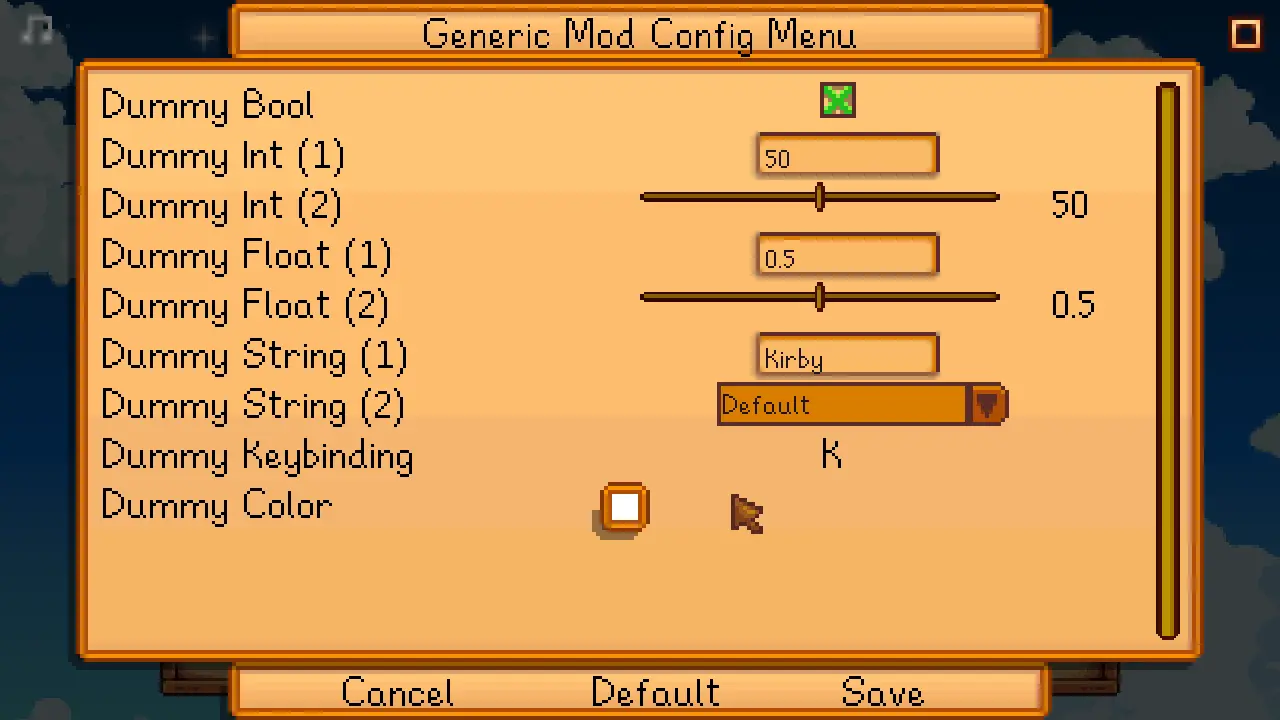
Generic Mod Config Menu adds an in-game UI to edit other mods' config options. This only works for mods designed to support it.
Install
Use
For players
You can edit settings from the title screen (via the cog button) or in-game (at the bottom of the in-game options menu). This only works for mods which were designed to support Generic Mod Config Menu, and some mods may only allow editing their config from the title screen.
Changes are live after saving, no need to restart the game.
For mod authors
Compatibility
Compatible with Stardew Valley 1.5.5+ on Linux/macOS/Windows, both single-player and multiplayer.
See also
Install
- Install the latest version of SMAPI.
- Unzip the mod folder into Stardew Valley/Mods.
- Run the game using SMAPI.
Use
For players
You can edit settings from the title screen (via the cog button) or in-game (at the bottom of the in-game options menu). This only works for mods which were designed to support Generic Mod Config Menu, and some mods may only allow editing their config from the title screen.


Changes are live after saving, no need to restart the game.
For mod authors
- For C# mods: see the mod author documentation.
- For Content Patcher packs: you don't need to do anything! Content Patcher will add the config UI automatically for you.
Compatibility
Compatible with Stardew Valley 1.5.5+ on Linux/macOS/Windows, both single-player and multiplayer.
See also
This tool is provided by the third party [bufftool]

Download Mods For Free
Install LagoFast, start Stardew Valley and play with the mods you love.
We use cookies to make interactions with our websites andservices easy and meaningful. For more information aboutthe cookies we use or to find out how you can disable cookies, click here.