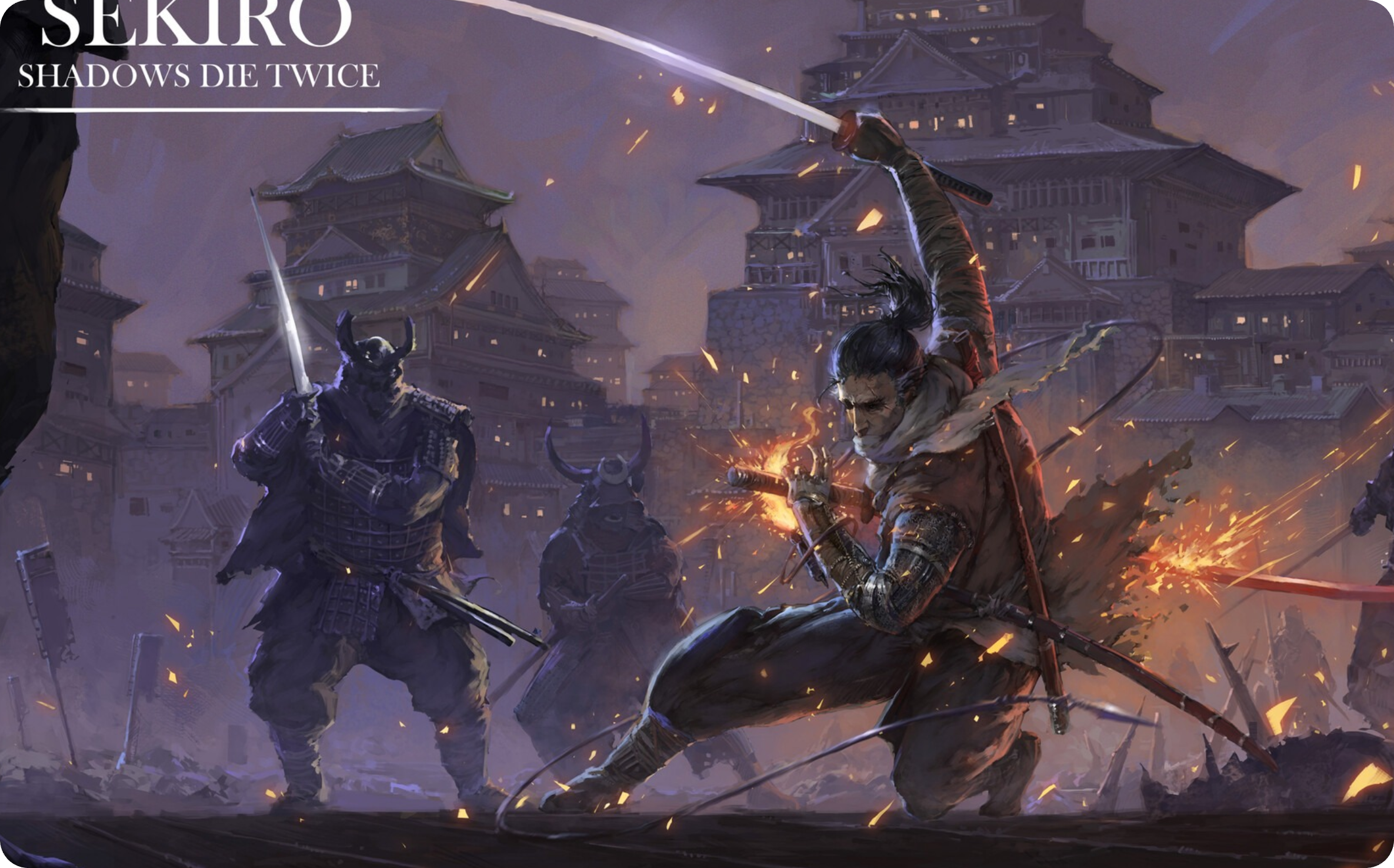
Phoenix Samurai Reshade
Autor:phoenixfabricioLast updated:30/03/2019 03:39:4023.2K0KB

Mod Introduction
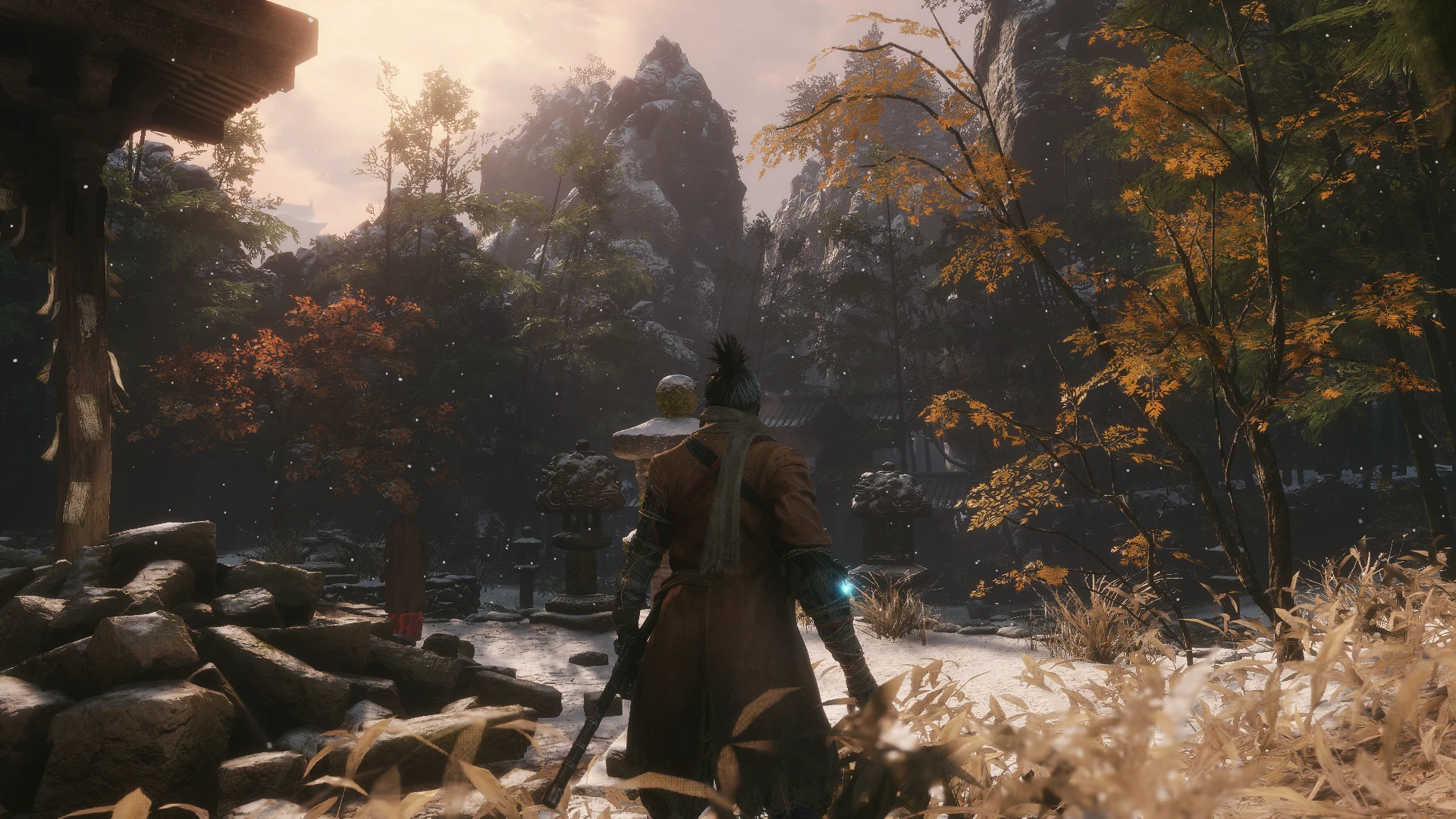
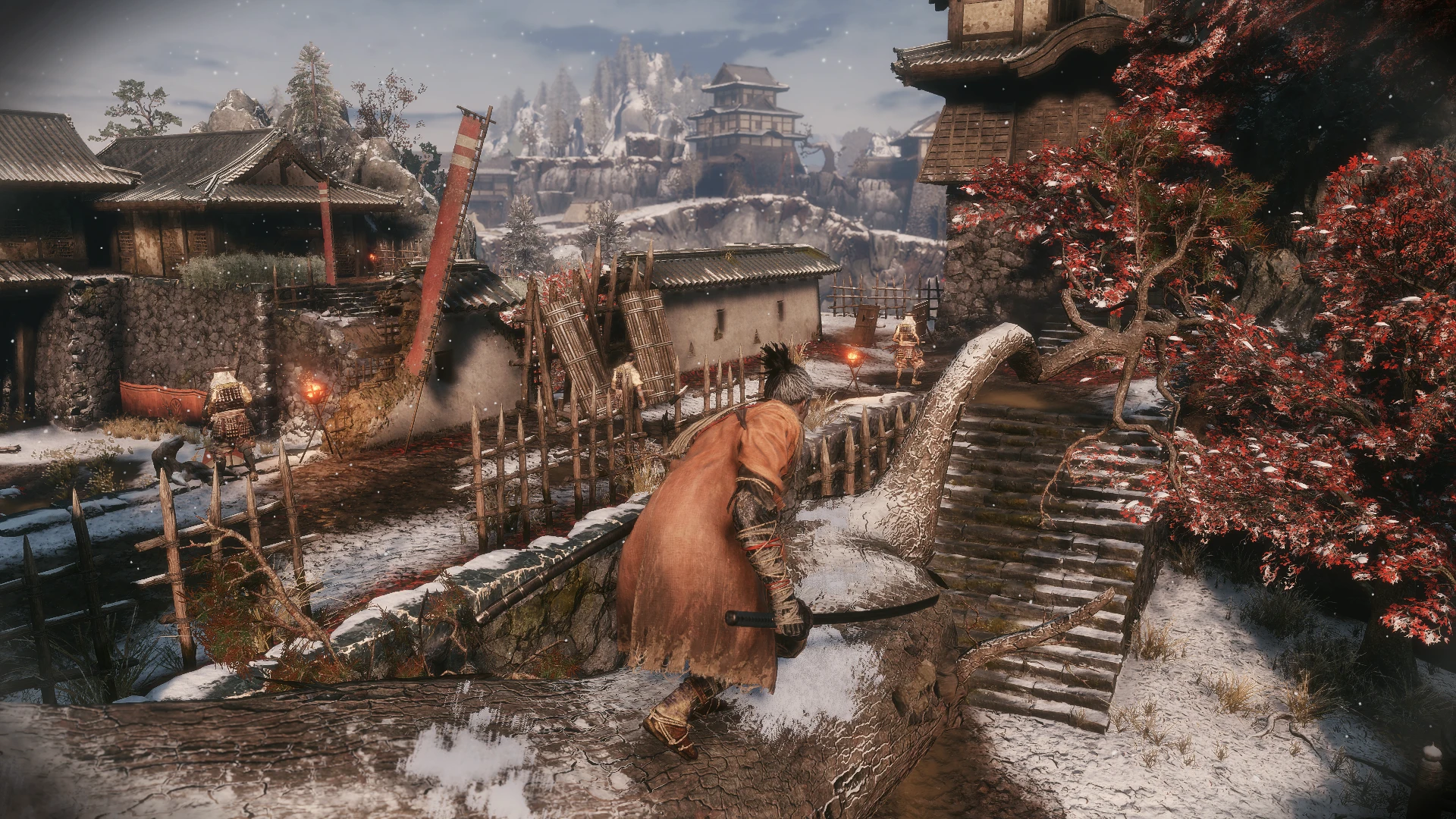
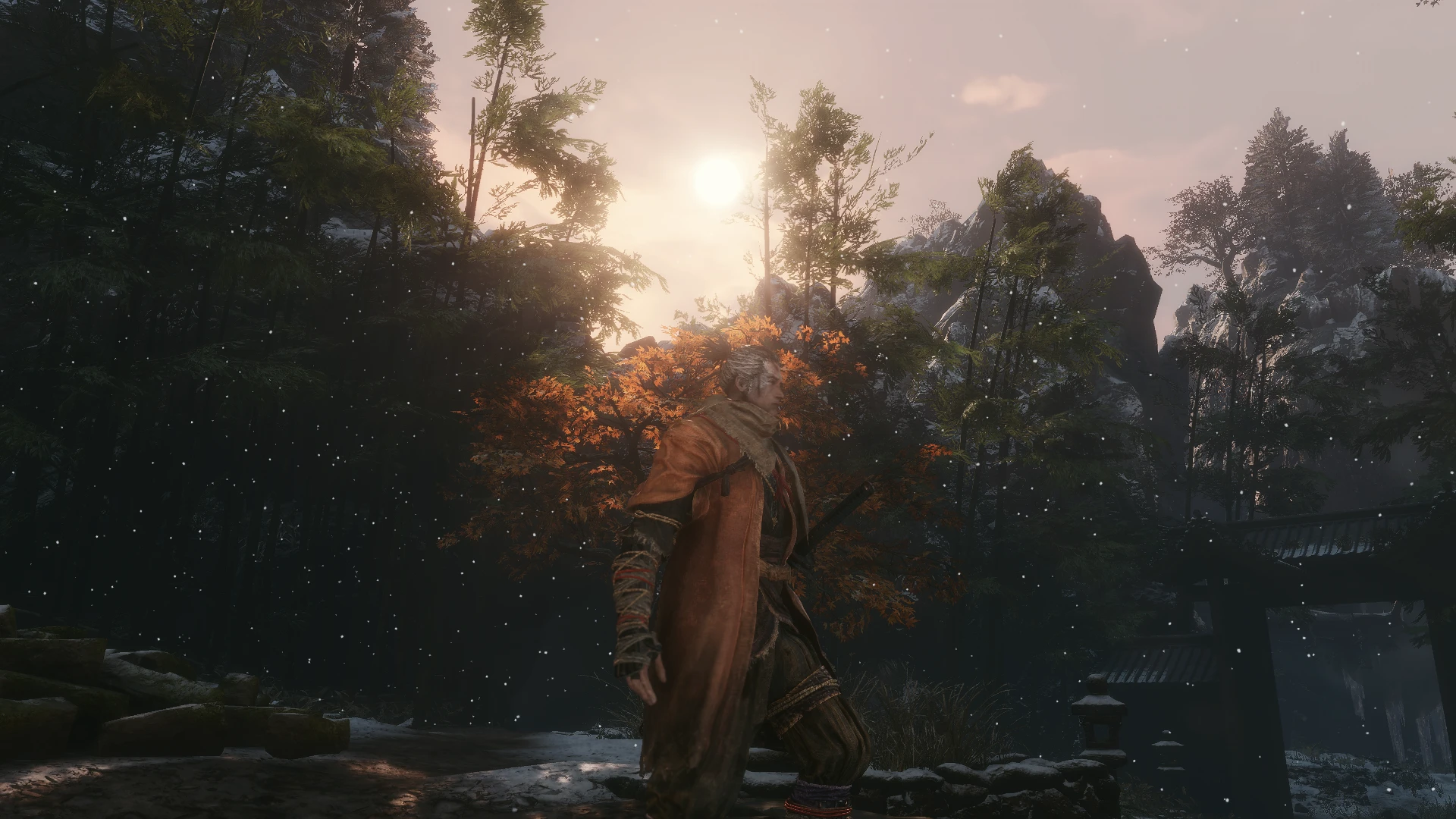
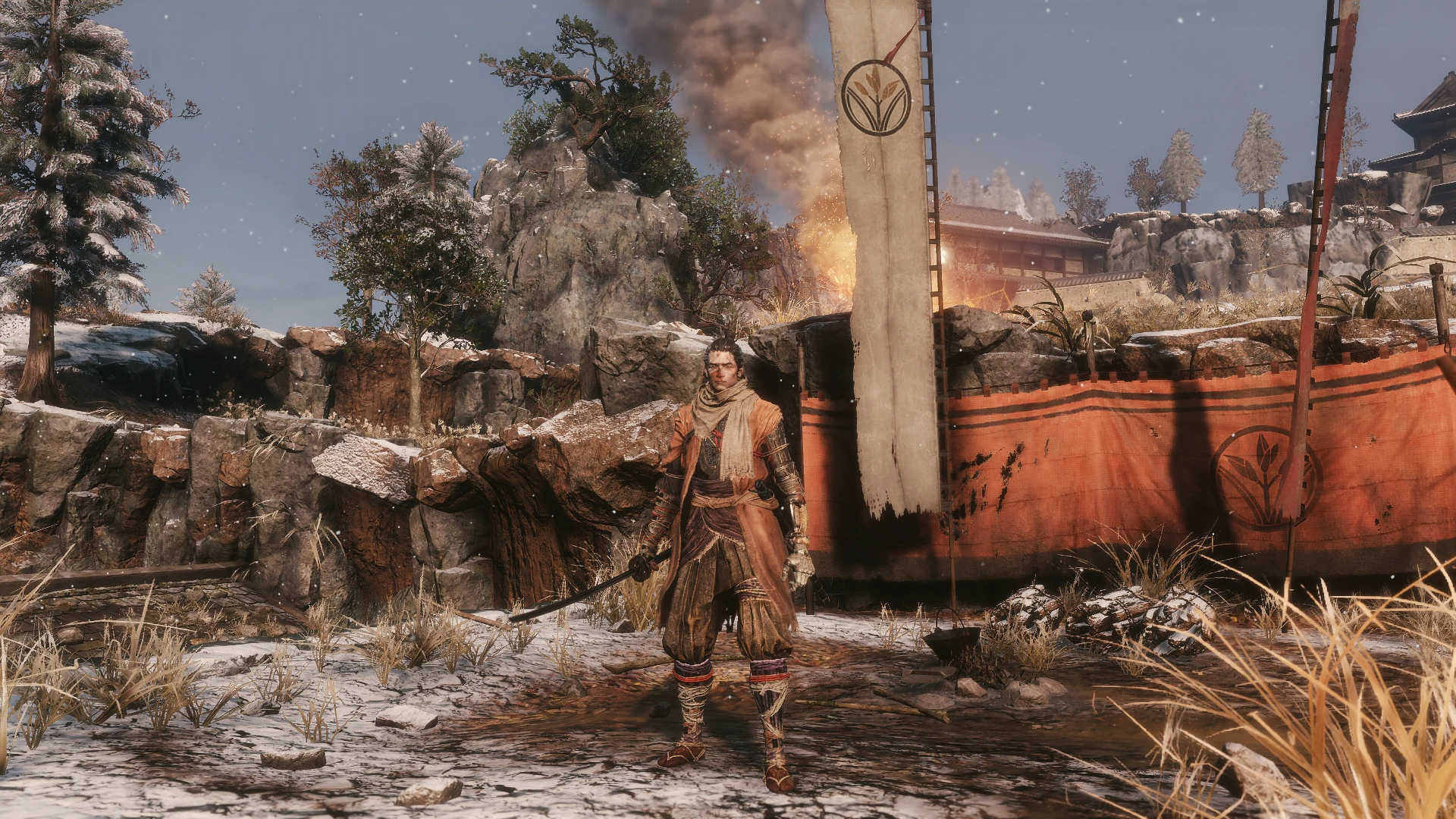
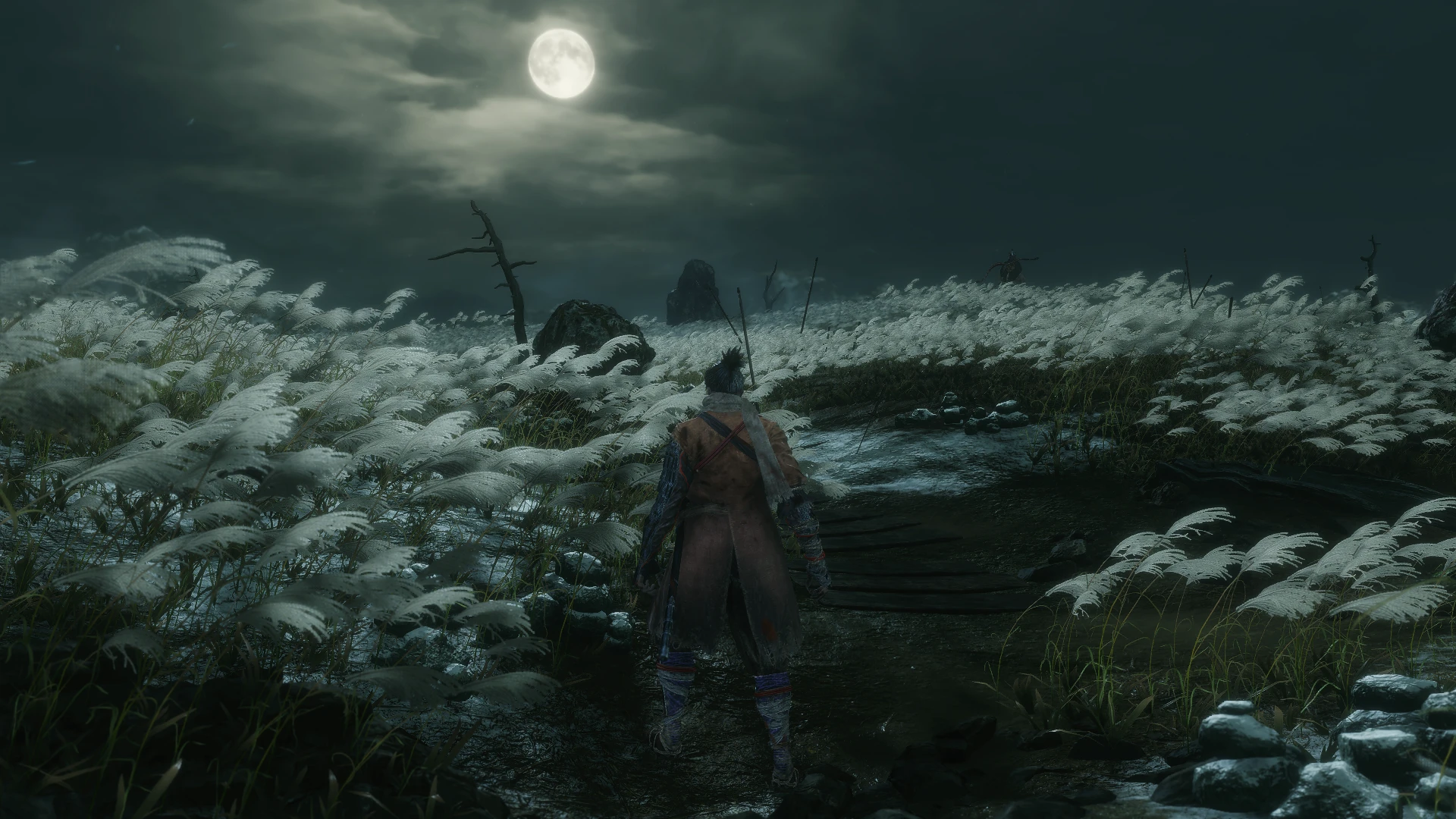
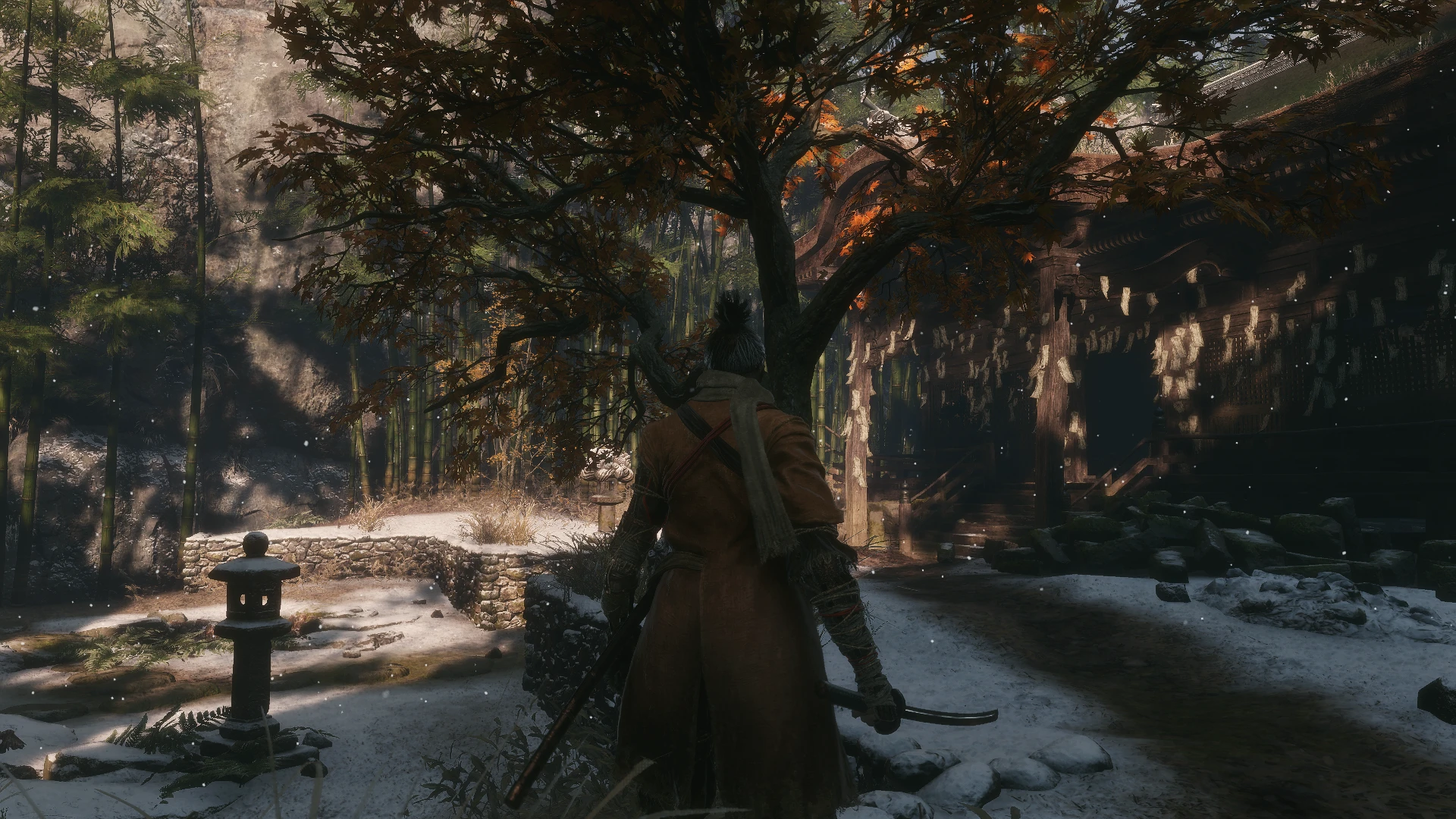
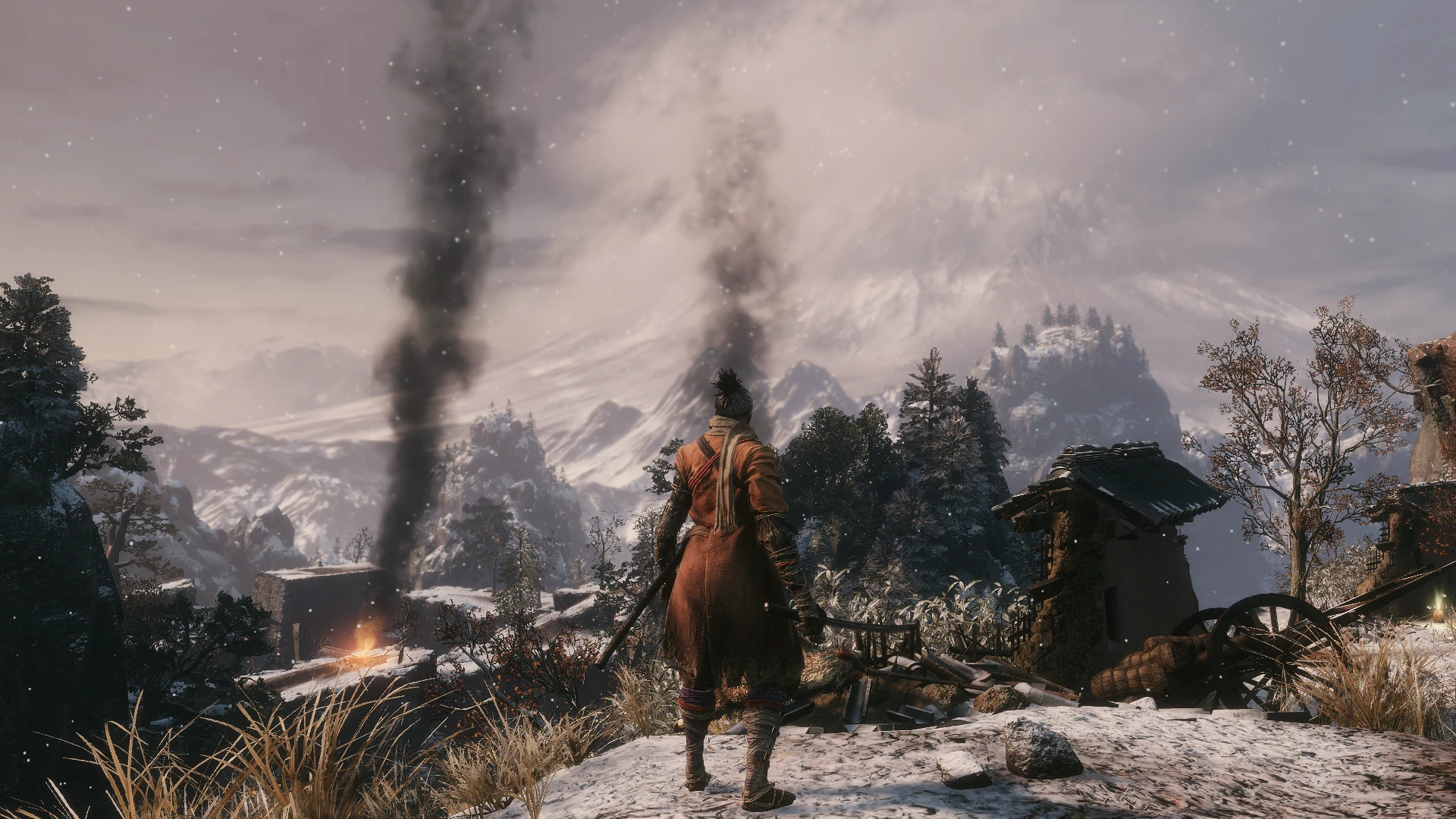
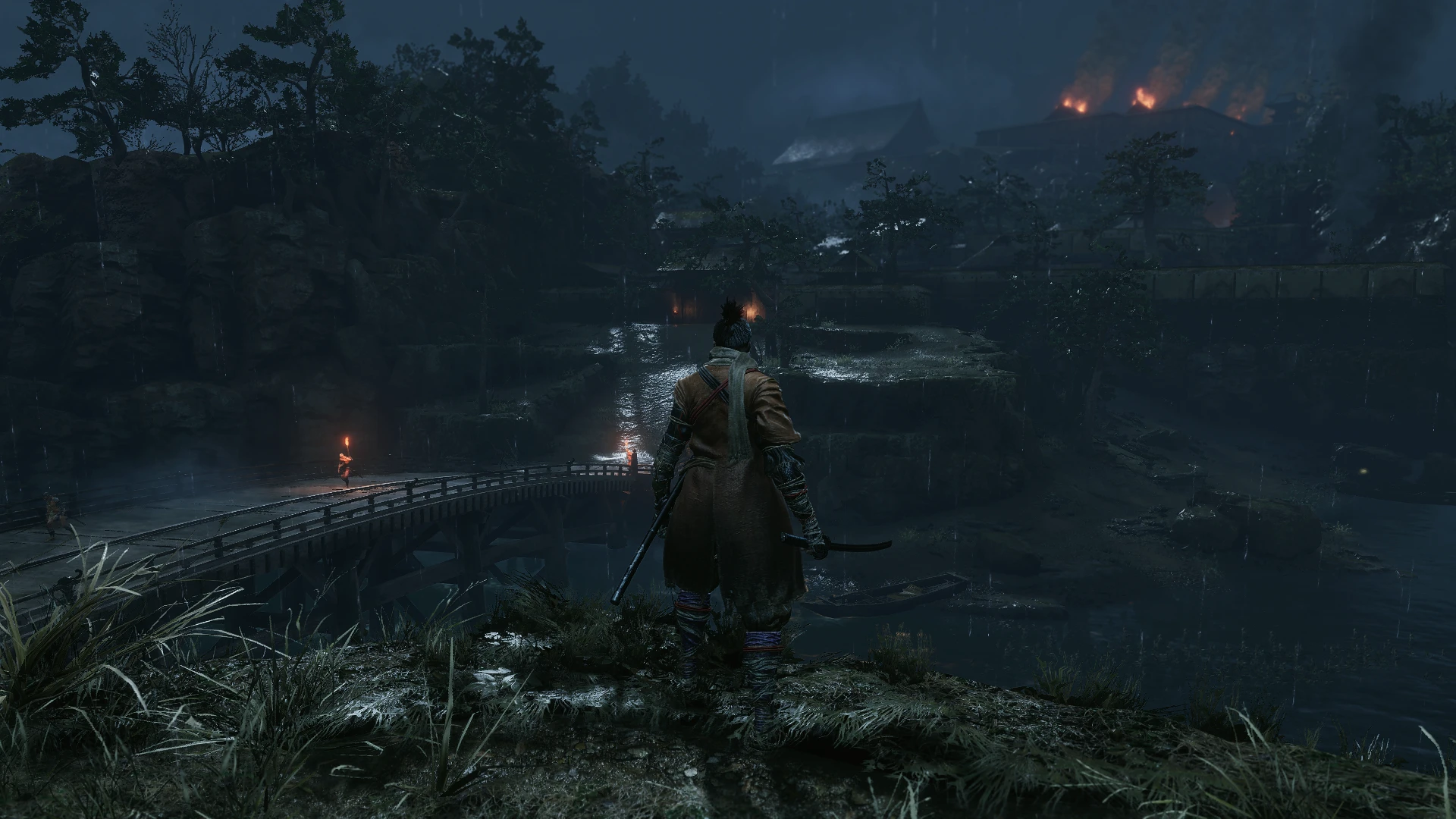
A performance-friendly Reshade preset to enhance Sekiro's original visuals.
PLEASE: If you downloaded and enjoyed my preset, don't forget to come back and click "ENDORSE"! That's all I ask! I've put a lot of time and effort into this, so endorsing my mod would mean the world to me—it really helps out. Thank you so much, everyone!!
Phoenix Samurai Reshade is a graphics preset that enhances select visual details in Sekiro with minimal performance cost. It features refined color balancing and overall aesthetic improvements. Reshade Resources UsedCurves, DPX Cineon, LumaSharpen, Technicolor2, Tonemap, and Vibrance.
- REQUIREMENTS
Exclusively for NVIDIA Users: If you are using an HDMI connection, VERY IMPORTANT To fully configure your Dynamic Range, access the graphics card control panel (refer to This image). For AMD UsersOpen the AMD control panel, go to the Gaming tab > Games > Global Graphics > Display > Pixel Format, and set it to: RGB 4:4:4.
Pixel Format PC Standard (Full RGB).
- INSTALLATION STEPS
1- Download the latest version of Reshade from https://reshade.me/ ;
2- Run the executable to install Reshade ----> select the game or browse to locate the Sekiro folder (typically [......Steam\steamapps\common\Sekiro]) and click on the game's .exe file ----> Next ----> select DirectX 10/11/12 ----> Next ----> In the shader collection window, check Legacy Effects Box Next Please wait while shaders are downloading. ---> Done...
ATTENTION: Some antivirus firewalls may block the download of shader files during Reshade installation (with the error message: "Unable to Finish Download"). If this occurs, temporarily disable your firewall and try installing Reshade again. In some cases, Windows itself may block the installation—check Windows Security alerts and allow the process to continue. These files contain no viruses; this is a false positive.
3- Download my mod from the Files tab on this page, and extract the Phoenix.ini file to your main Sekiro folder.
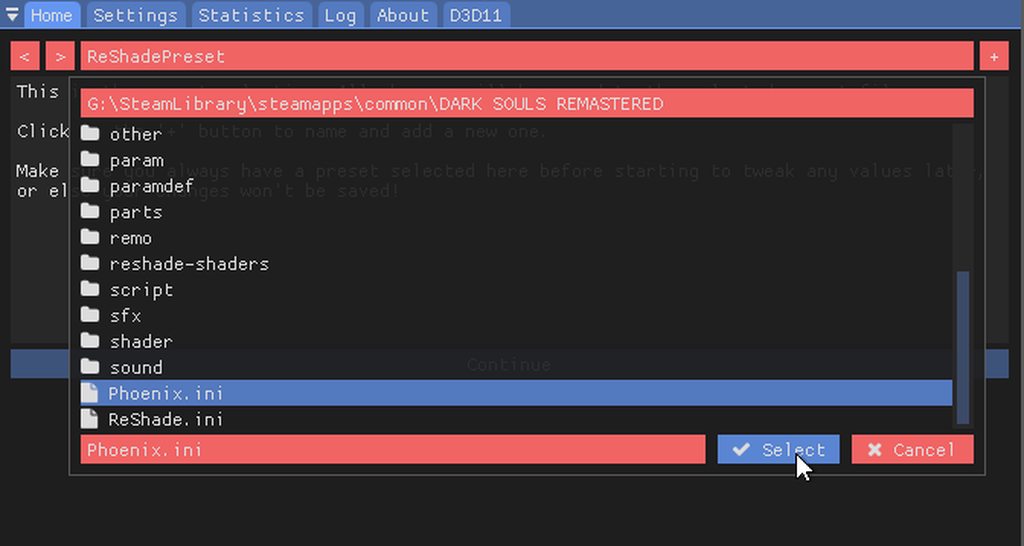
4- Launch the game and press the "Home" key to open the Reshade menu. Click "Continue," then select the file "Phoenix.ini" from the bar near the top (as shown in the example image below). Next, click the "Continue" button, followed by the "Finish" button at the bottom of the menu. Finally, press the "Home" key again to close the menu.
5- (Optional) To assign a hotkey for enabling/disabling Reshade effects, go to the Settings tab in the Reshade menu and select "Effects Toggle Key." (I personally use the F3 key to toggle all effects on/off. Note that this hotkey is not enabled by default after installation—you will need to activate it manually if desired, as Reshade does not allow saving this setting in the preset .ini file I provided.)
* IMPORTANT: If you are using FPS monitoring or recording software (such as FRAPS), the game (with Reshade installed) may fail to launch if such software is already running. To use such a program, launch the game FIRST, then press Alt + Tab during the title screen to open your monitoring/recording software, and return to the game afterward.
Enjoy and please click "Endorse" if you like the preset!
- UNINSTALL :
To uninstall, delete the following: the "reshade-shaders" folder, Phoenix.ini, dxgi.dll, and any other files containing "Reshade" in their name. Sekiro main directory.
- CREDITS
FROM Software presents Sekiro: Shadows Die Twice
Crosire's Reshade Framework
SEE MY OTHER GAMES
PhoenixVivid ENB-Reshade for Skyrim Special Edition
Phoenix Cinematic ENB-Reshadefor Fallout 4
Phoenix Enhancer ReshadeFor The Elder Scrolls Online
Phoenix Luminance ENBfor Dragon's Dogma: Dark Arisen
Drangleic Enhanced Reshadefor Dark Souls II
Phoenix Undead Reshadefor Dark Souls III
Imaginarium ENBfor Skyrim Special Edition
Insanity ENBfor Skyrim Legendary Edition
NCW ENBfor Fallout 4
Subscribe to my YouTube Channel
Follow me Flickr
PhoenixVivid ENB-Reshade for Skyrim Special Edition
Phoenix Cinematic ENB-Reshadefor Fallout 4
Phoenix Enhancer ReshadeFor The Elder Scrolls Online
Phoenix Luminance ENBfor Dragon's Dogma: Dark Arisen
Drangleic Enhanced Reshadefor Dark Souls II
Phoenix Undead Reshadefor Dark Souls III
Imaginarium ENBfor Skyrim Special Edition
Insanity ENBfor Skyrim Legendary Edition
NCW ENBfor Fallout 4
Subscribe to my YouTube Channel
Follow me Flickr
Phoenix Samurai Reshade is a graphics preset that enhances select visual details in Sekiro with minimal performance cost. It features refined color balancing and overall aesthetic improvements. Reshade Resources UsedCurves, DPX Cineon, LumaSharpen, Technicolor2, Tonemap, and Vibrance.
- REQUIREMENTS
Exclusively for NVIDIA Users: If you are using an HDMI connection, VERY IMPORTANT To fully configure your Dynamic Range, access the graphics card control panel (refer to This image). For AMD UsersOpen the AMD control panel, go to the Gaming tab > Games > Global Graphics > Display > Pixel Format, and set it to: RGB 4:4:4.

Pixel Format PC Standard (Full RGB).
- INSTALLATION STEPS
1- Download the latest version of Reshade from https://reshade.me/ ;
2- Run the executable to install Reshade ----> select the game or browse to locate the Sekiro folder (typically [......Steam\steamapps\common\Sekiro]) and click on the game's .exe file ----> Next ----> select DirectX 10/11/12 ----> Next ----> In the shader collection window, check Legacy Effects Box Next Please wait while shaders are downloading. ---> Done...
ATTENTION: Some antivirus firewalls may block the download of shader files during Reshade installation (with the error message: "Unable to Finish Download"). If this occurs, temporarily disable your firewall and try installing Reshade again. In some cases, Windows itself may block the installation—check Windows Security alerts and allow the process to continue. These files contain no viruses; this is a false positive.
3- Download my mod from the Files tab on this page, and extract the Phoenix.ini file to your main Sekiro folder.
4- Launch the game and press the "Home" key to open the Reshade menu. Click "Continue," then select the file "Phoenix.ini" from the bar near the top (as shown in the example image below). Next, click the "Continue" button, followed by the "Finish" button at the bottom of the menu. Finally, press the "Home" key again to close the menu.
5- (Optional) To assign a hotkey for enabling/disabling Reshade effects, go to the Settings tab in the Reshade menu and select "Effects Toggle Key." (I personally use the F3 key to toggle all effects on/off. Note that this hotkey is not enabled by default after installation—you will need to activate it manually if desired, as Reshade does not allow saving this setting in the preset .ini file I provided.)
* IMPORTANT: If you are using FPS monitoring or recording software (such as FRAPS), the game (with Reshade installed) may fail to launch if such software is already running. To use such a program, launch the game FIRST, then press Alt + Tab during the title screen to open your monitoring/recording software, and return to the game afterward.
Enjoy and please click "Endorse" if you like the preset!
- UNINSTALL :
To uninstall, delete the following: the "reshade-shaders" folder, Phoenix.ini, dxgi.dll, and any other files containing "Reshade" in their name. Sekiro main directory.
- CREDITS
FROM Software presents Sekiro: Shadows Die Twice
Crosire's Reshade Framework
This tool is provided by the third party [bufftool]

Download Mods For Free
Install LagoFast, start Sekiro: Shadows Die Twice and play with the mods you love.
We use cookies to make interactions with our websites andservices easy and meaningful. For more information aboutthe cookies we use or to find out how you can disable cookies, click here.