Simple Mod Menu and Blueprint Loader (In Game Menu)
Autor:TheRareKiwiLast updated:04/10/2025 04:06:13819.3K1.4MB


Mod Introduction
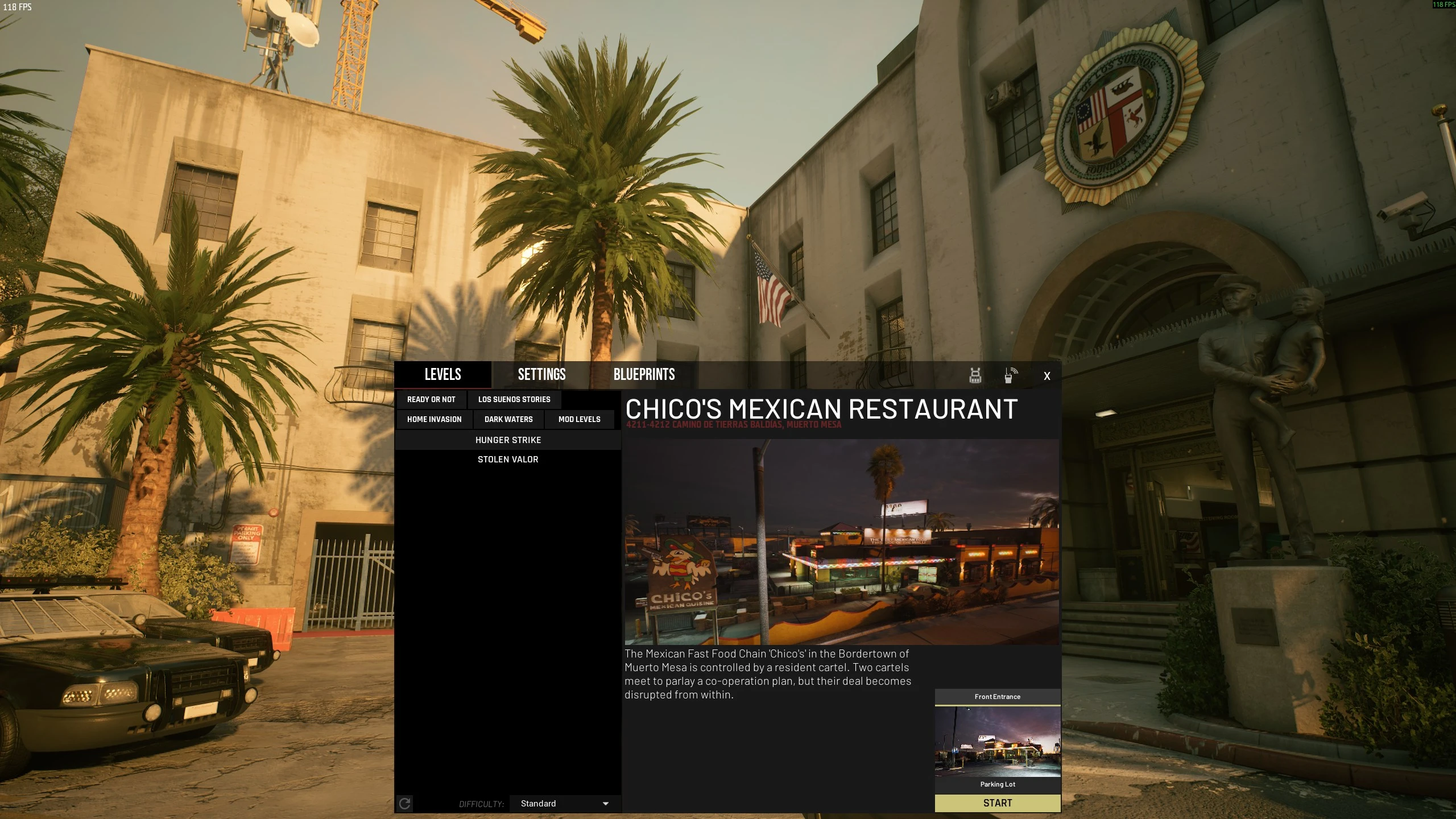
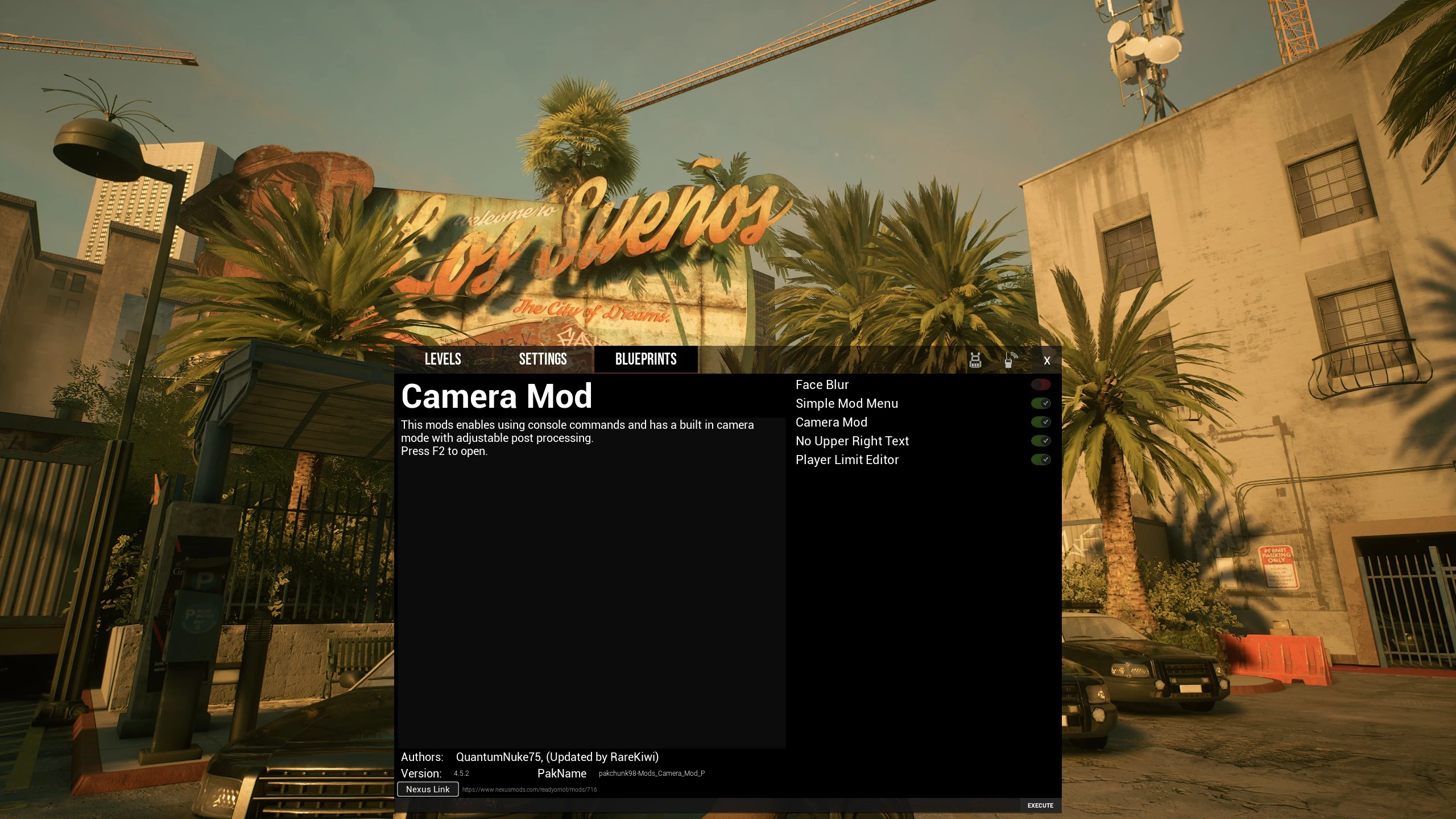
Mod settings UI. Edit Player Limit. Load Blueprints & Levels.
Install:
Place extracted pak files in the game's pak folder
\Ready Or Not\ReadyOrNot\Content\Paks\
Simple Mod Menu
Press M to open. Or use the SMM button added to the main menu.
If you own a map DLC and the tab isn't active, start a quick play single player game to validate.
Configs are stored in %localappdata%\ReadyOrNot\Saved\SaveGames\SMM\
Simple Blueprint Loader
Runs standalone.
Provides legacy shared framework that other mods could include in order to load their blueprint code without needing to override a game asset.
With the LSS Patch#2 game update this functionality is now included in the base game.
Blueprints have a toggleable state, but are enabled by default.
Load states are stored in %localappdata%\ReadyOrNot\Saved\SaveGames\SBL\States\
Player Limit Editor
By default increases the multiplayer player limit to 16
Runs standalone, config available if Simple Mod Menu is installed.
Discontinued Mods Descriptions
Legacy In Game Menu Description
Updated For dreams stories
Server Browser is unable to be updated and is discontinued
Server Browser is unable to be updated and is discontinued
Install:
Place extracted pak files in the game's pak folder
\Ready Or Not\ReadyOrNot\Content\Paks\
Simple Mod Menu
Press M to open. Or use the SMM button added to the main menu.
If you own a map DLC and the tab isn't active, start a quick play single player game to validate.
Configs are stored in %localappdata%\ReadyOrNot\Saved\SaveGames\SMM\
Simple Blueprint Loader
Runs standalone.
Provides legacy shared framework that other mods could include in order to load their blueprint code without needing to override a game asset.
With the LSS Patch#2 game update this functionality is now included in the base game.
Blueprints have a toggleable state, but are enabled by default.
Load states are stored in %localappdata%\ReadyOrNot\Saved\SaveGames\SBL\States\
Player Limit Editor
By default increases the multiplayer player limit to 16
Runs standalone, config available if Simple Mod Menu is installed.
Discontinued Mods Descriptions
Spoiler:
No Upper Right Text
With the Darkwaters DLC game update, this is no longer needed and the game version number was moved to the pause menu.
Removes the Upper Right Text and Safe Mode Text overlay while keeping the VOIP activity and Network Status widgets.
Can be run standalone, but overrides a common file W_FPSCounter. Can be loaded with Simple Blueprint Loader.
Show
No Upper Right Text
With the Darkwaters DLC game update, this is no longer needed and the game version number was moved to the pause menu.
Removes the Upper Right Text and Safe Mode Text overlay while keeping the VOIP activity and Network Status widgets.
Can be run standalone, but overrides a common file W_FPSCounter. Can be loaded with Simple Blueprint Loader.
Legacy In Game Menu Description
Spoiler:
Features:
- Level Selector
- Settings Menu
- Status/Player Menu
- Mod Blueprint Loading Menu
- Server Browser Menu
- Increase player lobby limit.
- Custom map info/image support
- Basic Mod info support
- Blueprint loading
- Blueprint widget integration for mod makers (new menus and config menus)
Notes:
- Ensure the checksum check is UNTICKED in your game options to play with others
Usage:
- Double-tap the "DeployMenu" key to open. (default M)
- Alternative keybind is = equals (needs to be enabled)
- Hold alternative keybind to force load back to lobby.
Install:
Extract the download, then;
Put the file; pakchunk999-mod_InGameMenu_P into your game's pak folder location.
Located at the location below in your game install.
\Ready Or Not\ReadyOrNot\Content\Paks\
Not compatible with No Upper Right Hud
The same functionality can be enabled in the config menu since version 1.3.1-beta
Mod makers:
Guide for making use of the Mod Data feature for metadata or blueprint loading;
https://docs.google.com/document/d/1-Avzy_EepuiPAbwa8DVn8l21e3IfBQVDPWXhdPqP3JA/edit?usp=sharing
Guide for making Level Definition feature for your own map mods;
https://docs.google.com/document/d/106OYTu_mfbK_vW3MuygHHzzsJ7O5Fro4xVmAZHZBUwo/edit?usp=sharing
Show
Features:
- Level Selector
- Settings Menu
- Status/Player Menu
- Mod Blueprint Loading Menu
- Server Browser Menu
- Increase player lobby limit.
- Custom map info/image support
- Basic Mod info support
- Blueprint loading
- Blueprint widget integration for mod makers (new menus and config menus)
Notes:
- Ensure the checksum check is UNTICKED in your game options to play with others
Usage:
- Double-tap the "DeployMenu" key to open. (default M)
- Alternative keybind is = equals (needs to be enabled)
- Hold alternative keybind to force load back to lobby.
Install:
Extract the download, then;
Put the file; pakchunk999-mod_InGameMenu_P into your game's pak folder location.
Located at the location below in your game install.
\Ready Or Not\ReadyOrNot\Content\Paks\
Not compatible with No Upper Right Hud
The same functionality can be enabled in the config menu since version 1.3.1-beta
Mod makers:
Guide for making use of the Mod Data feature for metadata or blueprint loading;
https://docs.google.com/document/d/1-Avzy_EepuiPAbwa8DVn8l21e3IfBQVDPWXhdPqP3JA/edit?usp=sharing
Guide for making Level Definition feature for your own map mods;
https://docs.google.com/document/d/106OYTu_mfbK_vW3MuygHHzzsJ7O5Fro4xVmAZHZBUwo/edit?usp=sharing
This tool is provided by the third party [bufftool]

Download Mods For Free
Install LagoFast, start Ready or Not and play with the mods you love.
We use cookies to make interactions with our websites andservices easy and meaningful. For more information aboutthe cookies we use or to find out how you can disable cookies, click here.