
KeybindLib
Autor:BULLETBOTLast updated:22/11/2025 03:39:5985.2K75KB
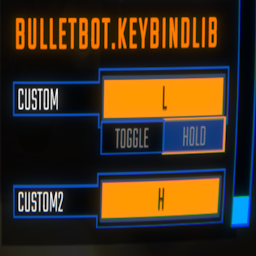

Mod Introduction
A library that lets you add your own keybinds to the controls.
KeybindLib
- A library that lets you add your own keybinds.
Adding your own keybinds
Keybinds.Bind(string name, string binding) => Keybind Keybinds.Bind(string category, string name, string binding) => Keybind Keybinds.Toggle(Keybind.Toggle toggle) => Keybind Keybinds.Toggle(string category, Keybind.Toggle toggle) => Keybind Keybinds.Toggle(Keybind keybind, Keybind.Toggle toggle) => Keybind
To register a keybind:
Keybinds.Bind("Push", "<Keyboard>/b");
To register a keybind with a category:
Keybinds.Bind("General", "Push", "<Keyboard>/b");
To register a toggle:
Keybinds.Toggle(new Keybind.Toggle()) // This is a toggle that will be under your modGuid header.
To register a toggle with a category:
Keybinds.Toggle("General", new Keybind.Toggle()) // This is a toggle that will be under your specified category.
If you want to have a toggle for your keybind:
Keybind keybind = Keybinds.Bind("Push", "<Keyboard>/b"); Keybinds.Toggle(keybind, new Keybind.Toggle() { defaultValue = false, falseText = "off", trueText = "on" }); // Returns the same keybind and applies the new toggle from this method.
If you want to use the keybind:
SemiFunc.InputDown(keybind.inputKey); SemiFunc.InputUp(keybind.inputKey); SemiFunc.InputHold(keybind.inputKey); SemiFunc.InputToggleGet(keybind.inputKey); // Only use this when you have set a toggle to your keybind otherwise this will error.
There are much more variables in the "Keybind" class. Check the class in dnSpy for more details.
This tool is provided by the third party [bufftool]

Download Mods For Free
Install LagoFast, start R.E.P.O. and play with the mods you love.
We use cookies to make interactions with our websites andservices easy and meaningful. For more information aboutthe cookies we use or to find out how you can disable cookies, click here.