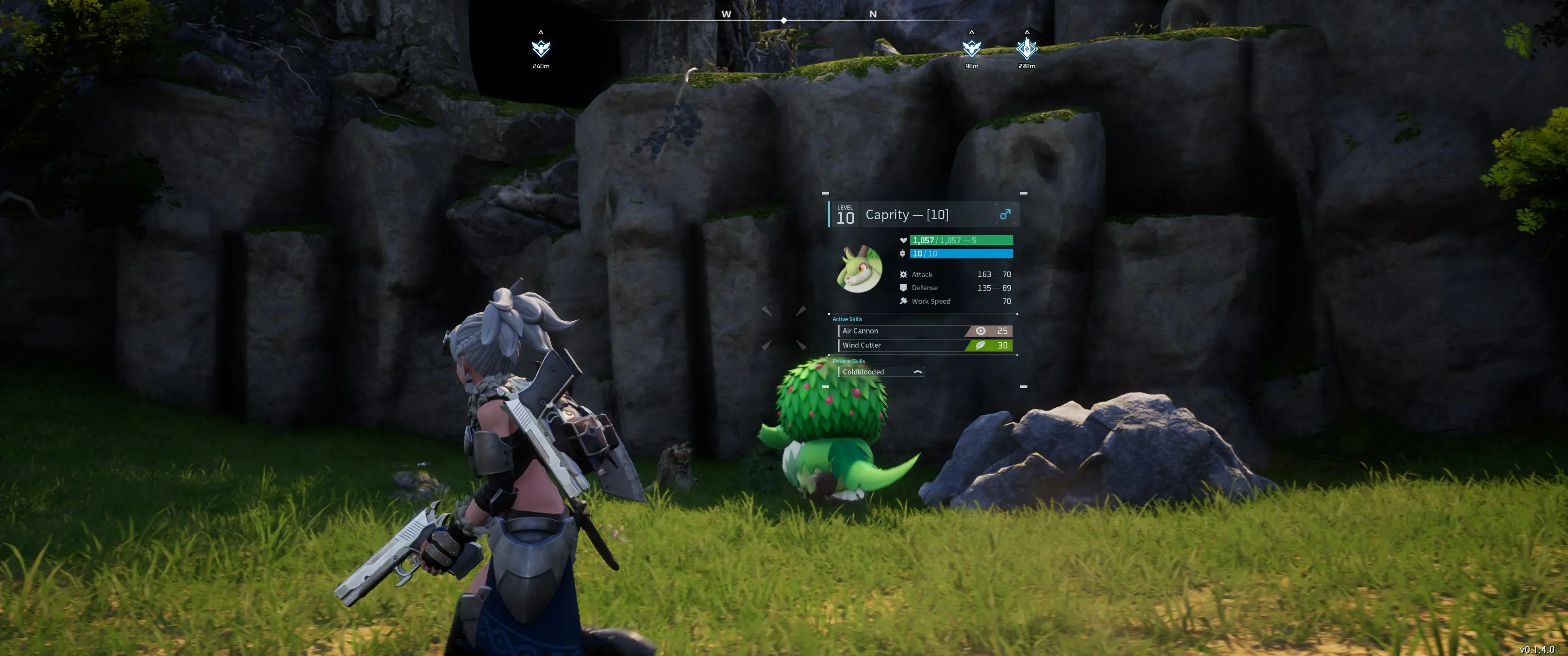
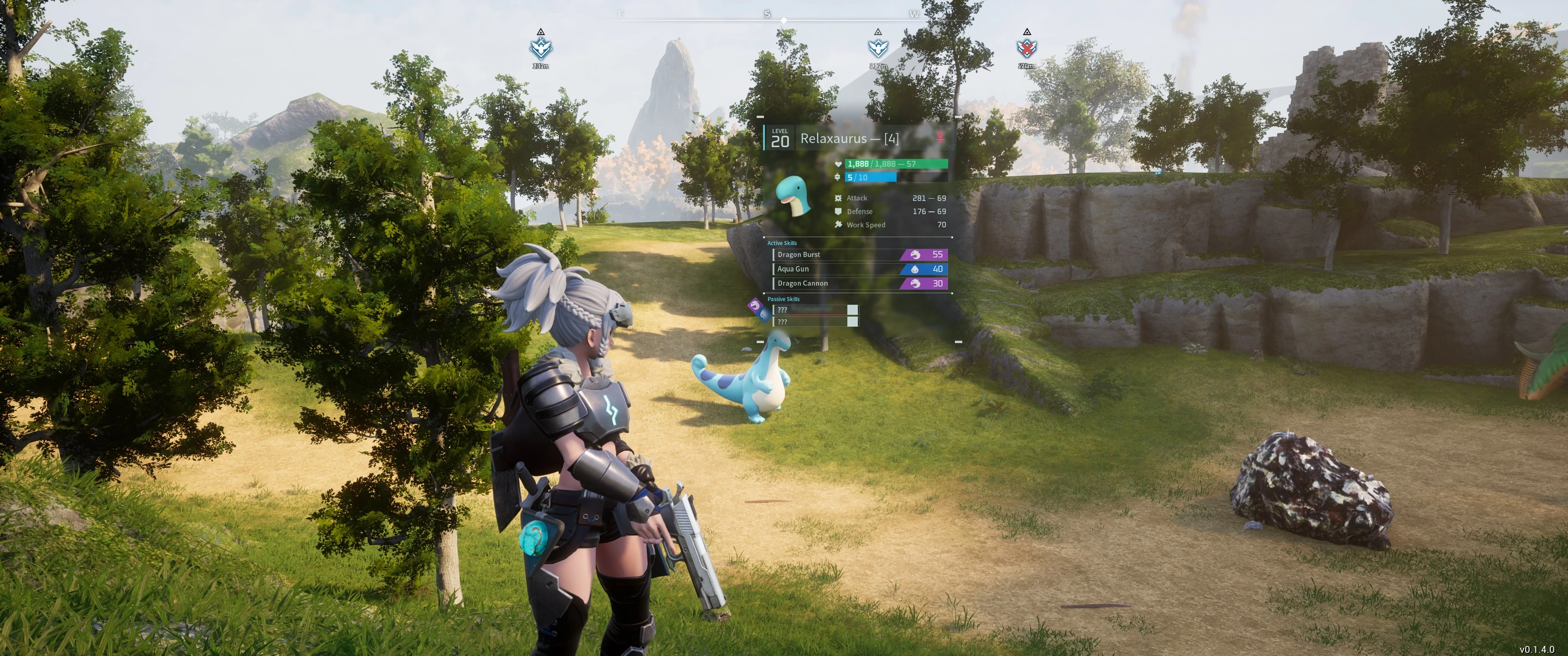
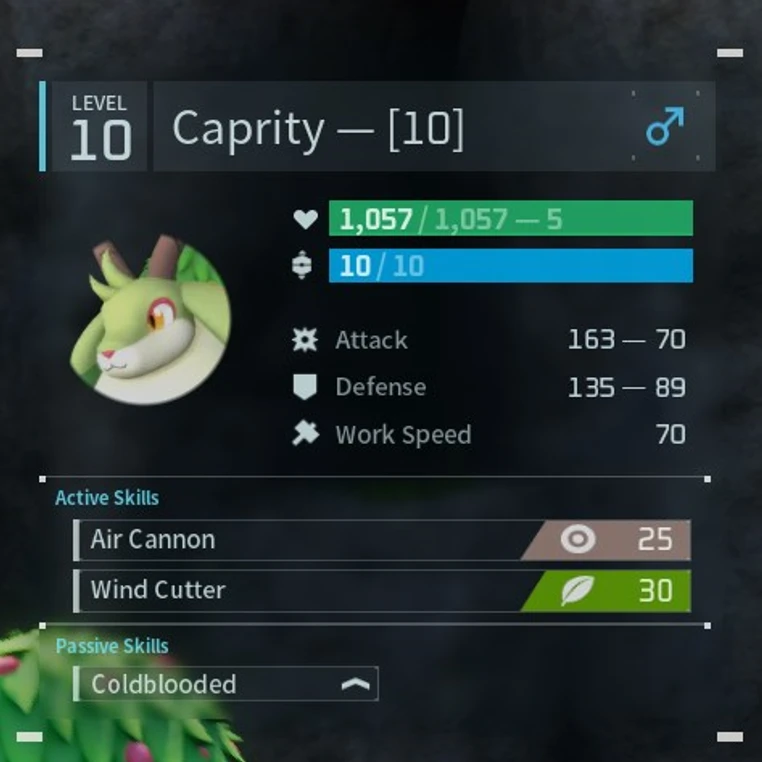
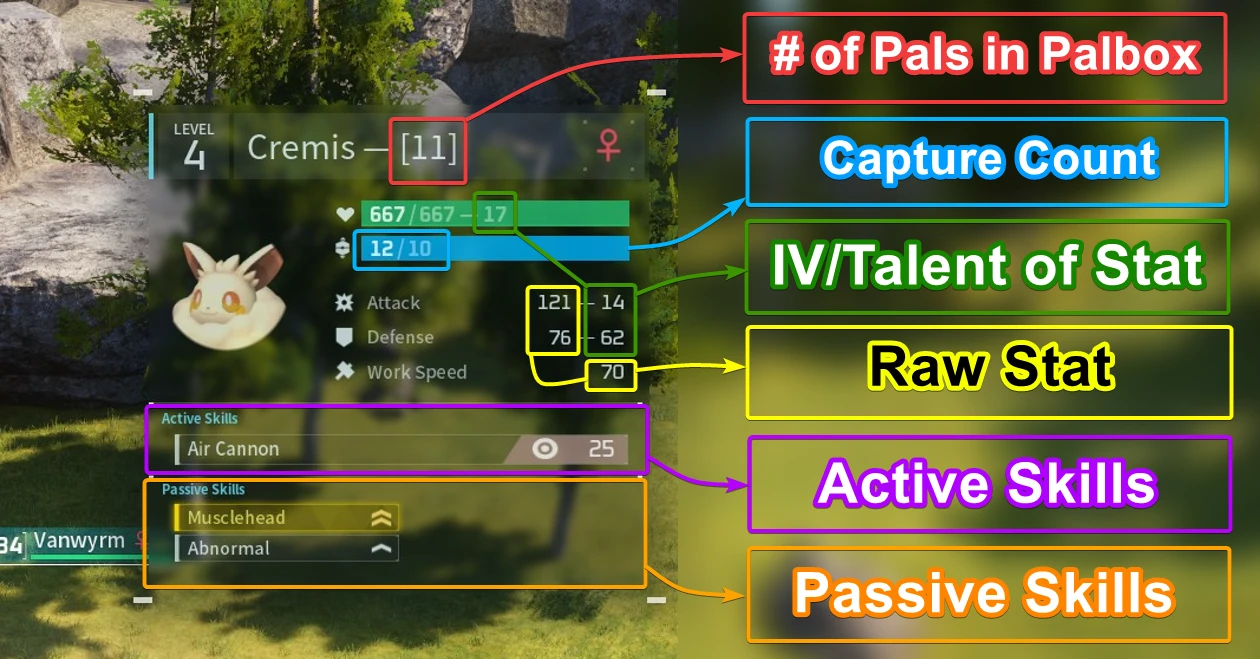
Displays details and stats about wild pals just by hovering your cursor over them. You'll unlock more stats as you go, making the discovery feel balanced and fair (configuration options available). The goal of Pal Analyzer is to feel like a
Please Read
Please read the full installation instructions for your platform as well as the Troubleshooting article before seeking additional help. If you're still having trouble or have suggestions please join me on Discord. Thank you for the support!
This mod does not need to be and should not be installed on your dedicated server. This is a client side only mod and it works in both single and multiplayer.
By default this mod will show you the pals information above their head ONLY while holding the LeftAlt key (for keyboard) or the Right Bumper (for gamepad). However, This can be changed via in-game configuration menu (Opened by pressing 'Shift + O' by default).
By default the stats you can see within the analyze tooltip are progressively unlocked. If you haven't captured the species of pal you are trying to analyze most of it's stats will show up as '???'. You will not be able to see all stats until you have captured at least 10 of that species of pal unless configured otherwise. This is to make the mod feel balanced and fair.
The default unlocks are:
0 Captures - You can see stats like Attack and Defense 5 Captures - You unlock the ability to see active abilities 10 Captures - You unlock the ability to see passive abilities
All of these settings are configurable via the in-game configuration menu (Opened by pressing 'Shift + O' by default). If you enjoy this mod please consider hitting the endorse button, or even the vote button to vote this mod for mod of the month.
If you don't already have UE4SS installed, please install version 3.0 or higher. See 'Installing UE4SS'
Go to the files tab (located at the top of the mod page)
Click 'Mod Manager Download' for the latest version of Pal Analyzer
That's it! Press 'Shift + O' while in game to open the options menu.
If you have issues please check herefor possible solutions. If you're still having issues find me on Discord.
Manual Installation
If you don't already have UE4SS installed, please install it. See 'Installing UE4SS'
Navigate to your PalWorld game directory Steam: Right click on game in Steam -> Manage -> Browse Local Files Xbox App: Select Palworld, click the three dot button ( ... ) and click Manage from the dropdown. Then select the FILES tab and click BROWSE...
Navigate to the LogicMods folder in your PalWorld game directory:
Download and extract the latest version of the mod from the files tab. Be sure to double check that you are downloading the correct version for your platform (Steam or Xbox App)
Move the contents of the extracted mod folder to the LogicMods folder from above (...\Pal\Content\Paks\LogicMods\). Be sure to only copy the contents and not the entire folder.
That's it! Press 'Shift + O' while in game to open the options menu.
If you have issues please check herefor possible solutions. If you're still having issues find me on Discord.
Configuration Options Settings can be configured in game by pressing '' on your keyboard while loaded into a level. Keep in mind that this keybind ('Shift + O') can be changed in the settings menu.
This tool is provided by the third party [bufftool]
Download Mods For Free
Install LagoFast, start Palworld and play with the mods you love.
We use cookies to make interactions with our websites andservices easy and meaningful. For more information aboutthe cookies we use or to find out how you can disable cookies, click here.