
Mouse Controls for Broom
Autor:r457Last updated:11/03/2023 19:15:40142.0K10KB

Mod Introduction
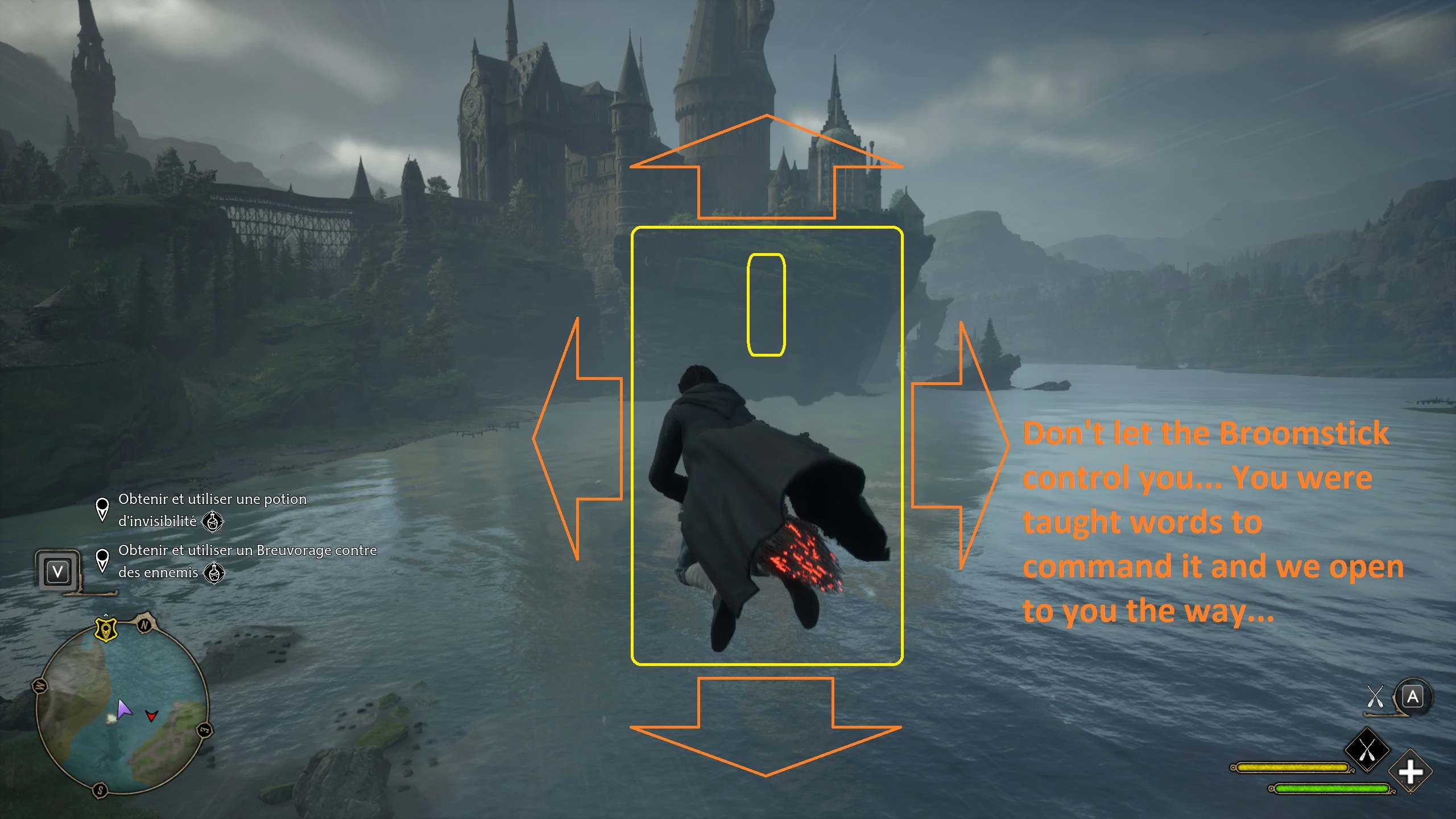
Gives the ability to fully control your Broom with the mouse (descend and ascend included).
The mod allows the player to fully control the broom with the mouse (rotate, descend, ascend). Vanilla keys are preserved, you can still use them alongside the mouse, if you want to.
Comes with two versions: normal and inverted. Use just one!
: this is not a free fly camera mod! The camera is locked when flying for both KB&M and controllers. if you want an unlocked camera, use our Free Look Camera mod.
Unpack the 7z you downloaded before installing.
install copy zBroomMouseNormal_P.pak OR zBroomMouseInverted_P.pak to where your game is installed:
To uninstall remove zBroomMouseNormal_P.pak/zBroomMouseInverted_P.pak from where your game is installed:
"[Path-To-Steam]\steamapps\common\Hogwarts Legacy\Phoenix\Content\Paks"
Note: if the mod is not working, try placing the pak file into "[Path-To-Steam]\steamapps\common\Hogwarts Legacy\Phoenix\Content\Paks\~mods" instead. If it still doesn't work - reset your bindings to default. You can redo them after with the mod installed. Same with uninstalling - if you have any troubles with broom controls - reset to defaults. Also keep in mind that the game stores your Input.ini in the cloud, so Steam can be stubborn and rewrite your changes. If it happens go offline and redo the controls.
The Army of Two returns: we went away after Gotham Knights, but we're back for Hogwarts Legacy to mod yet another Warner Bros game. That said, we're not tied to WB games only. Next ones could be Atomic Heart, maybe Kerbal 2 (we are fans of Kerbal 1), and Starfield.
Comes with two versions: normal and inverted. Use just one!
: this is not a free fly camera mod! The camera is locked when flying for both KB&M and controllers. if you want an unlocked camera, use our Free Look Camera mod.
Unpack the 7z you downloaded before installing.
install copy zBroomMouseNormal_P.pak OR zBroomMouseInverted_P.pak to where your game is installed:
To uninstall remove zBroomMouseNormal_P.pak/zBroomMouseInverted_P.pak from where your game is installed:
"[Path-To-Steam]\steamapps\common\Hogwarts Legacy\Phoenix\Content\Paks"
Note: if the mod is not working, try placing the pak file into "[Path-To-Steam]\steamapps\common\Hogwarts Legacy\Phoenix\Content\Paks\~mods" instead. If it still doesn't work - reset your bindings to default. You can redo them after with the mod installed. Same with uninstalling - if you have any troubles with broom controls - reset to defaults. Also keep in mind that the game stores your Input.ini in the cloud, so Steam can be stubborn and rewrite your changes. If it happens go offline and redo the controls.
The Army of Two returns: we went away after Gotham Knights, but we're back for Hogwarts Legacy to mod yet another Warner Bros game. That said, we're not tied to WB games only. Next ones could be Atomic Heart, maybe Kerbal 2 (we are fans of Kerbal 1), and Starfield.
This tool is provided by the third party [bufftool]

Download Mods For Free
Install LagoFast, start Hogwarts Legacy and play with the mods you love.
We use cookies to make interactions with our websites andservices easy and meaningful. For more information aboutthe cookies we use or to find out how you can disable cookies, click here.