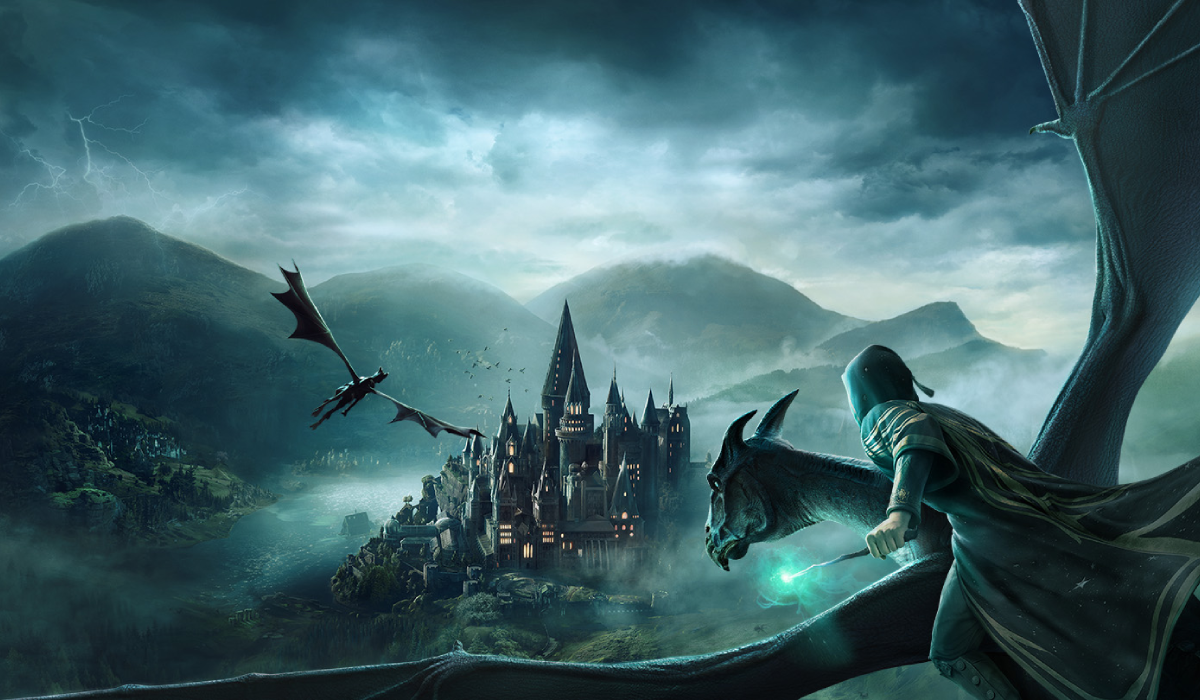
Eluvia - Edited Female Face 14
Autor:ElineModsLast updated:23/05/2023 03:01:34174.5K4.1MB


Mod Introduction
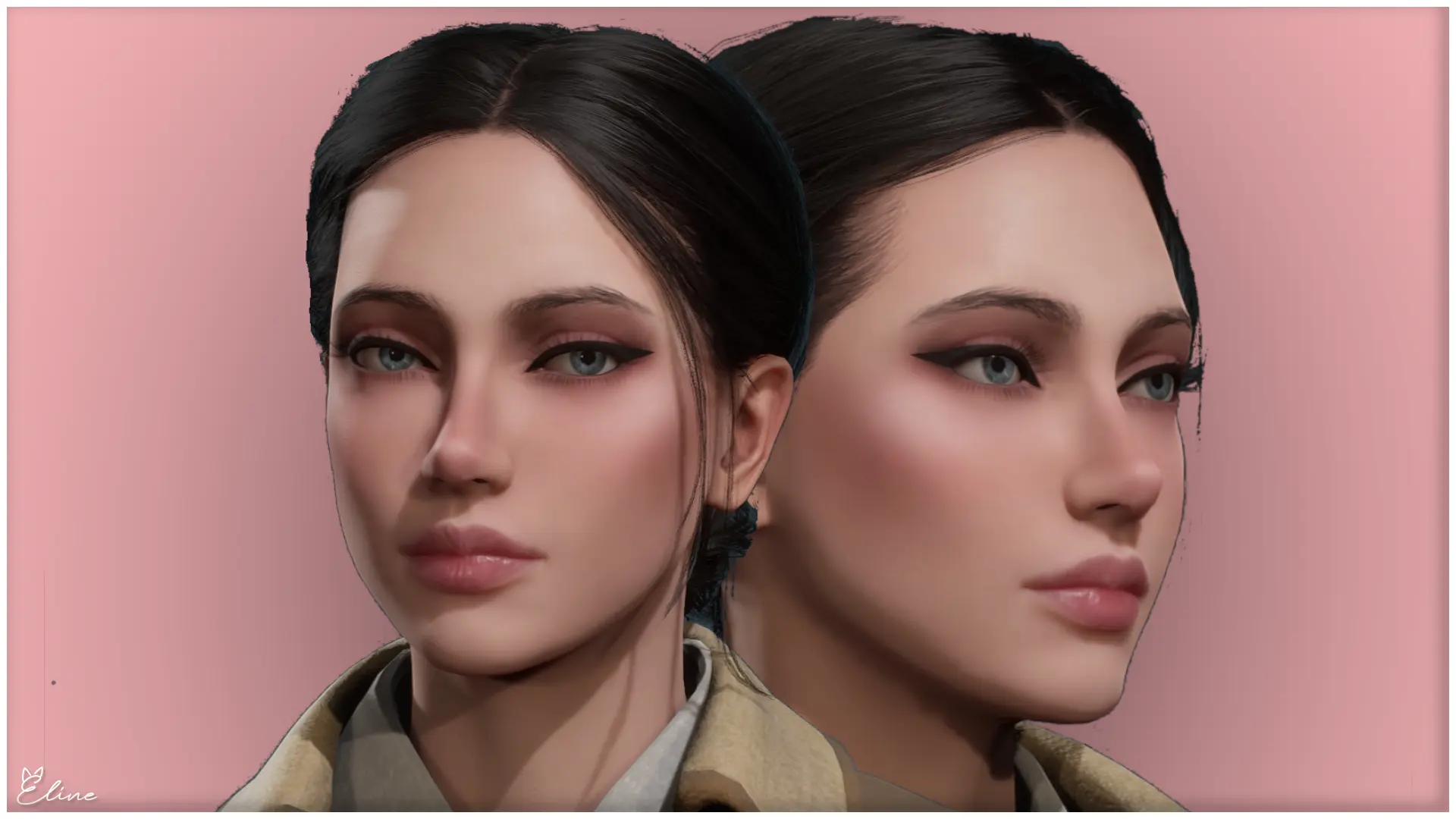
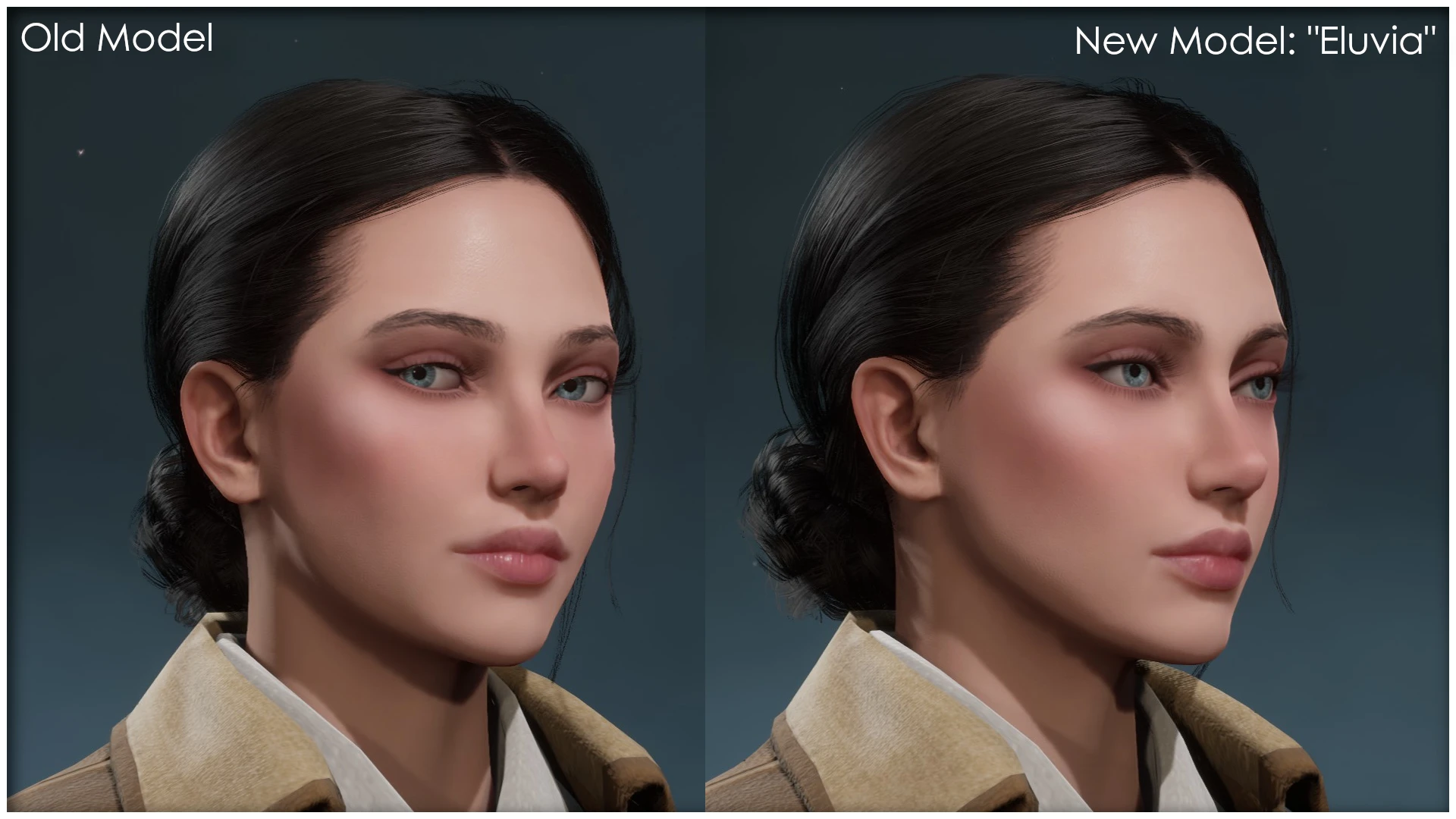
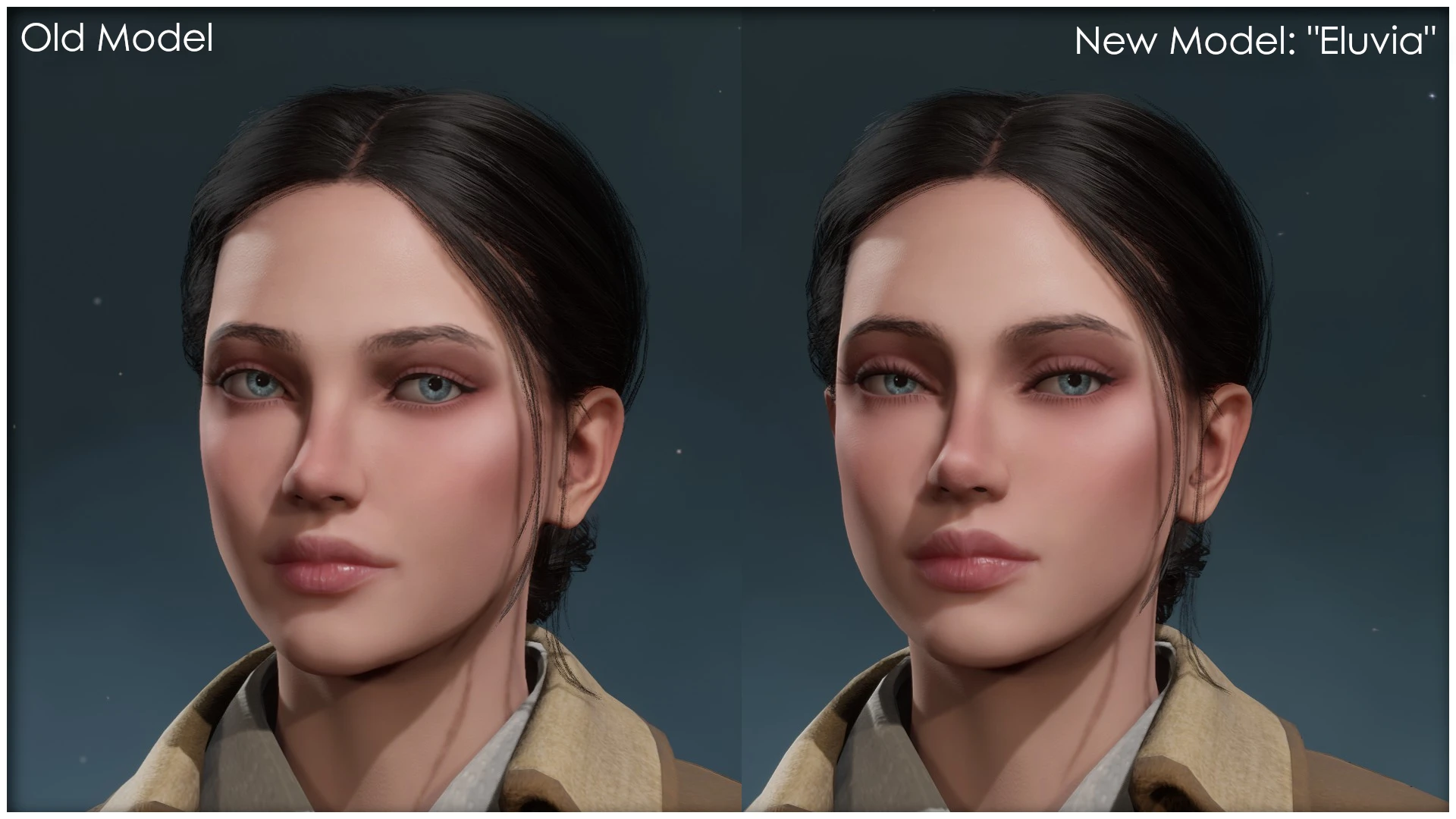
Replaces Female Face #014 with an edited version of the original model. Newest update: Eluvia
♡ DESCRIPTION ♡
Custom face model that replaces Female Face #014.
Edited version of the original game model.
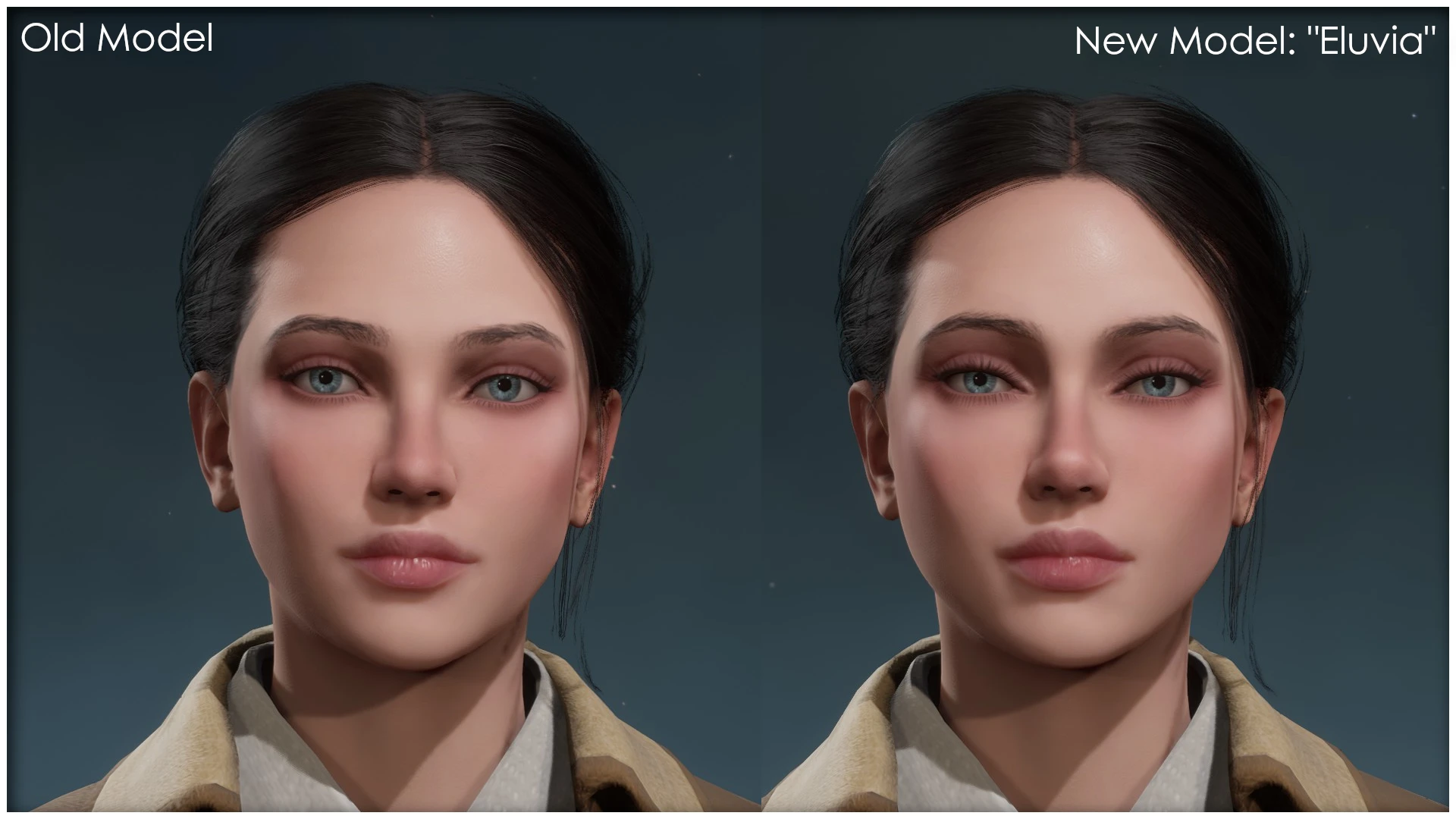
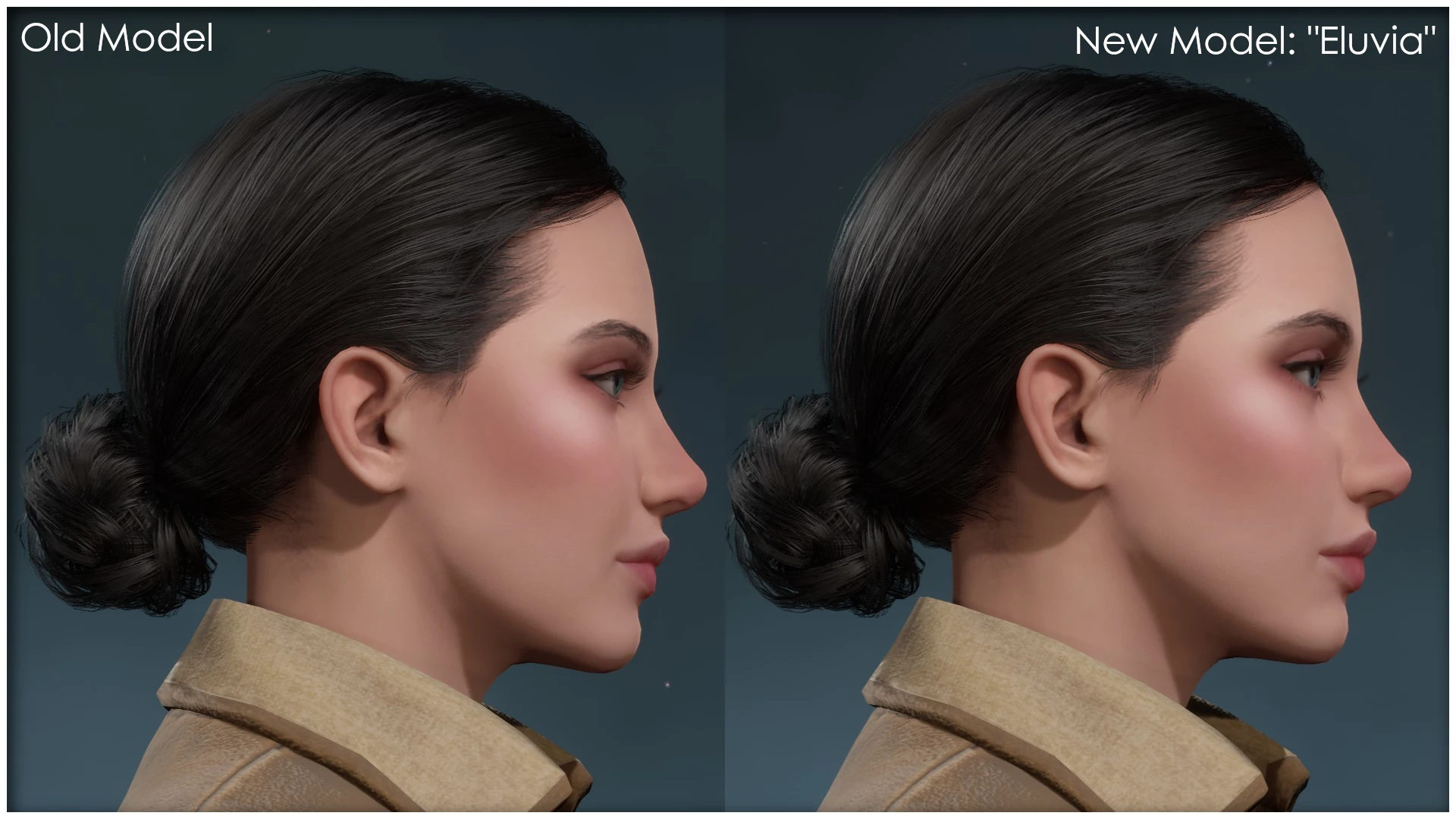
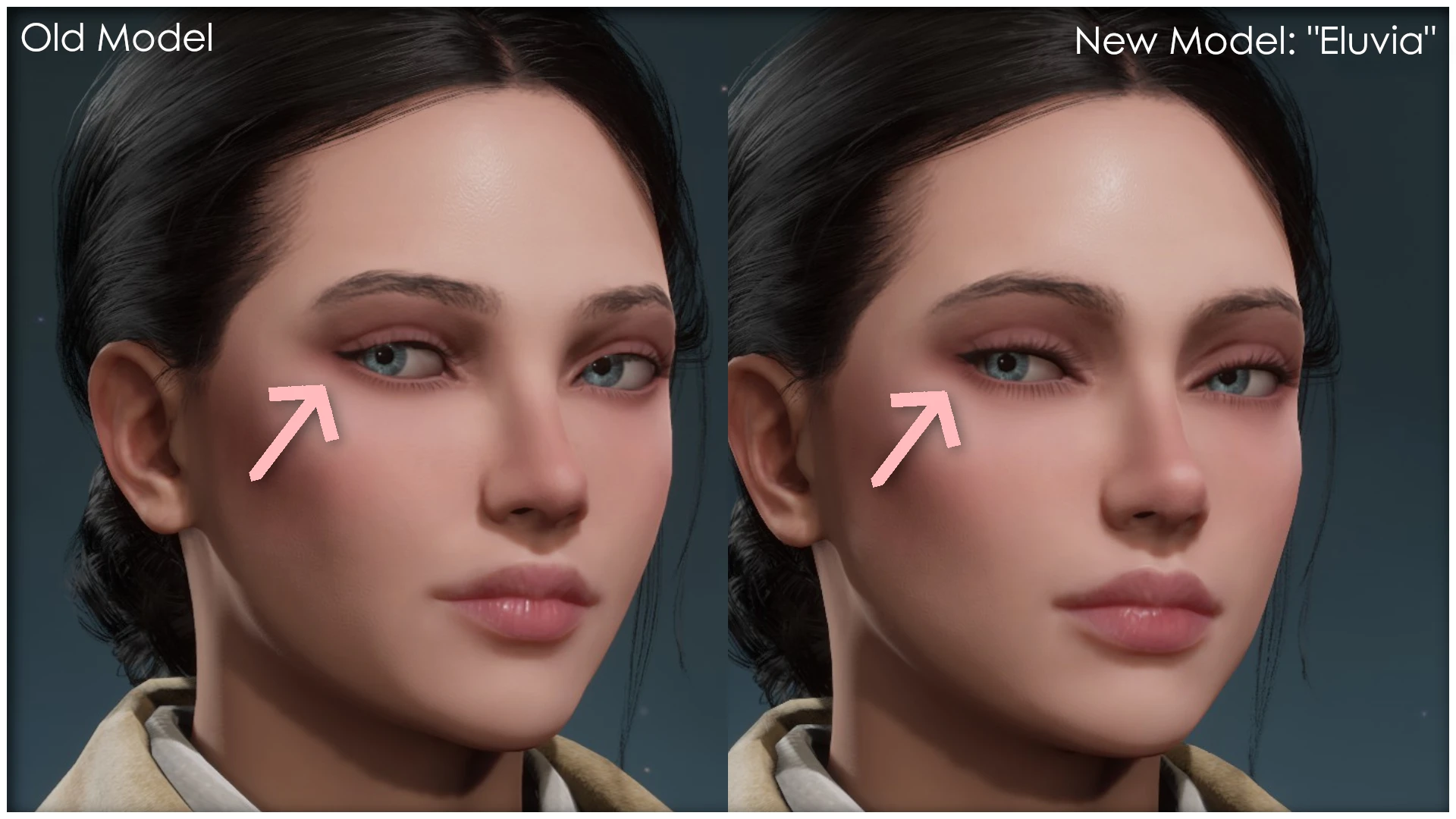
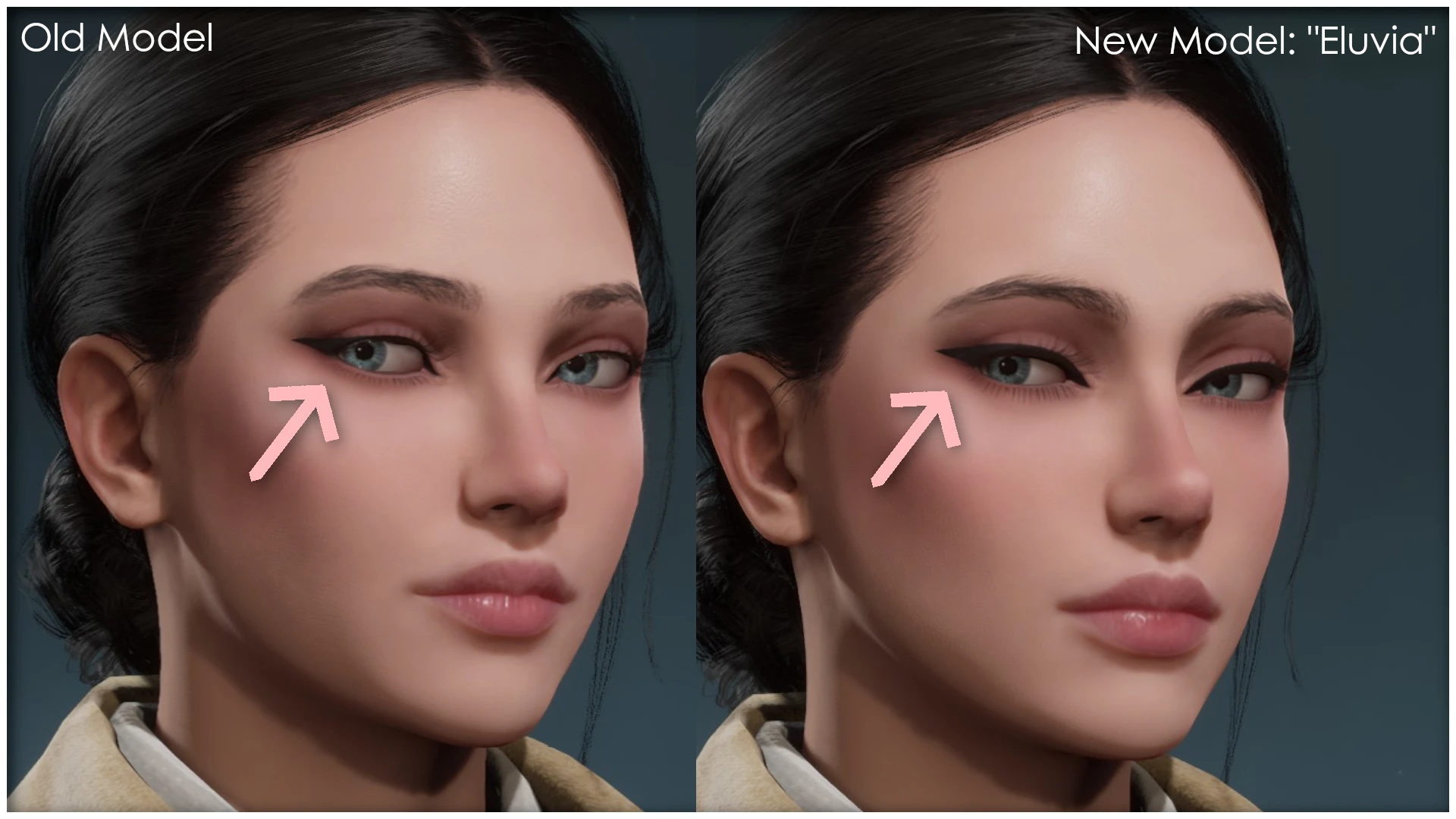
May 2023 - Newest Update: "Eluvia"
Remade the entire model from the beginning, with some minor tweaks, in order to fix
weird issues with eyes, eyelashes, eyelids and teeth.
My old files and models were too messed up for any further updates - I had just started to learn Blender.
See changelogs and pictures.
Two animation options: Standard or Stiff
Standard has no changes to facial expressions and animations. Stiff version reduces them.
Choose only one option.
♡ INSTALLATION ♡
Unzip .pak, .ucas, .utoc files here:
SteamLibrary\steamapps\common\Hogwarts Legacy\Phoenix\Content\Paks\~mods
Remove files to uninstall
Troubleshooting
Try these steps if the mod does not show up:
⇢ Manually install mods if you use Vortex
⇢ Make sure you have all 3 file types in your folder: .pak, .ucas, .utoc
⇢ Check for conflicting mods
⇢ Change mod location: "Paks" folder instead of "~mods"
⇢ Change mod priority: Rename file name - first letter "z" to "a"
♡ FAQ AND HOW-TO ♡
1. Checking for compatibility and conflicting mods:
Incompatible mods can cause your game to crash, freeze, or not launch at all. Mods might not even show up.
All custom face models are compatible with any appearance altering mods
- like skin, complexion, hairstyles etc., with different Chunk IDs.
This mod is not compatible with:
Face models that replaces the same number, in this case #014.
This includes other mods that in some way modifies the same assets - see their description.
Might conflict with: Female Player Face Fixes BobG123
Not compatible with mods that uses the same Chunk ID, 214. See the following questions for a solution:
2. How can I check the Chunk ID of a mod?
Most mods will include this in their description or file name.
You can also use this PakChunk Checkerby
3. Your mod uses the same Chunk ID as another mod. Can you fix this?
Chunk ID Conflict Managerby icouldifiwantedtoto fix any Chunk ID conflicts.
4. Can I change which face model this mod replaces?
5. Can you add this mod as a non-replacer?
No.
6. What is the difference between standard or stiff animations? Which one should I choose?
Standard animations has no changes to your character's facial expressions, it is how the game intended them to be.
Stiff version is for those who prefer reduced expressive facial animations - less smiling, eyebrow raise etc.
(Choose one option).
When the game was released, female faces looked different than expected outside of character creation/menu/cutscenes.
In cutscenes and when talking, there were complaints about intense smiling and grinning. Both of this was patched March 8th 2023,
but some people still prefer a stiff version compared to the original/standard animations.
Character Editor nathdev (Requires Blueprint Apparate Modloaderby Narknon)
8. Issue: My character turns invisible or glitches in cutscenes.
Most likely caused by this mod if you still have it: Curly Hair - Bellatrix Styleby Kailiana
Check for any other conflicting mods.
9. How do you make your character look that way? (Model in pictures)
See next section for mod links.
♡ CREDITS & RESOURCES ♡
▸"My Makeup Collection" skin mod .
▸ Soft blush skin mod here.
Mods shown from other creators:
▸Clothes: Isidora's Corset Dressfrom Aloyx
▸ Skin: School Makeup - Natural Looks Aliize
▸Glasses: Modern Glasses - Style B Oversizedby AzurieWolf
Resources:
▸How to create your own face/skin/hair mods:
Hogwarts Legacy Face Mod Guidefrom ll500
▸Adding stiff animations:
Reduced blend shape values from ll500's guide (Python scriptposted by Galaktyk, params by BobG123),
similar results as "Female Player Face Fixes" by BobG123
▸Head models, ready to edit:
Original Heads Pack- Blender files resource from AzurieWolf
▸Pictures in salon, menu and in-game are filtered with Ultra Plus (...)by Sami Lucia.
You can also check out the Hogwarts Legacy Modding Discord!
Custom face model that replaces Female Face #014.
Edited version of the original game model.
May 2023 - Newest Update: "Eluvia"
Remade the entire model from the beginning, with some minor tweaks, in order to fix
weird issues with eyes, eyelashes, eyelids and teeth.
My old files and models were too messed up for any further updates - I had just started to learn Blender.
See changelogs and pictures.
Two animation options: Standard or Stiff
Standard has no changes to facial expressions and animations. Stiff version reduces them.
Choose only one option.
♡ INSTALLATION ♡
Unzip .pak, .ucas, .utoc files here:
SteamLibrary\steamapps\common\Hogwarts Legacy\Phoenix\Content\Paks\~mods
Remove files to uninstall
Troubleshooting
Try these steps if the mod does not show up:
⇢ Manually install mods if you use Vortex
⇢ Make sure you have all 3 file types in your folder: .pak, .ucas, .utoc
⇢ Check for conflicting mods
⇢ Change mod location: "Paks" folder instead of "~mods"
⇢ Change mod priority: Rename file name - first letter "z" to "a"
♡ FAQ AND HOW-TO ♡
1. Checking for compatibility and conflicting mods:
Incompatible mods can cause your game to crash, freeze, or not launch at all. Mods might not even show up.
All custom face models are compatible with any appearance altering mods
- like skin, complexion, hairstyles etc., with different Chunk IDs.
This mod is not compatible with:
Face models that replaces the same number, in this case #014.
This includes other mods that in some way modifies the same assets - see their description.
Might conflict with: Female Player Face Fixes BobG123
Not compatible with mods that uses the same Chunk ID, 214. See the following questions for a solution:
2. How can I check the Chunk ID of a mod?
Most mods will include this in their description or file name.
You can also use this PakChunk Checkerby
3. Your mod uses the same Chunk ID as another mod. Can you fix this?
Chunk ID Conflict Managerby icouldifiwantedtoto fix any Chunk ID conflicts.
4. Can I change which face model this mod replaces?
5. Can you add this mod as a non-replacer?
No.
6. What is the difference between standard or stiff animations? Which one should I choose?
Standard animations has no changes to your character's facial expressions, it is how the game intended them to be.
Stiff version is for those who prefer reduced expressive facial animations - less smiling, eyebrow raise etc.
(Choose one option).
When the game was released, female faces looked different than expected outside of character creation/menu/cutscenes.
In cutscenes and when talking, there were complaints about intense smiling and grinning. Both of this was patched March 8th 2023,
but some people still prefer a stiff version compared to the original/standard animations.
7. How can I change the appearance of an existing character?Character Editor nathdev (Requires Blueprint Apparate Modloaderby Narknon)
8. Issue: My character turns invisible or glitches in cutscenes.
Most likely caused by this mod if you still have it: Curly Hair - Bellatrix Styleby Kailiana
Check for any other conflicting mods.
9. How do you make your character look that way? (Model in pictures)
See next section for mod links.
♡ CREDITS & RESOURCES ♡
▸"My Makeup Collection" skin mod .
▸ Soft blush skin mod here.
Mods shown from other creators:
▸Clothes: Isidora's Corset Dressfrom Aloyx
▸ Skin: School Makeup - Natural Looks Aliize
▸Glasses: Modern Glasses - Style B Oversizedby AzurieWolf
Resources:
▸How to create your own face/skin/hair mods:
Hogwarts Legacy Face Mod Guidefrom ll500
▸Adding stiff animations:
Reduced blend shape values from ll500's guide (Python scriptposted by Galaktyk, params by BobG123),
similar results as "Female Player Face Fixes" by BobG123
▸Head models, ready to edit:
Original Heads Pack- Blender files resource from AzurieWolf
▸Pictures in salon, menu and in-game are filtered with Ultra Plus (...)by Sami Lucia.
You can also check out the Hogwarts Legacy Modding Discord!
This tool is provided by the third party [bufftool]

Download Mods For Free
Install LagoFast, start Hogwarts Legacy and play with the mods you love.
We use cookies to make interactions with our websites andservices easy and meaningful. For more information aboutthe cookies we use or to find out how you can disable cookies, click here.