Mod Configuration Menu
Autor:registrator2000Last updated:19/11/2025 09:59:319.2M353KB



Mod Introduction
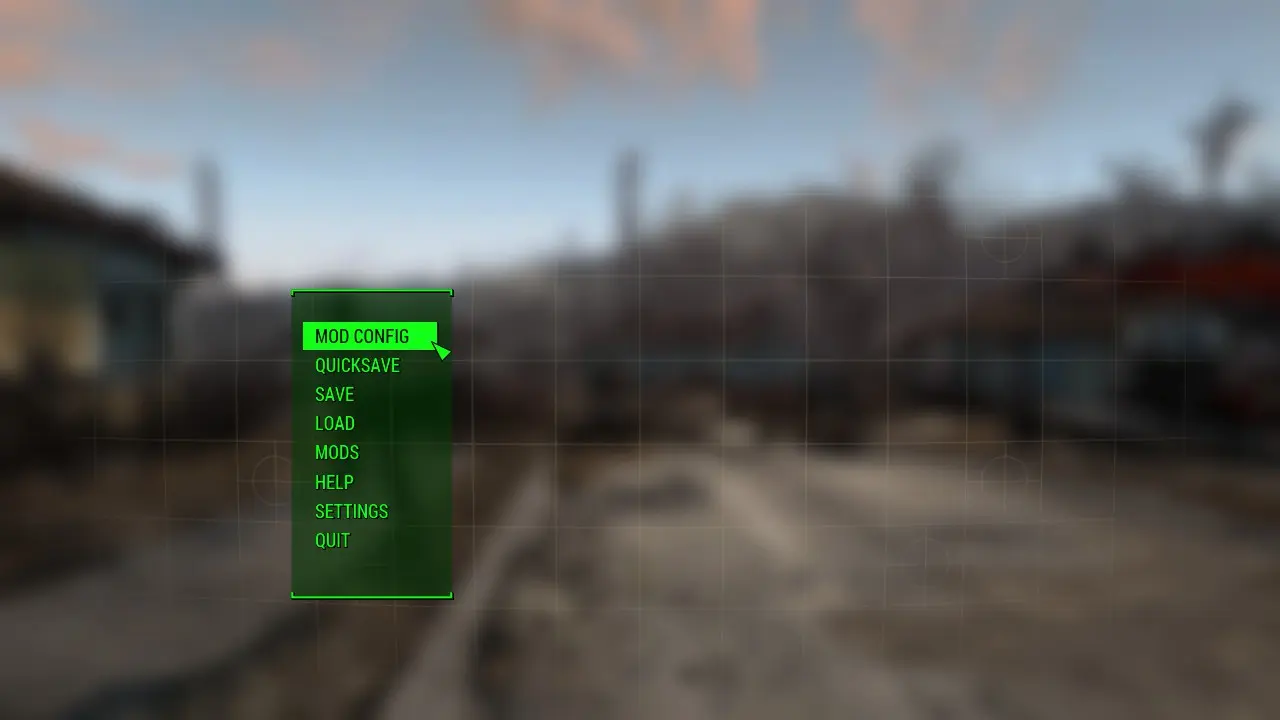
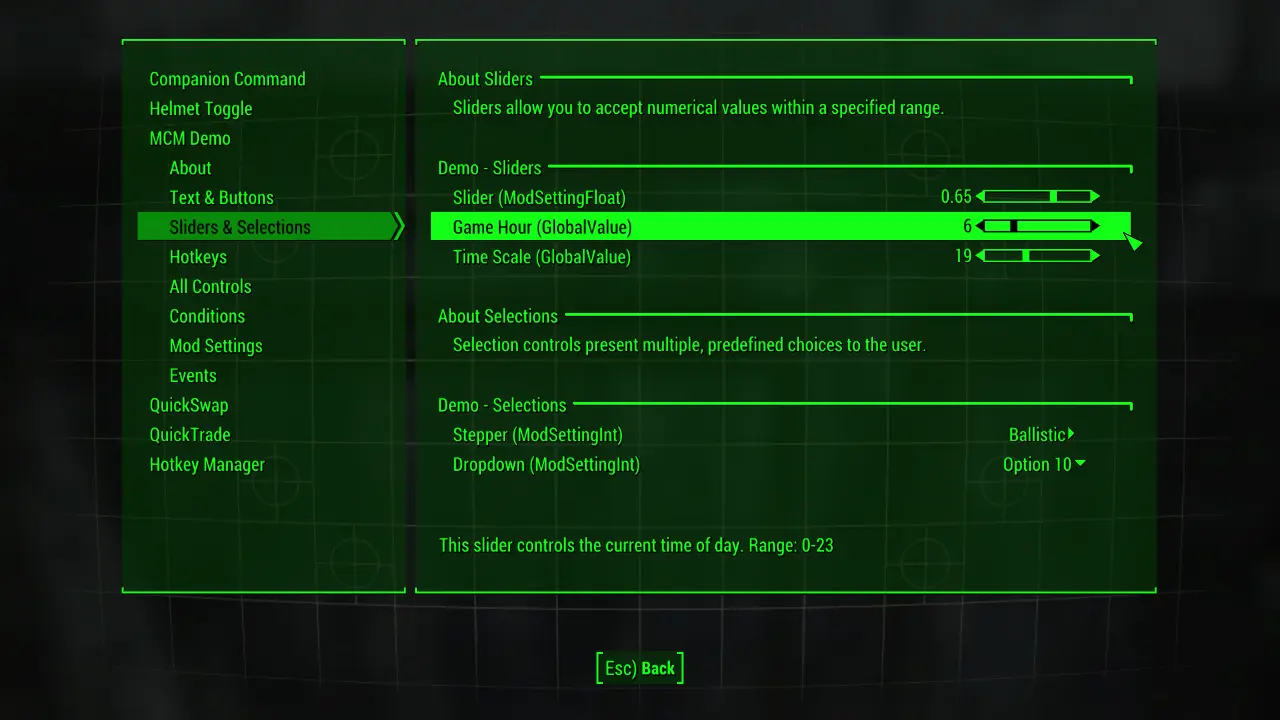
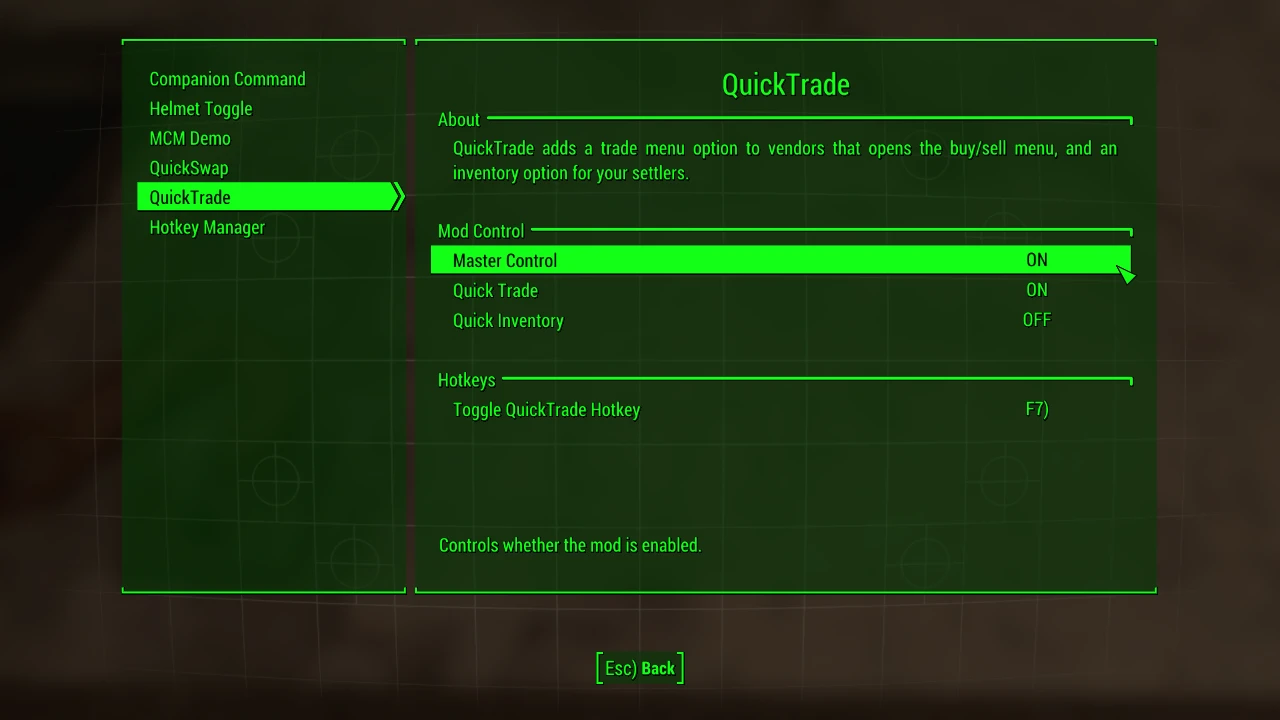
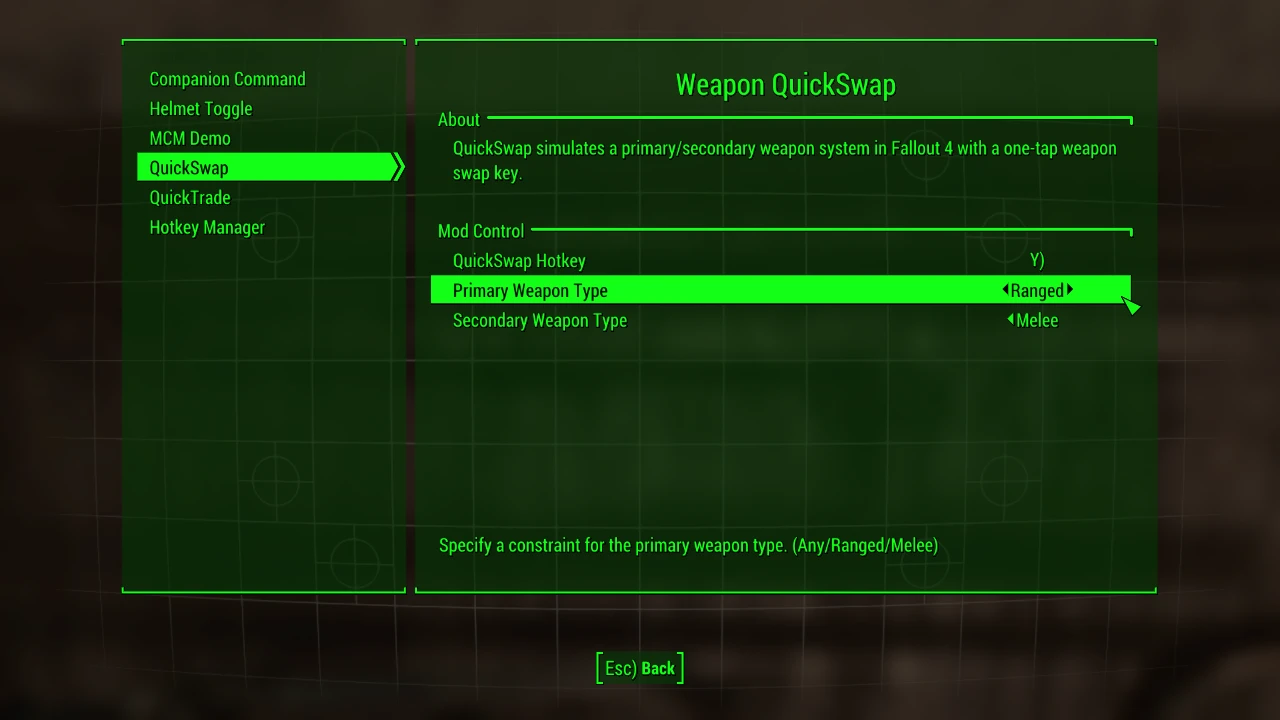
The Mod Configuration Menu is a settings page for mods! It provides a central location for mod configuration, accessible via the Pause menu.
★ About ★
The Mod Configuration Menu is a settings page for mods!
It provides a central location for mod configuration, accessible via the Pause menu.
ModSettings are stored in per-mod INI files under Data\MCM\Settings, making it easy to backup and restore settings and even change them outside the game if so desired should the mod support it.
Are you a modder? Check out the documentation for detailed information on creating MCM menus.
★ Features ★
★ Details ★
Each mod's menu lives in its own directory in
User settings are located at
FOLDER STRUCTURE
★ Installation ★
Install with your preferred mod manager, or copy the files in the download to your Fallout 4 Data folder for a manual install.
You should see a new option in the Pause menu in-game.
If there is no Mod Config option, double-check that you have F4SE installed and running!
★ Requirements ★
Fallout 4 (check Files tab for version requirements).
Fallout 4 Script Extender (F4SE), 0.4.2 or higher.
★ Team ★
registrator2000 - Backend: architecture design, F4SE plugin and Papyrus bindings
Neanka - Frontend: MCM interface - everything you see and interact with
shadowslasher410 - Frontend: MCM control design, logo & consultation
★ More ★
Please report issues at the Github issue tracker!
Suggestions are welcome - please post them in the MCM Discord server.
Source code:
Github [C++] (F4SE plugin)
Github [AS3] (Interface)
★ Acknowledgements ★
Many thanks to the F4SE team for their tireless work extending the core feature-set of the game. The MCM would not be possible without it. Most modders make mods - these people make the tools that make other mods possible. They work behind-the-scenes; outside the limelight. Without them, the modding scene would be decidedly less interesting and very much more mundane.
★ About ★
The Mod Configuration Menu is a settings page for mods!
It provides a central location for mod configuration, accessible via the Pause menu.
ModSettings are stored in per-mod INI files under Data\MCM\Settings, making it easy to backup and restore settings and even change them outside the game if so desired should the mod support it.
Are you a modder? Check out the documentation for detailed information on creating MCM menus.
★ Features ★
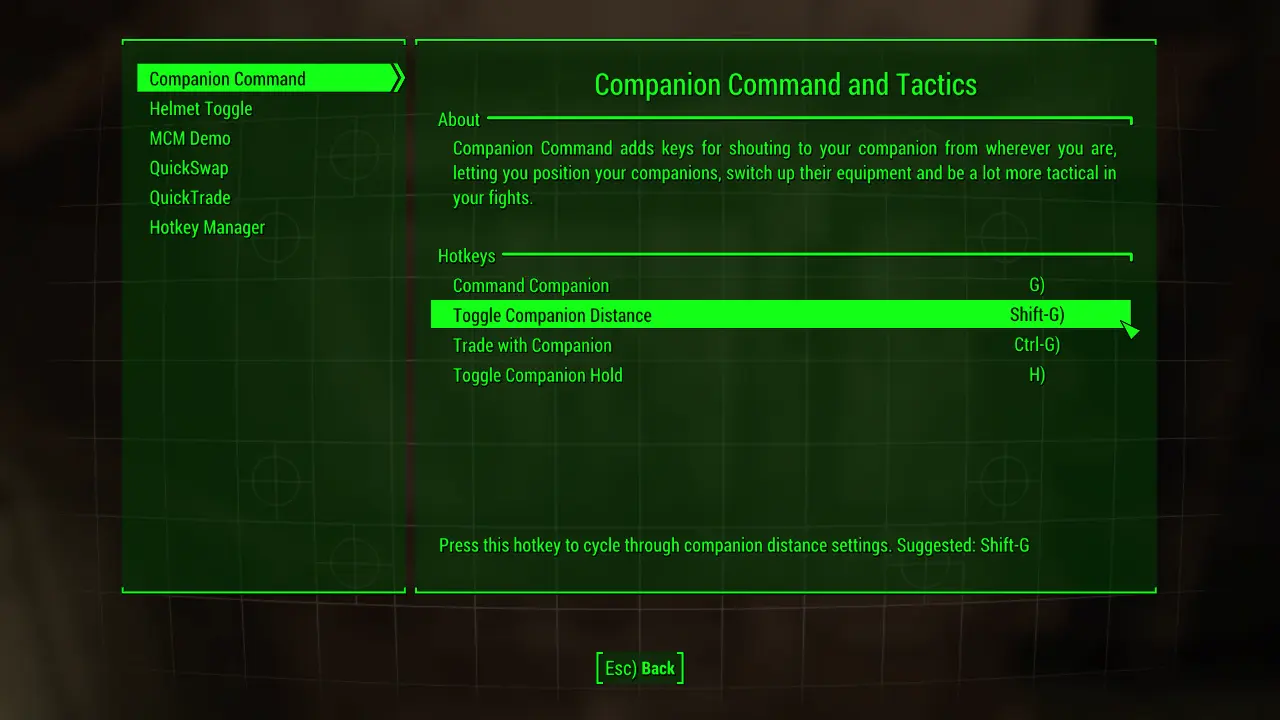
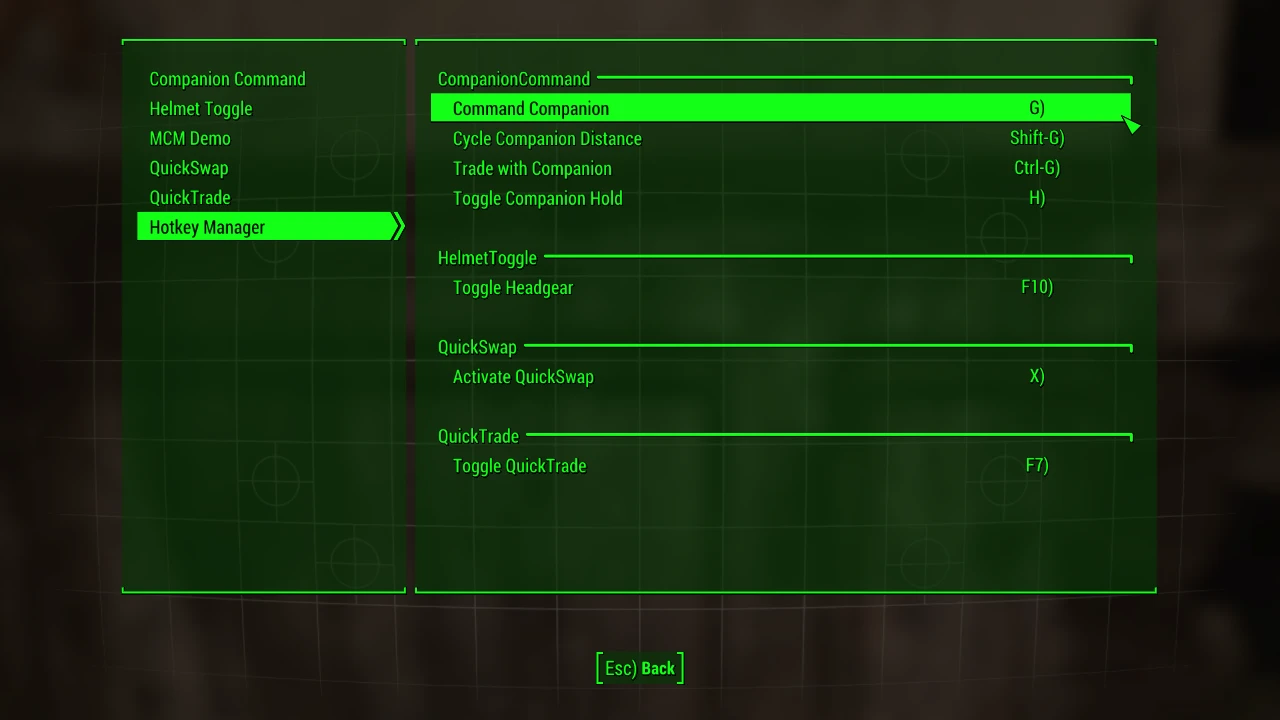
- Configure more aspects of your mods than ever before - the MCM provides a range of controls such as checkboxes, steppers, dropdowns, sliders, buttons, text, and keybinds.
- Optimized for PC. The MCM steps far beyond what is allowed for consoles.
- No ESM/ESP. The MCM does not count towards your load order.
- Save-safe. The MCM never sinks its teeth into your savegame - any modifications, as with most F4SE plugins, are done in-memory.
- File-safe. No vanilla forms or files on disk are overriden. The MCM is completely standalone.
- Hotkey support and conflict detection. Assign hotkeys to mod actions to activate them on-the-fly.
★ Details ★
Each mod's menu lives in its own directory in
Data\MCM\Config\ModName.User settings are located at
Data\MCM\Settings\ModName.ini.FOLDER STRUCTURE
Spoiler:
Show
Data/
└── MCM/
├── Config/
│ ├── Mod1/
│ │ ├── config.json (Required) Menu Layout
│ │ ├── lib.swf (Optional) Image library
│ │ ├── keybinds.json (Optional) Keybind Definitions
│ │ └── settings.ini (Optional) Mod Setting Defaults
│ ├── Mod2/
│ │ └── ...
│ └── Mod3/
│ └── ...
└─── Settings/
├── Mod1.ini Mod Settings for Mod1
├── Mod2.ini Mod Settings for Mod2
└── Mod3.ini Mod Settings for Mod3
└── MCM/
├── Config/
│ ├── Mod1/
│ │ ├── config.json (Required) Menu Layout
│ │ ├── lib.swf (Optional) Image library
│ │ ├── keybinds.json (Optional) Keybind Definitions
│ │ └── settings.ini (Optional) Mod Setting Defaults
│ ├── Mod2/
│ │ └── ...
│ └── Mod3/
│ └── ...
└─── Settings/
├── Mod1.ini Mod Settings for Mod1
├── Mod2.ini Mod Settings for Mod2
└── Mod3.ini Mod Settings for Mod3
★ Installation ★
Install with your preferred mod manager, or copy the files in the download to your Fallout 4 Data folder for a manual install.
You should see a new option in the Pause menu in-game.
If there is no Mod Config option, double-check that you have F4SE installed and running!
★ Requirements ★
Fallout 4 (check Files tab for version requirements).
Fallout 4 Script Extender (F4SE), 0.4.2 or higher.
★ Team ★
registrator2000 - Backend: architecture design, F4SE plugin and Papyrus bindings
Neanka - Frontend: MCM interface - everything you see and interact with
shadowslasher410 - Frontend: MCM control design, logo & consultation
★ More ★
Please report issues at the Github issue tracker!
Suggestions are welcome - please post them in the MCM Discord server.
Source code:
Github [C++] (F4SE plugin)
Github [AS3] (Interface)
★ Acknowledgements ★
Many thanks to the F4SE team for their tireless work extending the core feature-set of the game. The MCM would not be possible without it. Most modders make mods - these people make the tools that make other mods possible. They work behind-the-scenes; outside the limelight. Without them, the modding scene would be decidedly less interesting and very much more mundane.
This tool is provided by the third party [bufftool]

Download Mods For Free
Install LagoFast, start Fallout 4 and play with the mods you love.
We use cookies to make interactions with our websites andservices easy and meaningful. For more information aboutthe cookies we use or to find out how you can disable cookies, click here.