• Products
  • Features
  • Mod Master
  • Download
  • Games
  • Blog
  • Pricing

Better UI - Colorful Map Icons

Autor:CaitesLast updated:13/04/2024 00:51:00120.1K504KB

Dragon's Dogma 2 Better UI - Colorful Map Icons-1-lagofast mod master
Dragon's Dogma 2 Better UI - Colorful Map Icons-2-lagofast mod master
Dragon's Dogma 2 Better UI - Colorful Map Icons-3-lagofast mod master
Dragon's Dogma 2 Better UI - Colorful Map Icons-4-lagofast mod master
Dragon's Dogma 2 Better UI - Colorful Map Icons-5-lagofast mod master
Dragon's Dogma 2 Better UI - Colorful Map Icons-6-lagofast mod master
Dragon's Dogma 2 Better UI - Colorful Map Icons-7-lagofast mod master
Dragon's Dogma 2 Better UI - Colorful Map Icons-8-lagofast mod master
Dragon's Dogma 2 Better UI - Colorful Map Icons-1-lagofast mod master
Dragon's Dogma 2 Better UI - Colorful Map Icons-2-lagofast mod master
Dragon's Dogma 2 Better UI - Colorful Map Icons-3-lagofast mod master
Dragon's Dogma 2 Better UI - Colorful Map Icons-4-lagofast mod master
Dragon's Dogma 2 Better UI - Colorful Map Icons-5-lagofast mod master
Dragon's Dogma 2 Better UI - Colorful Map Icons-6-lagofast mod master
Dragon's Dogma 2 Better UI - Colorful Map Icons-7-lagofast mod master
Dragon's Dogma 2 Better UI - Colorful Map Icons-8-lagofast mod master

Mod Introduction

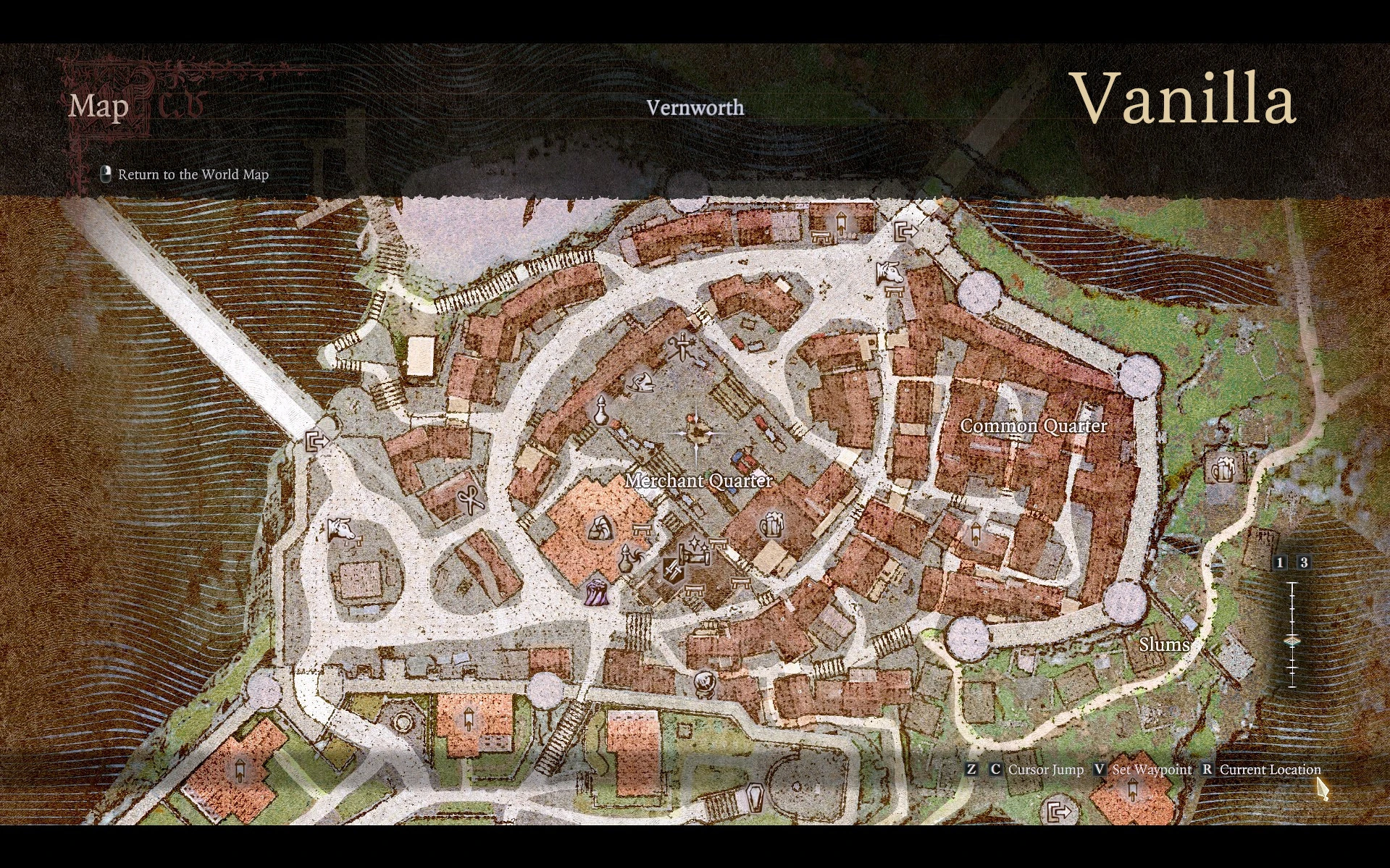
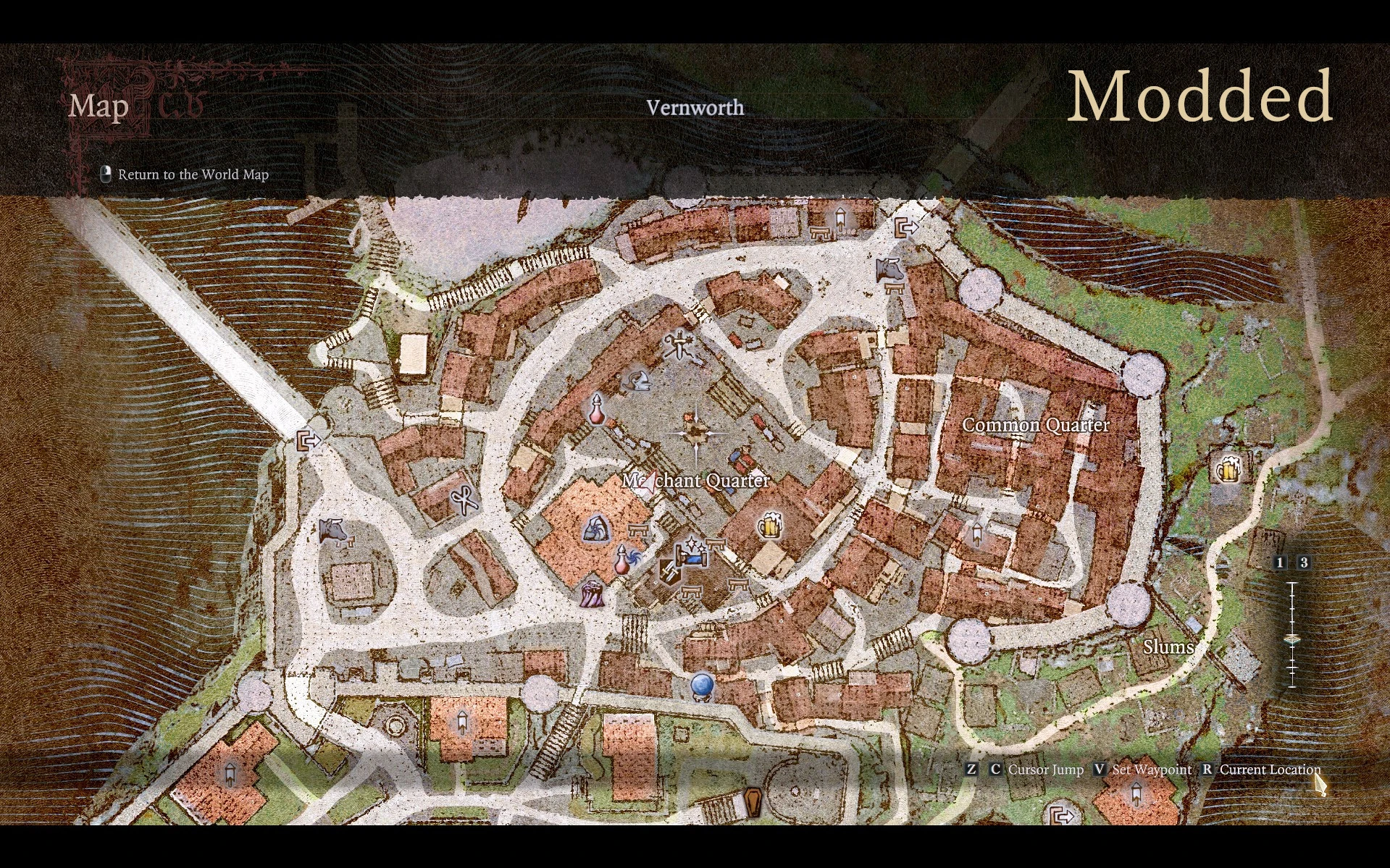
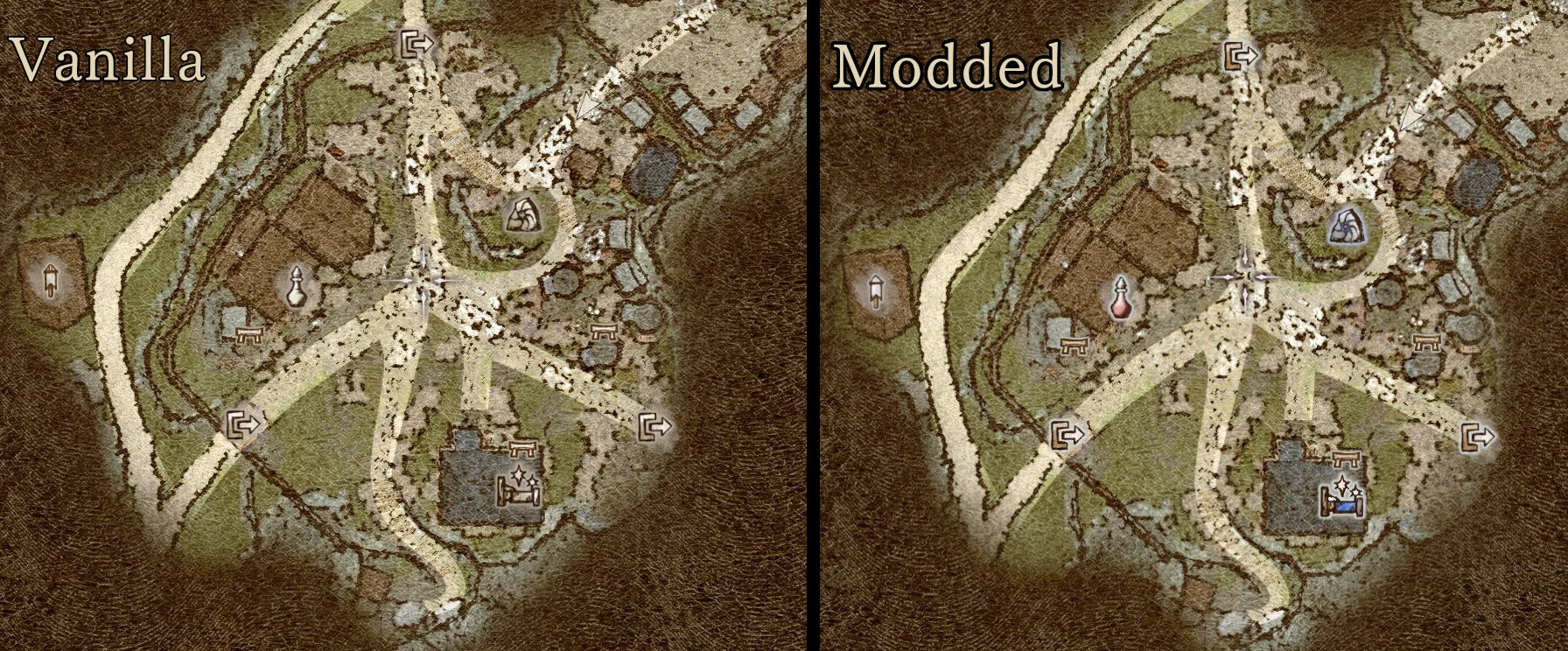
Replaces undistinguishable from the map texture vanilla icons with the colorful ones.
Better UI - Colorful Map Icons
Works with the latest update from 17.09.2024


Mod Description
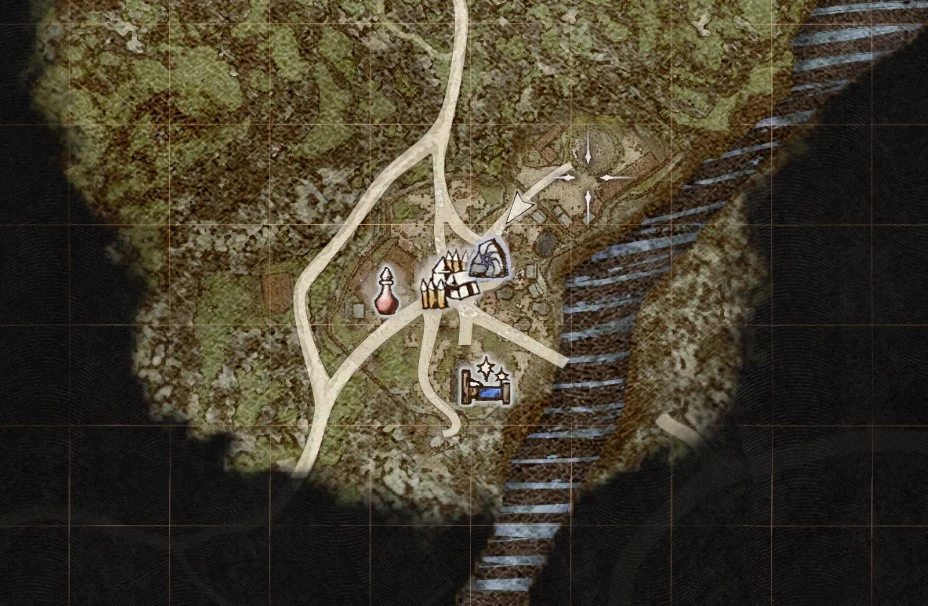
Mod replaces undistinguishable from the map texture vanilla icons with the colorful ones. Nothing extra bright, just to make it easier to read icons on the map.

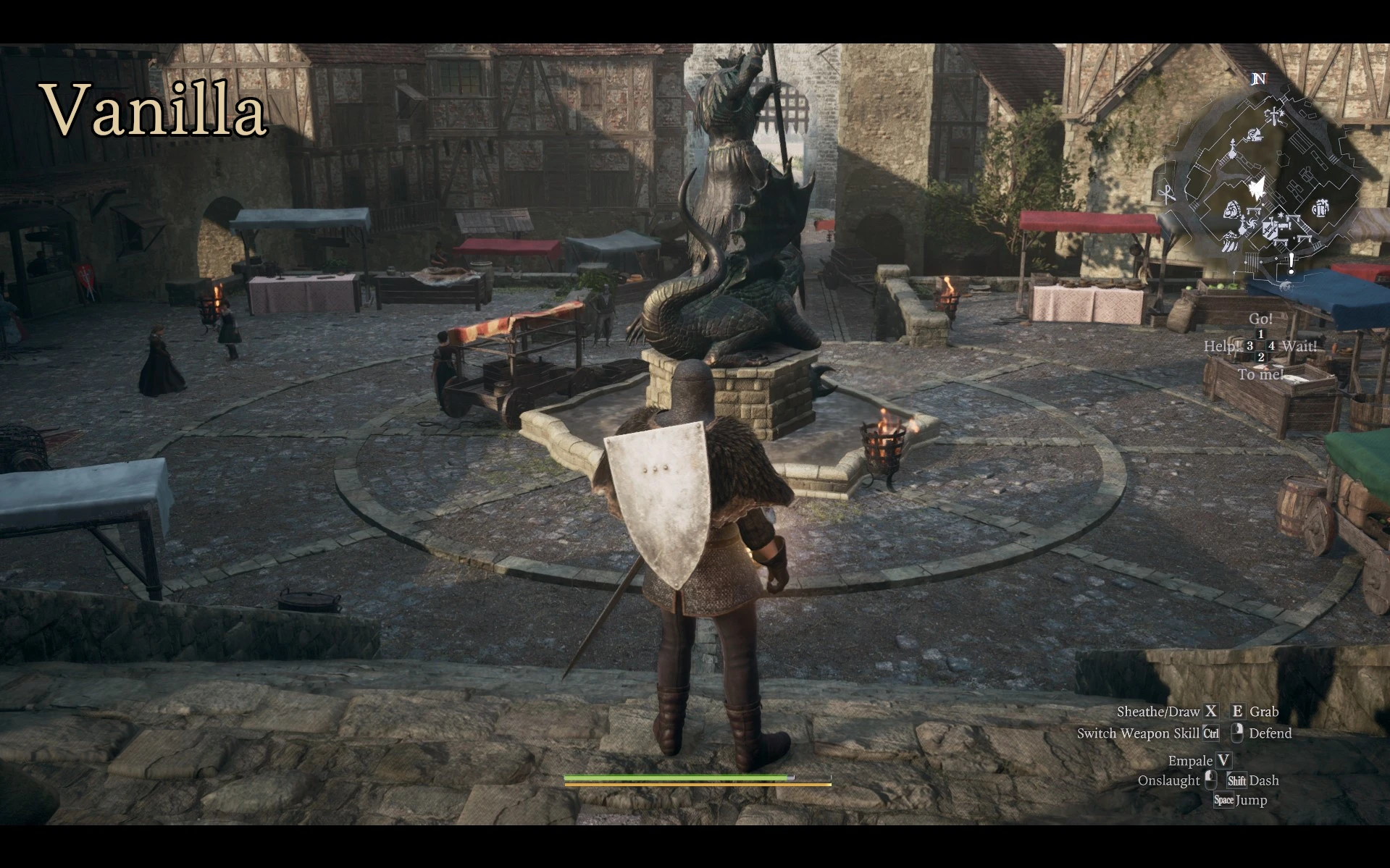
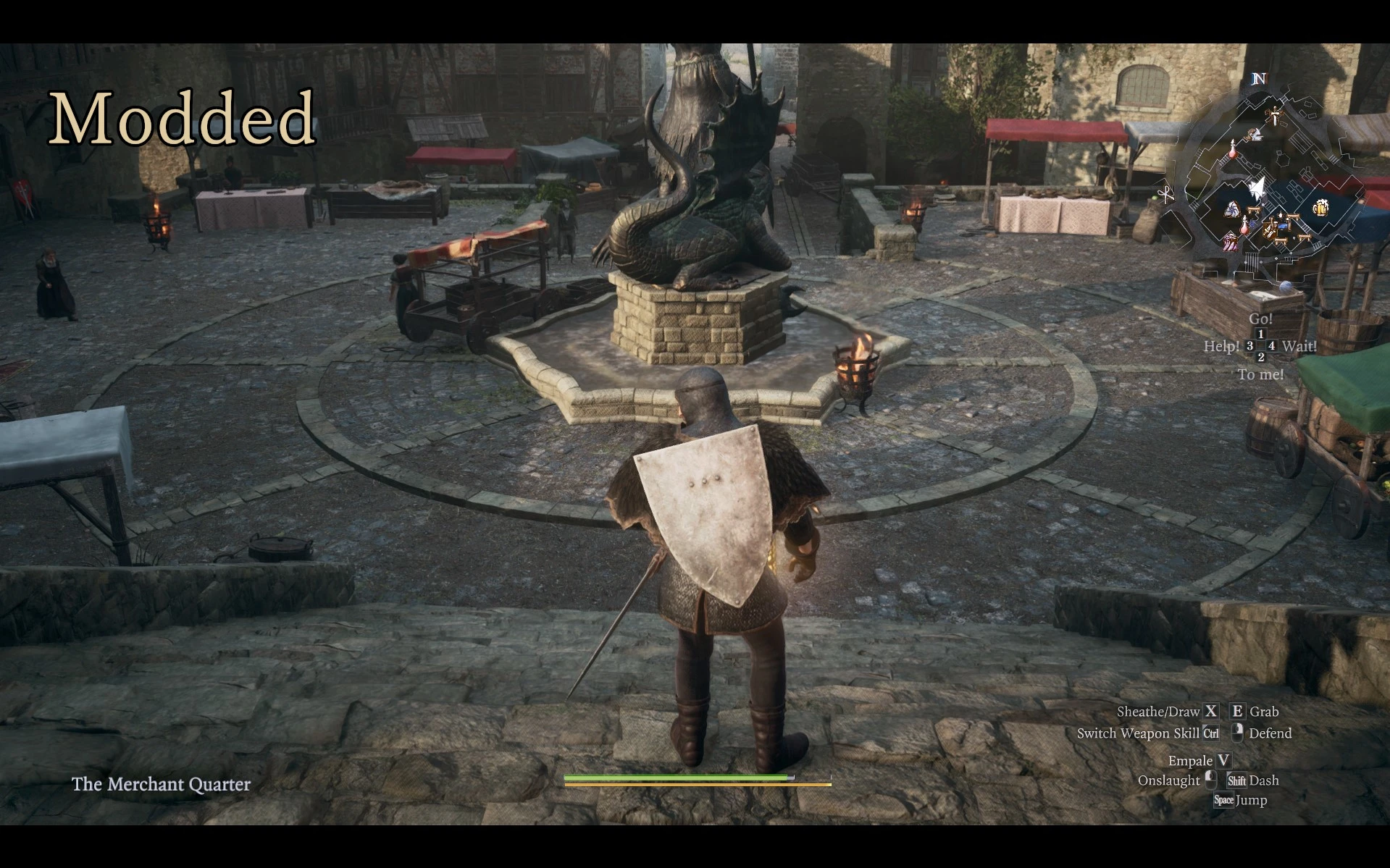
There is also addon which adds colorful icons to minimap. Use it with main file (lower in the mod list).

Installation:
To have colorful markers on main map, drag&drop Better _ map _ icons.pak into Fluffy Mod Manager window or manually copy .pak to modmanagerfolder\Games\DragonsDogma2_Chara\Mods. Click on mod in mod list to enable it.

Additionally to have color markers on the minimap install addon in the same way. Don't forget to enable it in Fluffy's Mod Manager after you enabled the main file.


Uninstallation:
Uninstall with Fluffy Mod Manager or remove from modmanagerfolder\Games\DragonsDogma2_Chara\Mods manually.

Compatibility:
Compatible with anything so far.

My Mods:
Better UI - Element Icons
Better UI - Vocation Icons
Better UI - Item Categories Icons
Better UI - Less Distractive Cursor
Better UI - Colorful Map Icons
Better UI - Font
Better UI - Minimap
Better UI - HP and SP Bars
Better UI - Ultrawide HUD
Better UI - Inventory
Better UI - Map Unlocked
Better UI - Loading Screens and Clean Background
Better UI - NPC Logbook
Better UI - Informative Icons - Potions
Better UI - Unique Ring Icons


This tool is provided by the third party [bufftool]Attention icon

Download Mods For Free

Install LagoFast, start Dragon's Dogma 2 and play with the mods you love.