Kaibz Mod (Advanced Options)
Autor:KaibzLast updated:27/11/2025 03:58:5610.2K721KB

Mod Introduction
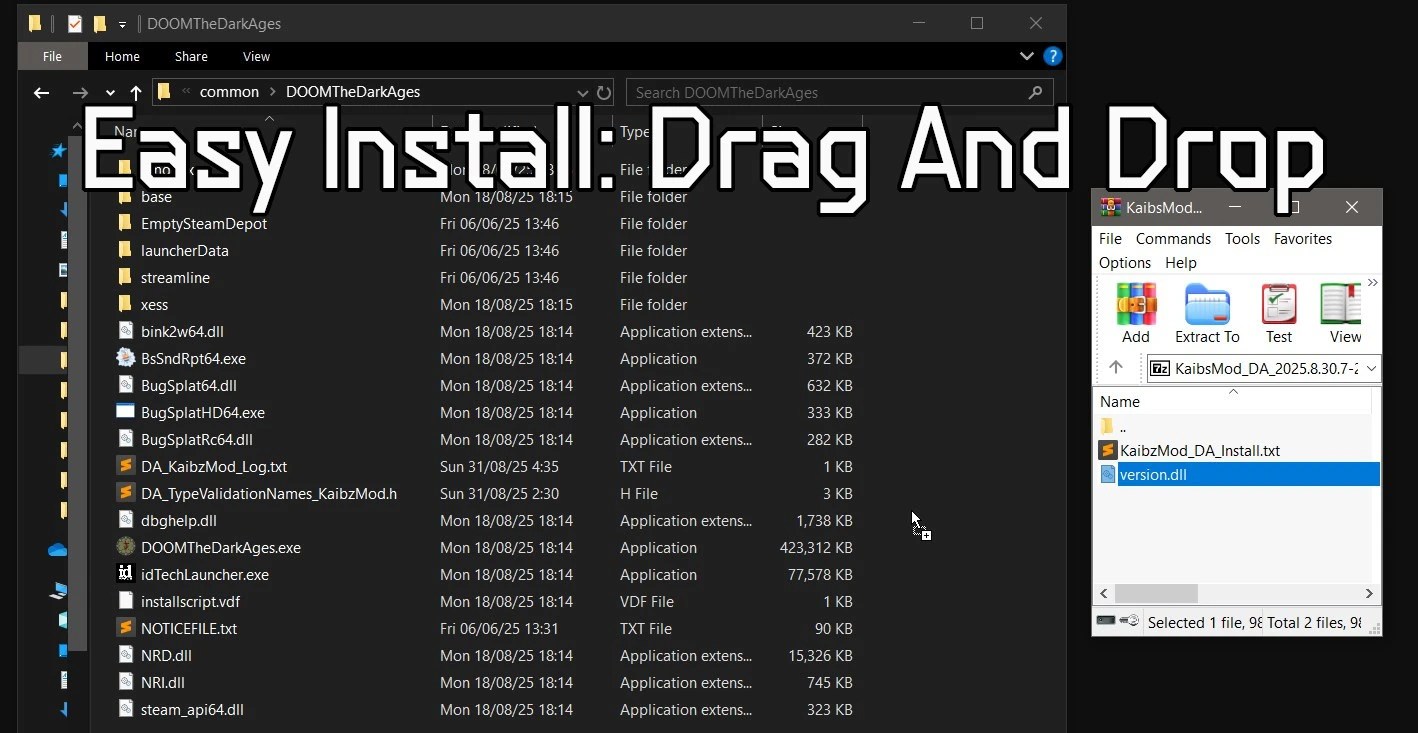
Options to Skip Intro and pop up, SlowMo Customizer, Gameplay Mutators, Enemy Randomizer, Quality of Life Features, Easy Install (drag and drop)...More options will be added over time.
Check Changelog at the bottom to see what's new.
This mod builds on my previous Advanced Options mods for Wolfenstein II: The New Colossus DOOM Eternal.
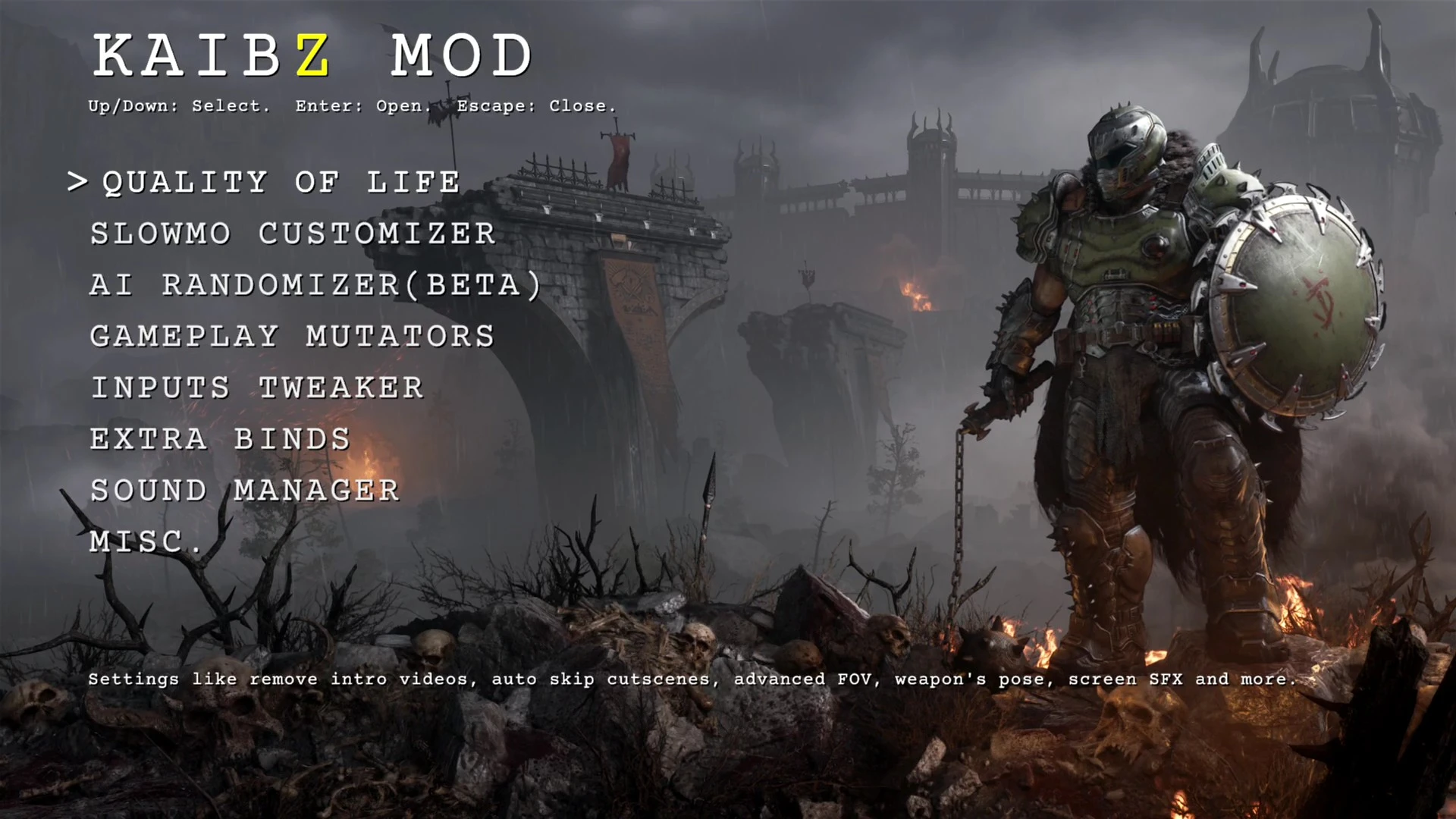
Once installed, you’ll see a shortcut in both the main menu and pause menu (bottom-right). Press the shortcut key to open the mod menu.
Your settings are saved automatically, so you don’t need to reopen the menu every time you launch the game. But i would advise you to back up the DA_KaibzMod folder somewhere that way you'll never loose your favorite settings.
Features Overview
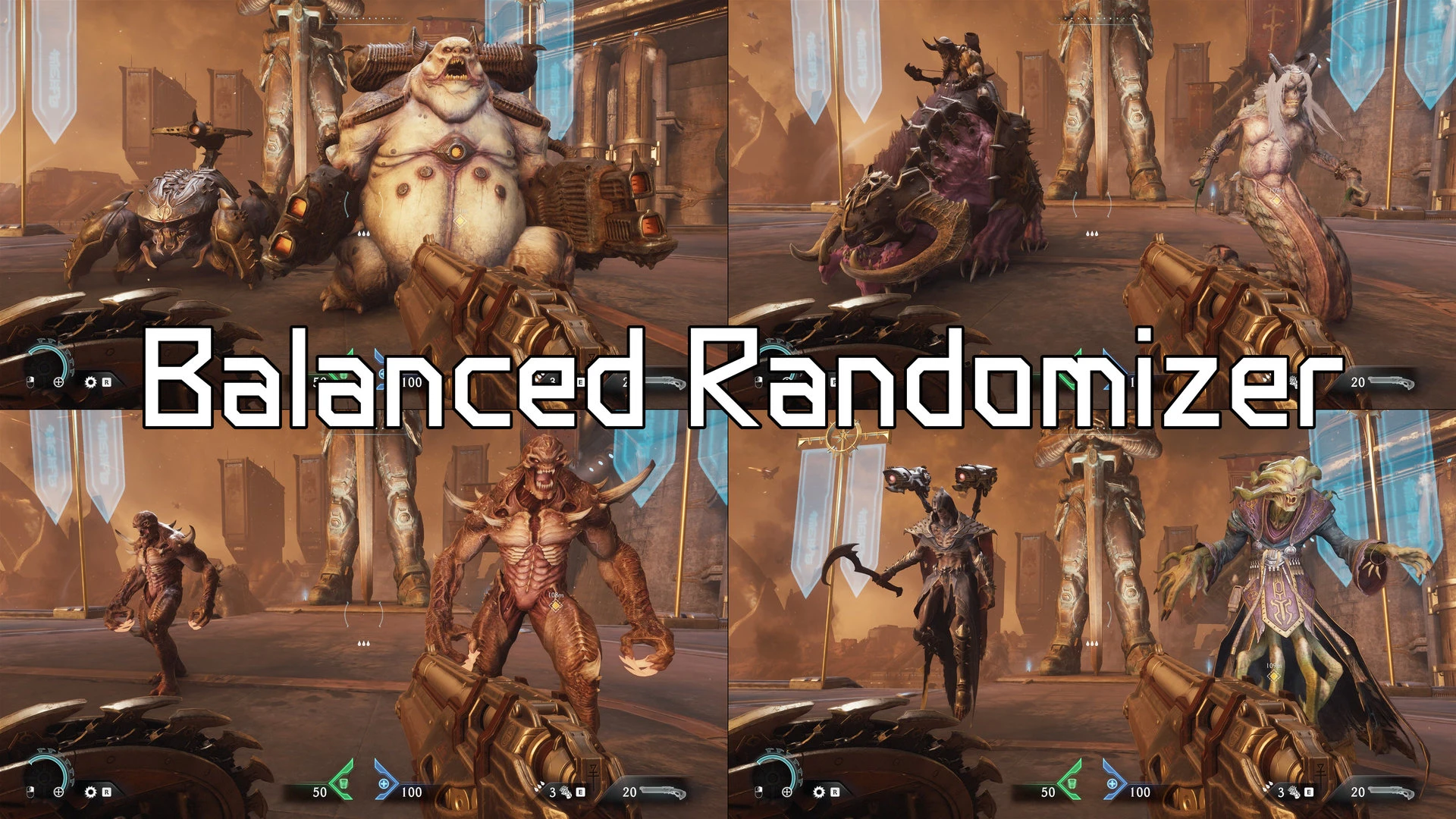
AI Randomizer
How to Create you own weapon's poses (position, weapon's FOV...)
In the Mod's Menu go to Extra Binds and make sure you have bound a key to 'Show Debug Info'
Then go to Quality of Life menu and set Weapon Pose to Custom
Then load a level and find a place where there are no enemy, press the Show Debug Info until you get to the Weapon Pose page:
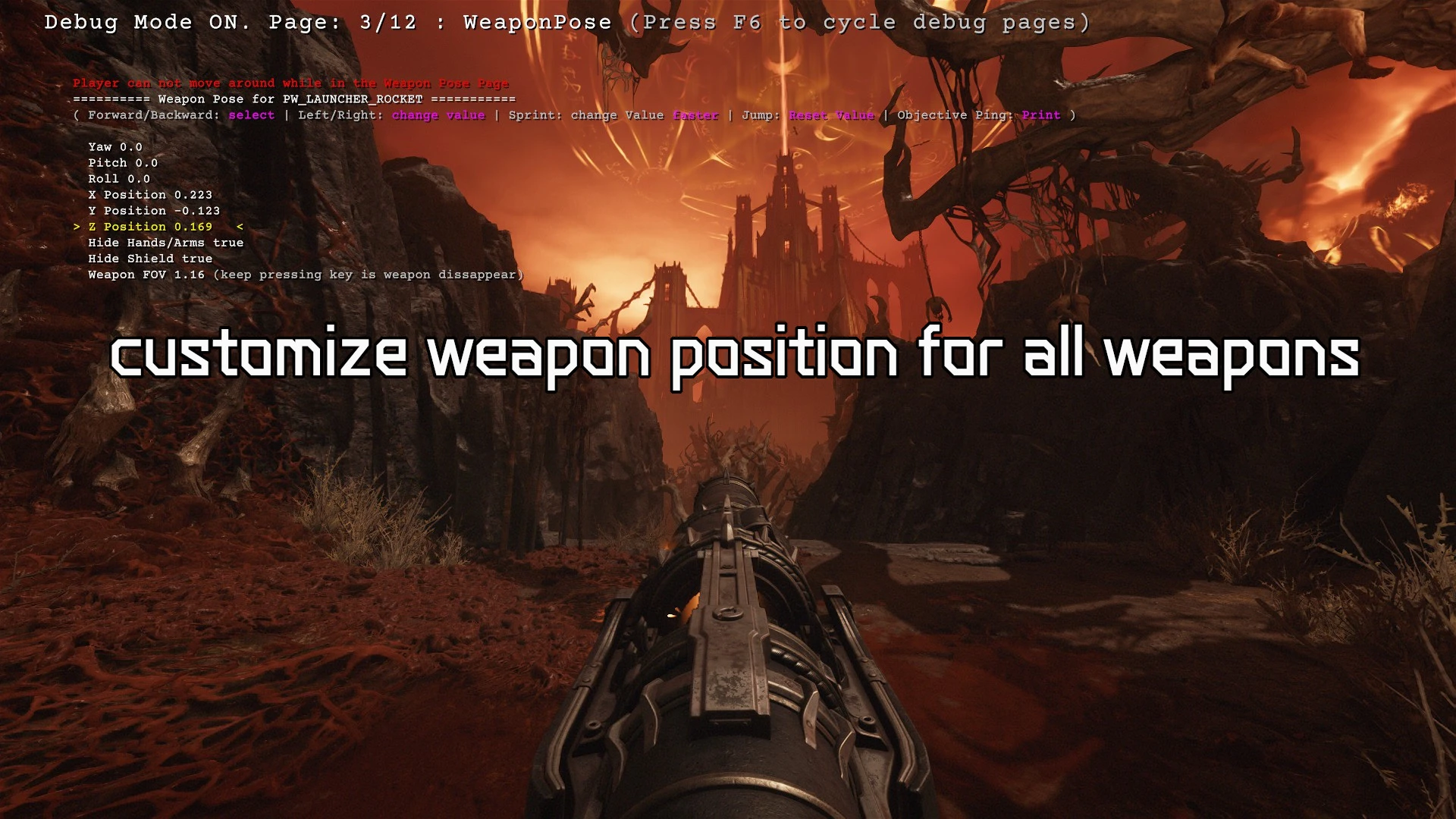
Now you can select any weapon and adjust its position/rotation, fov, hide shield/hands...press the forward/back/strafe keys to change settings and values.
If you come up with an interesting pose sets for all weapons you can press print ('objective ping' bind) which will print those poses in the mod's log file, then copy the text and send it to me. If it's really good i might add it as a pose preset.
User-Requested Features
📥 Installation
❌ Uninstallation
Requirements
Bug Report
Troubleshooting
🐧 Linux / Proton / Steam Deck
ChangeLog
2025.11.27.4
[Crash Fix]
-Fixed a crash if player tried to melee above an enforcer from the randomizer. (Thanks cooknnn)
2025.11.26.34
Firstable big thanks to Carpet for the great gameplay/balance suggestions, Cavan for all the detailed bug reports, Redguineapig for feedback, and everyone who gave feedback in comments to make this mod better for all of us!
[New]
-Added dedicated keys/buttons binds for every rune.
-I also added back the cycle runes keys (even if the game now has binds for this) because they allow you to set wrap or not (meaning the rune goes back to 1st rune if you keep pressing next/prev, or not) and also the mod's system play a sound on rune change which the game's system does not.
-i Also set the cycling of melee weapon the exact same way the game does. I might need some feedback on that if you see any bug.
[Randomizer Tweaks]
-After a LOT painful work, finally found a way to make the randomized enforcers actually buff themselves and ais around them, so if you were looking for more challenge, it's there...
-If you are using the balanced progression setting, keep in mind the enforcer percentage might overule the presence of armored enemies early on because some enforcers have armor. I'll try to make that setting better later on.
-You can now reset all the Randomizer settings by holding the R key. (default change percentages for each Ais have been adjusted since last update)
-Rebalanced the default percentage chance for each AI (courtesy of Carpet.)
-All original map Enforcers will now spawn where they're supposed to, meaning those are not touched by the randomizer.
-Armored Pinky will not spawn before Siege map. (Balanced Progression Mode only)
-Adjusted 2 specific encounters where a LOT of hellknights normally spawn to make it more manageable (prevented some specific enemies to spawn there)
-The random Baron however will still sometimes be "confused by your presence"...If you notice those occurences, please enable the gameInfo bar and take a screenshot (so your coordinates/map/checkpoint show on the screenshot) and send it to me so i can remove the random Baron from that specific fight.
[GamePass]
-Added a code change that will hopefully let Gamepass users use the mod.
2025.11.19.13
[Bug Fixes]
-Fixed an issue where the game would show text about "too many damage markers" when many dead enemies are on the screen.
-Added back the dedicated melee keys AND the melee cycling of the mod cause it offers wraping option and sound option, just make sure you unbind the melee cycling keybinds from the game if you want to use it.
-Migth adding back to runes cycle keys cause they add sounds and a wrap option, but may also add dedicated keybinds for each rune next update if i figure it out.
2025.11.18.18
This is just an emergency update to fix the game not launching with latest game update (November 18, 2025). Furthermore some features will not work like the "keep the charges" and "quick melee" until i study the new input system/functions for melee/runes more. A later update will add more features and bug fixes.
[Tweaks]
-The player cam x,y,z position in the debug page or in the quickInfo line will now correctly display information whether in slayer/mech/dragon or turret form.
[Moding]
-Udated the k_spawninfo to output pos and orient data whether in slayer/mech/dragon/turret form.
-Fixed an issue with outputing current active encounters to the clipboard.
2025.10.16.23
-Fixed a crash which occurred when user pressed the Show Debug Info Bind.
2025.10.16.6
-Added a new setting in EXTRA BINDS->Toggle Quick Infos. This will show a discrete gray line at the top of the hud with player coordinates, ai count, map, checkpoint name...The idea is that you can take screenshot and this info will be on it, it may be be useful for you or to report a bug in a specific location easily by sharing this screenshot.
-Updated mod to be compatible to latest game's update. (October 15, 2025). This update surprised me so i can't add the newest features i was working on atm.
-Fixed more visual glitches when using the non default weapon pose, especially when acquiring a new weapon.
-Fixed slayer speed not changing when using the non default player speed mutator and using the walk key feature.
2025.10.12.1
[New]
-Added a new setting in Quality of Life => Weapon Sway (This is NOT the same thing as weapon Bob). This will reduce the pendulum movement of the weapon when strafing. This is very visible when using centered weapon and strafing left or right for ex. I added this setting cause some people can get nauseous when the sway is too high, i recommend a value of around 5% for people sensible to it.
-Added a new setting in INPUT TWEAKER =>Melee Trigger Use. This will make a melee key press also trigger the Use key, that way it should help some players using controllers who were used to interact with doors/switches in Doom Eternal by pressing melee button get the same thing in Dark Ages.
-Added a feature that will log every change made to the mod's settings for the current session. You can see those changes in the mod's log file. This can be useful if you previously found a setting that was good but forgot the value.
[Tweaks]
-Fixed an issue while a preset or custom weapon pose the default pose would show up for a fraction of a secon after a shield bash.
2025.10.9.18
-Fixed Weapon pose setting not saving between game sessions.
-Fixed a bug where the custom weapon pose would go back to default after a shield bash if player kept firing. Thanks to martinmdeez for the bug report.
2025.10.8.3
[Randomizer]
-Fixed a bugged where some SuperHeavies Leaders were replaced by non leaders which prevented player from getting the buff. Thanks Cavan7985 for the bug report.
[Tweaks]
-Added more debug info in log file when loading the mod to figure out why some users can not use the mod for some specific country versions of Dark Ages.
2025.10.6.36
[New Mutators]
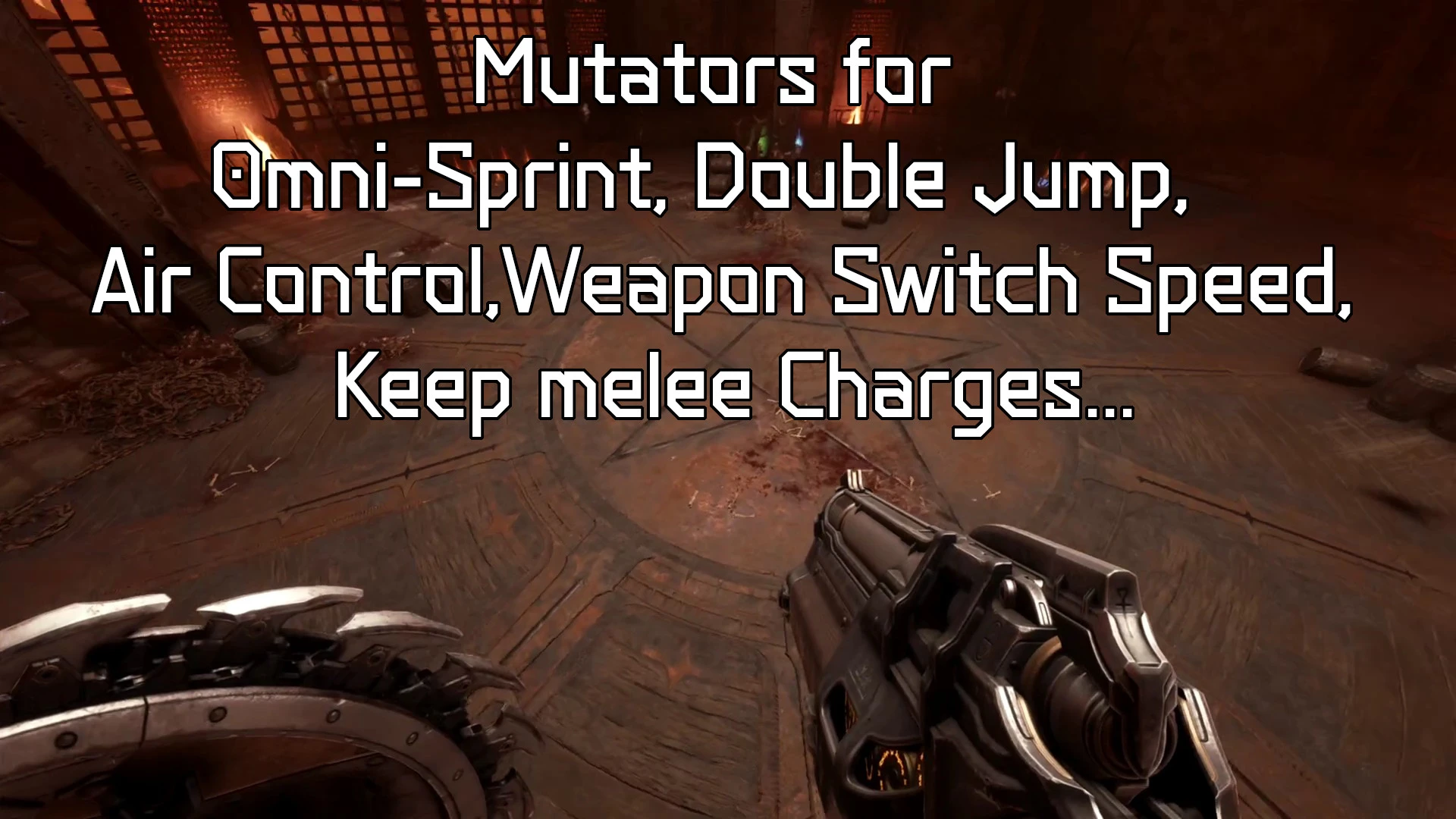
-Air Control: Similar to Doom Eternal, you can control the slayer while he's in mid air, YES means it's active with 'reasonable' value. Custom let's you decide how much Air control you want, ofc you can also disable it.
-Double Jump: Also similar to Doom Eternal, you can enable/disable/customize it.
-Sprint in all directions: It's now called Omni-Sprint, and you can still customize the run and sprint speed if you want.
[New: Weapon Pose]
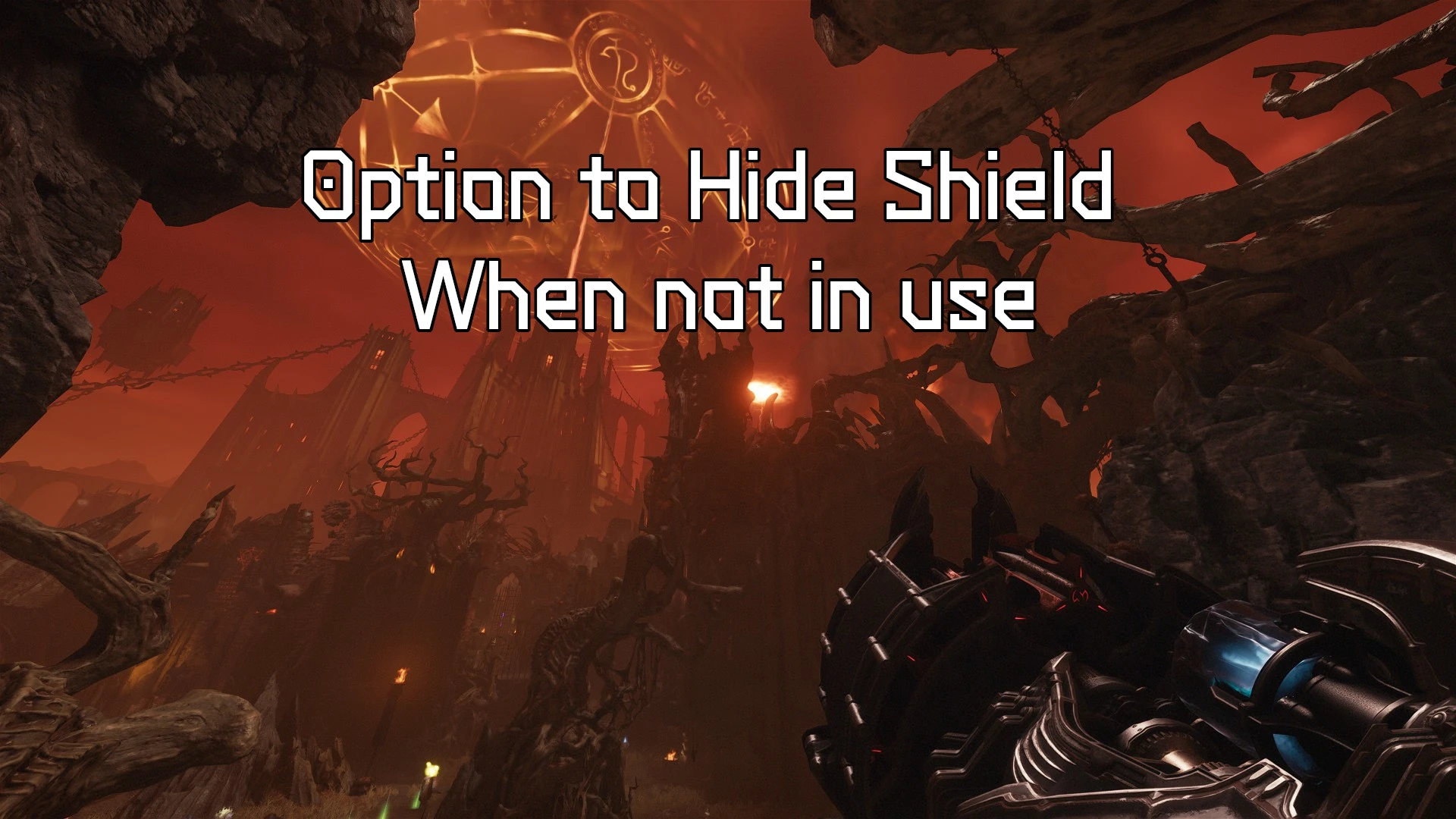
-Added a setting to change the weapons pose. So far i made a "Classic Pose" and a Hidden-Shield Poses (See Screenshots)
-But i'm adding a Customizer so you can set the pose you want for every weapon. To use it make sure you have bound the debug key in Extra Binds => Show Debug Infos. While in a game as a slayer, press this key to get to the 'WeaponPose' screen, there you can use the slayer direction keys (+ sprint and jump) to adjust each weapon's x,y,z position and yaw, pitch, roll, weapon FOV, hide Hands, hide shield values to get exactly what you want.
-If you come up with an interesting pose creation, you can press the 'Objective Ping' (hint) key to print your current weapons pose settings to the mod's log file, you can then copy the text and send it to me so i can (may be) include it in the defaults settings.
[Randomizer]
-Adjusted many demons default Spawn chances. Big thanks to Carpet for his detailed feedback !
-Added a 'Balanced Progression' setting in the randomizer, if enabled, it will prevent some demons to spawn too early in the randomizer, for ex the the Acolyte will not show up until Siege. Thanks to Vanquish for the suggestion.
-Added a check() and a warning) that will disable the Randomizer if the game's tutorial mode is on, to prevent issues like infinite spawns or player being unabled to move.
-Added AI category headers in Randomizer menu and better tip text to better convey that the spawn chance is based on the demon's category. Also added Text to invite users to check the mod's description page on Nexus to get more info about the Randomizer concept/features.
-Fixed a bug in Ais spawning logic which prevented the Cacaos to spawn. However, atm all the Cacos and lostSouls which were manually placed by the devs will always spawn (for now) regardless of randomizer settings to prevent other ais from failling into unreachable places and locking the encounter. The randomizer can not yet add new cacoes spawn cause they can create bugs so i will have to manually create spawn positions in the whole campaign and that is going to take some time....
-Fixed a bug when a secret encounter could become locked. Thanks to brochacho for the Bug report.
-Added system to prevent crashes related to spawning Heavy Ais (komodo and Barons) on maps where they are supposed to.
-Big thanks to Kulgenkrat for encounters lock down reports.
-Known issue: atm, Barons from the randomizer will "hesitate" to attack in melee range, hopefully will find the reason why at some point.
-Don't hesitate to give feedback/suggestion on the Randomizer or any other feature.
[UI mode]
-Added a better repeater, meaning that if you are trying to change the slomo values or the air control value, if you keep the keep pressed for more than 2 seconds it will increment/decrement much faster. This is really the only case where CONTROLLER USERS WILL WANT TO USE THE KEYBOARD as the controller d-pad doesn't yet have this functionality.
-Added an option to show a little symbol `(*)` in the mod's UI next the value to indicate if the value has been changed (meaning it's not default), this should help when a menu (like randomizer) has a lot of settings and see at a glance if you've modified any values. You can enable/disable this features in the Misc. menu.
2025.9.30.11
-Fixed a bug related to player spawn location for certain maps if user had been using the Dev menu.
-Fixed a crash in the Randomizer if a Komodo was to spawn instead of a TyranThe in Holy City of Aratum map because the gore system could not find its rendermodel. (this specific spawn has set to default for now, meaning it will always spawn a Tyran until more research is done). Thanks to Cavan7985 for bug report.
-Updated the "Skip Time Wasters" feature in Quality of life mod menu, atm it will skip the on rail under water sequence and its cinematic, which is 'cleaner' than speeding up time. You might have to re-enable this feature though as it should be set back to default (disabled).
-Started revamping some of the mod systems to prepare for future updates/features.
2025.9.25.8
[Randomizer]
-Fixed many bugs and revamped the 'chance' system, you should now be able to set randomize chance for "almost" every demon. Keep in mind that even if you set chance to 0% some demon might still spawn sometimes to prevent getting the player stuck in the level.
[Tweaks]
-Added back the option to toggle the game's hud on/off with a key, but should now be more reliable and consistant. The true nohud feature however needs more time in the oven...
[Miscellaneous]
-Added a modTools interface (Mod options=>misc=>Enalbe Mod Interface => YES). This basically mean that mod tools, like EntitySlayer: https://github.com/FlavorfulGecko5/EntityAtlan/tree/master, can interface with kaibzmod to directly execute commands useful for modding, a bit like Meathook mod did for Doom Eternal. This is a work in progress and should improve with time.
2025.9.11.27
[New]
-Added an option to mute the game's sound/music when you alt tab out of the game. (Sound manager)
-Added an option to fast forward "time wasters" for ex the long on rail water sequence at the start of'City of Ry'uul. (Quality of life). I should 'hopefully' be able to add more sequences over time.
[Randomizer]
-Added Chance Sliders for Stone Imps and Lost Souls. Keep in mind those set to spawn by the game's in specific location will still spawn even if chance is 0 to prevent encounter lock.
-Many more encounters should now be randomizable.
-Removed a glitchy/not attacking 'arachnotron mortar' (early dev version of an arachnotron) from the randomizer roaster.
-First pass on fixing issues where a random ai could spawn in an unreachable location and blocking the current encounter.
-Fixed Lost Souls spawning into the ground (hopefully)
[Quick Attack]
-Tried to improve the quick melee feature so it can glory strike. Still not perfect atm but you can still use the game's own glory strike key (melee) if that is what you want to do.
2025.9.4.9
-Updated mod to be compatible with latest game update. Users should not get the "Failed to set critical data, mod can not work. Check Nexus page" error anymore.
2025.9.4.3
[Tweaks]
-Improved the melee registration inputs when using Quick Melee feature. (try to also enable 'Melee Input Fix' but it's up to user's preference).
-Tweaked the 'Keep The Charges' features so that, if another mod modifies the max charges for a weapon, like cookin's mod, it will still work.
2025.9.2.23
-Fixed a bug in the new Quick Melee feature. Keep in mind this feature will break if you try to switch melee weapons too fast as they were never meant to be switched in real time.
2025.9.2.15
[New]
-Added option for Quick Melee (Input Tweaker). Basically the direct melee extra binds for gauntlet, flail and mace will select the weapon but also execute the attack at the same time. This needs 'Keep Melee Charges' mutator to work.
-Removed extra randomized spawns for cacos, lostsouls and stoneImp until the bugs are fixed.
-Removed "dev" crystal enemies. Their plain blue dev texture might break immersion for some players. Might be added back later as an extra setting.
-Added extra log for release version so we can tell if the relative hooks are active.
2025.9.1.43
[Tweaks]
-Added a new pattern scanning system to (hopefully) fix the random hook errors Gamepass users have been getting. I really need feedback from users for this update, a simple "it works for me on Steam" or "it works for me on Gamepass", otherwise i can't add any new features to the mod until i'm sure. This new update is going to make the mod file sligtly bigger but still resonable imo.
-Added more logging info in the log file to get more data about what is potentially taking too long in the loading process.
-Added a Print Debug Infos key (in extra binds) that will print data like current map, checkpoint, player x,y,z postions, enemy Ai count....This will make it a bit easier for mod users to give feedback about a specific bug like for the randomizer.
2025.8.30.7
[HotFix]
-Add to revert the new pattern scanner to speed up mod loading, cause the gamepass version with its extra drm prevents it. This will hopefully let Gamepass users launch the mod without crash.
2025.8.29.37
[New Features]
-Added Beta version of a balanced Randomizer (gameplay mutators) it will try randomly replace an enemy by another of the same class. For ex a hellknight could be replaced by a pinky or a mancubus for ex. The idea is to keep your run fresh and unpredictable. Keep in mind it's a very early version of the randomizer and it will improve and get more options with time, but it might have bugs atm, so please report any bug you could see in the BUG section so i can (hopefully) fix it, for ex if a fight becomes impossible or an enemy is not reacting or anything like that, but please tell me the map, checkpoint and if possible the x,y,z position (see the mod's debug pages for more info).
The randomizer can be set to make the game harder which can be a way to counter balance other over the top game mutators...
-Added an option to set the spawn chance of enforcers to the randomizer.
-Added an option to keep the melee charges (gameplay mutators). For example if you have 2/3 flail charges and you switch to the mace, the mace charge will be filled 2 thirds.
-Added an option to skip key press when in a load screen so you are in the level as soon as the loading process is finished.
[Sound]
-Added an option in Sound Manager to change the 'Welcome' sound (Bell) or disable it.
-Fixed a bug that prevented user from using 'no sound' (none) for the melee/runes binds
[Tweaks]
-Reworked the mod's menus to include headers so a single menu can have several sections.
-Removed the SpeedRun and FOVs menus, the options are now all part of the Quality of Life menu.
-Revamped the mod loading system (that took time). So hopefully those who had loading errors in the log file (like hook issues) should try again with this new version.
-Added units for some specific values in mod menu for more clarity.
2025.8.13.44
[New]
Added a Melee Input Fix in the Input Tweaker Section. This will be mostly useful for player who use mouse wheel to trigger melee action, but it could also be useful if you have witnessed occurrences of pressing melee once but seeing the melee action happen twice.
2025.8.9.22
[Tweak]
-Revamped the SlowMo customizer system under the hood (again) so it can be used with latest game update. Also included the dragon dodges in the customizer settings. (the dragon however doesn't use EaseIn/Out Parameters).
[Bug Fixes]
-First Big thanks to the mod users for feedback and bug reports!
-Made the auto skip cutscene a bit faster. But this feature is very fragile. Let me know though if you encounter any bug.
-Fixed a bug where the speed up animations were still playing at normal speed.
-Fixed a bug where faster swiming speed was still a default speed.
-Fixed an infinite sound loop bug by preventing rune change with dedicated key while the auto turret is firing.
2025.8.7.16
[Bug Fixes]
-Fixed a critical bug that prevented users from launching the game and the mod since last game update (August 7 2025).
[Other]
-Removed SlowMo customizer as the game now its own slow mo slider.
2025.8.1.12
[New]
-Added a 'True No Hud' feature (Quality of life section). This is for players who disable the Hud in the game Settings. It will remove elements list boss health, icons above some enemies..... You can also bind a key to 'Hud Peek' (Extra Binds section) to briefly show the min hud info. So an example use case would be: you like to play with no hud at all but you might want, sometimes, to peek at a boss's or enemy health bar, or see the map objective briefly.
[Bug Fix]
-Fixed a critical offset bug (hopefully) for gamepass users that prevented them from launching the mod. If you use gamepass, please let me know if it works for you.
2025.7.31.4
[Tweak]
-Revamped the sound player of the mod so that the sounds played when equipping runes/melee weapons are louder. Only issue is that sounds may sometimes appears to be "in the 3D world". This is still a work in progress as i intend to improve this over time.
-Revamped the Autoskip cutscene system (again). It should now prevent the black screen on level 22 before the big fight. Let me know if some cutscenes do not get skip though or if the bug still occurs...For the very rare people who actually read the changelog....
2025.7.29.10:
-Added dedicated keybind for each melee weapon.
[Other]
-Updated mod ui feedback of extra binds to better show when an action is not bound.
[Bug Fix]
-Fixed the auto cannon rune making enemies drop armor when rune selected with dedicated keybinds. If the bug still persist for some let me know.
2025/7/25:
[New]
-Changed the settings in gameplay mutator, you can set run speed, sprint speed, jumpheight. (swimspeed in speedrun options)
-You can fine tune these settings by using the debug options of the mod (check previous changelogs).
[BugFixes]
-After a lot of trial and error, i totally revamped the auto skip cutscene system, it should now prevent the teleport bugs, or some scripts being broken, like getting into boss fights at the wrong moment.
2025/7/18:
[New]
-Added an option to skip/speed up the collectible animation.
-More weapon intro animation will be skipped/sped up now when using the 'Skip Weapon Intro' in Spreedrun Options.
-Increased the max swim speed value.
-The Skip weapon intro option will speed them up if the intro can not be skipped.
[Bug Fixes]
-Fixed a bug where the mod assumes you were swiming when in shallow waters.
[Other]
-Updated some mod menu descriptions.
2025/7/18:
[New Features]
-Added a new SpeedRun category in the mod options.
-Added an option to automatically Skip all cinematics. (SpeedRun Options).
-Added an option to automatically speed up some animations like pod interactions, levers, rune/ruby acquisition, picking up keycards... (speedrun options)
-Added an optiont to skip the new weapon acquired animation (will not work for the shield teeths atm).(SpeedRun Options).
-Added an Option to increase player speed while swimming (SpeedRun Options).
-Added an option to make weapon switch faster. (Gameplay mutator. Recommend to finish the game once before experimenting with this)
-Added an Option to prevent the FOV to change during Glory kills and other interactions animations/sequences. (Fields Of Views option)
-Added a Sound Manager page. you can now assign sounds to manual melee selection and manual runes selection. you can even bind a key to trigger a game sound of your choosing. Also added an option to enable/disable modUI sounds.
-Added an temporary option to disable footstep sounds (work in progress as it's not a perfect solution atm)
-Added a Walk key Option (in Input Tweaker). If you're using the game's 'Auto Sprint' option, the Sprint key will act as a Walk key while held.
-Added a ResetHands extra bind, if you ever find yourself in a situation where the hands/weapons bug or disappear. (Extra Binds)
-Added a debug Hud so you can get extra feedback and/or help identify a bug, for ex you can show current map/checkpoint name, player position, speed, melee/runes upgrades. You can also use it to show which keys/buttons are pressed which can be great to detect known or unknown conflicts. To enable the debug hud just bind a key to it in Extra Binds Page, and once in game you can press that key to change the info being displayed.
[Bug Fixes]
-Fixed an issue in the room after the impaler where you would go straight to boss fight if auto cutsene skip was active.
-Fixed an issue where the skip Weapon intro could make the hands/weapon disapear.
-Added a temporary setting in slowCustomizer to attempt to fix the issue some players have when glory kill being sped up when if gamespeed is set higher than 100% (Please give me feedback on this).
-Tweaked the direct weapon selection system. This should fix the bug of not being able to change weapon after using chainshot.
-Fixed an issue where the melee weapon would not have any upgrades attached to it after slayer respawn. Work in progress, need feedback from community on this.
-First pass on trying to fix a bug where the auto turret would make an enemy drop armor when triggered. Need feedback from community on this.
[Credits]
-Thanks to Under The Mayo for its feedback/testing. (https://www.youtube.com/@underthemayo/videos)
2025.6.21.7:
-First batch of trying to fix the issue when switching melee weapons with dedicated keys not responding if the gauntlet and flail are not upgraded.
2025.6.21.6:
-Patched an issue that could make the mod crash for Gamepass users.
2025.6.21.4:
-Added the Mech 'perfect Dodge' slowMo to be included in the SlowMo Customizer.
-Changed the input system of the mod to make it more reliable and snappy. (WIP)
-Fixed a bug where users could not bind mousewheel to an extra weapon keybind.
-Shortened the mod version file name to make it more readable.
2025.06.20_02.39.40:
-Added an option to disable letterBox (black bars at the top and bottom of the screen) when in cinematics. Will need to restart the cutscene/checkpoint for the change to take effect the first time.
-Modified the Extra binds and the 'Eternal' swap option, those are now 2 different settings so you can enable them both at once if you want.
-Tweaked the SlowMo Customisation so you can now enter precise value by holding shit +left/right.
-Added analog triggers and stick to the list of bindables in the mod menu (keep in mind that it's going to be hard to find a use for them as they are vital to the vanilla game 'experience.')
2025.06.18_18.42.04:
-Added a Setting to change the weapon's binding system: 'Eternal', 'Extra Binds', and 'Game Default'.
-Extra Binds: lets you bind each weapon to a specific key, meaning binding shotgun to a key, binding supershotgun to a different key... Make sure you have unbound all your weapons keys in the game or bound them to something else!
-Eternal: will prevent the weapon keys to toggle the weapon's class, for ex shogun<=>superShotgun, the class change will only happen if you press the game's 'Switch Class Weapon' key, this behaviour is closer to Doom Eternal weapon binds system.
-Added an option to bind keys to change Prev/Next Melee Weapon on the fly while playing.
-Added an option to bind keys to change Prev/Nex Shield runes on the fly while playing.
-The melee and Rune Binds have an extra option to make the keys wrap around, meaning for ex, if you have the mace equipped, and you press next, the gauntlet will be selected or not.
-Added mod menu controller Dpad navigation.
-Added Controllers buttons and Dpad to the list of the mod's bindable actions.
-Tweaked the mod menu so it shows a (...) at the top or bottom of the settings list so users know there are more settings if they key scrolling up or down.
-Added a check to Prevent user to unbind the 'open mod menu' key.
-Updated the mod compatibility for the latest Steam version of the game: 20250613-075117-sapphire-red
-I'm working on more changes/features but they need more research/work/testing, and it takes time.2025.06.11_14.39.18:
-Fixed a bug where having the slowmo customizer set to Off would change the gamespeed of the game back to default after a shield parry.
-Added an option to disable weapon class toggle when pressing a weapon key, for ex the shotgun bind will not change shotgun/super shotgun. This means that only the "Switch Class Weapon" bind will now change the class and pressing the weapon key several times will not. This should add more consistency for player who don't like the 'double function' key systems.
-Added 2 QOL settings, one to disable the IdTechLauncher pop up and another to disable a idTechLauncher error pop up related to reshade. This will require restart of the game once changed.
-Added a setting to show a little warning next to mod menu shortcut if the game has been updated since the last version of the mod (on by default). This can be good for users who might have issues with the mod to be reminded that a new version of the mod is or will be available soon.
-Updated the menu layout, for future releases.
2025.06.05_22.38.11:
-Remade the mod's menu system (took some time...) to have categories as all the incoming features will not work with just one page.
-Added A slowmo Customizer, that let user customize parry and melee slowmos, you can either disable it, set it to the game default, or customize how long and the timescale of the slowmo.
-Added a customizable key to toggle the hud on or off while playing.
-Added Gameplay Mutators (users request) atm only 2, one to allow sprinting while strating and one to double jump. (strongly recommend only use those once you've played the campaign at least once)
-Addes options to disable: radial blur, vignette, flares, fog...
-Added an option to show the Dev Menu. This will let users choose any map to load (go to DevMaps=>sp and choose the map you want) and will even let them choose develloper checkpoints. (this might also break some scripts so keep that in mind) But this could be an interesting features for those who have already played the game.
2025.06.02_14.05.33:
-Updated the no slowmo feature to make sure you can enable or disable without having to reload a checkpoint/save.
-Made sure slowmo will always be enabled if player uses the chronospike from the impaler whether no slowmo feature is enabled or not.
2025.06.01_03.11.16:
-Added better showMotion setting. You can now use any gamespeed you want in the game menu while slowmotion is disabled. I also managed to keep the WeaponWheel slow down time even if the mod's slow mo is disabled. The next version should, hopefully let users set for which action they want slow motion or not, and even may be the amount of slow motion.
-Added better check of current game build time and platform which will show in the mod's log file.
2025.05.30.13.23.17:
-Made the mod a little bit faster to load which should hopefully let Steam users Enjoy the mod.
-I am aware of the issue of slow mow removal not being in sync with gamespeed and i'm looking into it.
2025.05.30.12.59.17:
-First attempt to fix an issue with the mod not loading for Steam Users
2025.05.30.02.19.18:
-Initial Release.
Kaibz Mod (Advanced Options)
Check Changelog at the bottom to see what's new.
This mod builds on my previous Advanced Options mods for Wolfenstein II: The New Colossus DOOM Eternal.
Once installed, you’ll see a shortcut in both the main menu and pause menu (bottom-right). Press the shortcut key to open the mod menu.
Your settings are saved automatically, so you don’t need to reopen the menu every time you launch the game. But i would advise you to back up the DA_KaibzMod folder somewhere that way you'll never loose your favorite settings.
Features Overview
AI Randomizer
- Keep runs fresh and potentially more challenging, by randomly changing enemies type, but keeping it balanced.
- The "Balanced Progression" setting will basically prevent some demons from spawning too early in the campaign, for ex the Acolyte will not show up until Siege. But you can set this setting to NO if you want more challenge.
- You can choose the spawn chance for almost any demon.
- The percentage chance is based on the demon's category (fodder, heavy, superHeavy...) for ex, let's say 2 demons, in the heavy category, like a mancubus and a hellknight, have been set to 100% and 50%, it just means the mancubus will have twice more chance to spawn, compared the the hellknight, if that specific location originally spawns a heavy.
- A percentage chance of 0% doesn't absolutely mean that demon will "never" spawn because, for ex some (few) original spawns can not be touched to prevent the game from breaking and the player being stuck.
- The randomized Enforcers will buff other Ais around them and themselves, killing them should disable the buff.
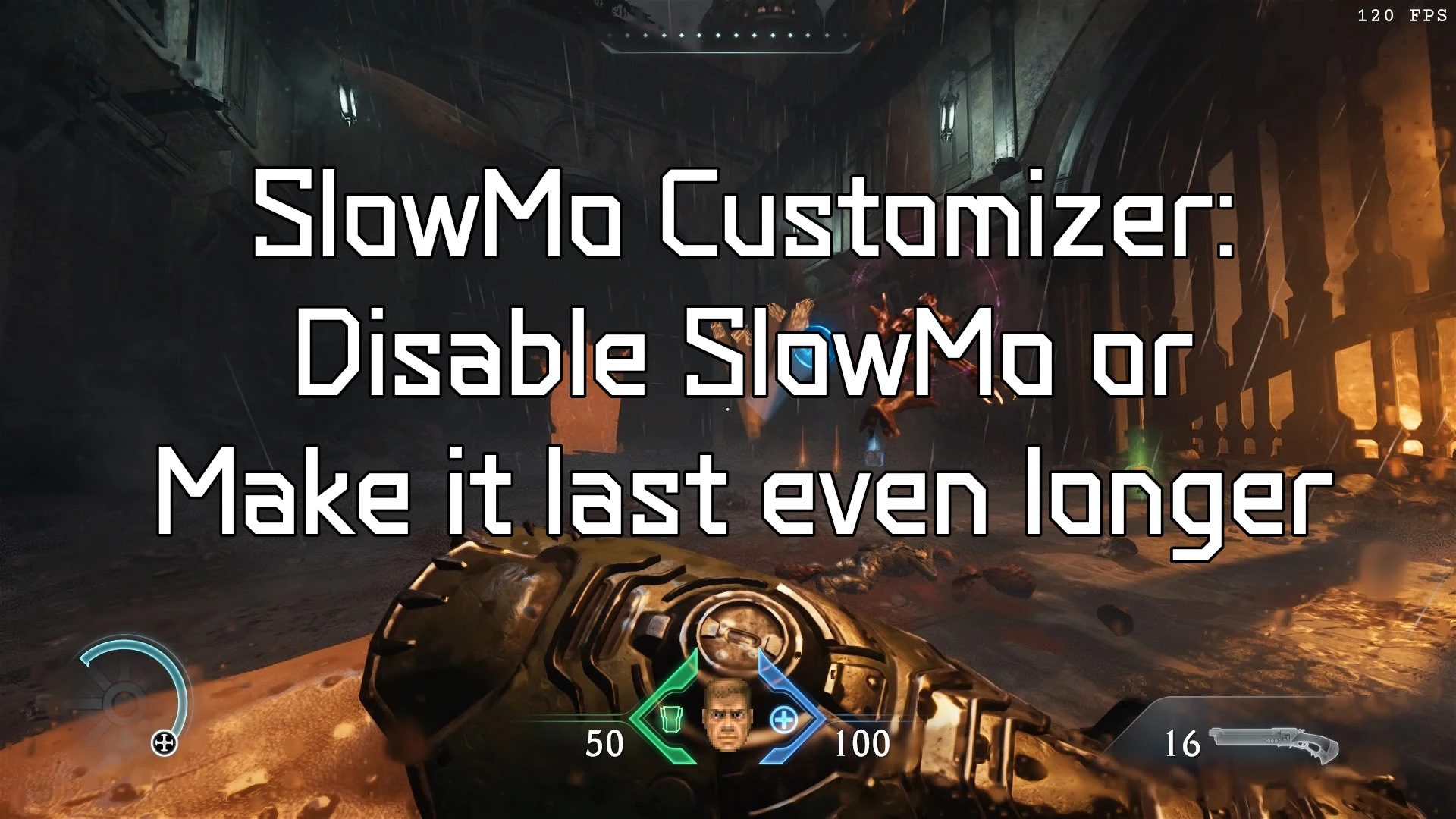
- Choose between Off, Game Default, or Custom modes for Parry/Melee/Mech/Dragon slow motions.
- Fine-tune duration, intensity, acceleration, and deceleration for shorter or...Longer slowmos....
- Skip intros & cutscenes
- Remove the launcher popup
- Unlock dev options (choose map/checkpoint)
- Speed up interactions (levers, pods, dolls, swimming, etc.)
- Remove black bars, blur, fog...
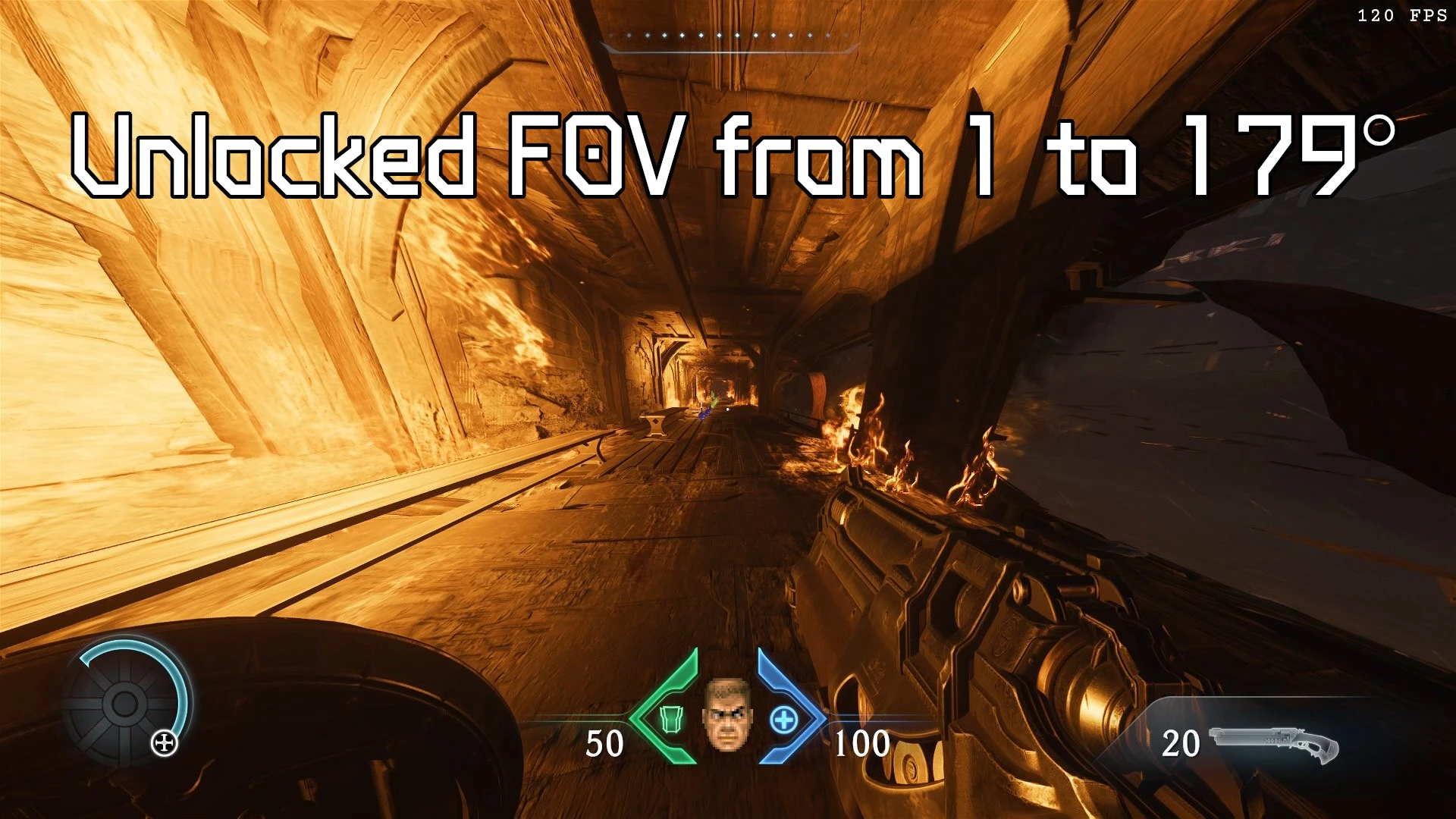
- Adjust FOV up to 179° for Slayer, glory kills.
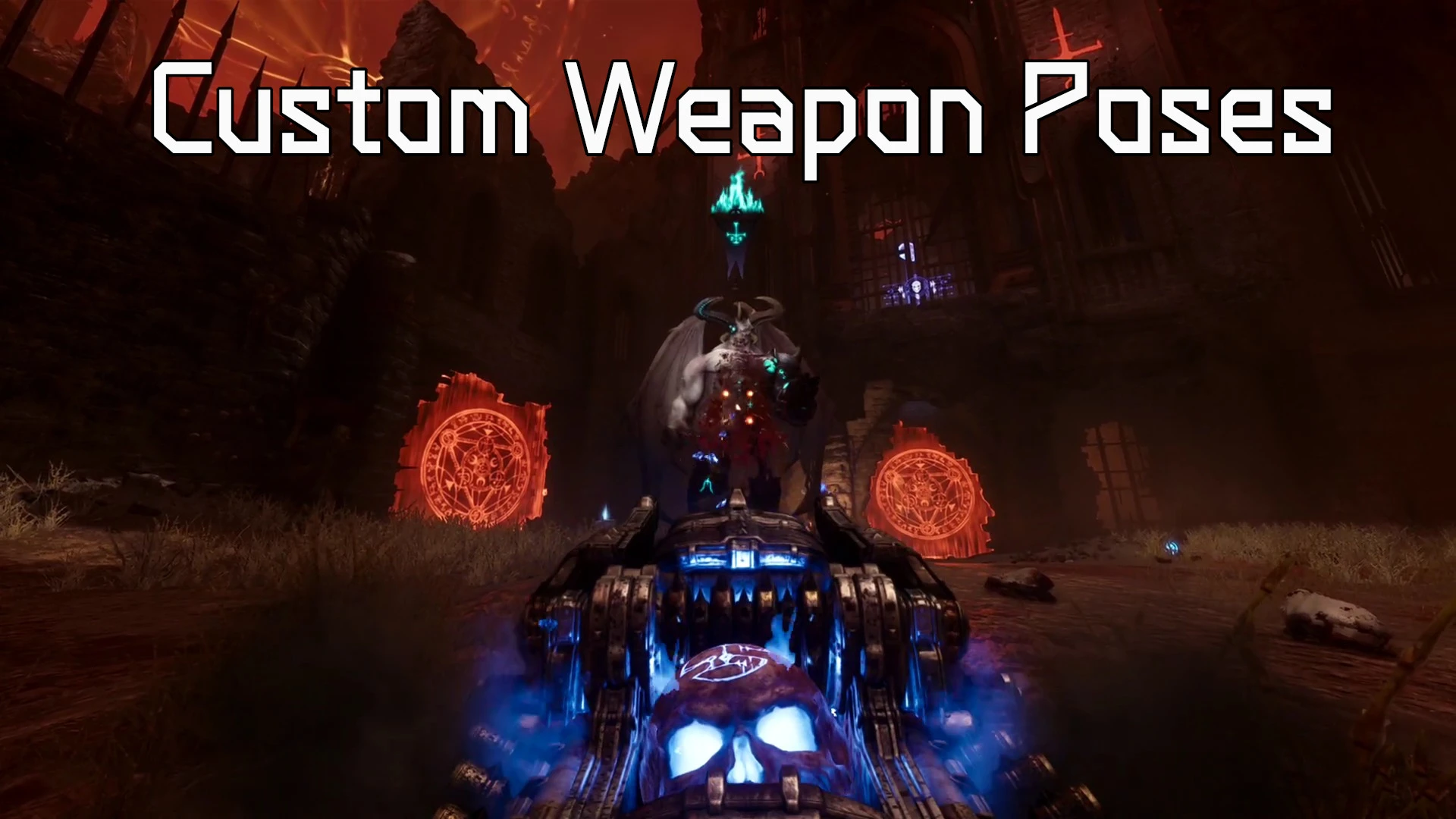
- Weapon Pose: choose the weapon's position, weapon's fov, hide shield/hands...Check the "how to create your own weapon poses" section below for more infos.
- Weapon Sway: Change the amount of pendulum movement of the weapon when strafing left/right.
- Sprint in all Directions =>Omni-Sprint (customizable)
- Double Jump (customizable)
- Air Control, Similar to Doom Eternal Air control rune (customizable)
- Weapon switch speed (customizable)
- Preserve melee weapon charges between switches
- You can use those settings to make the game easier or harder...
- Turn sprint into a walk key (when auto-sprint is enabled)
- Prevent weapon keys from changing class (like in DOOM Eternal)
- more settings and general input fixes.
- Bind keys/buttons directly to weapons (shotgun, SSG, etc.)
- Quick swap Rune & Melee weapon binds
- Rebind the mod menu shortcut
- Most features can be bound to d-pad or face buttons
- Navigate mod menus with d-pad + A/B
- (Keyboard may still be needed if you need to change a value very fast)
- Play sounds for specific actions (e.g., weapon/rune changes)
- Disable footsteps
- Assign custom sounds to keys/buttons
- Beep when mod loads
- Show mod version in game's main menu
- Warning when a new game update is detected (meaning a mod update might be on the way or available)
- Mod Interface => for modders using tools like Entity Slayers.
- There are several pages that output info about the game for ex the 'basics' page will print the map name, current checkpoint, X,Y,Z coordinates. This can be useful when reporting bugs, or you can use it to identify exactly where something is on the map. See the extra binds section and the screenshots for more info.
How to Create you own weapon's poses (position, weapon's FOV...)
In the Mod's Menu go to Extra Binds and make sure you have bound a key to 'Show Debug Info'
Then go to Quality of Life menu and set Weapon Pose to Custom
Then load a level and find a place where there are no enemy, press the Show Debug Info until you get to the Weapon Pose page:
Now you can select any weapon and adjust its position/rotation, fov, hide shield/hands...press the forward/back/strafe keys to change settings and values.
If you come up with an interesting pose sets for all weapons you can press print ('objective ping' bind) which will print those poses in the mod's log file, then copy the text and send it to me. If it's really good i might add it as a pose preset.
User-Requested Features
- option to customize if threat detector should be enabled when in player is a Slayer/Atlan/Dragon/Turret
- a console command to remove the runes (for challenge runs)
- option to hold down the fire key to makes the Railspike shoot whenever the next shot is ready instead of manually firing each shot
- Force the game to show binds for controllers or keyboard to prevent flickering when using controllers with Steam input.
- Skip Dragon and/or Mech Sequence and replace them with Slayer gameplay
- Depth-of-Field scale in cutscenes
- Reduce Max Ammo Mutator
- Remove Collectibles from Automap
- Photo Mode
- Make jumps proportional to run speed when using omni-sprint or custom speeds.
- Fix for shield throw not returning unless it hits geometry
- Per-weapon favorite binding
- Rocket jump option
- First-person dragon view
- SlowMo per-action customization
- Gold magnet pickup range
- Glory kill key/button to force glory kill to trigger
- Toggle sprint key
- Randomization in Ripatorium
- Weapon Damage/projectile speed... Customization
- no extralife prompt
- weapon randomizer
📥 Installation
- Close the game.
- Download the mod's .rar file anywhere and open it (for ex with WinRar)
- Drag and drop version.dll in the same folder as DOOMTheDarkAges.exe (see screenshots)
- Steam:
...\steamapps\common\DOOMTheDarkAges - Game pass:
...\XboxGames\DOOM-The Dark Ages\Content
- Steam:
- Launch the game normally.
❌ Uninstallation
- Close the game.
- Delete version.dll
Requirements
- Works with both Steam and GamePass versions.
Bug Report
- You can report a bug in the the Bug Tab. If needed, open the mod's log file (in the game's folder => DA_KaibzMod_Log.txt) and copy its content and paste
it in a bug report , dont forget to say which version (steam/gamepass) you are using.
Troubleshooting
- First Make sure you get the latest version of the mod => Nexus may have made you download a previous version (it has happened to some users) so check the version numbers in your log file or in game's main menu at the bottom right of the screen (kaibz's mod shorcut + version)
- In the game's folder, check DA_KaibzMod_Log.txt, it might have useful information if something went wrong.
- If you ever mess up the shortcut to open the mod menu and you can't open it anymore, you can either close the game and delete the mod's folder (DA_KaibzMod) Or if you don't want to loose your setting you can open up the DA_KaibzMod_Settings.json file in a text editor and find the line that says ShowModMenuKey and set its value to 66 (it will set the key back to F8) save the file and launch the game again. Make sure it looks exactly like this below:
"ShowModMenuKey": 66,- If you get an error on first launch → close the game and restart (often fixes itself).
- Some programs (e.g., PowerToys “Always On Top” and other UI overlays like Discord/AfterBurner...) can block hooks → try disabling them.
- Using a .bat file to block/enable youtube content in some countries might conflict with the mod/game for some unknown reason and will make the game crash.
- If you see a warning about the game being updated recently, it means i might be working on a new mod update.
- Skin unlocker mods and other mods in general may prevent this mod to work, so remove them first to be sure where the issue comes from.
- If the mod doesn’t load → try renaming version.dll to any of those, and launch the game again
winhttp.dll, dxgi.dll, d3d10. dll, d3d11. dll, dinput8. dll, Xinput1 _ 3. dll, Xinput1 _ 4. dll, steam _ api64. dll, steam _ api.dll, opengl32. dll, bink2w64. dll - Inifinite Load Screen issue: Many users seems to have this issue, especially on gamepass, it may be actually link to another mod called "Streamlined campaign". If issue is still there try renaming the mod as explained above.
- GamePass users: Try to launch the game directly via the .exe, don't use the launcher, it sometimes works better. And if it still doesn't work, just get the game on Steam if you really want to use the mod.
- One user who somehow couldn't load the mod, after trying everything, fixed it by reinstalling the game, something to keep in mind....
- One last resort thing you could try is to open the DA_KaibzMod_Settings.json in the DA_KaibzMod folder and change this line: "IsForceGameWindowWait": false, to: "IsForceGameWindowWait": true,
🐧 Linux / Proton / Steam Deck
- For ubuntu/linux users: Rename the version.dll to dxgi.dll and then use:
WINEDLLOVERRIDES="dxgi=n,b" - If you have issues with DLSS not working try this instead
WINEDLLOVERRIDES="d3d11.dll=n"
ChangeLog
2025.11.27.4
[Crash Fix]
-Fixed a crash if player tried to melee above an enforcer from the randomizer. (Thanks cooknnn)
2025.11.26.34
Firstable big thanks to Carpet for the great gameplay/balance suggestions, Cavan for all the detailed bug reports, Redguineapig for feedback, and everyone who gave feedback in comments to make this mod better for all of us!
[New]
-Added dedicated keys/buttons binds for every rune.
-I also added back the cycle runes keys (even if the game now has binds for this) because they allow you to set wrap or not (meaning the rune goes back to 1st rune if you keep pressing next/prev, or not) and also the mod's system play a sound on rune change which the game's system does not.
-i Also set the cycling of melee weapon the exact same way the game does. I might need some feedback on that if you see any bug.
[Randomizer Tweaks]
-After a LOT painful work, finally found a way to make the randomized enforcers actually buff themselves and ais around them, so if you were looking for more challenge, it's there...
-If you are using the balanced progression setting, keep in mind the enforcer percentage might overule the presence of armored enemies early on because some enforcers have armor. I'll try to make that setting better later on.
-You can now reset all the Randomizer settings by holding the R key. (default change percentages for each Ais have been adjusted since last update)
-Rebalanced the default percentage chance for each AI (courtesy of Carpet.)
-All original map Enforcers will now spawn where they're supposed to, meaning those are not touched by the randomizer.
-Armored Pinky will not spawn before Siege map. (Balanced Progression Mode only)
-Adjusted 2 specific encounters where a LOT of hellknights normally spawn to make it more manageable (prevented some specific enemies to spawn there)
-The random Baron however will still sometimes be "confused by your presence"...If you notice those occurences, please enable the gameInfo bar and take a screenshot (so your coordinates/map/checkpoint show on the screenshot) and send it to me so i can remove the random Baron from that specific fight.
[GamePass]
-Added a code change that will hopefully let Gamepass users use the mod.
2025.11.19.13
[Bug Fixes]
-Fixed an issue where the game would show text about "too many damage markers" when many dead enemies are on the screen.
-Added back the dedicated melee keys AND the melee cycling of the mod cause it offers wraping option and sound option, just make sure you unbind the melee cycling keybinds from the game if you want to use it.
-Migth adding back to runes cycle keys cause they add sounds and a wrap option, but may also add dedicated keybinds for each rune next update if i figure it out.
2025.11.18.18
This is just an emergency update to fix the game not launching with latest game update (November 18, 2025). Furthermore some features will not work like the "keep the charges" and "quick melee" until i study the new input system/functions for melee/runes more. A later update will add more features and bug fixes.
[Tweaks]
-The player cam x,y,z position in the debug page or in the quickInfo line will now correctly display information whether in slayer/mech/dragon or turret form.
[Moding]
-Udated the k_spawninfo to output pos and orient data whether in slayer/mech/dragon/turret form.
-Fixed an issue with outputing current active encounters to the clipboard.
2025.10.16.23
-Fixed a crash which occurred when user pressed the Show Debug Info Bind.
2025.10.16.6
-Added a new setting in EXTRA BINDS->Toggle Quick Infos. This will show a discrete gray line at the top of the hud with player coordinates, ai count, map, checkpoint name...The idea is that you can take screenshot and this info will be on it, it may be be useful for you or to report a bug in a specific location easily by sharing this screenshot.
-Updated mod to be compatible to latest game's update. (October 15, 2025). This update surprised me so i can't add the newest features i was working on atm.
-Fixed more visual glitches when using the non default weapon pose, especially when acquiring a new weapon.
-Fixed slayer speed not changing when using the non default player speed mutator and using the walk key feature.
2025.10.12.1
[New]
-Added a new setting in Quality of Life => Weapon Sway (This is NOT the same thing as weapon Bob). This will reduce the pendulum movement of the weapon when strafing. This is very visible when using centered weapon and strafing left or right for ex. I added this setting cause some people can get nauseous when the sway is too high, i recommend a value of around 5% for people sensible to it.
-Added a new setting in INPUT TWEAKER =>Melee Trigger Use. This will make a melee key press also trigger the Use key, that way it should help some players using controllers who were used to interact with doors/switches in Doom Eternal by pressing melee button get the same thing in Dark Ages.
-Added a feature that will log every change made to the mod's settings for the current session. You can see those changes in the mod's log file. This can be useful if you previously found a setting that was good but forgot the value.
[Tweaks]
-Fixed an issue while a preset or custom weapon pose the default pose would show up for a fraction of a secon after a shield bash.
2025.10.9.18
-Fixed Weapon pose setting not saving between game sessions.
-Fixed a bug where the custom weapon pose would go back to default after a shield bash if player kept firing. Thanks to martinmdeez for the bug report.
2025.10.8.3
[Randomizer]
-Fixed a bugged where some SuperHeavies Leaders were replaced by non leaders which prevented player from getting the buff. Thanks Cavan7985 for the bug report.
[Tweaks]
-Added more debug info in log file when loading the mod to figure out why some users can not use the mod for some specific country versions of Dark Ages.
2025.10.6.36
[New Mutators]
-Air Control: Similar to Doom Eternal, you can control the slayer while he's in mid air, YES means it's active with 'reasonable' value. Custom let's you decide how much Air control you want, ofc you can also disable it.
-Double Jump: Also similar to Doom Eternal, you can enable/disable/customize it.
-Sprint in all directions: It's now called Omni-Sprint, and you can still customize the run and sprint speed if you want.
[New: Weapon Pose]
-Added a setting to change the weapons pose. So far i made a "Classic Pose" and a Hidden-Shield Poses (See Screenshots)
-But i'm adding a Customizer so you can set the pose you want for every weapon. To use it make sure you have bound the debug key in Extra Binds => Show Debug Infos. While in a game as a slayer, press this key to get to the 'WeaponPose' screen, there you can use the slayer direction keys (+ sprint and jump) to adjust each weapon's x,y,z position and yaw, pitch, roll, weapon FOV, hide Hands, hide shield values to get exactly what you want.
-If you come up with an interesting pose creation, you can press the 'Objective Ping' (hint) key to print your current weapons pose settings to the mod's log file, you can then copy the text and send it to me so i can (may be) include it in the defaults settings.
[Randomizer]
-Adjusted many demons default Spawn chances. Big thanks to Carpet for his detailed feedback !
-Added a 'Balanced Progression' setting in the randomizer, if enabled, it will prevent some demons to spawn too early in the randomizer, for ex the the Acolyte will not show up until Siege. Thanks to Vanquish for the suggestion.
-Added a check() and a warning) that will disable the Randomizer if the game's tutorial mode is on, to prevent issues like infinite spawns or player being unabled to move.
-Added AI category headers in Randomizer menu and better tip text to better convey that the spawn chance is based on the demon's category. Also added Text to invite users to check the mod's description page on Nexus to get more info about the Randomizer concept/features.
-Fixed a bug in Ais spawning logic which prevented the Cacaos to spawn. However, atm all the Cacos and lostSouls which were manually placed by the devs will always spawn (for now) regardless of randomizer settings to prevent other ais from failling into unreachable places and locking the encounter. The randomizer can not yet add new cacoes spawn cause they can create bugs so i will have to manually create spawn positions in the whole campaign and that is going to take some time....
-Fixed a bug when a secret encounter could become locked. Thanks to brochacho for the Bug report.
-Added system to prevent crashes related to spawning Heavy Ais (komodo and Barons) on maps where they are supposed to.
-Big thanks to Kulgenkrat for encounters lock down reports.
-Known issue: atm, Barons from the randomizer will "hesitate" to attack in melee range, hopefully will find the reason why at some point.
-Don't hesitate to give feedback/suggestion on the Randomizer or any other feature.
[UI mode]
-Added a better repeater, meaning that if you are trying to change the slomo values or the air control value, if you keep the keep pressed for more than 2 seconds it will increment/decrement much faster. This is really the only case where CONTROLLER USERS WILL WANT TO USE THE KEYBOARD as the controller d-pad doesn't yet have this functionality.
-Added an option to show a little symbol `(*)` in the mod's UI next the value to indicate if the value has been changed (meaning it's not default), this should help when a menu (like randomizer) has a lot of settings and see at a glance if you've modified any values. You can enable/disable this features in the Misc. menu.
2025.9.30.11
-Fixed a bug related to player spawn location for certain maps if user had been using the Dev menu.
-Fixed a crash in the Randomizer if a Komodo was to spawn instead of a TyranThe in Holy City of Aratum map because the gore system could not find its rendermodel. (this specific spawn has set to default for now, meaning it will always spawn a Tyran until more research is done). Thanks to Cavan7985 for bug report.
-Updated the "Skip Time Wasters" feature in Quality of life mod menu, atm it will skip the on rail under water sequence and its cinematic, which is 'cleaner' than speeding up time. You might have to re-enable this feature though as it should be set back to default (disabled).
-Started revamping some of the mod systems to prepare for future updates/features.
2025.9.25.8
[Randomizer]
-Fixed many bugs and revamped the 'chance' system, you should now be able to set randomize chance for "almost" every demon. Keep in mind that even if you set chance to 0% some demon might still spawn sometimes to prevent getting the player stuck in the level.
[Tweaks]
-Added back the option to toggle the game's hud on/off with a key, but should now be more reliable and consistant. The true nohud feature however needs more time in the oven...
[Miscellaneous]
-Added a modTools interface (Mod options=>misc=>Enalbe Mod Interface => YES). This basically mean that mod tools, like EntitySlayer: https://github.com/FlavorfulGecko5/EntityAtlan/tree/master, can interface with kaibzmod to directly execute commands useful for modding, a bit like Meathook mod did for Doom Eternal. This is a work in progress and should improve with time.
2025.9.11.27
[New]
-Added an option to mute the game's sound/music when you alt tab out of the game. (Sound manager)
-Added an option to fast forward "time wasters" for ex the long on rail water sequence at the start of'City of Ry'uul. (Quality of life). I should 'hopefully' be able to add more sequences over time.
[Randomizer]
-Added Chance Sliders for Stone Imps and Lost Souls. Keep in mind those set to spawn by the game's in specific location will still spawn even if chance is 0 to prevent encounter lock.
-Many more encounters should now be randomizable.
-Removed a glitchy/not attacking 'arachnotron mortar' (early dev version of an arachnotron) from the randomizer roaster.
-First pass on fixing issues where a random ai could spawn in an unreachable location and blocking the current encounter.
-Fixed Lost Souls spawning into the ground (hopefully)
[Quick Attack]
-Tried to improve the quick melee feature so it can glory strike. Still not perfect atm but you can still use the game's own glory strike key (melee) if that is what you want to do.
2025.9.4.9
-Updated mod to be compatible with latest game update. Users should not get the "Failed to set critical data, mod can not work. Check Nexus page" error anymore.
2025.9.4.3
[Tweaks]
-Improved the melee registration inputs when using Quick Melee feature. (try to also enable 'Melee Input Fix' but it's up to user's preference).
-Tweaked the 'Keep The Charges' features so that, if another mod modifies the max charges for a weapon, like cookin's mod, it will still work.
2025.9.2.23
-Fixed a bug in the new Quick Melee feature. Keep in mind this feature will break if you try to switch melee weapons too fast as they were never meant to be switched in real time.
2025.9.2.15
[New]
-Added option for Quick Melee (Input Tweaker). Basically the direct melee extra binds for gauntlet, flail and mace will select the weapon but also execute the attack at the same time. This needs 'Keep Melee Charges' mutator to work.
-Removed extra randomized spawns for cacos, lostsouls and stoneImp until the bugs are fixed.
-Removed "dev" crystal enemies. Their plain blue dev texture might break immersion for some players. Might be added back later as an extra setting.
-Added extra log for release version so we can tell if the relative hooks are active.
2025.9.1.43
[Tweaks]
-Added a new pattern scanning system to (hopefully) fix the random hook errors Gamepass users have been getting. I really need feedback from users for this update, a simple "it works for me on Steam" or "it works for me on Gamepass", otherwise i can't add any new features to the mod until i'm sure. This new update is going to make the mod file sligtly bigger but still resonable imo.
-Added more logging info in the log file to get more data about what is potentially taking too long in the loading process.
-Added a Print Debug Infos key (in extra binds) that will print data like current map, checkpoint, player x,y,z postions, enemy Ai count....This will make it a bit easier for mod users to give feedback about a specific bug like for the randomizer.
2025.8.30.7
[HotFix]
-Add to revert the new pattern scanner to speed up mod loading, cause the gamepass version with its extra drm prevents it. This will hopefully let Gamepass users launch the mod without crash.
2025.8.29.37
[New Features]
-Added Beta version of a balanced Randomizer (gameplay mutators) it will try randomly replace an enemy by another of the same class. For ex a hellknight could be replaced by a pinky or a mancubus for ex. The idea is to keep your run fresh and unpredictable. Keep in mind it's a very early version of the randomizer and it will improve and get more options with time, but it might have bugs atm, so please report any bug you could see in the BUG section so i can (hopefully) fix it, for ex if a fight becomes impossible or an enemy is not reacting or anything like that, but please tell me the map, checkpoint and if possible the x,y,z position (see the mod's debug pages for more info).
The randomizer can be set to make the game harder which can be a way to counter balance other over the top game mutators...
-Added an option to set the spawn chance of enforcers to the randomizer.
-Added an option to keep the melee charges (gameplay mutators). For example if you have 2/3 flail charges and you switch to the mace, the mace charge will be filled 2 thirds.
-Added an option to skip key press when in a load screen so you are in the level as soon as the loading process is finished.
[Sound]
-Added an option in Sound Manager to change the 'Welcome' sound (Bell) or disable it.
-Fixed a bug that prevented user from using 'no sound' (none) for the melee/runes binds
[Tweaks]
-Reworked the mod's menus to include headers so a single menu can have several sections.
-Removed the SpeedRun and FOVs menus, the options are now all part of the Quality of Life menu.
-Revamped the mod loading system (that took time). So hopefully those who had loading errors in the log file (like hook issues) should try again with this new version.
-Added units for some specific values in mod menu for more clarity.
2025.8.13.44
[New]
Added a Melee Input Fix in the Input Tweaker Section. This will be mostly useful for player who use mouse wheel to trigger melee action, but it could also be useful if you have witnessed occurrences of pressing melee once but seeing the melee action happen twice.
2025.8.9.22
[Tweak]
-Revamped the SlowMo customizer system under the hood (again) so it can be used with latest game update. Also included the dragon dodges in the customizer settings. (the dragon however doesn't use EaseIn/Out Parameters).
[Bug Fixes]
-First Big thanks to the mod users for feedback and bug reports!
-Made the auto skip cutscene a bit faster. But this feature is very fragile. Let me know though if you encounter any bug.
-Fixed a bug where the speed up animations were still playing at normal speed.
-Fixed a bug where faster swiming speed was still a default speed.
-Fixed an infinite sound loop bug by preventing rune change with dedicated key while the auto turret is firing.
2025.8.7.16
[Bug Fixes]
-Fixed a critical bug that prevented users from launching the game and the mod since last game update (August 7 2025).
[Other]
-Removed SlowMo customizer as the game now its own slow mo slider.
2025.8.1.12
[New]
-Added a 'True No Hud' feature (Quality of life section). This is for players who disable the Hud in the game Settings. It will remove elements list boss health, icons above some enemies..... You can also bind a key to 'Hud Peek' (Extra Binds section) to briefly show the min hud info. So an example use case would be: you like to play with no hud at all but you might want, sometimes, to peek at a boss's or enemy health bar, or see the map objective briefly.
[Bug Fix]
-Fixed a critical offset bug (hopefully) for gamepass users that prevented them from launching the mod. If you use gamepass, please let me know if it works for you.
2025.7.31.4
[Tweak]
-Revamped the sound player of the mod so that the sounds played when equipping runes/melee weapons are louder. Only issue is that sounds may sometimes appears to be "in the 3D world". This is still a work in progress as i intend to improve this over time.
-Revamped the Autoskip cutscene system (again). It should now prevent the black screen on level 22 before the big fight. Let me know if some cutscenes do not get skip though or if the bug still occurs...For the very rare people who actually read the changelog....
2025.7.29.10:
-Added dedicated keybind for each melee weapon.
[Other]
-Updated mod ui feedback of extra binds to better show when an action is not bound.
[Bug Fix]
-Fixed the auto cannon rune making enemies drop armor when rune selected with dedicated keybinds. If the bug still persist for some let me know.
2025/7/25:
[New]
-Changed the settings in gameplay mutator, you can set run speed, sprint speed, jumpheight. (swimspeed in speedrun options)
-You can fine tune these settings by using the debug options of the mod (check previous changelogs).
[BugFixes]
-After a lot of trial and error, i totally revamped the auto skip cutscene system, it should now prevent the teleport bugs, or some scripts being broken, like getting into boss fights at the wrong moment.
2025/7/18:
[New]
-Added an option to skip/speed up the collectible animation.
-More weapon intro animation will be skipped/sped up now when using the 'Skip Weapon Intro' in Spreedrun Options.
-Increased the max swim speed value.
-The Skip weapon intro option will speed them up if the intro can not be skipped.
[Bug Fixes]
-Fixed a bug where the mod assumes you were swiming when in shallow waters.
[Other]
-Updated some mod menu descriptions.
2025/7/18:
[New Features]
-Added a new SpeedRun category in the mod options.
-Added an option to automatically Skip all cinematics. (SpeedRun Options).
-Added an option to automatically speed up some animations like pod interactions, levers, rune/ruby acquisition, picking up keycards... (speedrun options)
-Added an optiont to skip the new weapon acquired animation (will not work for the shield teeths atm).(SpeedRun Options).
-Added an Option to increase player speed while swimming (SpeedRun Options).
-Added an option to make weapon switch faster. (Gameplay mutator. Recommend to finish the game once before experimenting with this)
-Added an Option to prevent the FOV to change during Glory kills and other interactions animations/sequences. (Fields Of Views option)
-Added a Sound Manager page. you can now assign sounds to manual melee selection and manual runes selection. you can even bind a key to trigger a game sound of your choosing. Also added an option to enable/disable modUI sounds.
-Added an temporary option to disable footstep sounds (work in progress as it's not a perfect solution atm)
-Added a Walk key Option (in Input Tweaker). If you're using the game's 'Auto Sprint' option, the Sprint key will act as a Walk key while held.
-Added a ResetHands extra bind, if you ever find yourself in a situation where the hands/weapons bug or disappear. (Extra Binds)
-Added a debug Hud so you can get extra feedback and/or help identify a bug, for ex you can show current map/checkpoint name, player position, speed, melee/runes upgrades. You can also use it to show which keys/buttons are pressed which can be great to detect known or unknown conflicts. To enable the debug hud just bind a key to it in Extra Binds Page, and once in game you can press that key to change the info being displayed.
[Bug Fixes]
-Fixed an issue in the room after the impaler where you would go straight to boss fight if auto cutsene skip was active.
-Fixed an issue where the skip Weapon intro could make the hands/weapon disapear.
-Added a temporary setting in slowCustomizer to attempt to fix the issue some players have when glory kill being sped up when if gamespeed is set higher than 100% (Please give me feedback on this).
-Tweaked the direct weapon selection system. This should fix the bug of not being able to change weapon after using chainshot.
-Fixed an issue where the melee weapon would not have any upgrades attached to it after slayer respawn. Work in progress, need feedback from community on this.
-First pass on trying to fix a bug where the auto turret would make an enemy drop armor when triggered. Need feedback from community on this.
[Credits]
-Thanks to Under The Mayo for its feedback/testing. (https://www.youtube.com/@underthemayo/videos)
2025.6.21.7:
-First batch of trying to fix the issue when switching melee weapons with dedicated keys not responding if the gauntlet and flail are not upgraded.
2025.6.21.6:
-Patched an issue that could make the mod crash for Gamepass users.
2025.6.21.4:
-Added the Mech 'perfect Dodge' slowMo to be included in the SlowMo Customizer.
-Changed the input system of the mod to make it more reliable and snappy. (WIP)
-Fixed a bug where users could not bind mousewheel to an extra weapon keybind.
-Shortened the mod version file name to make it more readable.
2025.06.20_02.39.40:
-Added an option to disable letterBox (black bars at the top and bottom of the screen) when in cinematics. Will need to restart the cutscene/checkpoint for the change to take effect the first time.
-Modified the Extra binds and the 'Eternal' swap option, those are now 2 different settings so you can enable them both at once if you want.
-Tweaked the SlowMo Customisation so you can now enter precise value by holding shit +left/right.
-Added analog triggers and stick to the list of bindables in the mod menu (keep in mind that it's going to be hard to find a use for them as they are vital to the vanilla game 'experience.')
2025.06.18_18.42.04:
-Added a Setting to change the weapon's binding system: 'Eternal', 'Extra Binds', and 'Game Default'.
-Extra Binds: lets you bind each weapon to a specific key, meaning binding shotgun to a key, binding supershotgun to a different key... Make sure you have unbound all your weapons keys in the game or bound them to something else!
-Eternal: will prevent the weapon keys to toggle the weapon's class, for ex shogun<=>superShotgun, the class change will only happen if you press the game's 'Switch Class Weapon' key, this behaviour is closer to Doom Eternal weapon binds system.
-Added an option to bind keys to change Prev/Next Melee Weapon on the fly while playing.
-Added an option to bind keys to change Prev/Nex Shield runes on the fly while playing.
-The melee and Rune Binds have an extra option to make the keys wrap around, meaning for ex, if you have the mace equipped, and you press next, the gauntlet will be selected or not.
-Added mod menu controller Dpad navigation.
-Added Controllers buttons and Dpad to the list of the mod's bindable actions.
-Tweaked the mod menu so it shows a (...) at the top or bottom of the settings list so users know there are more settings if they key scrolling up or down.
-Added a check to Prevent user to unbind the 'open mod menu' key.
-Updated the mod compatibility for the latest Steam version of the game: 20250613-075117-sapphire-red
-I'm working on more changes/features but they need more research/work/testing, and it takes time.2025.06.11_14.39.18:
-Fixed a bug where having the slowmo customizer set to Off would change the gamespeed of the game back to default after a shield parry.
-Added an option to disable weapon class toggle when pressing a weapon key, for ex the shotgun bind will not change shotgun/super shotgun. This means that only the "Switch Class Weapon" bind will now change the class and pressing the weapon key several times will not. This should add more consistency for player who don't like the 'double function' key systems.
-Added 2 QOL settings, one to disable the IdTechLauncher pop up and another to disable a idTechLauncher error pop up related to reshade. This will require restart of the game once changed.
-Added a setting to show a little warning next to mod menu shortcut if the game has been updated since the last version of the mod (on by default). This can be good for users who might have issues with the mod to be reminded that a new version of the mod is or will be available soon.
-Updated the menu layout, for future releases.
2025.06.05_22.38.11:
-Remade the mod's menu system (took some time...) to have categories as all the incoming features will not work with just one page.
-Added A slowmo Customizer, that let user customize parry and melee slowmos, you can either disable it, set it to the game default, or customize how long and the timescale of the slowmo.
-Added a customizable key to toggle the hud on or off while playing.
-Added Gameplay Mutators (users request) atm only 2, one to allow sprinting while strating and one to double jump. (strongly recommend only use those once you've played the campaign at least once)
-Addes options to disable: radial blur, vignette, flares, fog...
-Added an option to show the Dev Menu. This will let users choose any map to load (go to DevMaps=>sp and choose the map you want) and will even let them choose develloper checkpoints. (this might also break some scripts so keep that in mind) But this could be an interesting features for those who have already played the game.
2025.06.02_14.05.33:
-Updated the no slowmo feature to make sure you can enable or disable without having to reload a checkpoint/save.
-Made sure slowmo will always be enabled if player uses the chronospike from the impaler whether no slowmo feature is enabled or not.
2025.06.01_03.11.16:
-Added better showMotion setting. You can now use any gamespeed you want in the game menu while slowmotion is disabled. I also managed to keep the WeaponWheel slow down time even if the mod's slow mo is disabled. The next version should, hopefully let users set for which action they want slow motion or not, and even may be the amount of slow motion.
-Added better check of current game build time and platform which will show in the mod's log file.
2025.05.30.13.23.17:
-Made the mod a little bit faster to load which should hopefully let Steam users Enjoy the mod.
-I am aware of the issue of slow mow removal not being in sync with gamespeed and i'm looking into it.
2025.05.30.12.59.17:
-First attempt to fix an issue with the mod not loading for Steam Users
2025.05.30.02.19.18:
-Initial Release.
This tool is provided by the third party [bufftool]

Download Mods For Free
Install LagoFast, start DOOM: The Dark Ages and play with the mods you love.
We use cookies to make interactions with our websites andservices easy and meaningful. For more information aboutthe cookies we use or to find out how you can disable cookies, click here.