
redscript
Autor:jac3km4Last updated:06/09/2025 07:11:289.3M926KB

Mod Introduction
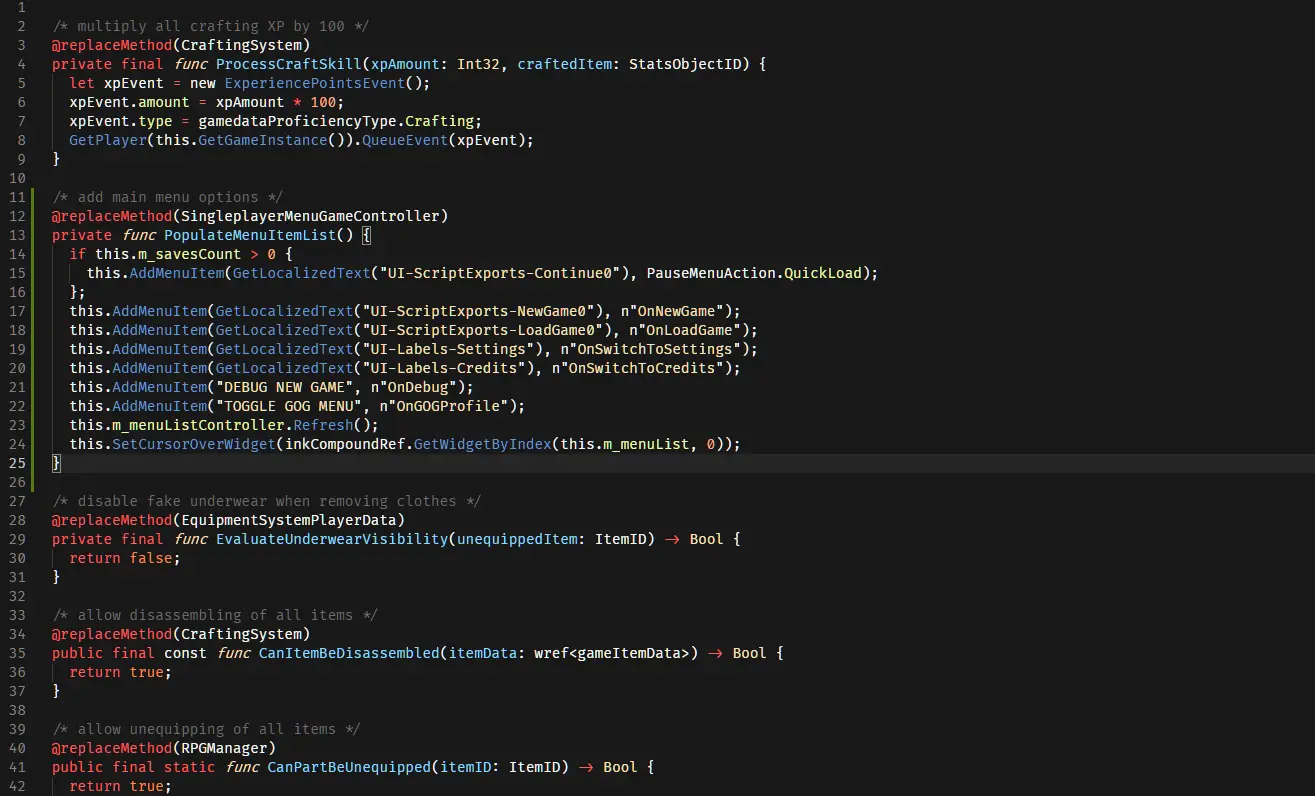
Compiler for Cyberpunk2077 scripts<div class="container mod_description_container condensed"> <div class="img-wrapper"> <img src="https://user-images.githubusercontent.com/11986158/145491396-b987a964-4b45-460c-8864-9a78ebdff529.png"/> </div><br/><br/><font size="4"><strong>REDSCRIPT</strong></font><br/><br/>This is a script compiler that can be integrated with the game and used to add/replace game scripts.<br/>Source code available <a href="https://github.com/jac3km4/redscript" rel="nofollow">here</a>.<br/><br/><strong>INSTALLATION</strong><br/>You'll need to download the archive available in the 'Files' tab and extract it in the main 'Cyberpunk 2077' directory.<br/>You should end up with the following files in the game directory:<br/>- Cyberpunk 2077\engine\tools\scc.exe<br/>- Cyberpunk 2077\engine\config\base\scripts.ini<br/><br/><strong>NOTE FOR REDMOD USERS<br/></strong>There is a known compatibility issue with REDmod. To use redscript with REDmod you should to install either <a href="https://www.nexusmods.com/cyberpunk2077/mods/2380" rel="nofollow">RED4ext</a> (recommended) or <a href="https://www.nexusmods.com/cyberpunk2077/mods/5176?tab=description" rel="nofollow">cybercmd</a>. Do not install both. Once installed, the REDmod compatibility should be resolved.<br/><br/><strong>NOT WORKING?<br/></strong>If you are not sure if it's working or have any other issues, you should look for a log file at 'Cyberpunk 2077\r6\logs\redscript.log'.<br/>This log file should end with 'Output successfully saved to ...' if the mods were applied successfully.<br/>If the log file contains any errors or warnings, you can post them here to help with debugging.<br/>If the log file isn't there, redscript has not been installed correctly.<br/><br/><strong>UNINSTALLING</strong><br/>The compiler saves a copy of the game scripts in a file 'Cyberpunk 2077\r6\cache\final.redscripts.bk'.<br/>If you wish to uninstall redscript you can just remove the files you downloaded (scc.exe and scripts.ini) and replace the existing 'final.redscripts' with the backed up 'final.redscripts.bk' file. </div>
This tool is provided by the third party [bufftool]

Download Mods For Free
Install LagoFast, start Cyberpunk 2077 and play with the mods you love.
We use cookies to make interactions with our websites andservices easy and meaningful. For more information aboutthe cookies we use or to find out how you can disable cookies, click here.