
Inventory Expander
Autor:kindiboyLast updated:29/03/2026 05:36:1332.4K0KB
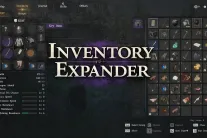

Mod Introduction
Expand your inventory capacity beyond the standard limit.
Effect:
- Starting inventory slots: 50 → 200
- Maximum slots remain at 240 (the game's hard cap)
- Your previous bag expansions are still applied in addition to the new base capacity.
How to install:
1. Extract the zip
2. Double-click CDInventoryExpander.bat
3. It will automatically detect your game — simply select option 1 (Recommended)
4. Launch the game — done!
How to Uninstall:
- Run the script again and select option 3 (Restore Vanilla), OR
- Steam → Right-click Crimson Desert → Properties → Installed Files → Verify integrity of game files
Notes:
- A backup of your original file is automatically created on the first run.
- Steam version only (Xbox/GamePass not supported)
- Do NOT set max slots above 240 — exceeding this limit may cause the game to crash during looting or purchasing items
---
Updating from v1.2.0 or earlier?
The latest game update relocated internal data, causing older versions to patch incorrect locations. Before installing v1.3.0:
1. Launch Steam
2. Right-click Crimson Desert → Properties → Installed Files
3. Click Verify integrity of game files
4. Wait for it to finish
5. Run the new CDInventoryExpander.bat as usual.
The script will automatically delete any outdated backups from the previous version.
---
Patch Notes:
v1.3.0
- Fixed compatibility with the latest game update
- The mod now automatically scans for the inventory record instead of relying on a fixed location, ensuring it remains compatible with future game updates.
- Increased vanilla max slots from 230 to 240 (now matches the new game default)
v1.2.0
- Switched to direct PAZ file patching (single .bat file, no DLL required)
- Automatically detects game installation paths across all drives
v1.1.0
- ASI Plugin with Memory Scanning and Retry Thread
v1.0.0
- Initial release (ASI plugin + Python patcher)
- Starting inventory slots: 50 → 200
- Maximum slots remain at 240 (the game's hard cap)
- Your previous bag expansions are still applied in addition to the new base capacity.
How to install:
1. Extract the zip
2. Double-click CDInventoryExpander.bat
3. It will automatically detect your game — simply select option 1 (Recommended)
4. Launch the game — done!
How to Uninstall:
- Run the script again and select option 3 (Restore Vanilla), OR
- Steam → Right-click Crimson Desert → Properties → Installed Files → Verify integrity of game files
Notes:
- A backup of your original file is automatically created on the first run.
- Steam version only (Xbox/GamePass not supported)
- Do NOT set max slots above 240 — exceeding this limit may cause the game to crash during looting or purchasing items
---
Updating from v1.2.0 or earlier?
The latest game update relocated internal data, causing older versions to patch incorrect locations. Before installing v1.3.0:
1. Launch Steam
2. Right-click Crimson Desert → Properties → Installed Files
3. Click Verify integrity of game files
4. Wait for it to finish
5. Run the new CDInventoryExpander.bat as usual.
The script will automatically delete any outdated backups from the previous version.
---
Patch Notes:
v1.3.0
- Fixed compatibility with the latest game update
- The mod now automatically scans for the inventory record instead of relying on a fixed location, ensuring it remains compatible with future game updates.
- Increased vanilla max slots from 230 to 240 (now matches the new game default)
v1.2.0
- Switched to direct PAZ file patching (single .bat file, no DLL required)
- Automatically detects game installation paths across all drives
v1.1.0
- ASI Plugin with Memory Scanning and Retry Thread
v1.0.0
- Initial release (ASI plugin + Python patcher)
This tool is provided by the third party [bufftool]

Download Mods For Free
Install LagoFast, start Crimson Desert and play with the mods you love.
We use cookies to make interactions with our websites andservices easy and meaningful. For more information aboutthe cookies we use or to find out how you can disable cookies, click here.