Crimson Browser & Mod Manager
Autor:IzeDevLast updated:28/03/2026 10:25:043.4K153.5MB

Mod Introduction
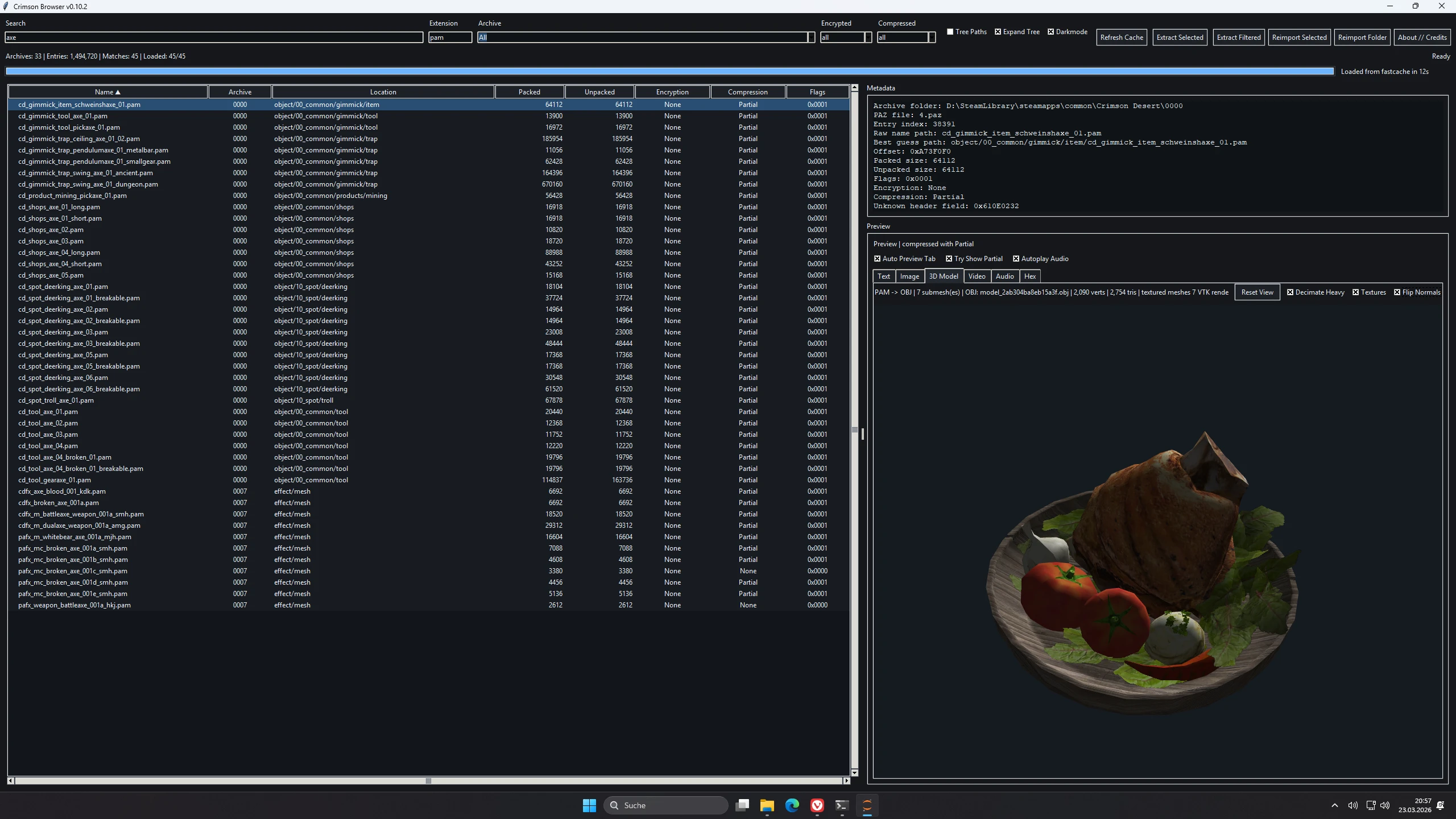
Crimson Browser and Mod Manager is a standalone tool for browsing Crimson Desert archives and managing modifications.
Crimson Browser & Mod Manager
Tool Function
Crimson Browser & Mod Manager is a standalone archive viewer and modding assistant for Crimson Desert.
It says 0. PAMT Metadata, Browse .paz Browse contents, preview common asset types, extract files, and rebuild supported mod-folder or overlay VFS overrides without altering the original archives.
Requirements
Install / Launch
First Launch
Initial launch processes archive metadata and generates the fast cache.
Subsequent launches will utilize the cached data unless you manually clear it. Refresh Cache.
Current Features
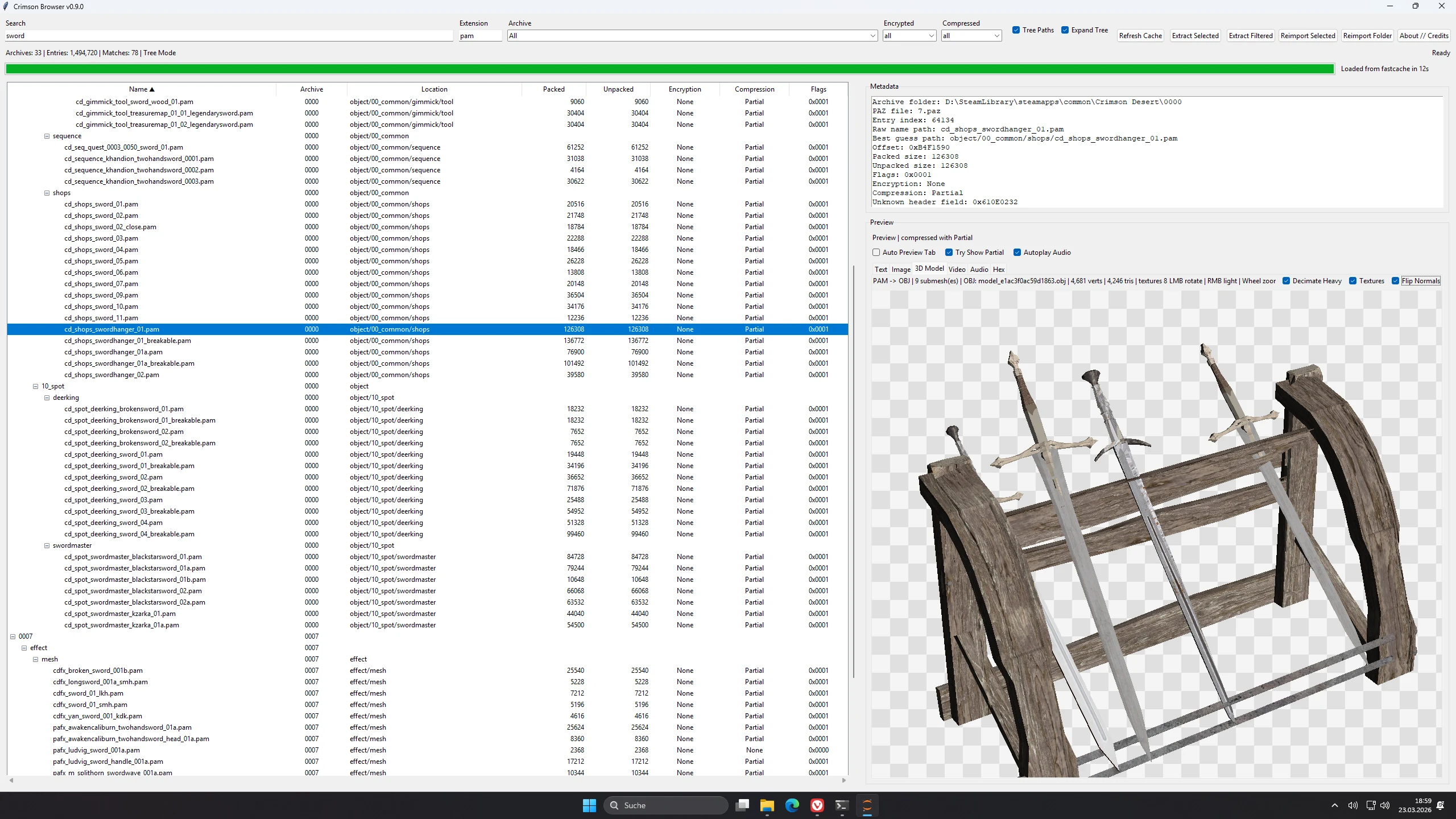
3D Model Viewer
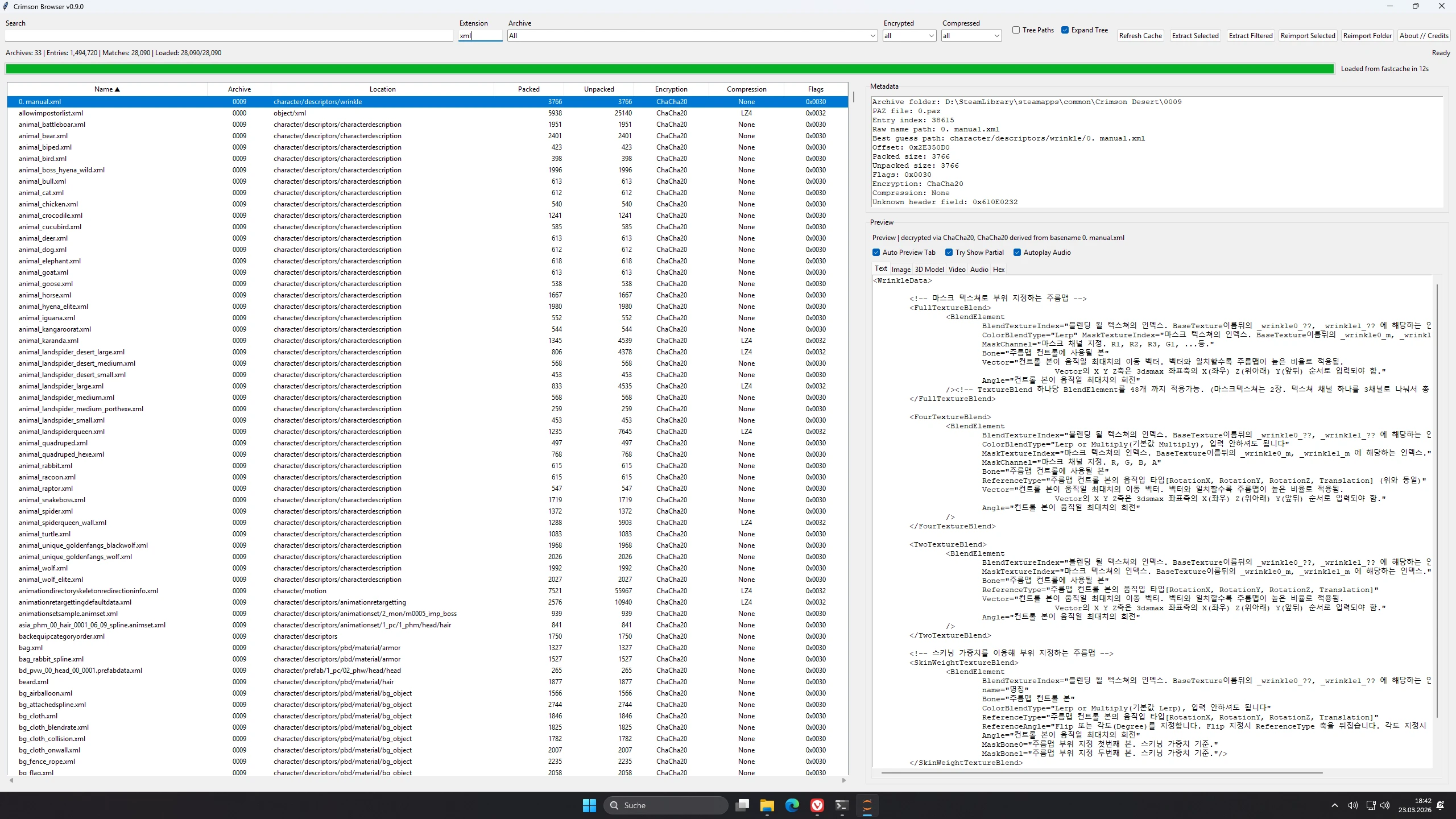
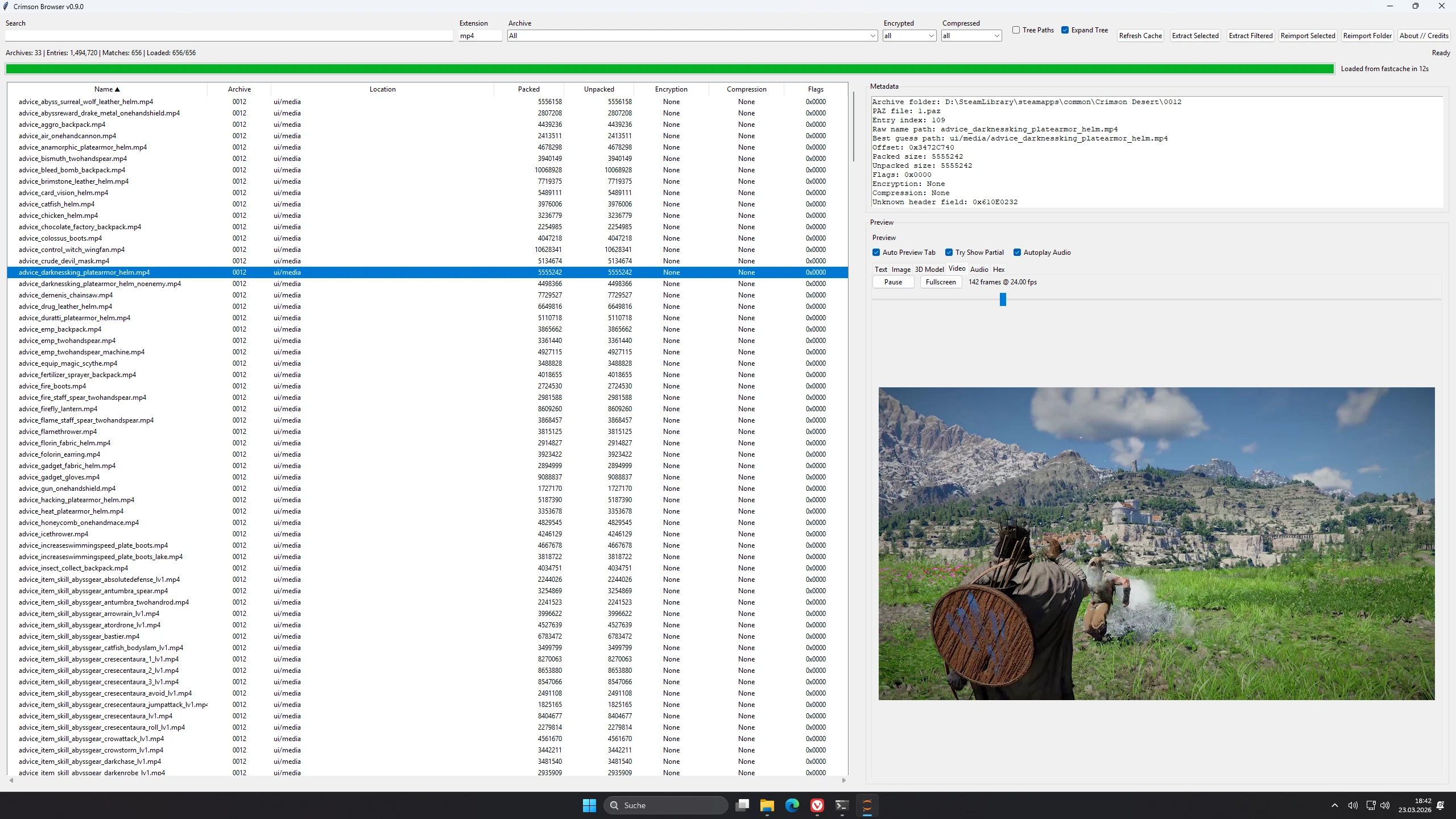
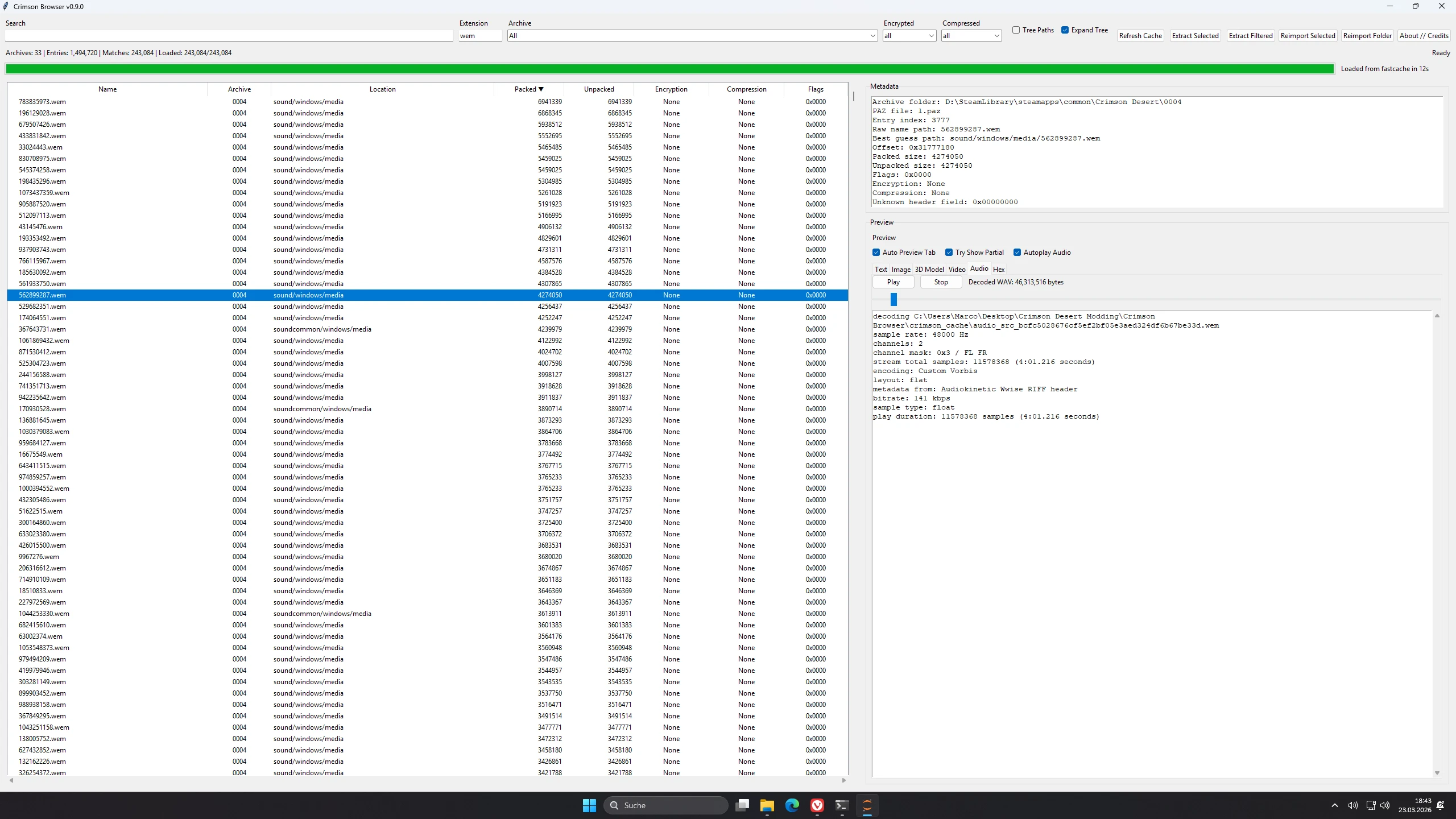
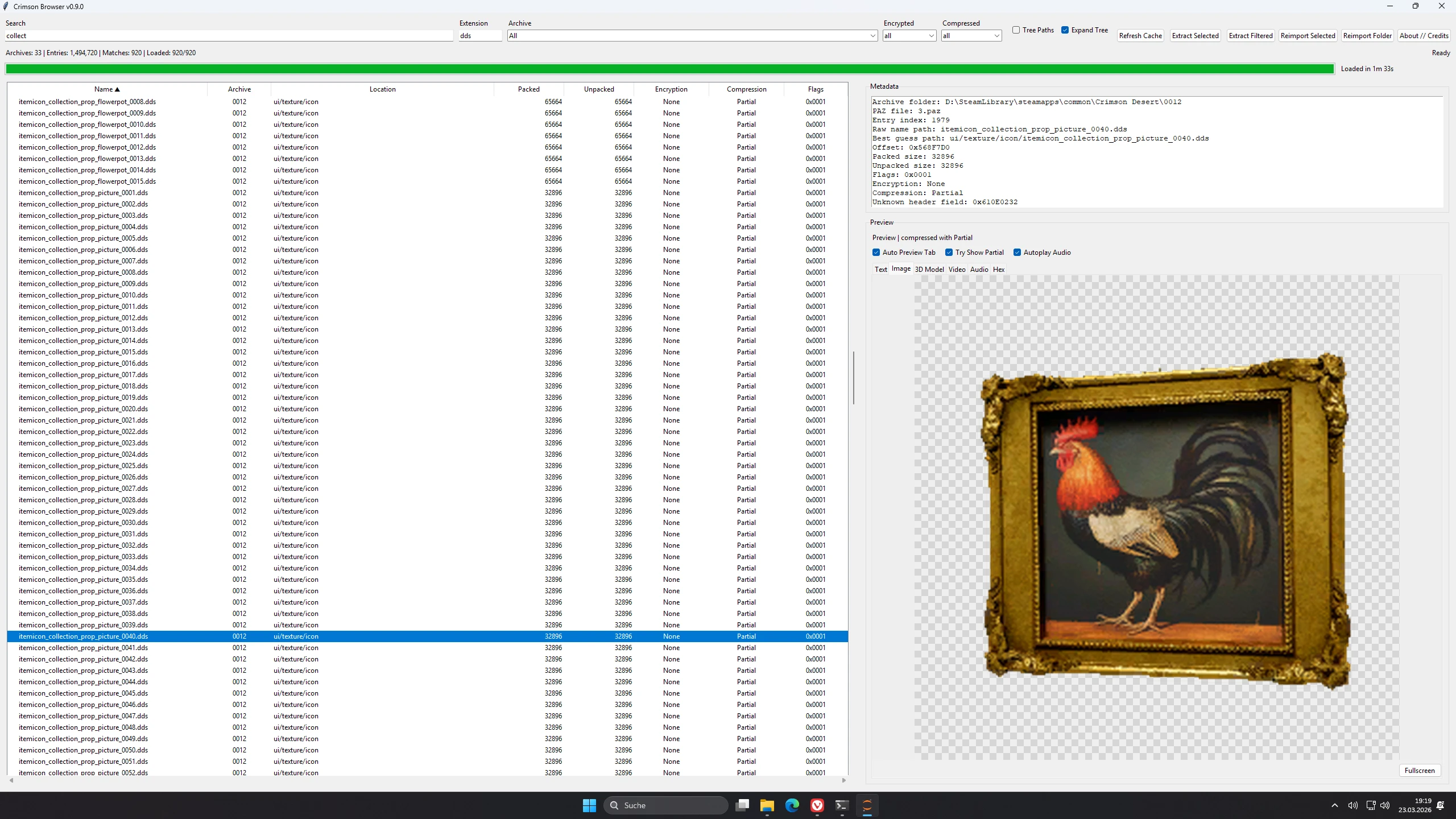
Audio / Video / Image Preview
Extraction Log
Reimport Notes
Quick Cache
The tool stores archive metadata and entry lists in:
Use the Refresh Cache Force Full Rebuild
The live cache state also monitors the deployed-state file and the current meta/0.papgt Signature.
Known Issues
Credits
Basic Controls
Tool Function
Crimson Browser & Mod Manager is a standalone archive viewer and modding assistant for Crimson Desert.
It says 0. PAMT Metadata, Browse .paz Browse contents, preview common asset types, extract files, and rebuild supported mod-folder or overlay VFS overrides without altering the original archives.
Requirements
- Windows
- Python 3.10 or newer
- A Python installation that includes Tkinter
- The following Python packages are required: requirements.txt
- vtk For the embedded 3D model viewer
- vgmstream for WEM audio previews
Install / Launch
- Install Python 3.10 or later
- Open a terminal in the Crimson Browser folder.
- Run:
pip install -r requirements.txt - Confirm
tools/vgmstream-win64/vgmstream-cli.exeEnable WEM preview support - Edit
config.txtand set your game path, for example:archives_path=D:\Path\To\Crimson DesertTheme=Dark - Run
python crimson_browser.py
First Launch
Initial launch processes archive metadata and generates the fast cache.
Subsequent launches will utilize the cached data unless you manually clear it. Refresh Cache.
Current Features
- Browse archive contents with search, filters, sorting, and optional tree paths
- Persistent fast cache to avoid repeated archive parsing unless refreshed.
- Preview tabs for text, images, 3D models, video, audio, and hex
- Partial-compressed DDS preview/extract support via meta/0.patch
- Customizable Light/Dark Mode saved in config.txt
- Extract selected or all filtered files with progress and time remaining
- PAM/PAMLOD extraction automatically exports OBJ assets as well.
- .paloc preview, JSON sidecar export, and JSON reimport support
- Single-file reimport as a rebuilt mod folder pack group override.
- Batch import folders from any loose directory structure
- ChaCha20 decryption and re-encryption available for compatible entries
- Full affected package group rebuilds with updated dependencies. 0. pamt and meta/0.papgt
- Automatically create new 16-byte-aligned .paz Chunks when supported replacements outgrow the old slot
- Managed Mod Manager UI mods/<mod>/files Sources, metadata editing, enable/disable, and override priority based on order
- Build Active Mods merges enabled mods into one final overlay output under mod_build/0036 Plus mod_build/meta/0.papgt
- Deploy In Game consumes both classic Mods Folder Overrides and Final Mod Build Output, with local Back Backups
- Launch Game bin64/CrimsonDesert.exe
3D Model Viewer
- Embedded PAM / PAMLOD Parsing
- VTK-based offscreen renderer integrated directly into the main tool.
- Main tool integrated OBJ export path
- Left-drag to rotate, right-drag to adjust lighting.
- Reset View
- Texture Toggle
- High-Poly Reduction Toggle
- Flip Normals
- Referenced textures are resolved from loaded archives when available.
- PAMLOD texture lookup also checks grouped references and DDS variants
- Texture alpha/transparency is preserved in the 3D preview when available.
Audio / Video / Image Preview
- WEM Audio Preview via vgmstream
- MP4 preview with built-in playback, seek, and fullscreen controls
- Image preview with zoom, pan, and transparency grid background.
Extraction Log
- LZ4 files decompressed.
- Partial-compressed DDS files are reconstructed to standard DDS format for preview or extraction when meta/0.patch Provides the texture header
- If a file cannot be decrypted or decompressed at this time, its raw data will be written directly.
- PAM / PAMLOD extraction also generates an OBJ file alongside the extracted source file.
- Matching textures are exported alongside the OBJ file when available.
Reimport Notes
- Original archives remain unaltered
- Output is written to the mod_folder as rebuilt pack-group overrides.
- Supports raw entries, LZ4 entries, clear entries, and ChaCha20-encrypted entries
- Updated PAZ offsets, sizes, and checksums. 0. PAMT, and meta/0.papgt For Affected Parties
- Uses standard LZ4 recompression for rebuilt payloads instead of forced exact-size matching.
- Currently does not support Partial, Zlib, or QuickLZ recompression.
- Currently does not support reimport of non-ChaCha20 encrypted files.
Quick Cache
The tool stores archive metadata and entry lists in:
crimson_cache/archive_index_cache.pklUse the Refresh Cache Force Full Rebuild
The live cache state also monitors the deployed-state file and the current meta/0.papgt Signature.
Known Issues
- Reimport currently updates existing file entries, not new archive paths.
- Minimal Multi-Mod Builds Build Mod Rely on the game's overlay to resolve untouched original chunks from the base installation.
- Known runtime path evidence still indicates numeric. %d Piece Chunk names are currently unused, so named chunk files are not in use.
- Partial, Zlib, and QuickLZ recompression remain unresolved.
Credits
- Version: 0.12.1
- All the brilliant minds at ResHax, especially MrIkso and NoName.
- LukeFZ for pycrimson and .papgt Structure Research
- Lazorr's ChaCha20 Encryption/Decryption Cracker and Toolkit
- Lathiel for model conversion scripts and foundational work
- kh0shn4w for the AutoFontModder release, which helped compare font workflows at exact sizes.
- Uses vgmstream to preview WEM audio files
Basic Controls
- Install dependencies using
pip install -r requirements.txt - Set your game path
config.txt - Run
python crimson_browser.py - Let the initial launch build the fast cache.
- Browse, preview, extract, or reimport compatible files
This tool is provided by the third party [bufftool]

Download Mods For Free
Install LagoFast, start Crimson Desert and play with the mods you love.
We use cookies to make interactions with our websites andservices easy and meaningful. For more information aboutthe cookies we use or to find out how you can disable cookies, click here.