

If you’re diving into WUCHANG: Fallen Feathers, the newly released soulslike RPG set in a war-torn Ming Dynasty China, you might be wondering how mods can elevate your experience. While the game launched on July 24, 2025, with stunning visuals and deep combat, mods offer endless possibilities to customize gameplay, fix minor issues, or add entirely new content. Here’s a breakdown of what you need to know.
Thai Version: สัมผัส WUCHANG: Fallen Feathers ด้วยมอดสุดเจ๋ง! เพิ่มความมันส์ให้การผจญภัยยุคราชวงศ์หมิง
Arabic Version: استكشاف تعديلات WUCHANG: Fallen Feathers: قم بتحسين مغامرتك في عصر مينغ
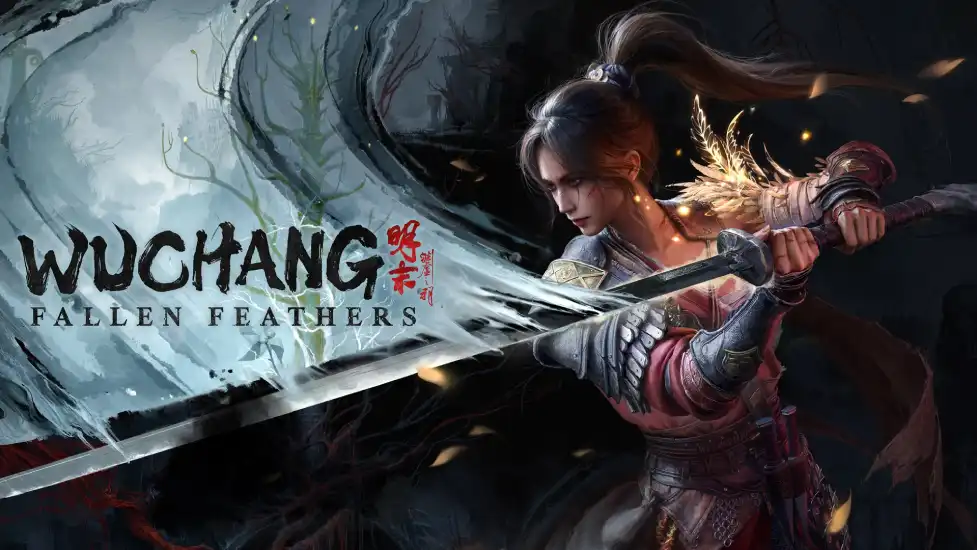
Part 1. Does WUCHANG: Fallen Feathers Support Mods?
Part 2. Popular and Useful Mods for WUCHANG: Fallen Feathers
Part 3. How to Install WUCHANG: Fallen Feathers Mods Quickly
Part 1. Does WUCHANG: Fallen Feathers Support Mods?
As of launch, WUCHANG: Fallen Feathers doesn’t have official mod support from developer Leen Zee or publisher 505 Games. However, the game’s community is already buzzing with creativity. Players are leveraging third-party tools and community-driven platforms to experiment with mods. For example, the BepInEx modding framework (commonly used for Unity games) is being adapted to enable modding, allowing users to tweak gameplay mechanics, textures, and more.
The lack of official support means mods aren’t yet curated on platforms like Steam Workshop, but communities on Reddit and Discord are sharing early mods. Keep an eye on forums like the Steam Community and Nexus Mods for updates as the scene grows.
Part 2. Popular and Useful Mods for WUCHANG: Fallen Feathers
While the modding ecosystem is still young, several mods are already gaining traction:
Visual Enhancements
- Texture Packs: Early mods aim to improve character models and environments, addressing minor "doll-like" facial animations noted in reviews .
- Weather Overhaul: Adds dynamic lighting and particle effects to make battles in ancient temples or plague-ridden villages feel more immersive.
Gameplay Tweaks
- Combat Balance: Mods that adjust enemy aggression, stamina costs, or weapon damage to suit different playstyles (e.g., faster-paced combat or harder challenges).
- UI Improvements: Simplifies the inventory system or adds a minimap for easier exploration of the game’s interconnected world .
Quality of Life
- No Feathering Curse: Removes the game’s signature "feathering" mechanic for a more relaxed experience.
- Unlock All Outfits: Accesses pre-order bonuses or deluxe edition costumes without purchasing them .
Story Expansions
Though rare, some mods introduce new side quests or dialogue paths, deepening the lore of Shu and Wuchang’s amnesiac journey .
Part 3. How to Install WUCHANG: Fallen Feathers Mods Quickly
Installing mods in WUCHANG: Fallen Feathers requires a few steps, but tools like LagoFast Game Booster streamline the process.
Use LagoFast’s Mods Collection Tool
If you’re looking to enhance your WUCHANG: Fallen Feathers experience, LagoFast is your go-to tool — not only does it optimize network and system performance, but it also lets you explore and play a wide range of mod-supported games seamlessly. LagoFast, a trusted gaming optimization VPN, will soon launch a WUCHANG: Fallen Feathers Mods Collection Tool. Here are its benefits:
- Batch Install: One-click downloads and installs multiple mods simultaneously, saving time and ensuring compatibility.
- Safety First: LagoFast verifies mods for malware, so you won’t risk corrupting your game files.
This tool is ideal for newcomers, as it eliminates manual file editing and ensures mods work seamlessly with the game’s latest updates.
How to Use LagoFast WUCHANG: Fallen Feathers Mods Collection Tool:
Step 1: Go to the official LagoFast website and click the Free Trial button to install the software.
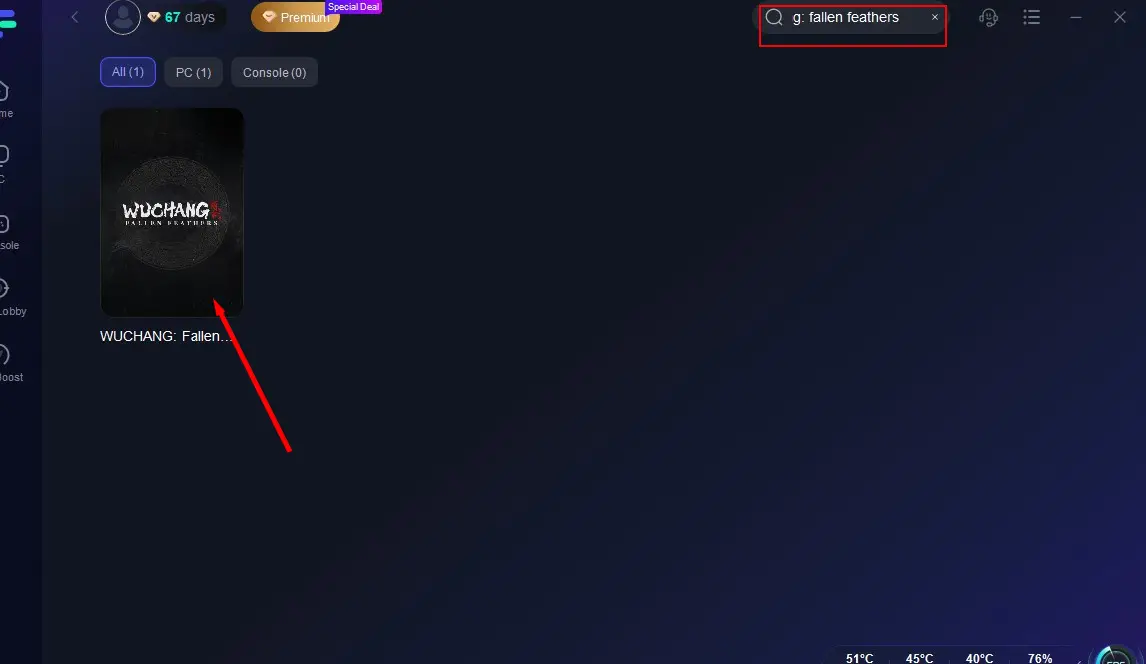
Step 2: Select WUCHANG
Launch LagoFast, select PC mode, and find Wuchang: Fallen Feathers in the game list. Click to configure.
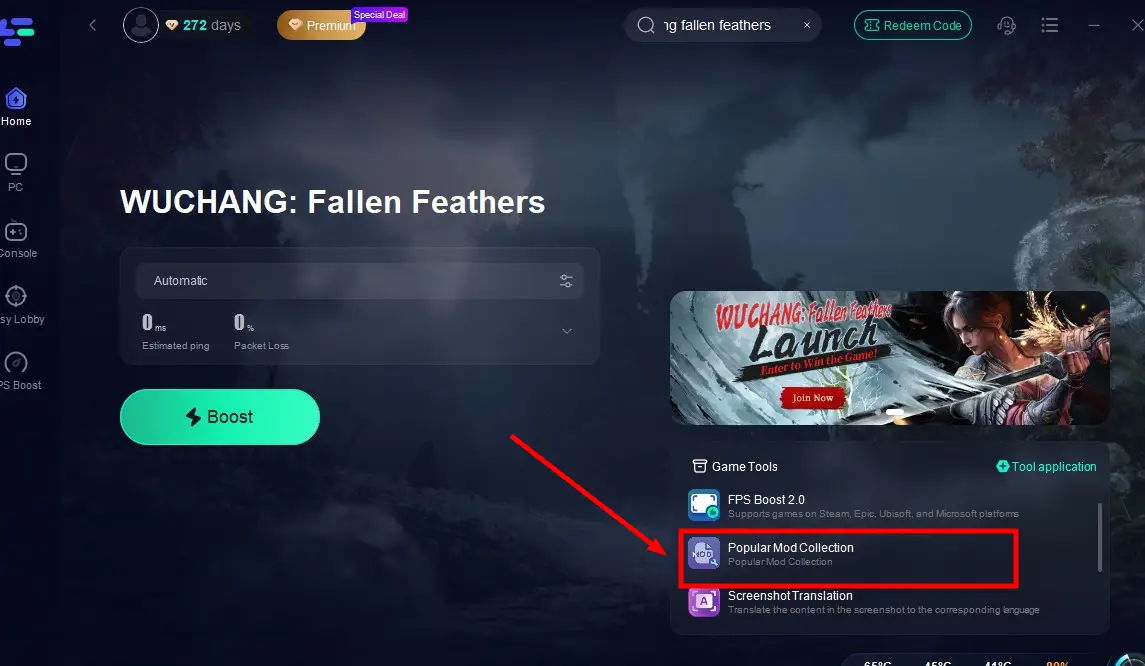
Step 3. Click the Popular Mods Collection Tool on the right.
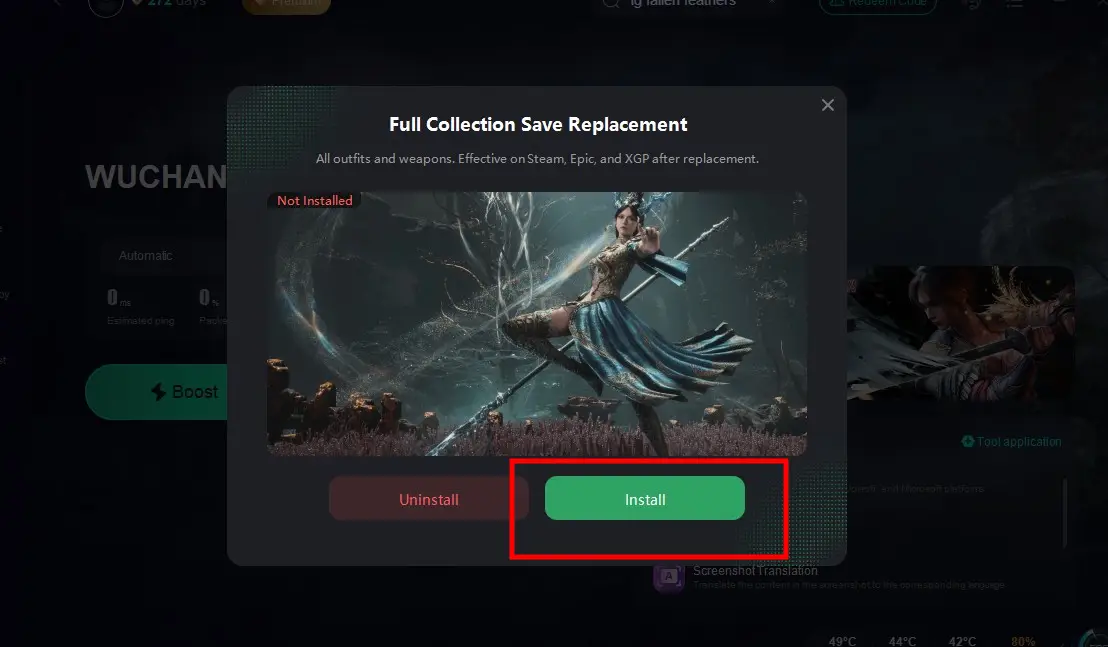
Step 4: Select the mod that you need and complete installation.
Optimize Your Gaming Experience with LagoFast
Beyond mod management, LagoFast enhances your WUCHANG sessions in several ways:
- Network Acceleration: Reduces lag and ping spikes using 3,000+ global servers, critical for boss fights.
- FPS Boost: Automatically optimizes CPU/GPU settings to stabilize frame rates during intense battles, preventing stuttering in visually demanding areas.
- Multi-Platform Support: Works on PC, PS5, and Xbox Series X/S, ensuring a consistent experience across devices.
How to Use LagoFast to Boost WUCHANG: Fallen Feathers
Step 1: Open LagoFast, then click the PC button on the left and search WUCHANG: Fallen Feathers in the search bar, click it after it appears.
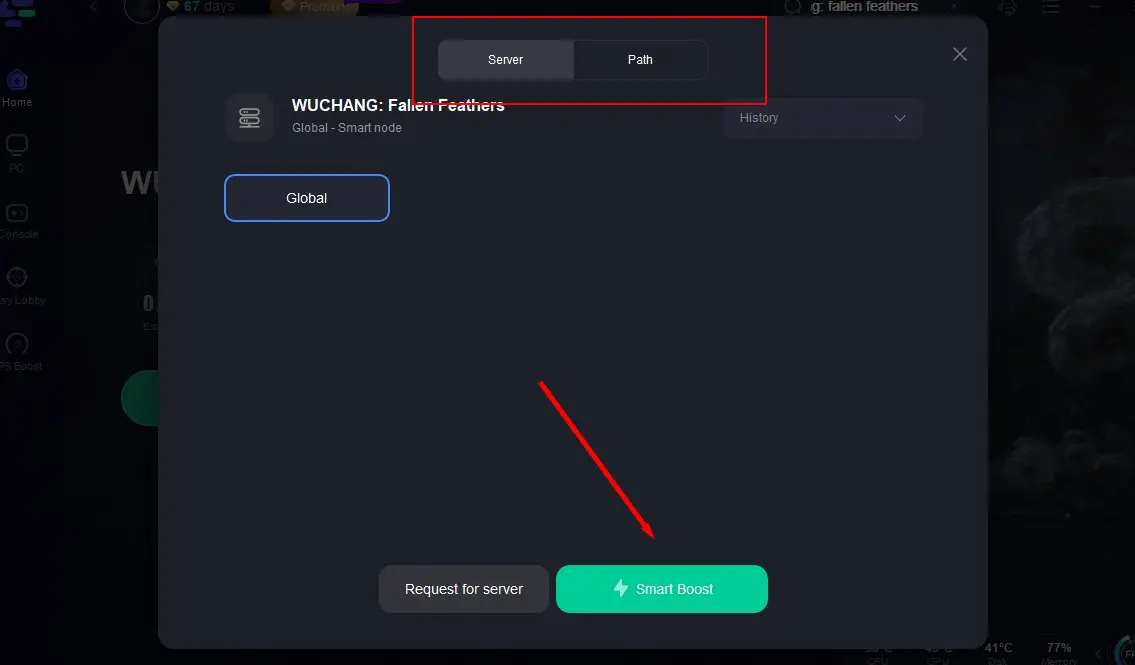
Step 2: Click on “Server” to change to a better server that fixes lag and ensures the gaming experience, then click on “Smart Boost”.
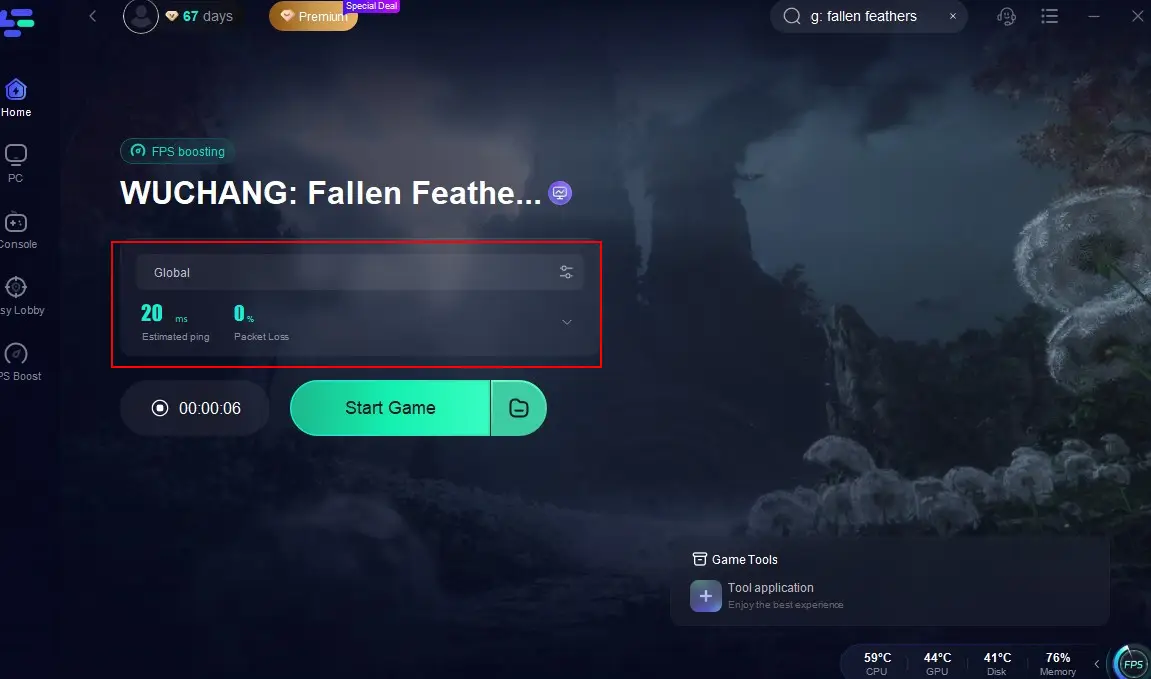
Step 3: Check the specific game ping, packet loss, and multiple path connection on the right side. Finally, click the “Start Game” to play the game.
Conclusion
While WUCHANG: Fallen Feathers lacks official mod support at launch, the community’s creativity and tools like LagoFast are bridging the gap. Whether you’re tweaking visuals, balancing combat, or exploring new storylines, mods offer endless replayability. As the game’s modding scene evolves, platforms like Nexus Mods and LagoFast’s Collection Tool will become essential resources.
Boost Your Game with LagoFast for Epic Speed
Play harder, faster. LagoFast game booster eliminates stutter and lags on PC, mobile, or Mac—win every match!
Quickly Reduce Game Lag and Ping!
Boost FPS for Smoother Gameplay!