

If you’re a fan of soulslike games with immersive world-building, WUCHANG: Fallen Feathers should be on your radar. Developed by Leenzee Games and set to launch in 2025, this highly anticipated title combines brutal combat with a hauntingly beautiful open-world map. The game’s eponymous “Fallen Feathers” map serves as the core playground for players, blending Ming Dynasty aesthetics with dark fantasy elements. In this guide, we’ll break down the map’s design, offer pro tips for survival, and show you how to optimize your gameplay with LagoFast Game Booster.
Thai Version: แผนที่ WUCHANG: Fallen Feathers
Arabic Version: دليل خريطة WUCHANG: Fallen Feathers – نصائح وحيل LagoFast

Part 1: The Design and Atmosphere of WUCHANG: Fallen Feathers Map
Part 2: Strategic Tips for Navigating the Map
Part 3: Best Wuchang: Fallen Feathers Map Tool - LagoFast
Part 4: Optimize Your Gaming Experience with LagoFast Game Booster
Part 1: The Design and Atmosphere of WUCHANG: Fallen Feathers Map
The Fallen Feathers is a masterclass in environmental storytelling. Inspired by ancient Chinese architecture and folklore, it features:
- Diverse Biomes: From mist-shrouded bamboo forests to decaying palaces and eerie swamps, each area feels distinct and lore-rich. The map’s verticality encourages exploration, with hidden paths and shortcuts connecting different zones .
- Dynamic Weather and Lighting: Rainstorms and shifting shadows add tension to combat, while moonlight illuminates secrets in otherwise pitch-black ruins.
- NPC Interactions: Unique characters scattered across the map offer quests, backstory, and rare items, but their allegiances are often ambiguous—trusting the wrong person could lead to deadly consequences .
The map’s design mirrors the game’s central theme of “featherification,” a mysterious curse that turns humans into monsters. Players will encounter twisted creatures and abandoned settlements, hinting at a once-thriving civilization now on the brink of collapse.
Part 2: Strategic Tips for Navigating the Map
Surviving Fallen Feathers requires more than just sword skills—it demands smart exploration and resource management. Here’s how to dominate the map:
- Master the Skill Tree: The game’s deep skill system lets you combine weapon techniques with “discipline” abilities. For example, pairing a fire sword with defensive counters can exploit enemy weaknesses .
- Use Stealth to Your Advantage: Many enemies patrol in groups. Lure them into isolated areas or assassinate them from above using the map’s vertical terrain.
Prioritize Key Locations:
- The Nest: A central hub where you can upgrade gear and interact with merchants.
- Temple of Whispers: A hidden dungeon with challenging bosses and powerful loot.
- Flooded Archives: A labyrinthine library filled with lore and traps—proceed with caution.
- Farm Resources: Collect feathers (the game’s currency) and rare materials by revisiting cleared areas. Some resources respawn after resting at a checkpoint.
- Study Enemy Patterns: Each enemy type has unique attack rhythms. For instance, feathered beasts are weak to lightning, while armored warriors can be staggered with heavy strikes.
Part 3: Best Wuchang: Fallen Feathers Map Tool - LagoFast
Even the most skilled player can’t enjoy WUCHANG: Fallen Feathers if their connection is laggy—or if they miss out on the exciting mods that can elevate gameplay even further. With LagoFast, you can not only optimize network stability and performance but also discover and play a wide range of mod-supported games, including exclusive WUCHANG experiences. Designed for low-latency gaming, LagoFast offers:
How to use LagoFast’s Wuchang: Fallen Feathers Map Master tool
Step 1: Click "Free Trial" to get LagoFast and install it.
Step 2: Search for "Wuchang: Fallen Feathers" in LagoFast.

Step 3: Open the Map Master tool via the game toolbar (bottom-right).
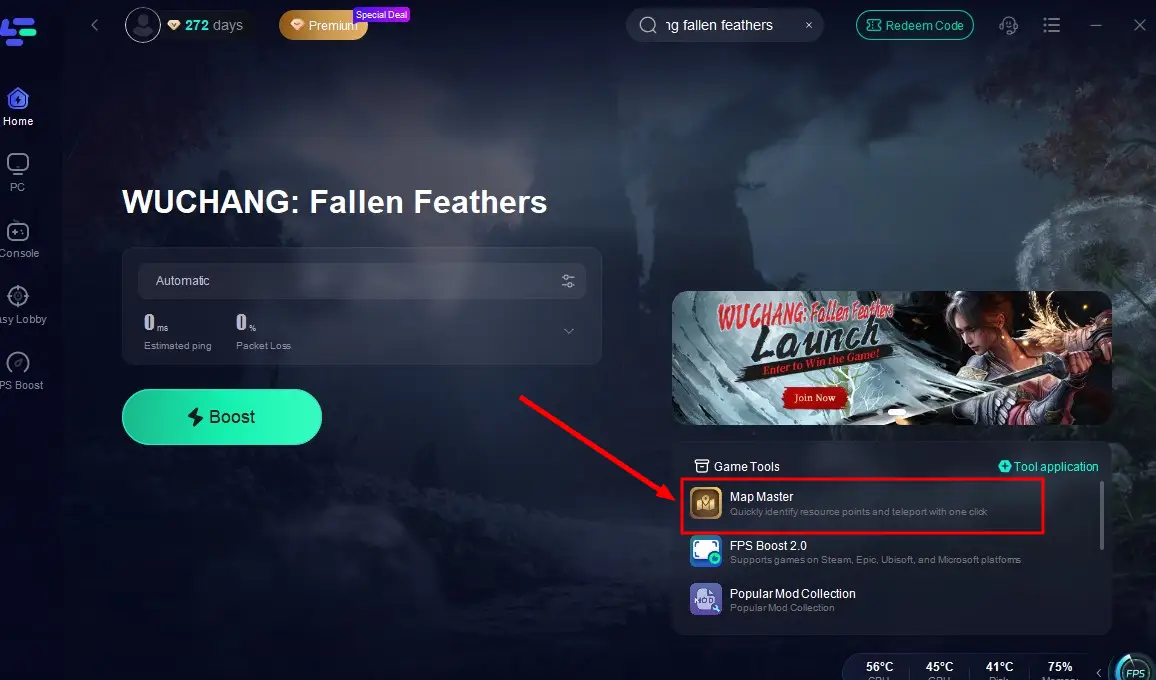
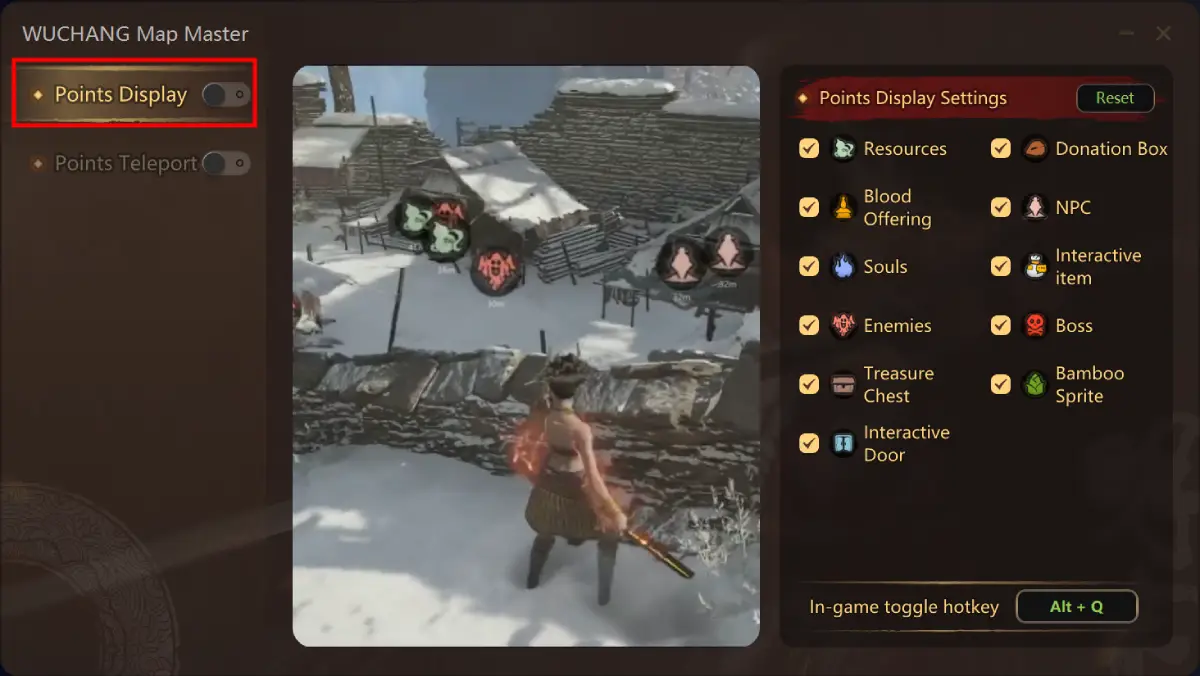
Step 4: Enable "Point Display" and "Point Teleport," then return to the game to explore the Ming Dynasty plague lands efficiently.
Point Display and its settings:
Point Teleport and its settings:
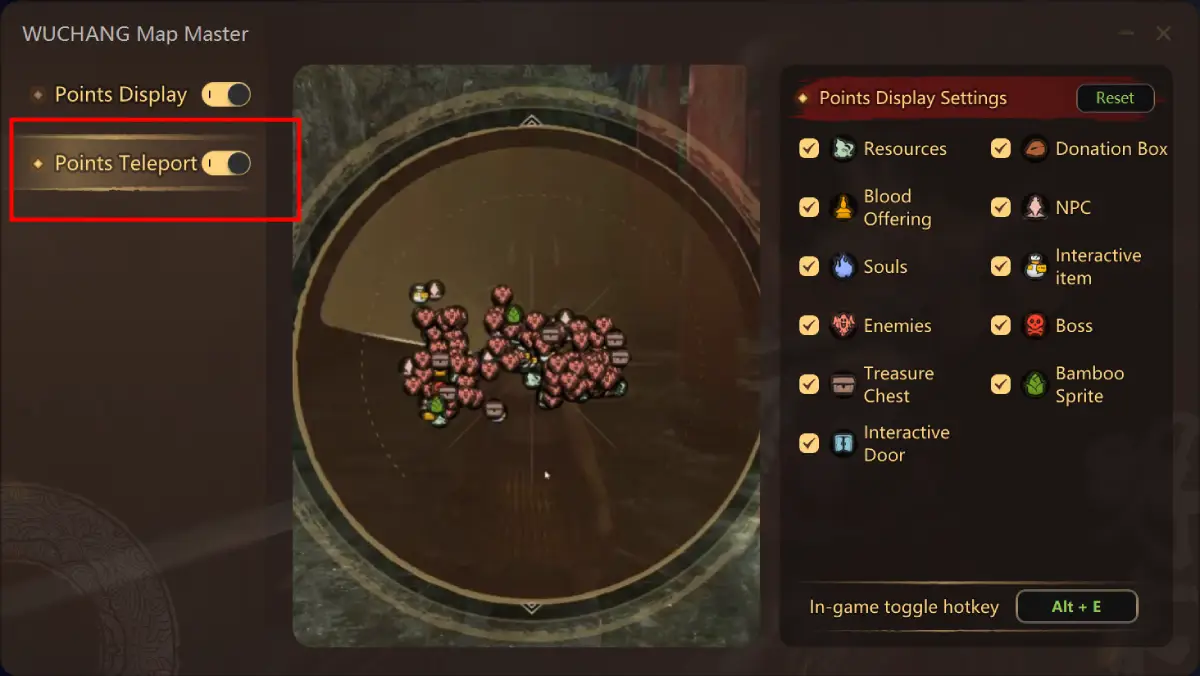
Part 4: Optimize Your Gaming Experience with LagoFast Game Booster
Even the most skilled player can’t enjoy WUCHANG: Fallen Feathers if their connection is laggy. That’s where LagoFast Game Booster comes in. Designed for low-latency gaming, LagoFast offers:
- Ultra-Low Ping: Reduce lag spikes and packet loss, ensuring smooth combat and seamless exploration.
- Multi-Platform Support: Works on PC, PS5, and Xbox Series X/S—perfect for cross-platform players.
- One-Click Optimization: No technical expertise needed. Just launch LagoFast, select WUCHANG: Fallen Feathers, and let the booster do the rest.
With LagoFast, you can focus on mastering the map’s challenges without frustrating delays. Check out their official website for a free trial and exclusive discounts for WUCHANG players.
Step 1: Click the Free Trial button to download and install LagoFast.
Step 2: Open LagoFast, then click the PC button on the left and search WUCHANG: Fallen Feathers in the search bar, click it after it appears.
Step 3: Click on “Server” to change to a better server that fixes lag and ensures the gaming experience, then click on “Smart Boost”.
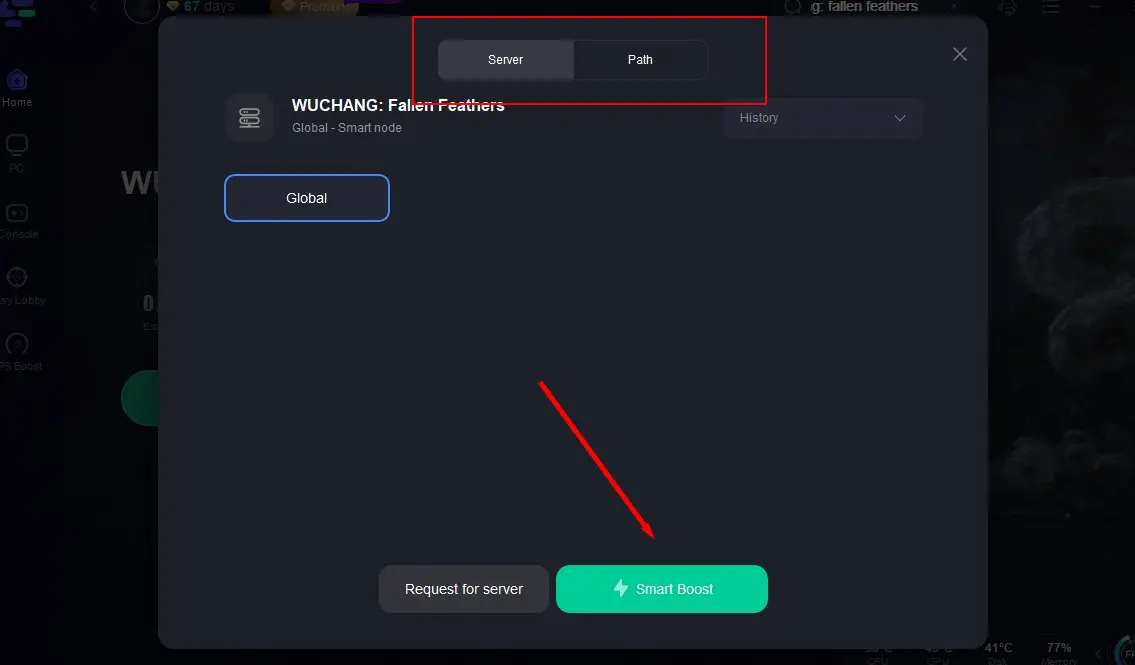
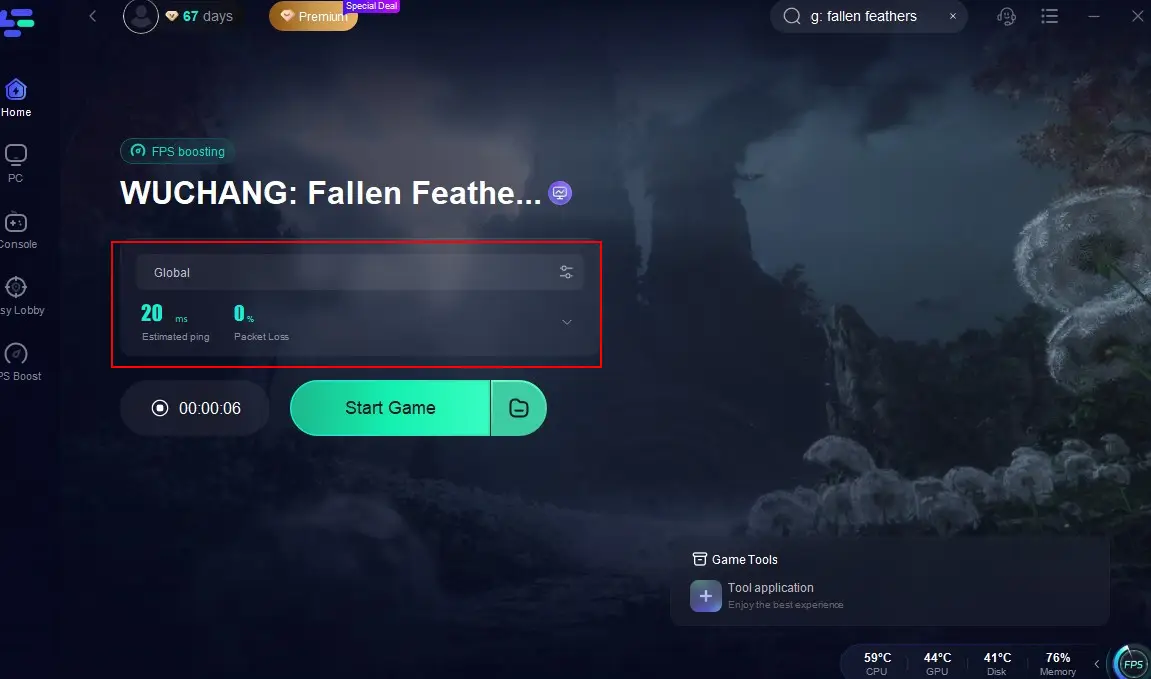
Step 4: Check the specific game ping, packet loss, and multiple path connection on the right side. Finally, click the “Start Game” to play the game.
Conclusion
WUCHANG: Fallen Feathers’ map is a testament to the power of immersive game design. Its intricate levels, rich lore, and unforgiving combat offer endless replayability. By understanding the map’s layout, honing your skills, and using tools like LagoFast, you’ll not only survive but thrive in this dark, feathered world. Whether you’re a seasoned soulslike veteran or a newcomer, this guide equips you to tackle every challenge Fallen Feathers throws your way. Ready to dive in? The cursed lands await!

Boost Your Game with LagoFast for Epic Speed
Play harder, faster. LagoFast game booster eliminates stutter and lags on PC, mobile, or Mac—win every match!
Quickly Reduce Game Lag and Ping!
Boost FPS for Smoother Gameplay!