

Setting sail in a vast, pirate-infested ocean is always better with a crew at your back. As Windrose makes its splash in the survival-crafting genre, players everywhere are asking one vital question: How Many Players Can Play Windrose together? Whether you are planning a small expedition or a massive fleet, understanding the current multiplayer constraints is the first step to ruling the high seas.

- ✅ Lower ping and fewer disconnects.
- ✅ More FPS and better PC performance.
- ✅ Support for 2000+ games.
- ✅ Stable connections and region switching.
Part 1: Quick Answer: Windrose Max Players
Part 2: Windrose Co-op Player Limit
Part 3: Windrose Dedicated Server Players and Caps
Part 4: Can You Increase Max Players in Windrose?
Part 5: How to Optimize Your Windrose Multiplayer Game Experience?
Part 6: Will Windrose Support More Players in the Future?
Part 1: Quick Answer: Windrose Max Players
|
Feature |
Limit / Detail |
|
Official Co-op Limit |
4 Players (Recommended) |
|
Dedicated Server Max |
8 Players (Currently Testing) |
|
Multiplayer Type |
Online Co-op / PvE |
|
Server Options |
Peer-to-Peer & Dedicated Servers |
|
Crossplay |
TBD (Initial Steam Launch) |
Part 2: Windrose Co-op Player Limit
When you launch a standard game session directly from the main menu using the "Host a Game" option, you are entering the standard cooperative mode. Currently, the windrose co-op player limit is set to 4 players. This specific number was chosen by the developers at Kraken Express to ensure that the game's physics, naval combat, and "soulslite" land encounters remain balanced and performance-friendly.
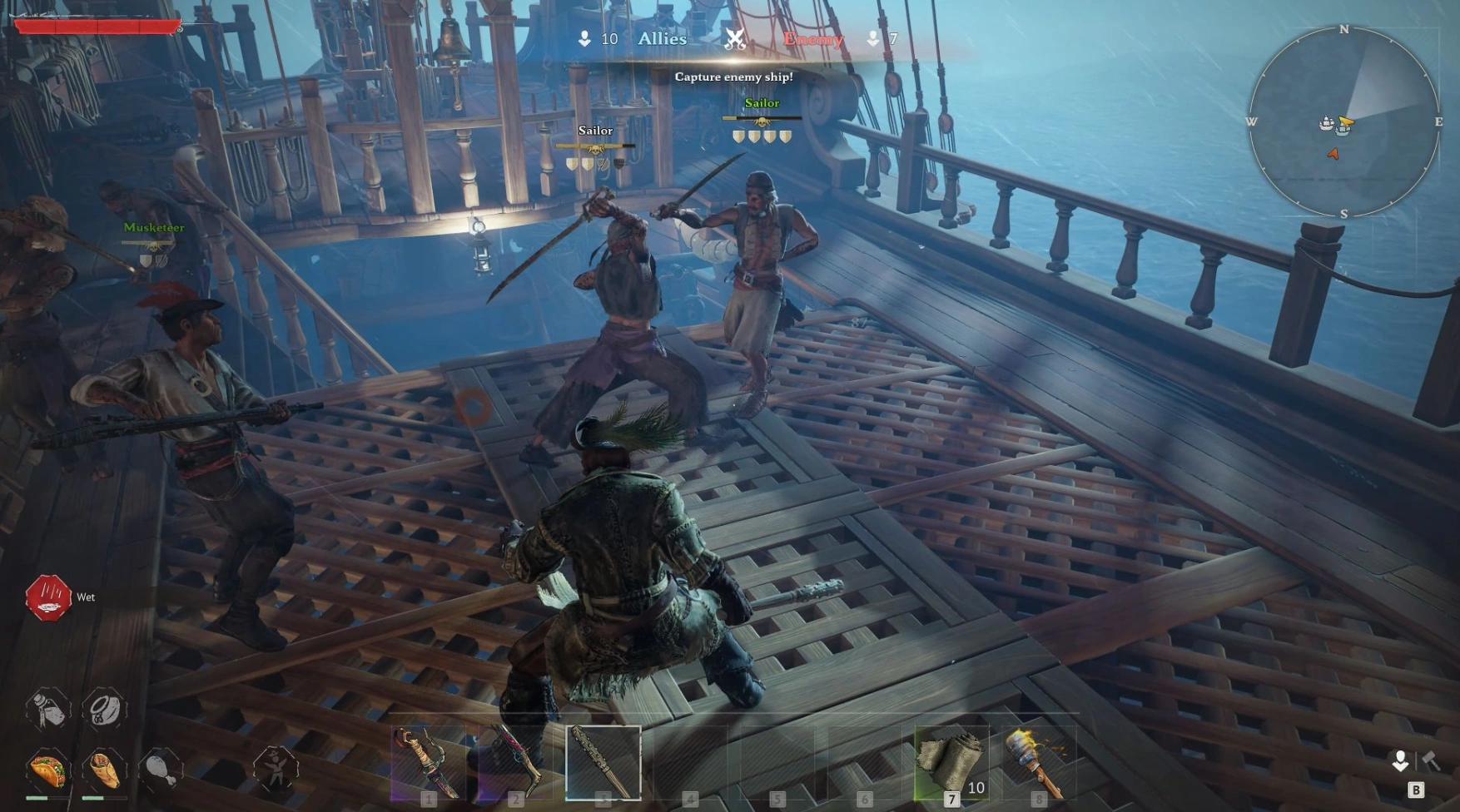
In this mode, one player acts as the host, and their machine handles the world's calculations. Because Windrose features complex ship mechanics and seamless transitions between islands, a smaller windrose max players count prevents the host's hardware from becoming overwhelmed. If you have a group of four friends, this is the most stable and straightforward way to experience the story and take down the legendary Blackbeard.
Part 3: Windrose Dedicated Server Players and Caps

For those who want a persistent world where friends can hop in and out at any time, dedicated servers are the answer. The windrose dedicated server players cap is slightly more flexible than the standard co-op mode. While the official recommendation remains at 4 players for the "optimal" experience, the server software technically supports more.
The windrose server player cap on a dedicated setup is officially being tested for up to 8 players. However, it is important to note that as you increase the windrose max players on a server, the hardware requirements spike significantly. Unlike a local co-op session, a dedicated server requires its own dedicated RAM and CPU cycles to manage the AI of enemy ships and the state of the world for multiple disconnected groups.
Part 4: Can You Increase Max Players in Windrose
One of the most common questions from larger gaming communities is: Can You Increase Max Players in Windrose? The short answer is yes, but only if you are running a dedicated server. Standard peer-to-peer (P2P) hosted games are hard-coded to a lower limit to prevent your computer from crashing under the weight of too many connections.
If you are using a dedicated server, you can modify the configuration files to push past the standard 4-player boundary. However, just because you can doesn't always mean you should. Pushing the windrose max players beyond 8 can lead to "desync" issues, where players see ships in different locations, or "lag spikes" during intense naval broadsides.
Increase Max Players in Windrose – Detailed Steps
If you have the hardware to handle a larger crew and want to experiment with the windrose server player cap, follow these steps to adjust your dedicated server settings:
Step 1. Shut Down the Server: Never edit configuration files while the server is running, as the game may overwrite your changes upon closing.
Step 2. Locate the Config File: Navigate to your server's installation folder. You are looking for a file typically located at: \R5\Saved\SaveProfiles\Default\ServerDescription.json.
Step 3. Edit the Player Count: Open the .json file with a text editor like Notepad++. Look for the line that reads "MaxPlayerCount": 4.
Step 4. Change the Value: Change the 4 to your desired number (e.g., 8). Note that setting this value to an extremely high number (like 32) will likely cause the server to fail to boot or lag out immediately.
Step 5. Save and Restart: Save the file and relaunch your server. The new windrose max players limit should now be active.
Part 5: How to Optimize Your Windrose Multiplayer Game Experience?
To ensure your pirating adventures are free from lag and latency, using a dedicated optimization tool is a game-changer. We recommend LagoFast as the best game booster for Windrose. It effectively reduces high ping, eliminates stuttering, and provides a stable connection to dedicated servers, ensuring your multi-crew maneuvers are frame-perfect even during intense naval battles.
Key Features of LagoFast:
- Global Node Network: Connect to the fastest path to reduce distance-based latency.
- Real-Time Optimization: Automatically adjusts settings to prevent sudden ping spikes.
- FPS Boost: Optimizes your PC's resources to squeeze out every possible frame during intense naval battles.
- Easy Setup: One-click boost specifically designed for popular multiplayer titles.
- Packet Loss Repair: Fixes data transmission issues that cause "teleporting" players.
Tutorial to Use LagoFast to Optimize Your Windrose Multiplayer Game Experience:
Step 1: Click the Free Trial button to download and install LagoFast.
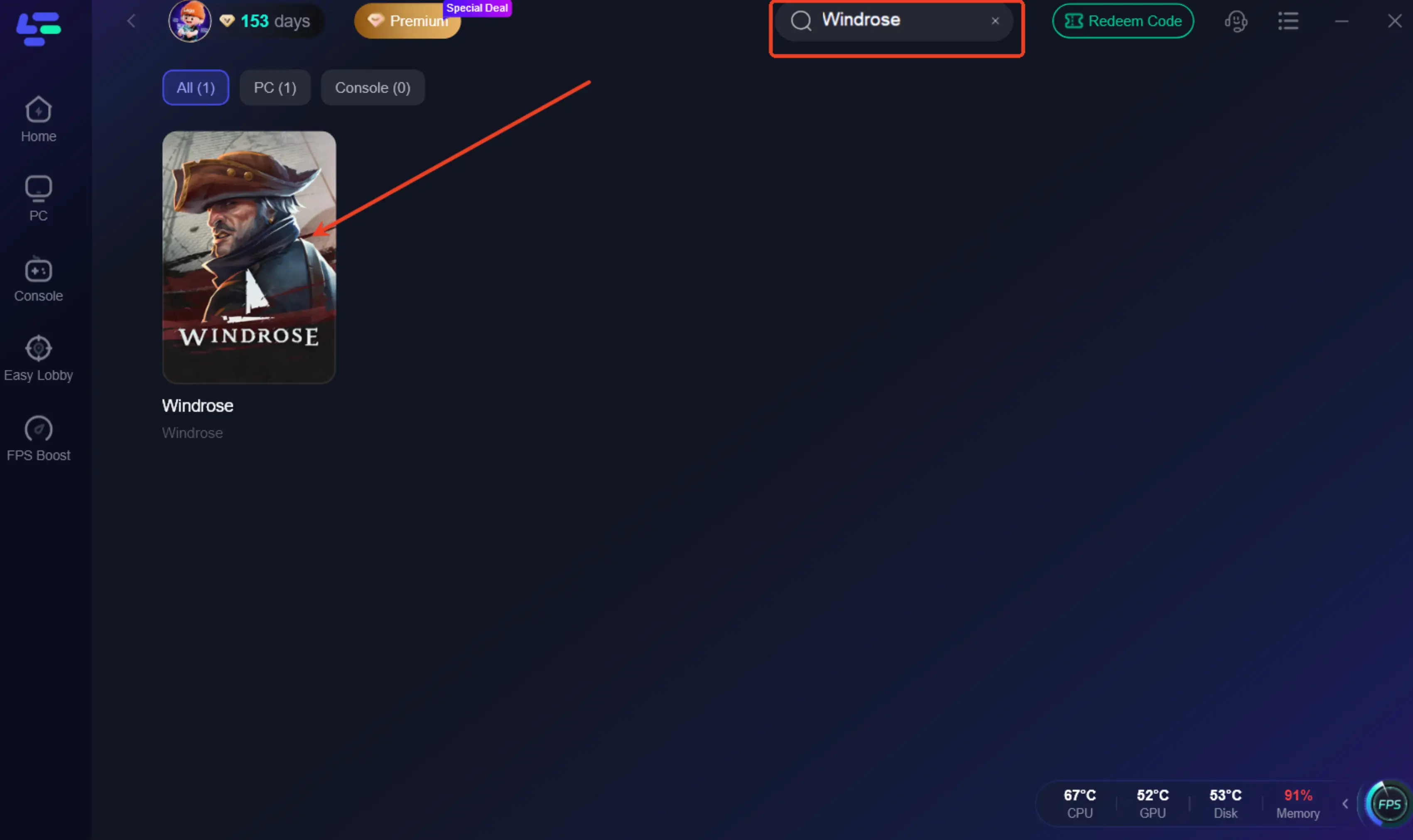
Step 2: Open LagoFast, then click the PC button on the left and search for Windrose in the search bar, and click it after it appears.
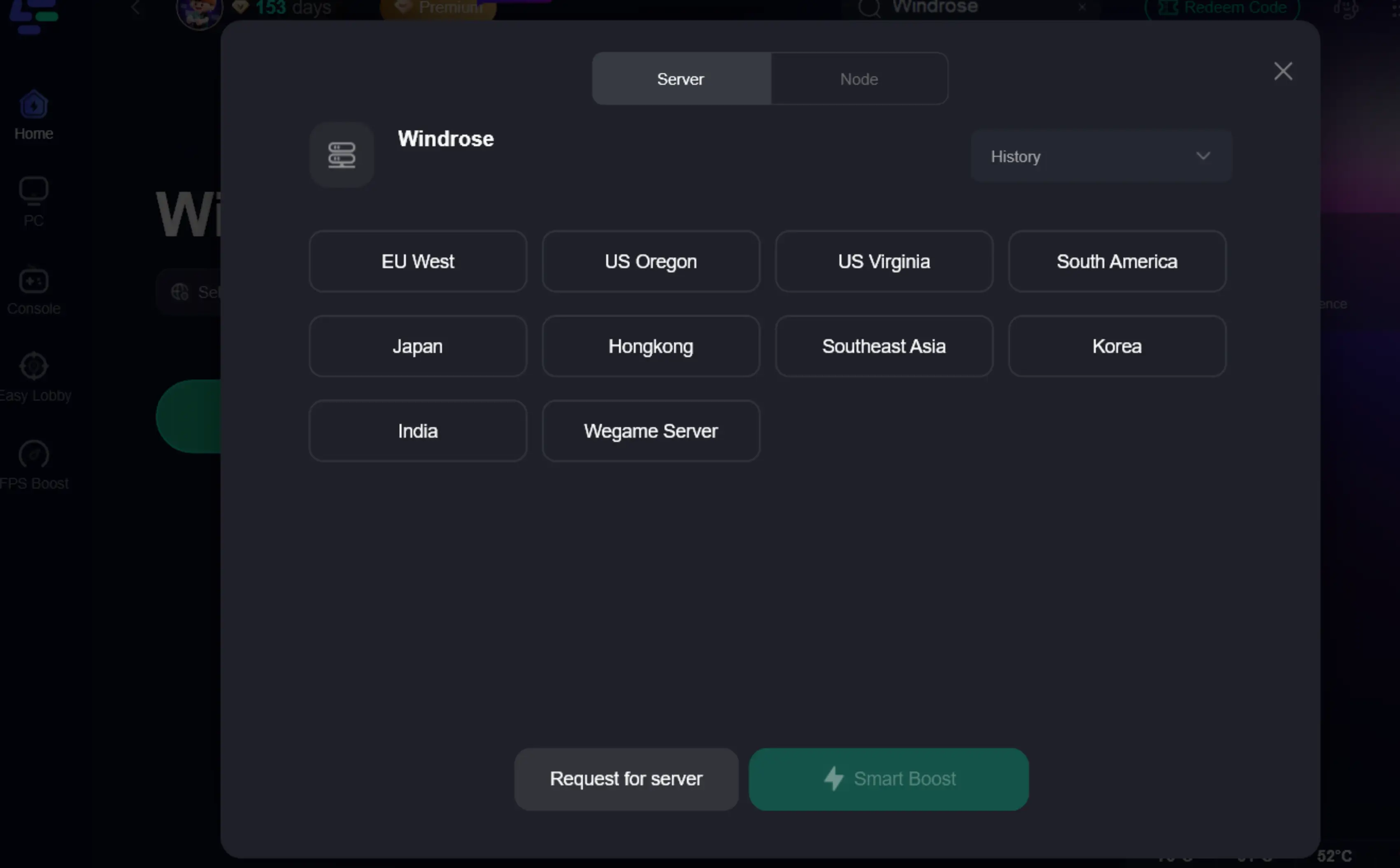
Step 3: Click on “Server” to change to a better server that ensures a better gaming experience, then click on “Smart Boost” to fix the common game issues.
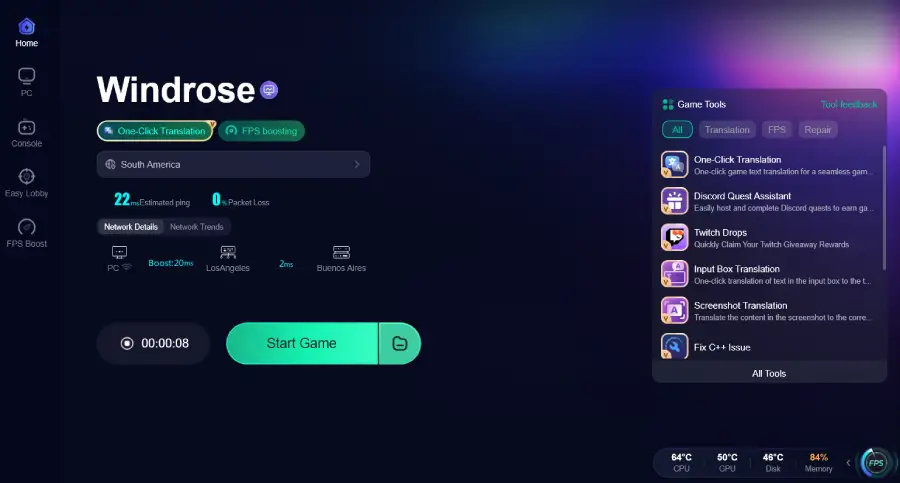
Step 4: Check the specific game ping, packet loss, and multiple path connections on the right side. Finally, click the “Start Game” to play the game.
Part 6: Will Windrose Support More Players in the Future?
The developers have been quite transparent about their roadmap. So, Will Windrose Support More Players down the line? The answer is a hopeful yes. The team is actively testing 8-player lobbies and has mentioned that they are looking into ways to optimize the networking code to potentially allow for even larger "fleets." However, for the duration of the early access period, the focus remains on stabilizing the 4-to-8 player experience before expanding further.
Part 7: FAQs
What is the max player count in Windrose?
The official recommended max player count is 4 for the best performance and gameplay balance. However, the game technically supports up to 8 players in a single co-op session.
Does Windrose have multiplayer servers?
Yes, Windrose supports both player-hosted (peer-to-peer) sessions and dedicated servers. You can host your own dedicated server using the official "Windrose Dedicated Server" tool available on Steam under the "Tools" category.
Is Windrose single-player or multiplayer?
Windrose is designed to be played both ways. It features a full single-player offline mode and an online co-op mode. There is no forced PvP, meaning you can enjoy the multiplayer experience strictly as a cooperative adventure with your friends.
Can I play Windrose with 10 friends?
Currently, the official limit is 8 players. While you can attempt to increase the windrose server player cap to 10 or more on a private dedicated server by editing the config files, it is not officially supported and may lead to significant lag and game crashes.
Conclusion
Understanding the windrose max players limit is crucial for planning your next voyage. Whether you stick to the recommended 4-player party for peak performance or push the windrose server player cap to its limit of 8, the game offers a premiere pirate sandbox. By using a dedicated server and tools like LagoFast, you can ensure that your time on the high seas is defined by your skill at the helm, not by lag or server crashes.

Boost Your Game with LagoFast for Epic Speed
Play harder, faster. LagoFast game booster eliminates stutter and lags on PC, mobile, or Mac—win every match!
Quickly Reduce Game Lag and Ping!
Boost FPS for Smoother Gameplay!