

In recent years, more PC games, especially competitive online titles, have begun requiring Secure Boot mode to launch or access multiplayer features. If you’ve ever encountered an error message saying you need Secure Boot enabled before playing, you’re not alone. Many gamers have faced this issue with titles like Valorant, Fortnite, and soon, even Battlefield 6. But what exactly is Secure Boot, why do certain games need it, and how can you enable it without messing up your PC setup?
This article covers everything you need to know about what games require Secure Boot mode, why it’s becoming a new gaming standard, and the easiest way to enable it safely, especially using tools like LagoFast, which can optimize both your system and in-game performance.

- ✅ Reduce Lag and High Ping.
- ✅ Boost FPS at the Same Time.
- ✅ Support 2000+ Popular Online Games.
- ✅ Stop Stuck & Black Screen Issues.
- ✅ Ensure Stable Connections.
Part 1: What Does Secure Boot Do & Why Do Some Games Require It
Part 2: Games That Require Secure Boot
Part 3: Games That Work Without Secure Boot
Part 4: Secure Boot Requirements for Gaming PCs—Explained
Part 5: How to Check & Enable Secure Boot on Windows 11
Part 6: Bonus Tips: Games That Require Secure Boot and TPM 2.0
Part 1: What Does Secure Boot Do & Why Do Some Games Require It
Secure Boot is a security feature built into UEFI (Unified Extensible Firmware Interface)—the modern replacement for the old BIOS system. When you power on your PC, Secure Boot checks every driver and system file that loads before Windows starts. If it detects anything unauthorized (like rootkits, tampered OS files, or malicious bootloaders), it blocks them to ensure your PC starts in a trusted, verified environment.
So, why does this matter for games?
In competitive online games, anti-cheat systems rely on Secure Boot to ensure no cheat programs or kernel-level exploits are running before the game launches. Enabling Secure Boot prevents hackers from injecting cheats at system startup or bypassing anti-cheat mechanisms.
That’s why game developers and anti-cheat providers like Riot Vanguard (for Valorant) or EA AntiCheat (for Battlefield 6) have started requiring Secure Boot, and often TPM 2.0, as part of their anti-tamper systems.
In short, Secure Boot helps:
- Prevent kernel-level cheats and hacks.
- Ensure fair online play.
- Comply with modern anti-cheat security policies (especially on Windows 11).
- Protect your system integrity when gaming online.
Part 2: Games That Require Secure Boot
As of 2025, several major PC titles either require or strongly recommend enabling Secure Boot to function properly, especially those with advanced anti-cheat tools. Below are the most notable examples:
Valorant
Riot Games’ Valorant was the first major game to enforce Secure Boot and TPM 2.0 requirements. Since its Vanguard anti-cheat runs at the kernel level, these settings must be enabled on your system, or you’ll see errors like “Vanguard requires Secure Boot to be enabled”.
Fortnite
Epic Games’ Fortnite follows similar anti-cheat standards. If Secure Boot and TPM 2.0 are disabled, you may not be able to launch the game or access competitive modes.
Battlefield 6 (Upcoming Title)
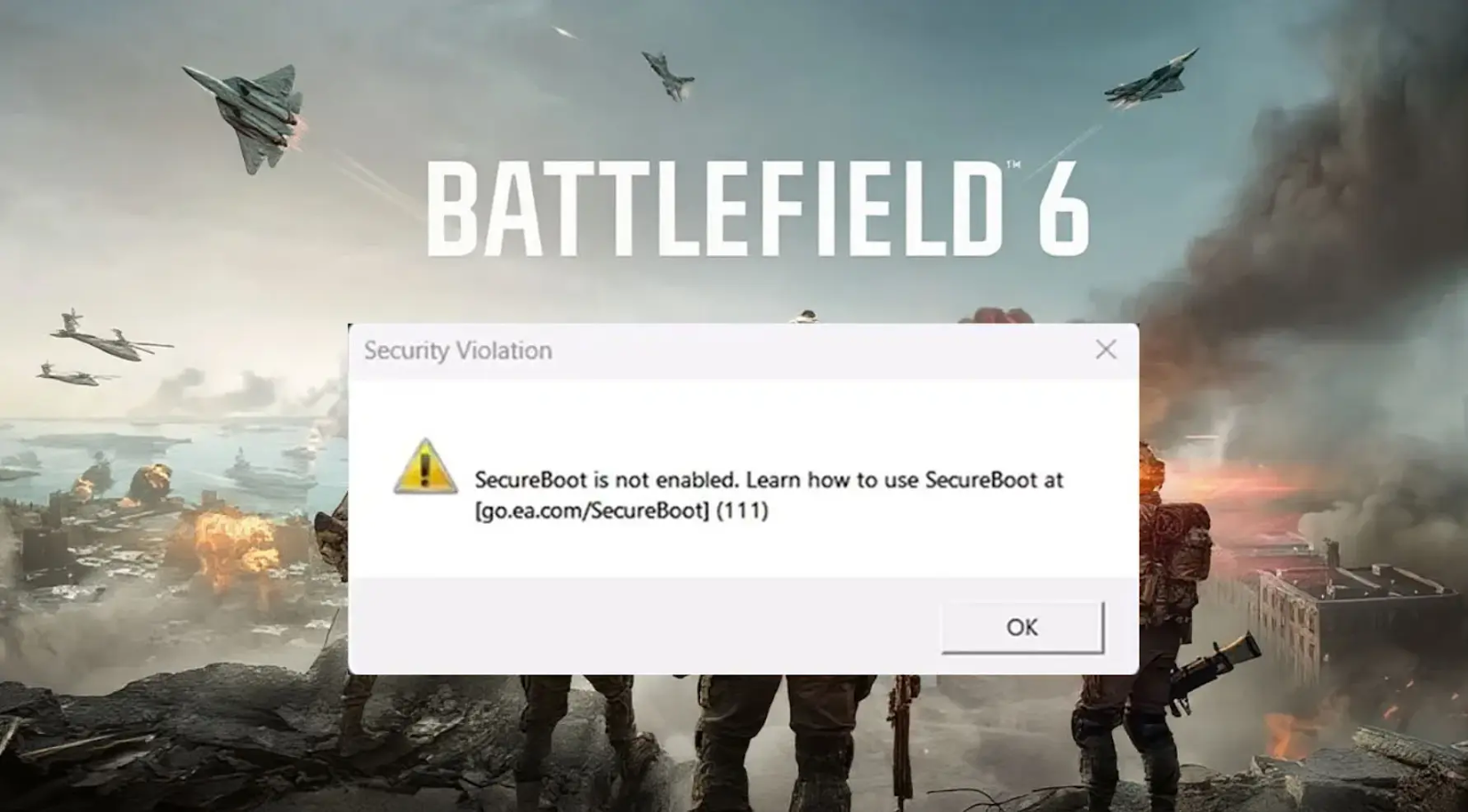
According to EA’s official updates, Battlefield 6 will require both Secure Boot and TPM 2.0 for full compatibility with EA AntiCheat. This requirement ensures a cheat-free environment and stable multiplayer gameplay.
Call of Duty: Warzone (Certain Versions)
Newer Warzone builds and kernel-level anti-cheat integrations also check for Secure Boot on Windows 11 systems to ensure driver integrity.
FIFA 23 / EA Sports FC 25
EA’s sports games powered by EA AntiCheat have started flagging systems without Secure Boot. If it’s disabled, the game might refuse to start or display integrity verification errors.
Halo Infinite (Competitive Mode)
While not mandatory for the campaign, certain competitive modes and anti-cheat configurations recommend having Secure Boot enabled for a stable environment.
Part 3: Games That Work Without Secure Boot
Not every game enforces Secure Boot. Many single-player and indie titles don’t require kernel-level anti-cheat, so they run fine without it. Here are examples of games that work without Secure Boot enabled:
- Minecraft (Java Edition)
- Cyberpunk 2077
- GTA V (Story Mode)
- Elden Ring
- Starfield
- Red Dead Redemption 2
- The Witcher 3: Wild Hunt
However, if these games are played on multiplayer platforms or modded servers with anti-cheat systems (e.g., GTA RP or custom Minecraft servers), Secure Boot may still be beneficial for stability and protection.
Part 4: Secure Boot Requirements for Gaming PCs—Explained
To understand if your PC supports Secure Boot, you must know your system’s boot mode and partition style.
- UEFI Mode: Secure Boot only works if your system boots in UEFI mode, not Legacy BIOS mode.
- GPT Partition: Your drive must be formatted using GPT (GUID Partition Table), not MBR (Master Boot Record).
- Trusted Platform Module (TPM 2.0): Some games like Valorant require both Secure Boot and TPM 2.0.
If your PC uses Legacy BIOS or MBR, Secure Boot won’t work until you convert the drive and enable UEFI in your firmware settings.
Part 5: How to Check & Enable Secure Boot on Windows 11
You can enable Secure Boot manually through BIOS settings or use an easier, all-in-one optimization solution like LagoFast.
All-in-One Solution – LagoFast
If you’re unsure whether Secure Boot is enabled or want a one-click solution, LagoFast is your best choice.
LagoFast is more than just a game booster—it’s an intelligent optimization tool that checks your system status, including Secure Boot and TPM 2.0 settings, while also improving your game performance.
Here’s what LagoFast offers:
- Secure Boot Status Check: Check current status, enable Secure Boot with one click.
- One-Click Optimization: Boost FPS, reduce ping, and stabilize your internet connection for smoother gameplay.
- Game-Specific Profiles: Optimize performance for titles like Battlefield 6, Valorant, and Fortnite.
- Network Stabilization: Minimize lag spikes and packet loss across servers worldwide.
- System Safety: Ensures your PC runs in a secure, verified environment before launching your game.
For instance, when preparing for the upcoming Battlefield 6, LagoFast automatically detects if Secure Boot is off and guides you to enable it—preventing startup errors and ensuring your anti-cheat runs correctly. At the same time, it boosts FPS and lowers ping for a seamless online experience.
How to Check & Enable Secure Boot by Using LagoFast:
Step 1. Click the Free Trial button to download and install LagoFast.
Step 2: Open LagoFast, then click the PC button on the left and search for Battlefield 6 in the search bar, and click it after it appears.

Step 3: Click Secure Boost Check on the right side, and LagoFast will check your current status.
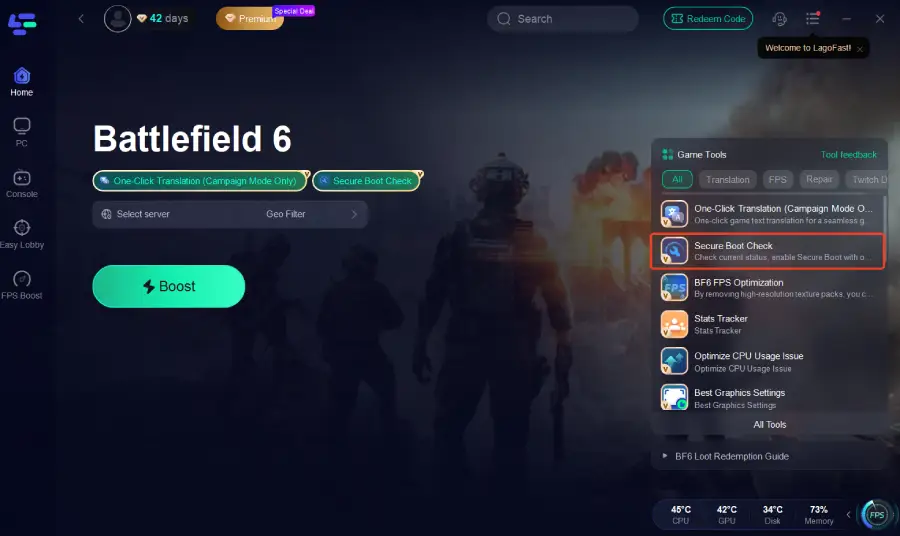
Step 4. Click the Boost button on the left side to optimize the gaming experience in Battlefield 6.

Common Solution
For those who prefer manual methods, enabling Secure Boot typically involves several steps (Note: This process takes more time and may not be as efficient as using LagoFast.):
Step 1. Check if Secure Boot is Already Enabled: Open System Information and verify the Secure Boot State.
Step 2. Enable Secure Boot in BIOS/UEFI: Restart your PC, enter BIOS (usually by pressing Del, F2, or F12), and enable Secure Boot.
Step 3. Convert Legacy (MBR) to UEFI (GPT): Some older systems need disk conversion to GPT to support Secure Boot. Tools like Windows’ mbr2gpt can help.
Step 4. Verify After Reboot: After making changes, check System Information to ensure Secure Boot is active.
While this method works, it is time-consuming and prone to user error. LagoFast offers a faster, safer, and more effective alternative.
Part 6: Bonus Tips: Games That Require Secure Boot and TPM 2.0
Some titles don’t just rely on Secure Boot. They also demand TPM 2.0, a hardware-based security module that ensures your system integrity.
Here are examples of games requiring both Secure Boot and TPM 2.0:
- Valorant (Riot Vanguard anti-cheat)
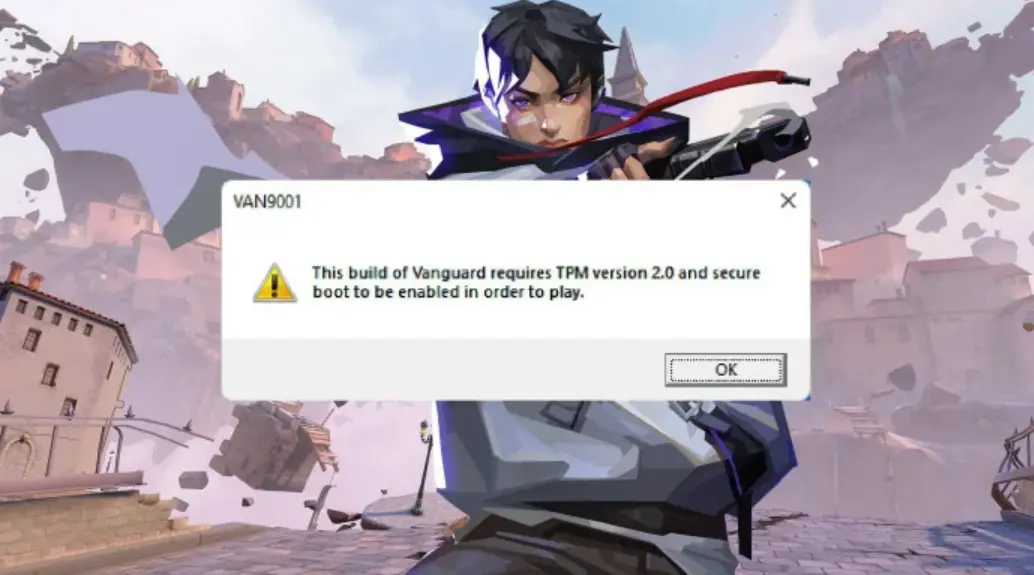
- Battlefield 6 (EA AntiCheat)
- Fortnite (Epic Games Anti-Cheat)
- Call of Duty: Modern Warfare III (Kernel-level anti-cheat)
Both features work hand-in-hand to create a verified, tamper-proof environment. If your PC doesn’t support TPM 2.0, you can check it by pressing Windows + R, typing tpm.msc, and checking its status.
Conclusion
Secure Boot has become a key requirement for modern PC gaming, particularly for online and competitive titles like Battlefield 6. It ensures your system boots securely, prevents unauthorized modifications, and allows anti-cheat systems to function correctly. While manual methods exist to enable Secure Boot, they are often slow and prone to errors. LagoFast offers a one-click solution to check Secure Boot, optimize performance, reduce lag and high ping, and boost FPS, ensuring your gaming experience is smooth and uninterrupted. For serious gamers, enabling Secure Boot and using optimization tools is no longer optional – it’s essential.

Boost Your Game with LagoFast for Epic Speed
Play harder, faster. LagoFast game booster eliminates stutter and lags on PC, mobile, or Mac—win every match!
Quickly Reduce Game Lag and Ping!
Boost FPS for Smoother Gameplay!