

The Vindictus: Defying Fate Alpha Test has finally opened to all players worldwide on June 9th. Gamers from around the globe can now head to the Steam to download the game's test version and start playing. However, they may encounter some new challenges, such as limited localized language support. Therefore, this article will focus on the language support in Vindictus: Defying Fate and recommend the most useful Vindictus: Defying Fate game translation tool for players, aiming to create a more convenient localized gaming experience.

- ✅ Reduce Lag and High Ping.
- ✅ Boost FPS at the Same Time.
- ✅ Support 2000+ Popular Online Games.
- ✅ End Stucks, Crashing Issues.
- ✅ Change Servers all over the World.
Part 1: How Many Languages Does Vindictus: Defying Fate Support
Part 2: Why You Need Vindictus: Defying Fate Game Translation
Part 3: Best Vindictus: Defying Fate Game Translation Tool - LagoFast
Part 4: How to Ensure A Smooth Gaming Experience in Vindictus: Defying Fate
Part 1: How Many Languages Does Vindictus: Defying Fate Support
Although Vindictus: Defying Fate is popular among players worldwide who speak various languages, the game's officially supported languages are limited to just four: English, Korean, Simplified Chinese, and Traditional Chinese. For players using these four officially supported languages, there will be no obstacles in understanding the game's story and setting, as well as claiming and completing missions. However, for players who speak other languages, such as Thai, this poses a significant threat to their gaming experience in Vindictus: Defying Fate. The language barrier may prevent them from fully comprehending the game's setting and missions, causing them to miss out on game rewards or upgrade materials.
Hot Related: How to Change Vindictus: Defying Fate Server - Best Guide
Part 2: Why You Need Vindictus: Defying Fate Game Translation
Limited localized language support creates obstacles for players' gaming experiences, but smart players will use Vindictus: Defying Fate game translation tool to ensure a smooth and enjoyable gameplay. Here's why you need a game translation tool:
- Enhance Game Understanding: If you're a player who speaks a language other than the officially supported ones, a game translation tool can help you translate game pages, dialogues, and instructions into your native language. This enables you to better understand the game's storyline and mission objectives, leading to a more immersive gaming experience.
- Break Language Barriers: As Vindictus: Defying Fate is a global game, using a translation tool allows you to break through language barriers and experience a more diverse gaming culture.
- Improve Gaming Efficiency: With a Vindictus: Defying Fate game translation tool, you can quickly understand text and instructions, helping you make smarter decisions and take faster actions. This gives you an edge in battles and facilitates your leveling up and growth.
- Enhance Community Engagement: The Vindictus: Defying Fate gaming community is active with players from various language backgrounds. Using a translation tool can facilitate communication between you and them, strengthening your collaboration and coordination in multiplayer games.
Part 3: Best Vindictus: Defying Fate Game Translation Tool - LagoFast
When choosing a game translation tool, speed, accuracy, and ease of use should be the key criteria. However, many game translation tools currently available fail to meet all these requirements simultaneously. Does this mean players have to settle for these flawed tools? Absolutely not! You have a better option—LagoFast! In addition to being a highly acclaimed game acceleration tool among players, LagoFast's game translation feature is also a favorite among gamers. Here's a tutorial on how to use LagoFast's Vindictus: Defying Fate game translation tool:
Step 1: Click the button below to download LagoFast for free and follow the system prompts to complete the installation.
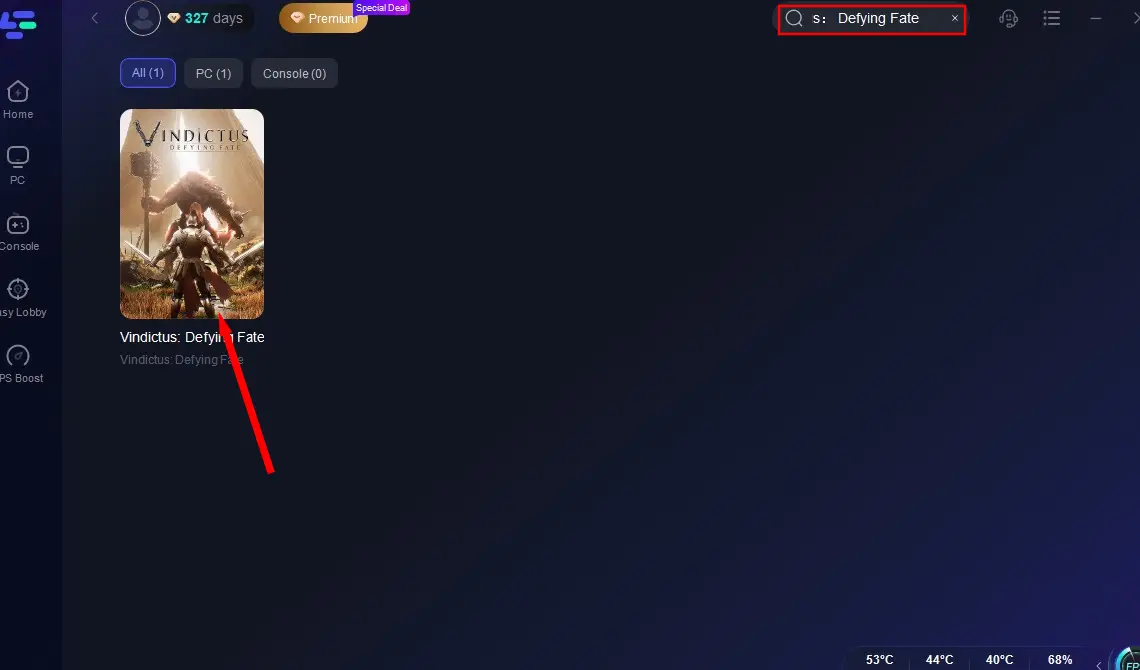
Step 2: Launch LagoFast, enter "Vindictus: Defying Fate" in its search box, and click on the search result.
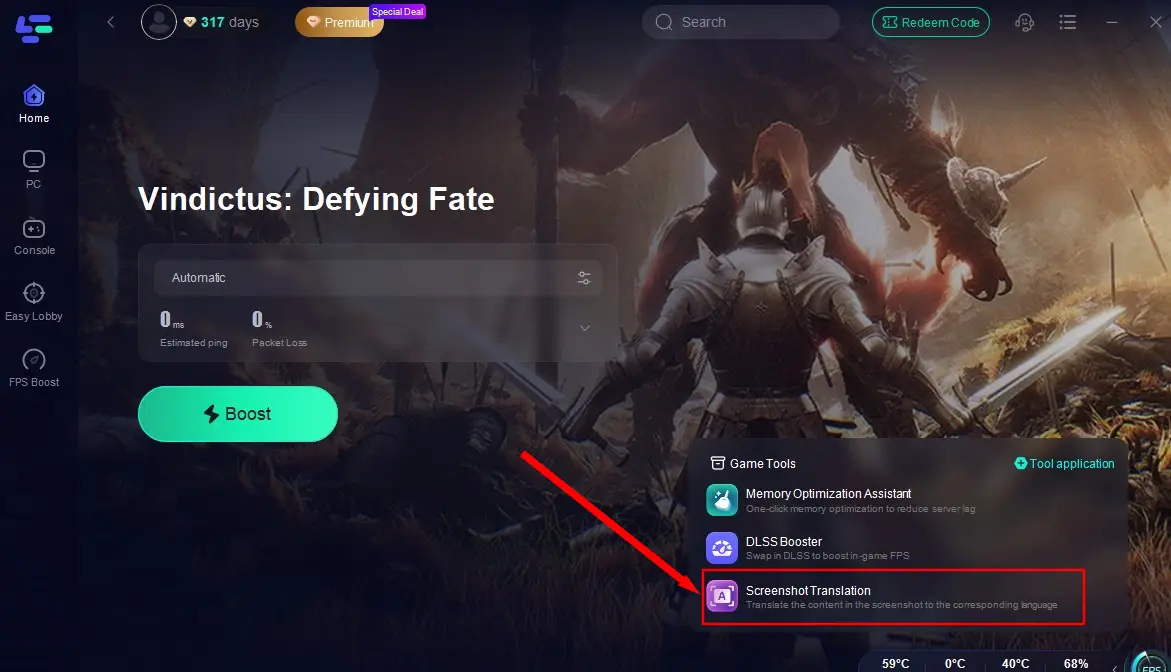
Step 3: Click on the Screenshot Translation tool in the bottom right corner, select your target language for translation, and set up your game shortcut keys.
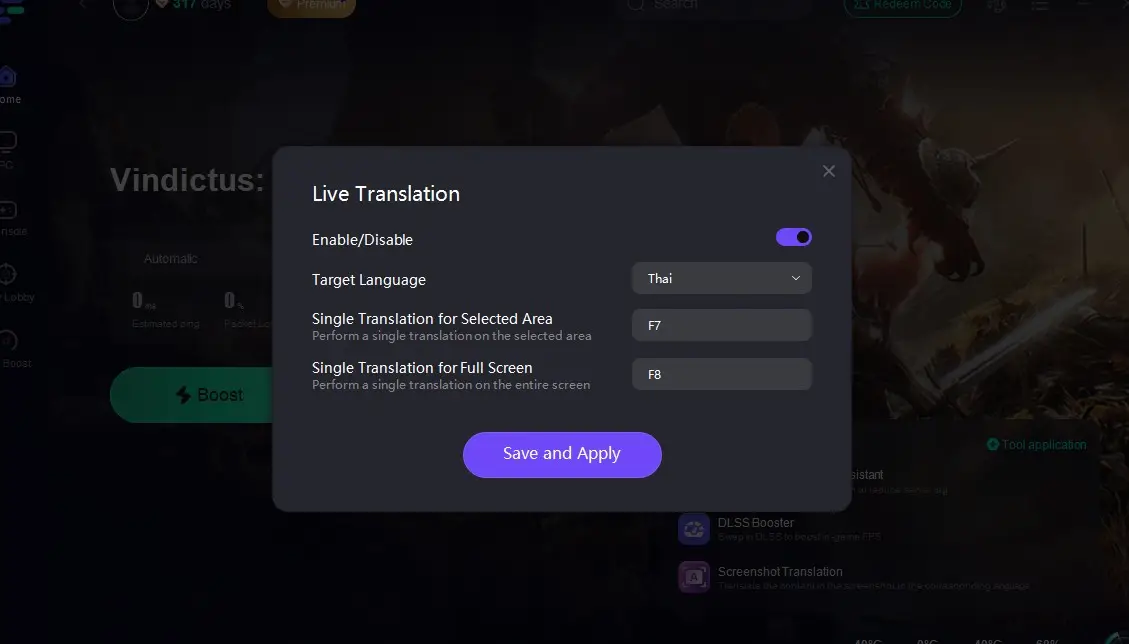
Step 4: Return to Vindictus: Defying Fate, click on the shortcut keys you've set up, and you'll instantly get a translated game interface.
Part 4: How to Ensure A Smooth Gaming Experience in Vindictus: Defying Fate
Now that you've already used LagoFast's game translation tool to break through language barriers, why miss out on its acceleration feature to ensure a seamless gaming experience in Vindictus: Defying Fate? After all, LagoFast has been widely praised by players for the following advantages:
- Stable Connection: LagoFast's servers are distributed globally, allowing players to freely switch to nearby servers for a stable connection.
- Reduced Latency: It automatically bypasses congested networks, reducing the time for game data transmission and avoiding latency risks.
- Enhanced FPS: By maintaining a stable connection and reducing lag, it complements high-quality game settings to improve the resolution and clarity of game graphics. Additionally, the DLSS Booster tool helps players further boost their FPS.
- Simple Operation: Just a simple click can bring about a significant improvement in your gaming experience.
Here are the steps to play Vindictus: Defying Fate using LagoFast:
Click the "Free Trial" button to obtain LagoFast.
After installation, launch LagoFast and search for "Vindictus: Defying Fate" in the search box.
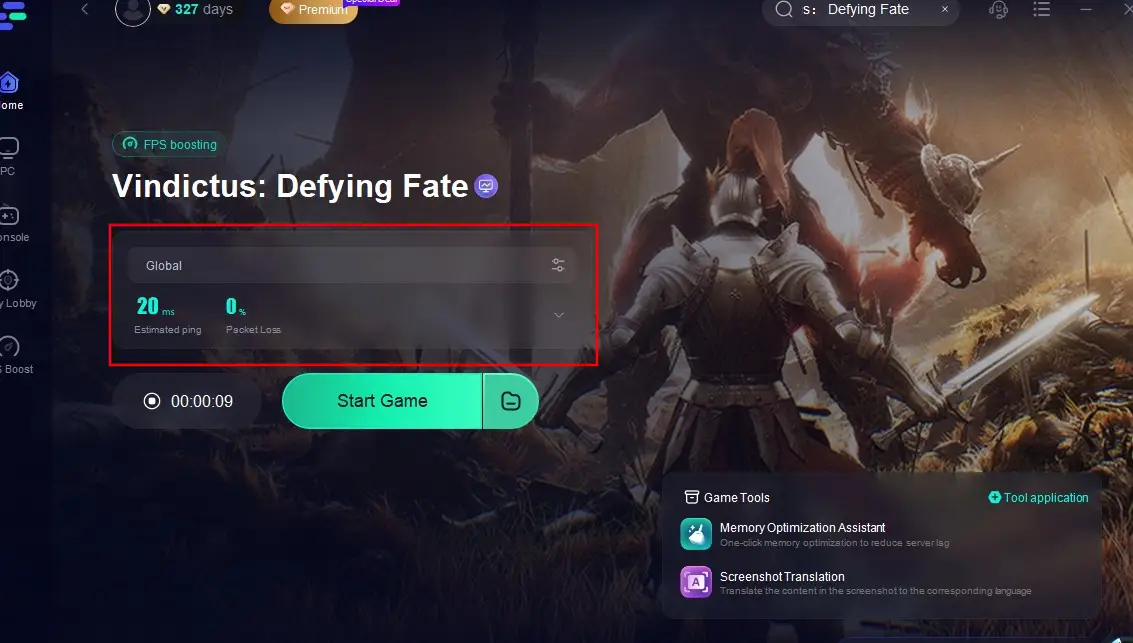
Click "Select Server" to choose the most stable server node, then click "Smart Boost" to start optimizing.
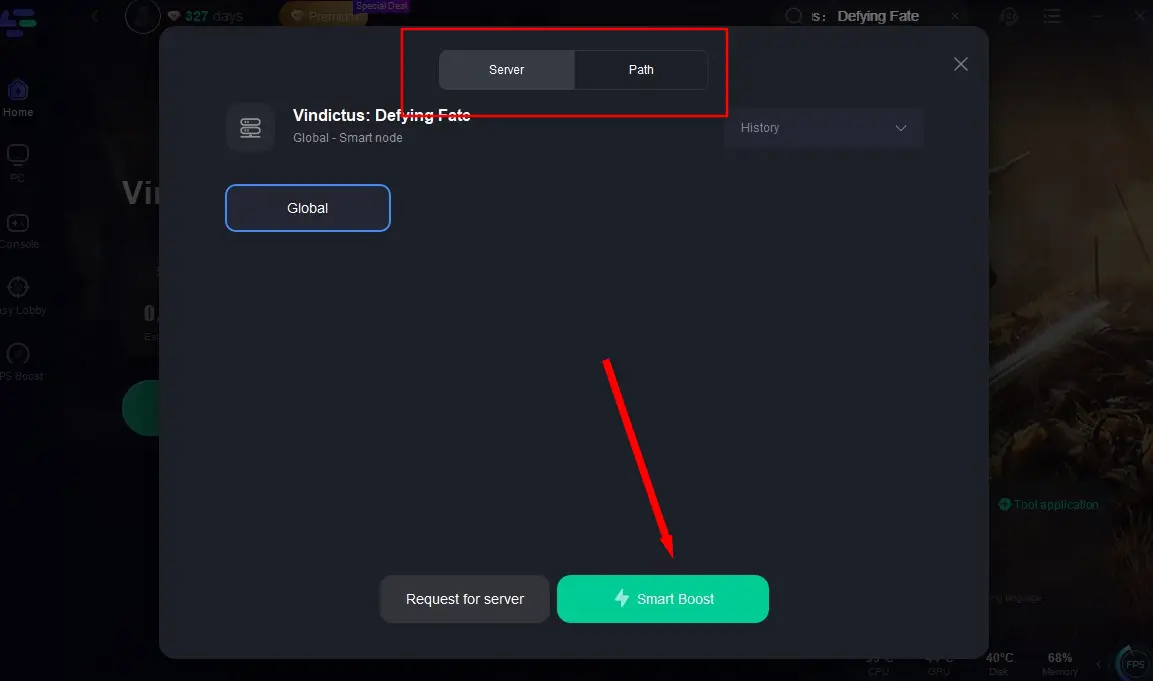
After confirming there's no latency in the game, click "Start Game" to begin playing.
Conclusion
The joy of gaming knows no borders or language barriers. With the help of LagoFast, players can not only quickly access translations for Vindictus: Defying Fate, easily overcoming language obstacles, but also eliminate the risks of network latency and high ping during gameplay. This allows them to enjoy an epic gaming experience in Vindictus: Defying Fate alongside players from all around the world.

Boost Your Game with LagoFast for Epic Speed
Play harder, faster. LagoFast game booster eliminates stutter and lags on PC, mobile, or Mac—win every match!
Quickly Reduce Game Lag and Ping!
Boost FPS for Smoother Gameplay!