

Vindictus: Defying Fate has quickly gained attention among action RPG players, but many users are reporting Vindictus: Defying Fate crashing issues on PC. Whether Vindictus: Defying Fate crashes randomly during combat, keeps closing on launch, or Vindictus: Defying Fate keep freezing during loading screens, these technical problems can seriously hurt the gameplay experience.
If you're searching for real solutions instead of generic advice, this guide will walk you through proven fixes and explain why these crashes happen in the first place. Everything here is written for regular PC players who just want the game running smoothly again.

- ✅ Reduce Lag and High Ping.
✅ Boost FPS at the Same Time.
✅ Support 2000+ Popular Online Games.
✅ Change Server without Latency.
✅ Boost Game Loading Speed.
Part 1: Why Is Vindictus: Defying Fate Crashing?
Part 2: How to Fix Game Crashes in Vindictus: Defying Fate
Part 3: Fix Vindictus: Defying Fate Crashing at Startup (Advanced Troubleshooting)
Part 1: Why Is Vindictus: Defying Fate Crashing?
Before trying to Fix Game Crashes in Vindictus: Defying Fate, it helps to understand what may be causing the issue.
Based on player reports and common PC troubleshooting patterns in early-access builds, the most frequent causes include:
1. GPU Driver Conflicts
New or unstable graphics drivers can cause compatibility issues. Sometimes the newest driver version introduces instability instead of fixing it.
2. Rendering API Problems
Some systems struggle with the default rendering configuration. DirectX version conflicts are one of the most common triggers behind Vindictus: Defying Fate crashes at startup.
3. Corrupted Game Files
Incomplete downloads, interrupted updates, or file corruption can cause both startup crashes and in-game freezing.
4. Overlay and Background Software Conflicts
Steam Overlay, Discord Overlay, GeForce Experience, and monitoring tools sometimes interfere with game processes.
5. Memory and Resource Overload
If your system is running near RAM or VRAM limits, Vindictus: Defying Fate keep freezing may happen during heavy combat scenes or loading transitions.
6. Network Instability
Since the game relies on online connectivity, unstable network routing can sometimes look like a freeze or hard crash.
Now that we understand the possible causes, let’s move to actual solutions.
Part 2: How to Fix Game Crashes in Vindictus: Defying Fate
Below are the most effective methods players are currently using to Fix Game Crashes in Vindictus: Defying Fate.
1. Recommended Solution: Use LagoFast Game Booster
One of the most reliable ways to stabilize performance is using LagoFast Game Booster. Unlike simple VPN tools, LagoFast is designed specifically for gaming optimization.
It helps by:
- Optimizing network routing to reduce packet loss
- Lowering latency spikes that may trigger freezing
- Stabilizing server connections
- Reducing sudden disconnections that feel like crashes
If your Vindictus: Defying Fate crashing happens during loading screens or combat transitions, unstable routing could be the root cause. LagoFast can automatically select optimized nodes and maintain a stable connection to the game servers.
How to Use LagoFast:
Step 1: Click the Free Trial button to download and install LagoFast.
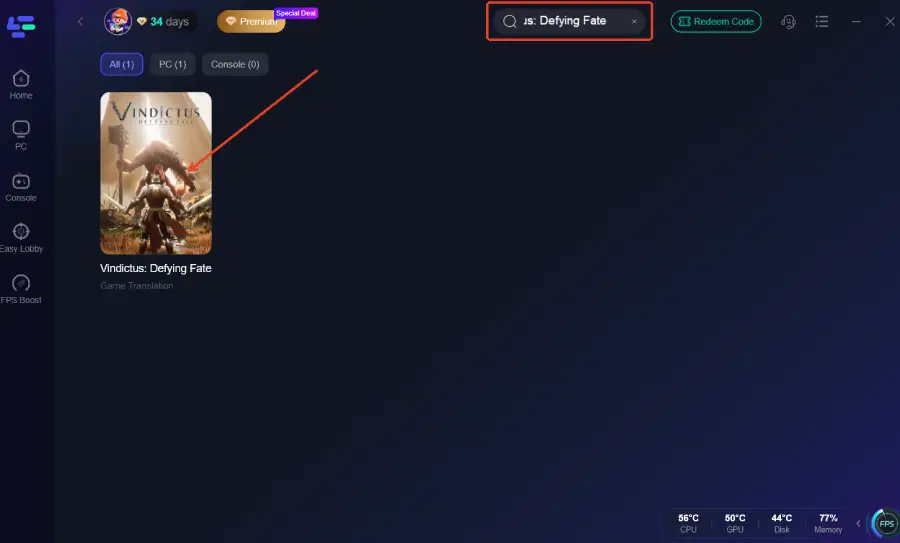
Step 2: After installation, search "Vindictus: Defying Fate" in the search bar and select the game.
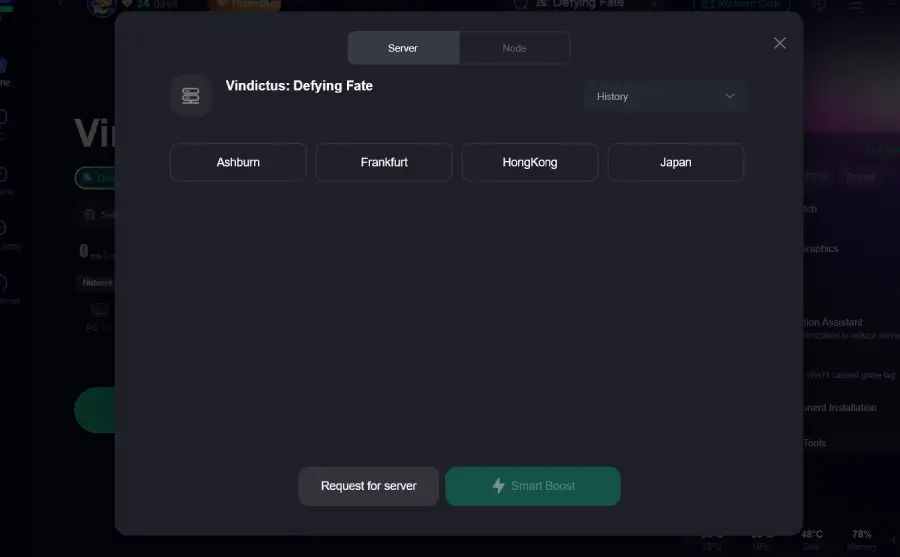
Step 3: Choose your preferred server node and click "Smart Boost" to start optimizing.
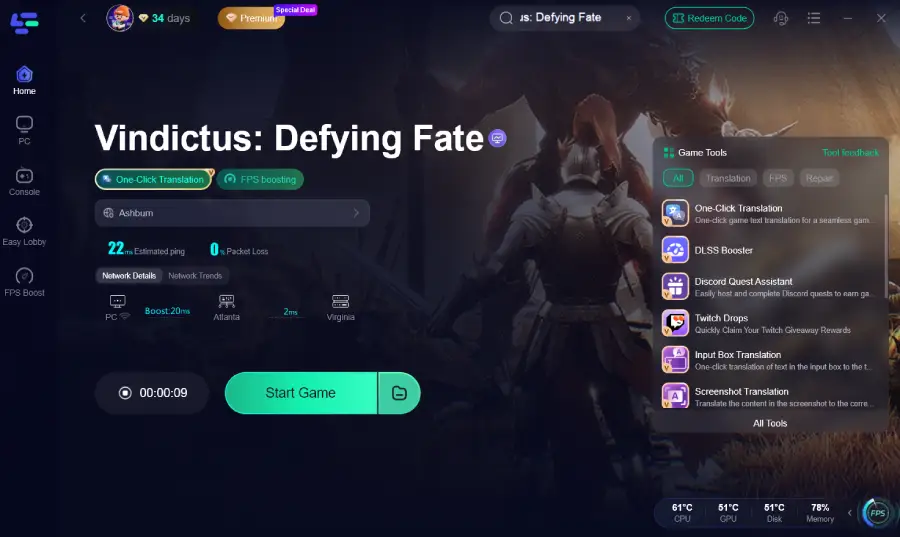
Step 4: Launch your game and enjoy smooth, optimized gameplay with lower ping and no stutter.
Many players report smoother gameplay and fewer freezes after enabling it before launching the game.
2. Update or Roll Back GPU Drivers
Graphics driver instability is one of the most common reasons behind Vindictus: Defying Fate crashes.
- Update to the latest stable WHQL driver
- If crashes began after an update, roll back to a previous version
- Use clean installation mode
3. Verify Game Files
Corrupted files frequently cause both startup crashes and mid-game freezing.
Steam → Properties → Installed Files → Verify Integrity
Let Steam repair missing or damaged files automatically.
4. Disable All Overlays
Overlays often conflict with early builds.
Disable:
- Steam Overlay
- Discord Overlay
- Nvidia ShadowPlay
- AMD Overlay
- Monitoring tools
Restart your PC afterward.
5. Lower Graphics Settings
If Vindictus: Defying Fate keep freezing during heavy combat:
- Lower shadow quality
- Reduce effects
- Cap FPS
- Disable motion blur
This reduces GPU spikes and memory overload.
These quick steps solve the majority of crash reports.
Part 3: Fix Vindictus: Defying Fate Crashing at Startup (Advanced Troubleshooting)
If the game won’t launch at all or closes immediately, you may need deeper fixes. These steps specifically target startup failures rather than random gameplay crashes.
1. Add -dx11 Launch Option
To Fix Vindictus: Defying Fate Crashing at Startup:
Steam Library → Right-click game → Properties → Launch Options
Type:
-dx11
This forces DirectX 11, which is often more stable than default settings on some GPUs.
2. Delete Corrupted Configuration Files
Sometimes the settings file becomes corrupted.
- Navigate to:
C:\Users\YourName\AppData\Local - Find the Vindictus Defying Fate folder and delete or rename it.
The game will generate fresh config files on next launch.
3. Disable Fullscreen Optimizations
- Right-click the game executable → Properties → Compatibility
- Check “Disable fullscreen optimizations”
This can fix launch crashes caused by Windows display handling.
4. Reinstall Visual C++ Redistributables
Missing or broken runtime libraries often cause instant startup crashes.
Download and reinstall:
- Microsoft Visual C++ 2015–2022 Redistributable
- Latest DirectX runtime
Restart your PC after installation.
5. Check Windows Event Viewer
If Vindictus: Defying Fate crashes instantly without error:
- Press Win + X → Event Viewer
- Go to Windows Logs → Application
- Look for crash error entries
This helps identify whether it’s a driver, memory, or permission issue.
6. Temporarily Disable XMP or Overclocking
If your RAM or GPU is overclocked:
- Disable XMP in BIOS
- Reset GPU overclock
Unstable memory can cause immediate launch crashes even if other games work fine.
Conclusion
Vindictus: Defying Fate crashing problems can be frustrating, but they are usually fixable. Whether you are dealing with random Vindictus: Defying Fate crashes, startup errors, or Vindictus: Defying Fate keep freezing during gameplay, the solutions above cover the most common causes.
Start with LagoFast Game Booster to stabilize your connection, then move on to driver updates, DirectX launch options, file verification, and system optimization.
Most players are able to Fix Game Crashes in Vindictus: Defying Fate with these steps. And if you need to Fix Vindictus: Defying Fate Crashing at Startup, the checklist provided should get you back into the game quickly.
With the right adjustments, you can spend less time troubleshooting and more time actually enjoying the combat and world of Vindictus: Defying Fate.

Boost Your Game with LagoFast for Epic Speed
Play harder, faster. LagoFast game booster eliminates stutter and lags on PC, mobile, or Mac—win every match!
Quickly Reduce Game Lag and Ping!
Boost FPS for Smoother Gameplay!