
If you're looking to gain a competitive edge in Valorant, using a Valorant tracker can be a game-changer. Whether you want to study your match history, analyze your stats, or monitor opponents, a Valorant stat tracker gives you the tools to improve your gameplay. With many tracker tools available today, it's essential to understand what they do, how they work, and which ones are safe and worth using. In this guide, we'll cover everything you need to know about the best Valorant trackers, including how they function, how to use them effectively, and which options provide the most value. We'll also dive into common questions like whether using a Valorant tracker is bannable, and how to manage your privacy.

- ✅ Reduce Lag and High Ping.
- ✅ Boost FPS at the Same Time.
- ✅ Fix Game Errors.
- ✅ Explore Valorant Skins.
Part 1: What's a Valorant Tracker
Part 2: Is the Valorant Tracker Safe
Part 3: How Does Valorant Tracker Work
Part 4: Best Valorant Tracker Tools in 2025
Part 5: How to Use the Valorant Tracker App
Part 6: Tips to Enhance Game Experience in Valorant - LagoFast
Part 1: What's a Valorant Tracker
A Valorant tracker is a tool or application that gathers and displays game statistics related to your performance in Valorant. These tools are designed to help you understand how you play the game and where you can improve. Whether you're interested in kill/death ratios, headshot accuracy, match win rates, or your overall MMR, a tracker makes this information easily accessible.
There are two primary types of trackers:
- Web-Based Trackers: These require no download and let you look up your stats by entering your Riot ID.
- Desktop Applications: These apps run alongside the game and can show live statistics, opponent analysis, and real-time overlays.
Some Valorant tracker apps also include global leaderboards, agent-specific data, and performance graphs, giving users an in-depth view of their progression.
Part 2: Is the Valorant Tracker Safe
Yes, most Valorant tracker tools are safe as long as you're using reputable apps that comply with Riot Games' guidelines. Riot discourages the use of third-party software that injects code or modifies the game client. However, most tracker apps use the official Riot Games API or overlay features without tampering with game files. Always check that the tracker tool is endorsed by the community and frequently updated. Some trusted tracker tools are even verified by Riot and come with active Discord support communities. That said, you should avoid downloading unknown Valorant tracker apps from unverified sources, as these could contain malware or violate Riot's terms.
Part 3: How Does Valorant Tracker Work
Valorant tracker apps work by accessing your in-game stats through Riot's public APIs. Here's a simplified explanation of how they function:
- Riot ID Input: Most trackers require your Riot ID to pull data.
- API Integration: They use Riot's official API to access match history, scoreboards, and performance data.
- Stat Compilation: Your in-game performance (e.g., kills, assists, headshots, economy rating) is compiled into an easy-to-read dashboard.
- Live Match Tracking: Some tracker tools offer overlays that display real-time stats while you're playing, including enemy rank predictions and live round analysis.
- Mobile & Desktop Access: While many trackers are web-based, some offer a downloadable Valorant tracker app for mobile or desktop, enhancing your ability to analyze gameplay on the go.
Part 4: Best Valorant Tracker Tools in 2025
Here are the top-performing and most trusted Valorant tracker tools you can use this year:
1. Tracker.gg
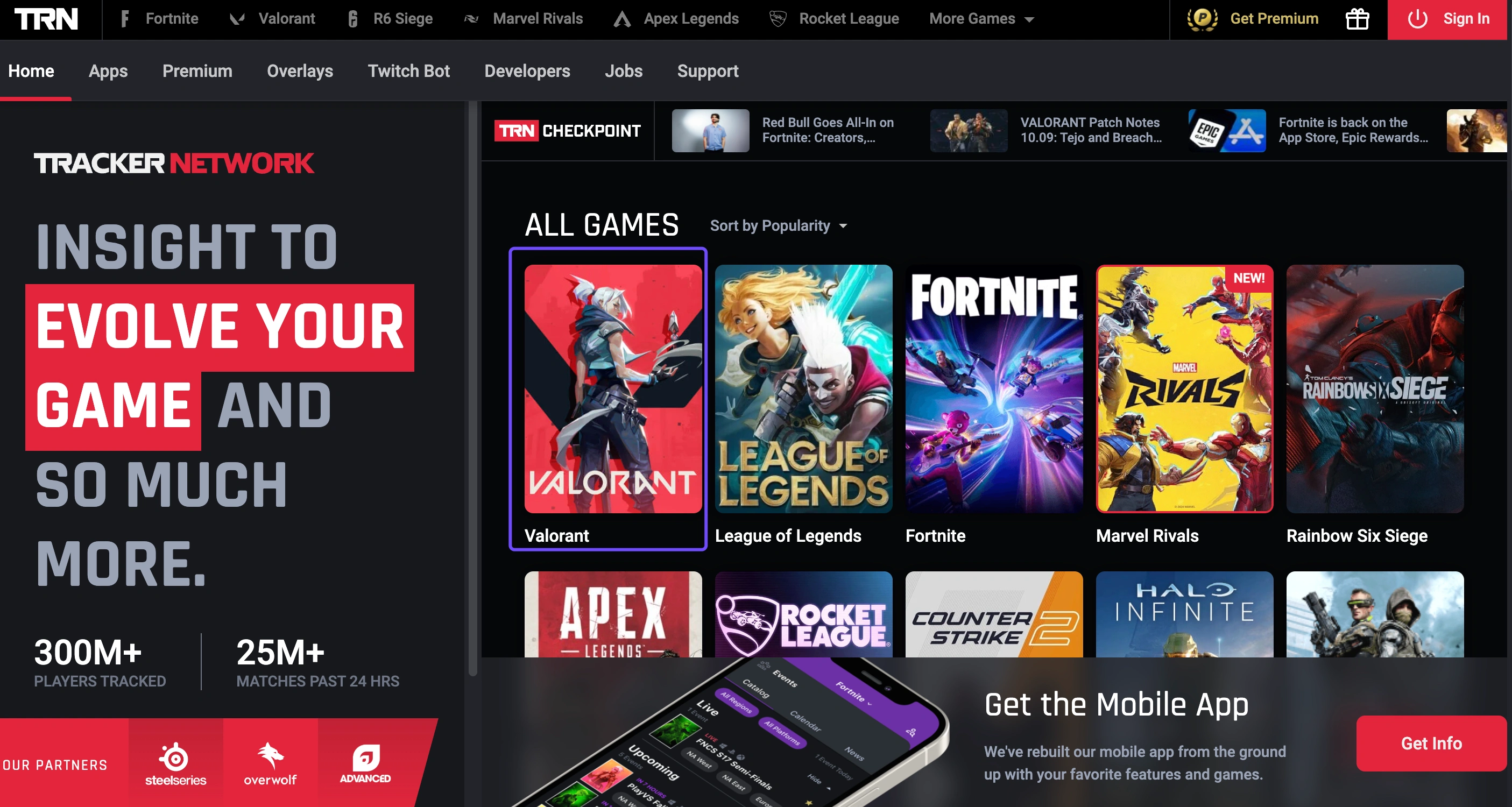
Tracker.gg is one of the most popular options among players. It provides detailed match history, heatmaps, and stat trends. You can compare yourself with other players globally and track performance over time.
Key Features:
- Agent win-rate stats
- Weapon accuracy breakdown
- Cross-platform access (web and mobile)
- Team performance comparison
2. Blitz.gg
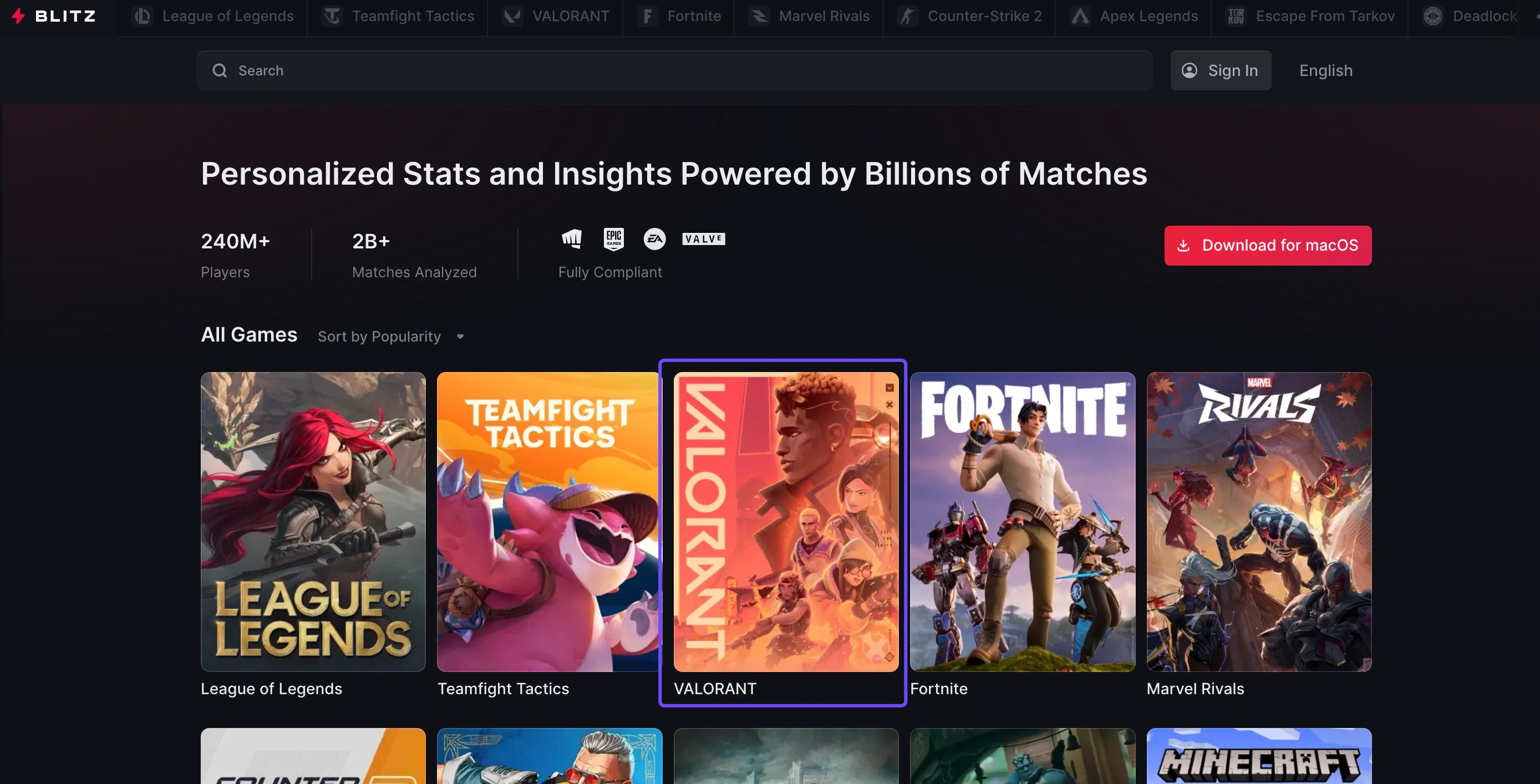
Blitz.gg offers a desktop app that runs in the background during your gameplay, giving real-time recommendations. It integrates with multiple games, but its Valorant stat tracker is particularly robust.
Key Features:
- Real-time match stats overlay
- Enemy team performance predictions
- In-game performance analysis
- Coaching tips based on your playstyle
3. Valorant Tracker by Overwolf
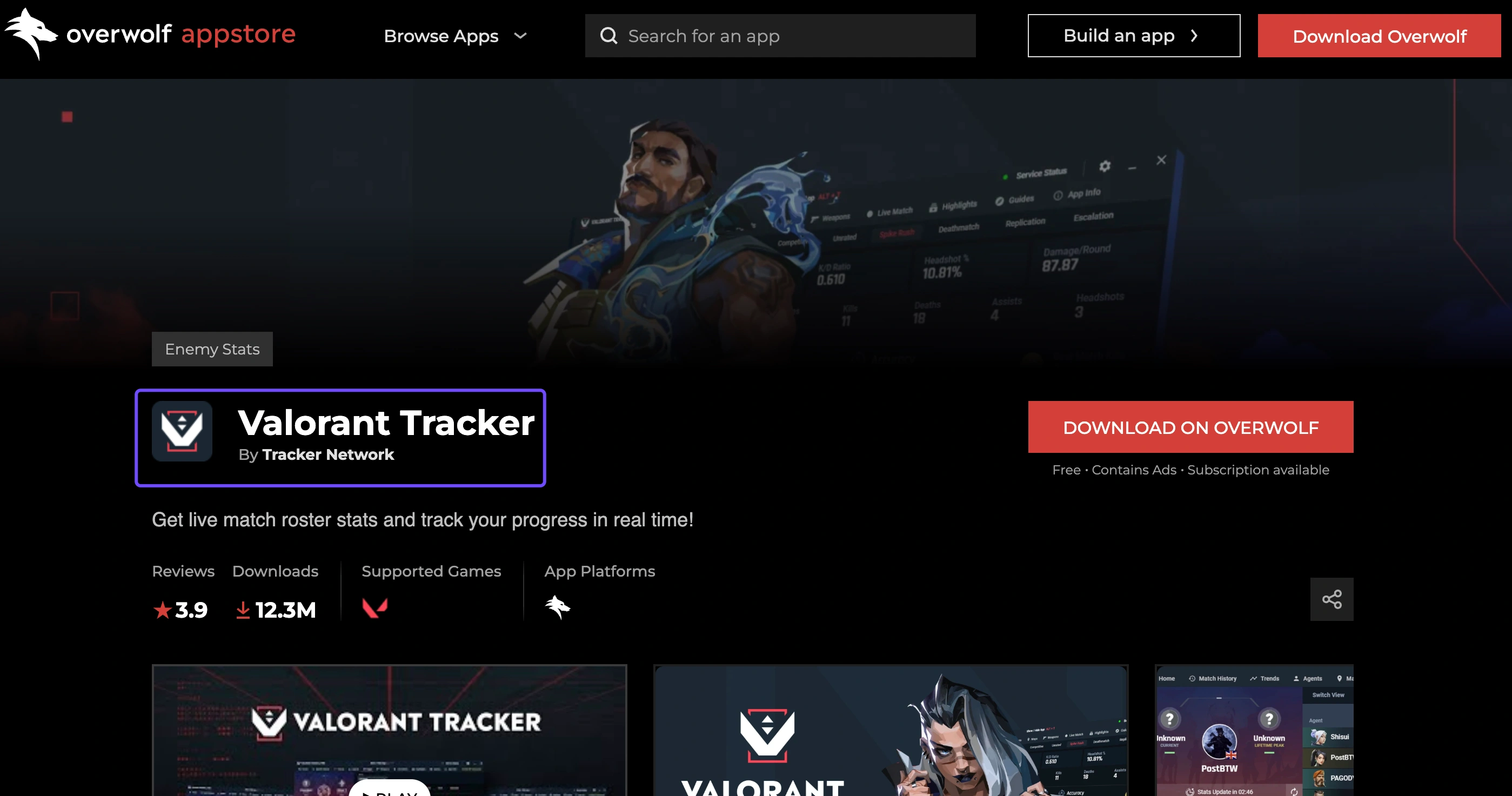
This Valorant tracker download option is built on Overwolf, allowing you to run a lightweight overlay within the game. It doesn't interfere with the client and follows Riot's API policy.
Key Features:
- In-game live tracking
- Match history and trend graphs
- Quick access to match MVPs and scoreboards
- Rank progression tracking
4. Dak.gg
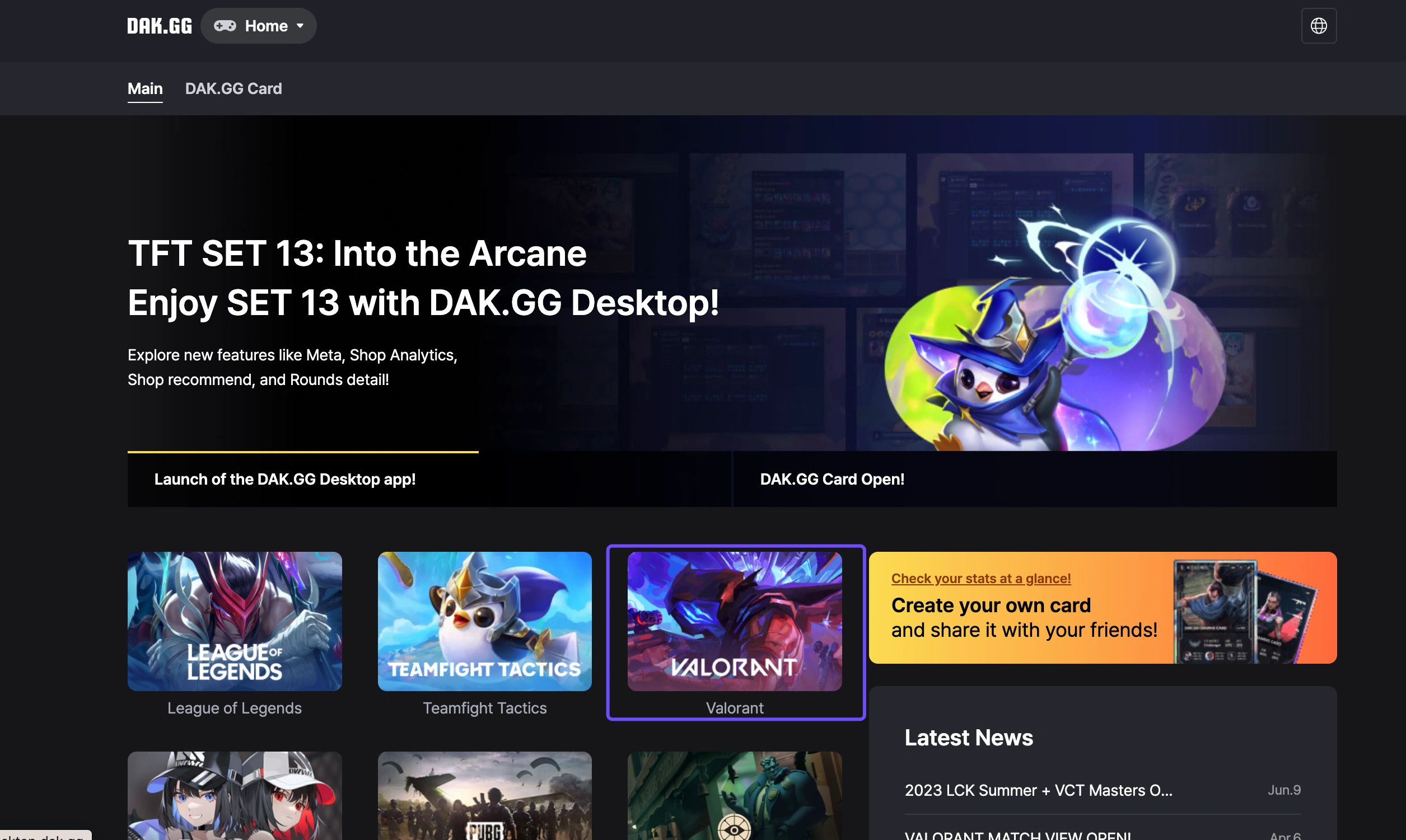
Although slightly less flashy, Dak.gg is a web-based Valorant player counter tracker that focuses on simple, easy-to-read data. It's great for players who just want the essentials without installing an app.
Key Features:
- Match summaries
- Agent win rates
- Leaderboards
- Mobile-friendly web interface
5. Valking.gg
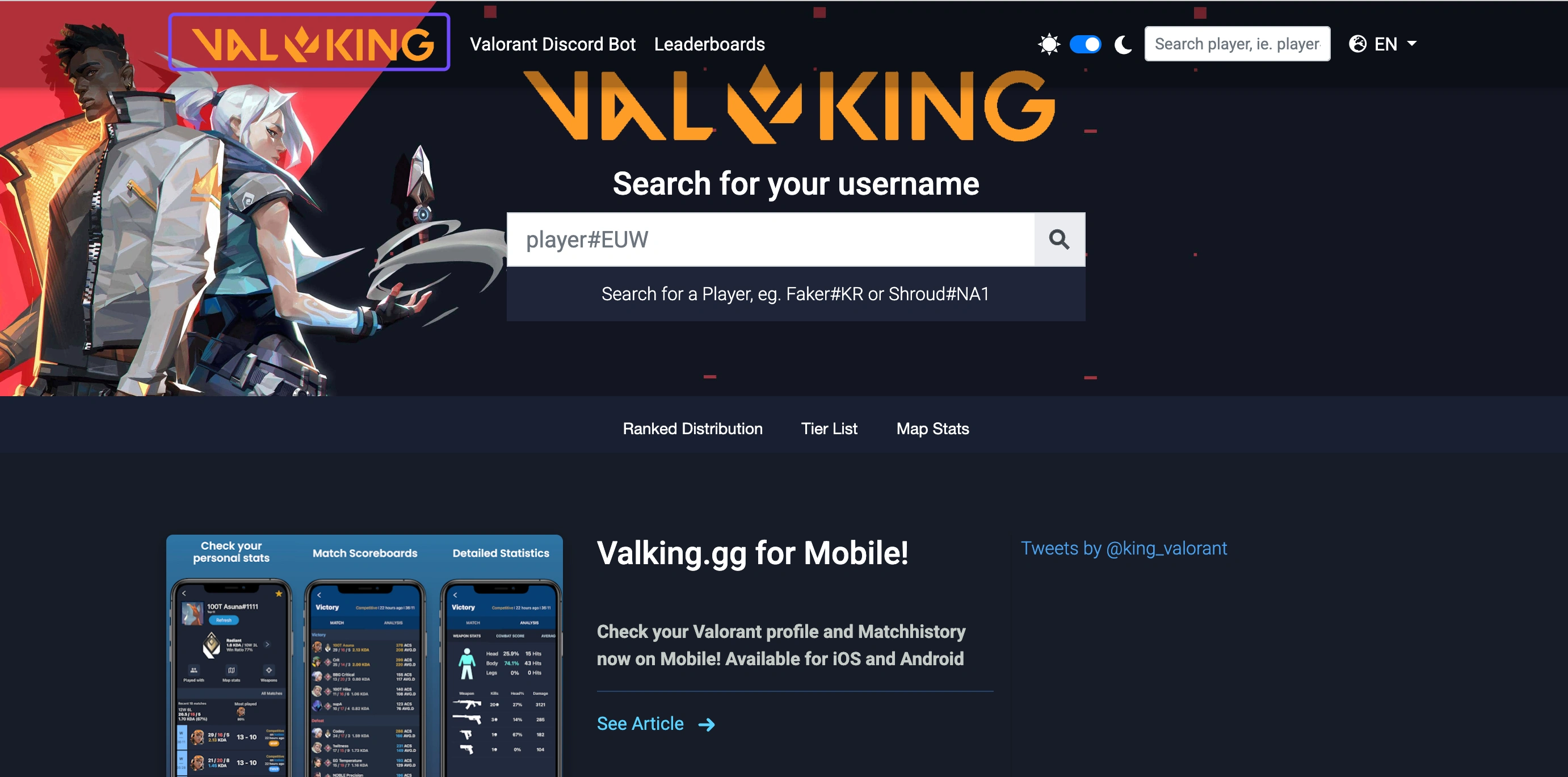
Focused exclusively on Riot titles, Valking.gg is a minimalist yet effective tool for tracking Valorant stats. It also allows you to view pro player profiles and compare performance across ranks.
Key Features:
- Quick stat lookup
- Competitive history timeline
- Role-based analytics
- Clean interface
Part 5: How to Use the Valorant Tracker App
Want to use a Valorant tracker app but not sure where to start? Here's a step-by-step guide using Tracker.gg as an example (though the steps are similar for other tools):
- Step 1: Choose Your Tracker: Go to a trusted site like tracker.gg or blitz.gg and create an account if needed.
- Step 2: Enter Your Riot ID: Input your Riot ID (e.g., GamerName#1234) into the search field. This allows the tracker to pull up your match data.
- Step 3: Install the App: For apps like Blitz or Overwolf, download the installer and follow the setup prompts. Most apps will auto-detect Valorant once installed.
- Step 4: Sync Your Profile: Once installed, the app may ask for additional permissions. Some tools offer in-game overlays; you'll need to enable those in the settings.
- Step 5: Start Tracking: Play Valorant and allow the app to gather live match data. You can usually open an overlay or view post-game summaries through the app or website.
- Step 6: Analyze and Improve: Review your match summaries, agent performance stats, and win/loss ratios to see where you can improve. Many apps offer tips based on your stats.
Part 6: Tips to Enhance Game Experience in Valorant - LagoFast
If you're looking to take your Valorant experience even further, LagoFast is a tool worth exploring. While trackers help you analyze stats, LagoFast focuses on improving your in-game performance and connection stability.
Why Choose LagoFast
- Cross-Platform Compatibility: Works with Windows, PlayStation, and Xbox, offering a seamless boost regardless of where you play.
- Lag Reduction: Uses advanced routing to lower ping and prevent lag spikes during intense fights.
- Game Translation Feature: Built-in translation allows players to communicate better with teammates across different languages.
- Easy UI: Simple setup that doesn't require complicated configurations.
- Secure and Lightweight: Uses optimized servers to ensure low latency and stable FPS.
Combining LagoFast with your preferred Valorant tracker app ensures not just data-driven improvement but also smoother gameplay.
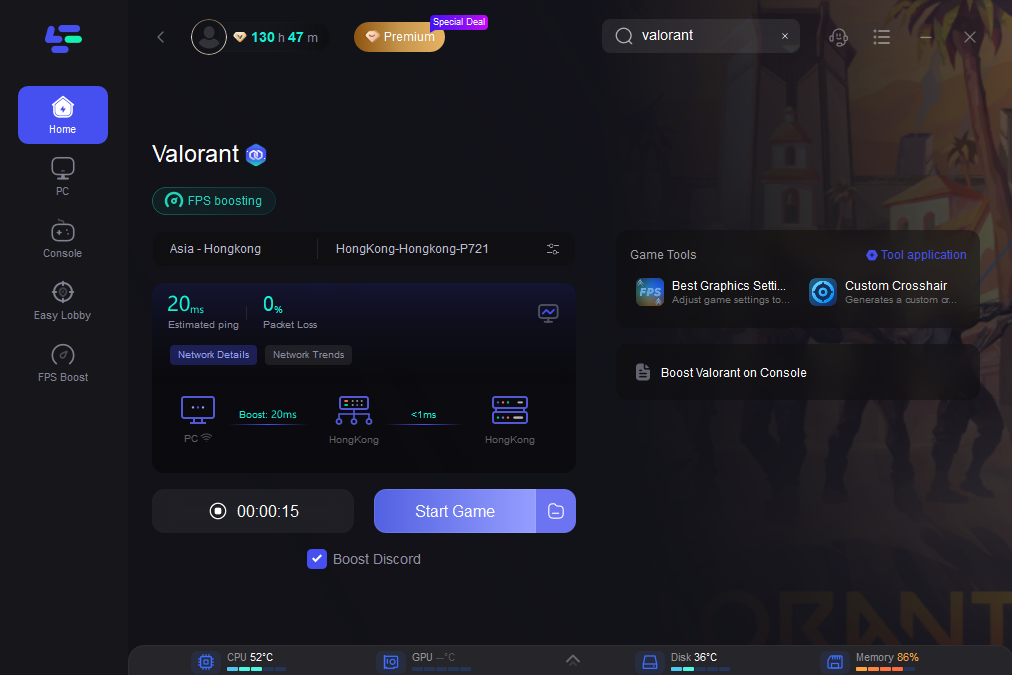
Tutorial to use LagoFast to ensure your Valorant gaming experience on PC
Step 1: Click the Free Trial button to download and install LagoFast.
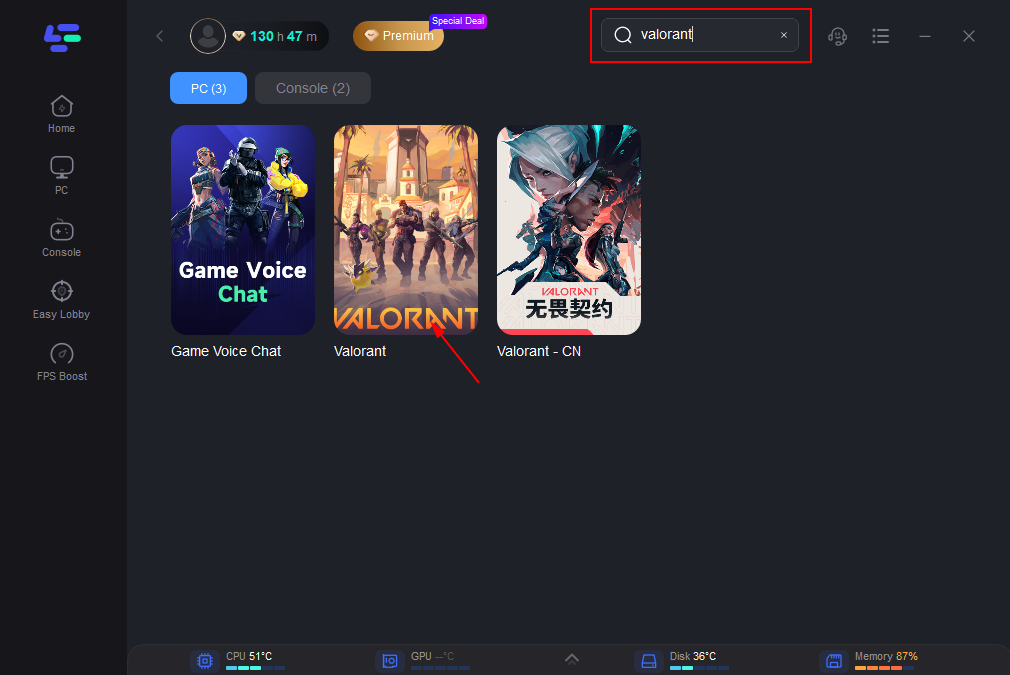
Step 2: Open LagoFast, then click the PC button on the left and searchfor Valorant in the search bar, click it after it appears.
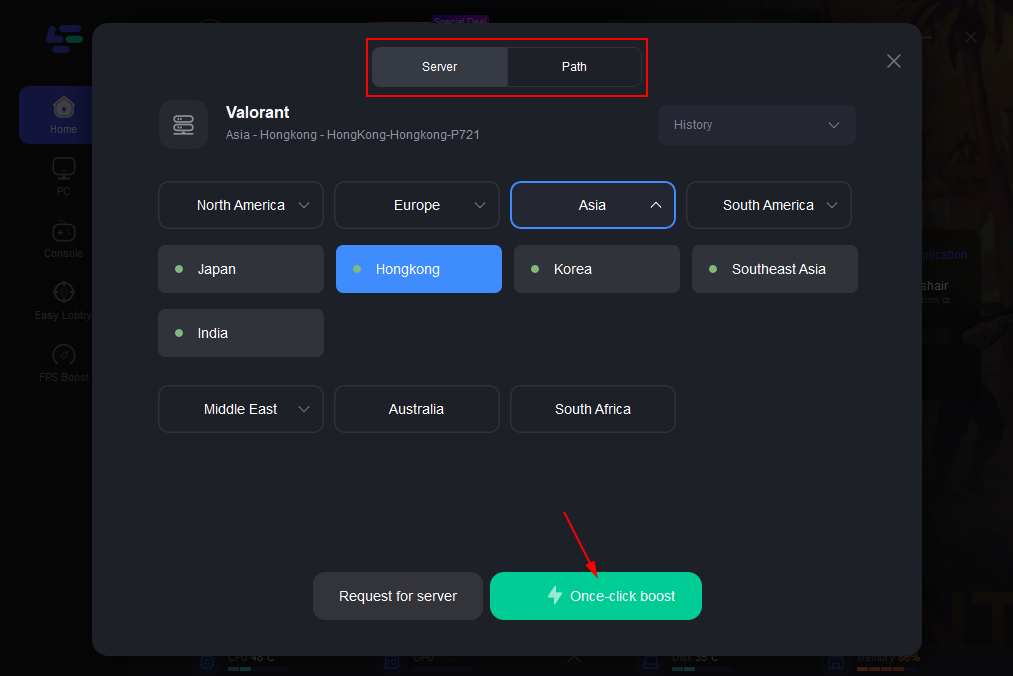
Step 3: Click on "Server" to change to a better server that ensures the gaming experience, then click on "Smart Boost".
Step 4: Check the specific game ping, packet loss, and multiple path connection on the right side. Finally, click the "Start Game" to play the game.
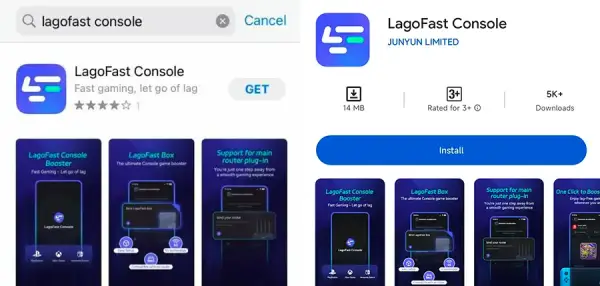
Tutorial on using LagoFast Box to reduce ping and enhance console gaming experience
Step 1: Download the LagoFast Console App on your phone to control the LagoFast Box.
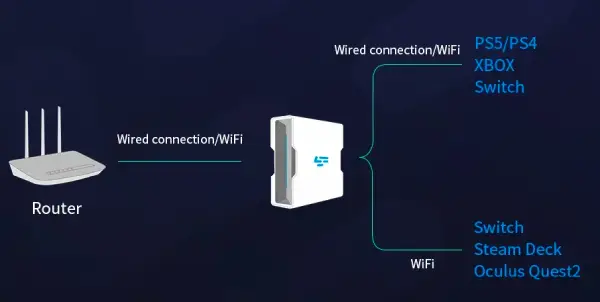
Step 2: Establish a connection between your LagoFast Box, router, and console, choosing between a wired or wireless connection.
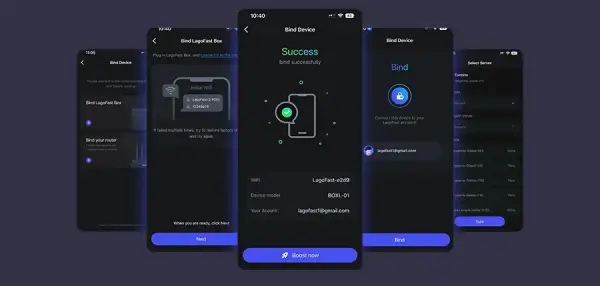
Step 3: Launch the LagoFast Console App and boost Valorant. Once you have completed the binding process with the LagoFast Box, proceed to boost this game within the LagoFast Console App.
Part 7: FAQs about Valorant Tracker
Q1: Is Valorant Tracker Bannable
No, using a Valorant tracker is not bannable if you are using trusted services that comply with Riot's API policy. Tools that provide overlays or use public match data are allowed. Avoid any tool that injects code or manipulates the game client.
Q2: Can Val Tracker Get You Banned
No, as long as it's a legitimate stat tracker like Tracker.gg, Blitz, or Overwolf. These tools are widely used by the community and don't breach Riot's terms. Just don't use hacks or cheats disguised as trackers.
Q3: How to Check Valorant Tracker In-Game
If you're using an overlay-supported tracker (like Blitz or Overwolf), press the assigned hotkey (usually something like Shift + Tab) during the match. It will display performance metrics like your kills, deaths, and round-by-round breakdowns.
Q4: How to Private Valorant Tracker
To hide your stats from public trackers:
- Step 1. Log in to your Riot Games account.
- Step 2. Go to Account Settings and select Privacy.
- Step 3. Toggle on the option to "Make my profile private.
This prevents public APIs from accessing your match data.
Q5: How to Hide Valorant Tracker
If you no longer want the tracker overlay:
- Step 1. Open the tracker app settings (e.g., in Blitz or Overwolf).
- Step 2. Navigate to Overlay settings.
- Step 3. Turn off the in-game overlay or set hotkeys to disable it manually.
Alternatively, you can uninstall the app entirely or use the web version for post-game analysis only.
Conclusion
A Valorant tracker is one of the most effective tools to better understand your gameplay, improve your stats, and rise through the ranks. With options ranging from web-based services like Dak.gg to full-featured apps like Blitz and Tracker.gg, there's a solution for every kind of player. Just remember to choose trusted tracker tools, avoid anything that alters your game client, and complement your setup with optimization tools like LagoFast to reduce lag and improve connectivity. By combining stat tracking with performance tools, you can enjoy a more competitive, informed, and smooth Valorant experience.

Boost Your Game with LagoFast for Epic Speed
Play harder, faster. LagoFast game booster eliminates stutter and lags on PC, mobile, or Mac—win every match!
Quickly Reduce Game Lag and Ping!
Boost FPS for Smoother Gameplay!