

Since its PC release on June 2, 2020, Valorant—the tactical shooter sensation—has captivated gamers worldwide with its fast-paced gameplay and adrenaline-fueled mechanics, earning a dedicated fanbase. On April 21, 2025, the announcement of Valorant Mobile pre-registration reignited global excitement, shifting the spotlight back to Riot Games' flagship title.
However, much like its PC counterpart, victory or defeat in Valorant Mobile hinges on split-second maneuvers and precise reflexes. Even the slightest latency can undo meticulous strategies and hard-earned advantages. This article dives deep into the root causes of Valorant Mobile lag issues, offering actionable fixes and proven strategies to optimize your competitive edge.

- ✅ Reduce Lag and High Ping.
- ✅ Boost FPS at the Same Time.
- ✅ Support 2000+ Popular Online Games.
- ✅ Cover Servers All over The World.
Part 1: Release Details about Valorant Mobile
Part 2: Common Causes of Valorant Mobile Lag
Part 3: How to Fix Valorant Mobile Lag
Part 4: How to Enhance Gming Experience of Valorant Mobile?-LagoFast Mobile
Part 1: Release Details about Valorant Mobile
Four years ago, Riot Games announced the development of Valorant Mobile, but no official release date has been confirmed as of now. However, at Tencent's Spark Game Conference, Riot Games officially revealed that Valorant Mobile will open pre-registration earlier than expected, starting on April 21, 2025. Notably, this pre-registration phase is exclusive to players within Chinese server regions, meaning only those geolocated in China can secure early access advantages for the game's official launch.
Players eligible under China's server coverage can follow the steps below to pre-register:
- Visit the Official Chinese Pre-registration Website: Go to valm.qq.com.
- Locate the Pre-registration Button: Look for the button or link that says “预注册” (yù zhùcè).
- Log in with Your QQ Account: You need to log in using your QQ username or email and password. If you don't have a QQ account, you will need to create one.
- Follow the On-Screen Instructions: The website will guide you through the pre-registration process. This might involve confirming your interest and potentially agreeing to terms and conditions.
- Check for Confirmation: After successful pre-registration, you should see a confirmation message on the website. You might also receive an in-app notification within your QQ account.
Pre-register Valorant Mobile via LagoFast:
The process of applying for a QQ account is not particularly straightforward for players outside of China's server regions. LagoFast Mobile provides gamers with a one-click solution to obtain QQ accounts and efficiently access Valorant Mobile pre-registration with ease.
Step 1: Download LagoFast Mobile Booster APK file from its official website. Then install it on your phone.
Step 2: Launch LagoFast Mobile, find Valorant Mobile CN in search bar or in the Game Library
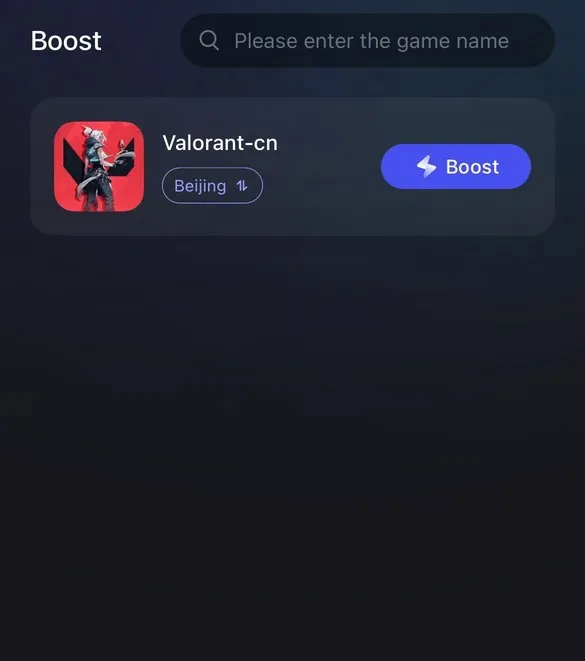
Step 3: Tap the text floating in the Valorant CN boosting page.
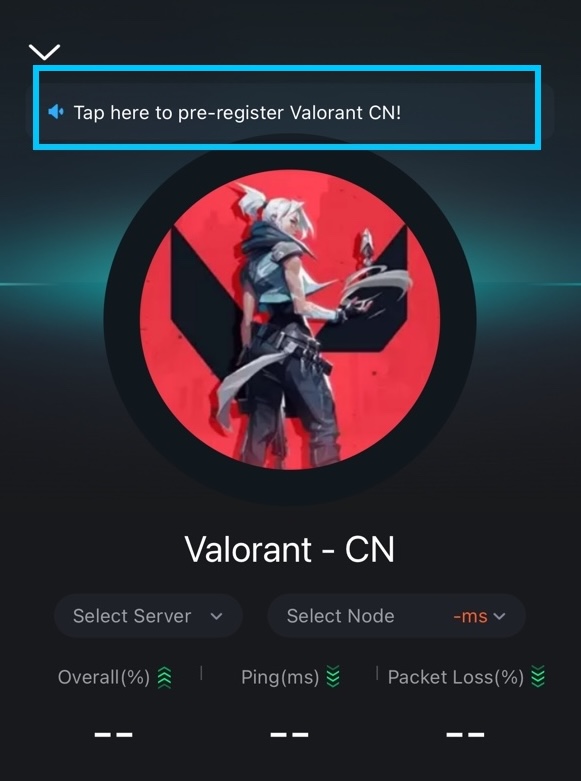
Step 4: Continue to tap the pre-register button. (There's only Chinese on the page).

Step 5: Select QQ register and register a QQ account , then log in the pre-registration with your QQ account.

If you have any questions about the steps of pre-regestration of Valorant Mobile in LagoFast, challenge support page.
Part 2: Common Causes of Valorant Mobile Lag
Every problem has its root cause. When playing Valorant Mobile on a mobile device, lag issues often arise due to the following common reasons:
1. Network Connection Issues
As an online game, Valorant Mobile requires a stable internet connection. If the device's network is unstable, players will experience latency during gameplay.
2. Server Location Problems
During matches, player data must travel to and from the game's main servers. If the player's device is geographically distant from these servers, delays (high ping) will occur.
3. Background App Interference
An overloaded machine performs poorly. Similarly, running multiple apps while playing Valorant Mobile consumes device memory, hogging the resources needed for the game to run smoothly and causing lag.
4. Corrupted Game Files
In some cases, Valorant Mobile's installation files may become corrupted due to unknown reasons, leading to performance hiccups or crashes.
5. Outdated Device Specifications
Mobile games demand significant memory and processing power. If a device lacks sufficient RAM or has outdated hardware, Valorant Mobile will struggle to run, resulting in lag or even freezes.
Part 3: How to Fix Valorant Mobile Lag
Here's how to resolve Valorant Mobile lag issues, see which fixes work for you!
1. Exit and Restart the Game
Like most mobile apps, Valorant Mobile can suffer from temporary glitches. If you notice lag, simply:
- Exit the game completely
- Wait 10–15 seconds
- Relaunch the app
This clears cached errors and resets network connections.
2. Check or Switch Networks
Unstable Wi-Fi or crowded public networks are common culprits. Try:
- Switching to a wired Ethernet connection via USB-C/OTG adapters
- Avoiding public 2.4GHz Wi-Fi; opt for less congested 5GHz networks
Testing mobile data (ensure your plan has low latency for gaming)
3. Switch Servers
Server-side issues often cause lag. Valorant Mobile lets you manually select regions:
- Go to Settings > Account > Server Selection
- Choose a server with <60ms ping (e.g., Tokyo instead of Frankfurt if in Asia)
4. Check Background Apps
Background processes drain RAM and bandwidth. Before playing:
- Close all non-essential apps (Social media, streaming services)
- Enable Gaming Mode (Android: Battery Settings; iOS: Focus Mode)
5. Use a High-Spec Gaming Device
Valorant Mobile's minimum requirements (Snapdragon 778G/4GB RAM) struggle with sustained performance. Upgrade to:
- Flagship phones: iPhone 15 Pro, Samsung Galaxy S24 (120Hz displays)
- Gaming phones: ASUS ROG Phone 8, RedMagic 9 Pro (active cooling)
6. Uninstall and Reinstall Valorant Mobile
Corrupted game files? Follow these steps:
- Uninstall the app
- Restart your device
- Download the latest version from official stores (Google Play/App Store)
7. Restart Your Device
If Valorant Mobile freezes entirely:
- Hold the power button until the device shuts down
- Wait 30 seconds
- Reboot and relaunch the game
This resets hardware resources and terminates stuck processes.
Part 4: How to Enhance Gming Experience of Valorant Mobile?-LagoFast Mobile
Does Valorant Mobile lag always strike at the worst moments? Smart players are already using LagoFast Mobile to eliminate latency for good! With its intelligent algorithm, LagoFast Mobile monitors your gameplay in real time and automatically switches to the most stable connection, effectively preventing lag caused by network instability, server issues, or regional restrictions.
Why Choose LagoFast?
- Stable Connections: LagoFast Mobile uses advanced algorithms to identify and lock onto the most reliable routes, ensuring seamless communication with Valorant Mobile servers.
- Reduce Latency: Smart route switching slashes high ping and delays, maintaining a smooth <60ms connection even during peak hours.
- Boost FPS Clarity: Optimized data transmission sharpens textures and reduces visual stutter, letting you spot enemies in high-definition detail.
How to Boost Your Valorant Mobile Experience with LagoFast Mobile:
Step 1: Download LagoFast Mobile APK file from its official website.

Step 2: Search for Valorant Mobile CN in the app's game library and select it.
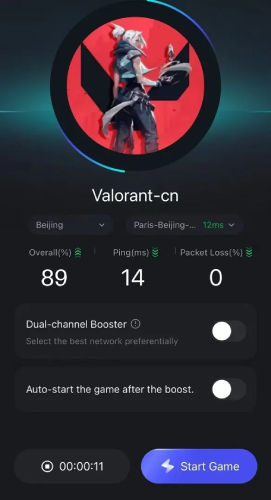
Step 3: Choose a server node (currently limited to CN servers due to regional availability) and tap Accelerate.
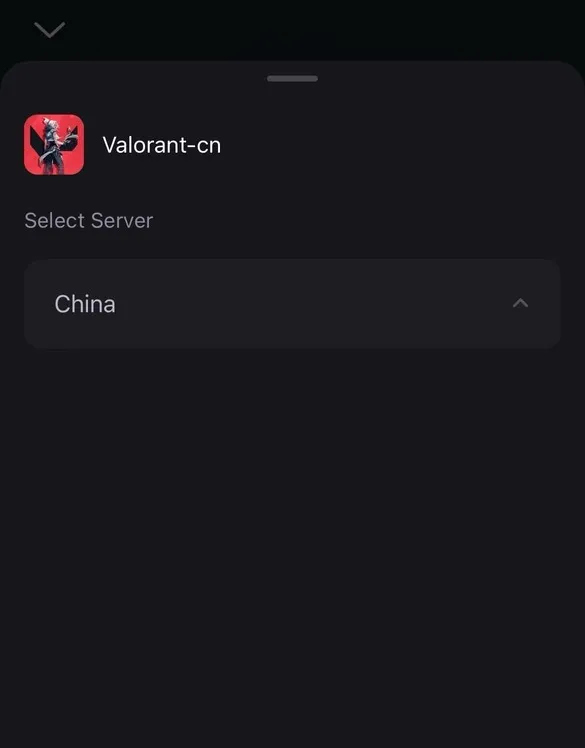
Step 4: Confirm real-time ping and packet loss stats, then dive into lag-free matches and dominate the battlefield!
Hot Related: The Best Valorant VPN for Easy Lobbies To Get Easier
Conclusion
Experiencing Valorant Mobile lag is nothing to fear—it's a common challenge every player faces. The key is mastering the most effective solutions to reclaim your dominance in the game. Without quick action, you risk losing your competitive edge, which can tank your rankings and performance. The ultimate fix? LagoFast Mobile. Download it now and unleash unstoppable, lag-free battles in Valorant with LagoFast Mobile by your side!

Boost Your Game with LagoFast for Epic Speed
Play harder, faster. LagoFast game booster eliminates stutter and lags on PC, mobile, or Mac—win every match!
Quickly Reduce Game Lag and Ping!
Boost FPS for Smoother Gameplay!