
Valorant is a highly popular first-person shooter that has been warmly received by players since its release on PC. With its official launch on the mobile platform on August 19, 2025, it has sparked an all-new wave of shooting excitement!
Creating the perfect crosshair in Valorant Mobile can dramatically improve your aiming precision, target tracking, and overall gameplay performance. Whether you're a seasoned veteran or a newcomer stepping into mobile FPS territory, customizing your crosshair—and even using a crosshair tool—can help you gain an edge. This guide will walk you through the crosshair tools in Valorant and introduce you to the best Valorant Mobile crosshair tool available!

- ✅ Reduce Lag and High Ping.
- ✅ Boost FPS at the Same Time.
- ✅ Support 2000+ Popular Online Games.
- ✅ Download Valorant Mobile from Anywhere.
Part 1: What Is Valorant Crosshair
Part 2: How to Turn On and Customize the Crosshair in Valorant Mobile
Part 3: Best Tool for Customizing Valorant Mobile Crosshair
Part 4: How to Enhance Gaming Experience in Valorant Mobile
Part 1: What Is Valorant Crosshair
The crosshair in Valorant is the aiming reticle positioned at the center of your screen—it’s your visual reference for where your shots will land. Customizing its appearance (color, shape, size) helps your eyes lock onto targets more efficiently and can reduce distractions during intense firefights.
Part 2: How to Turn On and Customize the Crosshair in Valorant Mobile
In Valorant Mobile, players can also use a crosshair to improve shooting accuracy. Here are the steps to enable and customize your crosshair:
Step 1: Launch Valorant Mobile and log in with your account.
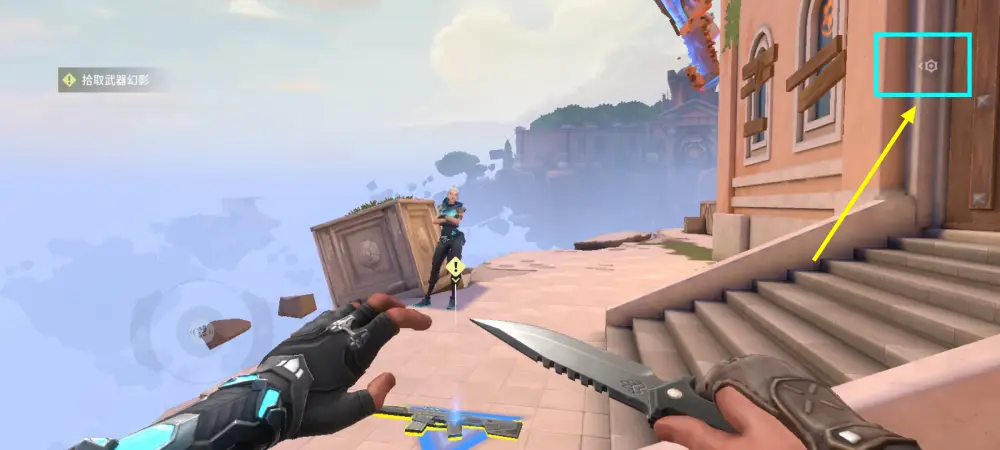
Step 2: On the main menu screen, locate and tap the Setting button.
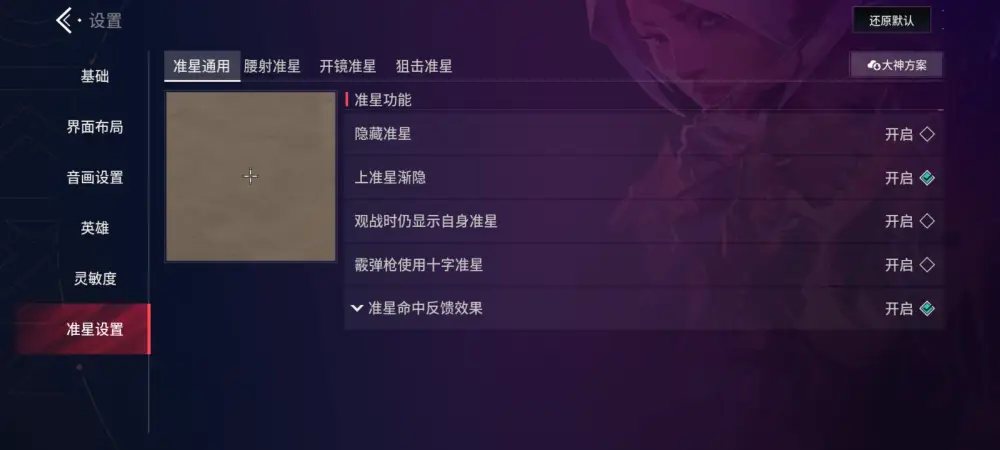
Step 3: Enter the crosshair settings page, where you’ll find customization options such as inner/outer lines, color, opacity, thickness, center dot, outlines, and firing/movement reaction toggles. Adjust these settings based on your shooting habits to create a crosshair that fits your personal style! Valorant Mobile also supports preset crosshair designs created by experienced players!
Part 3: Best Tool for Customizing Valorant Mobile Crosshair
For beginners or players who are not yet familiar with mobile controls, setting up the best crosshair may not be an easy task. This is where LagoFast’s Enhanced Crosshair tool for Valorant Mobile comes in. Built specifically for the mobile version, it allows you to go beyond the in-game settings by further modifying the color, size, and sensitivity of your crosshair. With this tool, you can gain a significant advantage in every firefight!
Here’s how to use LagoFast’s Valorant Mobile Enhanced Crosshair:
1. Go to the official LagoFast website and download the LagoFast Mobile APK file (this feature is available for Android users only, and may not appear in versions of LagoFast Mobile not installed via APK).

2. After installation, open LagoFast Mobile, go to the Boost section, locate Valorant Mobile and its Enhanced Crosshair tool, click "Enable" button to start set.
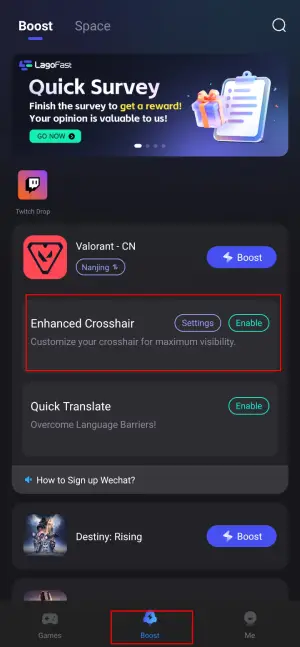
3. Enter the settings page and customize your crosshair as you like!
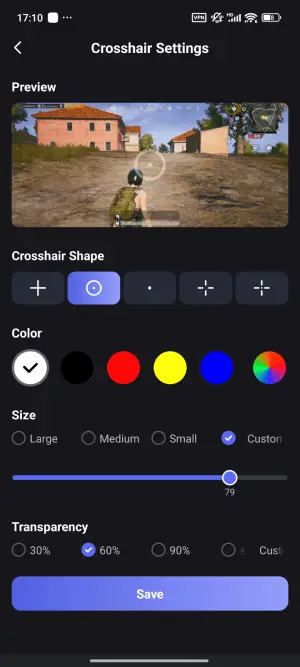
4. Return to Valorant Mobile, and you can see the crosshair costomized!
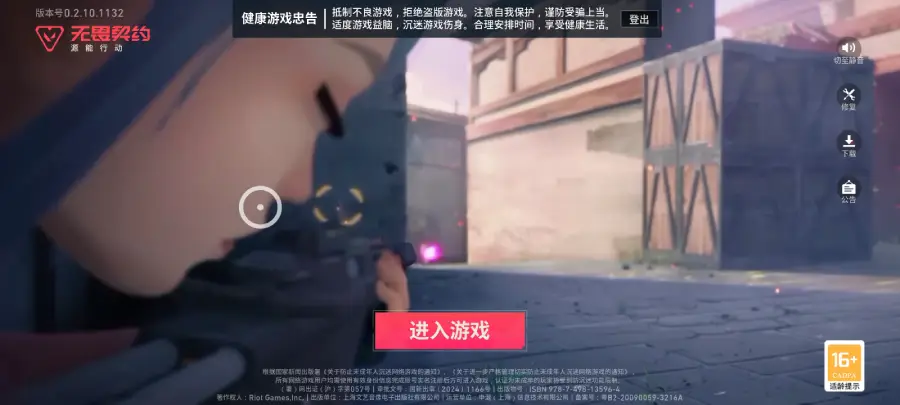
Note: This feature is exclusive to Android players.
Part 4: How to Enhance Gaming Experience in Valorant Mobile
In addition to its powerful Valorant Mobile custom crosshair tool, LagoFast also optimizes the overall gaming experience. Especially since Valorant Mobile has not yet been released globally, LagoFast helps players outside of China successfully download the game, connect to Chinese servers from abroad, and significantly reduce delay and high ping.
How to Use LagoFast to Download Valorant Mobile from Anywhere:
Visit the LagoFast Mobile official website and download and install LagoFast Mobile APK.
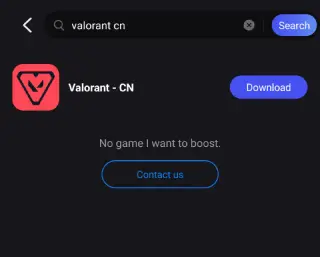
Step 3: After download and complete installation, you can get Valorant Mobile CN outside China.
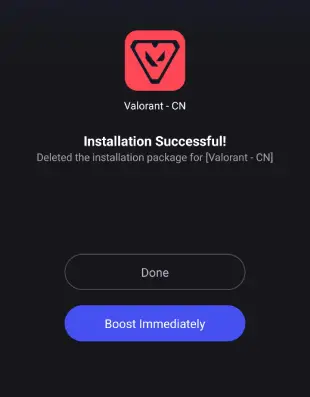
LagoFast provides a secure and reliable download channel, enabling players worldwide to access Valorant Mobile even before its global release. And you can click here to get a support for loggin in to Valorant Mobile CN with Wechat account from anywhere: How to Sign Up for WeChat Outside China (Step-by-Step Guide)
Best Valorant Mobile Translation Tool:
For non-Chinese-speaking players, the Valorant Mobile translation tool included in LagoFast is also invaluable. It helps break down language barriers and makes it easier to understand the in-game interface seamlessly.
Step 1: Visit the official LagoFast Mobile website for downloading its APK file, then complete the installation.
Step 2: After installation, go to the Boost tab, locate Valorant - CN, and find the Quick Translate tool below. Click Enable.
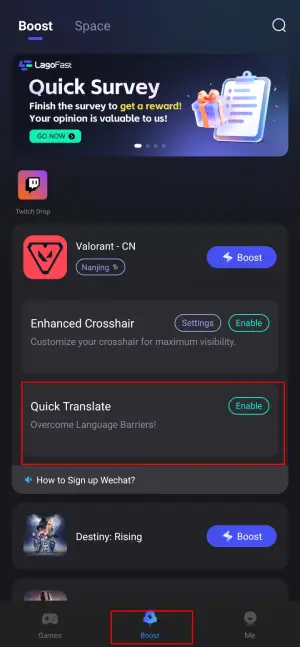
Step 3: Complete the necessary settings:
- Set popup window permissions: Enable "Display over apps."
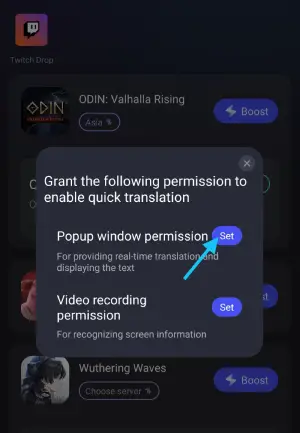
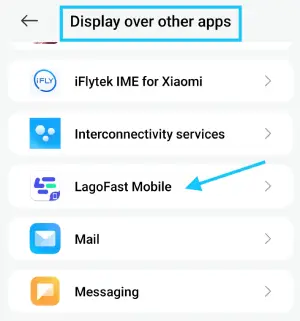
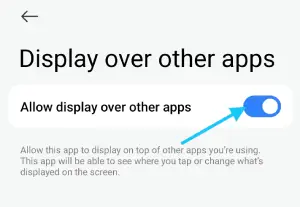
- Set video recording permissions: Tap the Set button, select Full Screen, then start the translation tool.
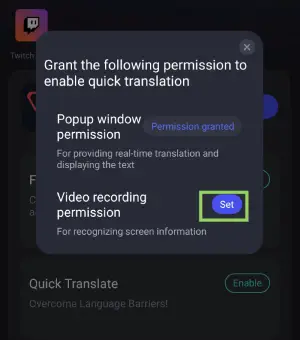
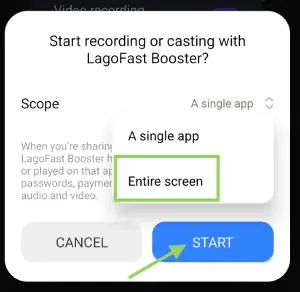
Step 4: Return to the game and use the floating translation ball provided by the tool to translate Chinese text in Valorant Mobile into your target language.
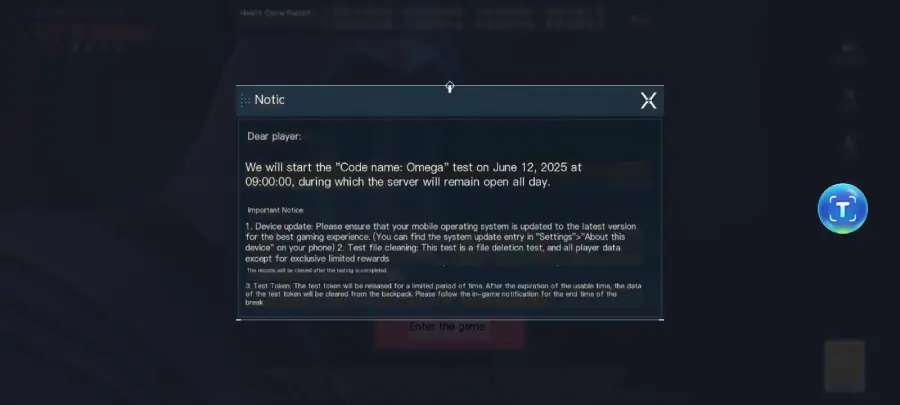
Please note: LagoFast’s game download function, enhanced crosshair, and translation tools are only available for Android players. iOS players can still download LagoFast from the App Store to reduce lag and ensure a more stable connection.
Steps to Reduce Valorant Mobile Lag with LagoFast:
Step 1: Android players or iOS players can download LagoFast Mobile from Google Play or App Store, or scan the QR code below.

Step 2: Search Valorant Mobile and click the result.
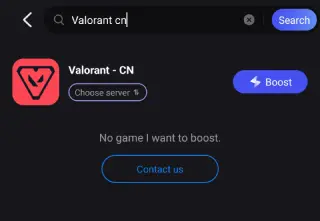
Step 3: Choose the China server(because Valorant Mobile is expected to be available only within the Chinese server range).
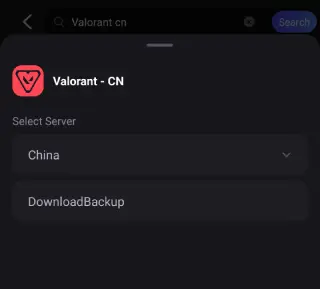
Step 4: Click boost, and it will show you real-time ping & packet loss rate.
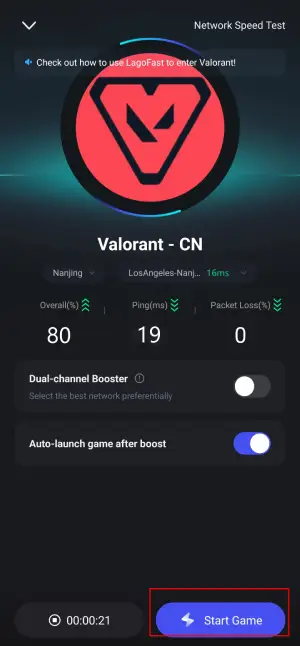
Now you can enjoy smooth gaming in Valorant Mobile!
Conclusion
The crosshair is one of the most critical elements in Valorant. Mastering it allows you to seize the upper hand in firefights, gain a competitive edge, and enjoy the ultimate gaming experience. With LagoFast’s Valorant Mobile crosshair tool, you can optimize your reticle setup like never before—improving both your accuracy and your gameplay. Don’t wait, give it a try today!

Boost Your Game with LagoFast for Epic Speed
Play harder, faster. LagoFast game booster eliminates stutter and lags on PC, mobile, or Mac—win every match!
Quickly Reduce Game Lag and Ping!
Boost FPS for Smoother Gameplay!