
In the rapidly evolving landscape of artificial intelligence, we have moved beyond simple chatbots that just "talk." We are now entering the era of "AI Agents", tools that don't just provide answers but actually perform tasks. If you’ve been following tech trends in 2026, you’ve likely heard of OpenClaw. It has quickly become one of the most talked-about open-source projects, promising a future where your AI assistant lives on your hardware and works across your favorite apps.
Part 2: What Can I Do With OpenClaw?
Part 3: How Do I Install OpenClaw?
Part 1: What is OpenClaw?
At its core, OpenClaw is an open-source, "local-first" AI agent framework. Unlike a traditional website where you log in to chat, OpenClaw is software that you host yourself, whether on your laptop, a home server, or a Virtual Private Server (VPS). It acts as a digital "brain" that connects to your existing communication channels like WhatsApp, Telegram, or Discord.
Key Features of OpenClaw:
- Event-Driven System: It doesn't just wait for you to type; it can react to triggers like time, external notifications, or system pulses.
- Multi-Channel Integration: Talk to your AI through the messaging apps you already use every day.
- Persistent Memory: It stores information in simple Markdown files on your machine, ensuring it remembers your preferences across sessions.
- Extensible "Skills": You can add new capabilities (plugins) that allow the agent to interact with specific tools, from Gmail to smart home devices.
- Privacy-First: Because it runs on your infrastructure, your data and API keys stay under your control.
Part 2: What Can I Do With OpenClaw?
OpenClaw is designed for action. While a chatbot gives you text, OpenClaw executes workflows. Here are five real-world use cases for beginners:
Personal Secretary & Scheduler
By giving OpenClaw access to your inbox and calendar, it can manage your day autonomously. It can draft replies to routine emails using context from your files and find open slots in your schedule to arrange meetings. It acts as a proactive assistant that reminds you of upcoming tasks before they become urgent.
Automated Web Research & Reporting
Stop spending hours scrolling through news or competitor sites. You can task OpenClaw with monitoring specific topics or brand mentions on social media. It will scrape the data, perform sentiment analysis, and deliver a structured summary report directly to your Telegram or Discord at a scheduled time.
Smart Home & Health Monitoring
OpenClaw can bridge the gap between your digital and physical worlds. You can use it to control Philips Hue lights or monitor your health metrics from wearables. Imagine asking your Telegram bot to "Set the house to evening mode," and having it dim the lights and check if your fitness goals were met.
Content Repurposing for Creators
For those managing a digital presence, OpenClaw is a massive time-saver. You can feed it a single blog post and ask it to generate eight Twitter threads, three LinkedIn updates, and a newsletter summary. It handles the formatting and tone adjustments for each platform, saving the drafts directly to your content calendar.
Technical Workflow & Server Health
Even if you aren't a developer, you can use OpenClaw to watch over your tech. It can monitor server load or disk space on your computer and send you an alert only when action is needed. It’s like having a 24/7 IT admin that ensures your systems are running smoothly while you sleep.
Part 3: How Do I Install OpenClaw?
Setting up an AI agent can feel intimidating, but there are two main ways to get started, depending on your technical comfort level.
Use LagoFast for One-Click OpenClaw Installation
For many users, the barrier to entry for OpenClaw is the command-line setup. Recognizing this, LagoFast is introducing a revolutionary one-click installation feature. Known for optimizing gaming performance and network stability, LagoFast is expanding its toolkit to include seamless AI deployment.
With this upcoming update, you won't need to worry about Node.js versions or complex terminal commands. You simply select OpenClaw within the LagoFast interface, and the software handles the environment configuration, daemon setup, and gateway connection automatically. This ensures your agent is "always-on" without the headache of manual maintenance.
If you prefer to set things up yourself, the standard method involves a few technical steps. Ensure you have Node.js 22 or higher installed before beginning.
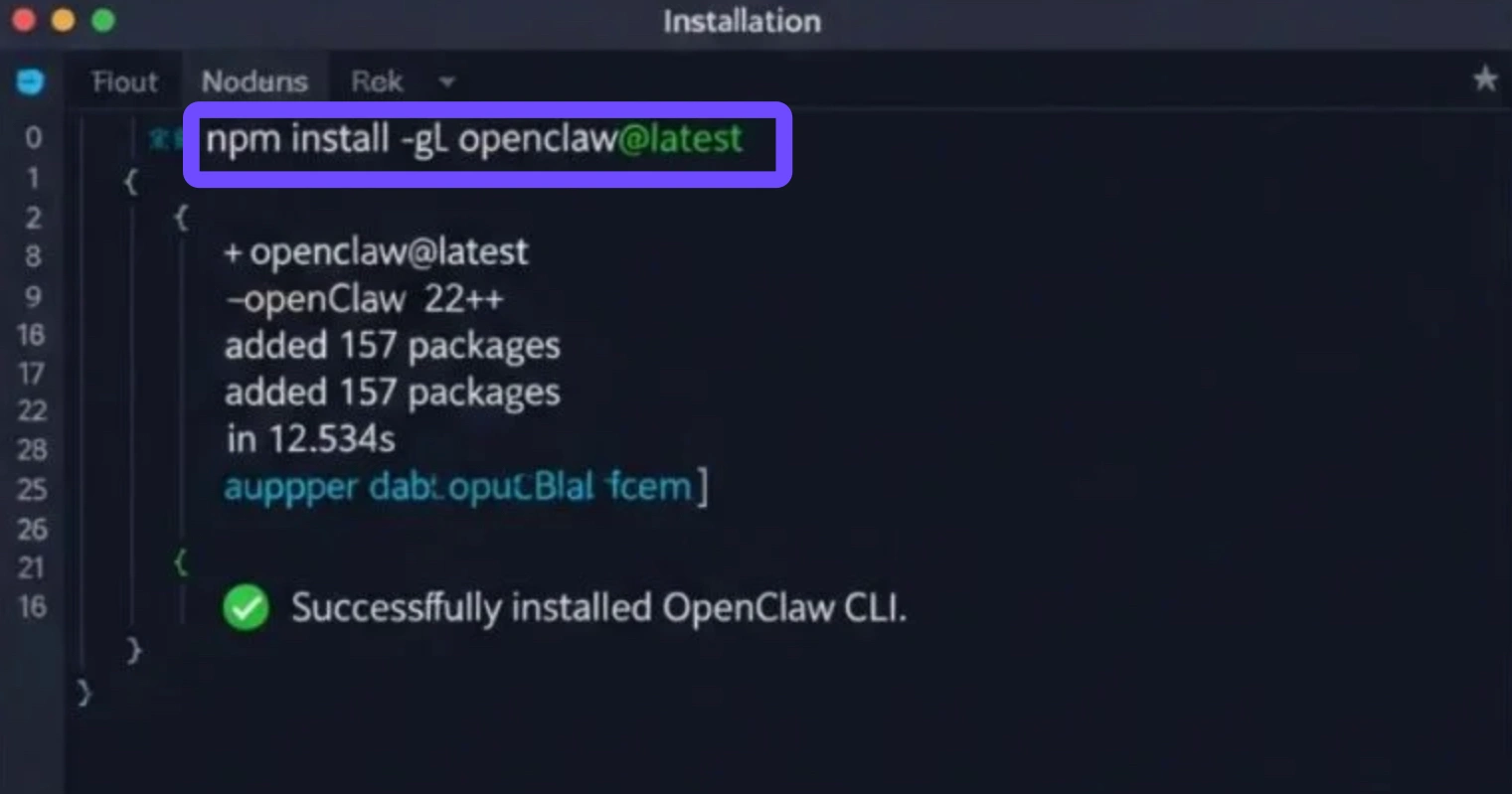
Step 1. Install the CLI: Open your terminal and run the command npm install -g openclaw@latest.
Step 2. Run the Onboarding Wizard: Type openclaw onboard --install-daemon. This interactive guide will help you set up your workspace and security tokens.
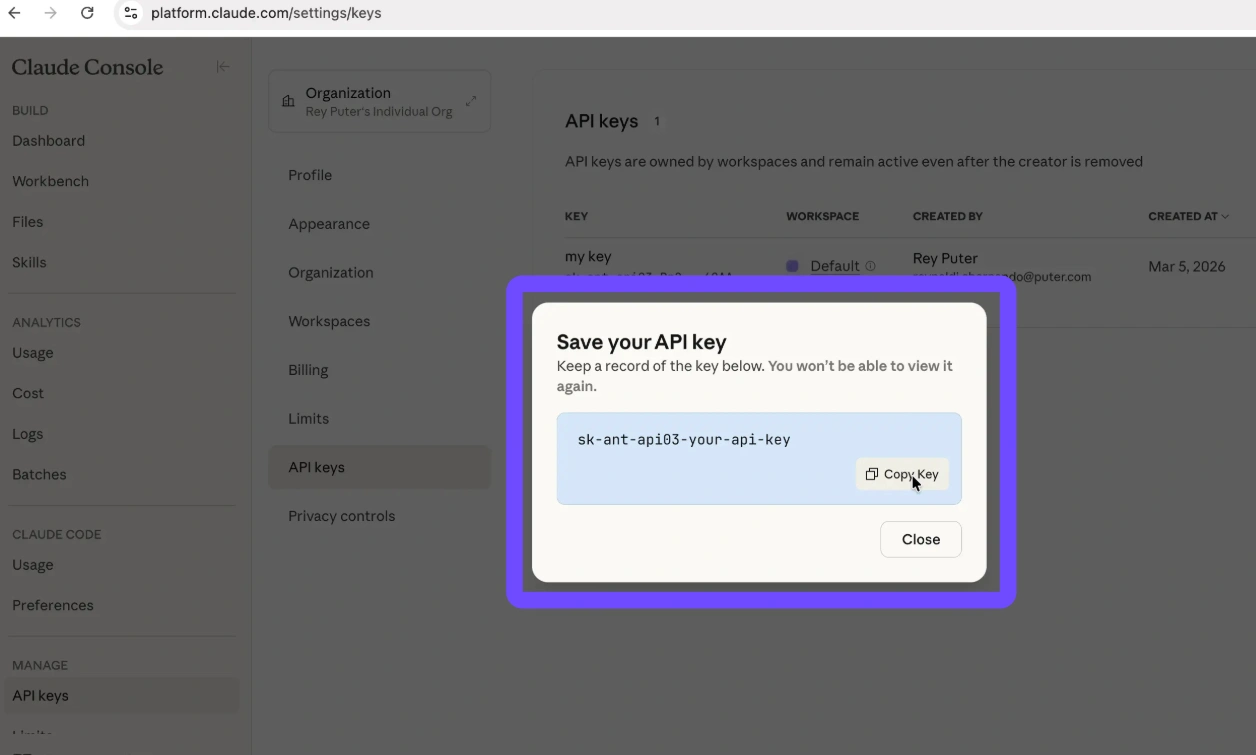
Step 3. Configure API Keys: You will need to provide an API key from a provider like Anthropic (Claude) or OpenAI.
Step 4. Connect Channels: Use the command openclaw channels login to link your WhatsApp or Telegram account.
Step 5. Verify: Run openclaw doctor to ensure everything is configured correctly and your "Gateway" is active.
Part 4: FAQs
Is OpenClaw free?
The OpenClaw software itself is completely open-source and free to download. However, because it relies on Large Language Models (LLMs), you will typically need to pay for the API tokens you use (from OpenAI or Anthropic). Alternatively, if you have a powerful GPU, you can run local models for free.
What’s the difference between OpenClaw and ChatGPT?
ChatGPT is a managed cloud service designed for conversation; it lives on OpenAI’s servers. OpenClaw is a self-hosted agent framework that lives on your machine. While ChatGPT waits for you to prompt it, OpenClaw can be proactive, running 24/7 in the background to monitor files, send alerts, and execute system-level commands.
Do I need a VPS to run OpenClaw?
Not necessarily. You can run it on your everyday laptop. However, a VPS (Virtual Private Server) is recommended if you want your agent to be "always-on" without keeping your personal computer running 24/7.
Is OpenClaw safe for beginners?
Yes, as long as you follow basic security practices. Since OpenClaw can access your files, you should never share your "Gateway Token" with anyone and always run the openclaw doctor command to check for security vulnerabilities in your setup.
Can OpenClaw help with gaming?
Absolutely. Many users use OpenClaw to monitor game server statuses, track patch notes for their favorite titles, or even automate the organization of their gaming clips and screenshots.
Conclusion
Embracing OpenClaw represents a significant shift from simply using AI to actually partnering with a digital agent that works on your behalf. Whether you are automating complex professional workflows or just looking for a smarter way to manage your daily schedule, this open-source framework offers unparalleled flexibility and privacy. By leveraging the upcoming one-click installation from LagoFast, even beginners can bypass technical hurdles. Now is the perfect time to set up your personal AI agent and reclaim your most valuable resource: time.

Boost Your Game with LagoFast for Epic Speed
Play harder, faster. LagoFast game booster eliminates stutter and lags on PC, mobile, or Mac—win every match!
Quickly Reduce Game Lag and Ping!
Boost FPS for Smoother Gameplay!