
Playing Sword of Justice globally can be an amazing experience, with epic battles, immersive worlds, and cross-platform gameplay. However, for many players, language barriers and unstable network connections can make the adventure frustrating. Quests, dialogues, menus, and item descriptions may appear in languages you don’t understand, disrupting gameplay and slowing progress.
Fortunately, there are solutions that help you overcome these challenges, allowing you to play smoothly, understand every in-game detail, and enjoy the full global experience of Sword of Justice on both PC and mobile.

- ✅ Reduce Lag and High Ping.
✅ Boost FPS at the Same Time.
✅ Support 2000+ Popular Online Games.
✅ Change Server without Latency.
✅ Boost Game Loading Speed.
Part 1: Sword of Justice Release Date
Part 2: What Languages Does Sword of Justice Global Support?
Part 3: The Best Translation Tool to Play Sword of Justice Globally Smoothly
Part 1: Sword of Justice Release Date
Sword of Justice launched globally on November 7, 2025, for PC and mobile. Players around the world are jumping into epic battles, exploring immersive worlds, and competing in cross-platform gameplay.
However, there’s a challenge: not all players can understand the game’s text. Menus, quests, and dialogues are often in languages you don’t know. Constantly pausing to figure out instructions or storylines can be frustrating—and it can disrupt the flow of your adventure.
For players aiming to enjoy Sword of Justice globally, finding a way to overcome language barriers becomes essential if you want to fully experience every quest, menu, and in-game detail.
Part 2: What Languages Does Sword of Justice Global Support?
Sword of Justice officially supports several major languages, including:
- English
- Simplified Chinese
- Traditional Chinese
- Japanese
- Korean
- Thai
- Indonesian
This ensures that many players can enjoy the game without issues.
However, for players accessing global servers, language barriers can still be a major challenge. Quests, item descriptions, menus, and dialogues may appear in unfamiliar languages, making it difficult to fully enjoy the game.
So what can players do if they want to play globally but don’t understand the text?
This is where effective translation solutions come into play—helping you understand the game instantly and keep the adventure flowing smoothly.
Part 3: The Best Translation Tool to Play Sword of Justice Globally Smoothly
For players who want to enjoy Sword of Justice on global servers—especially in regions like Brazil, Russia, and Turkey—language barriers and unstable connections can be major challenges. LagoFast provides a complete solution to make global gameplay smooth and hassle-free on both PC and mobile. With real-time translation, players can instantly understand in-game text, menus, quests, and dialogues in multiple languages, ensuring that important information is never missed. At the same time, LagoFast optimizes network connections, reduces ping, and stabilizes gameplay, providing smoother battles, fewer delays, and a better overall experience on global servers.
One-Click Translation
On PC, LagoFast’s One-Click Translation feature allows you to translate any on-screen text—quests, menus, or dialogues—with a single click, instantly displaying it in your preferred language.
How to Use the LagoFast Sword of Justice Translation Tool on PC:
Step 1: Begin by clicking the Free Trial button to download and install the LagoFast Free Trial.
Step 2: Open LagoFast and use the search bar to find Sword of Justice
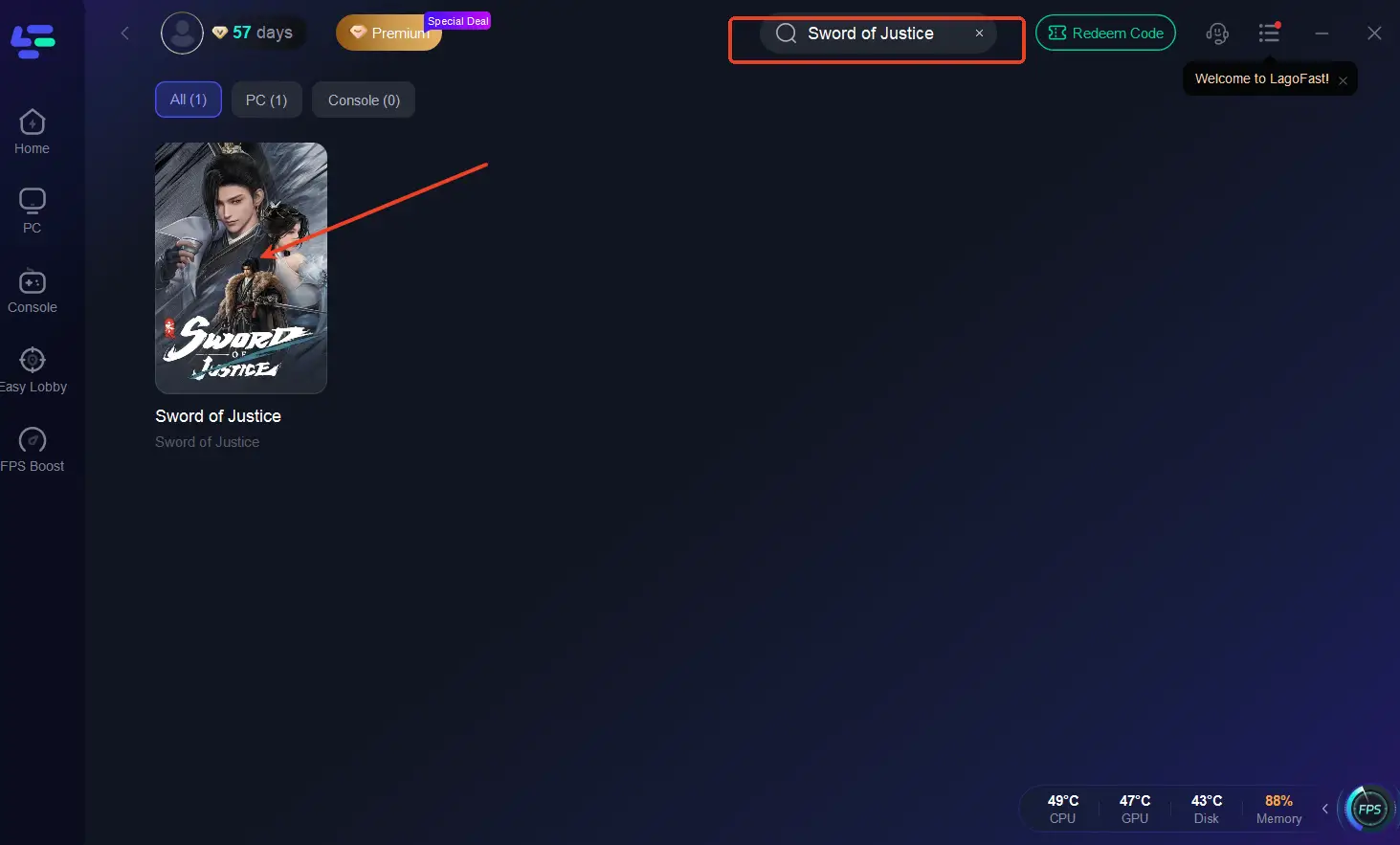
Step 3: Click the One-Click Translation button on the right side of the screen.
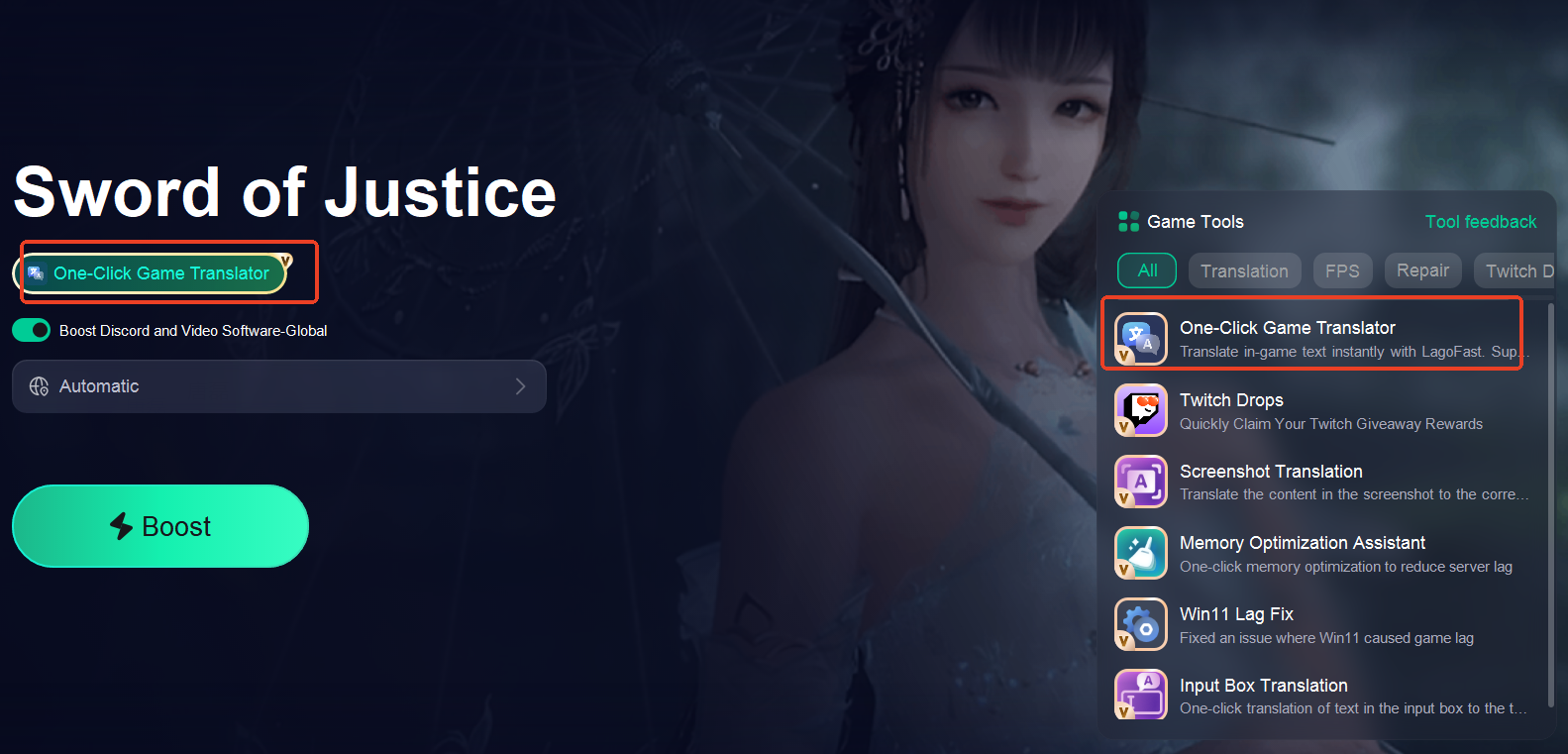
Step 4: Select game file and choose your target language.
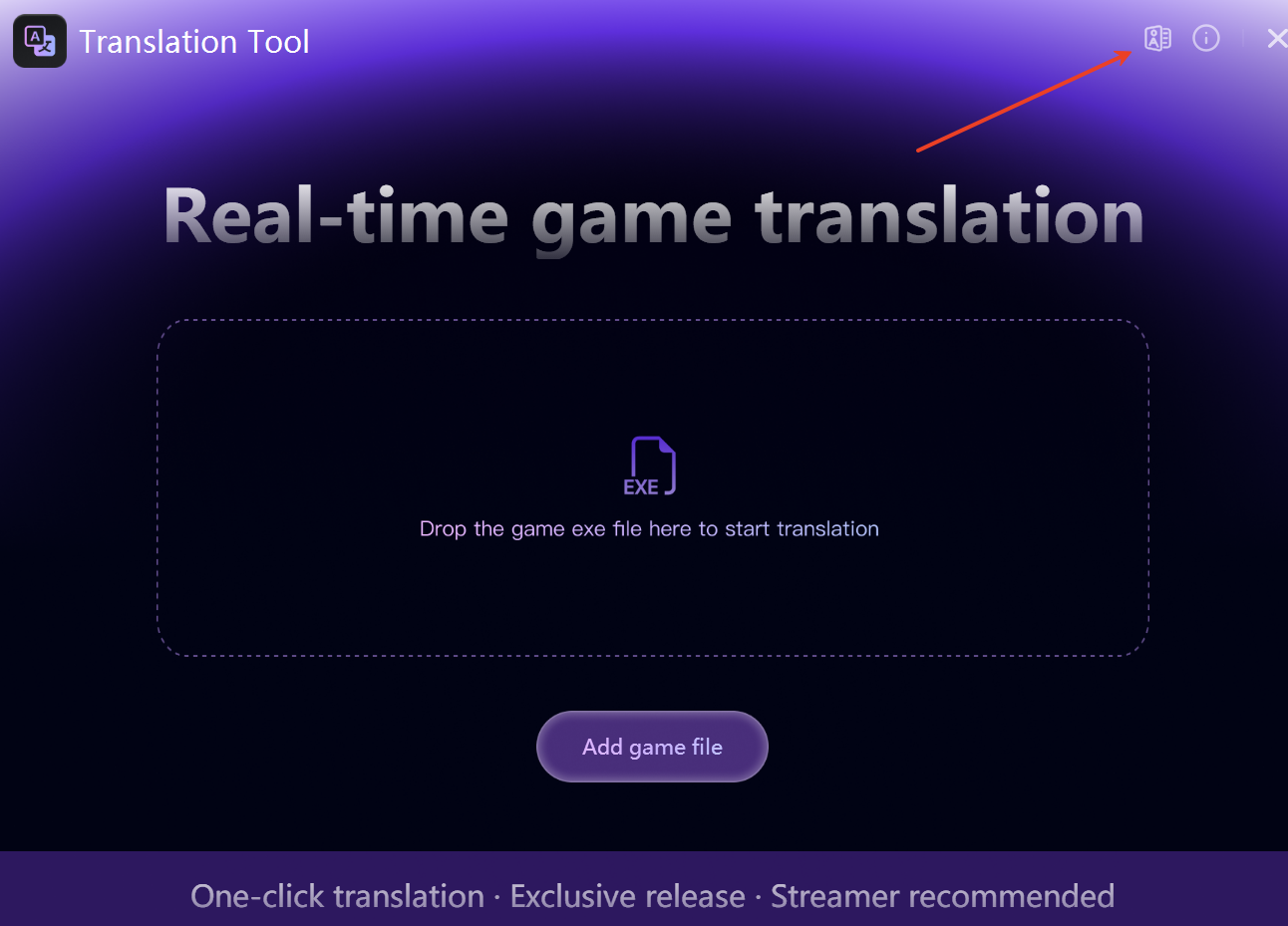
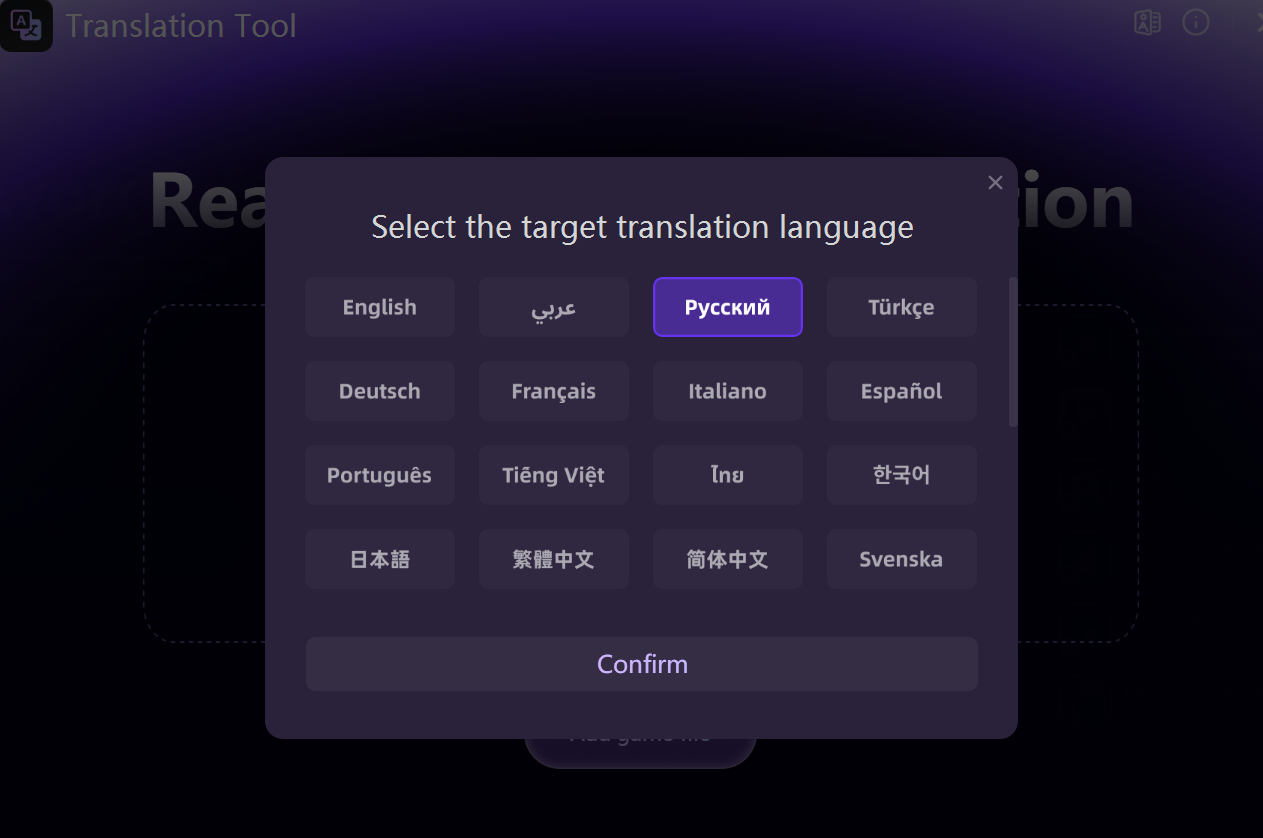
Note:
- Some text may initially appear blank, but the translations are actually in place. Restarting the game will refresh and display them correctly.
- Certain hidden or normally invisible text may also be extracted and displayed by the translation tool, resulting in some additional translated content.
Step 5: Select the best server route automatically based on your location.
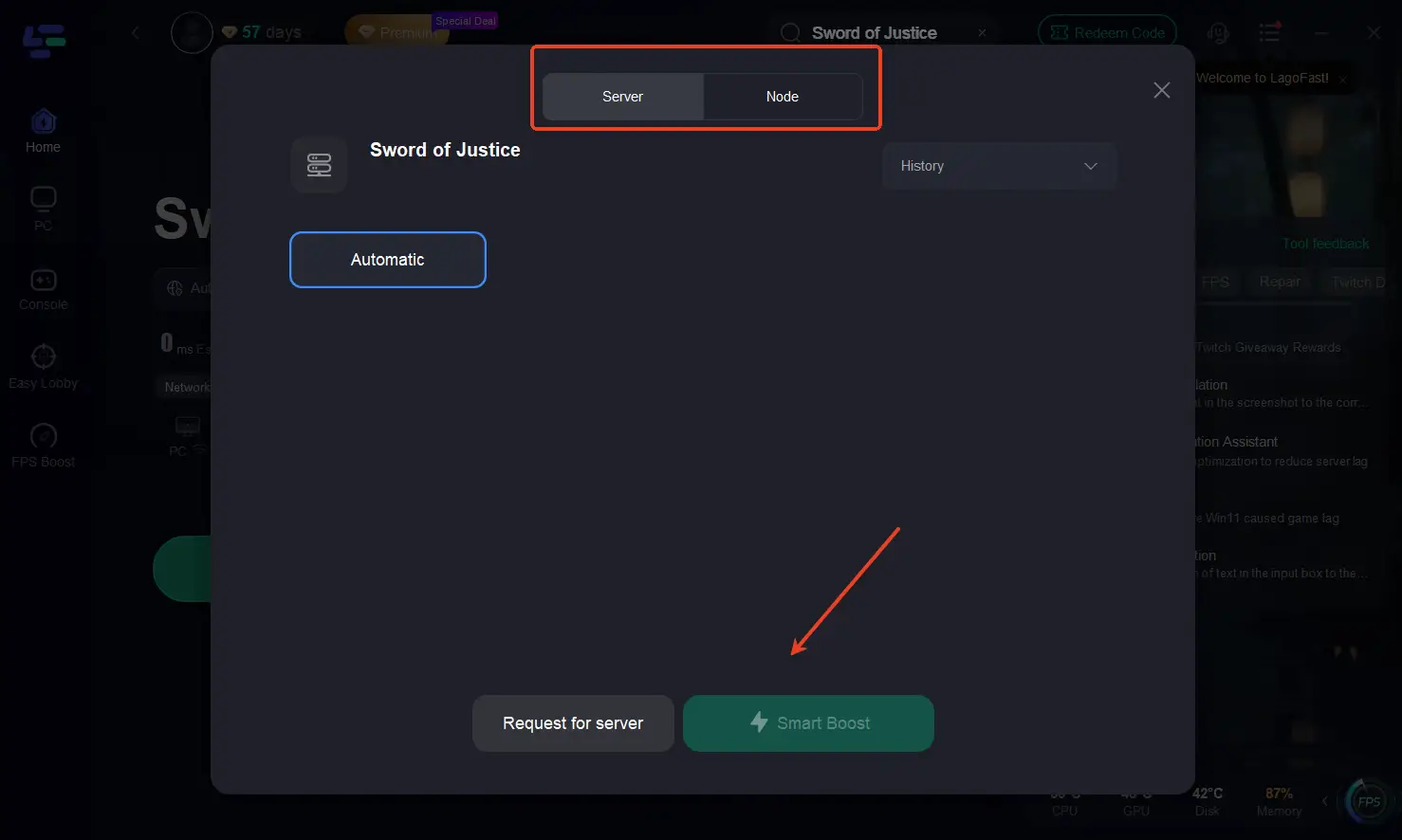
Step 6: Launch Sword of Justice through LagoFast and enjoy smooth gameplay.
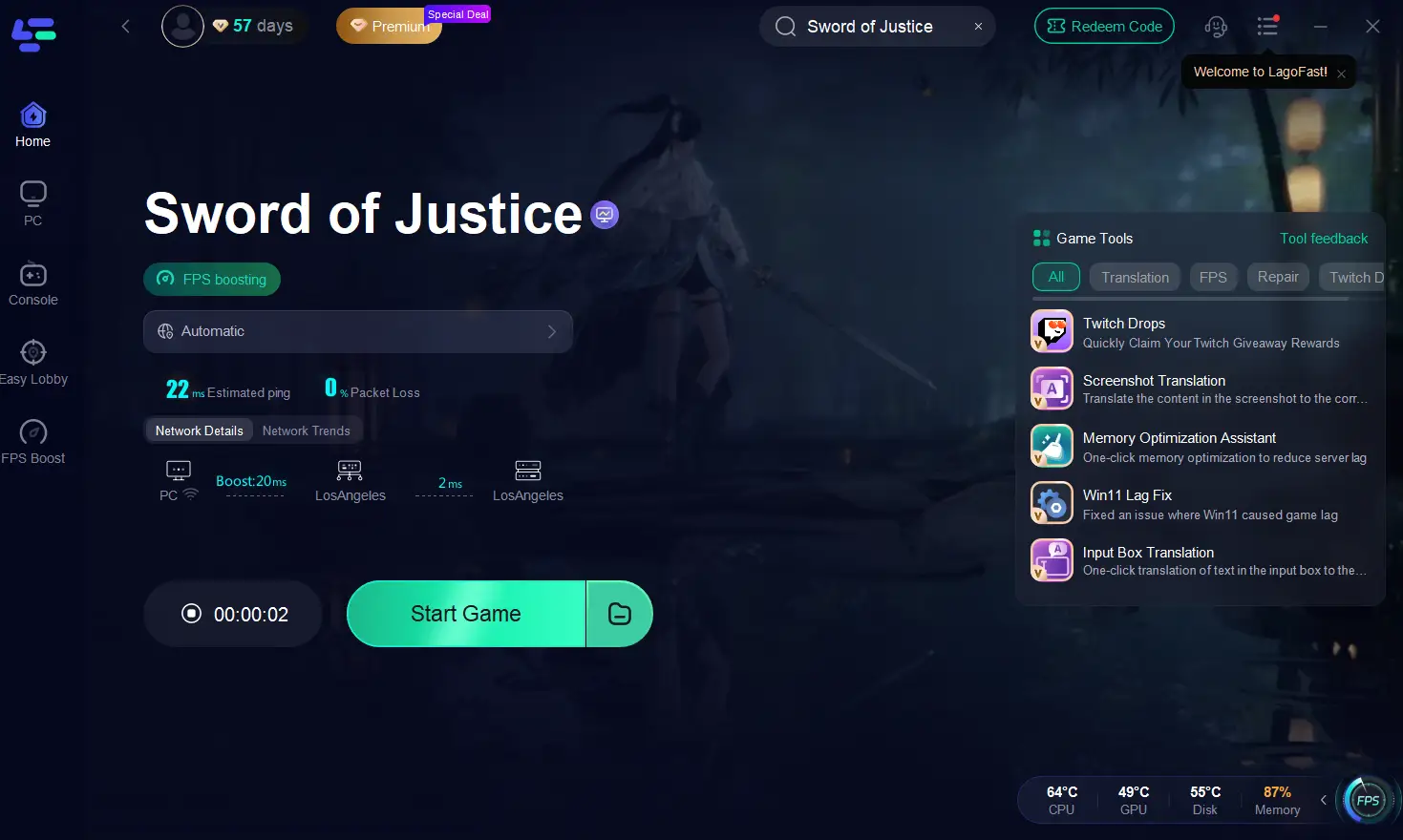
How to Use LagoFast to Boost Sword of Justice on Mobile:
Step 1. Download LagoFast Mobile from Google Play or the App Store, or scan the QR code below.

Step 2: After installation, search for "Sword of Justice" in LagoFast's search bar.
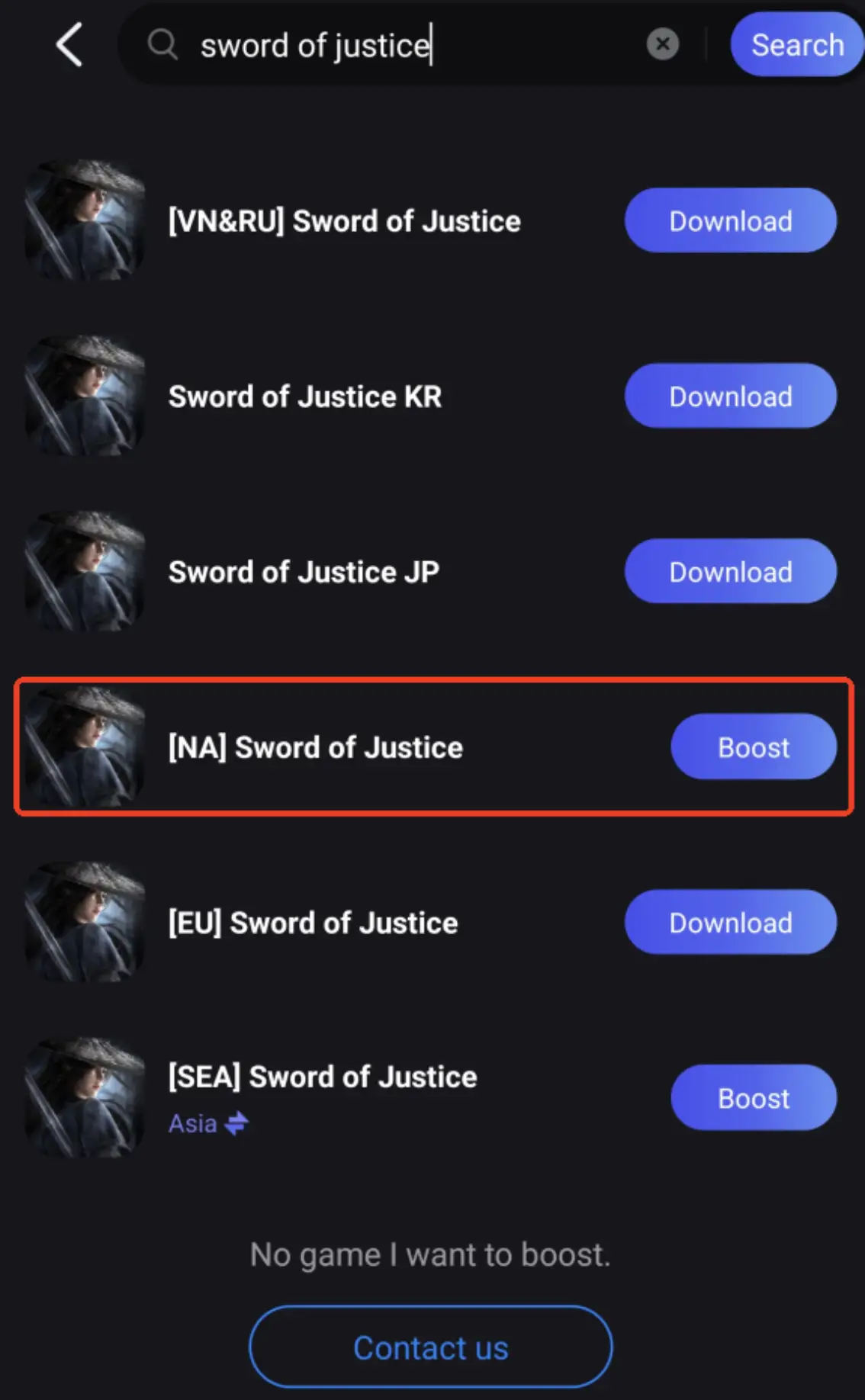
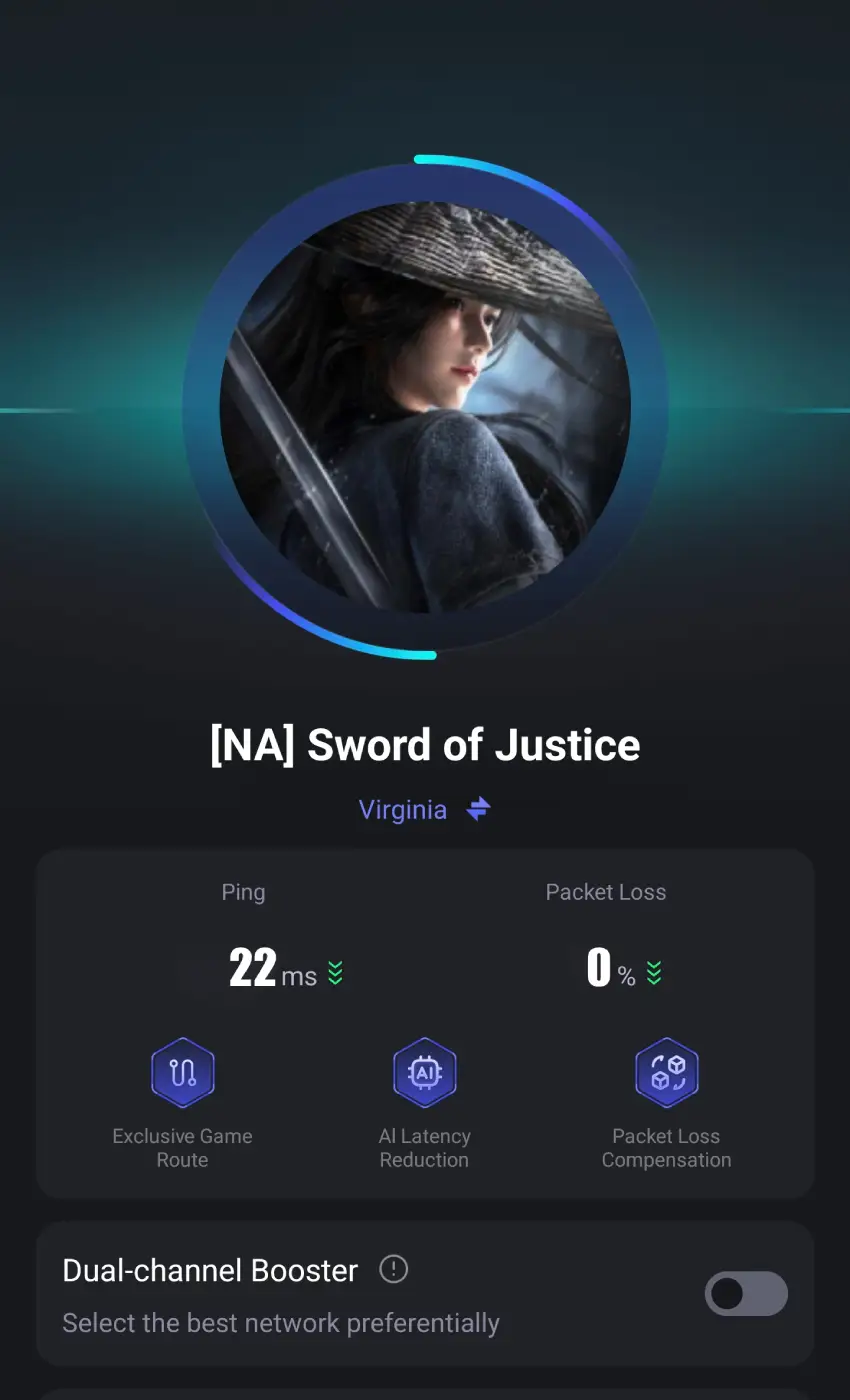
Step 3: Click boost and select your corresponding server region to connect.
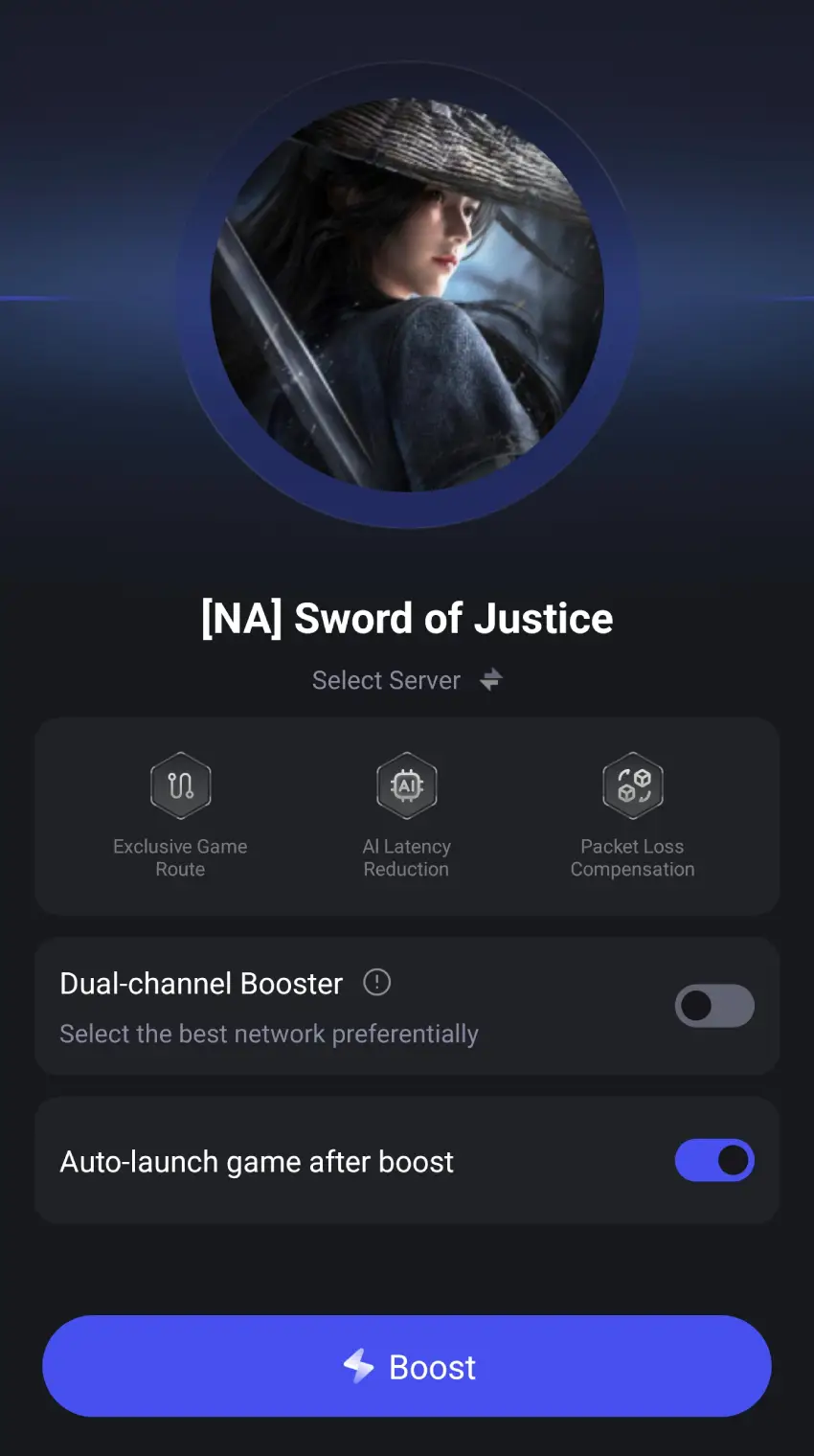
Step 4. Once optimized performance is confirmed, click "Start Game" to launch the game.
Conclusion
Language and network issues don’t have to limit your global Sword of Justice experience. With LagoFast, players on both PC and mobile can instantly translate in-game text, menus, quests, and dialogues while optimizing network connections to reduce ping and stabilize gameplay. By combining real-time translation and game acceleration, LagoFast ensures that players worldwide—from Brazil, Russia, Turkey, and beyond—can fully enjoy Sword of Justice without interruptions. Don’t let language or lag hold you back—translate instantly, play smoothly, and experience Sword of Justice the way it was meant to be enjoyed.

Boost Your Game with LagoFast for Epic Speed
Play harder, faster. LagoFast game booster eliminates stutter and lags on PC, mobile, or Mac—win every match!
Quickly Reduce Game Lag and Ping!
Boost FPS for Smoother Gameplay!