

The highly anticipated Wuxia RPG Sword of Justice is attracting much attention when its Closed Beta Test (CBT) is getting closer and closer. Many players are waiting to explore its richly detailed world and dynamic combat system. This guide will walk you through everything you need to get set up, from download instructions to performance tips.

- ✅ Reduce Lag and High Ping.
✅ Boost FPS at the Same Time.
✅ Support 2000+ Popular Online Games.
✅ Change Server without Latency.
✅ Boost Game Loading Speed.
Part 1: Sword of Justice Closed Beta Test Details
Part 2: How to Sign Up for Sword of Justice Closed Beta Test
Part 3: Sword of Justice Closed Beta Test System Requirements
Part 4: Optimize Your Sword of Justice Experience with LagoFast
Part 1: Sword of Justice Closed Beta Test Details
What sets Sword of Justice apart is its focus on a living world. The game features an intelligent NPC system where characters can remember your actions and react accordingly, making your choices feel meaningful. Whether you want to be a master combatant, a dedicated explorer, or live a quiet life of farming and fishing, the game aims to support your playstyle.

Before you jump in, here are the essential details for the Closed Beta Test.
- Test Period: The beta runs from September 26, 10:30 UTC+7, to October 9, 23:59 UTC+7. So, players have about two weeks to explore the world.
- Test Regions: The test is currently limited to players located in Thailand, Indonesia, Malaysia, Singapore, and the Philippines.
- Supported Languages: The game will be available in Thai, English, Indonesian, Simplified Chinese, Traditional Chinese, and Japanese.
- Supported Platforms: The game can be played on iOS, Android, and PC. A key feature is its cross-platform progression, letting you switch between your phone and computer without losing your place.
- Official Release Date: Sword of Justice officially launches on November 7!
Part 2: How to Sign Up for Sword of Justice Closed Beta Test
Getting the game installed isn't as simple as just searching the app store. Since this is a closed beta, you'll need to follow the specific instructions from your official invitation email.
For Android Users Download Guide
Please check the email address you provided during the test sign-up. The email will contain a download link. Click the link, then log into the Google Play Store using the same email address and follow the steps to download and install the game.

Please note: If you see a "Pre-register" button on the store page instead of "Install," please wait patiently for about 10 minutes. Your test qualification will then become active, and the button will change to "Install."
If the button shows "Not available in your country/region," please contact the official support team.
For iOS Users Download Guide
Please check the email address you provided during the test sign-up and look for an email from TestFlight. If you already have TestFlight installed on your device, tap "View in TestFlight" to open the page directly. Once on the page, tap "Redeem" and enter the code from the TestFlight email to gain access.

If you do not have TestFlight installed on your device, you will be prompted to install it first. After downloading the TestFlight app, you can return to redeem your activation code.

After downloading and completing the installation, please log into the game. You will then need to enter the activation code from your invitation email to complete the login process.
For PC Users Download Guide
Please check the email address you provided during the test sign-up. Open the invitation email, find the download guide link, and download the game. Then, follow the on-screen instructions to complete the installation.
After downloading the game, you can create an account using any social media login.

The test will begin on September 26. After logging into the account, you will need to enter the activation code from your invitation email to complete the account activation and verification.

It is important to note that each activation code can only be used once and is region-restricted.
The activation code is compatible with PC, Android, and iOS devices, but each code can only be bound to one mobile device and one PC device.
Part 3: Sword of Justice Closed Beta Test System Requirements
Make sure your hardware is ready for the test. Here are the official specs.
Android Specifications:
- Minimum: CPU Snapdragon 835 / Dimensity 720 / Kirin 810; 4 GB RAM; Android 7.1+.
- Recommended: CPU Snapdragon 855 / Kirin 990 / Dimensity 1000; 4 GB RAM or more.
iOS Specifications:
- Minimum: iPhone 8 Plus; iPad with A9 chip; 3 GB RAM; iOS 14+.
- Recommended: iPhone XS/XR or newer; iPad with A12 chip or newer; 3 GB RAM or more.
PC Specifications:
- Minimum: CPU Intel i5; 8 GB RAM; GPU GTX 750ti; Windows 10+.
- Recommended: CPU Intel i7; 8 GB RAM; GPU GTX 1060 or higher.
Looking at these specs, the game seems fairly accessible, especially on minimum settings for PC. However, to truly enjoy the open world without performance issues, the recommended specs are a much safer bet.
Part 4: Optimize Your Sword of Justice Experience with LagoFast
A great gaming experience doesn't just rely on excellent game content; it also hinges on a stable connection and lag-free gameplay. While the developers of Sword of Justice have crafted the world, ensuring your connection is flawless is where LagoFast Game Booster comes in. With years of experience in the game acceleration field, LagoFast has become a trusted tool for gamers worldwide for several key reasons:
- Reduces Ping and Lag: LagoFast routes your internet traffic through its optimized global network, directly minimizing latency for a responsive edge in combat.
- Ensures a Stable Connection: It significantly reduces packet loss and prevents frustrating connection drops that can ruin a critical moment.
- Optimized Routing: The system automatically selects the best and fastest server route for your game, ensuring optimal performance.
- Breaks Down Language Barriers (Mobile): For mobile users, LagoFast includes a unique real-time game translation tool. This is a massive advantage in the multi-language beta, allowing you to understand quests and communicate with teammates from different regions seamlessly.
In addition to these network benefits, PC players can also take advantage of a one-click FPS boost to ensure smooth visuals.
How to Use LagoFast to Enhance Your Sword of Justice Experience:
Step 1: Download and install LagoFast, then use the search bar to find "Sword of Justice."
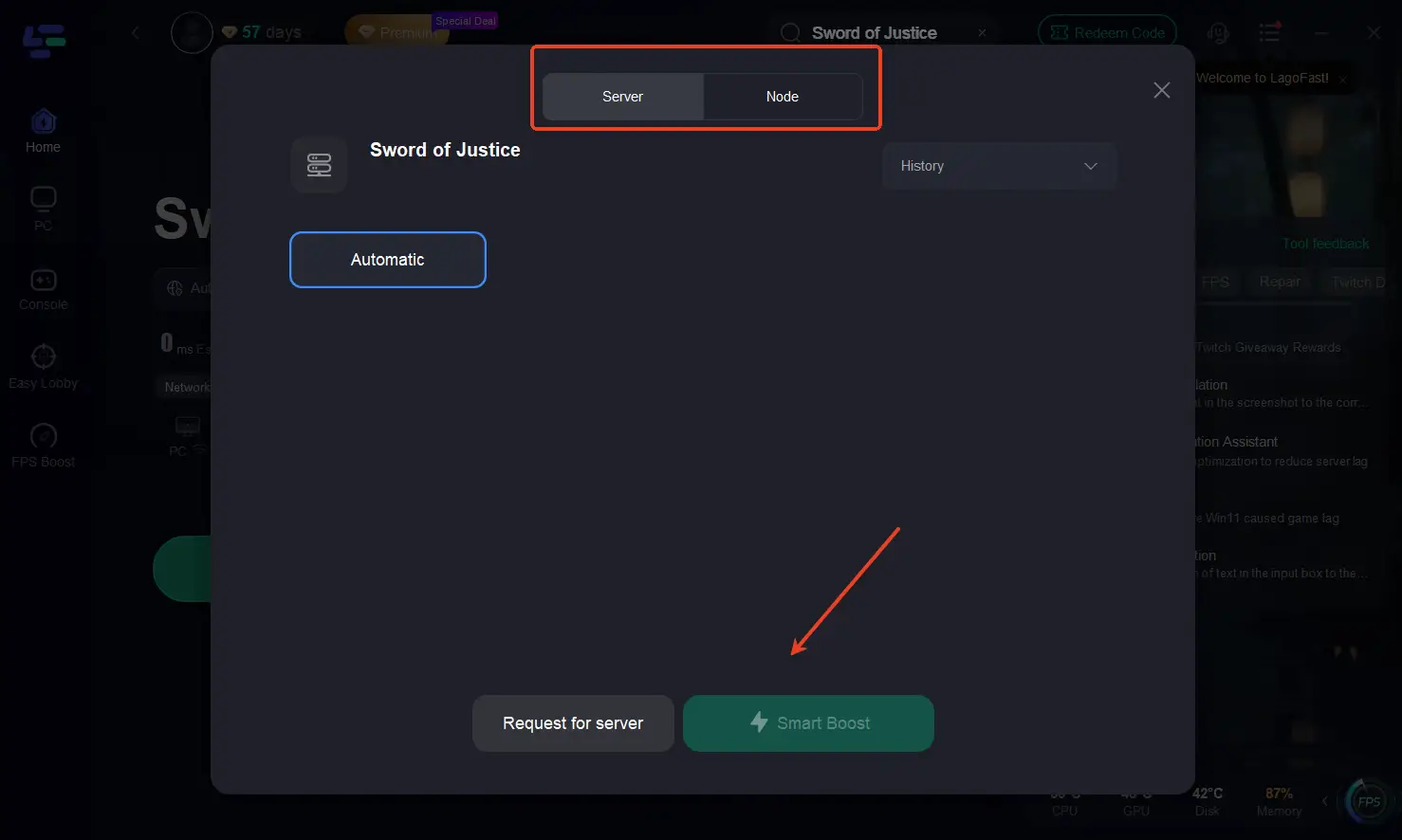
Step 2: Click "Select Server" to choose a server node with better performance, and then click "Smart Boost" to initiate real-time optimization.
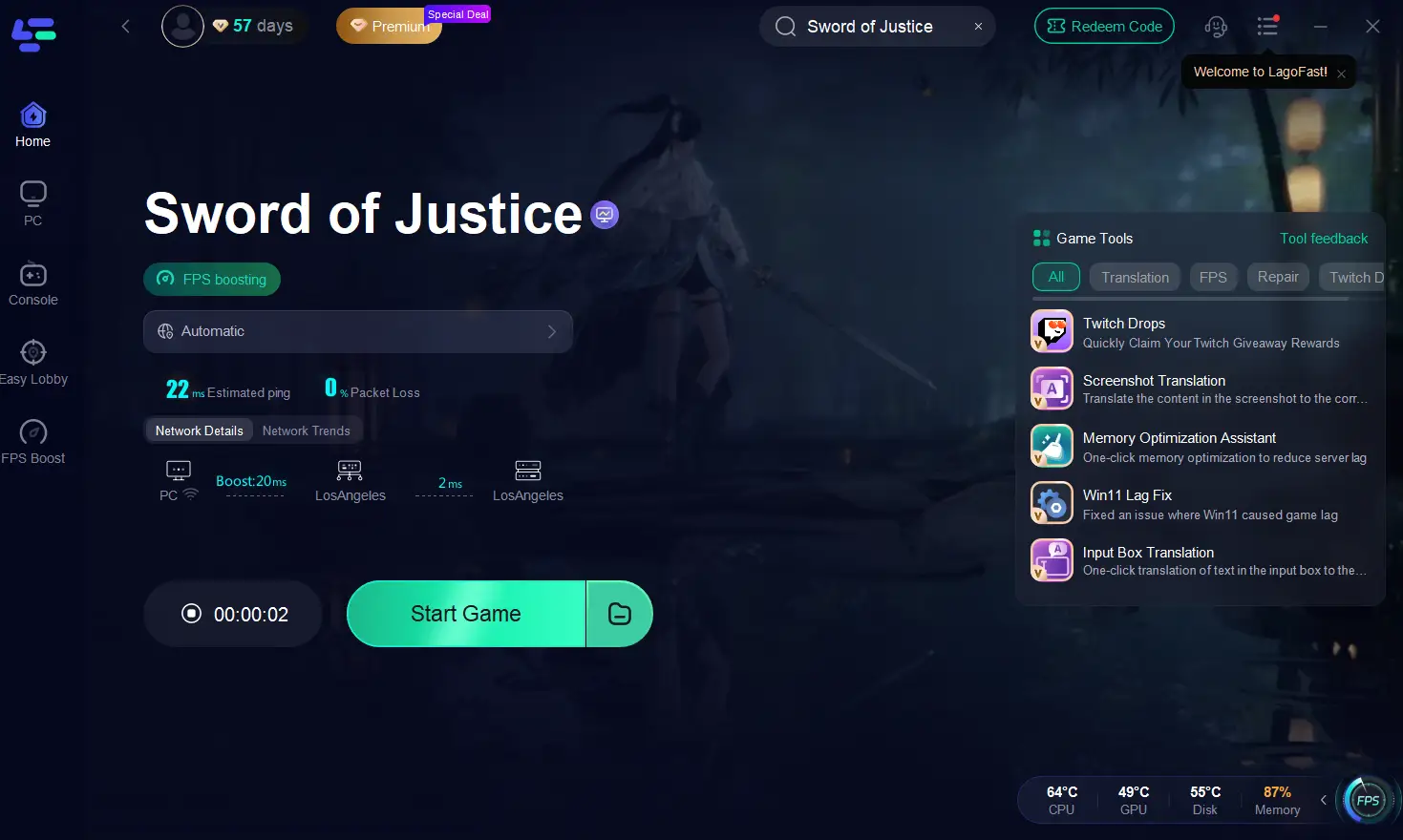
Step 3: Confirm the game's real-time packet loss rate and ping, and then click "Start Game" to begin enjoying a lag-free, stutter-free Chrono Odyssey gaming experience.
Conclusion
The Sword of Justice Closed Beta Test is your first chance to step into an ambitious MMORPG that wants to put the focus back on gameplay over spending. By following this guide, you should have no trouble getting the game downloaded, installed, and activated. But to make sure your first impression isn't spoiled by lag or performance drops, using a service like LagoFast is a smart move. By helping to stabilize your connection, boost your frame rate, and even break down language barriers on mobile, it allows you to focus on what matters: exploring the world, mastering your skills, and deciding what kind of legend you want to become.
Get your gear ready—the test begins on September 26.

Boost Your Game with LagoFast for Epic Speed
Play harder, faster. LagoFast game booster eliminates stutter and lags on PC, mobile, or Mac—win every match!
Quickly Reduce Game Lag and Ping!
Boost FPS for Smoother Gameplay!