

Stellar Blade’s open-world maps are a double-edged sword: they’re breathtakingly vast, but navigating them can feel like a full-time job. Whether you’re hunting rare resources in the Great Desert or tracking down hidden collectibles in Xion, the game’s sprawling environments demand precision and patience. That’s where Stellar Blade Map Master comes in—a tool designed to turn the tide of exploration in your favor. In this guide, we’ll break down how to master the game’s maps, tackle its trickiest challenges, and leverage LagoFast’s cutting-edge tool to streamline your gameplay.

Part 1. The Art of Mapping in Stellar Blade
Part 2. Enhance Your Gaming Experience with LagoFast's Stellar Blade Map Master
Part 1. The Art of Mapping in Stellar Blade
Stellar Blade’s maps are more than just backdrops—they’re living, dangerous ecosystems. From the quicksand traps of the Great Desert to the labyrinthine ruins of Eidos 7, every zone is packed with secrets and hazards. Here’s what you need to know:
1. Interactive Maps: Your First Line of Defense
The game’s built-in Interactive Map is a starting point, but it’s far from perfect. While it marks key locations like camps and supply drops, it often fails to highlight hidden paths or resource hotspots. For example, the Great Desert’s buried ruins require players to solve puzzles and navigate collapsing structures, which aren’t always obvious on the base map . To truly dominate, you need a tool that goes beyond the basics.
2. Resource Hunting: Cans, Cores, and Exo Spines
Collectibles like cans (which boost stats) and beta cores (for crafting) are scattered across the map, but finding them manually is tedious. The Wasteland alone has 11 camps and dozens of hidden spots , while the Great Desert hides 19 camps and rare items like the Blue Monsoon design pattern . Without a reliable guide, you could spend hours wandering aimlessly.
3. Quests and Puzzles: The Map’s Hidden Challenges
Side quests like The Words of Mother Sphere require players to travel between regions like Xion and Eidos 7, often involving cryptic clues or math puzzles . These missions reward valuable loot but demand careful navigation. For instance, solving the Xion math puzzles unlocks codes for terminals, which can lead to exclusive gear .
Part 2. Enhance Your Gaming Experience with LagoFast's Stellar Blade Map Master
Enter Stellar Blade Map Master, a powerful tool built into LagoFast Game Booster that not only transforms how you explore Stellar Blade’s world but also lets you enhance your gameplay with mods—and enjoy many other mod-supported games directly within LagoFast. Here’s how it works:
1. Real-Time Resource Tracking
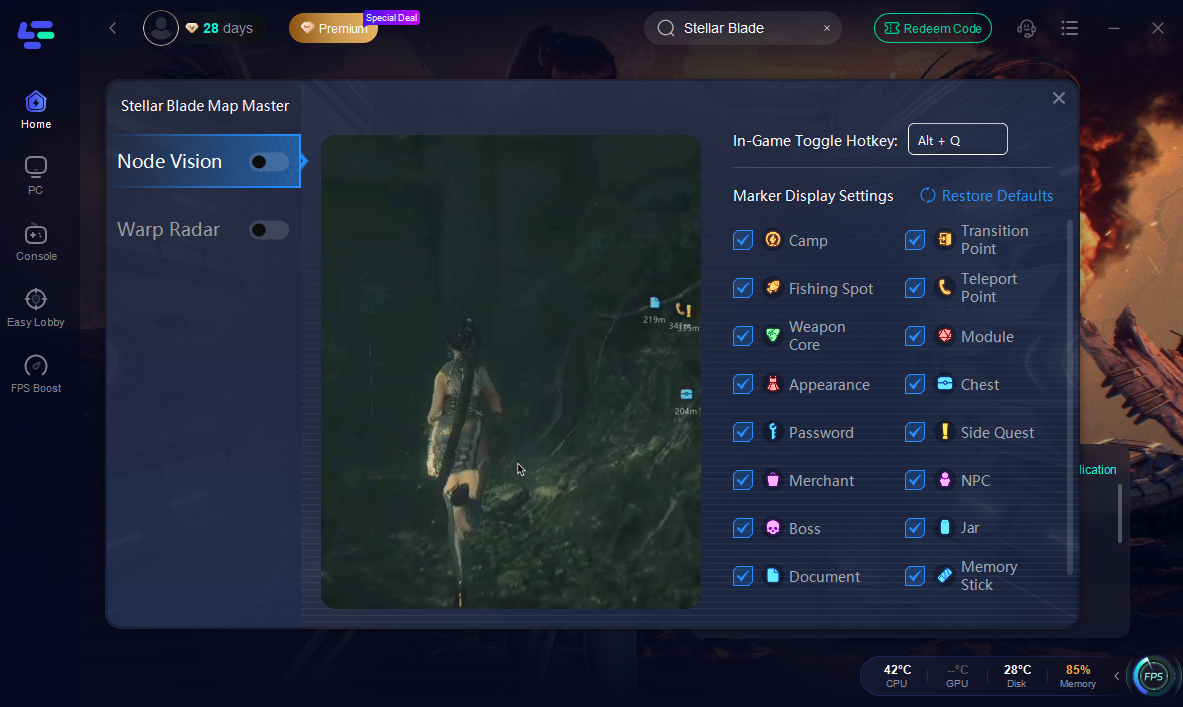
Map Master overlays your in-game screen with all points visible that reveals the exact locations of resources, enemies, and quest objectives. No more guessing where that elusive Exo Spine or Body Core is—simply glance at your screen to see their distance and direction . This feature is especially useful in the Great Desert, where quicksand traps and high enemy density make manual searching risky .
2. Warp Radar for Instant Travel
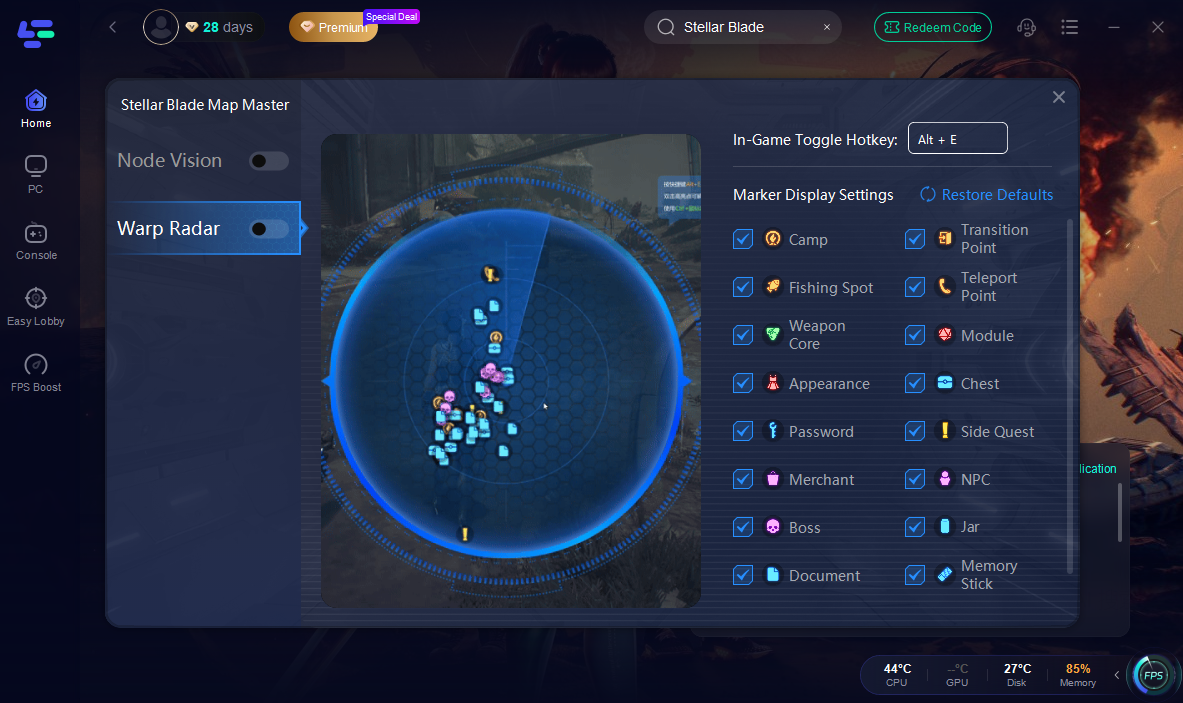
Tired of backtracking through vast maps? Map Master’s Warp Radar lets you select any point on the radar, double-click, and teleport instantly. Whether you’re returning to a camp to rest or rushing to a boss fight, this feature cuts travel time by 80%, letting you focus on what matters: gameplay.
3. Runs in Background without Lag
Map Master works seamlessly in the background, overlaying data directly onto your screen without interruptions. It’s like having a personal guide whispering directions while you play.
How to Use the Map Master: All Points Visible Tool:
Step 1: Click the "Free Trial" button to get LagoFast.
Step 2: Open LagoFast, search for "Stellar Blade," and select it.

Step 3: Click the "Map Master|All Points Visible" tool in the bottom-right corner of the screen.

Node Vision: Check the distance and detailed location of each resource point.
Warp Radar: The selected point is displayed on the radar map. Double-click to instantly teleport to the corresponding point.
Level Up Your Game with LagoFast Game Booster
Map Master is just the tip of the iceberg. LagoFast Game Booster also optimizes your gameplay in three critical ways:
1. Boost FPS and Reduce Lag
LagoFast’s AI-powered network optimization cuts ping by up to 80% , ensuring smooth combat and fast loading times. No more rubber-banding during boss fights or lag spikes in multiplayer modes.
2. Global Server Coverage
With 3,000+ servers in 80+ countries , LagoFast routes your connection through the least congested paths, minimizing packet loss and latency. This is especially crucial for PC players accessing Stellar Blade’s new cross-platform features .
3. One-Tap Boost for Instant Results
Forget complicated settings—simply launch LagoFast, select Stellar Blade, and hit “Boost.” The tool automatically adjusts your CPU, GPU, and network settings for peak performance .
How to Use LagoFast to Boost FPS:
Choose your region and the best-performing node and click "Smart Boost"
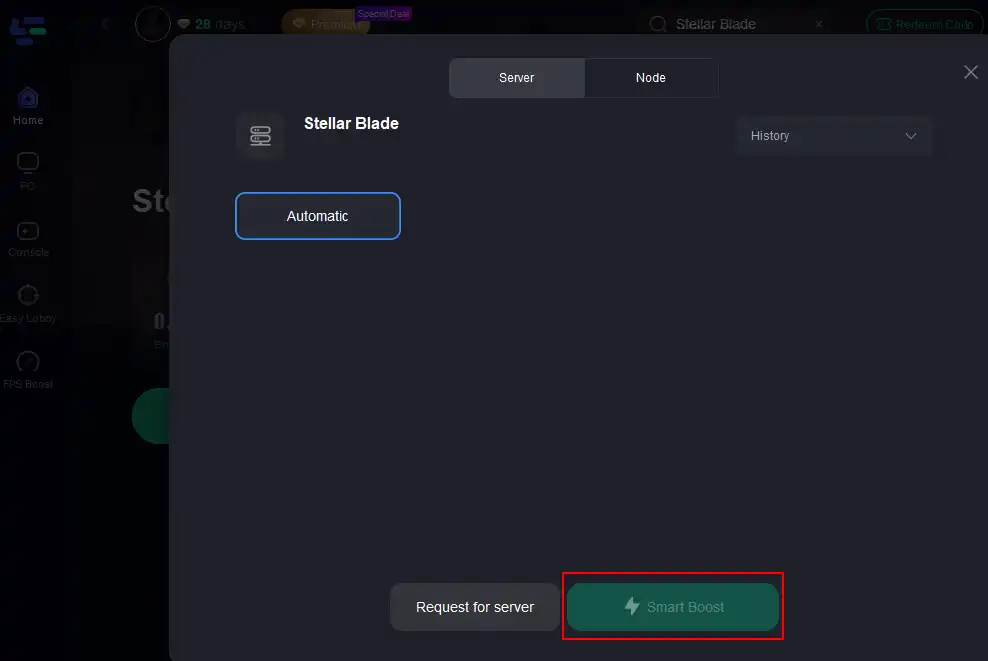
Check the reduced ping, packet loss, and ensure stable FPS.

Moreover, LagoFast collects popular Stellar Blade mods.
Step 1: Click the "Mod Collection" tool in the bottom-right corner of the screen.
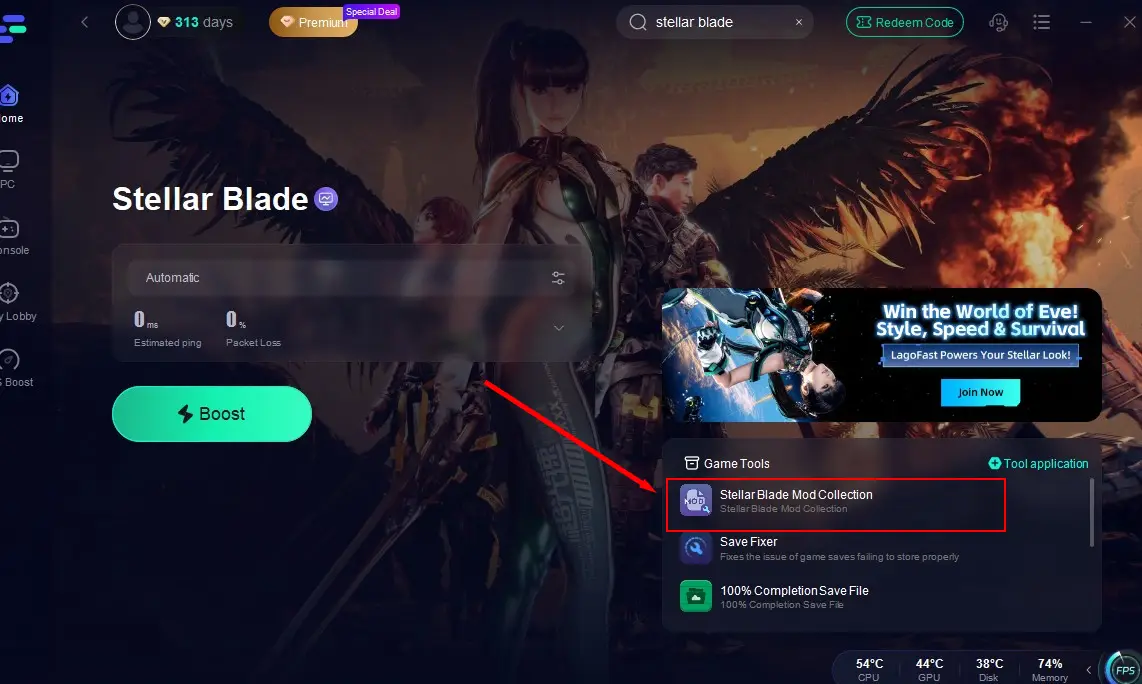
Step 2: Choose your preferred mods like Frame Generation Mod, import your game’s installation path, and complete the installation.

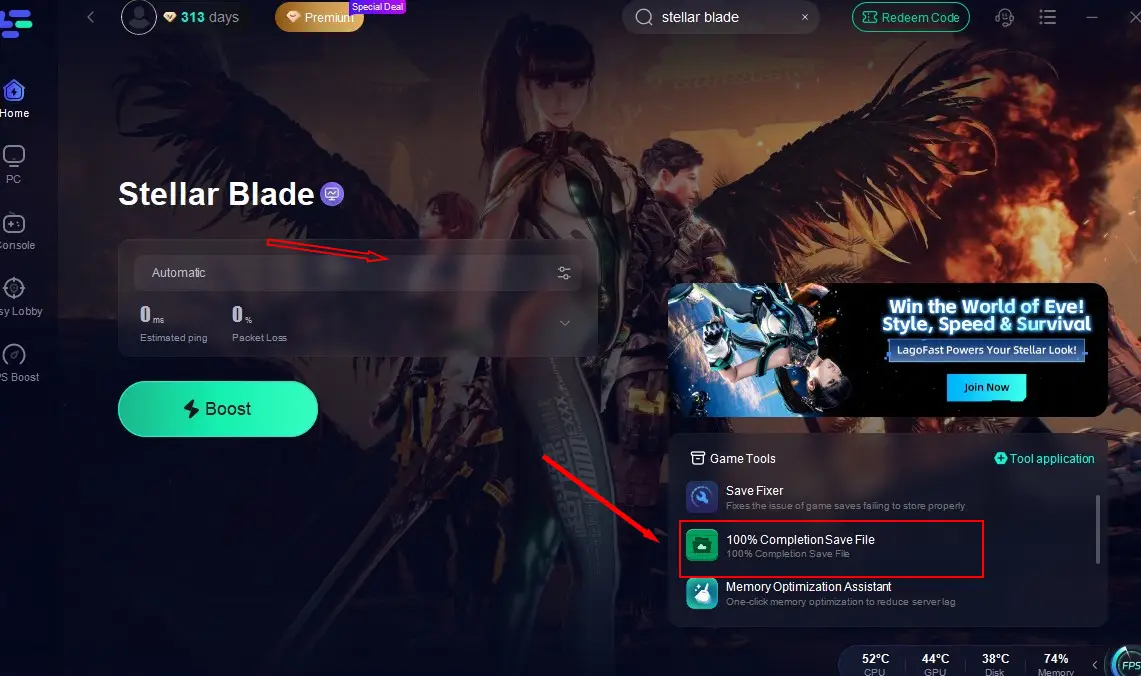
100% Completion Save File
It supports players in one-click replacement of Stellar Blade's save files, enabling them to swiftly complete in-game tasks and steps, and quickly access and experience all the game content.
Click on the 100% Completion Save File tool located at the bottom-right corner of the screen, and then click to complete the installation. (Note: This feature is only available for users of the Steam version of Stellar Blade.)

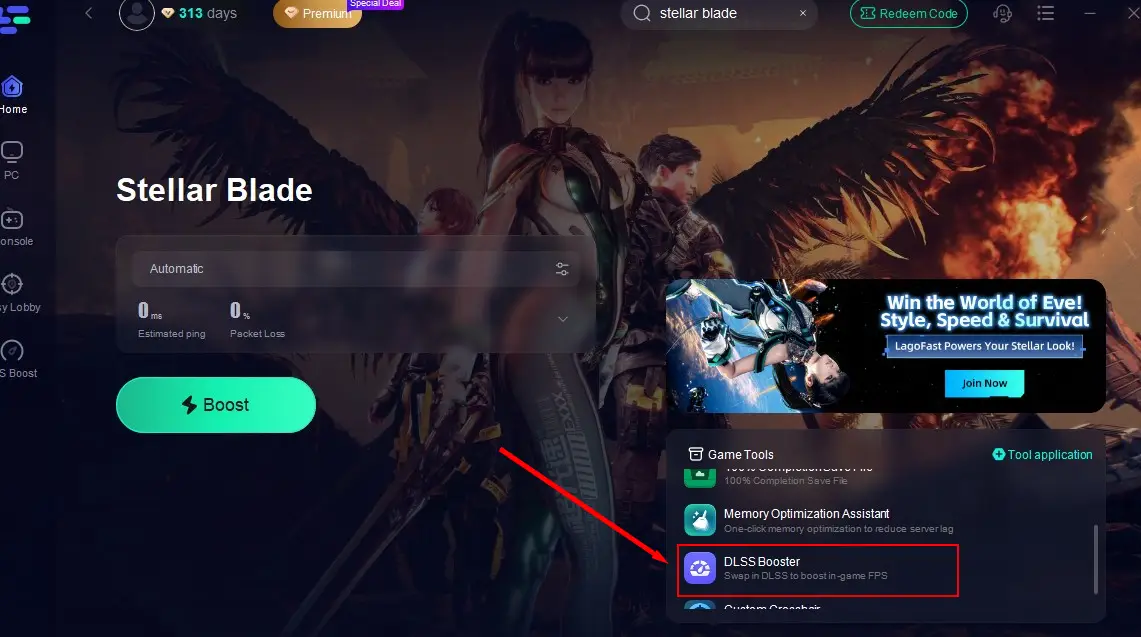
DLSS Booster Tool
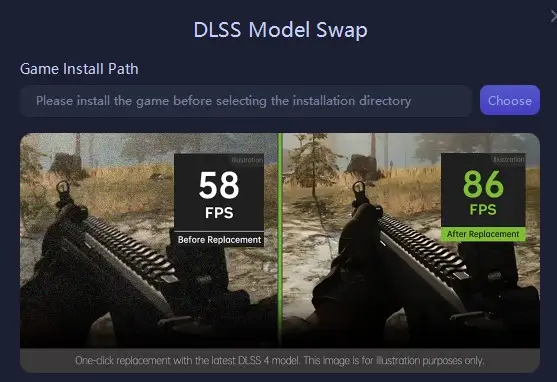
This tool uses intelligent algorithms to significantly boost FPS and optimize frame rates and resolution in Stellar Blade, delivering a stunning visual experience.
Click the DLSS Booster tool in the bottom-right corner, select your game’s installation path, and install it to instantly enjoy ultra-high-definition Stellar Blade graphics!
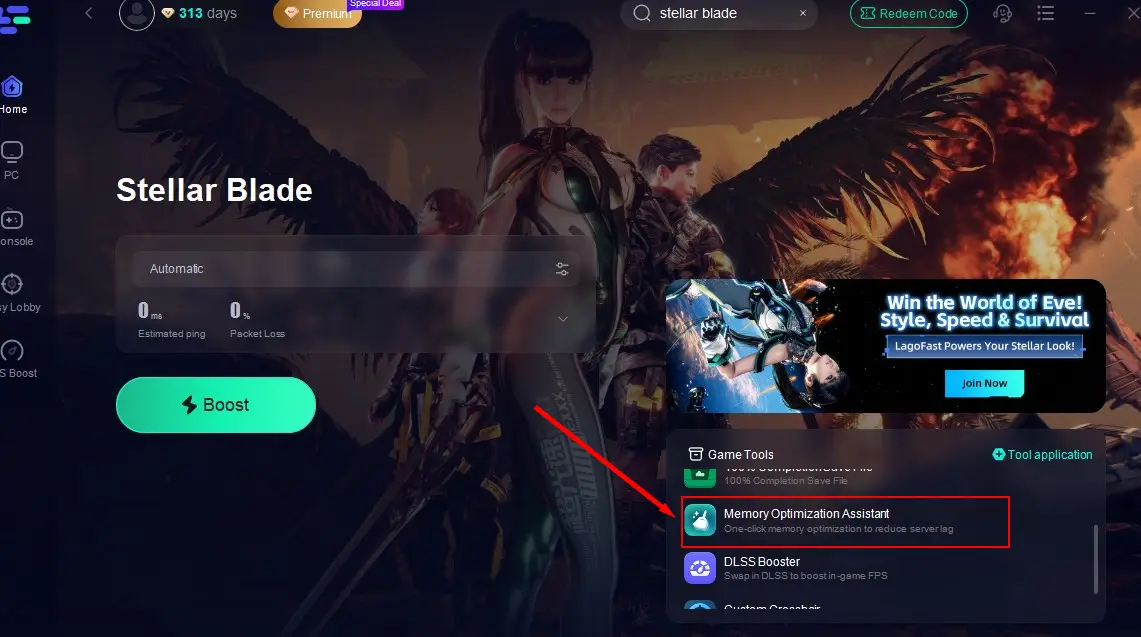
Memory Optimization Assistant Tool
This tool helps players clear up device memory and optimize storage space, creating more room for Stellar Blade to run smoothly.
After launching optimization with the "Boost" button, click the Memory Optimization Assistant to instantly free up device space!

Custom Crosshair Tool
In a game that combines shooting and combat, aiming precision in Stellar Blade is crucial for survival. The Custom Crosshair tool helps players improve accuracy, quickly spot hidden enemies, and land deadly shots.
Click the Custom Crosshair tool, adjust settings to your preference, and return to the game for sharper aiming!
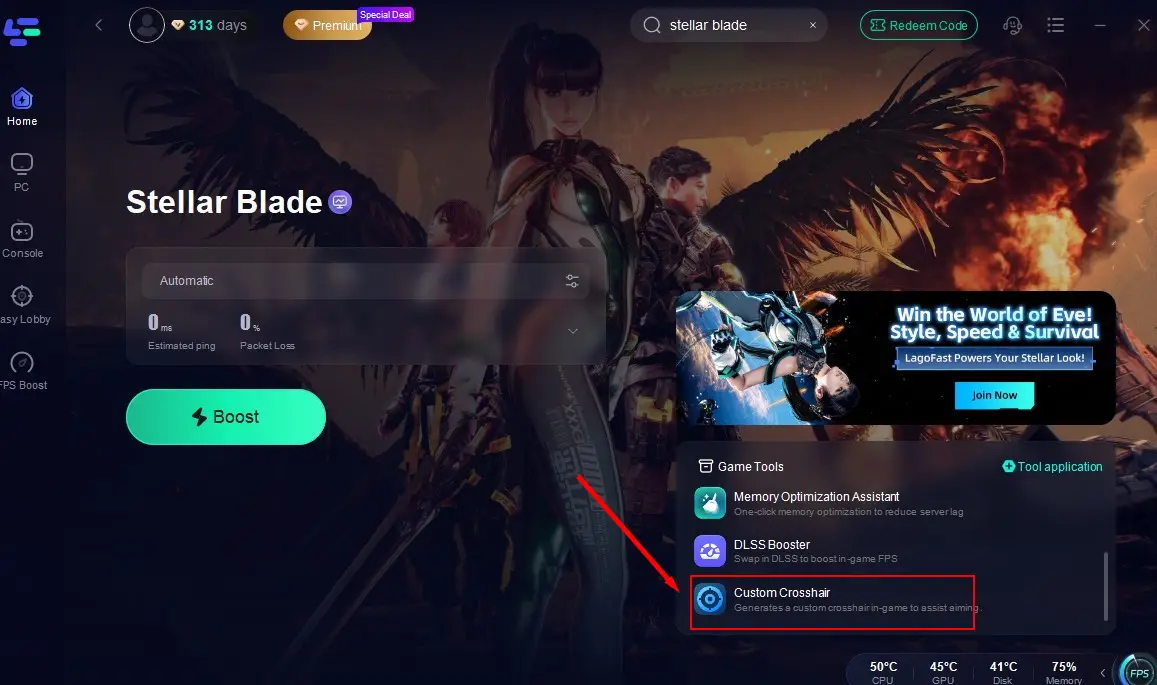
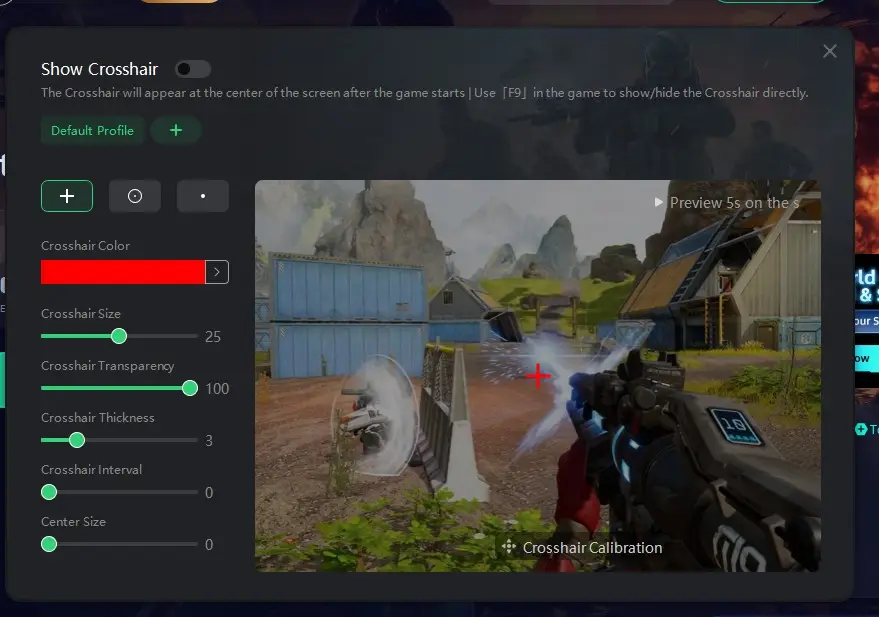
These gaming tools not only help Stellar Blade players enhance the game's FPS for better visuals and improve aiming precision but also allow them to easily access various Stellar Blade popular mods with just one click, thereby creating the best game performance and the most perfect gaming experience!
Final Thoughts
Stellar Blade’s maps are a testament to its immersive world, but they don’t have to be a frustrating slog. With Stellar Blade Map Master and LagoFast Game Booster, you’ll unlock the full potential of exploration, shaving hours off your playtime while maximizing rewards. Whether you’re a seasoned veteran or a new recruit, these tools are essential for conquering Stellar Blade’s toughest challenges.
Ready to level up? Download LagoFast today and experience seamless navigation, lag-free gameplay, and instant teleportation—because in Stellar Blade, every second counts.

Boost Your Game with LagoFast for Epic Speed
Play harder, faster. LagoFast game booster eliminates stutter and lags on PC, mobile, or Mac—win every match!
Quickly Reduce Game Lag and Ping!
Boost FPS for Smoother Gameplay!