

Stella Sora has finally arrived, bringing breathtaking visuals, emotional storytelling, and fast-paced combat that fans have been waiting for. But there’s one catch—if you don’t speak English, Chinese, or Japanese, understanding what’s happening can feel impossible.
From complex menu options to story-driven missions, language barriers can quickly turn an exciting adventure into confusion. Players worldwide are searching for an easy way to translate everything instantly—without ruining performance or immersion.
The good news? There’s a simple method to break the barrier and enjoy Stella Sora the way it was meant to be played. Let’s explore how you can do it effortlessly.

- ✅ Reduce Lag and High Ping.
✅ Boost FPS at the Same Time.
✅ Support 2000+ Popular Online Games.
✅ Change Server without Latency.
✅ Boost Game Loading Speed.
Part 1: Stella Sora Release Date
Part 2: What Languages Does Stella Sora Global Support?
Part 3: The Best Translation Tool to Play Stella Sora Global Smoothly
Part 1: Stella Sora Release Date
Stella Sora officially launched for the global version on October 19, 2025, with other regional servers following shortly after—Taiwan on the same day, Korea on October 20, Japan on October 21, and China on October 22. Its dynamic combat system, anime-style storytelling, and stunning world design have immediately captured players’ attention.
However, many global players face a major frustration—limited language support. Without understanding the dialogue, story-driven gameplay and character interactions lose much of their meaning. That’s where translation tools come in.
Part 2: What Languages Does Stella Sora Global Support?
At launch, Stella Sora Global supports only a few languages, which can be disappointing for its growing global fanbase.
- Text: English, Chinese
- Voice: Japanese
That’s it. While the visuals and gameplay are stunning, players from countries like Thailand, Korea, Spain, France, or Germany quickly realized there’s no localized text or subtitles yet.
This limited language support means many players:
- Miss out on key storylines or emotional dialogue
- Struggle to understand menus, skills, and mission objectives
- Lose immersion because much of the world-building relies on text and lore
For a story-driven RPG like Stella Sora, not understanding the narrative can seriously affect the experience. Every quest, cutscene, and dialogue box becomes a guessing game.
So what can you do if you want to dive deeper into the story without waiting months for an official localization update?
Part 3: The Best Translation Tool to Play Stella Sora Global Smoothly
Waiting for an official localization update can take months—and nobody wants to miss out on Stella Sora’s story and fast-paced battles. For players who speak Thai or other unsupported languages, understanding menus and quests can be frustrating.
Fortunately, LagoFast offers a fast solution. It automatically detects and translates in-game text into your chosen language, so you can follow every dialogue, quest, and menu item without switching apps. At the same time, it reduces lag, packet loss, and ping, ensuring smooth gameplay on Android, iOS, or PC.
How to Use LagoFast Translation Tool for Stella Sora
Mobile:
1. Visit the official LagoFast website and download the LagoFast Mobile APK file.

2. Install it, then search for Stella Sora in LagoFast Mobile and tap the download button.

3. Enable the Quick Translation Tool below.
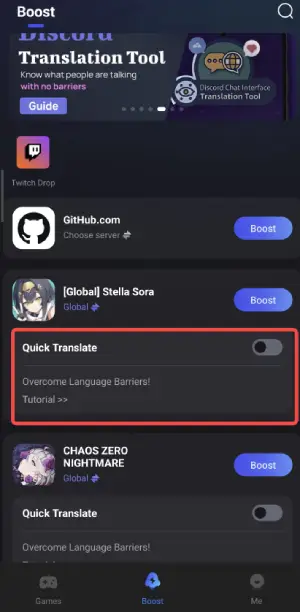
4. Enable the following two permissions.
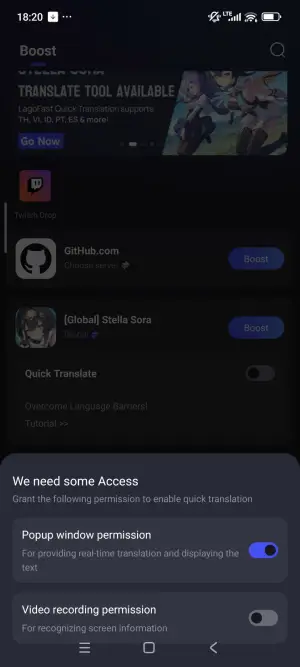
PC Screenshot Translation:
1. Begin by clicking the Free Trial button to download and install the LagoFast Free Trial.
2. Open LagoFast and use the search bar to find Stella Sora Global.

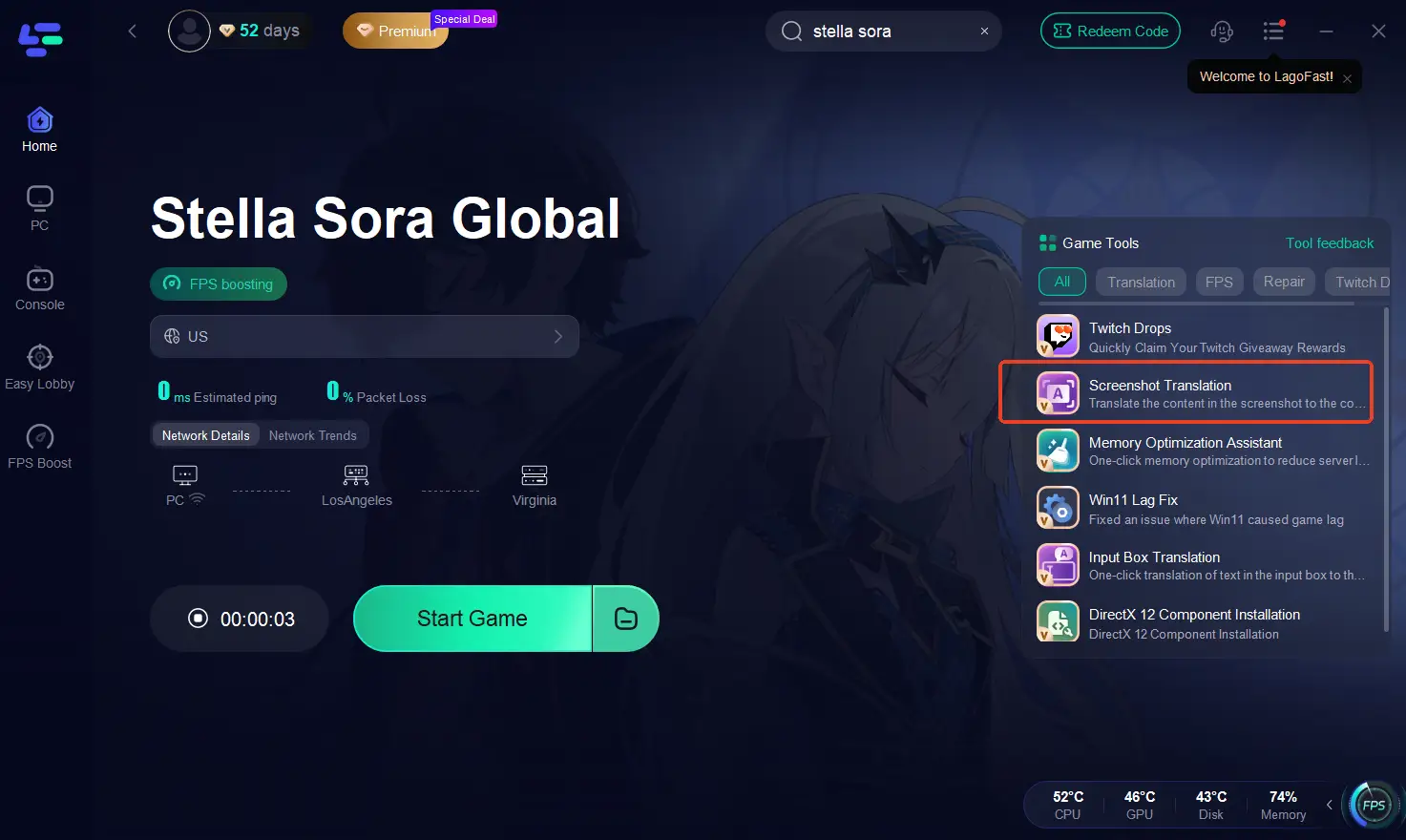
3. Click the Screenshot Translate button on the right side of the screen.
4. Choose your target language and set up your hotkeys for instant translation.
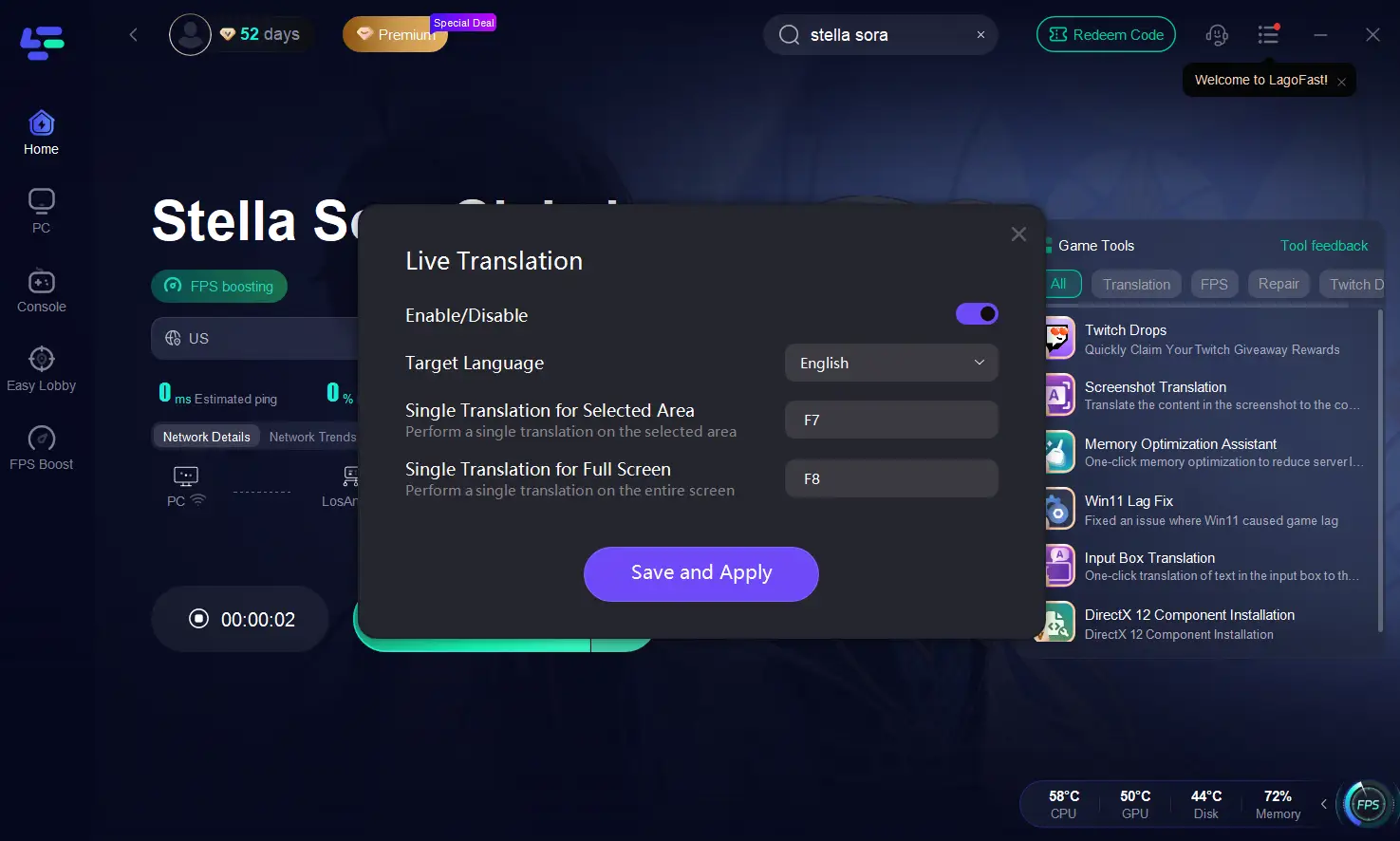
How to Boost Stella Sora
Mobile:
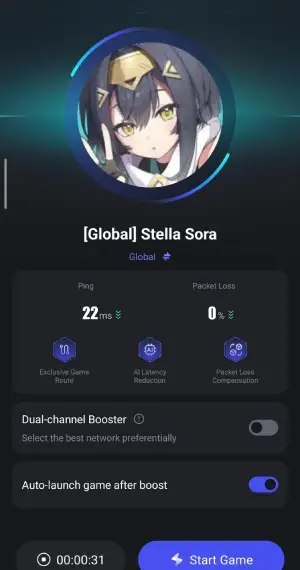
Even with translation tools enabled, gameplay can sometimes lag or have high ping. LagoFast helps optimize performance for smooth mobile gaming.
Step 1: Open LagoFast Mobile, search for “Stella Sora,” and tap the Download button.
Step 2: Once the high-speed download is complete, follow the system prompts to finish installing Stella Sora on your device.
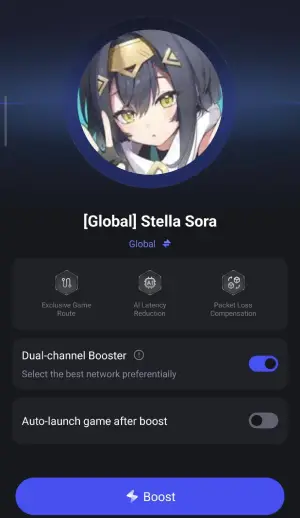
Step 3: Check real-time game data such as ping, packet loss rate, and connection stability, then tap Start Game to begin playing with smooth performance.
PC:
PC players can also optimize network settings with LagoFast for a smoother experience.
Step 1: Click the Free Trial button to download and install LagoFast for PC.
Step 2: Open LagoFast and search for Stella Sora Global.
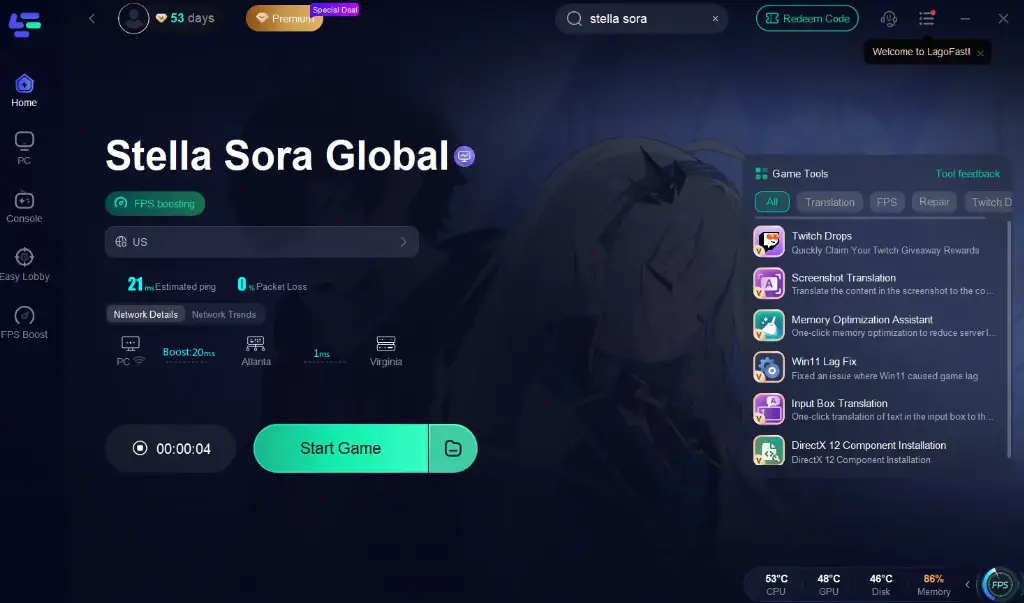
Step 3: Optimize Network Settings—LagoFast will automatically select the best server and connection path to reduce latency and packet loss.
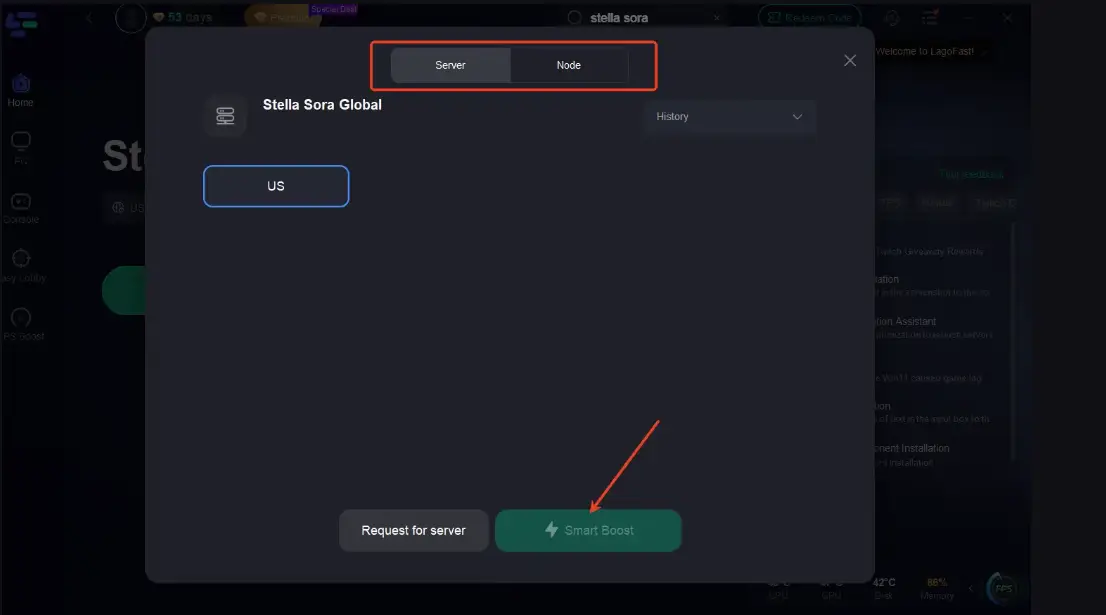
Step 4: Launch Stella Sora through LagoFast and enjoy smooth gameplay.
Conclusion
Stella Sora is amazing, but limited language support can make gameplay confusing. With LagoFast, you can translate in real time and optimize your connection, whether on mobile or PC, so you never miss a quest or dialogue. Play smoothly, understand every story moment, and enjoy Stella Sora to the fullest.
Boost Your Game with LagoFast for Epic Speed
Play harder, faster. LagoFast game booster eliminates stutter and lags on PC, mobile, or Mac—win every match!
Quickly Reduce Game Lag and Ping!
Boost FPS for Smoother Gameplay!