
If you’re preparing to dive into ARC Raiders, you might be wondering: How to enable the Russian language in ARC Raiders? or How to set the Russian language in ARC Raiders? The good news is that Russian is now officially supported, but many players find the setup confusing. This guide will explain how to activate Russian text easily and introduce a one-click tool that simplifies the process. We’ll also cover the latest ARC Raiders Server Slam Beta and how long the ARC Raiders playtest lasts.
Russian version: Лучший инструмент перевода на русский язык для ARC Raiders- поиграть в русская версия

- ✅ Reduce Lag and High Ping.
- ✅ Boost FPS at the Same Time.
- ✅ Support 2000+ Popular Online Games.
- ✅ Support Easy Lobby in all Cod Games without Lag
Part 1. ARC Raiders Server Slam Beta and Playtest Duration
Part 2. Does ARC Raiders Support Russian? Full List of Supported Languages
Part 3. One-Click Russian Language Switch for ARC Raiders with LagoFast Game Booster
Part 1. ARC Raiders Server Slam Beta and Playtest Duration
The latest ARC Raiders Server Slam Beta took place from October 17 to October 19, 2025, giving players a free weekend to try the updated extraction shooter on PC (Steam and Epic), PS5, and Xbox Series X|S.
This open session focused on testing server capacity, matchmaking performance, and gameplay balance before the official release. Players could jump in instantly — no access code or sign-up required.
Wondering how long is the ARC Raiders playtest? The Server Slam lasted just under three days, starting early Friday and ending Sunday afternoon in most regions. It was a short but intense test designed to ensure smooth cross-platform performance.
Participants also received an exclusive Server Slammer backpack cosmetic, which will carry over to the final version. While player progress reset after the test, the event provided a solid preview of the game’s final build and helped the developers fine-tune server stability ahead of launch.
Part 2. Does ARC Raiders Support Russian? Full List of Supported Languages
Yes — ARC Raiders supports Russian, along with a wide range of other languages. The available interface and subtitle options include English, French, German, Italian, Spanish, Polish, Portuguese (Brazil), Turkish, Japanese, Korean, Simplified Chinese, Traditional Chinese, and Russian.
While Russian is officially listed, some players noticed that it doesn’t appear by default in the in-game menu. This happens because the game may auto-detect your system region and default to English. Community members have found that enabling Russian sometimes requires extra steps, such as adjusting launch settings — though it’s not difficult once you know how.
Once enabled, the Russian localization works smoothly, displaying all text, UI, and subtitles correctly in Cyrillic. Voiceover remains in English for now, but the translated interface offers a fully playable Russian experience. In the next part, we’ll look at an even simpler way to enable it — using LagoFast Game Booster for a one-click setup.
Part 3. One-Click Russian Language Switch for ARC Raiders with LagoFast Game Booster
Instead of manually changing files or adding Steam parameters, you can use LagoFast Game Booster — a tool that lets you switch ARC Raiders to Russian in just one click.
How LagoFast Simplifies the Language Setup
Step 1: Click the Free Trial button to download and install LagoFast.
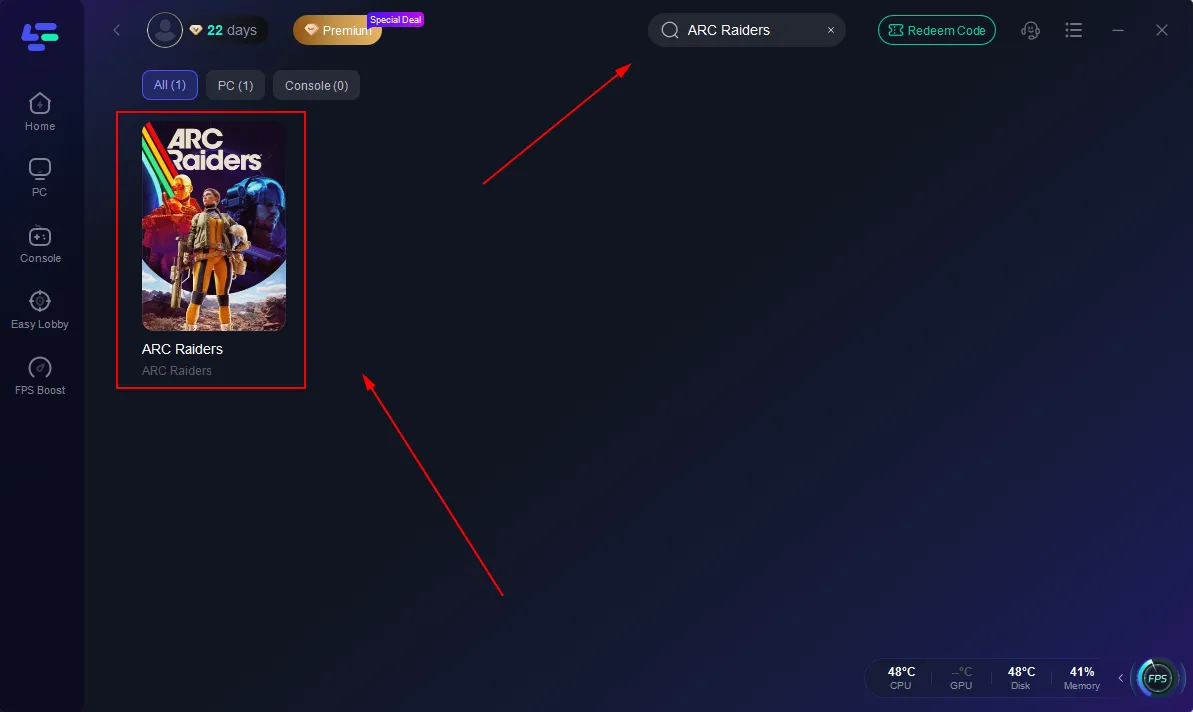
Step 2: Open LagoFast, then click the PC button on the left and search ARC Raiders in the search bar; click it after it appears.
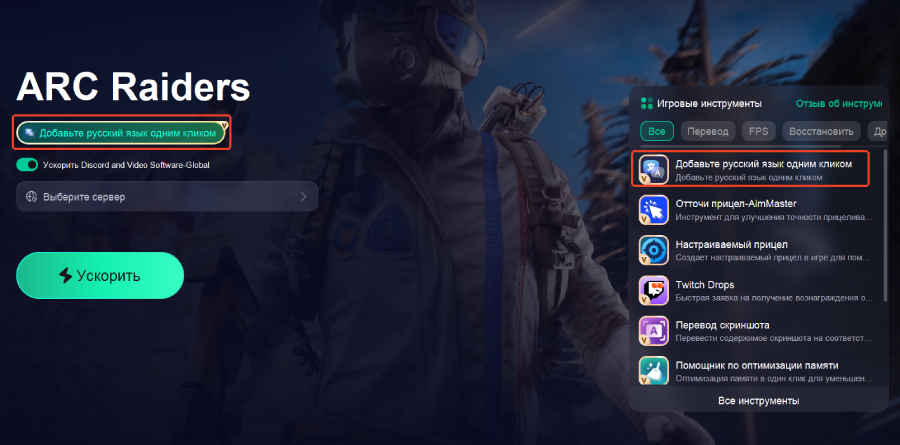
Step 3: Click the Add Russian Language with One Click Tool on the right.
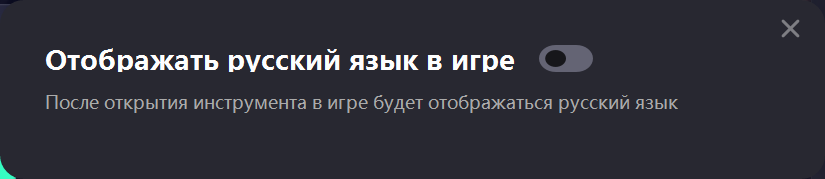
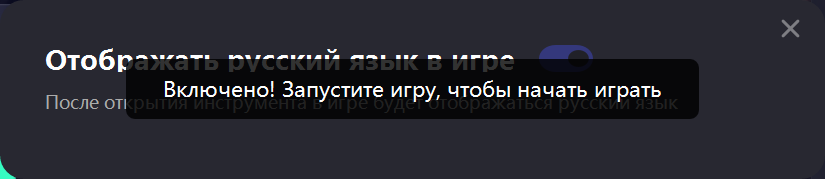
Step 4. Enable the tool and enjoy ARC Raider in Russian.
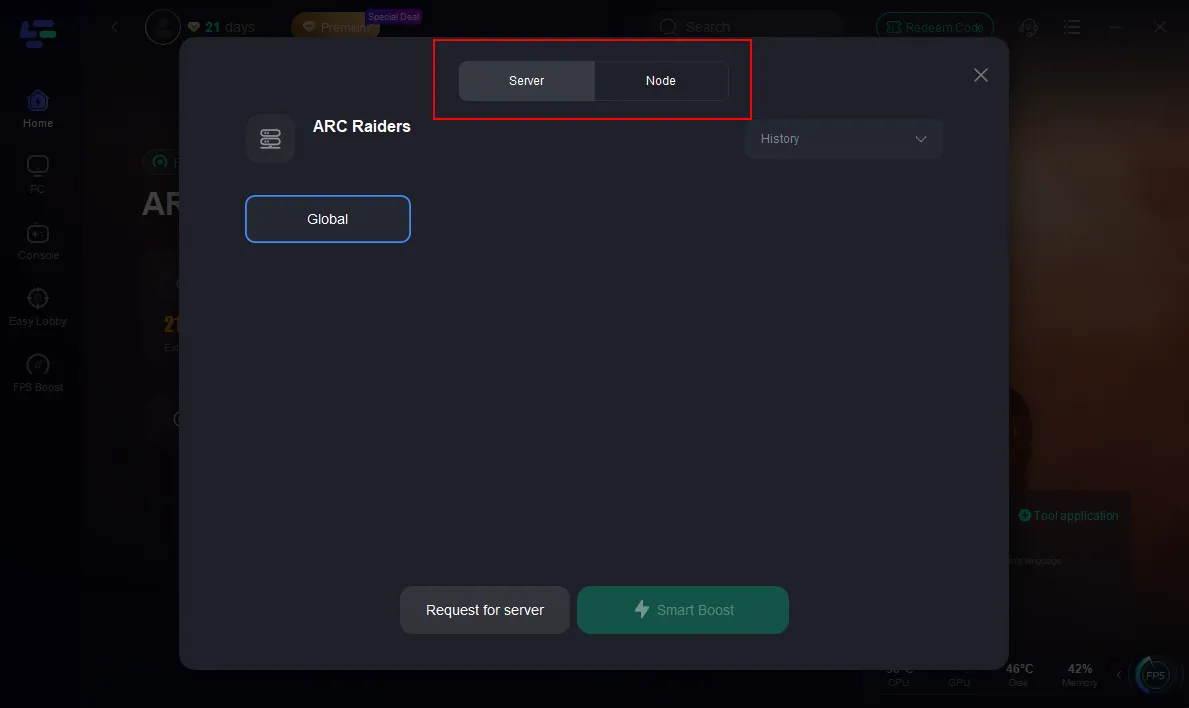
Step 5. Click on “Server” to change to a better server that ensures a smooth gaming experience, then click on “Smart Boost.”
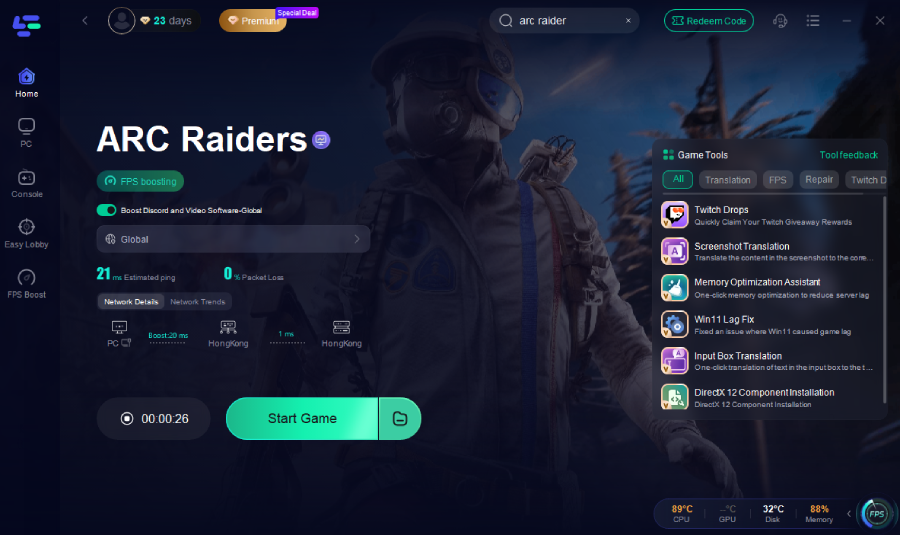
Step 6.: Check the specific game ping, packet loss, and multiple path connection on the right side. Finally, click “Start Game” to play the game.
More LagoFast Features for ARC Raiders Players
Beyond language support, LagoFast also improves the overall game experience with several powerful features:
- Boosts network stability and reduces ping during online matches.
- Minimizes lag, packet loss, and connection drops for smoother gameplay.
- Cleans temporary files and optimizes system resources automatically.
- Allows you to create custom optimization profiles for ARC Raiders and other games.
If you’re looking for a quick, reliable way to enable Russian in ARC Raiders, LagoFast makes it possible with one simple click — no technical steps required.
Conclusion
ARC Raiders fully supports Russian text, but enabling it manually through Steam or config files can be confusing. Using a tool like LagoFast Game Booster makes it far easier — with one-click switching, optimized network performance, and smooth gameplay. Whether you joined the ARC Raiders Server Slam Beta or plan to play at launch, this quick setup ensures you can enjoy the game in your preferred language right away.

Boost Your Game with LagoFast for Epic Speed
Play harder, faster. LagoFast game booster eliminates stutter and lags on PC, mobile, or Mac—win every match!
Quickly Reduce Game Lag and Ping!
Boost FPS for Smoother Gameplay!