
Rust has evolved into one of the most challenging and rewarding survival experiences in gaming history. With its massive updates, realistic graphics, and expanded features, many players are asking whether their devices can still keep up in 2025. This article dives into the current Rust system requirements for PC, mobile, and even older builds, while also addressing download size and performance tips.

Part 1: Rust System Requirements for PC in 2025
Part 2: Rust Mobile System Requirements
Part 3: Old Rust System Requirements
Part 4: How Much Does Rust China Weight?
Part 5: Can I Run It on My PC or Mobile?
Part 6: How to Maximize Rust PC & Mobile Gaming Experience
Part 1: Rust System Requirements for PC in 2025
Rust continues to push graphical fidelity and survival realism further every year. For 2025, the game now requires higher specifications to ensure smooth gameplay, particularly after the Primitive Update which enhanced textures, lighting, and world detail.

Minimum PC Requirements (2025)
- OS: Windows 10 64-bit
- Processor: Intel Core i5-8250U or AMD Ryzen 5 5500
- Memory: 10 GB RAM
- Graphics: NVIDIA GTX 1050 or AMD 500 series GPU
- DirectX: Version 11
- Storage: 40 GB free space (SSD recommended)
- Internet: Stable broadband connection
Recommended PC Requirements (2025)
- OS: Windows 11 64-bit
- Processor: Intel Core i7-4790K or AMD Ryzen 5 2600
- Memory: 16 GB RAM
- Graphics: NVIDIA RTX 3060 or AMD RX 5700 XT
- DirectX: Version 12
- Storage: 40 GB SSD required
- Internet: High-speed broadband
The main difference between minimum and recommended lies in smoothness during large-scale battles and base raids. An older GPU can technically run the game, but modern cards are essential for enjoying Rust at stable frame rates above 60 FPS.
Part 2: Rust Mobile System Requirements
In 2025, one of the biggest surprises is Rust’s official expansion into the mobile market through its Chinese test servers. This adaptation is designed to bring the hardcore survival experience to phones and tablets without sacrificing core mechanics.
Rust Mobile Minimum Requirements (2025)
- OS: Android 10 / iOS 14
- CPU: Snapdragon 865 / Apple A13 Bionic
- Memory: 4 GB RAM
- Graphics: Adreno 650 / Apple GPU equivalent
- Storage: 6 GB free space
- Internet: 4G or WiFi with low latency
Rust Mobile Recommended Requirements (2025):
- OS: Android 12 / iOS 16 or higher
- CPU: Snapdragon 888 / Apple A15 Bionic
- Memory: 6–8 GB RAM
- Graphics: Adreno 660 / Apple A15 GPU
- Storage: 8 GB free space
- Internet: Stable 5G or WiFi
Mobile testing shows that while the core mechanics are retained, visual fidelity is reduced for performance stability. Players can still craft, raid, and survive just like on PC, but expect smaller-scale environments and simplified textures.
Part 3: Old Rust System Requirements
Looking back, Rust has grown drastically from its early access days. Many veteran players may remember when the game required far less to run.

Original Rust (2014-2016) Requirements:
- OS: Windows 7 64-bit
- Processor: Intel Core 2 Duo E6600
- Memory: 4 GB RAM
- Graphics: GTX 460 or equivalent
- DirectX: Version 9.0
- Storage: 8-12 GB
Compared to 2025, the difference is staggering. The new requirements more than triple memory needs and nearly quadruple GPU demands. This highlights how Rust’s expansion, more weapons, advanced AI, deeper building mechanics, and higher graphical detail necessitated stronger hardware over time.
Part 4: How Much Does Rust China Weight?
For players interested in the Chinese testing servers, download size is an important factor.

- PC Version (China Test 2025): 25–30 GB, depending on updates
- Mobile Version: 6–8 GB install size
- Standard Steam Build (Global): 20 GB after installation
Because the version includes specific localization data, different anti-cheat protocols, and additional assets, it is slightly larger than the global edition.
Part 5: Can I Run It on My PC or Mobile?
Whether you can run Rust depends heavily on your setup. If your PC has an entry-level GPU like the GTX 1050 and at least 10 GB RAM, you’ll be able to play, though settings may need to be reduced. Laptops with integrated graphics generally struggle unless paired with modern Intel Iris Xe or AMD RDNA iGPUs.
On mobile, devices launched before 2019 may find it difficult to run Rust Mobile. iPhones from the XR and later are safe bets, while Android phones should ideally be equipped with Snapdragon 865 or higher.
A quick way to check is using online compatibility tools such as “Can You Run It” services, but the most practical approach is comparing your device’s CPU, GPU, and RAM against the listed requirements above.
Part 6: How to Maximize Rust PC & Mobile Gaming Experience
Even with decent hardware, Rust is infamous for lag, stuttering, and high ping. That’s where optimization tools can make a difference. One standout solution is LagoFast, a dedicated game booster designed for smoother performance across platforms. LagoFast improves frame stability, reduces network latency, and enhances overall system optimization. Its cross-device feature ensures that both PC and mobile players benefit from acceleration, making it ideal for those who switch between platforms. Other key features include smart routing for better ping, automatic system cleaning, and easy one-click setup. For Rust survivors, LagoFast provides a noticeable edge in both stability and responsiveness.
For Rust PC Users, check this tutorial to ensure a better gaming experience:
Step 1: Click the Free Trial button to download and install LagoFast.
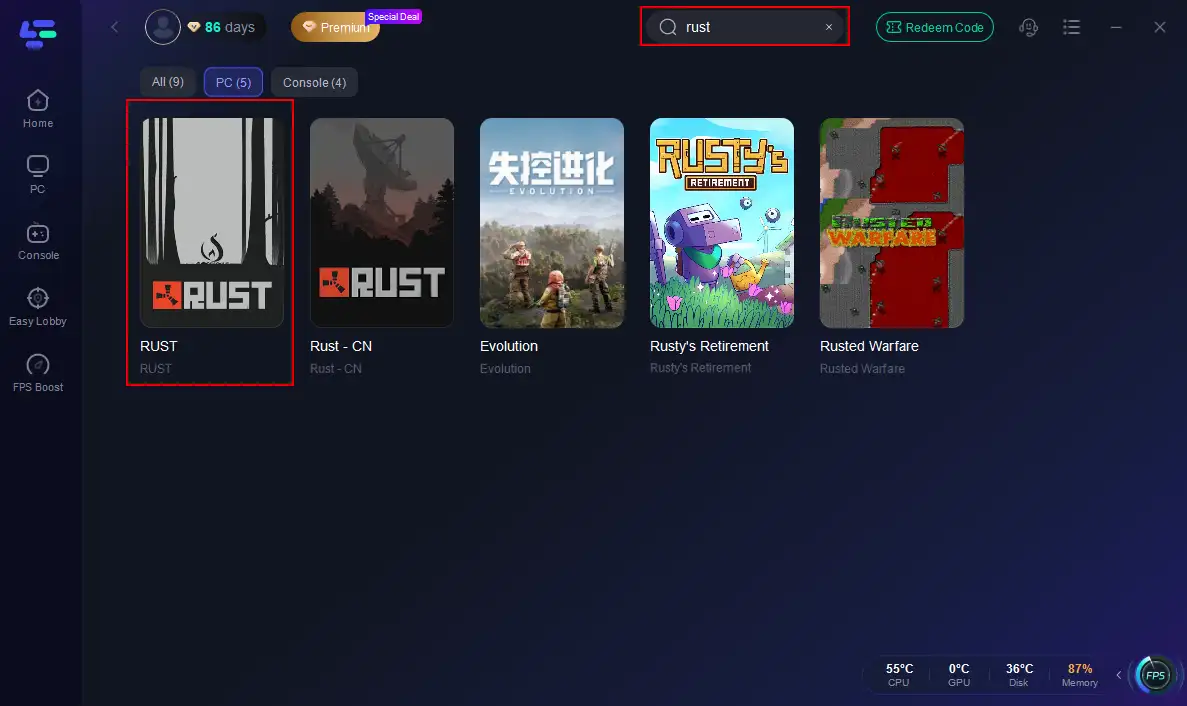
Step 2: Open LagoFast, then click the PC button on the left and search for Rust in the search bar, and click it after it appears.
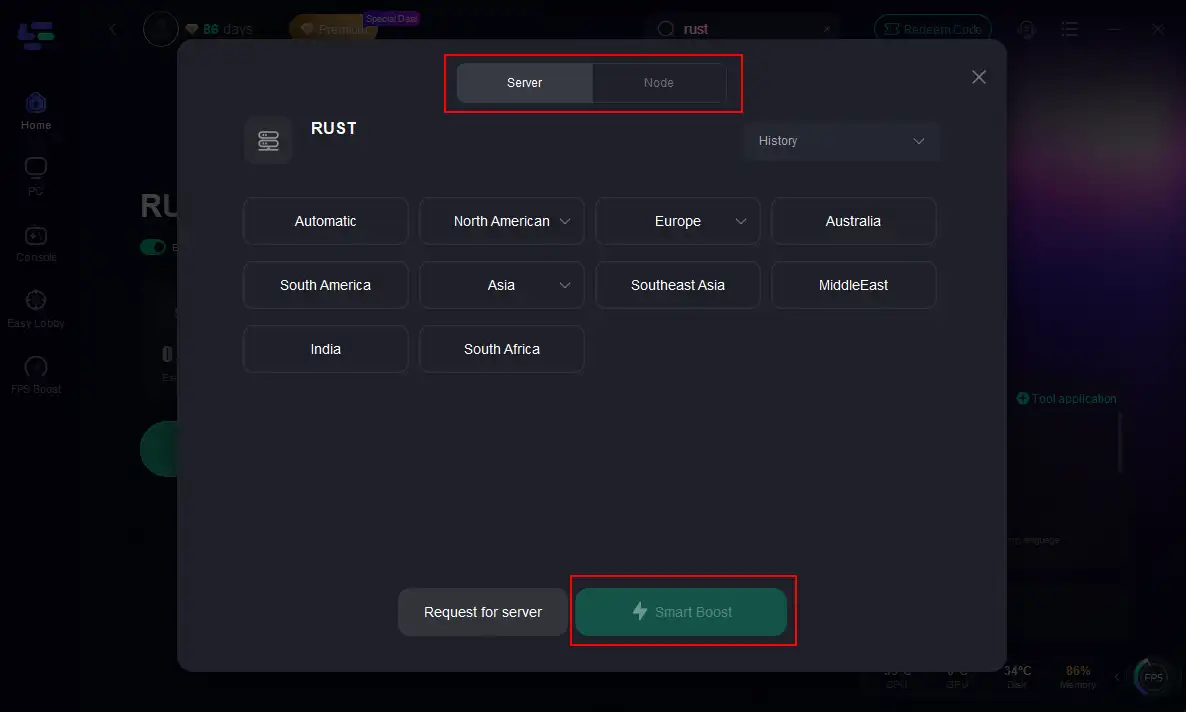
Step 3: Click on “Server” to change to a better server that maximizes the gaming experience, then click on “Smart Boost”.
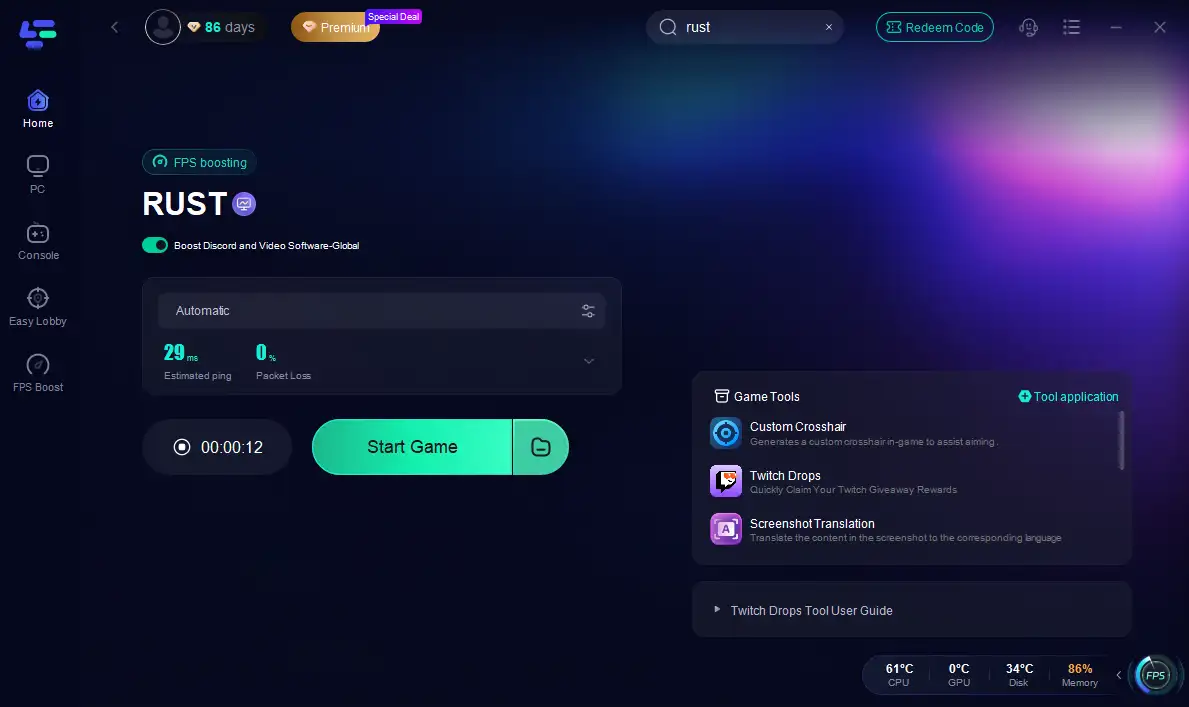
Step 4: Check the specific game ping, packet loss, and multiple path connections on the right side. Finally, click the “Start Game” to play Rust.
Follow the tutorial to use the LagoFast Mobile booster:
Step 1: Click here to download the APK File of LagoFast mobile.
Step 2. Search for your game and select it.
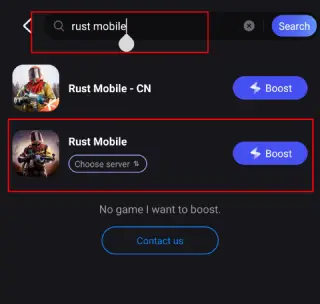
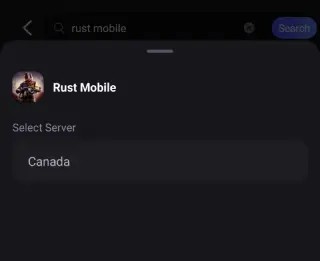
Step 3. Pick the server that suits you best.
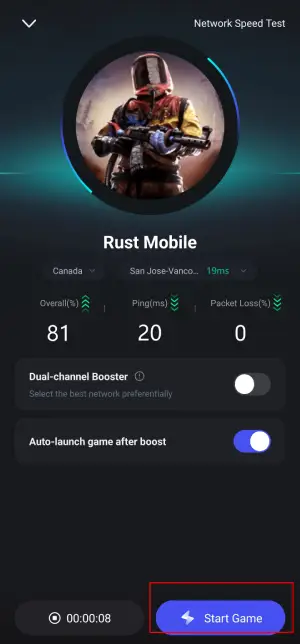
Step 4. Tap Boost, and LagoFast will display real-time ping and packet loss stats.
Conclusion
Rust in 2025 is a far more demanding and expansive game than its early iterations. With system requirements climbing, players need stronger PCs or modern smartphones to keep pace with the ever-evolving world. The introduction of Rust Mobile in China further widens accessibility, though it comes with lighter graphical performance. Whether you’re exploring on desktop or phone, making sure your device meets the requirements is crucial for survival. For those still struggling with lag, tools like LagoFast can help unlock a smoother and more competitive Rust experience.

Boost Your Game with LagoFast for Epic Speed
Play harder, faster. LagoFast game booster eliminates stutter and lags on PC, mobile, or Mac—win every match!
Quickly Reduce Game Lag and Ping!
Boost FPS for Smoother Gameplay!