
If you're preparing to survive in Rust but encounter crashes, freezes, or connection errors, frustration can set in quickly—especially during the dual-platform testing before its September 19, 2025 launch. This guide explains the main reasons why Rust may not work and offers practical solutions to get you back into the game smoothly.

- ✅ Reduce Lag and High Ping.
- ✅ Boost FPS at the Same Time.
- ✅ Support 2000+ Popular Online Games.
- ✅ Change Server without Latency.
- ✅ Boost Game Loading Speed.
Part 1. Why Rust Is Not Working
Part 2. Best Way to Fix Rust Not Working
Part 3. Other Solutions for Rust Not Working Issues
Part 1. Why Rust Is Not Working
Here are the most common causes behind Rust failing to run properly:
Server Downtime or Unstable Network Connections
Many connection issues stem from routing problems or overloaded servers.
Corrupted or Outdated Game Files
Missing or broken files often cause Rust to crash or freeze at launch.
Steam or Client-Side Glitches
Enabled beta channels, outdated Steam, or locked processes can block game startup.
System Incompatibilities or Resource Bottlenecks
GPU driver issues, limited virtual memory, or conflicts with EasyAntiCheat (EAC) can cause unresponsive gameplay.
Network Congestion and Packet Loss
Poor routing or ISP interference may lead to long login times or failed connections.

Part 2. Best Way to Fix Rust Not Working
A reliable way to reduce crashes and connection problems is by using LagoFast Game Booster, especially for cross-platform gameplay between PC and mobile.
How LagoFast Helps
- Reroutes your connection through optimized paths to minimize ISP inefficiencies.
- Reduces latency and packet loss for fewer disconnects and timeouts.
- Connects you through less congested routes during launch and matchmaking.
How to Use LagoFast on Mobile
For mobile players (e.g., Evolution’s China test on Android/iOS):
Step 1. Click here to download LagoFast Mobile APK File.
Step 2. Search for the game and select it.
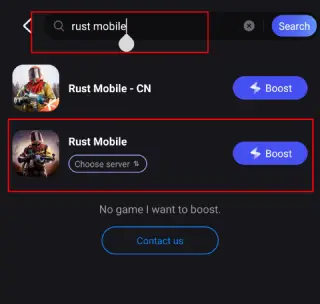
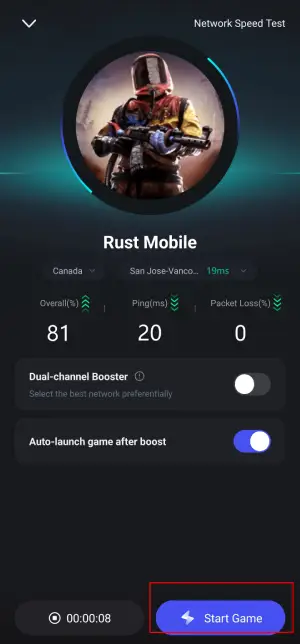
Step 3. Choose a server and tap Boost.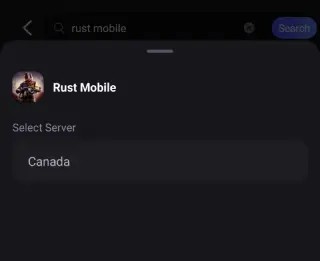
Step 4. Enjoy smoother FPS and stable connections.
How to Use LagoFast on PC
Step 1. Download and install LagoFast free trial.
Step 2. Search for Rust and select it.
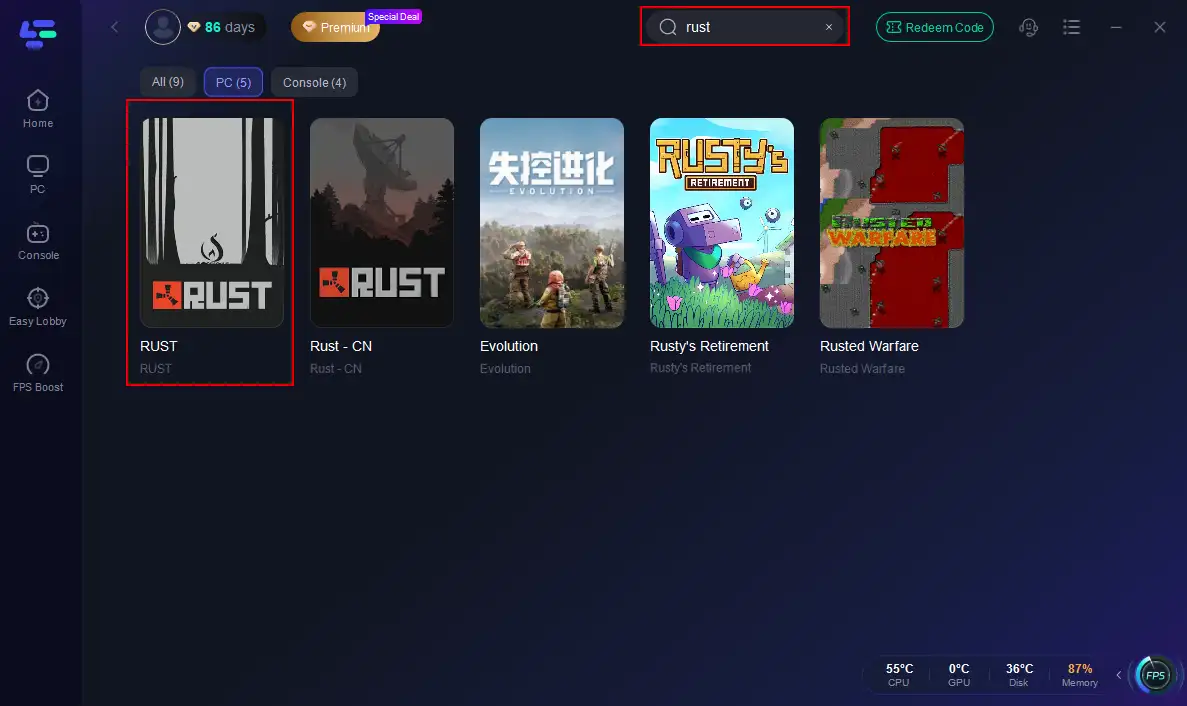
Step 3. Choose a low-latency node matching your region.
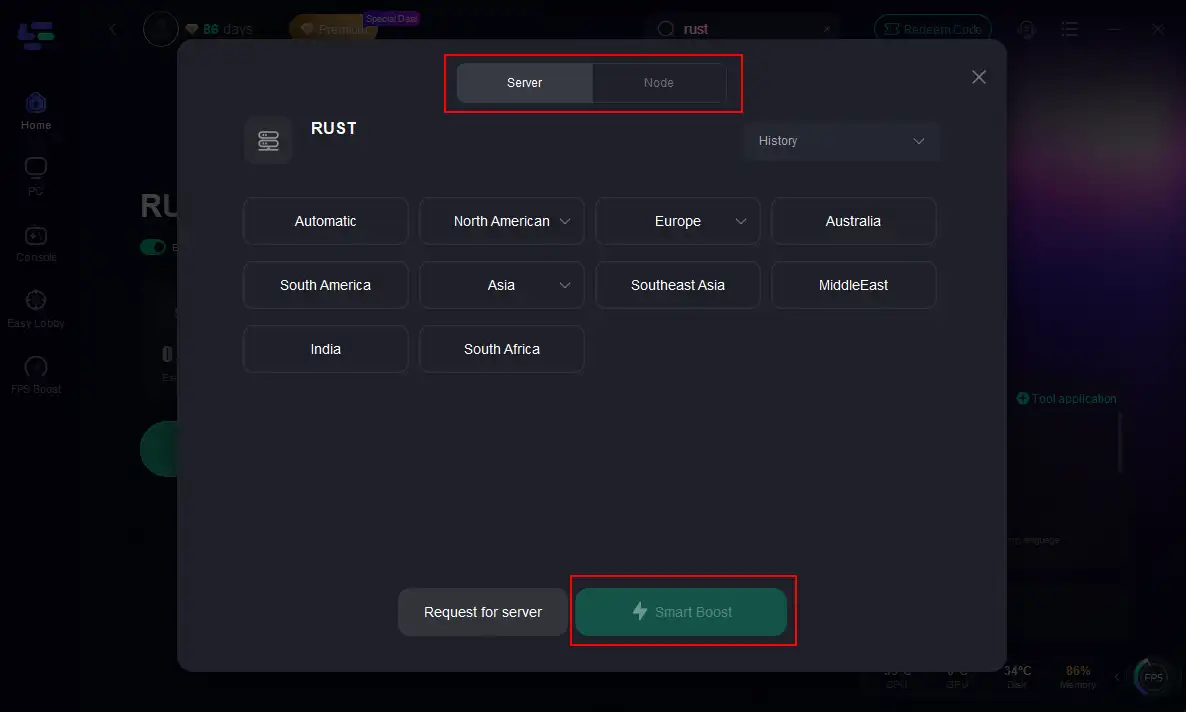
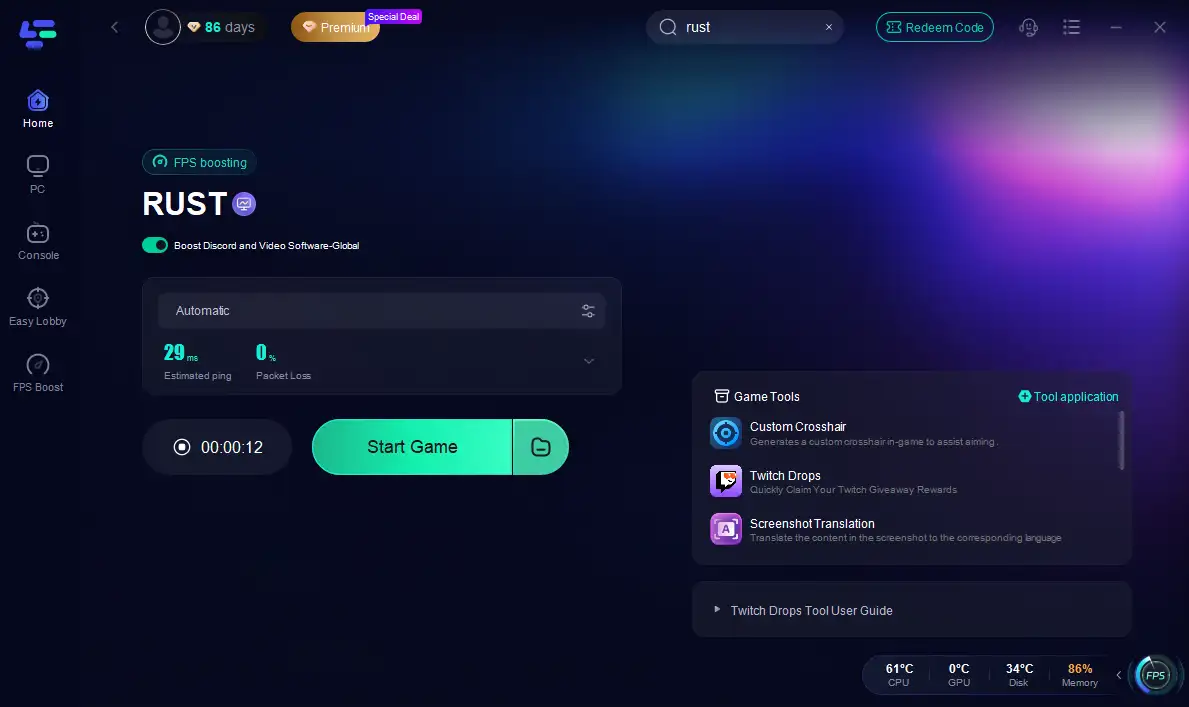
Step 4. Click Smart Boost to optimize ping, packet loss, and routing.
Part 3. Other Solutions for Rust Not Working Issues
Restart Steam & Opt Out of Beta Participation
If Steam shows "Rust not open?", restart Steam entirely, check for updates, and disable any Steam beta participation, then verify game files.
Verify Game Files & Clear Cache
On PC: Right-click Rust in Steam → Properties → Local Files → “Verify integrity of game files.”
Clear any corrupt cached data to restore proper loading.
Update Graphics Drivers & System Settings
- Ensure your GPU drivers are up-to-date.
- Switch your power plan to High Performance.
- Repair EasyAntiCheat installation.
- Run Rust as administrator, adjust process affinity, or set compatibility mode to fix responsiveness.
Clean Steam Download Cache & Reinstall If Needed
Clearing download cache or reinstalling Rust/Steam can solve persistent startup failures.
Fix Server Browser Failures
If your server list is empty, close background apps like overlays, restart Steam, or clear Steam’s download cache.
Reduce Rendering Load & Fix Packet Flooding
Rust clients can freeze when loading too many signs or skins. Use settings to hide signs, skins, and reduce draw distance.
Handle Crashes and Freezes Gracefully
Rust may crash due to insufficient hardware, crashes mid-join, or memory issues. Consider lowering graphics settings, clearing cache, or reinstalling.
Part 4. FAQs
Q: Does clearing cache on mobile delete my progress?
No—clearing cache won't erase game data. Only "Clear Data" resets progress, so proceed with caution.
Q: Can mobile players mix with PC players?
Yes! The upcoming China server test supports cross-platform login. Using LagoFast ensures smooth network performance regardless of device.
Q: I'm still stuck—what now?
After trying all above, reach out to Rust’s support or check server status on social media or DownDetector before escalating.
Q: Can mobile and PC versions share saves or data?
Yes — testing allows cross-platform login, but mobile servers default to mobile unless switching to mixed mode.
Conclusion
When Rust refuses to load or crashes, layering your fix strategy—starting with LagoFast Game Booster to stabilize connections—can get you back in the game fast. Complement it with client and system-level fixes from server-side checks to local graphics, and you’ll be raiding, building, and surviving before you know it.
Boost Your Game with LagoFast for Epic Speed
Play harder, faster. LagoFast game booster eliminates stutter and lags on PC, mobile, or Mac—win every match!
Quickly Reduce Game Lag and Ping!
Boost FPS for Smoother Gameplay!