

Getting your ping down in Rust can mean the difference between victory and being raided in seconds. Whether you’re fortifying your base or raiding with friends during synchronized PC/mobile tests, stable ping is essential. Lag disrupts gameplay, but with tools like LagoFast and practical adjustments, you can reduce latency, prevent packet loss, and enjoy smoother matches.

- ✅ Reduce Lag and High Ping.
- ✅ Boost FPS at the Same Time.
- ✅ Support 2000+ Popular Online Games.
- ✅ Change Server without Latency.
- ✅ Boost Game Loading Speed.
- ✅ Fix Game Crashing Issues
Part 1. Why High Ping Happens in Rust
Part 2. How to Fix High Ping in Rust
Part 3. Other Solutions to Reduce High Ping
Part 1. Why High Ping Happens in Rust
High ping in Rust often comes from a mix of network, hardware, and software issues:
Server Distance & Misleading Ping
Some servers list ping low, but in-game latency may spike because browser-listed ping often misreports actual server performance.
Network Congestion & ISP Throttling
Heavy local usage or ISP throttling can slow data flow, causing latency spikes.
Wi-Fi vs. Wired Connections
Wireless connections introduce variability, while Ethernet offers significantly more stable performance.
DNS & Network Routing
Slow or misconfigured DNS and inefficient routing can add milliseconds to every request.
Game Traffic Flooding from Refresh Rates
Steam may refresh the server list thousands of times per minute, overloading your router. Reducing “Server List Refresh Max Ping” from 5000 to 500 has helped some players.
Part 2. How to Fix High Ping in Rust
The most effective way to reduce lag quickly is to use a network optimizer like LagoFast Game Booster, designed for low-latency gameplay.
Why Use LagoFast?
LagoFast improves online gaming by routing connections more efficiently, minimizing waiting times and packet loss.
Benefits:
- Reduces Ping & Jitter: Optimal multi-path routing lowers latency.
- Global Optimization: Supports PC, mobile, and console with one-click boosts and real-time packet loss monitoring.
Using LagoFast on Mobile
Step 1: Click here to download the APK File of LagoFast mobile.
Step 2. Search for your game and select it.
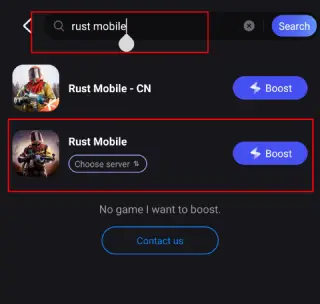
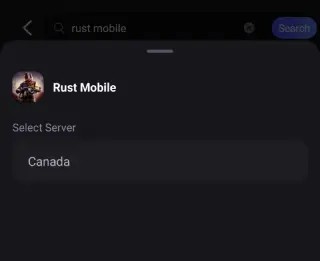
Step 3. Pick the server that suits you best.
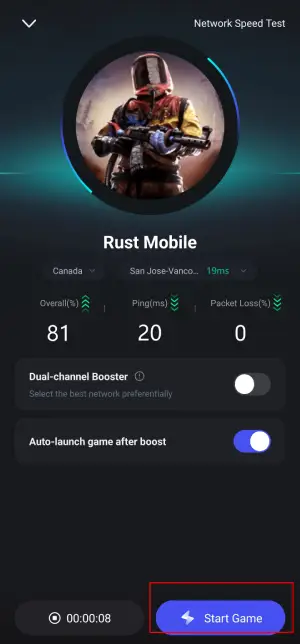
Step 4. Tap Boost, and LagoFast will display real-time ping and packet loss stats.
Using LagoFast on PC
Step 1: Click the Free Trial button to download and install LagoFast.
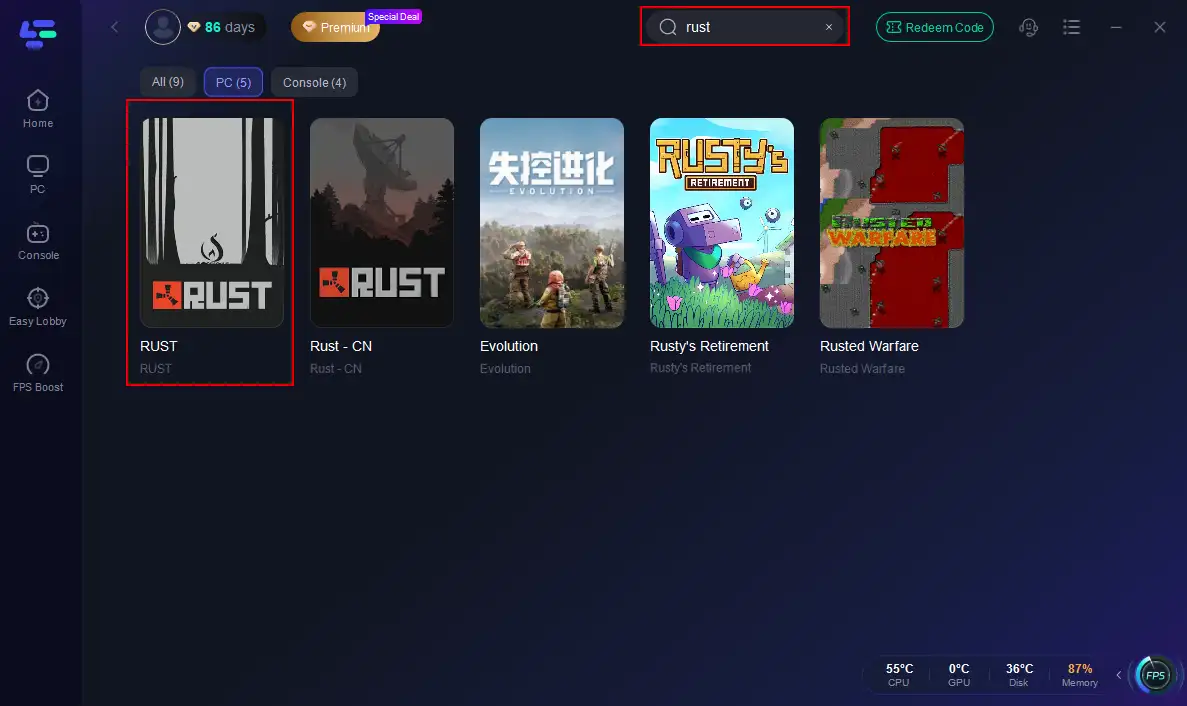
Step 2: Open LagoFast, then click the PC button on the left and search for Rust in the search bar, and click it after it appears.
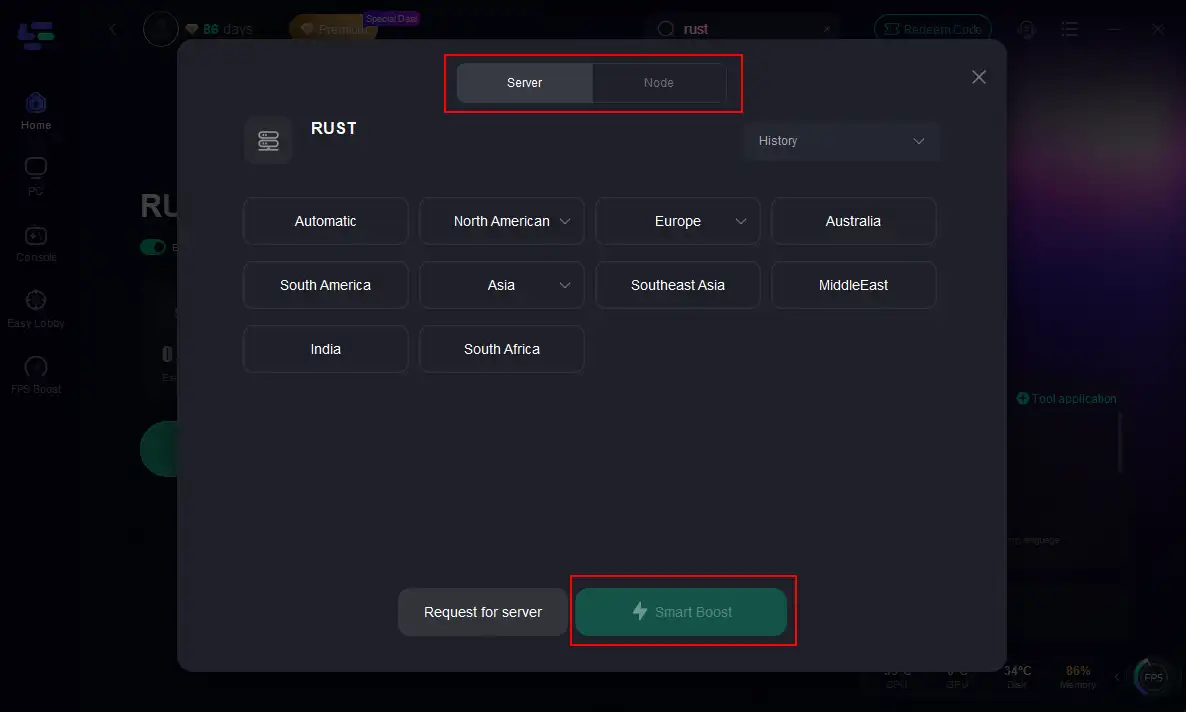
Step 3: Click on “Server” to change to a better server that maximizes the gaming experience, then click on “Smart Boost”.
Step 4: Check the specific game ping, packet loss, and multiple path connections on the right side. Finally, click the “Start Game” to play Rust.
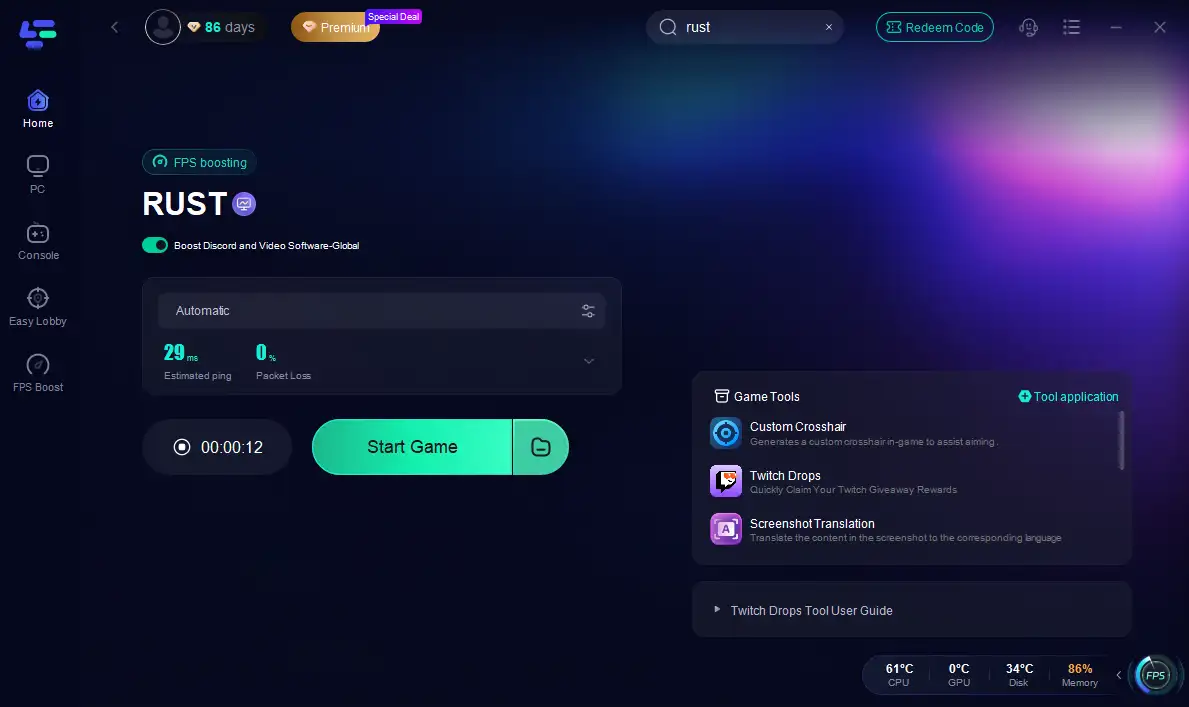
LagoFast effectively reduces routing hiccups and packet drops, which are common causes of Rust connectivity issues.
Part 3. Other Solutions to Reduce High Ping
Even if you use tools like LagoFast, there are practical adjustments you can make to further reduce high ping in Rust:
Switch to Ethernet
Wired connections consistently provide more stable and reliable performance compared to Wi-Fi. Ethernet reduces jitter and latency spikes, especially during intense PvP or large raid scenarios.
Limit Background Network Use
Pause downloads, streaming services, or other network-heavy applications while playing Rust. Prioritizing your game’s traffic ensures smoother connections and prevents unnecessary latency spikes.
Change DNS Servers
Using faster DNS servers, such as Google’s DNS (8.8.8.8 / 8.8.4.4), can improve domain resolution speed and shave milliseconds off your ping. Faster DNS queries help keep in-game actions responsive.
Throttle Steam Refresh Rate
Steam can overload your router by refreshing the server list too frequently. Lowering the “Server List Refresh Max Ping” value reduces network congestion, helping maintain consistent latency during gameplay.
Reset Router Regularly
Routers can accumulate routing inefficiencies over time. Regular reboots clear these temporary issues, optimizing the path data takes between your PC or mobile device and Rust servers.
Choose Nearby Servers
Geographic proximity remains important. Even with optimizations, ping naturally increases with distance. Selecting servers closer to your location ensures lower latency and smoother gameplay.
Part 4. FAQs
Does using Wi-Fi automatically mean high ping?
Not always. Wi-Fi connections can be convenient but are subject to interference and variability. Wired Ethernet connections remain significantly more reliable and stable for latency-sensitive games like Rust.
Will changing DNS truly help?
Yes. Switching to faster DNS servers, such as Google DNS, improves resolution speed. While it may only save a few milliseconds per request, these gains can add up consistently, helping reduce lag during gameplay.
Why does the server browser show low ping, but in-game ping is much higher?
Many servers misreport ping in the browser list. Players often experience spikes where stable 40ms latency suddenly jumps to 6000ms for a few minutes before returning to normal. Always monitor real-time in-game ping rather than relying solely on the server browser.
What happens if your ping becomes excessively high? Can you be kicked?
Yes. Both the client software and Rust servers may disconnect players experiencing extremely high latency to prevent gameplay disruption. This can lead to lag, stalling, or being dropped entirely from matches.
Why does Rust sometimes disconnect me mid-match when my connection seems fine elsewhere?
Rust disconnects players when ping exceeds approximately 200 ms. High latency interrupts synchronization with the server, causing dropped connections. This is especially common in PvP or fast-action situations where real-time data is critical to gameplay performance.
Conclusion
High ping doesn’t have to ruin your Rust experience. Combining simple adjustments—Ethernet, faster DNS, balanced Steam settings—with smart solutions like LagoFast enables low-latency gameplay on both PC and mobile. Prepare for smoother raids and safer nights on the island.

Boost Your Game with LagoFast for Epic Speed
Play harder, faster. LagoFast game booster eliminates stutter and lags on PC, mobile, or Mac—win every match!
Quickly Reduce Game Lag and Ping!
Boost FPS for Smoother Gameplay!