
ROM: Golden Age is set to launch on August 12, 2025, with pre-download available starting August 7. Players can pre-register now to unlock exclusive rewards and be ready for launch day. A live Global Showcase event on August 12 will highlight the game’s features and blockchain integration. This blockchain strategy RPG offers innovative gameplay and rewards. This article summarizes ROM: Golden Age’s main features, pre-download schedule, language support, and how to use the Golden Age Game Translation Tool for better player experience.

- ✅ Reduce Lag and High Ping.
- ✅ Boost FPS at the Same Time.
- ✅ Support 1000+ Popular Online Games.
- ✅ Support Easy Lobby in all Cod Games without Lag
Part 1: What is ROM: Golden Age?
Part 2: ROM: Golden Age Pre-Download Details
Part 3: What Language Does ROM: Golden Age Support?
Part 4: How to Translate ROM: Golden Age into My Language?
Part 1: What is ROM: Golden Age?
ROM: Golden Age is a blockchain-based strategy RPG where players collect and upgrade heroes, complete battles and quests, and earn rewards. It includes NFT features allowing players ownership of in-game assets with trading options. Its rich mechanics and open economy make it a highly anticipated game.
Part 2: ROM: Golden Age Pre-Download Details
The official pre-download starts on August 7, 2025, allowing players to download the game ahead of the August 12 launch. Pre-registering unlocks special bonuses and ensures a smooth start on launch day. You can download ROM: Golden Age in Google Play store, in its official website or by LagoFast Game Booster.
Part 3: What Languages Does ROM: Golden Age Support?
ROM: Golden Age supports the following languages:
- English
- Korean
- Chinese
- Japanese
- Thai
- Portuguese (Brasil)
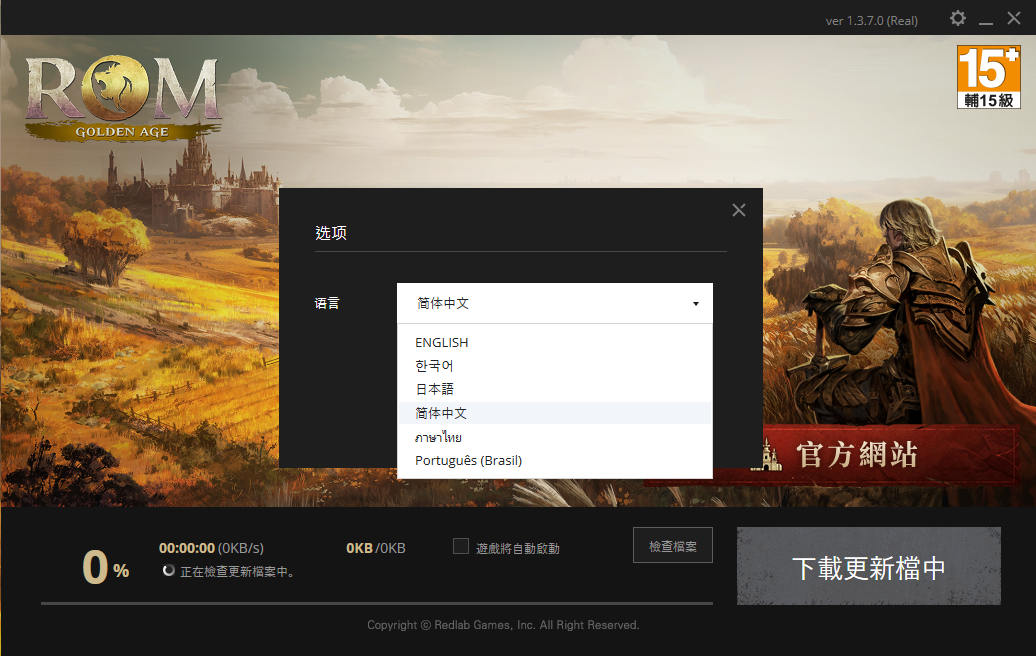
Localization is well developed, allowing players worldwide to enjoy the game in their preferred language. Language switching is easy and available in the settings menu.
Part 4: How to Translate ROM: Golden Age into My Language?
Why choose LagoFast Game Booster?
- One-Click Translaiton: Translate mid-game and helps non-Korean users bypass language barriers during testing phases.
- Ping Reducer: Minimizes latency by connecting through optimized routing nodes.
- Game Booster: Allocates system resources effectively to reduce stuttering and frame drops.
- Stability Enhancer: Prevents jittering and disconnects during intense battles or raids.
PC
Step 1: Download LagoFast by clicking the button below and activate your free trial.
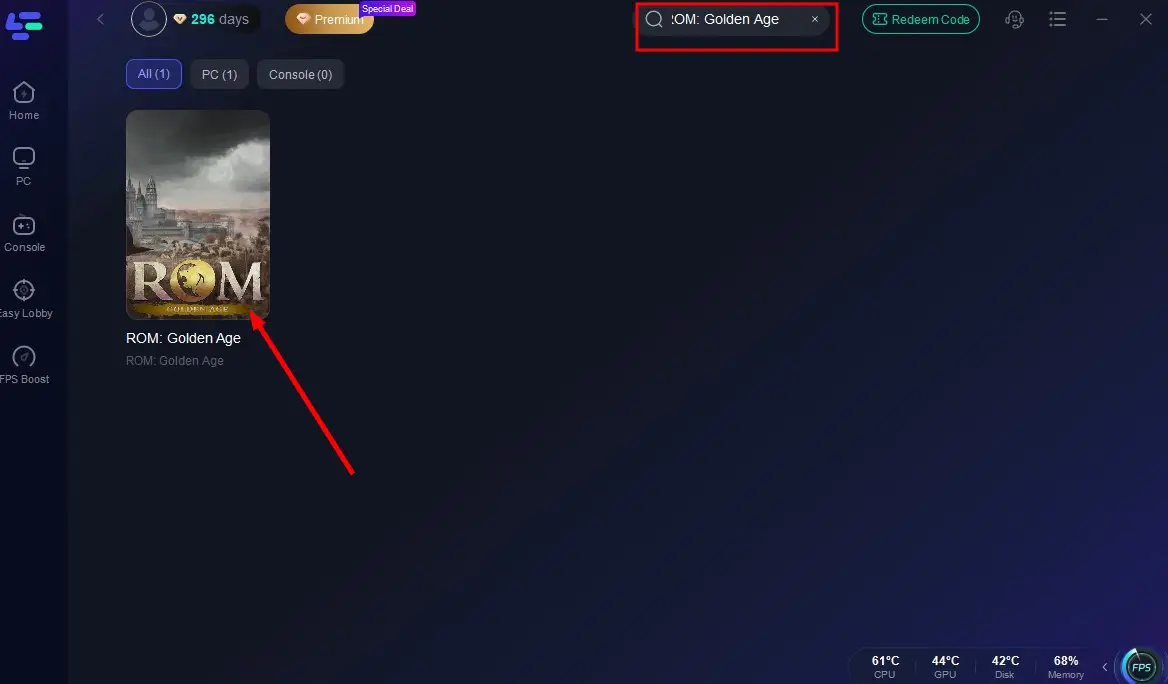
Step 2: Search for ROM: Golden Age in the LagoFast client.
Step 3: Click the One-Click Translation Tool in the game toolbar.
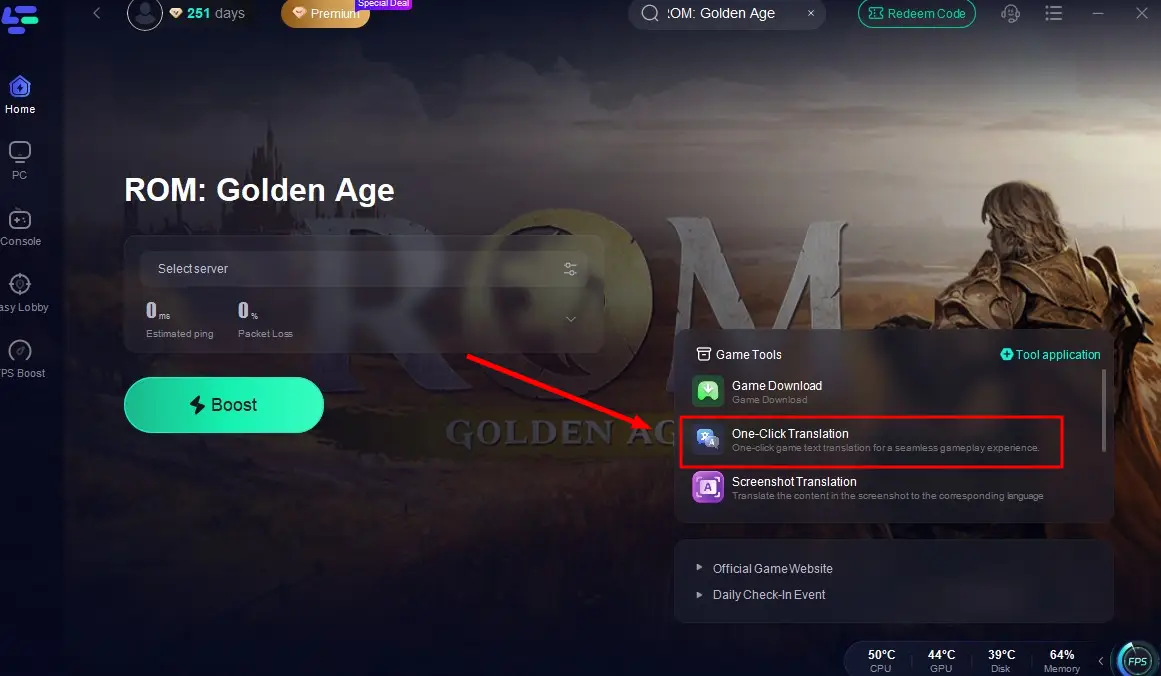
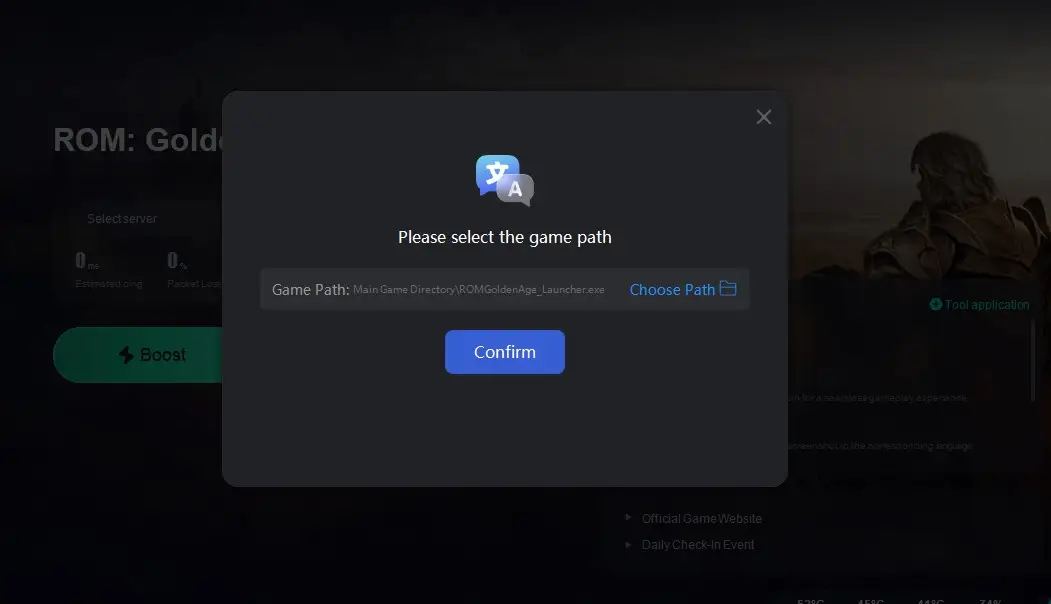
Step 4: Import the game file of ROM: Golden Age and select your target language.
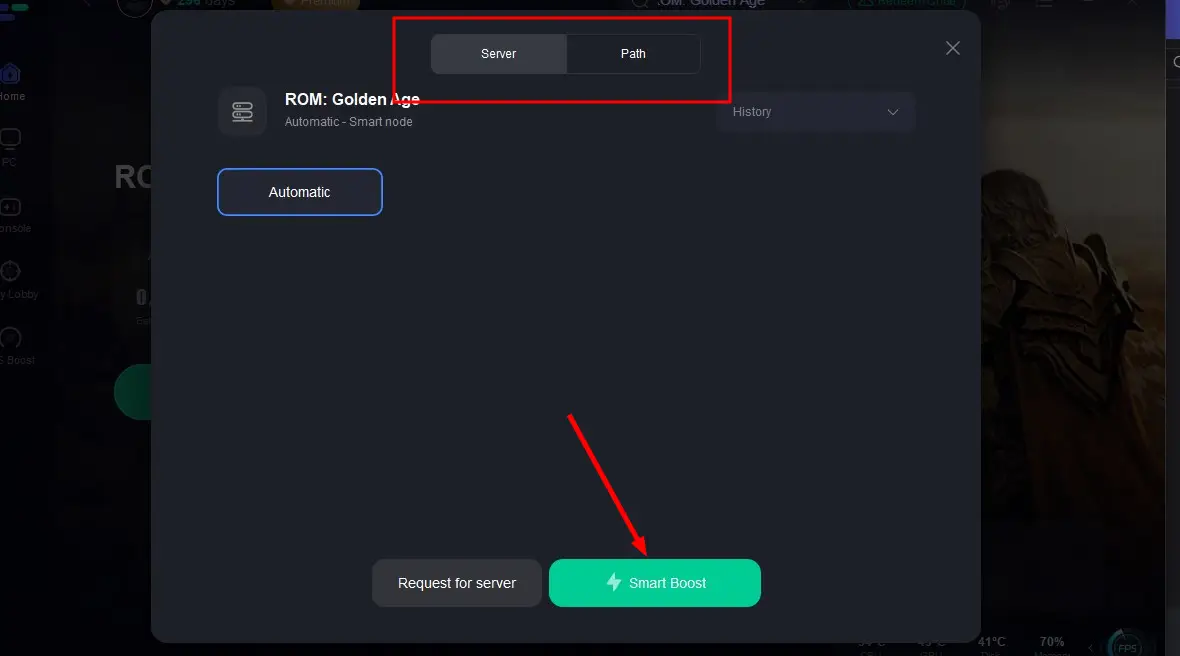
Step 5: Then select the server with the best connection and choose the optimal Node. Click "Smart Boost" to start optimizing your network and
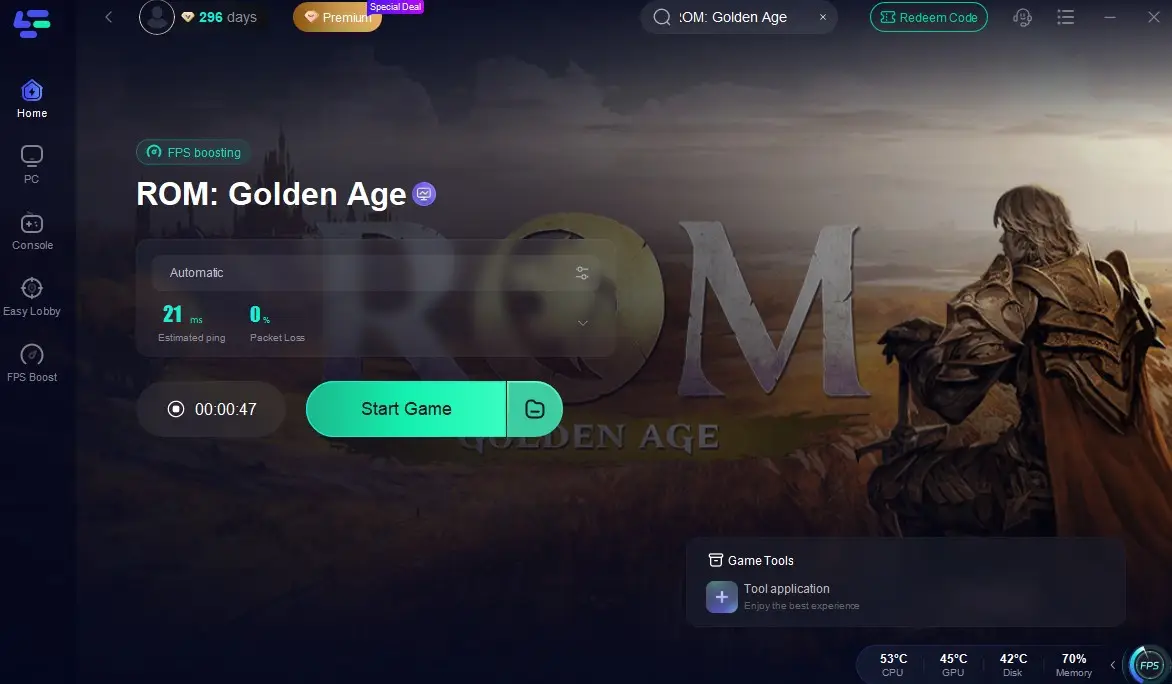
Step 6: Check real-time stats such as ping, packet loss, and network performance, then click the "Start Game" to play ROM: Golden Age without any lag!
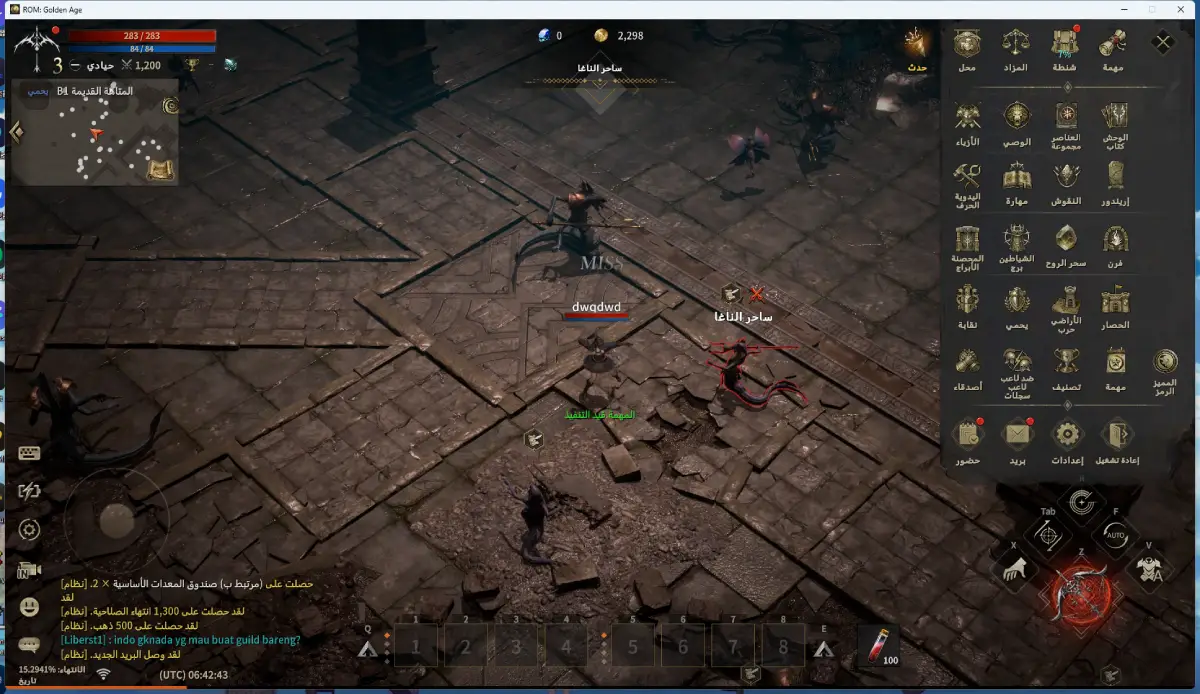
Step 7: Return to the game, you will instantly translate the ROM: Golden Age game into your chosen language!
Mobile:
1. iOS and Android players can download LagoFast from the App Store or Google Play Store, or simply scan the QR code below to get it instantly!

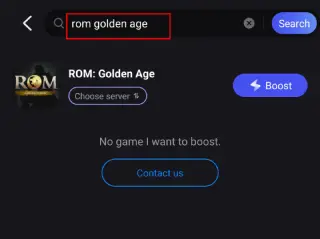
2. Launch the LagoFast Mobile app and search for ROM: Golden Age in the search bar.
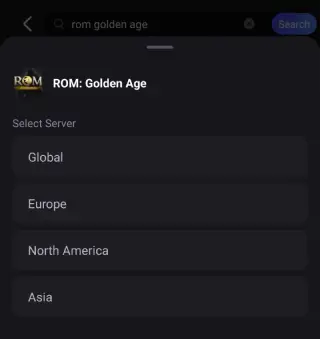
3. Select the best-performing server for ROM: Golden Age to connect.
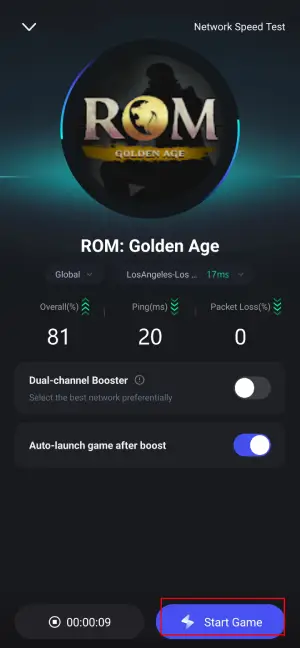
4. Check real-time game data such as packet loss rate and ping, then click Start Game to begin playing!
And you can also use the Quick Translate tool to help you play ROM: Golden Age in desired language:
Step 1: Find ROM: Golden Age in the Boost tab of LagoFast Mobile, locate the Quick Translate tool below.
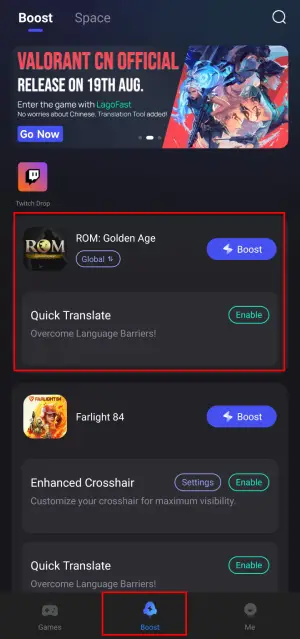
Step 2: Complete two settings:
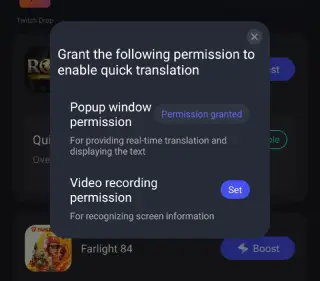
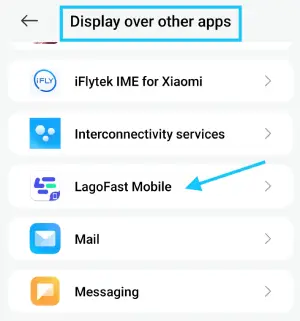
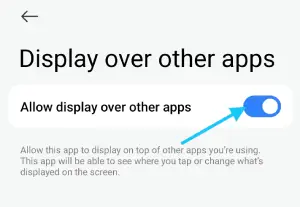
- Set popup window permissions: Enable "Display over apps".
- Set video recording permissions: Tap the Set button, select Full Screen, then start the translation tool.
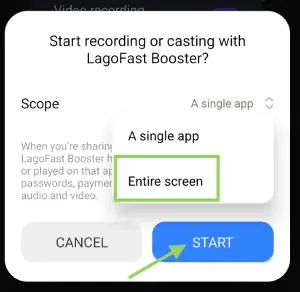
Step 3: Return to the game and use the floating translation ball provided by the tool to translate the Farlight 84 CN into your target language.
Important Note:
- This translation tool is only available for Android users.
- Before enabling the ROM: Golden Age Mobile translation tool, ensure LagoFast's language settings are adjusted to your target language.
- To use the translation tool, players must download LagoFast Mobile's APK file from its official website before, or you will not see the tool!
Conclusion
ROM: Golden Age combines blockchain innovation with broad language support, attracting players globally. Pre-download the game on August 7 and use the Golden Age Game Translation Tool for a seamless gaming experience. Get ready for an epic adventure!
Boost Your Game with LagoFast for Epic Speed
Play harder, faster. LagoFast game booster eliminates stutter and lags on PC, mobile, or Mac—win every match!
Quickly Reduce Game Lag and Ping!
Boost FPS for Smoother Gameplay!