

As the latest entry in the long-running horror series from Capcom, Resident Evil Requiem continues the dark legacy of the Resident Evil franchise, bringing cinematic tension, brutal combat, and story-driven survival back to center stage. But before you dive in, there’s one practical question many players overlook: does the game fully support your language? If not, it can seriously affect your experience. Let’s break down what you need to know before you start playing.

- ✅ Reduce Lag and High Ping.
✅ Boost FPS at the Same Time.
✅ Support 2000+ Popular Online Games.
✅ Change Server without Latency.
✅ Boost Game Loading Speed.
Part 1: Resident Evil Requiem Release Date, Platforms, and Game Features
Part 2: What Languages Does Resident Evil Requiem Support?
Part 3: The Best Translation Tool to Play Resident Evil Requiem Smoothly
Part 1: Resident Evil Requiem Release Date, Platforms, and Game Features
Resident Evil Requiem is the newest chapter in Capcom’s long-running Resident Evil series.
Release Date: February 27, 2026
Confirmed Platforms:
- PC (Steam / Epic Games Store)
- PlayStation 5
- Xbox Series X|S
- Nintendo Switch 2
Game Features
Resident Evil Requiem delivers the series’ classic survival horror experience through:
- Combat encounters that test your survival instincts
- Investigations that uncover story details and hidden truths
- Puzzles that require careful thinking and exploration
- Resource management that forces strategic decisions
The gameplay also allows you to freely switch between first-person and third-person views, letting you experience the horror in a way that suits your personal playstyle.
Part 2: What Languages Does Resident Evil Requiem Support?
Below are the languages officially supported in the game:
|
Language |
Interface |
Full Audio |
Subtitles |
|
English |
✔ |
✔ |
✔ |
|
French |
✔ |
✔ |
✔ |
|
Italian |
✔ |
✔ |
✔ |
|
German |
✔ |
✔ |
✔ |
|
Spanish – Spain |
✔ |
✔ |
✔ |
|
Arabic |
✔ |
✔ |
|
|
Spanish – Latin America |
✔ |
✔ |
✔ |
|
Portuguese – Brazil |
✔ |
✔ |
✔ |
|
Polish |
✔ |
✔ |
|
|
Russian |
✔ |
✔ |
✔ |
|
Simplified Chinese |
✔ |
✔ |
✔ |
|
Traditional Chinese |
✔ |
✔ |
|
|
Japanese |
✔ |
✔ |
✔ |
|
Korean |
✔ |
✔ |
If your language includes Full Audio support, you’ll get complete voice acting. Otherwise, you’ll rely on subtitles to follow dialogue and story events, which can be distracting during combat or puzzle sequences.
For players whose languages aren’t supported at all—such as Thai, Turkish, or Vietnamese—the experience becomes more challenging. The Resident Evil series relies heavily on notes, clues, and dialogue details. Without fully understanding them, objectives can feel unclear and puzzles more frustrating. Fortunately, there are still ways to make the experience smoother even without full language support.
Part 3: The Best Translation Tool to Play Resident Evil Requiem Smoothly
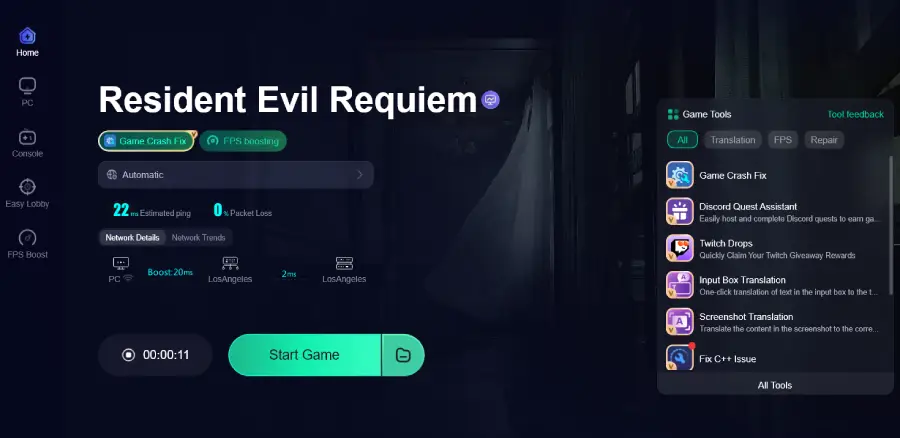
If your language is not fully supported in Resident Evil: Requiem, constantly switching to external translation apps can quickly break immersion. A built-in real-time translation solution is far more practical. LagoFast offers a One-Click Translation Tool that allows you to instantly convert in-game text — including dialogue, notes, and UI elements — into your target language directly within the game. The translated text blends naturally into the interface, with no garbled characters or visual inconsistencies. This means you can clearly understand mission objectives, puzzle clues, and story documents without ever leaving the game. Supported languages include Thai, Turkish, Vietnamese, and Ukrainian.
Beyond translation, LagoFast also improves overall performance. It helps reduce ping, minimize packet loss, stabilize connections, and optimize routing. It also supports FPS optimization and includes tools like Game Crash Fix. For a tense survival horror experience in the Resident Evil series, smoother performance and clear text translation can make gameplay far more immersive and stable.
How to Use LagoFast for Resident Evil Requiem Translation
Step 1: Click the Free Trial button to download and install LagoFast.
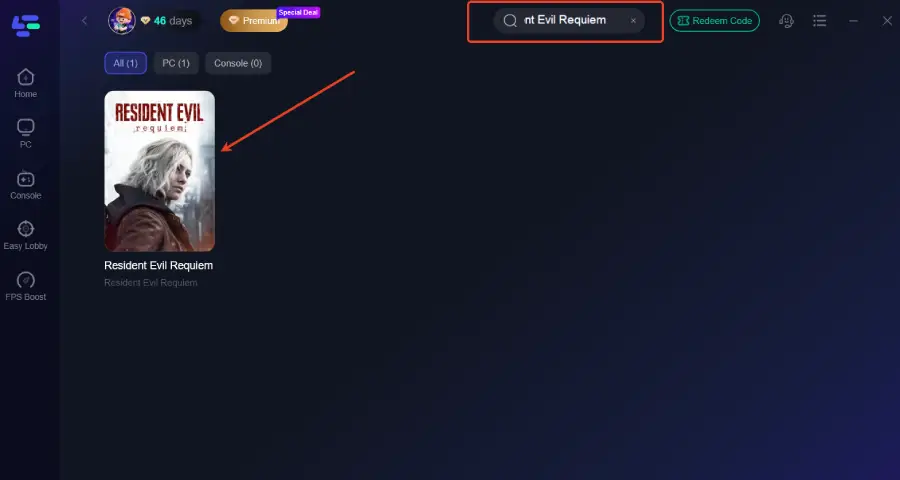
Step 2: After installation, search "Resident Evil Requiem" in the search bar and select the game.
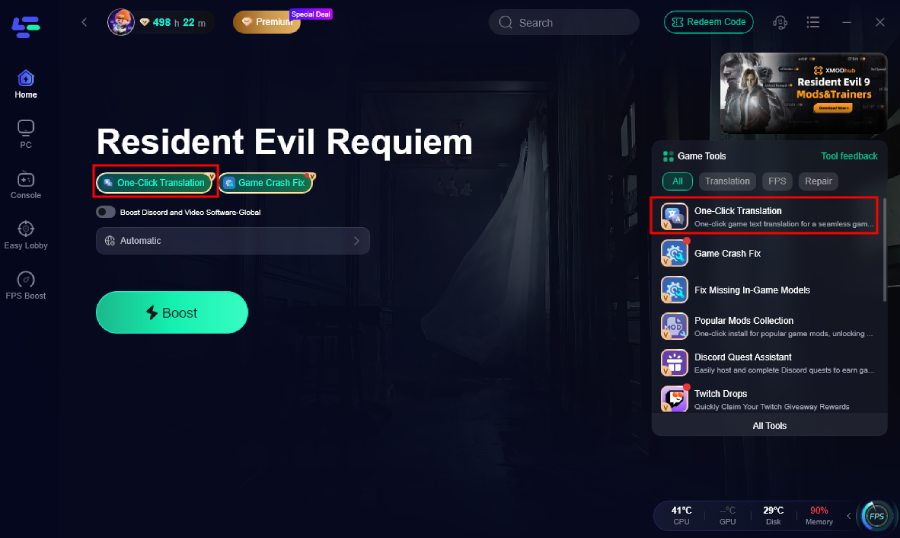
Step 3. Click the Translation tool.
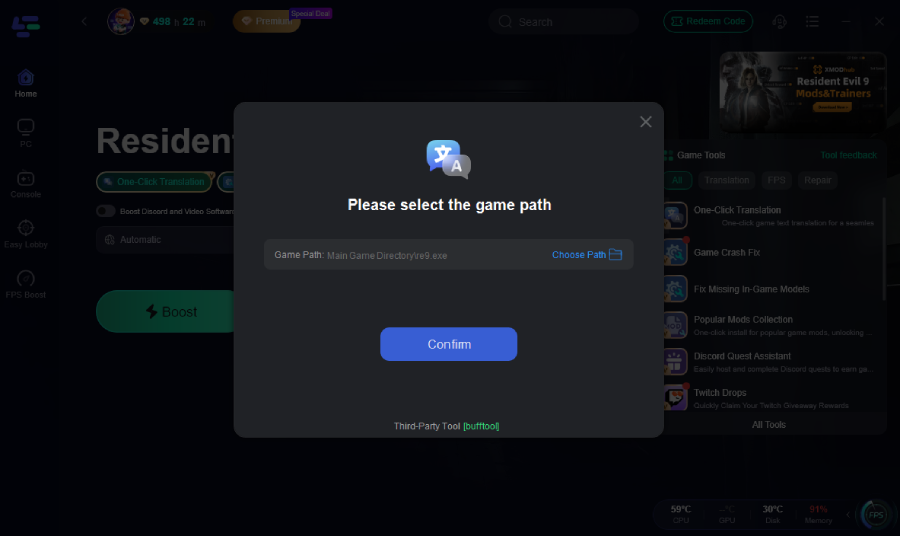
Step 4: Select game file path and install the translated text file.
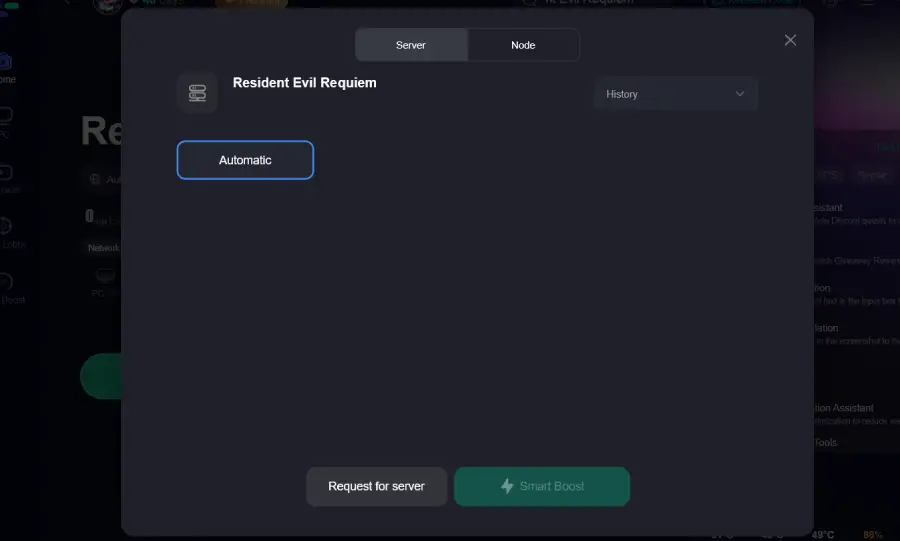
Step 5: Choose your preferred server node and click "Smart Boost" to start optimizing.
Step 6: Launch your game and enjoy smooth, optimized gameplay with lower ping and no stutter.
Conclusion
Resident Evil Requiem relies heavily on tension, clues, and narrative details, making language support an essential part of the experience. If your preferred language isn’t fully supported, a real-time translation solution can help ensure you don’t miss important dialogue or puzzle information. Combined with stable performance and optimized connectivity, this allows players to stay fully immersed in the game without language or technical barriers.

Boost Your Game with LagoFast for Epic Speed
Play harder, faster. LagoFast game booster eliminates stutter and lags on PC, mobile, or Mac—win every match!
Quickly Reduce Game Lag and Ping!
Boost FPS for Smoother Gameplay!