
Many survival horror games intentionally hide exact health information to increase tension. The same design approach appears in Resident Evil Requiem. While this can make encounters feel more intense, some players prefer clearer combat feedback.
That is why the Resident Evil Requiem Health Bar Mod has become a popular topic among the community. A reliable health bar tool allows players to see their own HP as well as enemy health during combat. This makes it easier to judge damage, plan resources, and understand boss mechanics.
In this guide, we will explain how health systems work in the game, whether health bars exist by default, and how a modern HP display tool can improve gameplay. We will also introduce LagoFast’s health overlay tool designed specifically for Resident Evil Requiem.

- ✅ Reduce Lag and High Ping.
- ✅ Boost FPS at the Same Time.
✅ Support 2000+ Popular Online Games.
✅ Popular Mods Supported.
✅ Boost Game Loading Speed.
Part 1: Resident Evil Requiem Game Overview
Part 2: Does Resident Evil Requiem Show Health Bars?
Part 3: Best Resident Evil Requiem Health Bar Mod – LagoFast
Part 1: Resident Evil Requiem Game Overview
Resident Evil Requiem continues the long-running survival horror series with a stronger focus on atmosphere, exploration, and tactical combat. Like previous titles in the franchise, the game mixes resource management, puzzle solving, and intense encounters with infected enemies.
Players explore large interconnected areas while collecting weapons, ammunition, and key items. Combat is often dangerous because enemies are durable and resources are limited. Deciding whether to fight or avoid enemies becomes a core part of the experience.
The game also introduces more advanced enemy behavior. Different infected types react differently to damage, and boss fights require players to recognize attack patterns and weaknesses.
Because of this design philosophy, the game does not always provide detailed combat information. Instead of displaying precise health values, the interface relies on visual cues such as character status animations and environmental tension. While this approach enhances immersion, it can make it difficult for players to judge damage output or track enemy durability during intense fights.
For this reason, many players search for tools like an enemy health bar mod or an HP display tool that can provide clearer combat feedback.
Part 2: Does Resident Evil Requiem Show Health Bars?
Resident Evil Requiem generally does not display traditional health bars. Players may see simple status indicators that reflect overall condition, often using color cues rather than exact HP numbers. Enemy and boss health are typically hidden, with the game relying on visual and gameplay feedback instead. Because of this, many players turn to tools like a Health Bar Tool or HP Display Tool to get clearer information during combat.
Part 3: Best Resident Evil Requiem Health Bar Mod – LagoFast
For players who want a cleaner and more informative interface, LagoFast has introduced a Resident Evil Requiem health bar mod designed specifically for the game.
This HP bar tool functions as a lightweight HP display tool that integrates directly with the game interface. It allows players to see different types of health bars without disrupting the survival horror atmosphere.
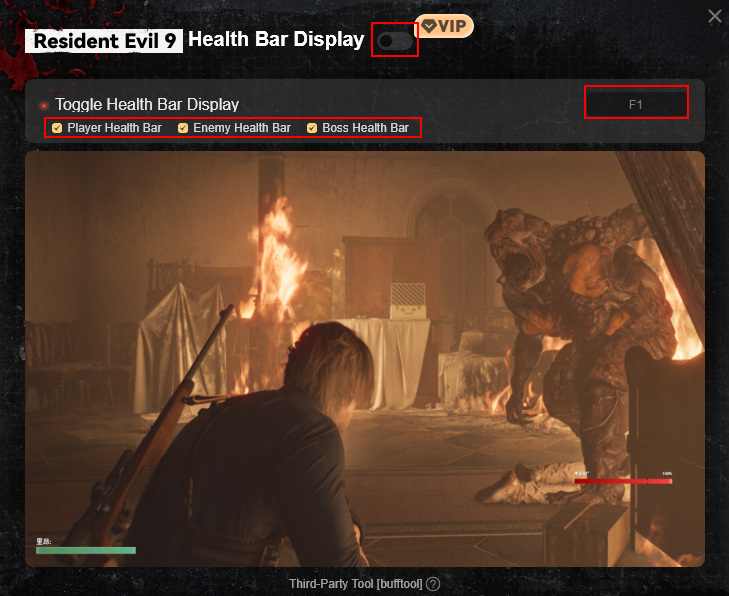
The LagoFast Health Overlay Tool supports three key display options:
- Player Health Bar: Players can enable a visible player HP bar to monitor their health during exploration and combat.
- Enemy Health Bar: The tool can display enemy HP above hostile targets, making it easier to judge weapon damage and combat efficiency.
- Boss Health Bar: Boss encounters can also display a boss HP meter, helping players understand fight progress and phase transitions.
One of the most useful features of this health bar tool is its flexible configuration system. Players can freely enable or disable each type of HP bar. For example, some players may only want to see enemy health while keeping the player interface minimal.
The display design is also clear and unobtrusive. The health bars are readable but do not cover important gameplay elements, so the experience remains immersive.
Because of these customization options, LagoFast’s enemy health bar mod has become a convenient solution for players who want better combat feedback without changing the core gameplay.
How to Use LagoFast Health Bar Mod:
Step 1: Click the Free Trial button to download and install LagoFast.
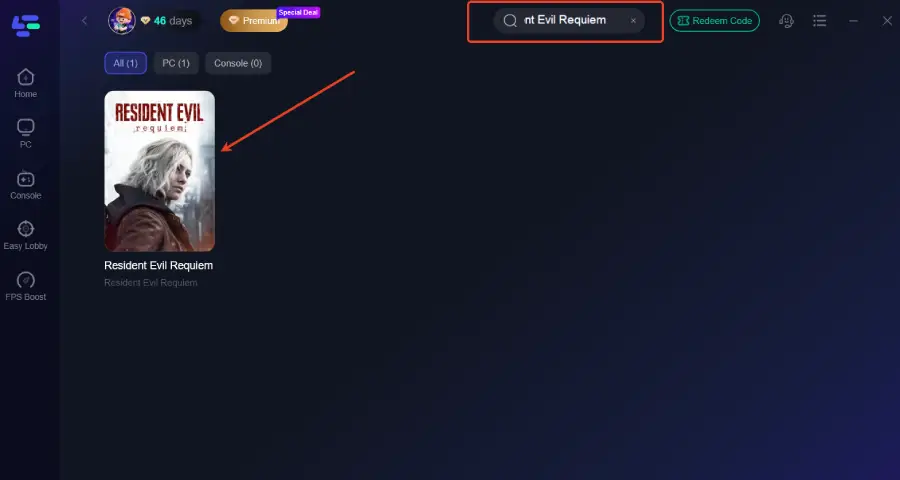
Step 2: After installation, search "Resident Evil Requiem" in the search bar and select the game.
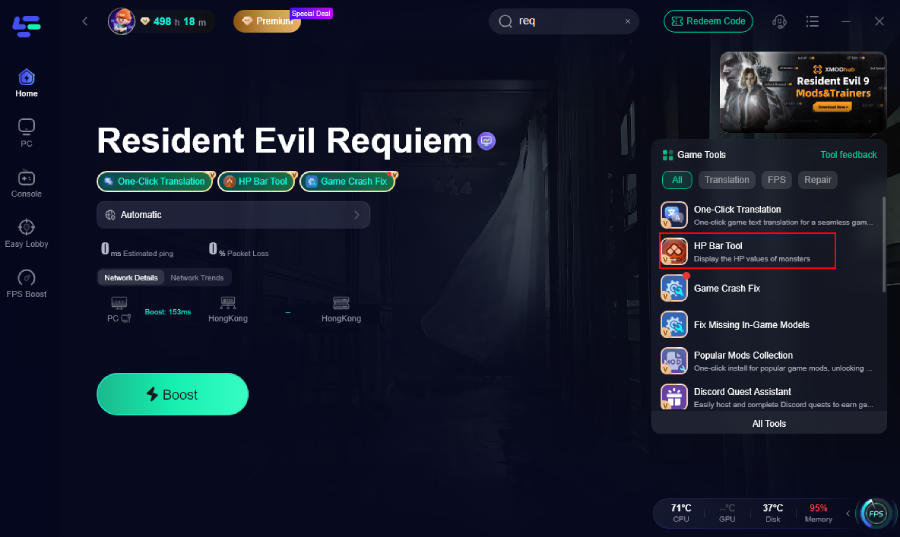
Step 3. Click the HP Bar Mod Tool.
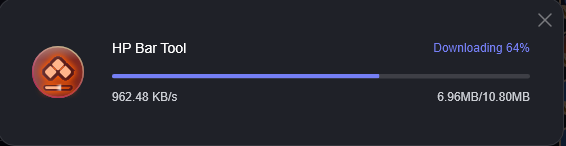
Step 4: Wait for the download. You can freely select which types of health bars you want to display. In-game, you can press F1 to toggle the display on or off, then use the buttons above to enable the mod.
Step 5: Choose your preferred server node and click "Smart Boost" to start optimizing.
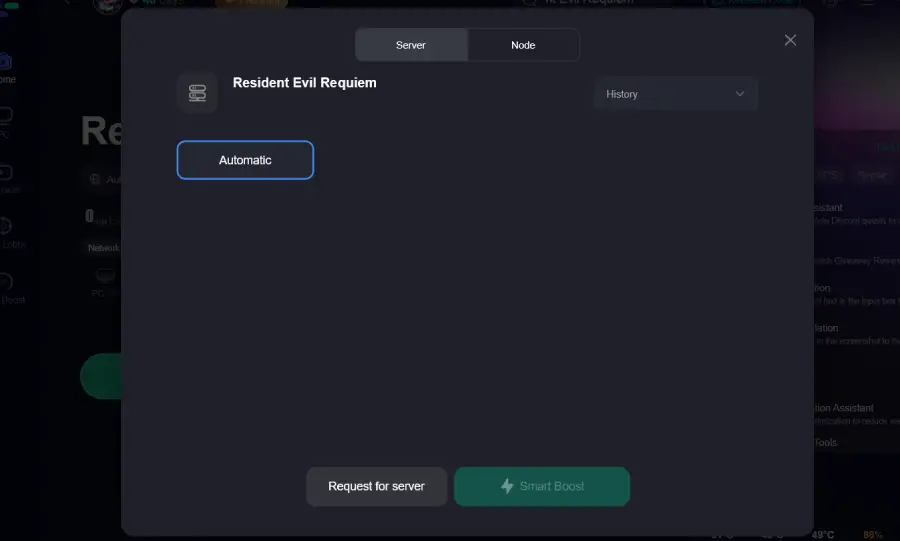
Step 6: Launch your game and enjoy smooth, optimized gameplay with lower ping and no stutter.
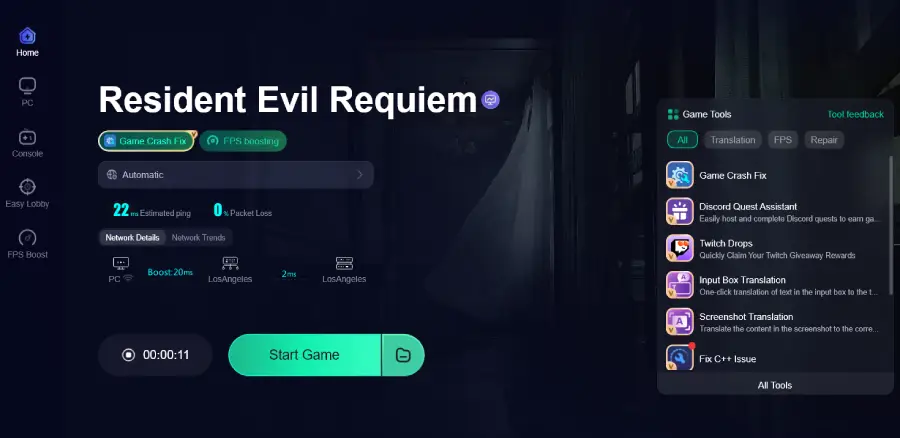
More Features of LagoFast Game Booster
In addition to the Resident Evil Requiem health bar mod, LagoFast offers several other tools designed to improve the overall gaming experience.
Network optimization
LagoFast improves connection stability through optimized routing technology. This helps reduce lag, high ping, and packet loss during online gaming sessions.
Performance stability
The platform can help resolve common technical problems such as crashes, launch issues, and unstable frame rates. By optimizing system resources, it helps maintain smoother gameplay.
Game compatibility support
LagoFast regularly updates compatibility profiles for newly released titles so that optimization tools and overlays work smoothly with modern games.
Resident Evil Requiem translation tool
For players who prefer localized text, LagoFast also provides a Resident Evil Requiem translation tool that supports Thai, Turkish, Vietnamese, and Ukrainian. This helps players understand menus, missions, and dialogue more easily.
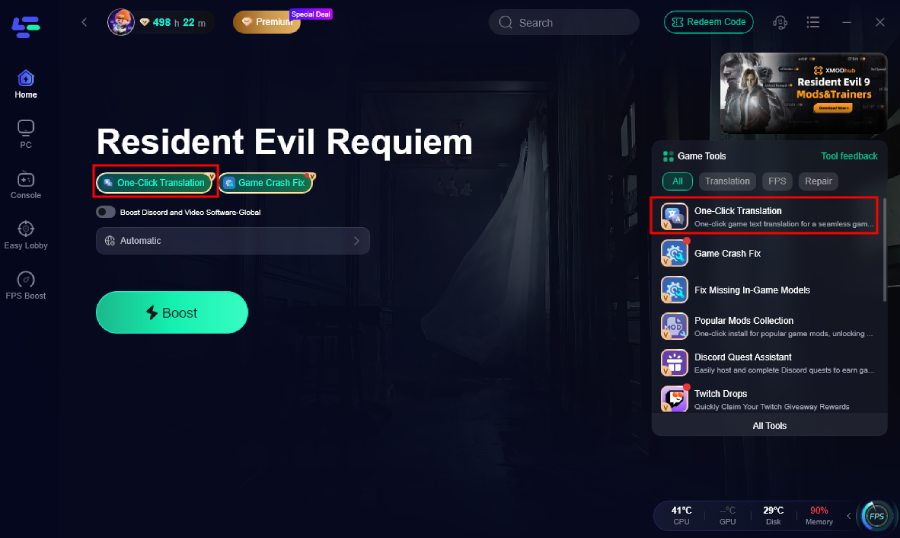
Select game file path and install the translated text file.
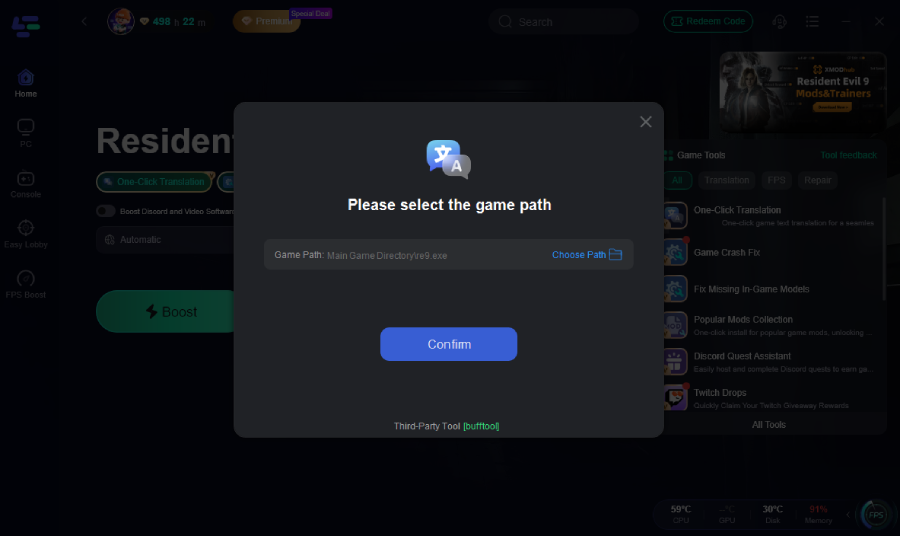
LagoFast Mod Master is a built-in mod management feature that allows players to easily discover, install, and manage popular game mods. Instead of manually editing files, players can activate or disable mods through a simple interface.
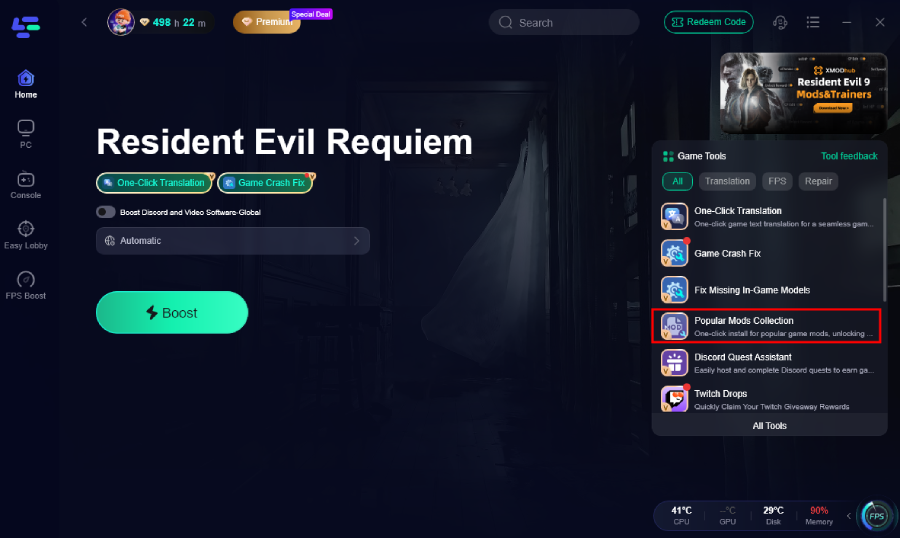
Select the mod you want and click the button.
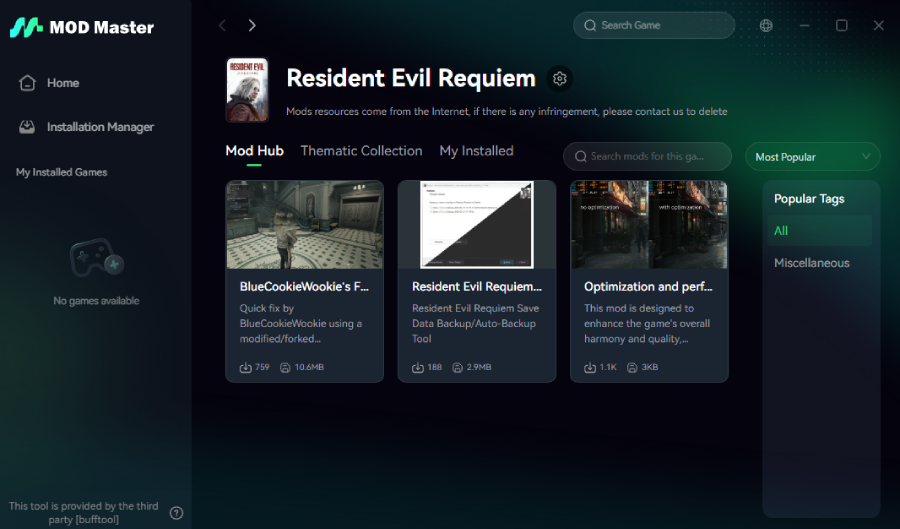
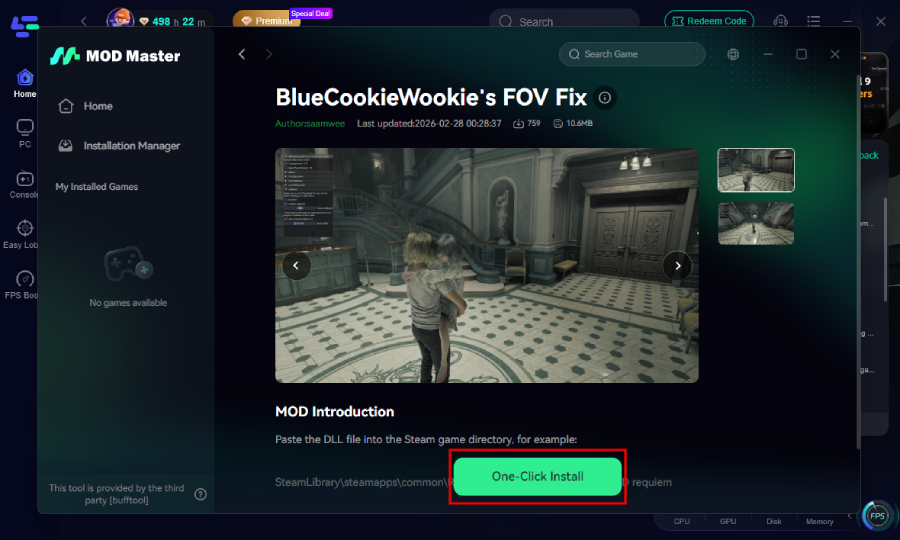
The mods included in the Popular Mods Collection Tool are continuously updated and expanded, ensuring players always have access to the latest content, improvements, and newly released community creations.
Part 4: FAQs
Is the Resident Evil Requiem Health Bar Mod safe to use?
Most health bar tools simply add interface overlays and do not modify core gameplay files. When downloaded from trusted sources, they are generally safe to use.
Can I disable the health bars during gameplay?
Yes. Tools like LagoFast allow players to enable or disable the player health bar, enemy health display, or boss HP bar individually.
Does the health overlay tool affect performance?
Lightweight overlays typically have minimal performance impact. Modern HP display tools are optimized to run without noticeable frame rate loss.
Why do some players prefer using an enemy health bar mod?
An enemy health display helps players better understand weapon damage and combat efficiency. It also helps players learn boss patterns faster.
Conclusion
Resident Evil Requiem focuses heavily on tension and atmosphere, which is why the game avoids displaying traditional health bars. While this design enhances immersion, some players prefer clearer combat information.
A Resident Evil Requiem Health Bar Mod can provide that clarity. By using a dedicated HP bar tool or health overlay tool, players can see player HP, enemy health, and boss durability in real time.
LagoFast’s solution stands out because it combines a flexible Health Bar Tool with additional performance and mod management features. With customizable display options and extra tools like translation support and Mod Master, it offers a convenient way to improve the overall gameplay experience without changing the core survival horror feel.