
Many PC players reporting Resident Evil Requiem crashing—from launch failures and freezes to fatal D3D errors and black screens—are finding their dream survival horror experience disrupted by technical issues. These errors range from the game not starting at all to mid-game freezes and error messages that abruptly shut down the game.
This article explains the most common causes, including driver conflicts, configuration corruption, and hardware VA-RAM limitations, and provides step-by-step solutions to fix Resident Evil Requiem crashing on PC and restore a stable gaming experience.

- ✅ Reduce Lag and High Ping.
- ✅ Boost FPS at the Same Time.
✅ Support 2000+ Popular Online Games.
✅ Change Server without Latency.
✅ Boost Game Loading Speed.
Part 1. Resident Evil Requiem Crashing at Launch: Why It Happens and What to Check
Part 2. RE9 Keeps Crashing & Freezing PC: Common Patterns and Underlying Causes
Part 3. How to Solve Resident Evil Requiem Not Working or Black Screen After Launch
Part 4. How to Solve Resident Evil Requiem Still Crashing Not Starting and Fatal D3D Error
Part 5. Fix Resident Evil Requiem Crashing With LagoFast Crash Fix Tool
Part 1: Resident Evil Requiem Crashing at Launch: Why It Happens and What to Check
One of the most frequent complaints for Resident Evil Requiem is that the game simply refuses to launch or immediately crashes back to the desktop. This can be caused by a mix of missing or corrupted game data, incompatible system configurations, or background software interference. In many newly released PC titles, including RE Engine games, crash-on-launch issues stem from outdated GPU drivers, corrupted .dll files, or mismatches between Windows and DirectX libraries. The “crashes at launch” symptom often shows no error message and can be tricky to diagnose without systematic checking.
Players reporting launch crashes should first confirm that the game’s minimum requirements are met—insufficient VRAM or outdated hardware rarely show clear error messages but will result in immediate game exits.
Part 2: RE9 Keeps Crashing & Freezing PC: Common Patterns and Underlying Causes
After launch, players commonly experience random crashes or freezes during gameplay, including freezing while loading zones or during cut-scenes. Community reports indicate one recurring issue where the game “crashes while compiling shaders” or gives errors like DXGI_ERROR_DEVICE_REMOVED—a sign of GPU driver incompatibilities or memory conflicts.
These symptoms often point to graphics driver instability or resource management problems with your GPU under intense rendering loads. Modern RE Engine games, especially on launch day, can push hardware—especially GPU memory—to its limits, triggering crashes if resources are exhausted or if the drivers fail to handle certain instructions correctly.
Freezing with no error, followed by a desktop return, also aligns with fatal D3D errors, which are common in other Resident Evil titles when DirectX APIs encounter unrecoverable states due to VRAM exhaustion or configuration conflicts.
Part 3: How to Solve Resident Evil Requiem Not Working or Black Screen After Launch
If the game starts but gets stuck or displays a black screen, often with sound still playing, this typically signals an issue with graphics settings or a corrupted configuration file. The config file holds your resolution and graphics preferences—if it’s set to a mode your hardware cannot render, the game can become trapped in a black screen without crashing fully.
To resolve this, you can locate the game’s config.ini and delete or rename it temporarily. The game will regenerate it with safe default settings on the next launch, allowing you to adjust graphics options more conservatively from scratch.
Part 4: How to Solve Resident Evil Requiem Still Crashing Not Starting and Fatal D3D Error
Some players report Resident Evil Requiem still crashing and not starting at all or producing Fatal D3D Error messages that force a shutdown. These fatal Direct3D errors occur when the game requests more GPU resources—especially VRAM—than are available or when the graphics driver refuses certain calls due to conflicts or outdated support.
Key fixes for D3D and crash-on-start issues:
- Update GPU drivers: Clean install the latest drivers from NVIDIA/AMD — old drivers frequently cause device crashes.
- Disable ray tracing: Ray tracing and high textures consume large amounts of video memory; turning these off often prevents D3D errors on mid-range GPUs.
- Lower graphics settings: Reducing texture quality and disabling VRAM-heavy effects leaves more memory headroom and more stable runtime.
These steps address common flash crash triggers, though some advanced users may also need to disable overlays and background apps that seize system resources at the same time.
Part 5: Fix Resident Evil Requiem Crashing With LagoFast Crash Fix Tool
After launch, numerous users have faced Resident Evil Requiem crashing errors, especially on PC, which can stem from unstable configurations or incompatible system environments. An efficient first step recommended by advanced players is using a dedicated crash fix utility developed by LagoFast (LagoFast Game Booster—Get No Lag and Lower Ping)—the LagoFast Crash Fix Tool for Resident Evil Requiem.
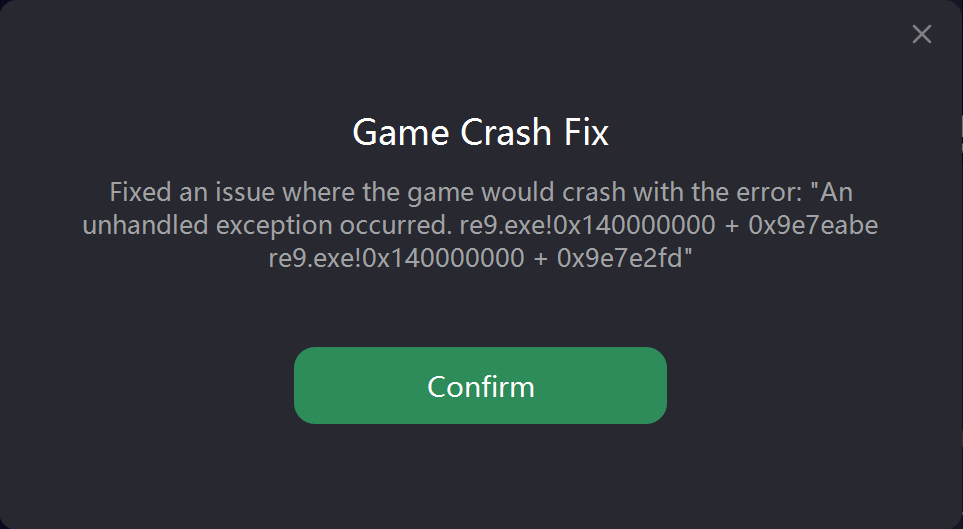
Step-by-Step with LagoFast Crash Fix
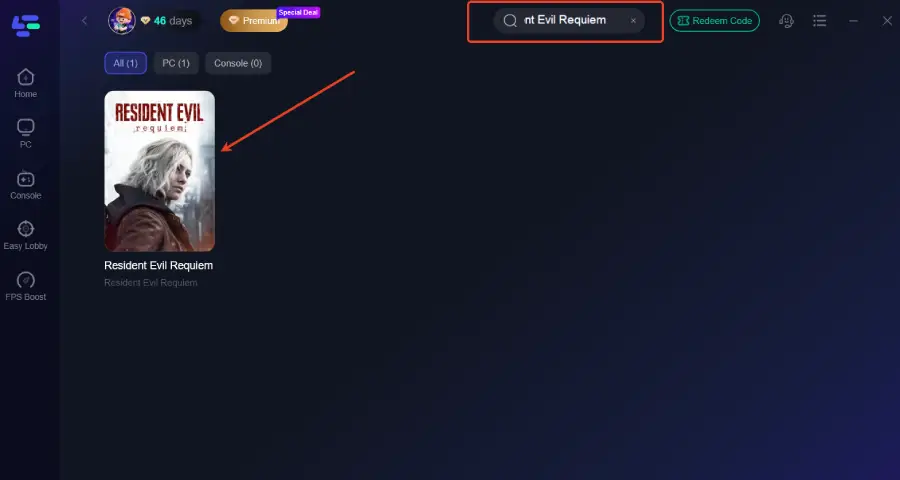
Step 1: Click the Free Trial button to download and install LagoFast Free Trial.
Step 2: Open the application and select Resident Evil Requiem from the list of supported games.
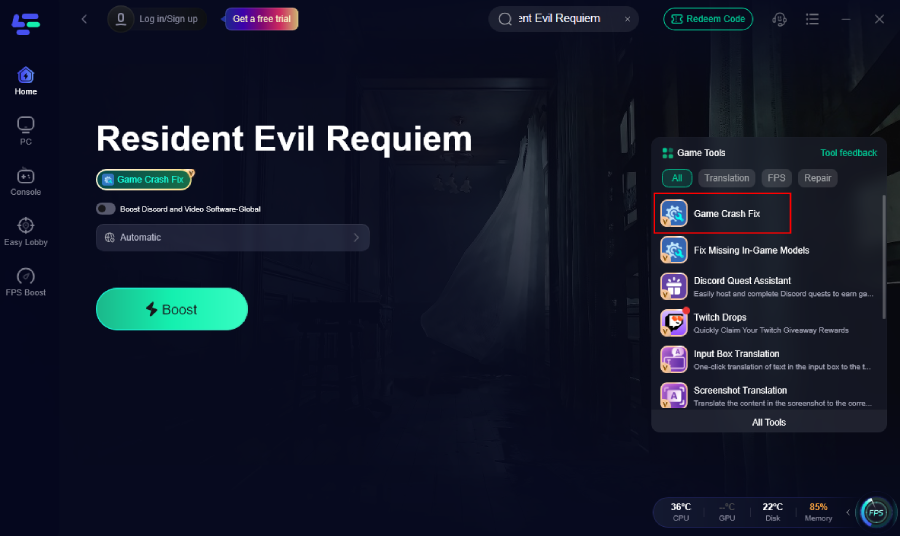
Step 3: Find Game Crash Fix on the right side of the panel, and click it to easily help everyone fix the crash issue with just one click.
A smooth PC environment free of interruptions reduces system stress that can contribute to crashes, improving both rendering stability and general play quality.
LagoFast Game Translation Tool
Beyond the Game Crash Fix Tool, LagoFast also includes a One-Click Translation Tool. It instantly translates in-game text—including dialogue, notes, and UI—into your preferred language directly within the game. Supported languages include Thai, Turkish, Vietnamese, and Ukrainian.
For international players dealing with both technical issues and language barriers, this feature provides a smoother, more accessible gameplay experience.
How to Use LagoFast for Resident Evil Requiem Translation
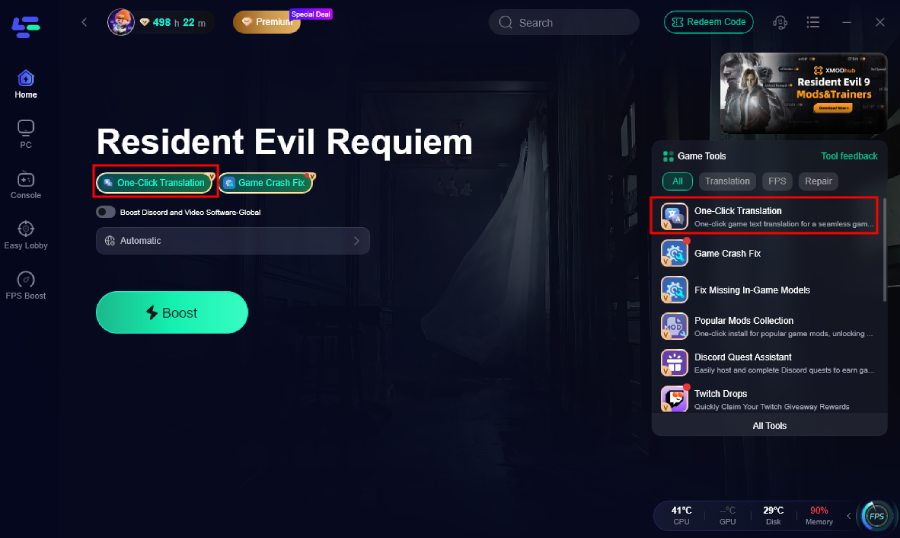
Step 1: Open LagoFast, search "Resident Evil Requiem" in the search bar and select the game.
Step 2. Click the One-Click Translation tool.
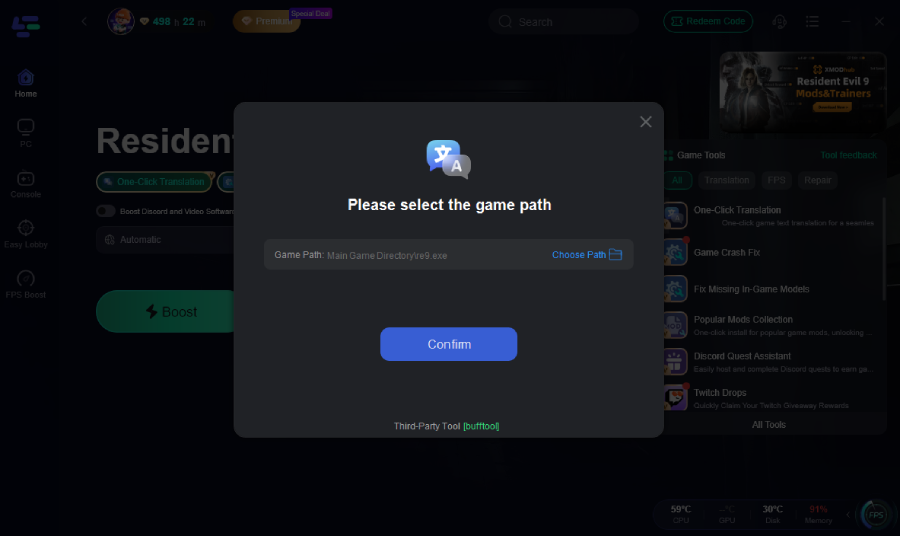
Step 3: Select game file path and install the translated text file.
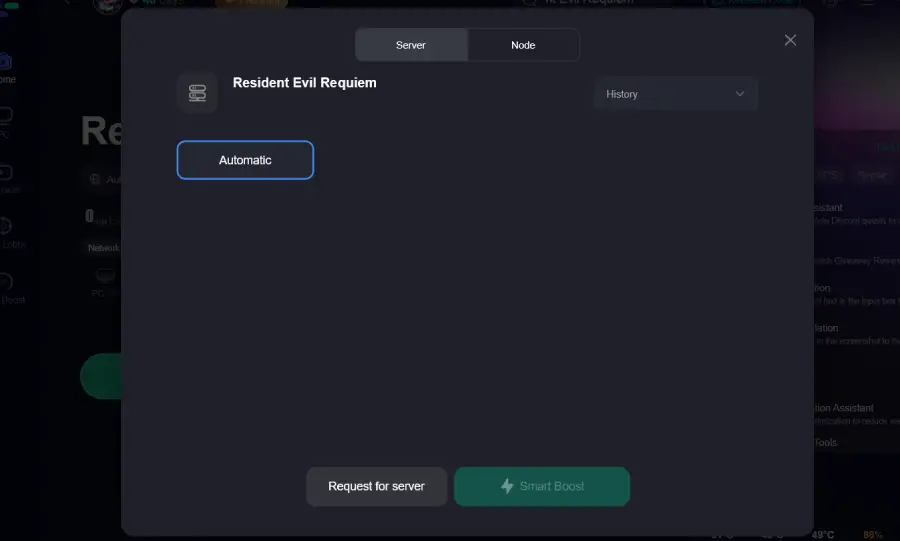
Step 4: Choose your preferred server node and click "Smart Boost" to start optimizing.
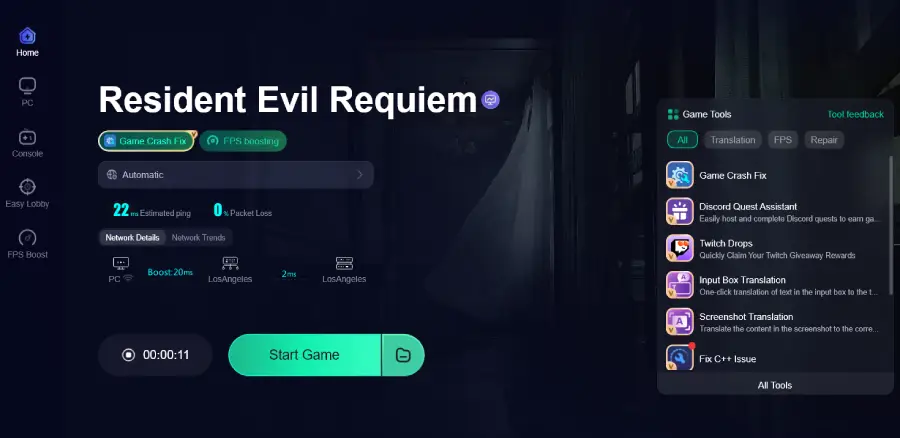
Step 5: Launch your game and enjoy smooth, optimized gameplay with lower ping and no stutter.
Part 6: FAQs
Why does Resident Evil Requiem keep crashing on PC?
Crashes often originate from VRAM overload, outdated graphics drivers, corrupted files, or unsupported display settings. Updating drivers and verifying game files is usually the first step.
What does Fatal D3D error mean?
A fatal D3D error indicates a DirectX failure, commonly due to insufficient VRAM or driver conflicts during intense rendering sequences.
Will updating GPU drivers stop the crashes?
Yes—current GPU drivers, especially recent Adrenalin updates for Radeon GPUs, include support and stability improvements for Resident Evil Requiem.
Does deleting config files help?
Resetting your config forces safe default graphics settings, which often resolves black screens and launch failures.
Is the LagoFast Crash Fix Tool effective?
Yes—it's designed to detect and repair crash triggers specific to Resident Evil Requiem and often resolves issues faster than manual methods.
Conclusion
Resident Evil Requiem crashing issues—from launch failures and black screens to fatal D3D errors and mid-game freezes—can be disruptive, but they are largely solvable with targeted troubleshooting. Starting with the LagoFast Crash Fix Tool provides a one-click solution that addresses common crash triggers experienced by players after launch. Supplementing that with driver updates, file verification, resetting config files, and system optimization can further stabilize your PC environment.
Boost Your Game with LagoFast for Epic Speed
Play harder, faster. LagoFast game booster eliminates stutter and lags on PC, mobile, or Mac—win every match!
Quickly Reduce Game Lag and Ping!
Boost FPS for Smoother Gameplay!