
Released a decade after the original Rainbow Six Siege, Rainbow Six Siege X made its debut on consoles and PC in June 2025. Players worldwide are immersing themselves in the new 6v6 dynamic game mode, Dual Front, experiencing unique combat scenarios. However, Russian players face a frustrating obstacle: the game is unavailable on Steam in their region. This article focuses on Rainbow Six Siege X on Steam, helping Russian players get and Rainbow Six Siege X in Russia via Steam.

- ✅ Reduce Lag and High Ping.
- ✅ Boost FPS at the Same Time.
- ✅ Support 2000+ Popular Online Games.
- ✅ End Stuck & Crashing Issues.
- ✅ Stable Server Connection.
Part 1: Rainbow Six Siege X on Steam
Part 2: Why Russian Players Can't Access Rainbow Six Siege X on Steam
Part 3: Access Rainbow Six Siege X from a Russian Steam Account
Part 4: How to Access Rainbow Six Siege X on Steam More Easily
Part 5: How to Enhance Gaming Experience in Rainbow Six Siege X
Part 1: Rainbow Six Siege X on Steam
On June 10, Rainbow Six Siege X became freely accessible to all Steam users. This release coincides with the game transitioning to a free-to-play model, though competitive modes like Ranked and Siege Cup require purchase.
Steam Edition Highlights
- Cross-Platform Progression: Link your Ubisoft Connect account to carry over progress from console versions.
- Exclusive Content: Steam players gain access to unique cosmetic bundles and seasonal event passes.
- Mod Support: While official mods aren't available, community-created maps and game modes thrive through Steam Workshop integration.
Prices on Steam
- Free Base Game: Includes access to Quick Match, Unranked, and the new 6v6 "Dual Front" mode.
- Elite Edition ($19.99): Unlocks 16 operators and Ranked access.
- Ultimate Edition ($39.99): Grants all 52 operators, exclusive skins, and a 10% in-game store discount.
System Requirements
Minimum:
Resolution: 1080p:
- Frame Rate: 60 FPS
- CPU: AMD Ryzen3 3100, Intel i3 8100
- GPU: NVIDIA GTX 1650 4GB, AMD RX 5500XT 4GB, INTEL ARC A380 6GB
- Ram: 8GB
- OS: Windows 10/11, DirectX 12
- Storage: 65 GB SSD
Recommended:
Resolution 1080p:
- Frame Rate: 120 FPS (Core Siege), 60 FPS (Dual Front)
- CPU: AMD Ryzen5 3600, Intel i5 10400
- GPU: NVIDIA RTX 2060 6GB,AMD RX 6600 8GB
- Ram: 16 GB
- OS: Windows 11, DirectX 12
- Storage: 65 GB SSD
Resolution 1440p:
- Frame Rate: 120 FPS (Core Siege), 60 FPS (Dual Front)
- CPU: AMD Ryzen5 3600, Intel i5 10400, AMD
- GPU: NVIDIA RTX 3070 8GB, AMD RX 6700 XT 8GB
- Ram: 16 GB
- OS: Windows 11, DirectX 12
- Storage: 65 GB SSD
Resolution 2160p:
- Frame Rate: 120 FPS (Core Siege), 60 FPS (Dual Front)
- CPU: AMD Ryzen7 3700X, Intel i5 11600K
- GPU: NVIDIA RTX 3080 10 GB, AMD RX 6800 XT 16 GB
- Ram: 16 GB
- OS: Windows 11, DirectX 12
- Storage: 65 GB SSD
Part 2: Why Russian Players Can't Get Rainbow Six Siege X on Steam
On the Steam forums for Rainbow Six Siege X, numerous Russian players have reported being unable to access or download the game, leaving them frustrated by persistent error messages.
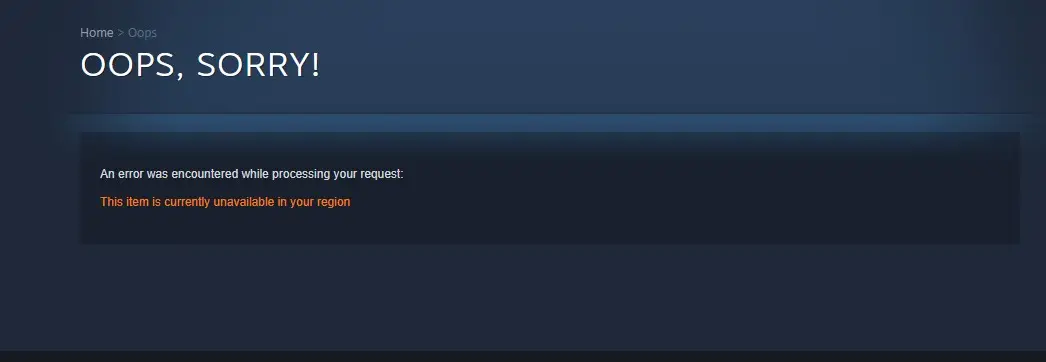
Two main factors are contributing to this issue:
- Anti-Cheat System Incompatibility: Following a recent update, Siege X upgraded its anti-cheat software, which now conflicts with Linux systems. This has rendered the game unplayable on Steam for Linux users—a problem affecting players globally, not just in Russia.
- Regional Internet Restrictions: Due to ongoing geopolitical tensions and policy shifts, Some internet service providers are scaling back their services in Russia, preventing players in the region from accessing and downloading Rainbow Six Siege X.This has disrupted availability of games like Siege X in the region.
Part 3: Access Rainbow Six Siege X from a Russian Steam Account
Playing and managing games through Steam is the go-to choice for many PC gamers, as it helps them organize their game library, quickly locate titles, share their gaming activity with friends, and team up for new adventures. For Russian players accustomed to accessing and enjoying games via their local Steam accounts, the inability to directly access Rainbow Six Siege X through their Russian Steam profiles is undeniably frustrating. Yet, where there's a problem, there's often a workaround—players can manually acquire Rainbow Six Siege X using their Russian Steam accounts with the following steps:
1) On your keyboard, press the key combination Win (Start) + R (Russian "K") to open "Run...";
2) Copy the link to install the game: steam://launch/359550. Then paste it into the open "Run" window, then press the Enter key or the OK button;
3) If everything is done correctly, Steam will open and a confirmation window for installing Rainbow Six Siege X will appear. Select the disk you need and the path to install the game, then click "Install".
Note: Don't forget to install Ubisoft connect
Part 4: How to Access Rainbow Six Siege X on Steam More Easily
Fortunately, some Russian players may have already regained access to Rainbow Six Siege X using the methods above. However, a portion of players might still encounter unresolved issues due to unknown causes. In such cases, the safest approach is to utilize LagoFast's one-click tool to add the game to Steam library, enabling Russian Steam account holders to play Rainbow Six Siege X and restore their Steam gaming experience. Here's how:
Step 1: Click the "Free Trial" button to download and install LagoFast.
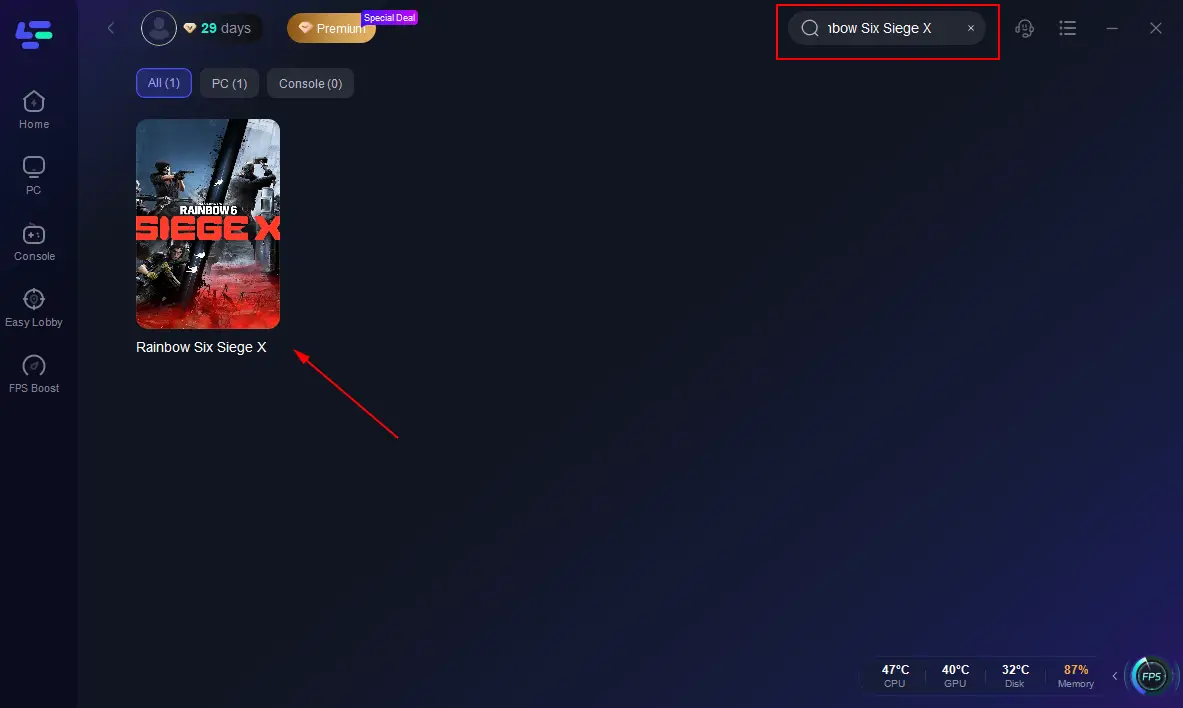
Step 2: Launch LagoFast and search for Rainbow Six Siege X in the search bar.
Step 3: Locate the game and click the "Add Game to Steam Library" tool below.
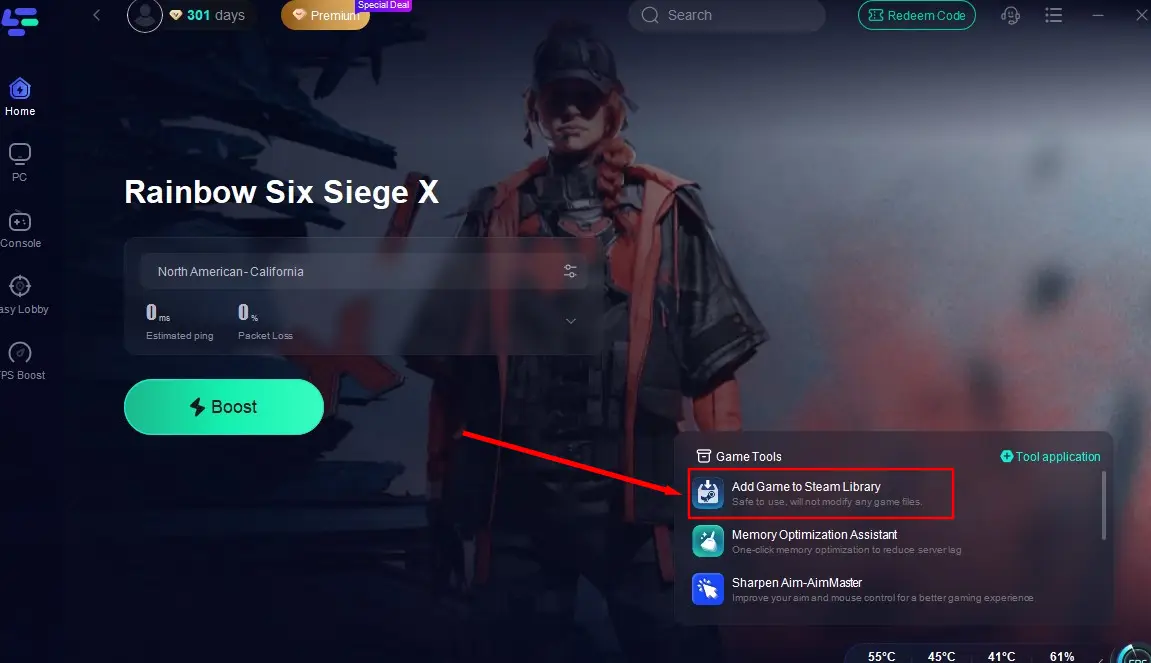
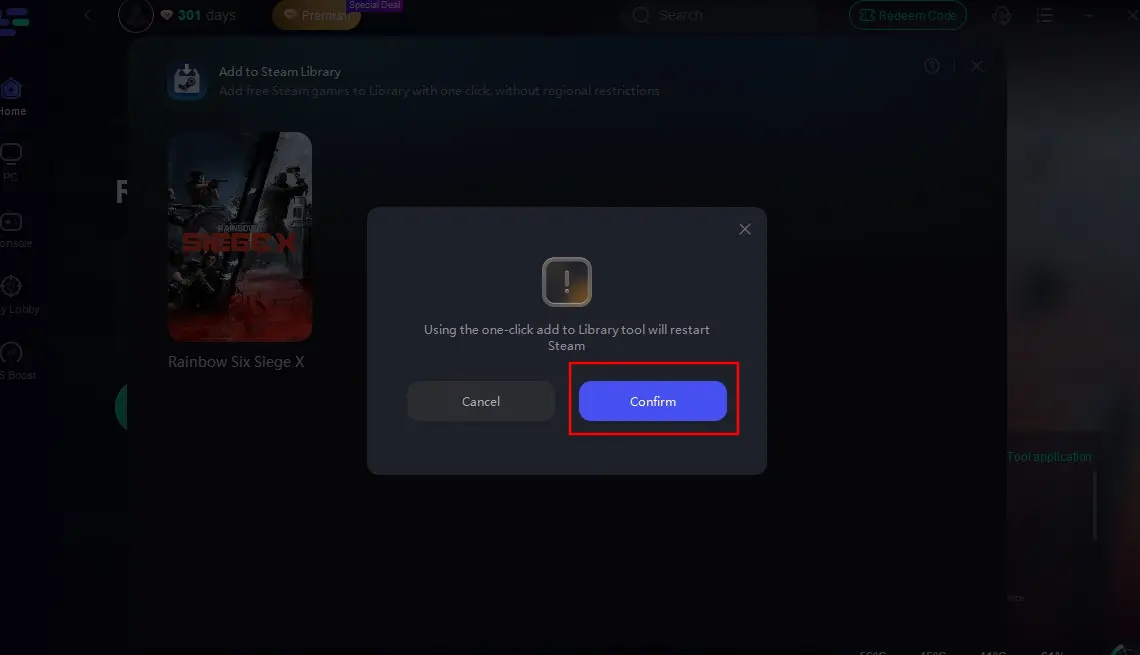
Step 4: Confirm Rainbow Six Siege X is selected, then click "Confirm" to instantly add the game to your Steam library—even in locked regions like Russia.
Part 5: How to Enhance Gaming Experience in Rainbow Six Siege X
Beyond helping players in locked regions regain access to Rainbow Six Siege X on Steam, LagoFast offers powerful boosting features and versatile gaming tools. Here's why players choose it:
- Reduced Ping: Minimizes latency for smoother gameplay.
- Stable Connection: Reduces packet loss and connection drops.
- Optimized Routing: Selects the best server routes for optimal performance.
Sharpen Aim-AimMaster
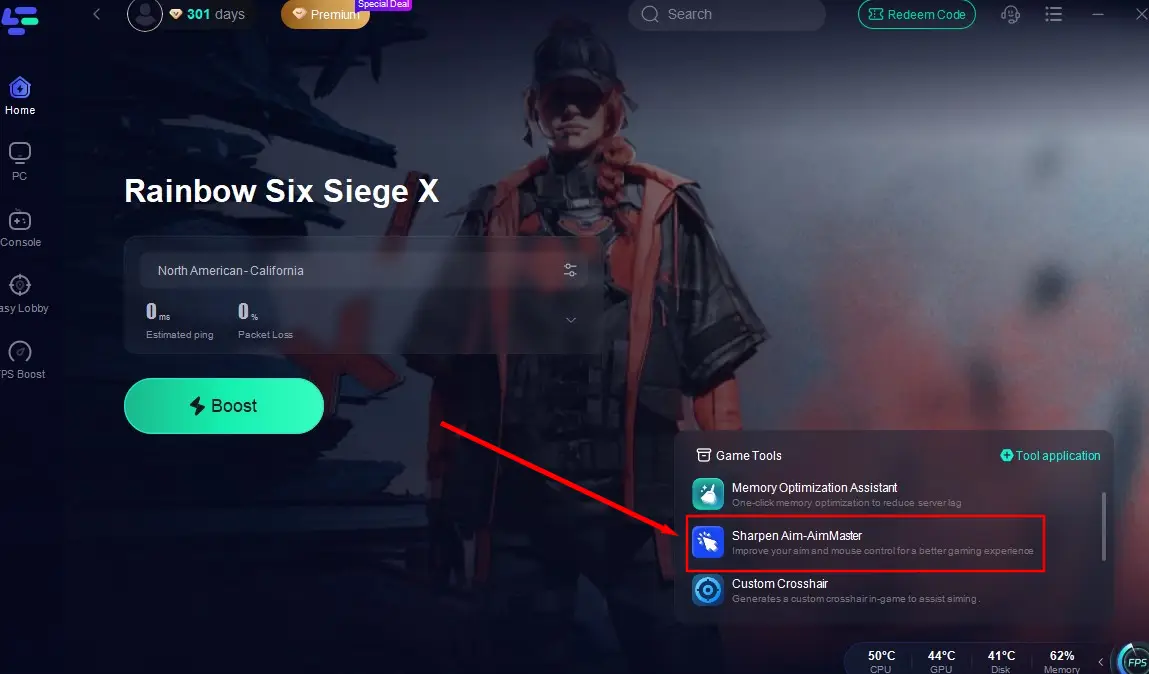
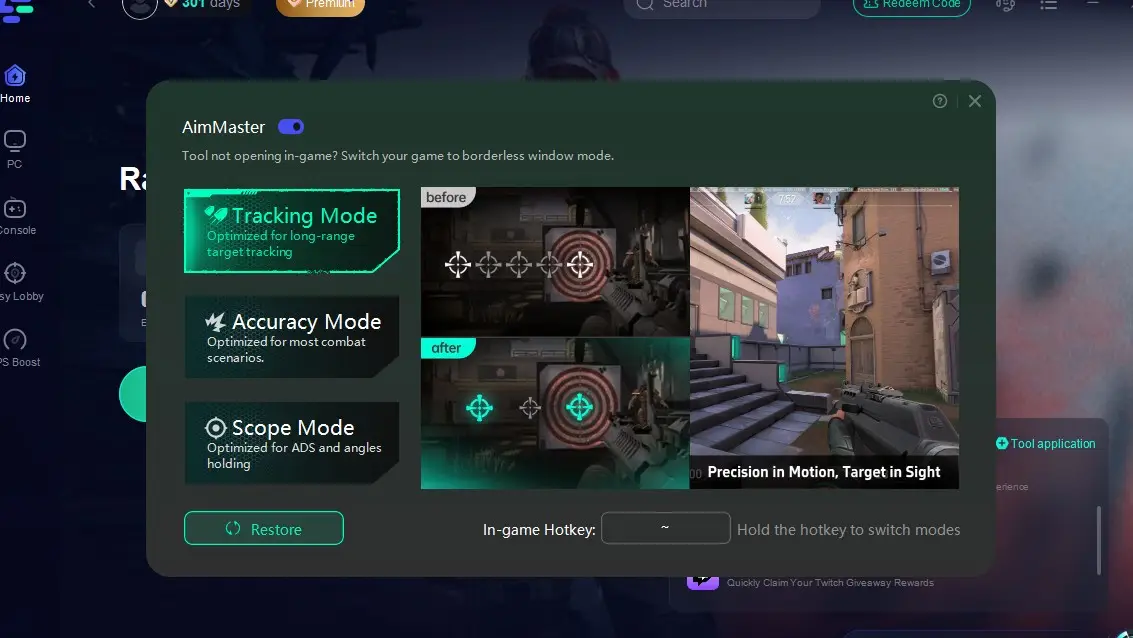
This tool enhances mouse sensitivity and reduces lag or performance drops during gameplay, preventing missed opportunities caused by slow responses. Click the "Sharpen Aim-AimMaster" icon in the bottom-right corner, select your preferred mode, and dive into the game.
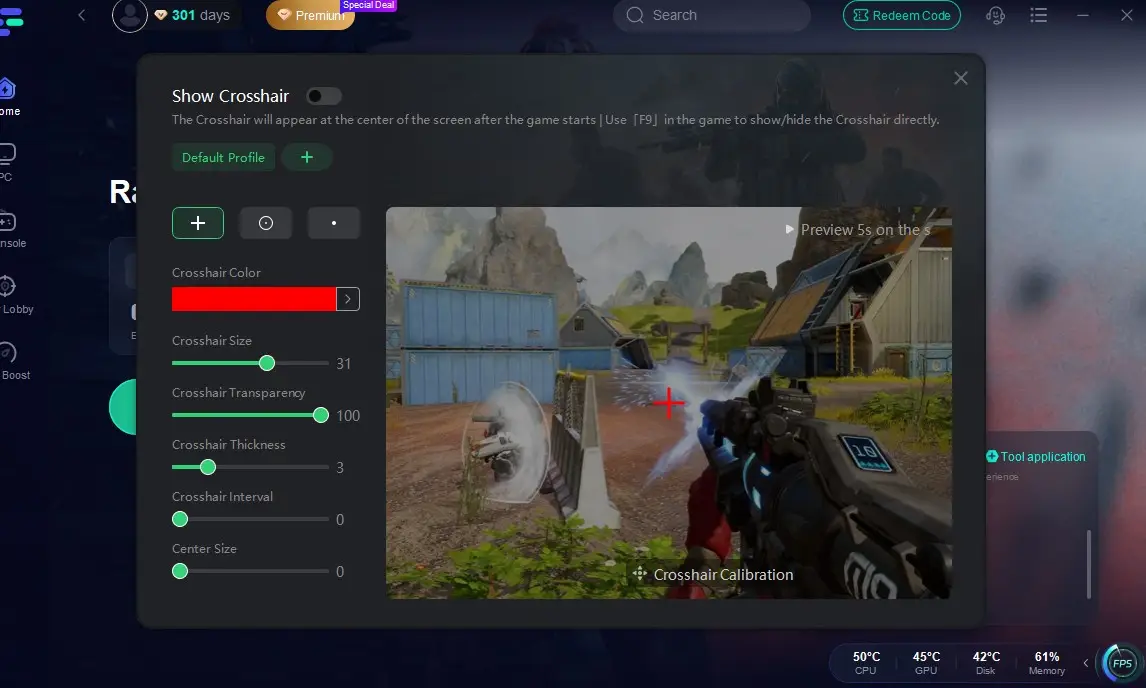
Custom Crosshair
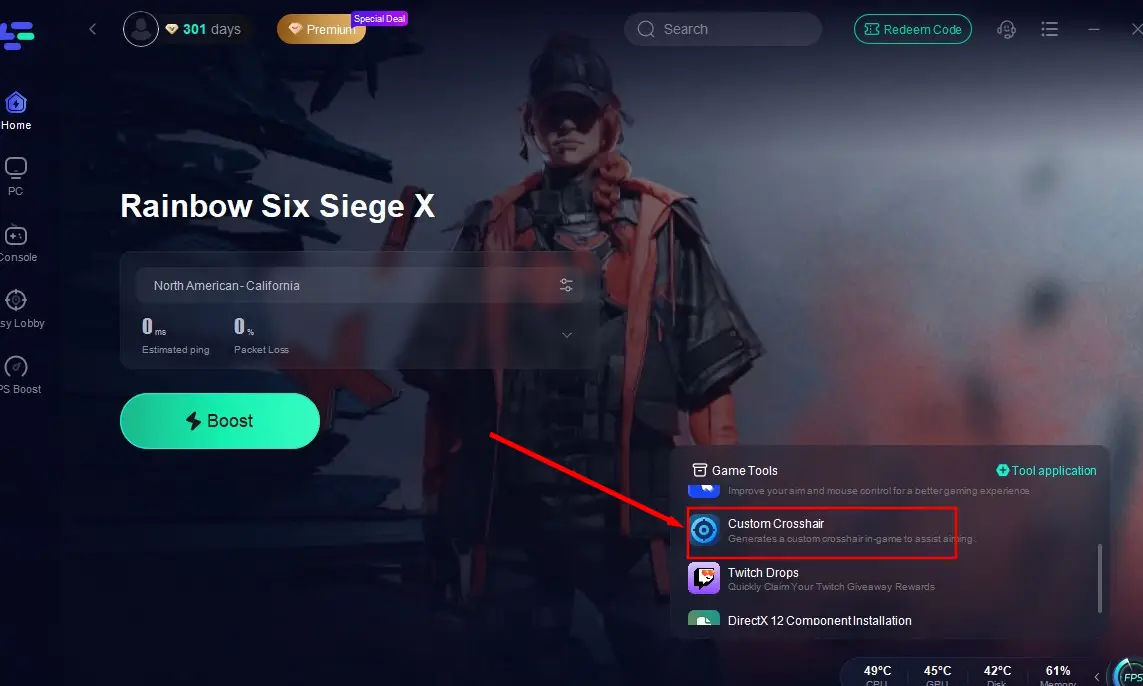
Tailor your crosshair's color and size to improve shooting accuracy. Click the "Custom Crosshair" tool in the bottom-right corner, adjust settings to your liking, and return to the game for better target precision.
Don't Forget LagoFast's Core Features
While using these tools, leverage LagoFast's performance-boosting and connection-stabilizing capabilities:
Step 1: Click "Free Trial" to download and install LagoFast.
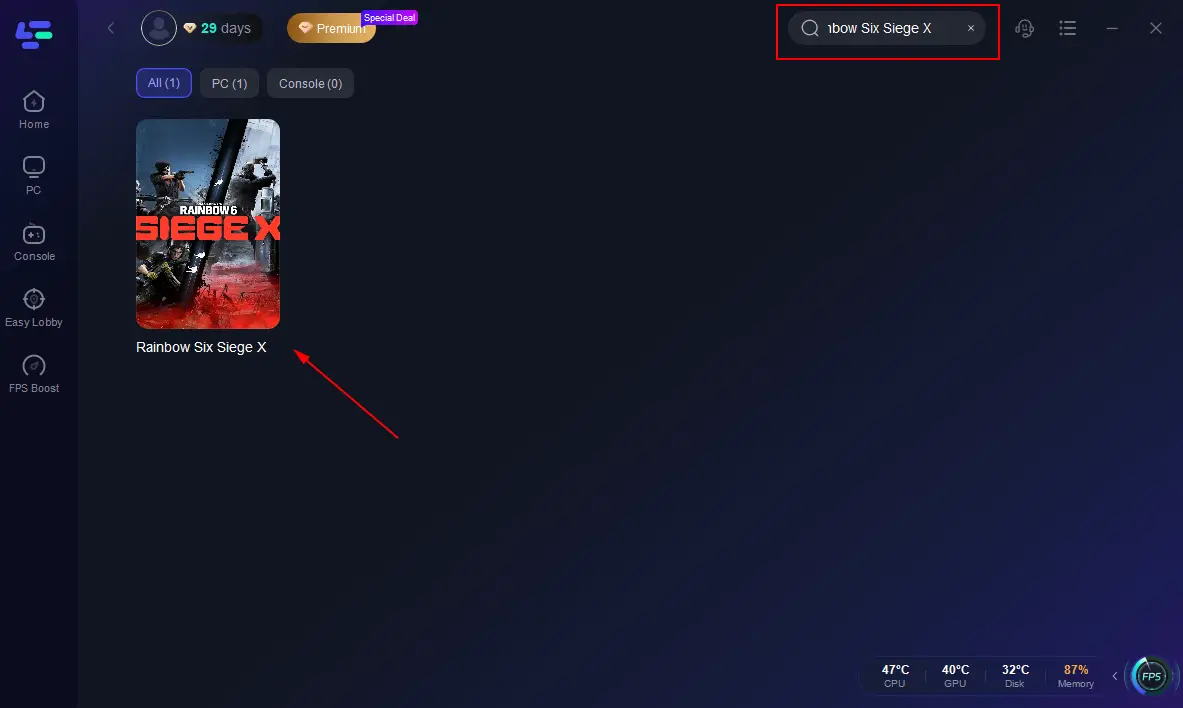
Step 2: Launch LagoFast and search for Rainbow Six Siege X in the search bar.
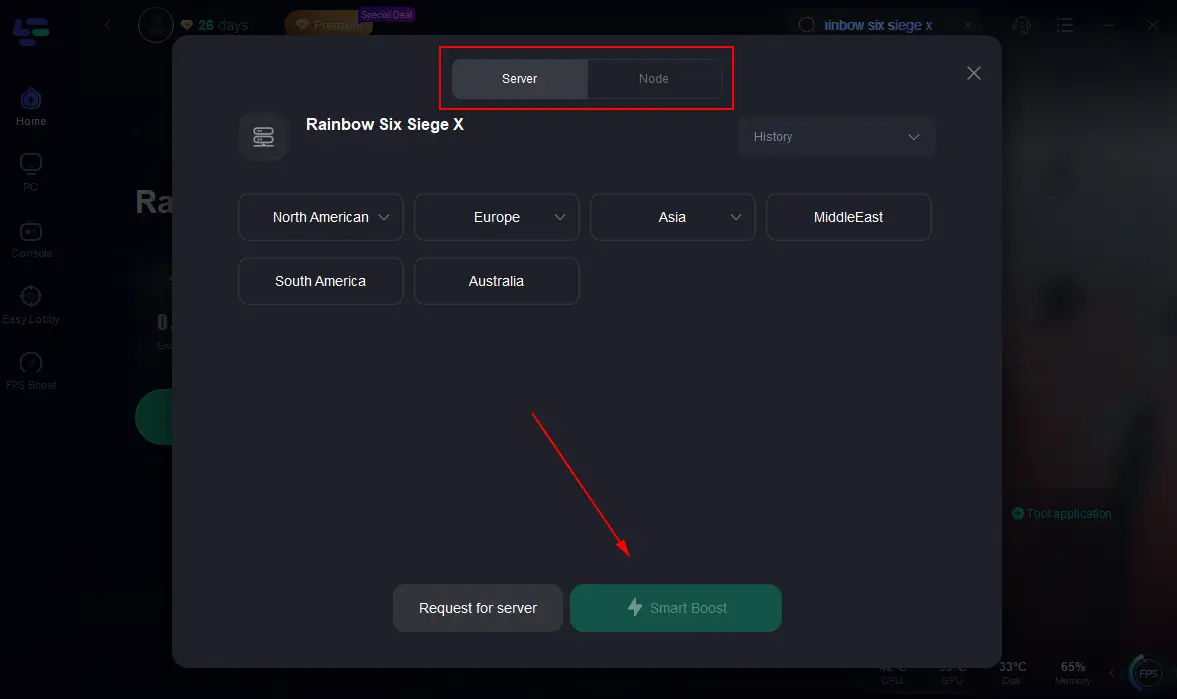
Step 3: Connect to the server with the best performance and start boosting.
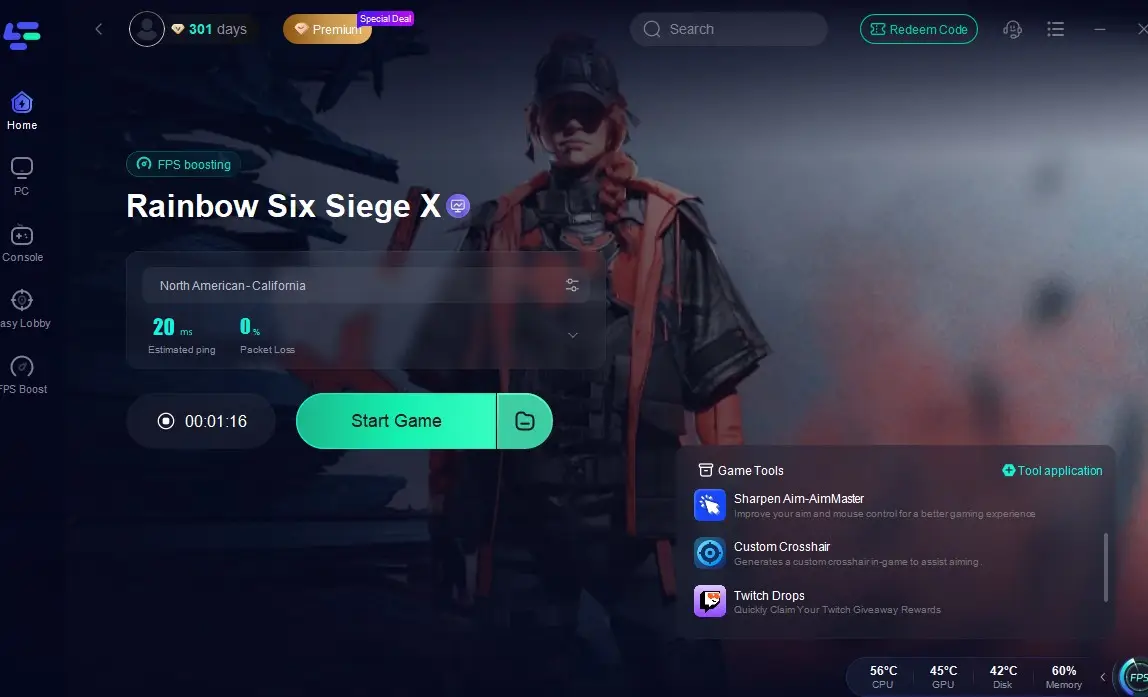
Step 4: Once lag is eliminated, click "Start Game" to launch Rainbow Six Siege X and play.
Conclusion
Steams mature game management system, vast game library, and vibrant player community make it the ideal platform for playing Rainbow Six Siege X on PC. While players in blocked regions like Russia can manually add the game to their Steam accounts, the most reliable solution is LagoFast's one-click tool to add the game to your Steam library—paired with its suite of features designed to optimize and elevate your gameplay experience!
Boost Your Game with LagoFast for Epic Speed
Play harder, faster. LagoFast game booster eliminates stutter and lags on PC, mobile, or Mac—win every match!
Quickly Reduce Game Lag and Ping!
Boost FPS for Smoother Gameplay!