
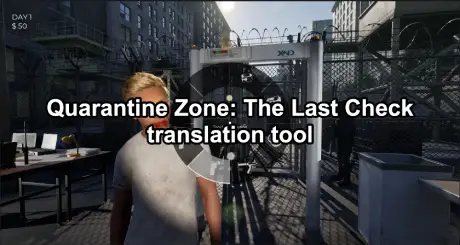
Quarantine Zone: The Last Check is a narrative-driven inspection game where every word matters. If you misunderstand a document, a dialogue line, or a regulation notice, the consequences are immediate—and often fatal. That is exactly why players are actively searching for a reliable Quarantine Zone: The Last Check translation tool. This guide explains what translation tools are useful for the game, when you actually need them, and how to translate key content without breaking immersion or missing critical details.
Part 1: Why You Need a Translation Tool for Quarantine Zone: The Last Check
Part 2: What a Good Quarantine Zone: The Last Check Translation Tool Should Do
Part 3: Best Ways to Translate Quarantine Zone: The Last Check Content
Part 4: Common Translation Pitfalls Players Should Avoid
Part 5: Tips to Translate Faster Without Losing Accuracy
Part 6: How to Use LagoFast Translation Tool for Quarantine Zone: The Last Check
Part 7: Use LagoFast to Fix Lag and Connection Issues
Part 1: Why You Need a Translation Tool for Quarantine Zone: The Last Check
Quarantine Zone: The Last Check relies heavily on text-based mechanics. Language is not just flavor; it is the gameplay.
You may struggle with:
- Official documents containing complex or stylized language
- In-game regulations and procedural notes
- NPC dialogue that hints at hidden rules or exceptions
- Moral or legal nuances that change outcomes
If English is not your first language—or if you want absolute clarity—a translation tool becomes a practical necessity, not a convenience.
Part 2: What a Good Quarantine Zone: The Last Check Translation Tool Should Do
Not all translation tools are equal. For this game, accuracy beats speed.
A good tool should:
- Handle formal and bureaucratic language, not just casual dialogue
- Preserve tone and intent, especially in warnings or legal text
- Allow quick copy-paste or screen-based translation
- Avoid over-simplifying terms that affect gameplay decisions
Literal translations can get you killed. Contextual translations keep you alive.
Part 3: Best Ways to Translate Quarantine Zone: The Last Check Content
1. Real-Time Text Translation (Manual Copy)
The safest approach is copying key sentences or paragraphs into a high-quality translation engine. This works best for:
- Rules and notices
- Long documents
- End-of-day summaries
Yes, it breaks immersion slightly—but less than restarting a run.
2. Screen Capture Translation Tools
OCR-based translators let you capture on-screen text and translate it instantly. These are useful when:
- Text cannot be selected
- You need fast clarification during inspections
Accuracy depends on font clarity and screen resolution, so always double-check critical terms.
3. Community-Driven Translations
Some players share unofficial translations or glossaries for recurring terms. These are helpful for:
- Common phrases
- Repeated regulations
- Game-specific vocabulary
Part 4: Common Translation Pitfalls Players Should Avoid
Using the wrong translation approach can actively sabotage your playthrough.
Avoid:
- Blindly trusting machine translation for legal or procedural text
- Ignoring modal verbs like must, may, or prohibited
- Skipping emotional subtext in NPC dialogue
- Assuming simplified language means simplified consequences
In this game, one mistranslated word can flip a correct decision into a fatal mistake.
Part 5: Tips to Translate Faster Without Losing Accuracy
To stay efficient:
- Build a personal glossary of recurring terms
- Translate full sentences, not fragments
- Re-read translated rules before acting
- Prioritize translating new or unusual text
Over time, you will rely less on tools and more on pattern recognition.
Part 6: How to Use LagoFast Translation Tool for Quarantine Zone: The Last Check
LagoFast’s One-Click translation tool is designed for text-heavy games like Quarantine Zone: The Last Check, where understanding every rule, document, and prompt is critical. It currently supports Traditional Chinese, Thai, Vietnamese, and Arabic, covering many players who struggle with English-only interfaces.
Step 1. Click Free Trial to download and install LagoFast.
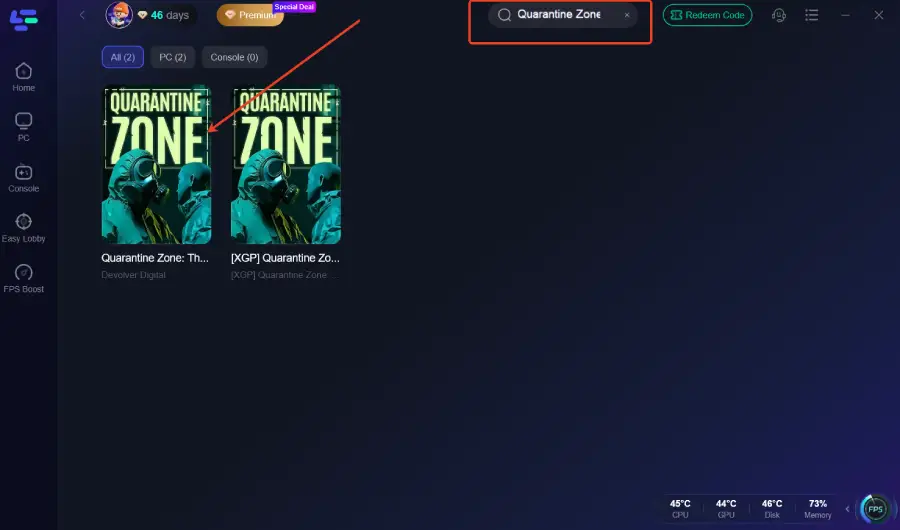
Step 2. Launch LagoFast, type “Quarantine Zone: The Last Check” in the search bar, and click the game from the results.
Step 3. On the right panel, select the One-Click Translation Tool.
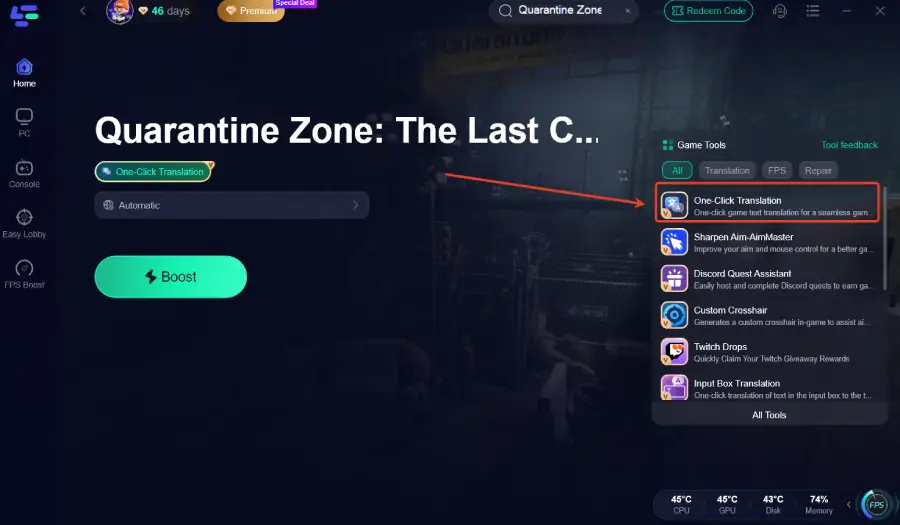
The tool will automatically detect in-game text and prompts in Quarantine Zone: The Last Check and translate them in real time, making registration steps, documents, and gameplay instructions much easier to understand.
Step 4. Click Start Translation, choose your preferred language (Thai/Vietnamese/Arabic), and click Apply. Once the translation is ready, close the window, click Boost, and then launch the game.
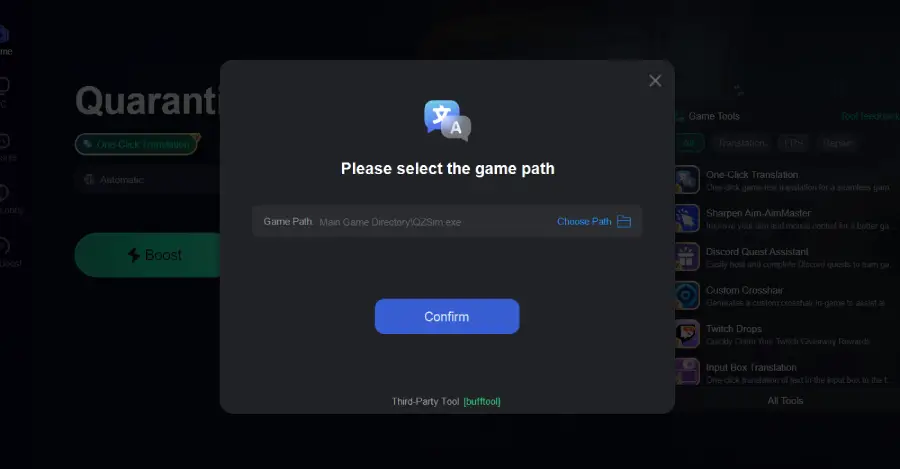
That’s it. With LagoFast’s translation tool, you no longer need to worry about language barriers in Quarantine Zone: The Last Check—every instruction, notice, and dialogue becomes clear, so you can focus on making the right decisions instead of guessing what the text means.
Part 7: Use LagoFast to Fix Lag and Connection Issues
If your game keeps stuttering, freezing, or kicking you out of matches because of high ping or packet loss, LagoFast can help stabilize your network before you even click “Play.” It only takes a few quick steps to get a smoother, more reliable experience.
How to Use LagoFast
1. Select your game
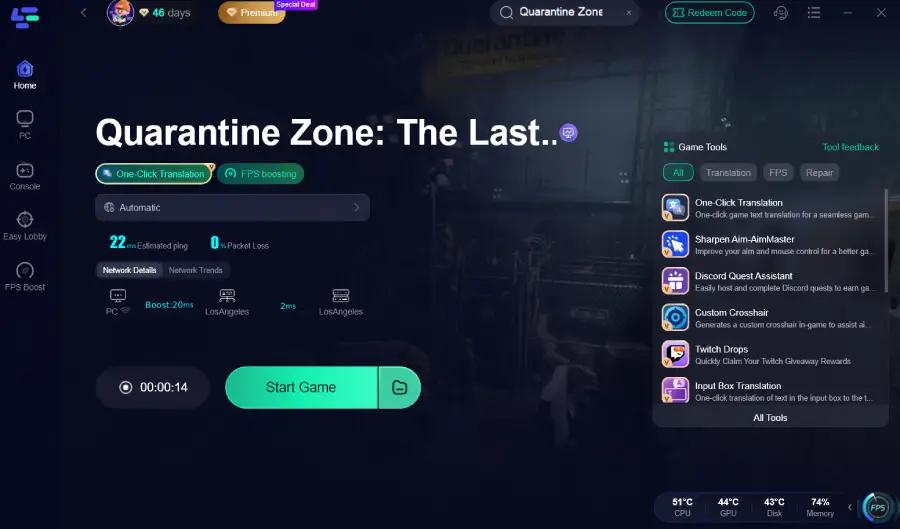
Open LagoFast and type your game’s name in the search bar, then click the result to enter its boost page.
2. Pick the best route
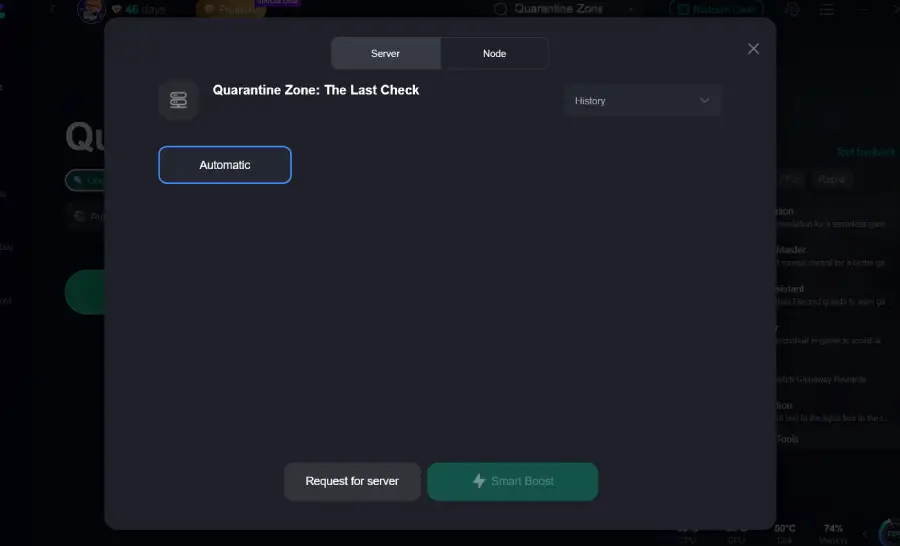
Click Select Server to choose a stable server region, then pick an optimal Node on the right for your location.
3. Enable smart optimization
Hit the Smart Boost button to check your real-time ping, packet loss, and network type, then click Boost to start optimizing and launch the game through LagoFast.
Why Use LagoFast
- Reduces in-game lag and stuttering
- Lowers ping and stabilizes your connection
- Minimizes packet loss during intense online moments
- Automatically picks better routing paths for your region
With these quick steps, LagoFast runs quietly in the background to keep your connection stable, so you can focus on playing the game—not fighting your network.
Conclusion
A reliable Quarantine Zone: The Last Check translation tool significantly improves both comprehension and survival. The game is designed to test attention, ethics, and interpretation—language barriers should not be the thing that ends your run. Translate carefully, think critically, and remember: in Quarantine Zone, misunderstanding is just another form of failure.
Boost Your Game with LagoFast for Epic Speed
Play harder, faster. LagoFast game booster eliminates stutter and lags on PC, mobile, or Mac—win every match!
Quickly Reduce Game Lag and Ping!
Boost FPS for Smoother Gameplay!